Now that AI meeting assistants are the norm, the question is — which one should you use?
For many, tl;dv (short for too long, didn’t view) was the answer. It transcribes and records online meetings on Zoom, Microsoft Teams, and Google Meet. Then, it automatically highlights key moments — and lets you clip and share short reels with colleagues, without forcing them to view an hour of footage from the meeting.
While useful, I’ve noticed tl;dv has a few serious drawbacks — including intrusive bot-only recording, and pricey paid plans for teams.
As a result, you’re probably looking for a decent tl;dv alternative. To help you, I’ve tested more than 20 AI note takers. Here are my top 3 choices for 2026.
What Are the Top TL;DV Alternatives?
After trying out two dozen AI meeting assistants, I’ve concluded that these 3 are the best tl;dv replacements:
- Bluedot
- Claap
- Gong
#1. Bluedot — Best TL;DV Alternative Overall
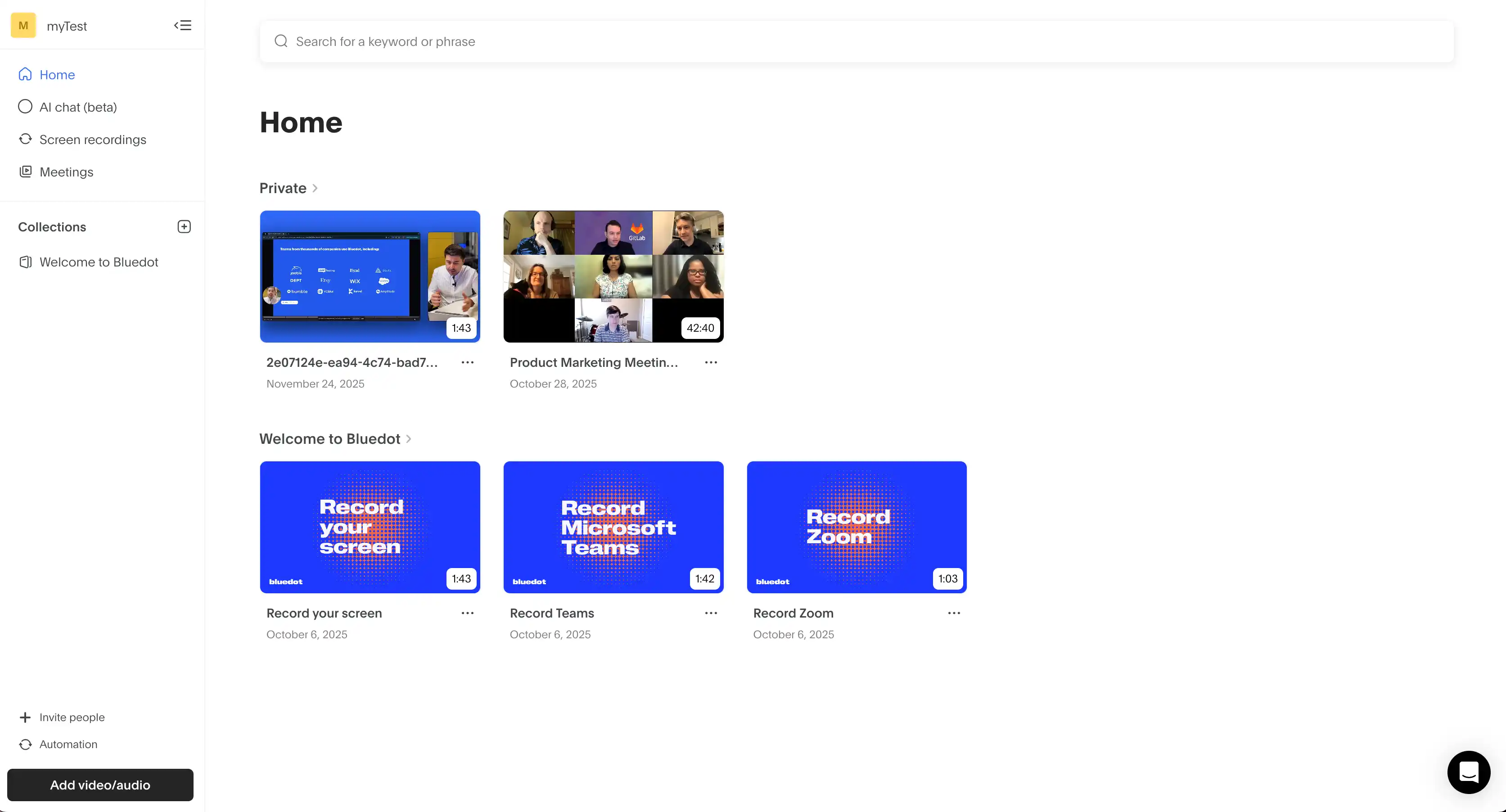
Bluedot is an AI meeting assistant that can record, transcribe, and summarize your meetings — both online and in-person.
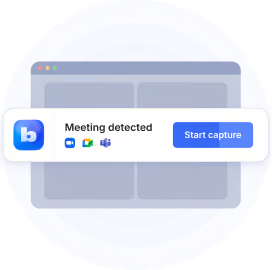
Unlike many tl;dv alternatives, Bluedot can work without a bot — instead, it can record meetings through a Chrome extension, desktop, or mobile app. I like that because it doesn't disrupt my calls with an ominous AI bot participant.
For sales teams, this is a huge advantage — you can start discussing your product and its advantages right away. You don't have to spend the first 5 minutes of a call awkwardly explaining why there's an off-putting bot there.
Let's see what else Bluedot can do — and why it's about to become your favorite AI meeting tool.
Bluedot vs. tl;dv — Key Features Compared
Let's get straight to the point — Bluedot doesn't limit you nearly as much as tl;dv does.
For starters, Bluedot's $25-per-month Pro tier comes with unlimited meetings and video recording — for an unlimited duration. You also get full access to customizable AI templates for your meeting notes, as well as the AI chat.
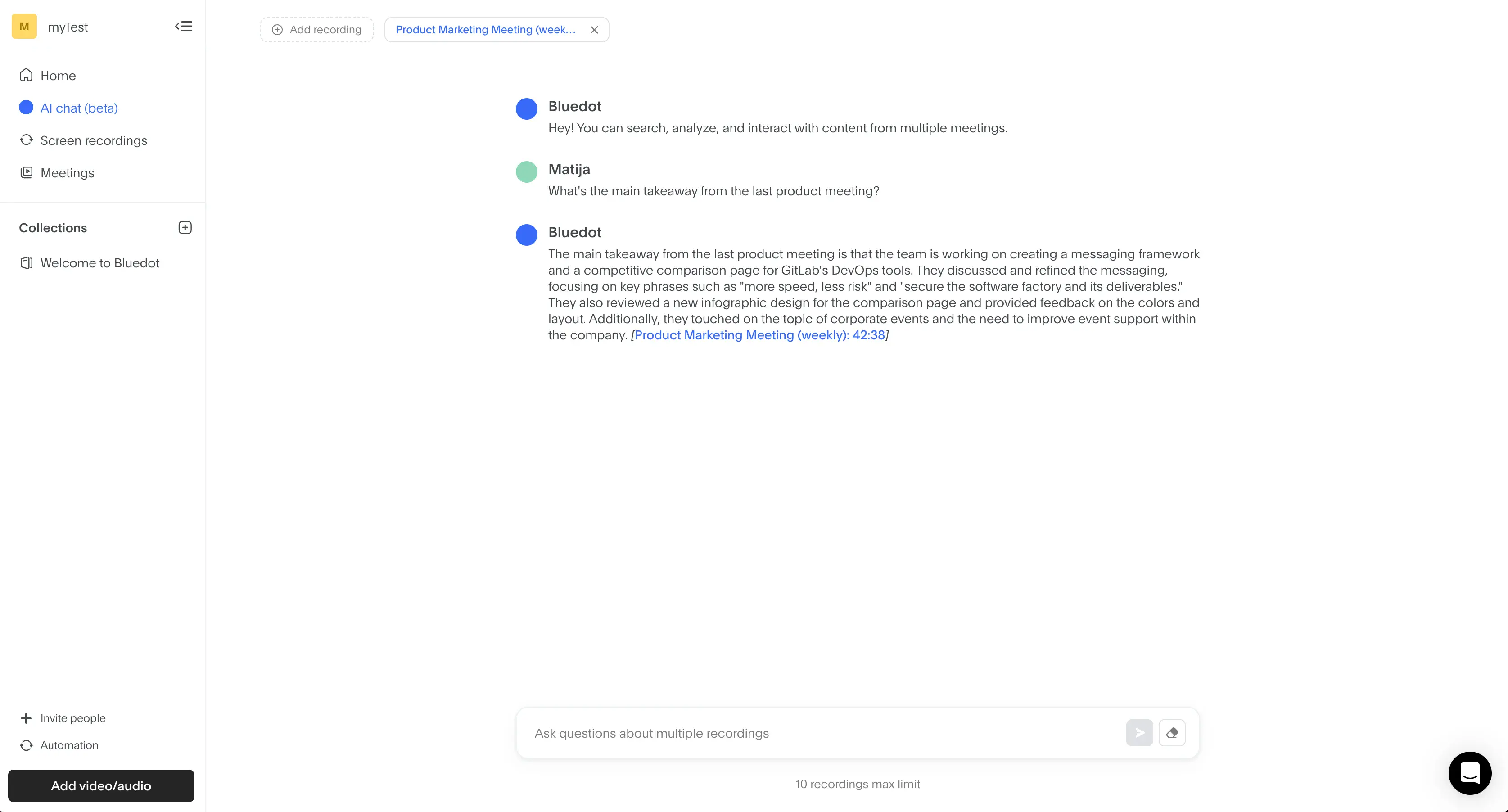
The chat was useful for me because it always provided relevant answers to my questions about past calls. No hallucinations you get with other tools, and no vague stuff I could've concluded on my own. Just real conversation intelligence.
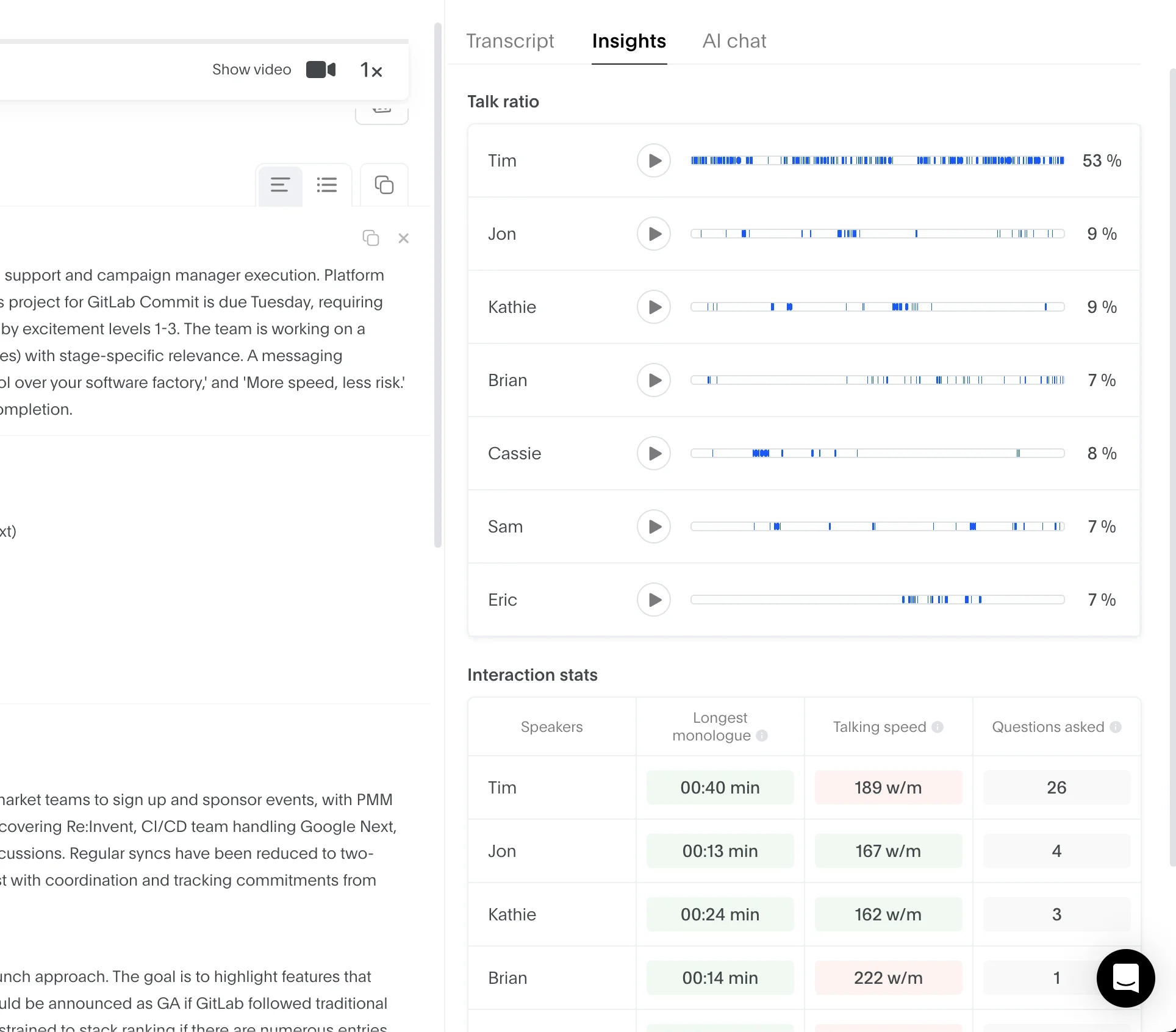
In the Insights tab, Bluedot also gives you relevant information about each speaker — talk ratios, speeds, number of asked questions, and monologue length. None of it is hidden behind the priciest subscriptions, like with tl;dv.
Also, Bluedot doesn't limit the number of simultaneous calls your team can record and transcribe. And there's no difference between the transcription accuracy on lower and higher tiers — everyone gets the same premium-quality subscription.
Last but not least, Bluedot is a better choice if you work in a global team — it supports 100+ languages, compared to tl;dv's 30.
How Much Does Bluedot Cost?
Here's a quick look at Bluedot's different subscriptions:
For me, Bluedot provides more value than tl;dv at each subscription tier — despite a relatively constricting free plan with only.5 meetings. The Basic plan will probably be sufficient for individual users, while sales teams that value CRM integration should consider the Business tier.
Bluedot Pros and Cons
Below is a table outlining the key pros and cons of Bluedot:
#2. Claap — Great for lemlist Users
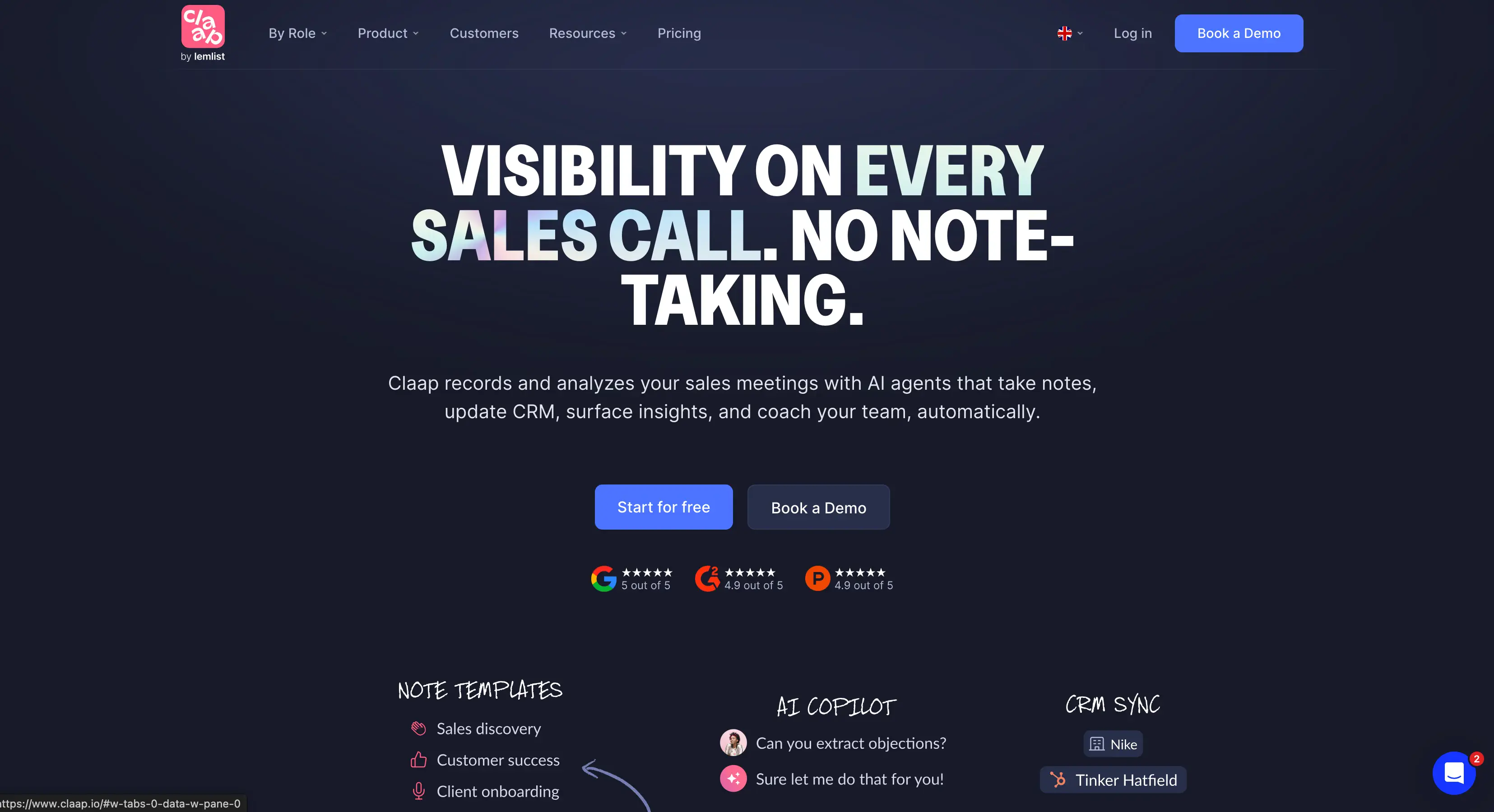
Claap is an AI-powered meeting intelligence platform, primarily designed for sales teams.
Initially, Claap was a standalone startup — before being acquired by lemlist in late 2025. If you work in sales, you've probably heard of lemlist. It's a popular lead generation and outreach platform, so you can see how Claap was a logical next step.
While lemlist helps you reach the right prospects, Claap is there to help with the actual sales meeting. It can record and transcribe meetings, before providing detailed sales-specific notes.
The reason I ranked it so high as a tl;dv alternative is simple — it lets you record calls bot-free. However, Claap might not be the right fit if you're not a sales rep or manager.
Claap vs. tl;dv — Meeting Assistants Compared
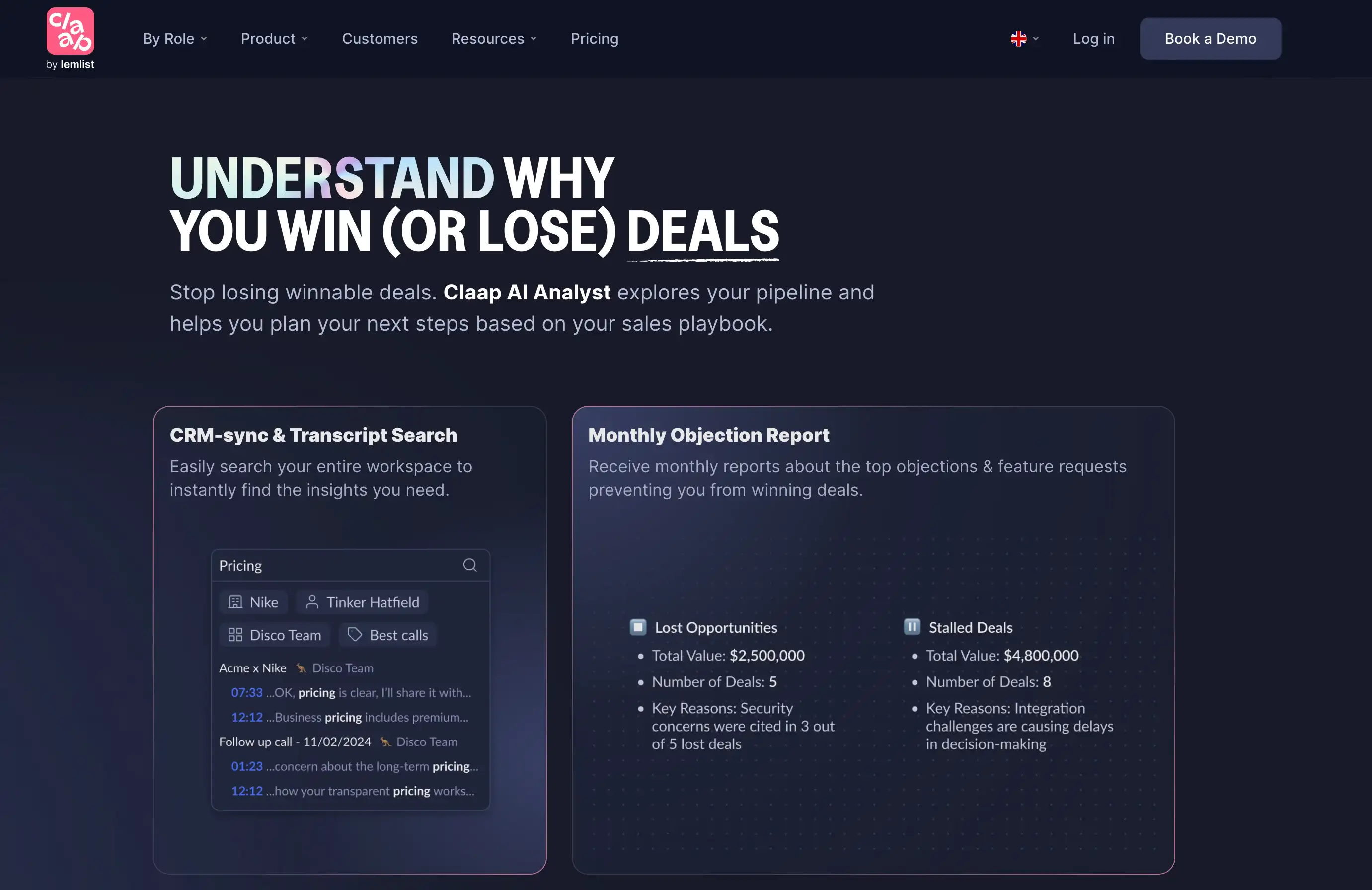
So, Claap can record and transcribe calls from Zoom, Google Meet, and Microsoft Teams — in over 99 languages.
In terms of language support, that puts it up there with Bluedot, and way ahead of tl;dv. It's a great choice for multilingual sales teams.
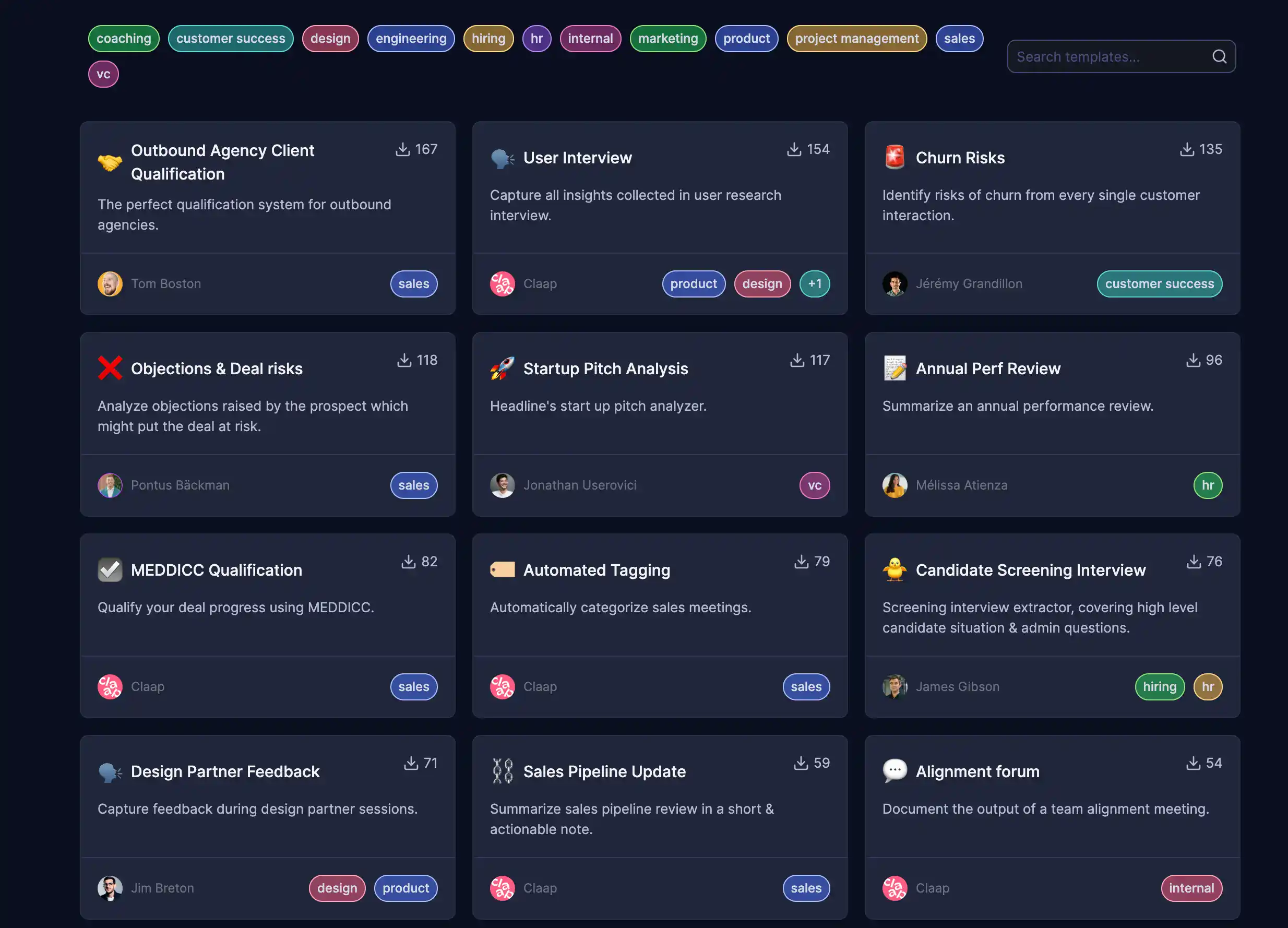
For sales reps, the AI meeting notes you get based on your meetings are definitely useful. You can choose from all kinds of sales-related templates, including:
- User Research
- Product Demo
- Discovery Call
- Sales Pipeline Update
It also connects to lemlist. You can use Claap to gather insights during calls — for example, a prospect mentioning a specific pain point. Then, you can feed those insights back into lemlist to personalize future outreach to that particular prospect.
However, I feel like Claap tries to do a bit too much for sales intelligence. It has its own Deal Intelligence screen, where you can track deals based on conversations recorded in Claap.
The trouble is, most sales reps don't want another platform that's trying to be Salesforce — they just want a platform that connects to Salesforce and feeds it data. And yeah, Claap can also do that via API.
On the other hand, I didn't like that Claap didn't let me register without a phone number. AI tools and their owners already have too much of my information as it is.
How Much Does Claap Cost?
Here's an overview of various Claap free and paid plans:
As you can see, the prices are quite high — especially considering the various accompanying limits.
Even with the pricey Business plan, you have a cap for monthly uploads. The only way to get unlimited recordings and uploads is with the custom-priced Enterprise plan.
The same goes for storage. Claap deletes recordings of Pro and Business users after 2 and 3 years, respectively — unlimited retention is only available for Enterprise users. At every step of the way, Claap pushes you towards the Enterprise tier quite forcefully.
Also, you don't get AI sales coaching features with the Pro plan. The bottom line is — Claap is only a great choice for large sales teams with huge budgets. For other use cases, you'd be better off with a more reasonably priced AI meeting assistant.
Claap Pros and Cons
#3. Gong — Great for Revenue Teams
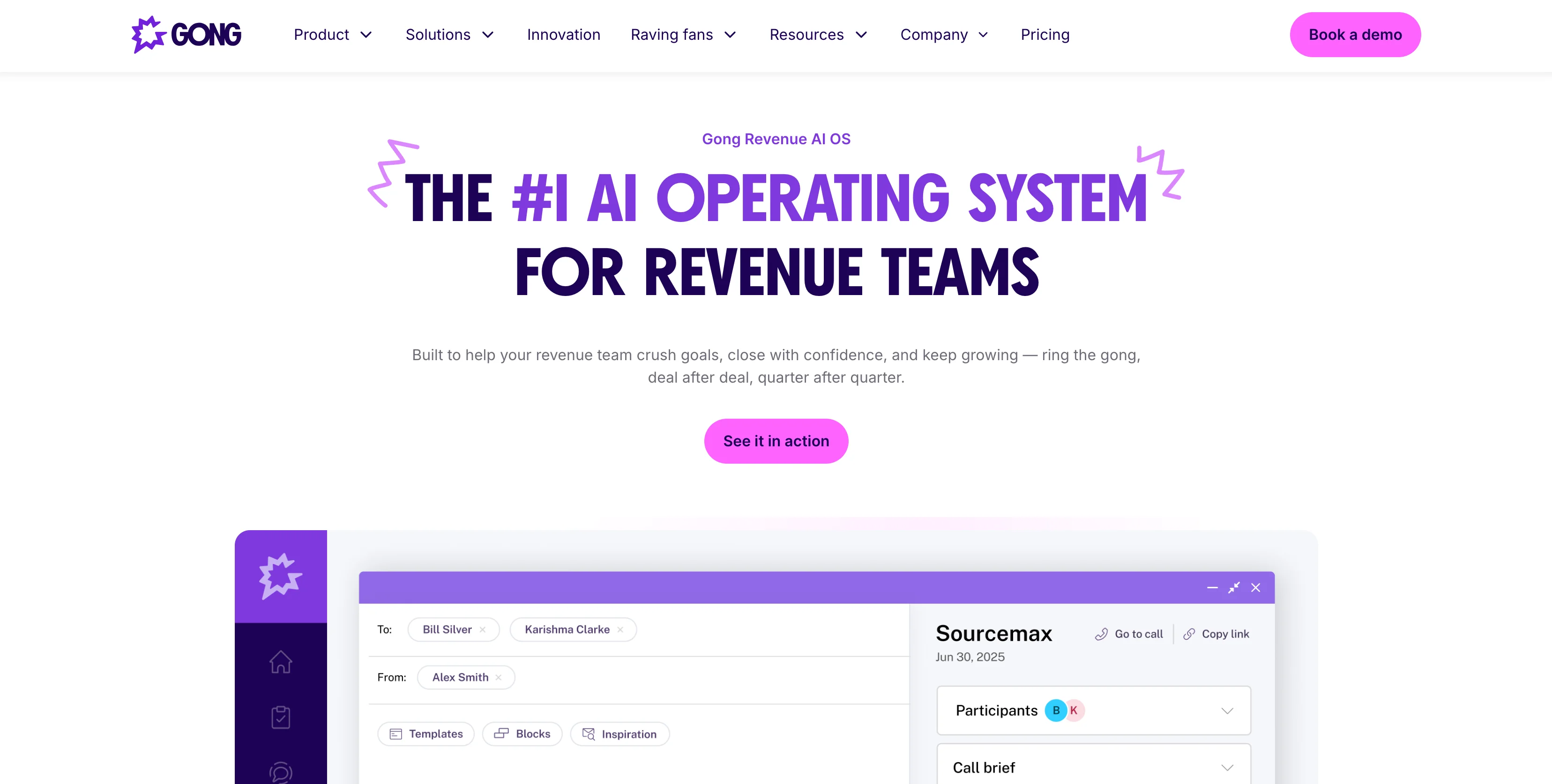
Like Claap, Gong is an AI tool aimed at sales teams. Beyond recording and transcribing calls, Gong also provides advanced revenue intelligence features.
That being said, their claim of being an "AI operating system for revenue teams" is overblown. Anyone who knows what an OS is will likely laugh at the claim. At the end of the day, Gong is just another revenue intelligence platform.
The main difference between Gong and the other tl;dv alternatives on this list is that Gong doesn't just analyze video calls — it also collects information from your emails and other conversation points.
Let's see how well Gong works in practice.
Gong vs. tl;dv — AI Meeting Assistants Analyzed
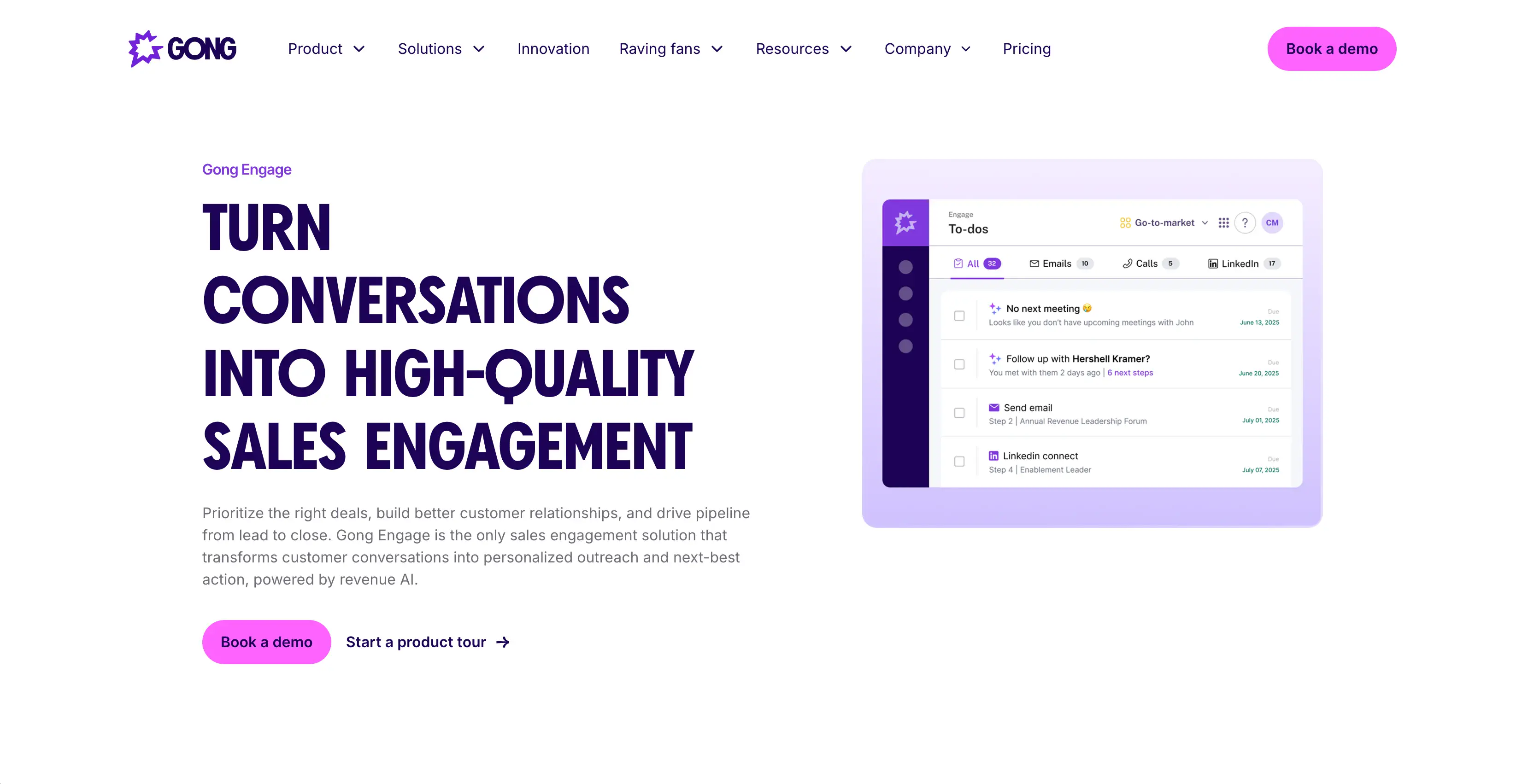
Gong wants to be your central touchpoint for all conversations between your sales reps and customers. And instead of your reps entering notes into Salesforce manually, Gong records, analyzes, and transcribes meetings — and then does this for you.
However, most other AI note takers like Bluedot can also do this. What Gong promises to deliver is a wider range of information outputs. Besides Zoom, Microsoft Teams, and Google Meet, Gong also connects to your email account and VOIP systems.
In short, it can collect more info from more sources. Through the Gong Revenue Graph, the platform can map different interactions with the same prospect into an actual revenue projection.
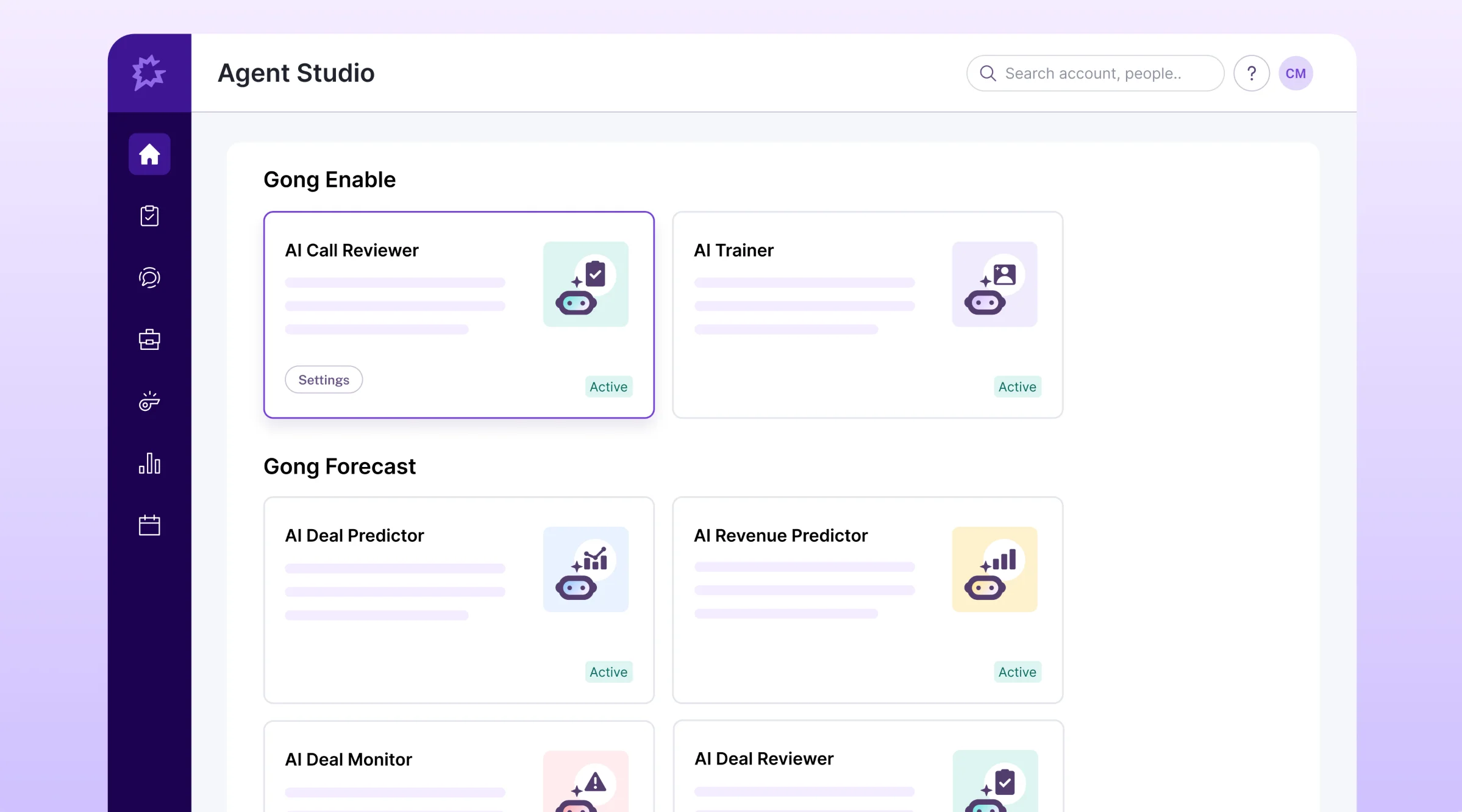
So far, so good — but while Gong is often used by large organizations with sizable budgets, it's often seen as over-built for small-to-mid-sized sales teams. There are too many features you don't need in a team of that size, and you probably don't have the budget for this software.
The learning curve is also steep, with an overly cluttered interface. And the customer support is often unresponsive or even uninformed — some users suspect it's mostly outsourced outside of the company.
Finally, it uses a bot to record calls, much like tl;dv. I'm not sure that the additional revenue intelligence features outweigh the lack of a bot-free recording option, which makes actual sales calls less awkward on platforms like Bluedot.
How Much Does Gong Cost?
Gong doesn't provide any details on team plans or key points in different subscriptions, at least not publicly. You'd have to speak to their own sales reps to get an estimate — which is a huge downside compared to tl;dv alternatives with transparent pricing, like Bluedot and Claap.
However, some users on Reddit report that they were charged a base annual price of $5000, plus $1400 per user. At those prices, you'd be better off getting a simpler AI meeting assistant and a ChatGPT subscription for analysis.
And there's another point worth mentioning — many of the sales reps report feeling micromanaged after Gong was introduced, because it tracks too many metrics that don't necessarily result in sales. I'm not a sales manager myself though, so you be the judge of that.
Gong Pros and Cons
Why Do You Need a TL;DV Alternative?
Even if you’re currently happy with tl;dv, there a few reasons to switch:
- High price for teams
- Recording with an intrusive bot
- Slow customer support
- Limited language support
Read More: Comprehensive tl;dv Review
#1. It's Too Expensive for Teams
I appreciate that tl;dv offers a generous free plan with unlimited meetings and video recording. However, I quickly noticed that its "Free Forever" title is somewhat misleading.
With the free plan, tl;dv deletes your recordings after three months. So, the "free forever plan" is really just a trial version of the app.
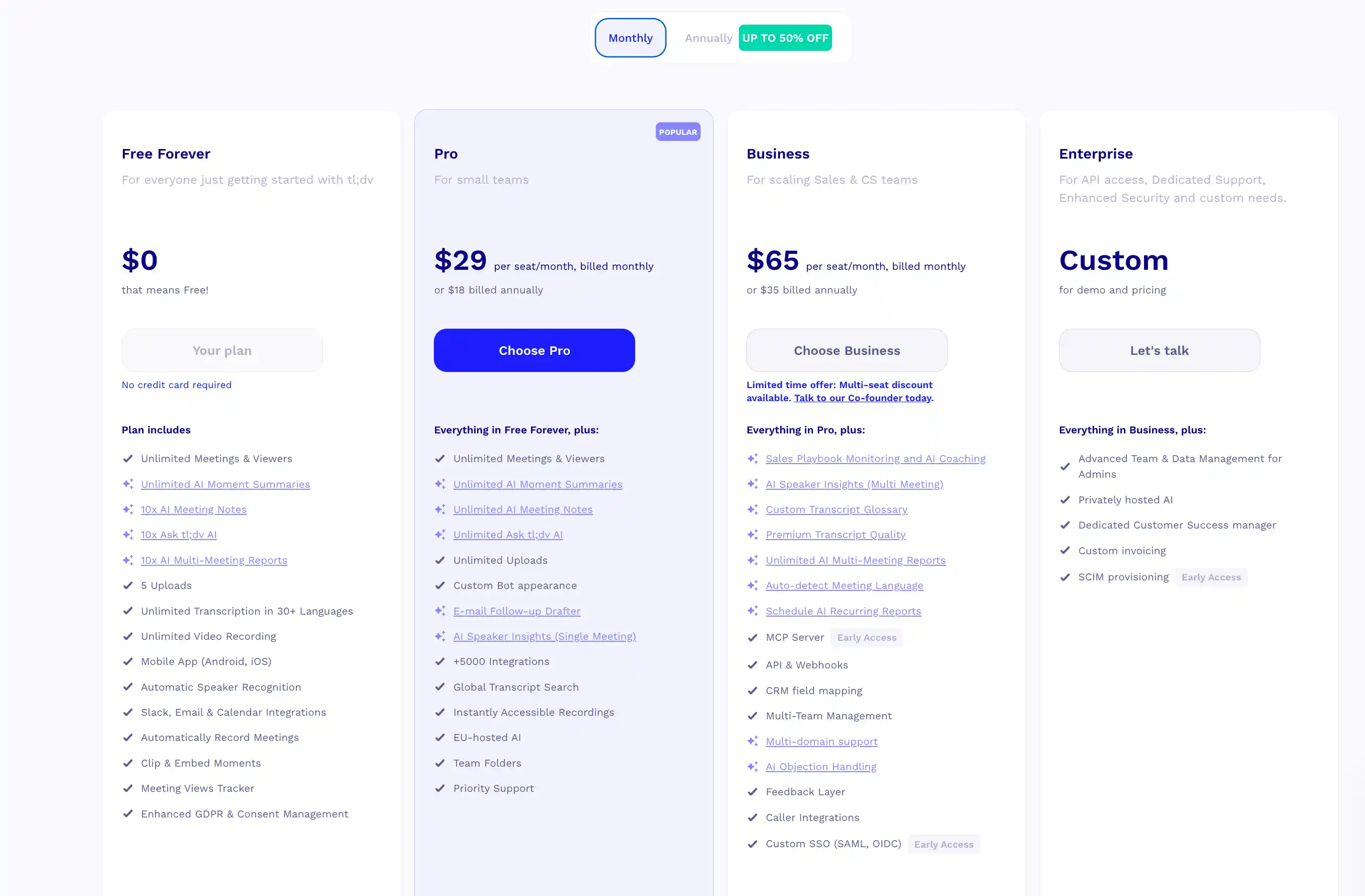
tl;dv's monthly subscriptions are on the expensive side
On the other hand, the monthly (and annual) subscriptions are expensive compared to the competition. Even worse, tl;dv locks many important features behind its priciest tiers.
For example, you need the most expensive, custom-priced Enterprise plan to record and transcribe more than three simultaneous calls. In practice, sales teams or customer support teams have no choice but to pay for the Enterprise plan.
It's a similar story with the AI Coaching Hub, which provides key insights into your sales meetings and other calls — and gives suggestions for improvements. You need the $65-per-month Business tier for this feature, while most competitors would provide it with a basic Pro plan.
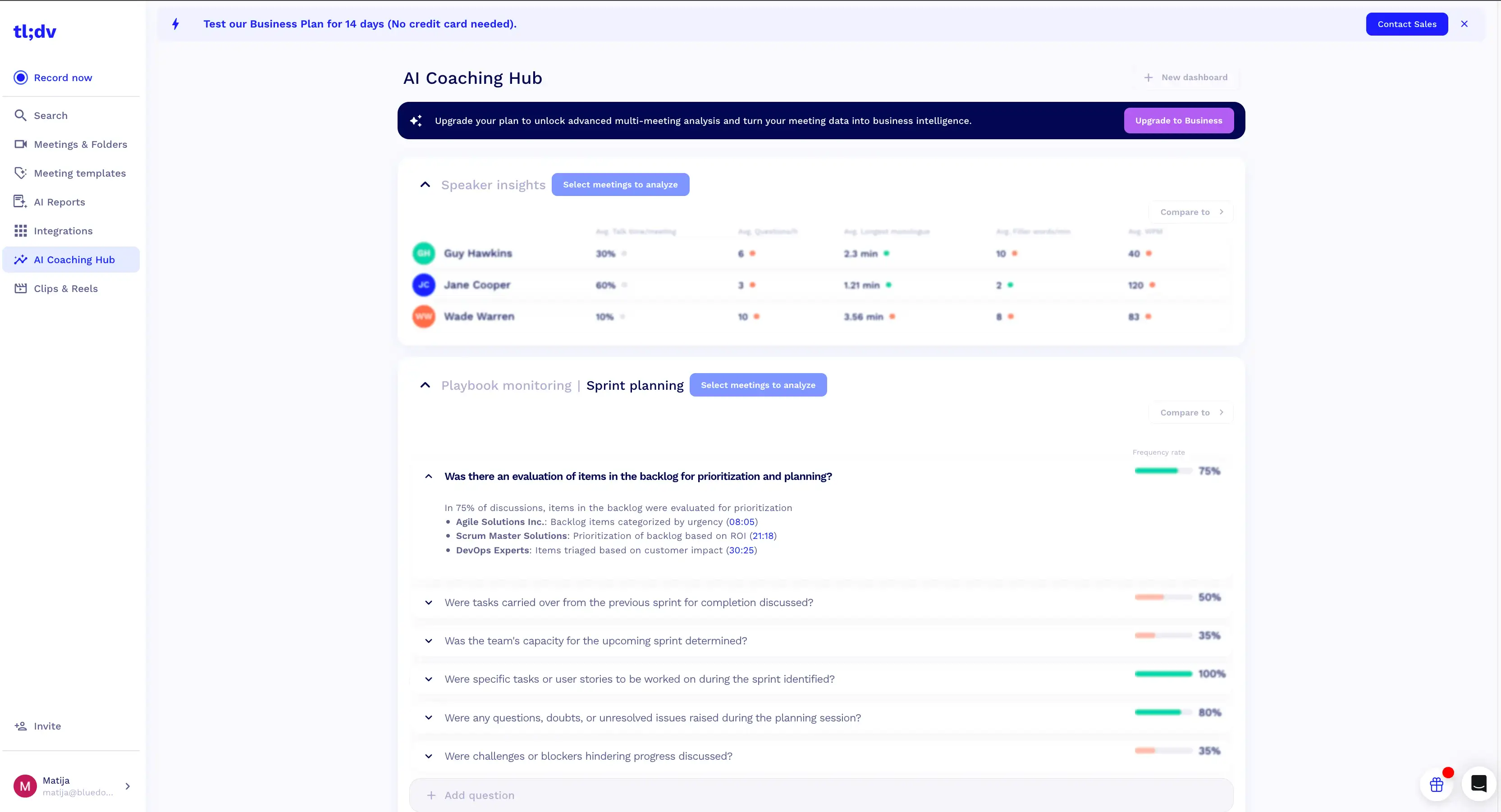
You don't get sentiment analysis of past meetings with the basic Pro subscription.
Personally, my biggest gripe with tl;dv's pricing is the transcription quality, which is also gated. Free and Pro users ($29 per user per month) only get access to a lower-quality transcription model, while the premium-quality subscription is reserved for Business and Enterprise subscribers.
#2. There's No Bot-Free Recording
The only way to record calls with tl;dv is by inviting its bot to your meetings.
For internal meetings, this is fine. But beyond team collaboration, the presence of a bot feels intrusive. If I were a customer on a sales call or in conversation with support staff, a bot that was there to record me would feel off-putting. I wouldn't feel as free to speak my mind.
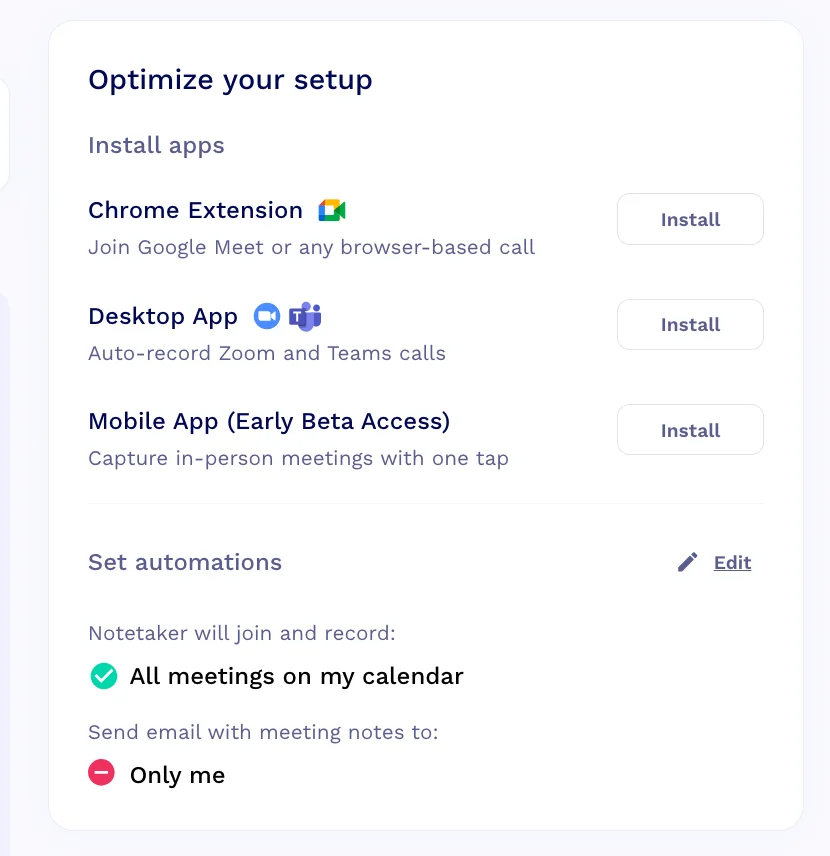
You can't record without a bot in tl;dv
This is why some tl;dv alternatives, like Bluedot or Claap, support recording meetings without a bot. You don't have to explain why you're recording the conversation when it's done discreetly — and it doesn't disrupt the flow of the meeting.
Unfortunately, you can't record bot-free with tl;dv, even if you download their desktop app. The tl;dv mobile app lets you record conversations through the phone's speaker, but that's only an option for in-person meetings.
#3. Slow Customer Support
In my experience, tl;dv's customer support isn't the worst I've seen among AI note takers — but it's also far from perfect.
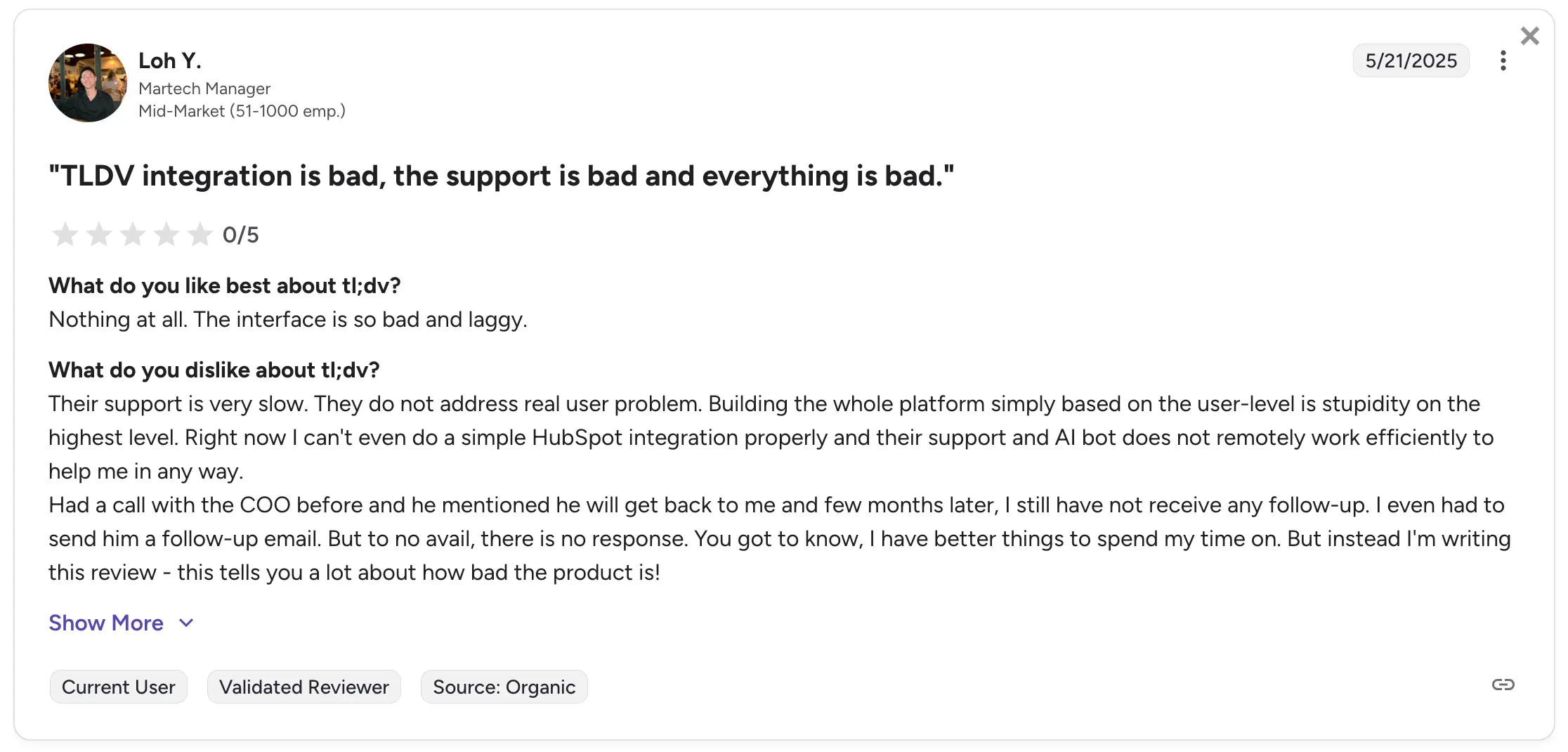
According to one manager in a mid-market martech company, tl;dv didn't respond to his support query even after repeated follow-up emails.
Other users voiced similar complaints — like a talent manager who used tl;dv to take notes during interviews. In his case, tl;dv accidentally gave him a lower-tier account, despite him paying for a year's worth of a pricier subscription. Support was slow to respond and remedy the problem.
When I (or my company) pay for a pricey business plan, I expect two things: advanced features I wouldn't get otherwise, and priority support. We're all human, and mistakes happen — but if I feel they're endemic and not a one-off issue, that's unacceptable.
#4. It Doesn't Support Enough Languages
I work in a geographically dispersed team, with people who speak different languages and come from different countries — on other continents.
Wir haben auch Kunden aus der ganzen Welt, daher schätzen unsere Vertriebsteams und Support-Mitarbeiter den mehrsprachigen Support in Apps sehr. Und das ist auch der Grund Bluedot unterstützt Transkription in Echtzeit und Besprechungsnotizen in über 100 Sprachen.
Unglücklicherweise tl; dv hinkt in dieser Hinsicht hinterher.
Für einen umfassenden Sitzungsassistenten investiert tl; dv nicht viel in Sprachunterstützung. Es funktioniert mit nur 30-40 Sprachen. Für mich persönlich ist das keine große Sache, weil ich Englisch als Muttersprache habe — aber viele unserer Mitarbeiter im Ausland können über tl; dv keine Einblicke in Besprechungen in ihrer eigenen Sprache erhalten. Außerdem sind die Transkriptionsgenauigkeit und die Sprechererkennung geringer, selbst bei unterstützten Sprachen.
Was ist die beste tl; dv Alternative?
Im Vergleich zu anderen KI-gestützten Besprechungsassistenten Bluedot ist insgesamt die beste Alternative zu tl; dv.
Claap, Gong und viele andere Wettbewerber gehen auf einige Bedenken ein, die Benutzer in Bezug auf tl; dv haben. Aber sie bringen selbst neue Probleme mit sich, oft mit hohen Preisen, einem Mangel an integrierter Videoaufzeichnung und aufdringlichen Bots. Einige von ihnen können Besprechungen in gängigen Videokonferenz-Tools nicht aufzeichnen, ohne dass ein Bot anwesend ist — oft ein entscheidender Vorteil für Vertriebsmitarbeiter.
Mit Bluedot können Sie ohne Bot aufnehmen — über eine Desktop-App, eine mobile App oder eine Chrome-Erweiterung. Sie erhalten diskret eine Aufzeichnung und Transkription von Besprechungen, ohne jemanden zu beleidigen oder zu alarmieren.
Am wichtigsten für größere Teams, Bluedot begrenzt nicht die Anzahl gleichzeitiger Anrufe, die Ihr Team aufzeichnen kann. Im Gegensatz dazu erfordert tl; dv einen maßgeschneiderten Enterprise-Tarif, um mehr als drei Anrufe gleichzeitig aufzuzeichnen.
Außerdem sind die Transkriptionsgenauigkeit und -qualität von Bluedot über alle Abonnementstufen hinweg konsistent. Höher zahlende Nutzer Holen Sie sich erweiterte Funktionen und weniger Einschränkungen, aber die Qualität der Transkription von Besprechungen ist für alle gleich.
Nachdem Sie Ihre Meeting-Aufzeichnungen erhalten haben, können Sie auch ganz einfach Clips erstellen und diese mit Kollegen teilen — zusammen mit KI-generierten Zusammenfassungen. Und wenn Sie Hilfe benötigen, Das Team von Bluedot hilft so schnell wie möglich. Das Support-Personal ist intern und kennt sich in allen Aspekten der Plattform bestens aus.