Source: Otter.ai
In today’s meeting-heavy work environment, AI note-taking tools have moved from novelty to necessity. While transcription service remains the core function, the best AI tools now do more than just convert speech to text - they extract key points, surface action items, and help teams stay aligned without the constant overhead of manual note taking and documentation.
It’s not just about convenience anymore; it’s about keeping pace with how fast information moves.
With dozens of AI note takers on the market, from free tools to enterprise-grade solutions, the space is evolving fast. And the competition is fierce. One name that consistently rises to the top is Otter AI.
Known as a note taking tool with real-time transcription and user-friendly interface, Otter is widely used among students, journalists, and remote workers alike. But what exactly makes this AI tool stand out in a crowded artificial intelligence space? And is it still keeping up as newer tools push the boundaries of AI productivity?
In this Otter AI review, we take an in-depth look at Otter AI: its features, strengths, and what it might not get right.
Whether you're exploring AI tools for individual use or team-wide implementation, this breakdown will help you evaluate whether Otter AI is the right fit. And if it turns out you want to explore Otter AI alternatives, if the tool isn’t quite meeting your needs, we’ll point you toward one worth considering.
For a broader comparison of top AI tools in the field, be sure to check out our guide to the best AI note-takers in 2025.
What Is Otter AI?
Quick Company Background
Founded in 2016 by AI veterans Sam Liang and Yun Fu, Otter AI (originally AISense) has grown from a startup into one of the most recognized names in the world of AI-powered transcription software. Based in Mountain View, California, the company set out to make speech-to-text smarter, through artificial intelligence and machine learning.
Otter launched its first mobile app in 2018, partnered with Zoom, and introduced Otter for Education, to help students take better notes. By 2019, it rolled out Otter for Teams, followed by a $10M funding round in 2020 to support its rapid growth. Named a top AI App by The Wall Street Journal in June 2023, in this Otter AI review we dig deep to see how the app fits the market today.
Otter AI's Core Tech: Turning Speech into Structured Text
At its core, Otter AI s a an AI virtual meeting assistant using a combination of automated speech recognition (ASR), natural language processing (NLP), and machine learning to convert spoken words into structured, readable text. The platform is designed for a wide range of real-time and recorded use cases - virtual meetings, calls, lectures, interviews, and even podcasts. Users can access live transcription service, searchable archives, speaker identification, and AI meeting notes, making it a practical tool for both individuals and teams looking to stay on the same page.
Otter.ai Pricing tiers
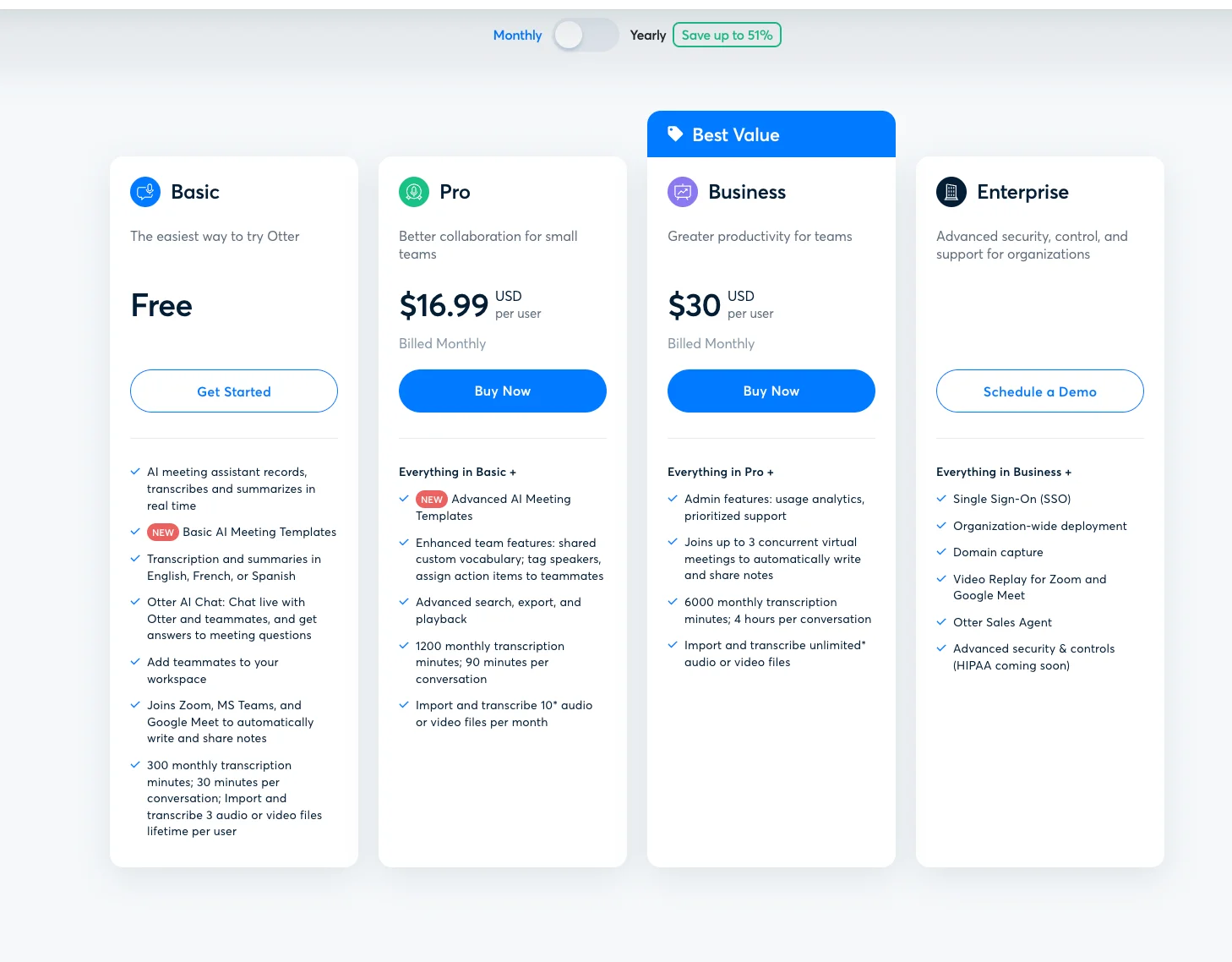
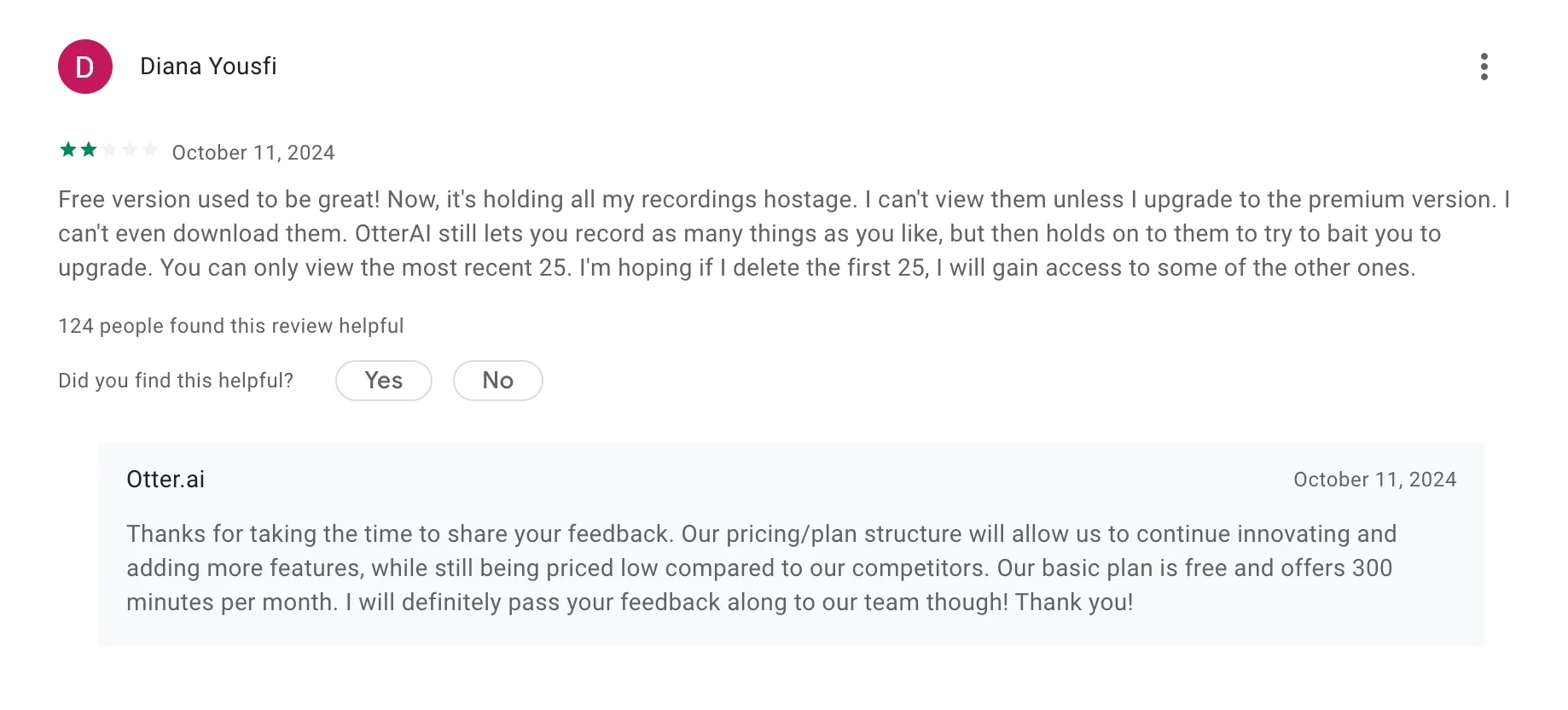
Otter AI has earned a following in part thanks to its generous free plan: you get 300 minutes each month and up to 30 minutes per meeting recording. There’s a catch: free users can only upload three prerecorded audio files total.
That said, even the free plan gives you access to Otter AI Chat (for live Q&A and translation) and OtterPilot, which can record all your meetings, take notes, and even answer questions in real time - whether you're present or not.
If you need more than what the free version has to offer, paid plans ramp up quickly. The Pro plan ($16.99/month) offers 1,200 minutes, 90-minute audio recordings, and limited audio file uploads (10 per month). The Business plan ($30/month) boosts limits to 6,000 minutes, allows four-hour audio recordings, and lets you upload unlimited pre-recorded audio files. Otter also offers an Enterprise plan with custom features and pricing to support advanced security, admin controls, and team management, including syncing video from conferencing platforms with the transcripts.
Just a heads-up: subscribing through the App Store or Google Play will cost more due to extra platform fees.
Otter AI: Key Features Unpacked
On paper, Otter AI offers a robust suite of impressive features. Designed to reduce the burden of manual note-taking, Otter transforms all your conversations into structured, searchable transcripts, complete with speaker labels, highlights, and AI-generated summaries.
Let’s break down what Otter brings to the table.
Real Time Transcription
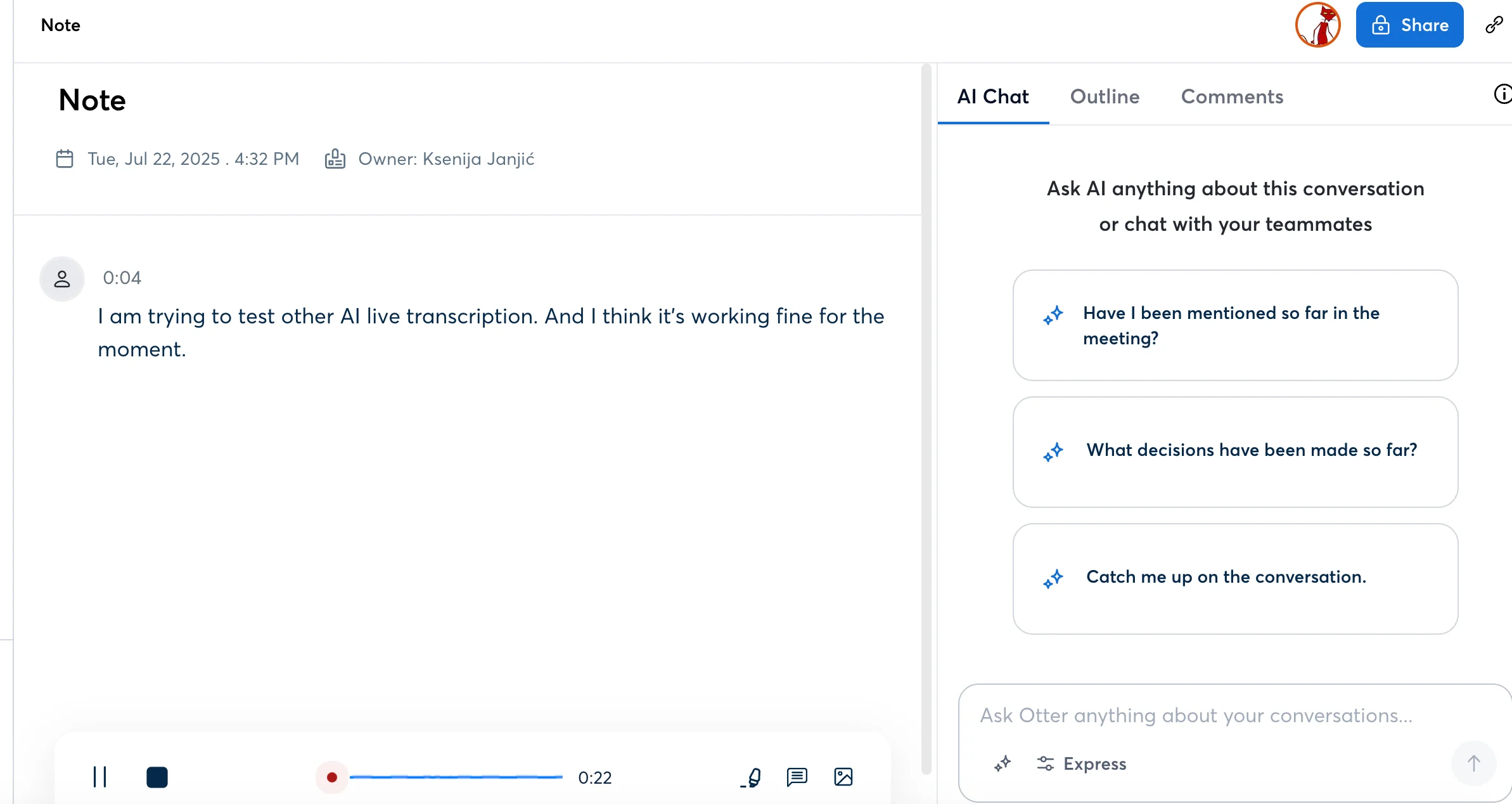
One of Otter AI's standout capabilities is its real-time transcription. As you speak, the transcription tool listens and instantly converts spoken words into text. Real-time transcription comes in especially handy for meetings where having a written record matters - like project reviews, interviews, or legal discussions. It’s also a game changer for accessibility, helping everyone follow along, regardless of hearing ability or language fluency.
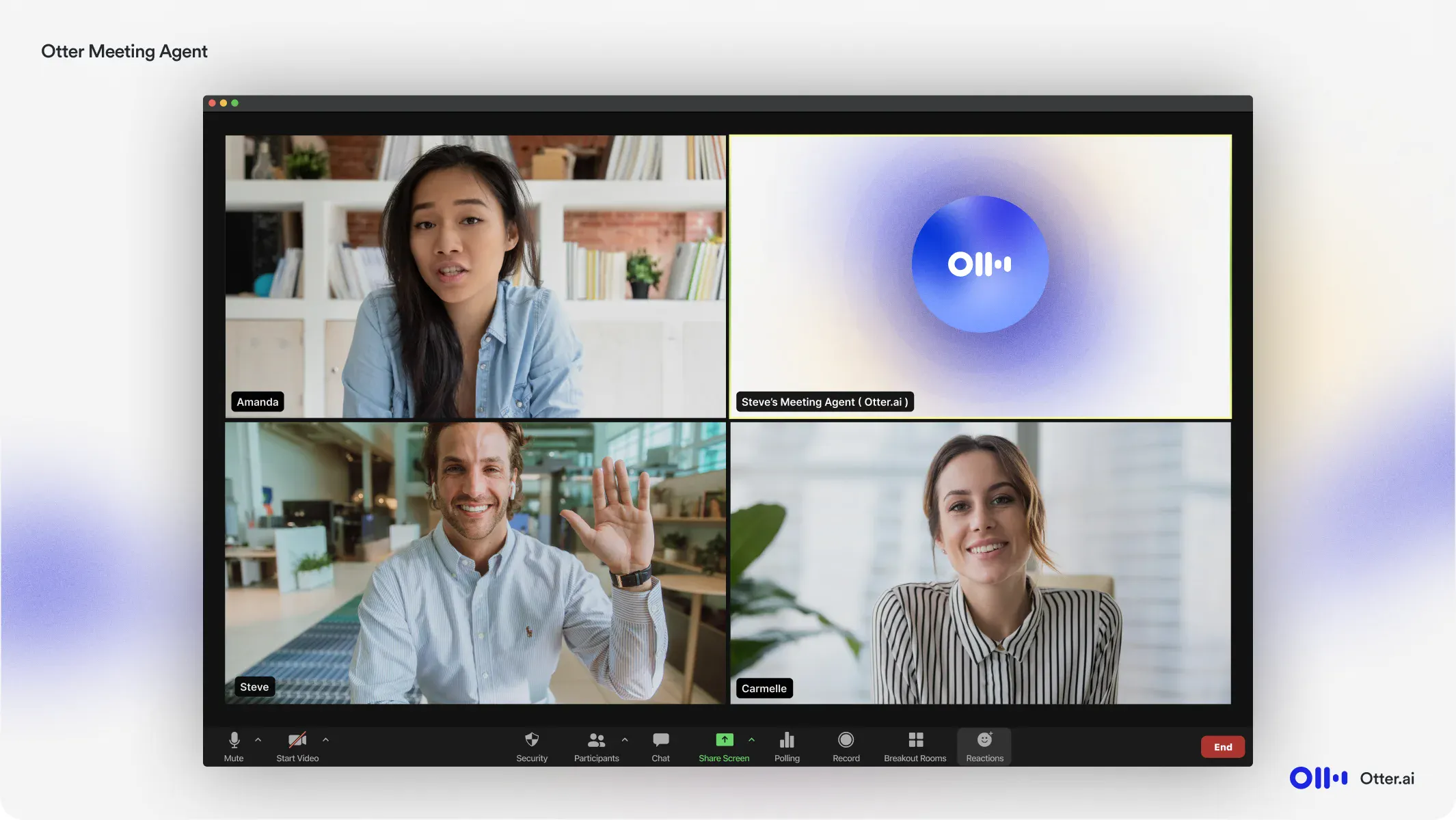
Otter integrates directly with major video conferencing tools like Zoom, Microsoft Teams, and Google Meet. Once connected, Otter can automatically join your meetings and begin recording and transcribing without manual intervention, via the OtterPilot bot.
Speaker Identification
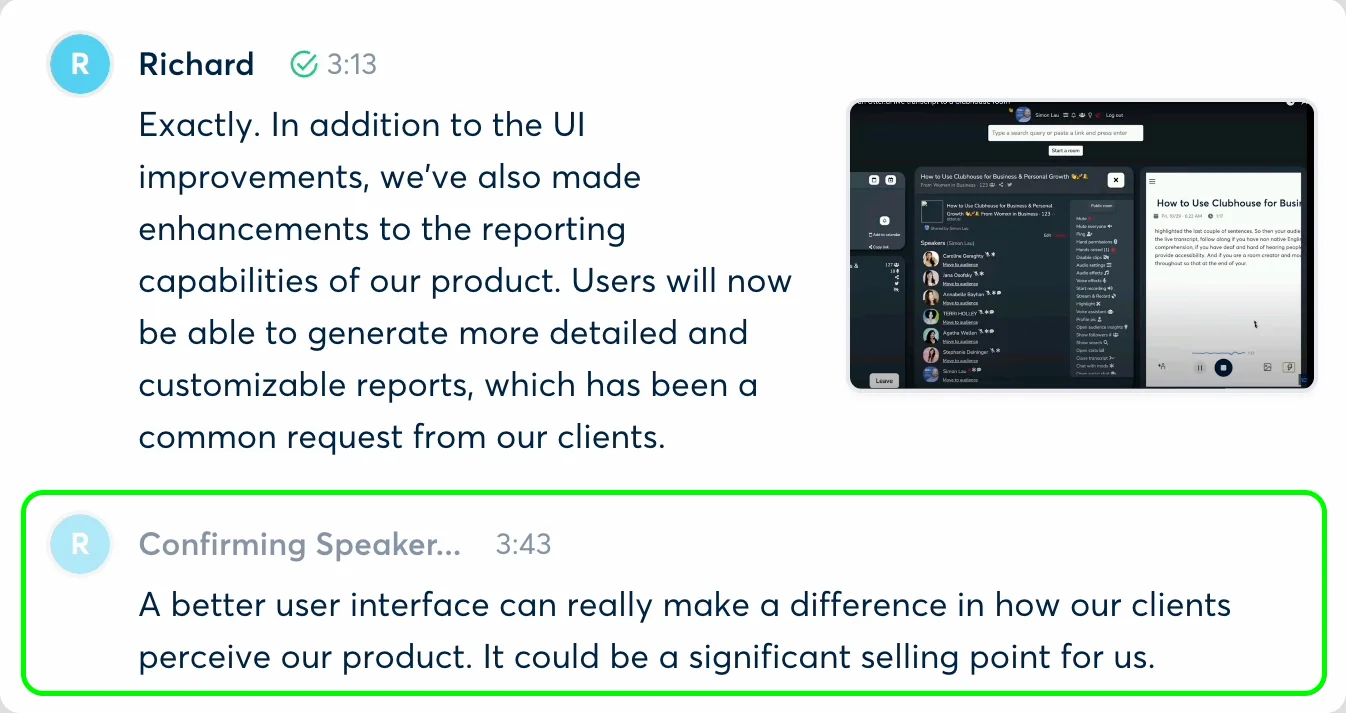
Transcripts are only useful if they make sense, and Otter helps with that by its speaker identification functionality. This feature can automatically identify speakers and label them throughout the meeting, making it easier to follow the flow of conversation, track who assigned what task, and avoid confusion later.
Users can manually assign names to different speakers, which Otter learns over time. This is especially useful for recurring internal calls where the same voices appear regularly.
Meeting Summarization & Highlights
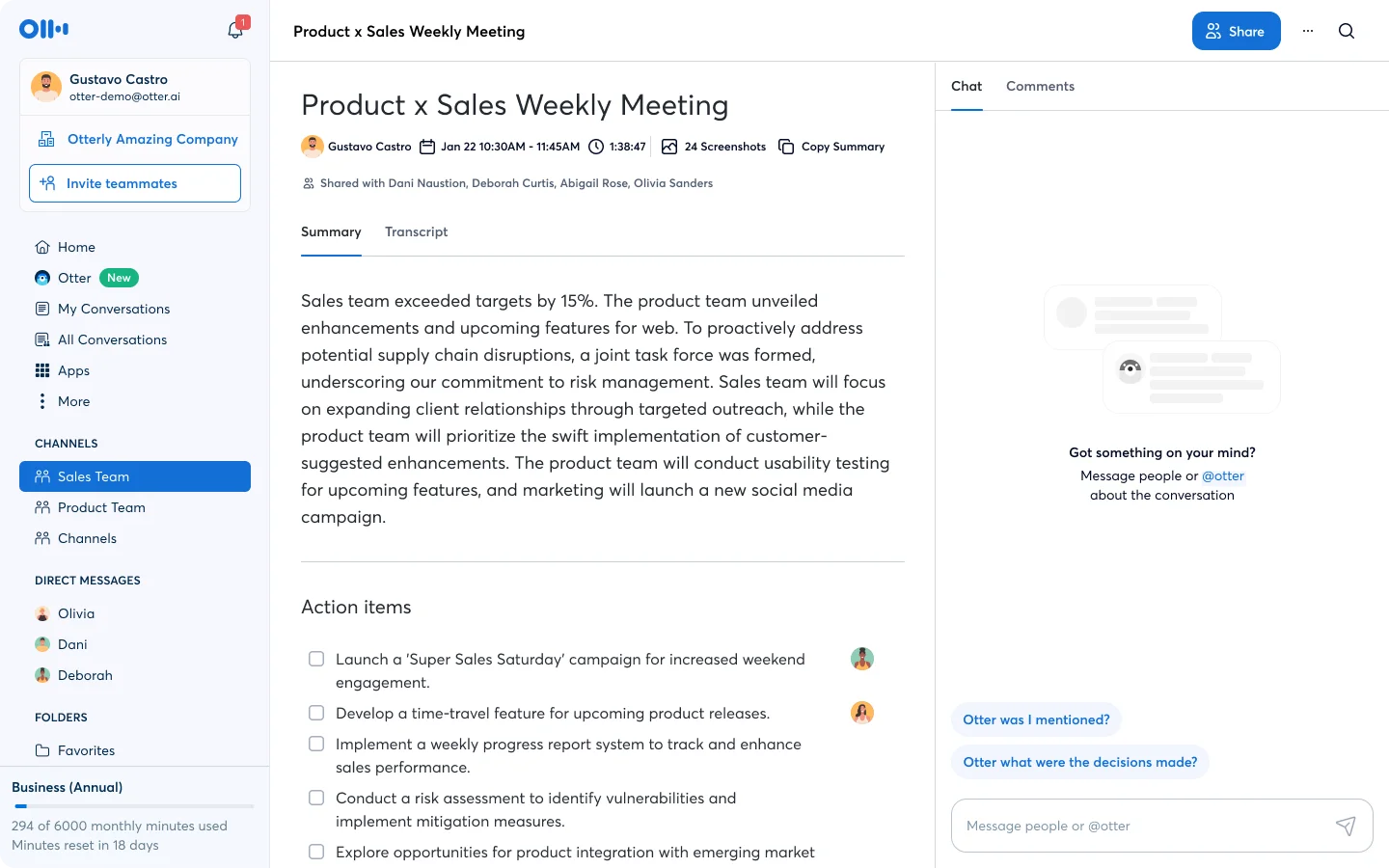
Otter doesn’t just transcribe video or audio files. It acts like an AI meeting assistant, giving you a concise summary of key points discussed, packed with actionable insights. At the end of each session, Otter generates a meeting summary that includes key points, action items, and a list of highlighted moments.
You can manually highlight important comments during the meeting or let Otter identify them based on content. This is ideal for managers or team leads who need to review meetings quickly without reading the full transcript. These summaries are also easy to share, turning lengthy discussions into concise takeaways.
Integration & Team Collaboration Features
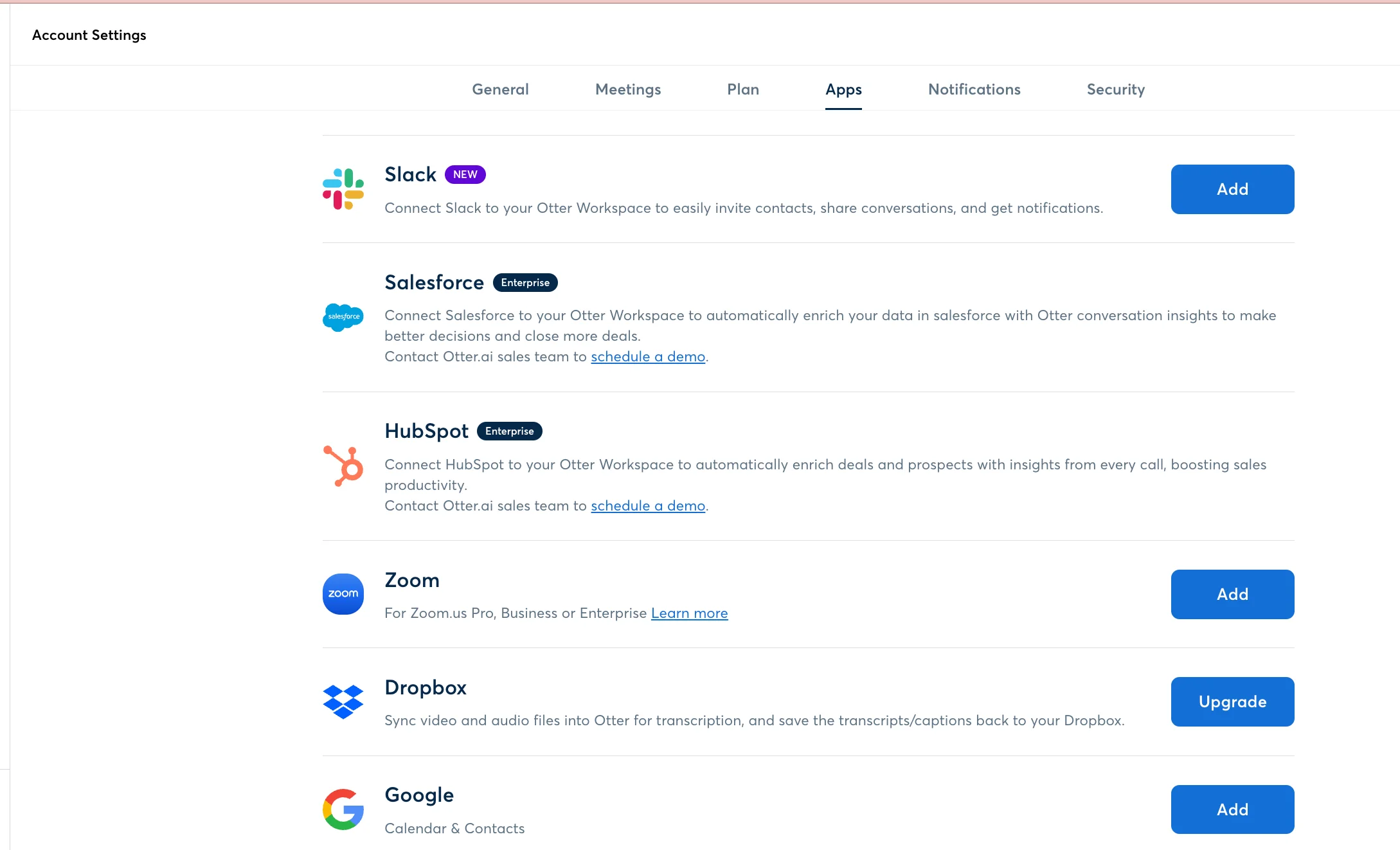
Otter AI was built to work with the tools your team already uses. It integrates with Zoom, Google Meet, Microsoft Teams, Dropbox, and calendar tools like Google and Outlook.
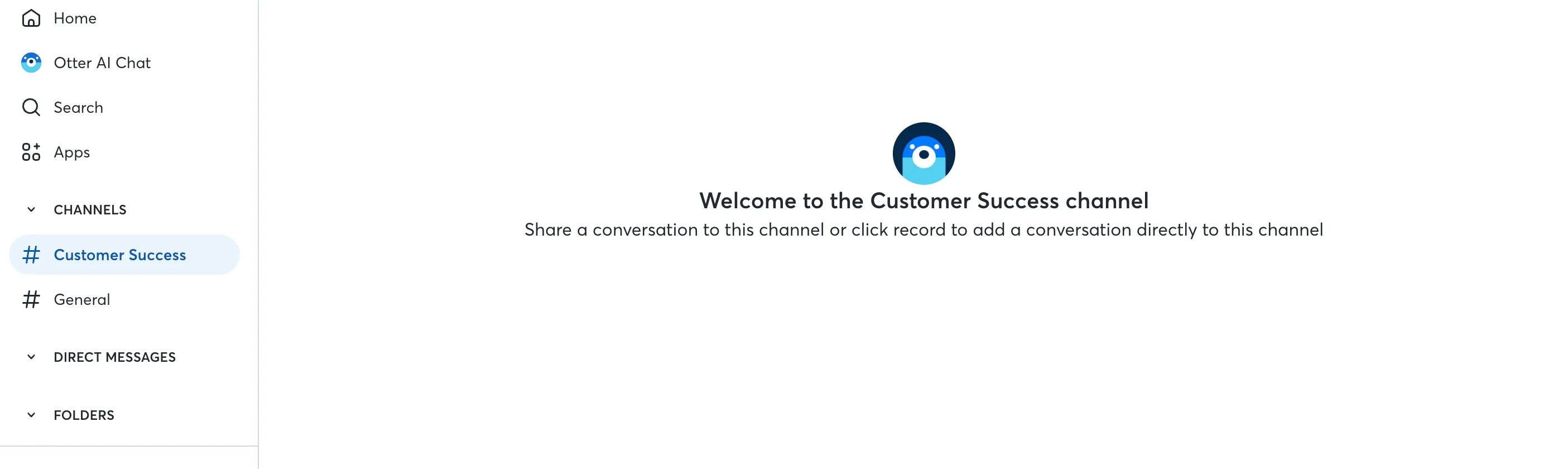
Otter’s collaboration features also extend beyond meeting transcription. Team members can access shared folders and AI channels, edit transcripts together, tag each other in comments, and even export highlights to Slack, Notion, Docs, Asana, Jira, or CRM platforms like Salesforce and HubSpot.
Custom Vocabulary
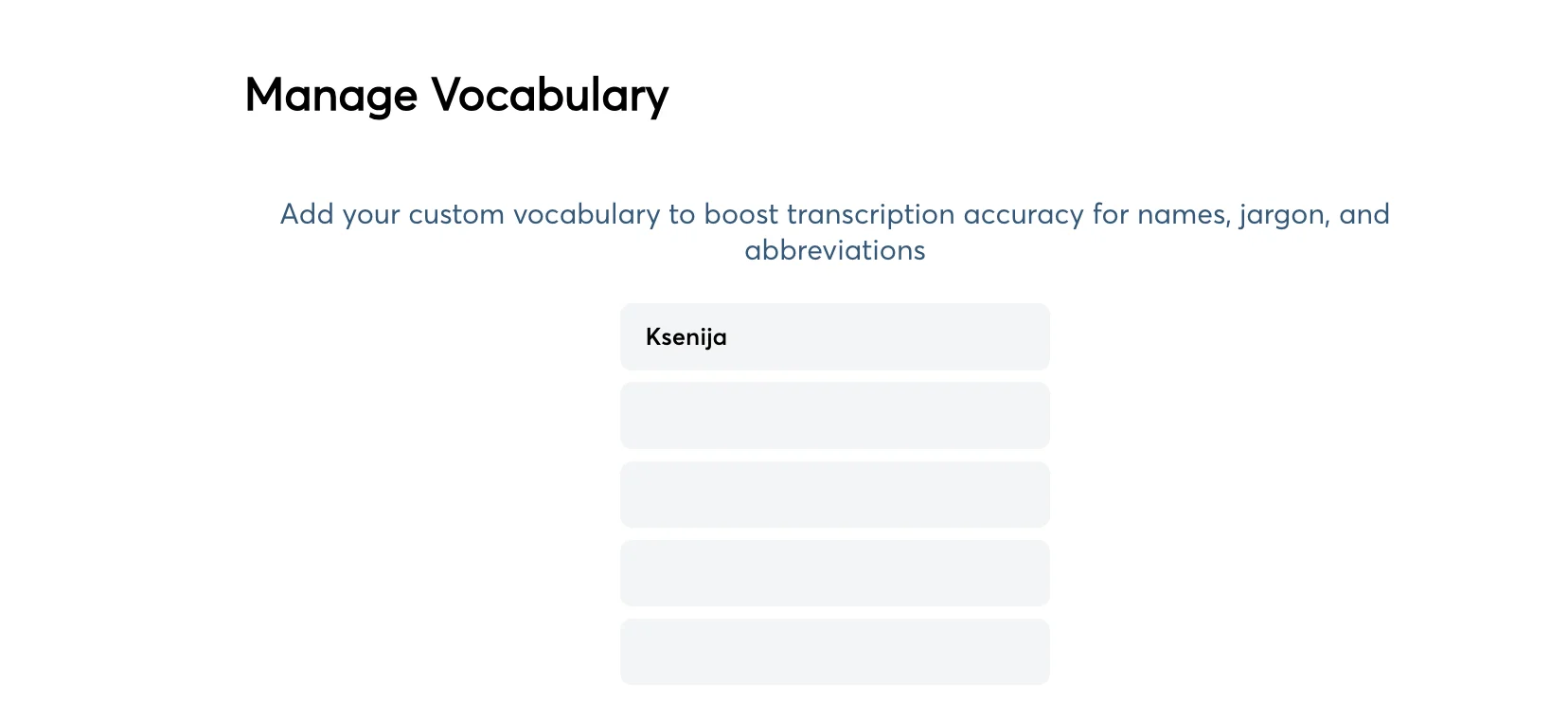
Jargon, acronyms, and product-specific terms in spoken language can throw off even the best AI. Otter addresses this by letting users define custom vocabulary. Whether it’s the name of a proprietary software, a technical process, or the abbreviation of your client’s business, you can add it to Otter’s dictionary.
Over time, Otter learns your unique lingo, resulting in fewer misinterpretations and boosted transcription accuracy.
Mobile vs Desktop Experience
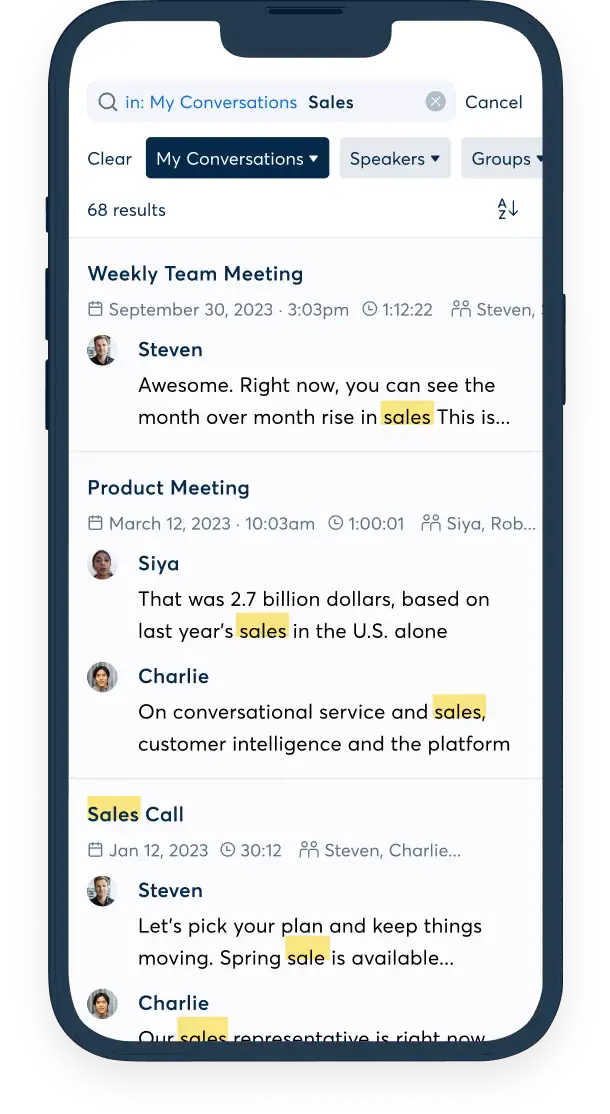
Otter AI supports transcription across Web, iOS, and Android, giving users the flexibility to record and review past conversations from wherever they are. The desktop version is best suited for integrating with online meetings and accessing full feature sets like AI Chat and editing tools.
On mobile, Otter shines when you’re on the move - at a client lunch, conference, or impromptu team discussion. The mobile app allows you to record in-person meetings, take voice notes, or review audio transcripts and meeting notes on the fly, basically anywhere with a stabile internet connection.
Both platforms sync seamlessly, so you can start a meeting recording on your phone and finish reviewing it on your laptop later.
Additional Otter AI Features
Otter’s depth of functionality goes beyond transcription and summaries, as it has multiple meeting assistant features:
Otter AI Chat: Ask Your Notes Anything
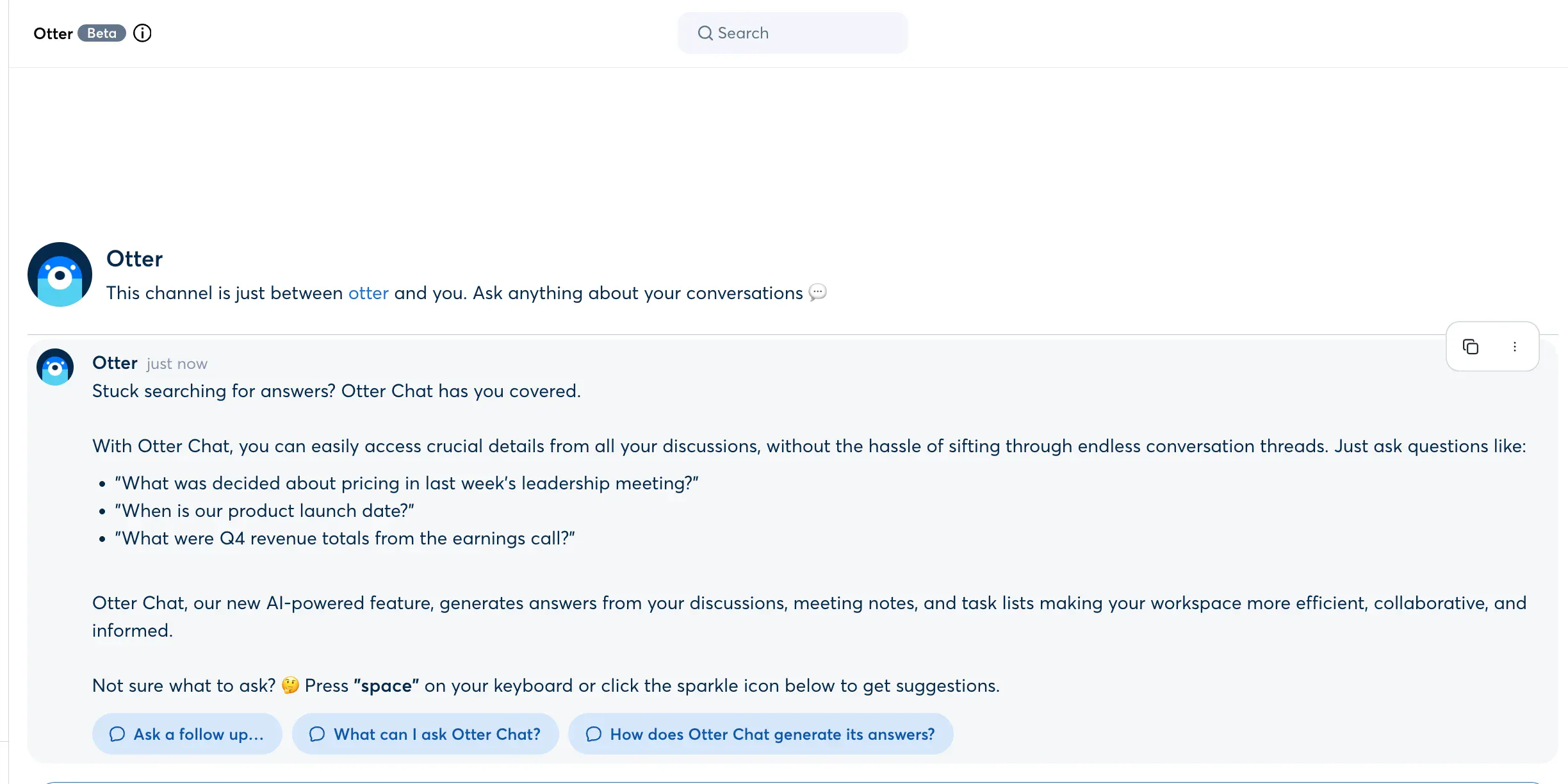
Imagine ChatGPT built into your meeting notes: that’s what Otter AI Chat feature offers. After your meeting ends, you can interact with your notes by asking questions like, “What were the next steps discussed?” or “Write a follow-up email.”
Instead of digging through transcripts, Otter AI Chat gives you contextual, conversational answers instantly. This significantly cuts down the time spent sifting through content and enables quicker decision-making.
Otter AI Pilot
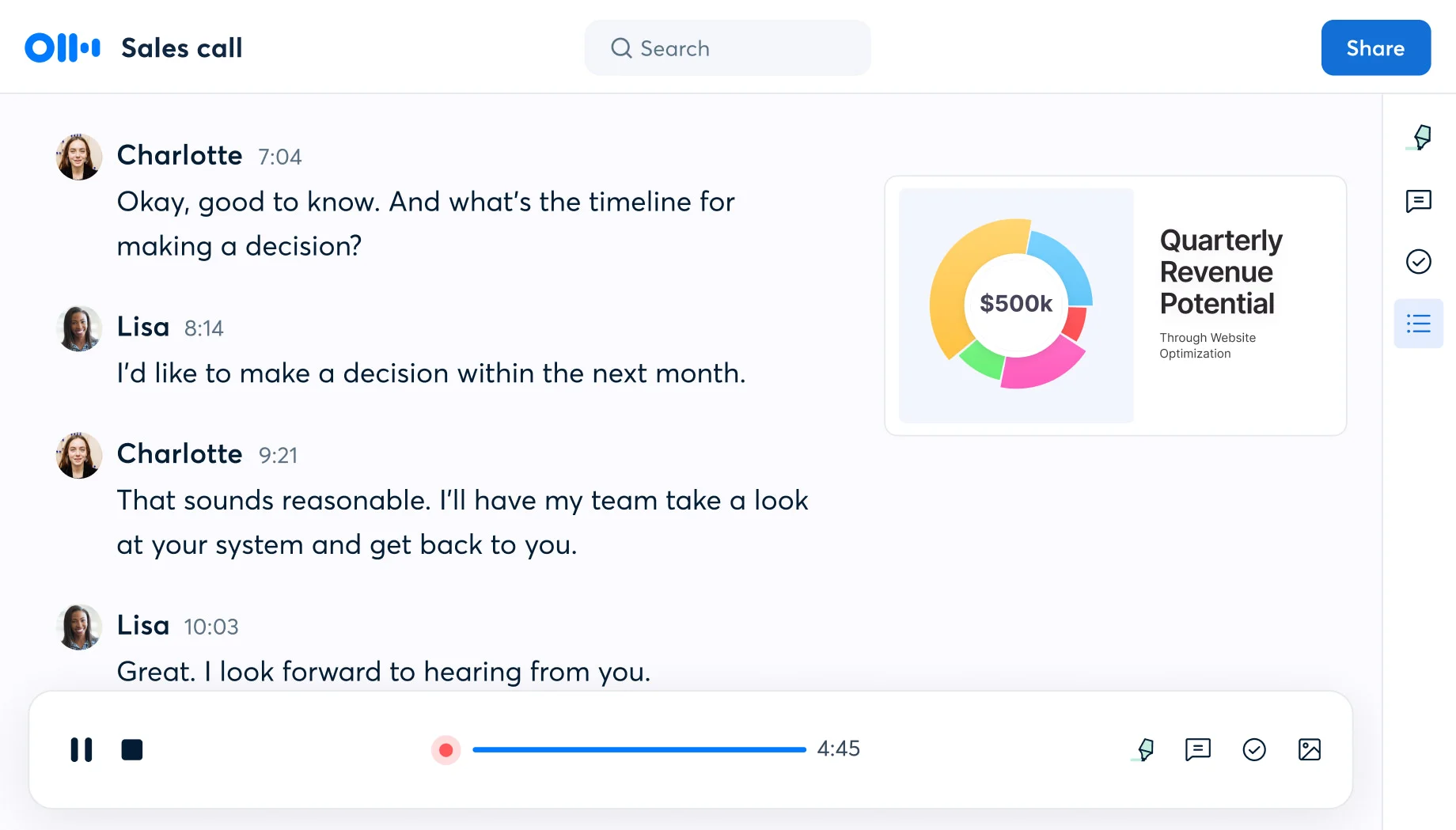
OtterPilot for Sales takes the Otter experience further by tailoring it to revenue teams. It captures key moments in sales calls, automatically generates follow-up emails, and integrates with CRMs like Salesforce and HubSpot.
It also provides insights such as sentiment analysis and call performance metrics. This enables sales leaders access to actionable data for coaching and improving win rates. With OtterPilot, sales teams can focus more on building relationships and less on data entry.
Otter AI Meeting Assistant Pros and Cons: What You Need to Know
Here’s a closer look at where Otter falls short, and where it shines.
🟢Pros of Using Otter AI
1. Simple, Clean Interface
One of Otter’s biggest strengths is its user-friendly design. The dashboard is intuitive and easy to navigate, even for first-time users. Whether you’re recording meetings or uploading files, everything is clearly labeled and organized.
2. OtterPilot and AI Chat Assistant
OtterPilot, the tool’s meeting assistant, automatically joins your scheduled meetings (Zoom, Google Meet, etc.), records them, and generates AI meeting summaries. OtterChat lets you interact with the meeting content post-call. Search, ask questions, or translate sections. These tools make reviewing meetings less tedious and more actionable.
3. Solid Export and Sharing Features
Otter makes it easy to export transcripts in various formats (TXT, DOCX, PDF) and share them with team members. This makes collaboration and meeting management simple, keeping everyone aligned, even if they weren’t in the meeting.
4. Generous Free Tier for Light Users
With 300 minutes per month and 30-minute meeting limits, Otter’s free tier is quite functional for individuals or small teams with light transcription needs. It’s a solid entry point if you want to try AI note-taking without a big commitment.
5. Basic Integrations with Popular Tools
Otter connects to widely used platforms like Zoom, Google Meet, Slack, Google Calendar, and Salesforce. For teams already using these tools, the integration process is relatively seamless.
🔴Cons of Using Otter AI
1. Inconsistent Transcription Accuracy
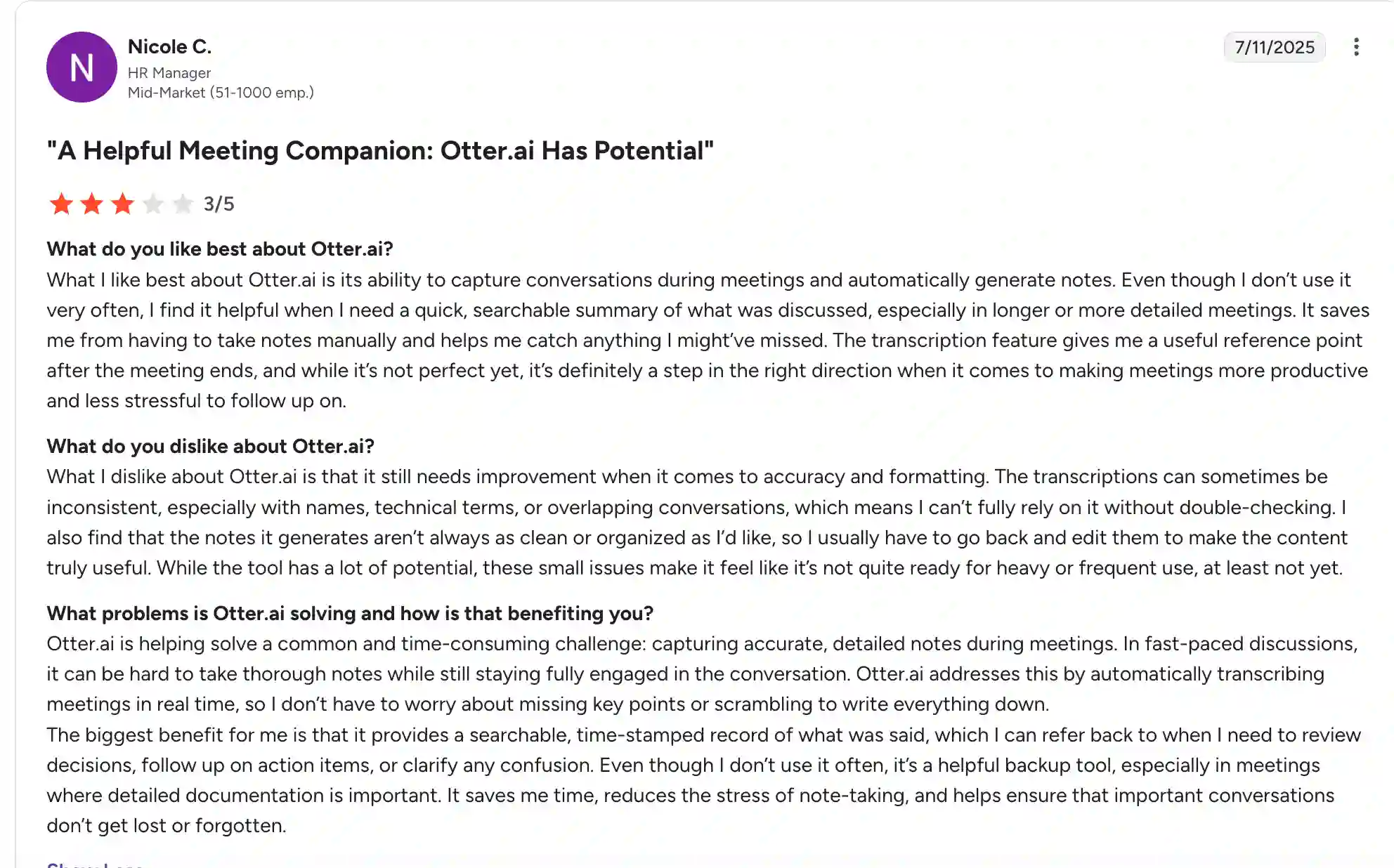
While Otter performs well with clear audio and native English speakers, it struggles to provide accurate transcription in real-world scenarios: background noise, overlapping conversations, strong accents, lengthy transcripts or industry-specific jargon. This can result in errors and is especially frustrating for professionals in technical fields who rely on accurate records.
2. Limited Customization and Editing Tools
Unlike some competitors, Otter doesn’t support custom templates, editable summaries, or tailored formatting and account settings for different team workflows. If you’re looking to personalize how your meeting notes are structured, you may feel restricted.
3. Weak Integrations Compared to Rivals
Although Otter covers the basics, it lacks the deep integration network of tools like some other competitors have. If your team relies on niche CRMs, lesser-known conferencing tools, or automation platforms, Otter’s integration options may disappoint.
4. Restrictive Free Tier for Longer Meetings
While the free tier is generous in monthly minutes, the 30-minute per meeting cap can be a dealbreaker for professionals with long or frequent meetings. And if you're on the Pro plan, you're still limited to 90 minutes per recording, whereas some alternatives offer unlimited length on paid tiers.
5. No Video Recording
There is limited support for video recordings with synced transcripts. While Otter can link to Zoom, Google Meet, and MS Teams recordings in the Enterprise plan, video playback happens separately from the transcript, without synced timestamps. This means you can’t watch the meeting video while following the transcript in real time, a feature that many users find valuable for review and learning. Plus, video linking is not available on lower-tier plans, limiting access for most users.
6. Subpar Customer Support
Otter’s customer support reputation is mixed. Many users report slow response times and limited self-help options. For business teams needing fast resolution and customer support during live-meeting issues, this can be a serious drawback.
Otter AI Reviews: What Users Think
Source: G2.com
Source: Google Play
Ist Otter AI das Richtige für Sie?
Für wen Otter AI ideal ist
Otter AI bietet ein praktisches Gleichgewicht zwischen Benutzerfreundlichkeit und Funktionalität.
Dies macht es zu einer guten Wahl für Einzelanwender, Studenten, Pädagogen und kleine Teams, die das Erstellen von Notizen vereinfachen möchten, ohne sich in der technischen Komplexität zu verzetteln.
Die übersichtliche Oberfläche und das automatisierte Transkriptionssystem der Plattform sind von Anfang an intuitiv. Sobald Sie Ihren Kalender verbunden haben, kann Otter automatisch an geplanten Besprechungen teilnehmen und mit der Transkription beginnen, ohne dass eine steile Lernkurve erforderlich ist.
Für vielbeschäftigte Fachkräfte, die aufeinanderfolgende Besprechungen verwalten, helfen KI-gestützte Zusammenfassungen, KI-Chat und hervorgehobene Aktionspunkte dabei, Überprüfungs- und Folgeaufgaben zu optimieren.
Warum Otter.ai gut für Schüler und Light-User geeignet ist
Für Studenten, Freelancer und kleine Teams, die hauptsächlich Zoom, Google Meet oder Microsoft Teams verwenden, bietet das kostenlose Kontingent von Otter AI einen erheblichen Mehrwert. Sie erhalten Zugriff auf Live-Transkriptionen, Besprechungszusammenfassungen und Cloud-basierte Archive, ohne einen Cent zu zahlen.
Wenn Ihr Arbeitsablauf relativ einfach ist und Sie keine benutzerdefinierten Vorlagen, granulare Analysen oder Dashboards für die Zusammenarbeit mit mehreren Benutzern benötigen, bietet Otter genug, um Ihre Anforderungen zu erfüllen.
Es eignet sich auch gut für Benutzer, die der Benutzerfreundlichkeit Vorrang vor erweiterten Anpassungen oder Berichten einräumen.
Wo Otter.ai zu kurz kommt
Allerdings ist Otter AI nicht jedermanns Sache.
Wenn Ihre Besprechungen viel Fachjargon, mehrere Sprecher, Hintergrundgeräusche oder englische Akzente enthalten, die keine Muttersprache sind, kann die Transkriptionsgenauigkeit von Otter ein Erfolg oder eine Fehlleistung sein. Wahrscheinlich müssen Sie die Transkripte Ihrer Besprechungsaufzeichnungen manuell bearbeiten, was den Zweck eines KI-Assistenten, der sich nicht auf die Arbeit einlässt, zunichte macht.
Dies kann für Teams in der Rechtsabteilung, im Gesundheitswesen oder in Unternehmen, die Präzision verlangen, ein entscheidender Faktor sein.
Wenn Ihr Team außerdem auf tiefgreifende Integrationen mit CRMs oder Nischen-Videoplattformen angewiesen ist, fühlt sich der aktuelle Integrationsumfang von Otter möglicherweise begrenzt an. Es gibt viele Wettbewerber auf dem Markt, die ein breiteres Ökosystem unterstützen, in das fortschrittlichere Tools für Besprechungsinformationen wie bearbeitbare Zusammenfassungen, benutzerdefinierte Felder und gemeinsam nutzbare Besprechungsausschnitte integriert sind.
Darüber hinaus ist Otters Unterstützung für Videoaufzeichnungen begrenzt. Im Rahmen seines Enterprise-Tarifs kann es zwar Links zu Videoaufzeichnungen von Zoom, Google Meet und Microsoft Teams herstellen, aber die Videowiedergabe erfolgt getrennt vom Protokoll und wird nicht in Echtzeit synchronisiert. Das bedeutet, dass Benutzer das Meeting-Video nicht zusammen mit dem Protokoll ansehen können, was den Gesamtüberblick der Besprechung beeinträchtigt. Für Teams, die nach einer vollständig integrierten Video- und Transkriptwiedergabe suchen, fühlt sich das Angebot von Otter möglicherweise unvollständig an.
Ein weiteres erwähnenswertes Detail: Otter benötigt immer noch einen Meeting-Bot, um an Anrufen teilzunehmen, um Besprechungsaudio aufzunehmen und Gespräche zu transkribieren. Dieser Ansatz funktioniert zwar, sorgt aber für zusätzliche Reibung, insbesondere bei Besprechungen, bei denen Datenschutzbedenken, Bot-Berechtigungen oder Plattformbeschränkungen eine Rolle spielen.
Einige neuere Tools bieten jetzt native, integrationsbasierte Aufzeichnungen, die sich reibungsloser und sicherer anfühlen.
Letzte Gedanken: Otter AI: Ist es Zeit für ein Upgrade?
Also, ist Otter AI es immer noch wert? Ja. Wenn Ihre Anforderungen einfach sind, Ihre Besprechungen vorhersehbar sind und Sie nach einem zuverlässigen Tool suchen, das einfach funktioniert.
Otter AI ist immer noch eine gute Wahl für Studenten, Freelancer und kleinere Teams, die keine tiefgreifenden Anpassungen oder perfekte Genauigkeit benötigen. Es bietet eine einfache und zuverlässige Methode, um Notizen von Besprechungen, Vorlesungen und Interviews festzuhalten, weshalb es besonders bei Studenten, Einzelprofis und kleinen Teams beliebt ist. Mit Integrationen wie Zoom und Google Meet passt Otter gut in die meisten Workflows und dient als nützliches Backup, um Besprechungsdetails später zu überprüfen, zu teilen und zu verifizieren.
Die Leistung von Otter kann jedoch ins Stocken geraten, wenn die Bedürfnisse komplexer werden. Benutzer stellen häufig fest, dass Transkriptionen aufgrund von Genauigkeitsproblemen manuell korrigiert werden müssen, die Sprecheridentifikation inkonsistent sein kann und die botbasierte Aufzeichnung manchmal zu Verzögerungen oder Unterbrechungen führt. Diese Abhängigkeit davon, einen Bot zu Besprechungen einzuladen, kann sich umständlich anfühlen und wirft bei einigen Teams Bedenken hinsichtlich des Datenschutzes auf. Infolgedessen neuer KI-Tools zum Aufzeichnen von Notizen mit nativen, botfreien Aufnahmen erweisen sich als optimiertere und benutzerfreundlichere Alternativen.
Hier zeigt Otter sein Alter und hier kommen neuere Tools ins Spiel.
Zuverlässige Otter-KI-Alternative: Lernen Sie Bluedot kennen.
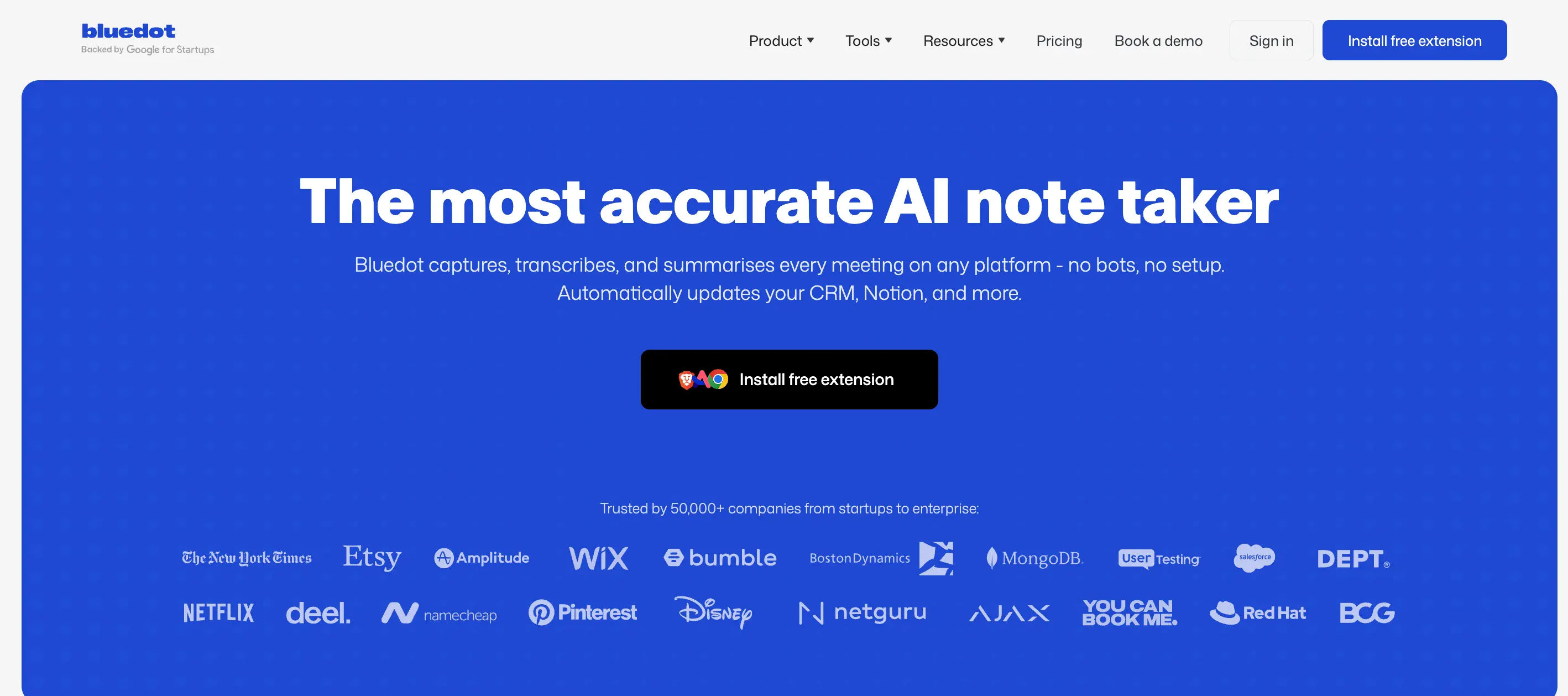
Otter AI hat sich mit seinem umfangreichen Funktionsumfang einen guten Ruf erarbeitet, aber viele Benutzer stoßen auf frustrierende Probleme, lückenhafte Transkriptionsgenauigkeit, gelegentliche Verzögerungen bei der Teilnahme von Bots an Besprechungen und Bedenken hinsichtlich des Datenschutzes bei Bot-Aufzeichnungen. Wenn Sie nach einer Alternative gesucht haben, die sich reibungsloser und zuverlässiger anfühlt und Ihren Besprechungsablauf respektiert, Bluedot AI-Notizaufzeichner verdient einen genauen Blick.
Botfreie Aufnahme und Datenschutz im Fokus
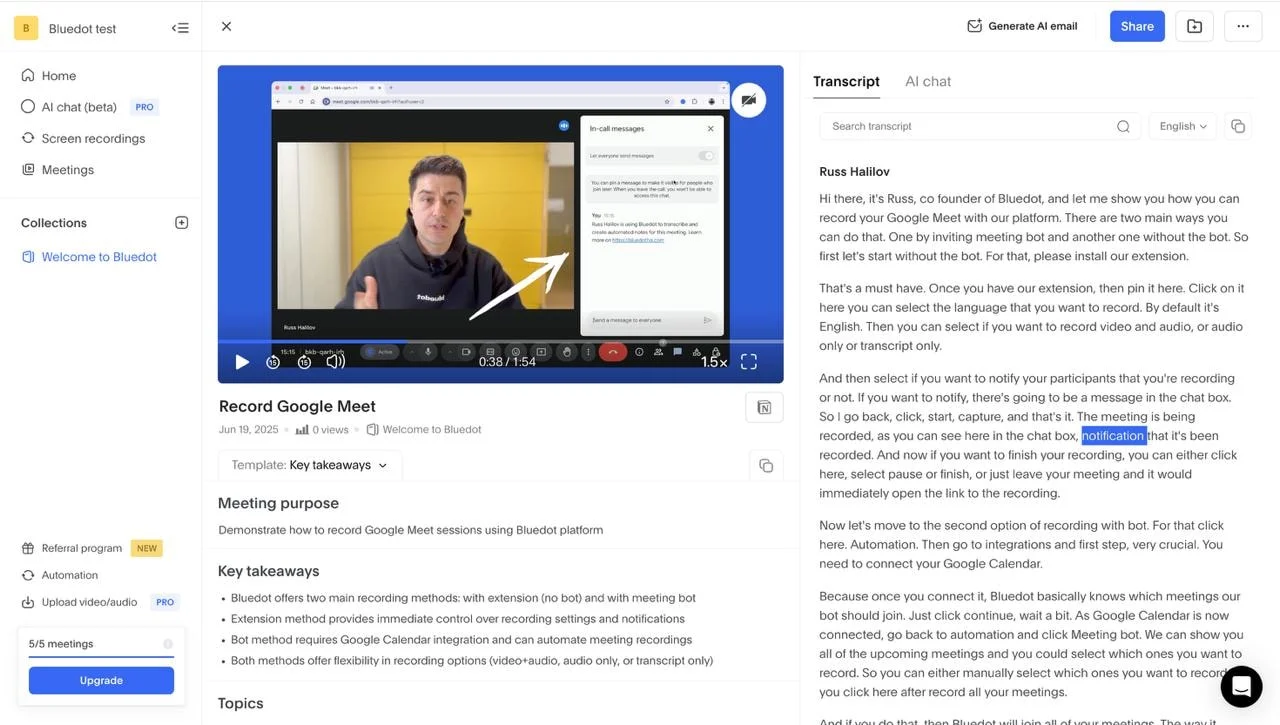
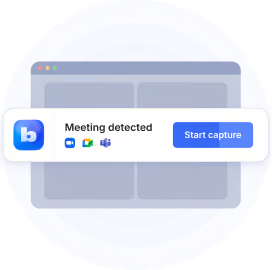
Bluedot verfolgt einen anderen Ansatz: Keine Bots mehr, die Ihren Anrufen beitreten. Stattdessen zeichnet es Audio diskret über eine schlanke Chrome-Erweiterung auf, sodass Ihre Besprechungen natürlich und unterbrechungsfrei ablaufen. Außerdem ist dies ein großer Gewinn für datenschutzbewusste Teams. Egal, ob Sie Google Meet, Zoom oder Microsoft Teams verwenden, Bluedot liefert saubere, hochpräzise Transkripte und intelligente, KI-generierte Zusammenfassungen, sodass Sie weniger Zeit damit verbringen, sich durch rohe Dialoge zu wühlen und mehr Zeit damit verbringen, auf das Wesentliche zu reagieren.
Optimierte Zusammenarbeit und faire Preise
Eine der herausragenden Funktionen von Bluedot ist die Fähigkeit, Engagement-Analysen und Clip-Sharing zu erstellen, sodass Sie wichtige Momente mühelos hervorheben und verteilen können. Dies erleichtert die Zusammenarbeit, insbesondere für vielbeschäftigte Teams, die schnelle, umsetzbare Erkenntnisse wünschen, ohne ganze Aufzeichnungen durchsuchen zu müssen. Die Benutzeroberfläche ist einfach und intuitiv und konzentriert sich auf Geschwindigkeit und Benutzerfreundlichkeit, anstatt Sie mit komplexen Menüs zu überfordern.
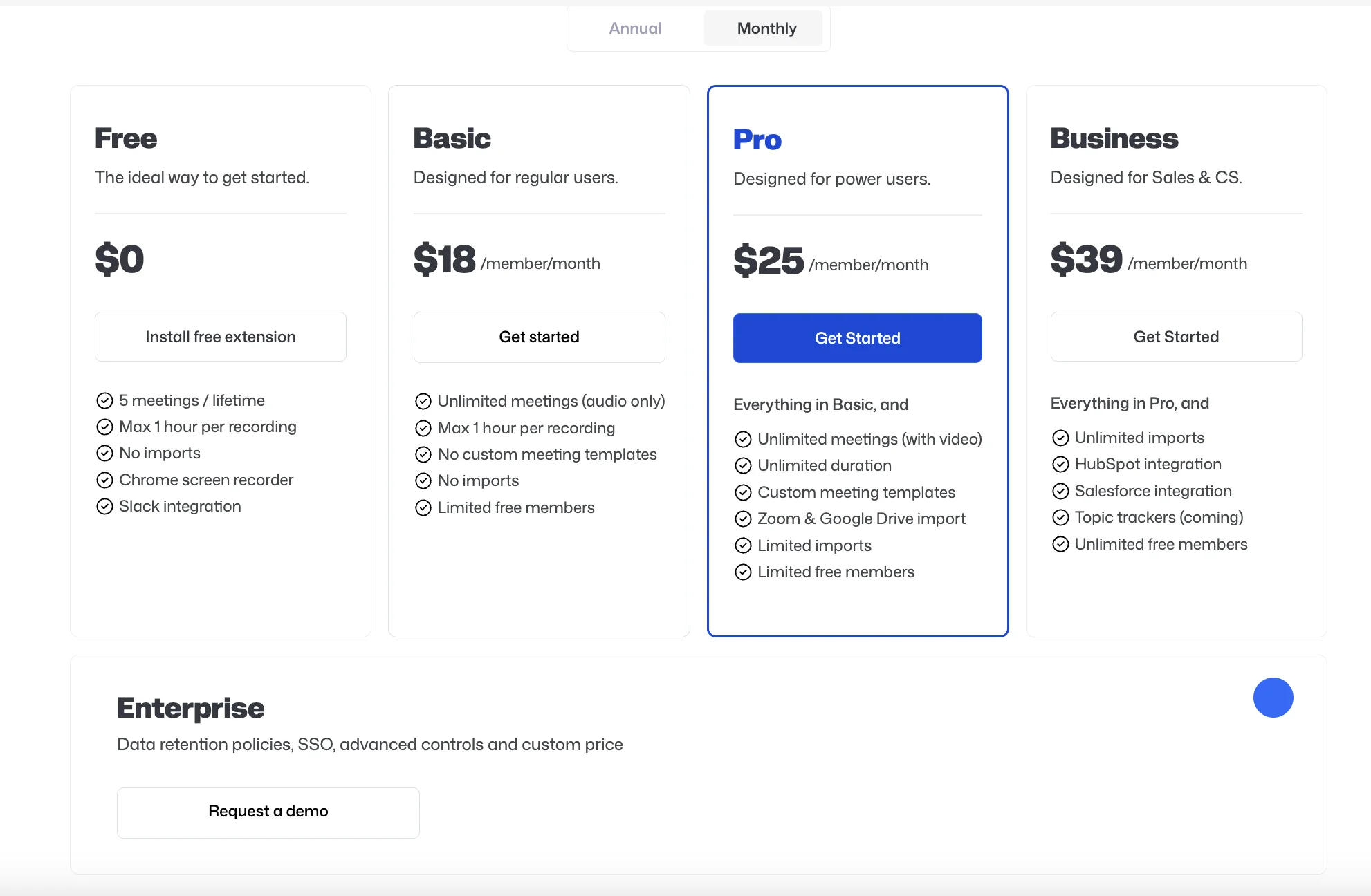
Bluedot bietet auch eine faire, transparente Preisstruktur, angefangen mit einer kostenlosen Stufe, die sich perfekt für kleine Teams oder solche eignet, die botfreie Aufnahmen aus erster Hand ausprobieren möchten. Für größere Teams ermöglichen aktualisierte Tarife Videoaufzeichnungen, unbegrenzte Sitzungsdauern und CRM-Integrationen zur Optimierung der Arbeitsabläufe.
Wenn Otter AI das Gefühl hat, Sie zurückzuhalten, ist Bluedot dank der botfreien Aufzeichnung, des Datenschutzes und der fokussierten Funktionen eine starke, vertrauenswürdige Alternative, mit der Ihre Besprechungen einfach genau und mühelos dokumentiert werden.
Es basiert auf einem klaren Verständnis dafür, wohin sich der Markt für KI-Notizen entwickelt: leichte Tools, nahtloses Benutzererlebnis und die wachsende Nachfrage nach Datenschutz und menschenähnlichen KI-Zusammenfassungen.
Bluedot hält nicht einfach Schritt. Es folgt aktiv neuen Trends, um moderne Teams dort zu treffen, wo sie sich befinden.


.png)