AI-powered meeting assistants remove the need for manual transcription — or the inevitable post-call sorting of chaotic meeting notes. These tools help you focus on the actual conversation instead.
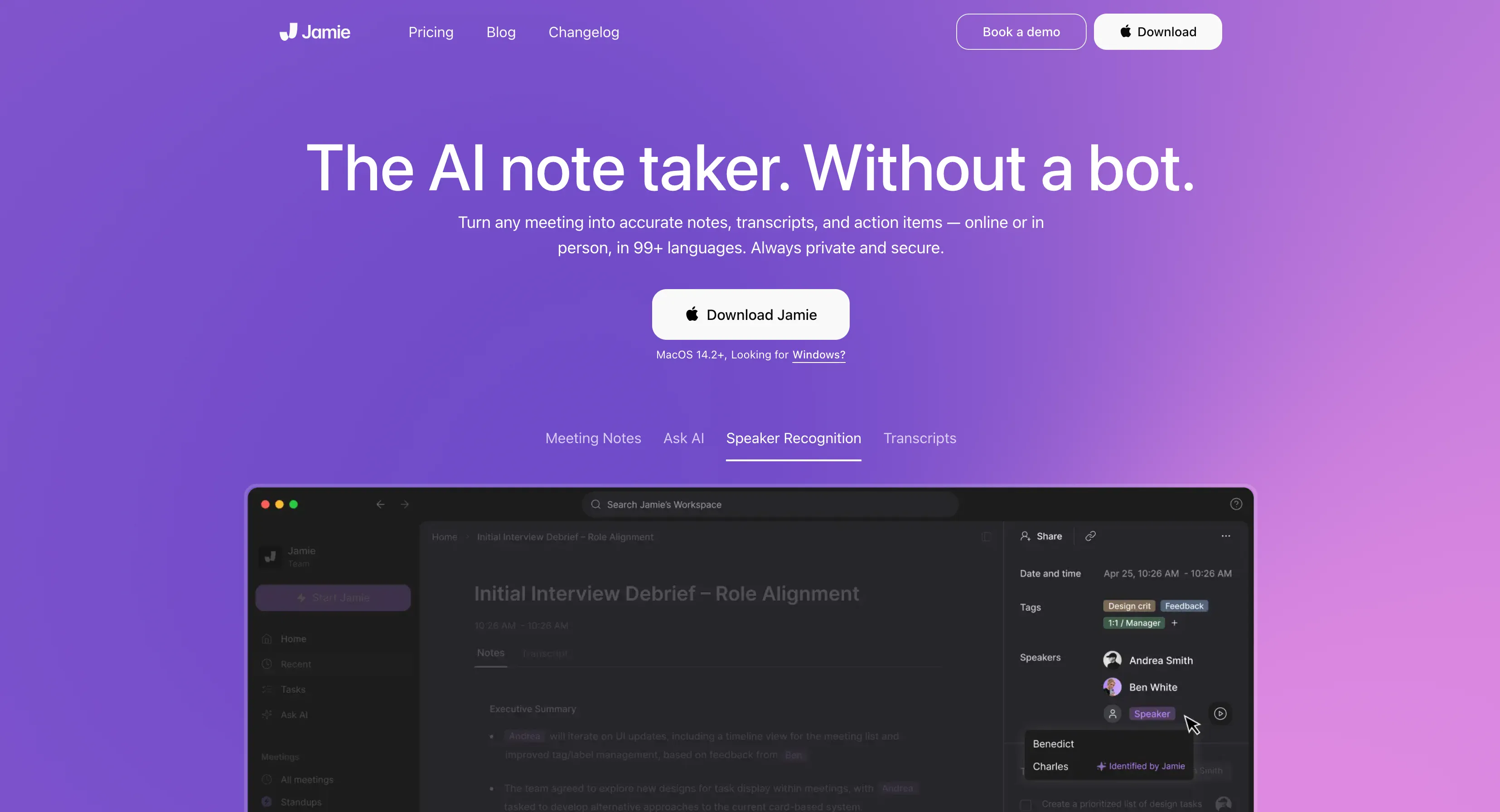
Jamie AI stands out for its promise to handle transcripts, summarize key points, and tag speakers across more than 99 languages.
Still, competition in this space is intense. For many users, Jamie isn’t the most practical or affordable option. Here’s where it falls short, and which Jamie alternatives users are turning to instead.
TL;DR
- Jamie AI Alternatives are increasingly popular because users are unhappy with the platform's manual speaker tagging, limited integrations, and high pricing.
- Bluedot is a solid Jamie alternative with automatic speaker labeling, Salesforce and HubSpot integrations, browser access, and unlimited recording duration on most plans. It also includes detailed speaker analytics, multilingual transcription, and real-time summaries.
- Otter.ai is great for in-person meetings and offers accurate transcriptions and mobile access, but you still have to tag speakers manually at least once.
- Fireflies.ai stands out for its sentiment analysis and multilingual transcription, though it caps meetings at 3 hours, and some analytics features require more expensive plans.
- Fathom AI offers one of the best free plans with unlimited recordings and CRM integrations, but its limited language support and desktop requirement make it less flexible.
- Read AI delivers deep meeting analytics and performance coaching, but raises privacy concerns and demands extensive access to user data.
- For users comparing pricing, Bluedot’s Pro plan costs about half of Jamie’s equivalent tier while offering more flexibility and automation.
4 Reasons To Look for a Jamie AI Alternative
Jamie AI has a lot of stuff going for it, including offline support, a bot-free experience, and multilingual transcriptions.
Even so, the platform isn’t without flaws. And while no tool is perfect, Jamie AI’s shortcomings stand out in light of its cost. Compared to other AI meeting recorders, it simply doesn’t deliver enough value for the price.
Here are four common drawbacks users point out:
- No automatic speaker identification – You have to manually tag voices before Jamie learns who’s speaking.
- Limited integrations – It connects to a few apps but lacks support for major CRMs such as Salesforce.
- Desktop-only access – You need to install an app for Windows or Mac, with no web-based interface for quick access.
- High pricing for what’s offered – The cost is steep compared to tools that provide browser audio capture with richer integrations and full automation.
1. No Automatic Speaker Identification
Jamie AI can detect multiple voices in a recording, but doesn’t assign names automatically. You must listen to short clips from the meeting, identify each voice, and label them manually. After that, Jamie can recognize speakers in the meeting and label them automatically in subsequent recordings.
For a busy team or someone who's on daily sales calls, this is probably a deal-breaker. A meeting assistant should save you time, not create another task you have to do manually after every call with a new person. Plus, even when you identify voices yourself, Jamie can still mislabel them:
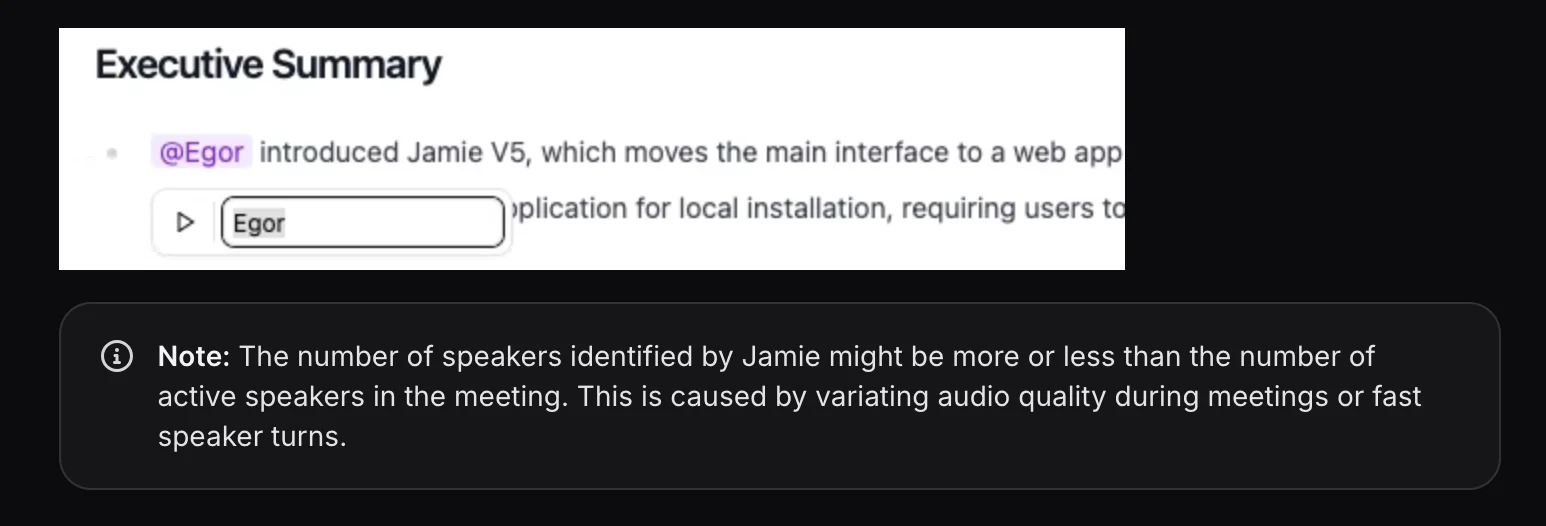
If someone's audio quality isn't pitch-perfect, Jamie AI may label the wrong speaker — especially in fast-paced group discussions. Most modern AI note takers, like Bluedot, also use participant information from calendar apps and video conferencing platforms to label speakers correctly.
2. Limited Integrations
Integrations are the backbone of any tool that wants to become a staple of serious productivity stacks. Jamie AI works fine as a standalone app, but it supports far fewer connections than competing platforms. Notably, there’s no Salesforce integration, which is a real minus for customer success and sales teams that need automated CRM updates.
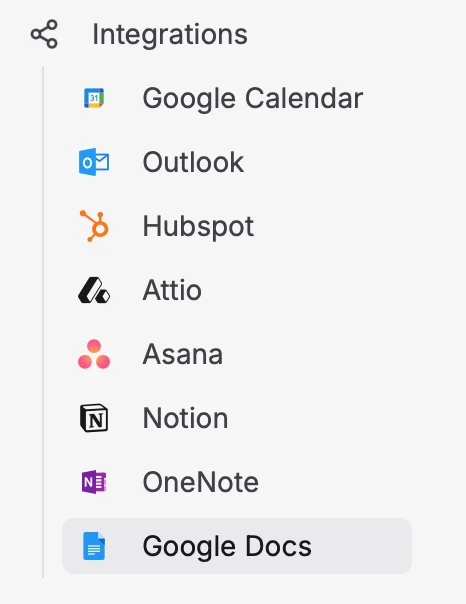
Without tight integrations, users waste time copying and pasting meeting notes and other information between systems.
That’s inefficient when other platforms let you link transcripts with tasks, tickets, or client profiles automatically. In a market where automation is the main selling point, most Jamie AI alternatives don't create this sort of bottleneck.
3. Desktop-Only Access
Jamie AI requires installing a desktop app on Windows or macOS. There’s no browser-based option, which means users can’t directly record or transcribe meetings in Chrome or another browser.

For professionals who constantly switch devices, having to install desktop apps feels dated. Browser-based AI tools are easier to deploy across teams, don’t require IT installation, and let users capture meetings on any device. The fact that Jamie relies on downloaded software limits accessibility and convenience.
4. High Pricing for Limited Flexibility
Jamie's paid plans are at the higher end of the market, even though they lack several features that competitors include by default. For smaller teams and startups, it’s hard to justify paying premium rates without automatic speaker labeling, deep integrations, or browser access.
Here's an overview of Jamie AI's pricing plans:
As you can see, Jamie AI has a few key limitations, including:
- Limited number of messages with the platform's AI assistant, on almost all premium plans,
- Limited call duration on every plan.
Most other AI meeting assistants don't impose similar limits — especially with hefty subscription prices.
What's the Best Jamie AI Alternative?
Most users who grow frustrated with Jamie AI switch to one of the following AI meeting assistants:
- Bluedot
- Otter
- Fireflies AI
- Fathom AI
- Read AI
Let's check out each platform in more detail and compare it with Jamie AI.
#1. Bluedot — Great For Real-Time Transcription & Meeting Recordings
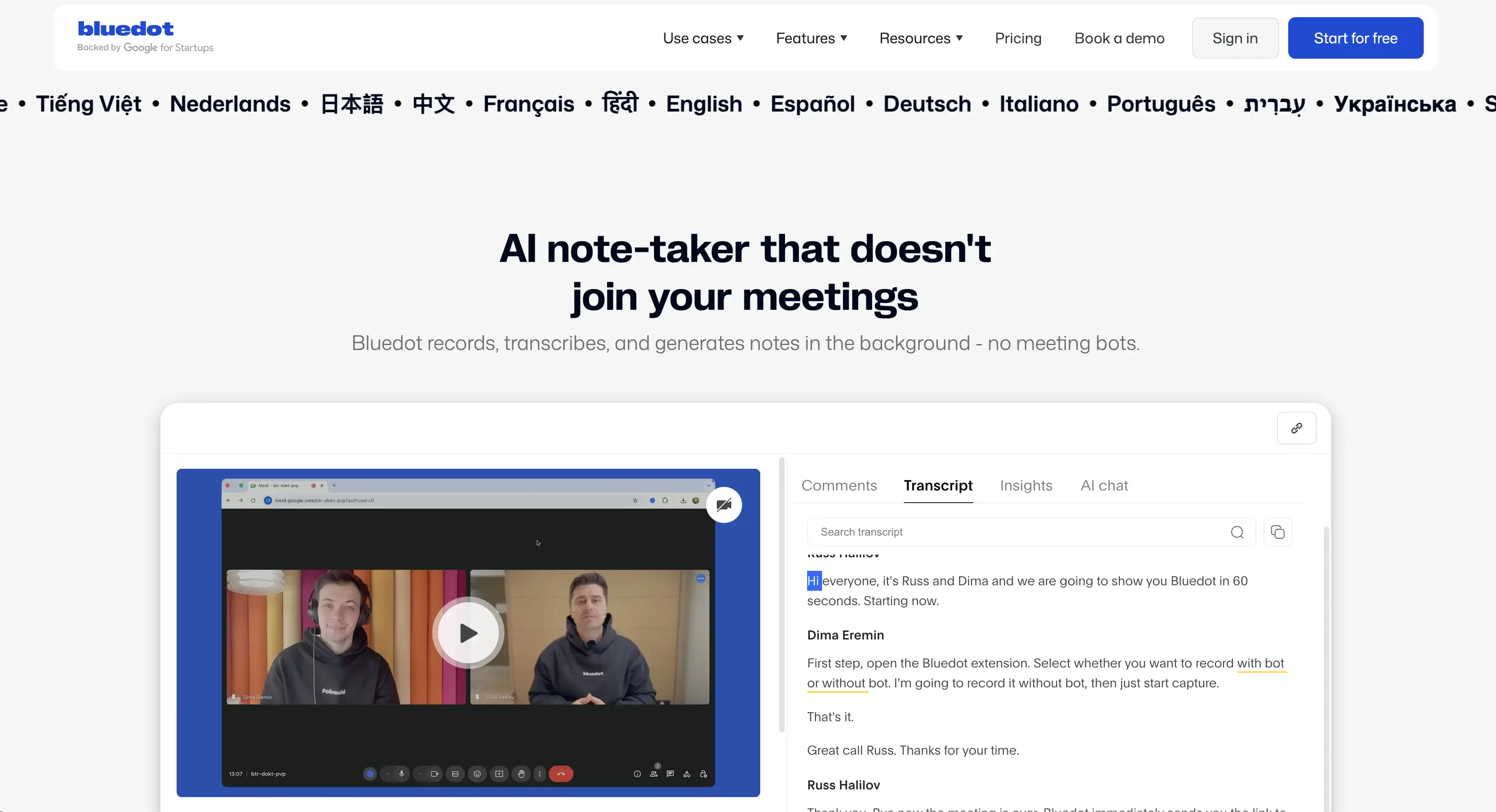
Bluedot is an AI meeting assistant that can record your calls in video conferencing platforms like Google Meet, Microsoft Teams, and Zoom. Then, it automatically transcribes, summarizes, and converts video or audio into notes you can search and edit.
Why is it a better choice than Jamie AI? Let's dive in and find out.
Bluedot vs. Jamie AI
For starters, Bluedot has automatic speaker labeling that just works. Sure, you can edit the labels if you want to — but it's not required, even the first time you record someone on a call. It's leaps and bounds ahead of Jamie's speaker identification, which requires you to label everyone yourself at least once.
On top of that, Bluedot automatically provides valuable insights about each speaker on your calls.

This visual report shows you useful information like:
- Longest monologues of each speaker,
- Speakers' average talking speeds, and
- Talk ratios of all meeting participants.
Bluedot also supports more integrations with other productivity tools than Jamie AI — including a handy Salesforce integration.
It sends relevant meeting notes to your Salesforce Tasks tab for each contact after a call. Also, you can do the same with deals on HubSpot. This makes Bluedot a stronger option for teams that rely on CRM workflows.
Furthermore, Bluedot works via a browser extension rather than a separate desktop client. This allows more flexibility for teams working across different devices.
Still, Jamie AI's biggest downside is low cost-effectiveness — while Bluedot gets you more value on any budget.
Bluedot Pricing Explained
Here's what you get for each Bluedot subscription — and how much they cost:
Bluedot delivers superior value at lower prices. The Pro tier begins at US $20/month, während die vergleichbare Stufe von Jamie AI etwa kostet 50 USD/Monat, begrenzt aber immer noch die Dauer der Besprechung auf 3 Stunden und hat weniger Integrationen.
Im Gegensatz zu Jamie AI bietet Bluedot mit zwei seiner kostenpflichtigen Tarife eine unbegrenzte Sitzungsdauer. Außerdem begrenzt keiner der Pläne die Anzahl der Nachrichten im KI-Chat von Bluedot.
Vor- und Nachteile von Bluedot
Hier ist eine Zusammenfassung der relativen Vor- und Nachteile von Bluedot:
#2. Otter.ai — Ideal für persönliche Treffen
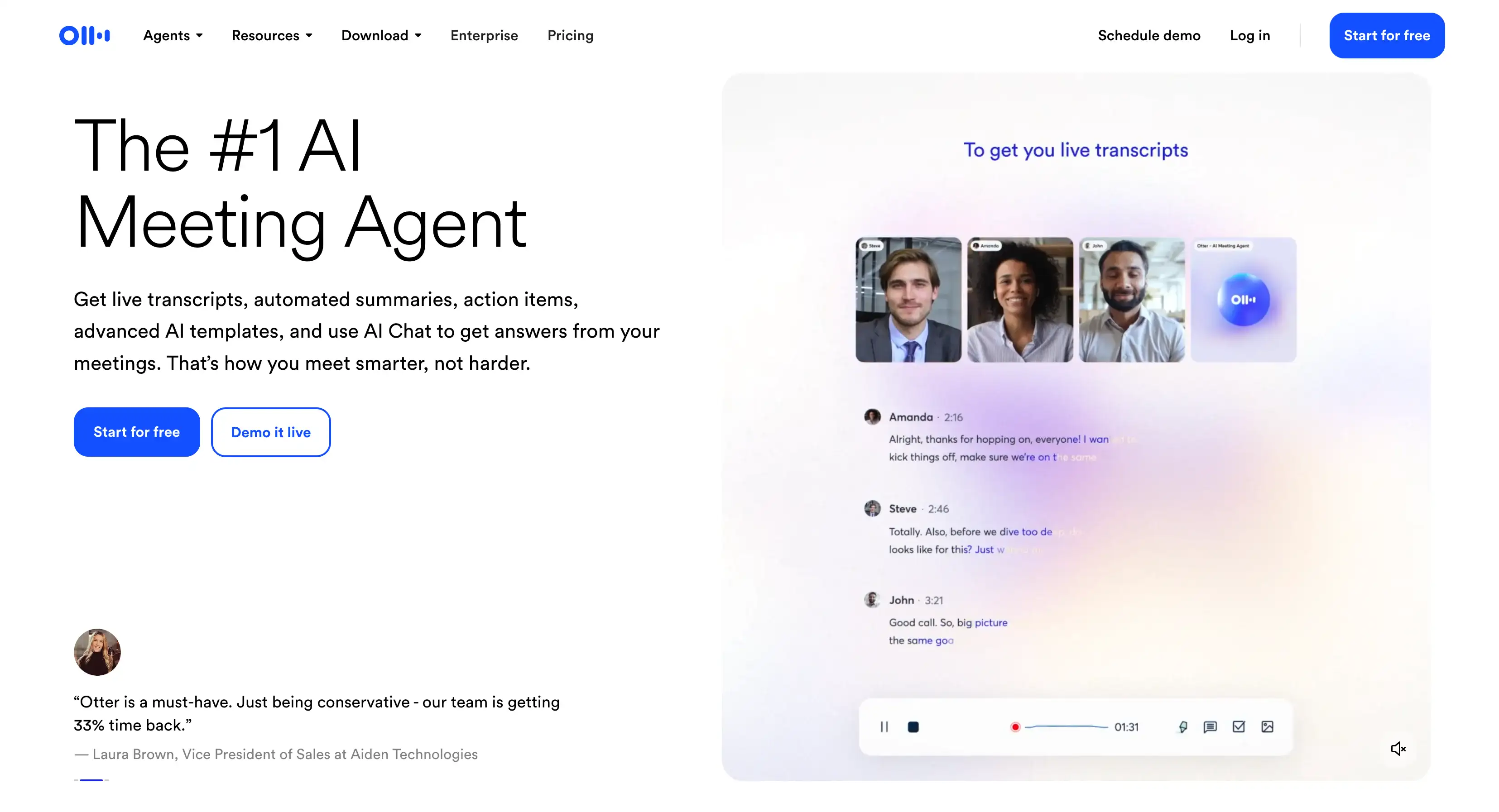
Otter.ai ist eine KI-gestützte Transkriptions- und Besprechungsplattform, die gesprochene Inhalte von Live-Anrufen, hochgeladenen Aufzeichnungen oder persönlichen Besprechungen erfasst, zusammenfasst und organisiert.
Mal sehen, warum es eine unserer Top-Tipps für eine KI-gestützte Jamie-Alternative ist.
Otter AI gegen Jamie AI
Das manuelle Lautsprecher-Tagging von Jamie AI ist einer der größten Zeitverschwender — und Otter.ai verbessert diesen Nachteil teilweise.
Auf der einen Seite Otter.ai erfordert immer noch, dass Sie neue Lautsprecher taggen wenn sie zum ersten Mal entdeckt werden. Es identifiziert Sprecher jedoch automatisch anhand von gespeicherten Profilen und Sitzungsdaten, und zwar genauer.
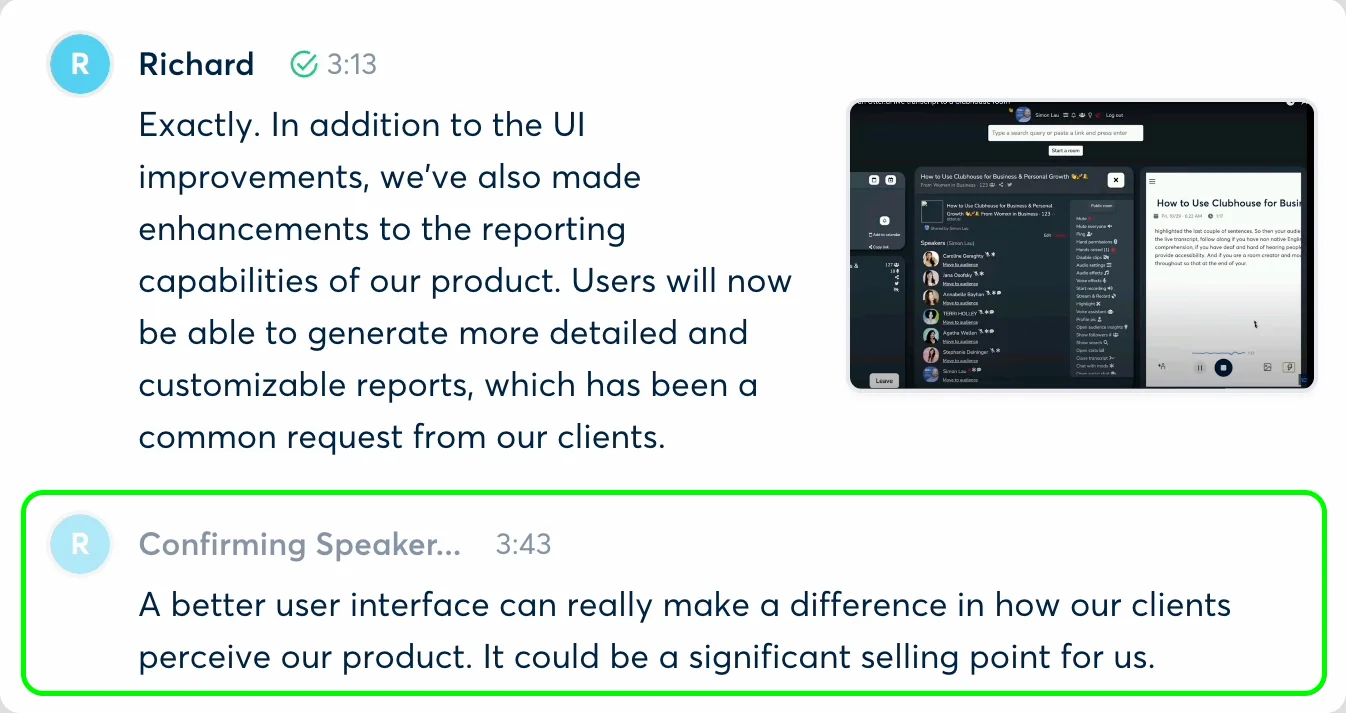
Das Modell von Otter kann leicht unterschiedliche Stimmen und Gruppensprache pro Sprecher erkennen. Dadurch erhalten Sie sauberere, besser durchsuchbare Transkripte. OtterPilot (der Notiz-Bot der Plattform) kann Benutzer auch in Echtzeit taggen, wenn sie an einem Zoom-Meeting teilnehmen.
Jamie AI ist aufgrund seiner begrenzten Integrationen zwar weniger ideal für den Vertrieb und andere kundenorientierte Tech-Stacks, Otter.ai lässt sich in beliebte CRMs integrieren, wie:
- Salesforce — ermöglicht es Ihnen, Besprechungsgespräche, Erkenntnisse, Teilnehmer und Links direkt mit Salesforce-Aufgaben zu synchronisieren.
- HubSpot — damit können Sie ganz einfach Besprechungsnotizen und Einblicke in Deals und Kontakte importieren.
- Direkte Integration mit Zoomen, Microsoft-Teams, und Google Meet, mit automatischer Aufnahme durch OtterPilot.
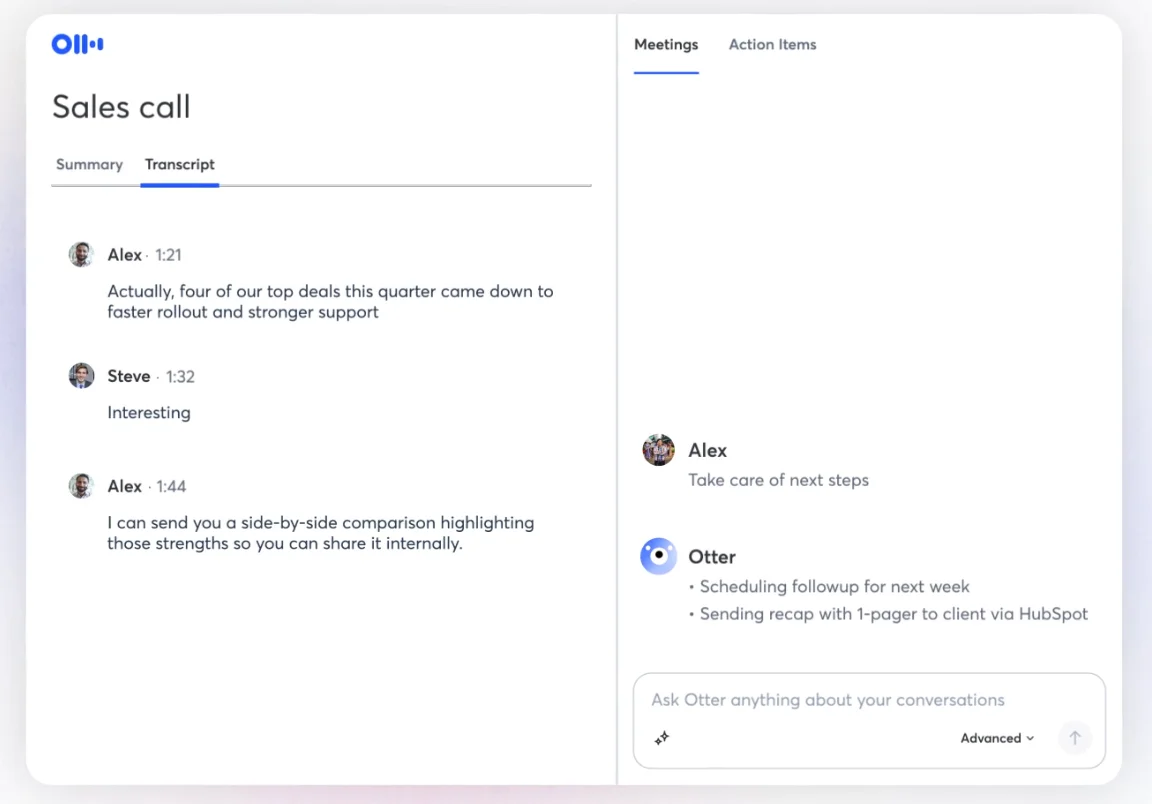
Im Gegensatz zum reinen Desktop-Setup von Jamie AI läuft Otter.ai nativ auf Browsern und Mobilgeräten. Es ist über Web-, iOS- und Android-Apps zugänglich. Diese geräteübergreifende Barrierefreiheit macht es flexibler und eine bessere Wahl für Benutzer, die routinemäßig von ihrem Schreibtisch aus an Besprechungen teilnehmen.
Und obwohl es keine unbegrenzte Sitzungsdauer wie Bluedot bietet, Die 4-Stunden-Obergrenze von Otter ist etwas höher als Jamies 3-Stunden-Limit.
Die Preisgestaltung von Otter AI erklärt
Werfen Sie einen kurzen Blick auf Abonnements von Otter.ai in der folgenden Tabelle:
Denken Sie daran, der Pro-Plan von Jamie AI ist ungefähr 50 USD pro Monat mit einem Sitzungslimit von 3 Stunden. Auf der anderen Seite wirft der Geschäftsplan von Otter.ai Sie nur zurück 20 USD/Monat mit jährlicher Abrechnung.
Das Abonnement von Otter hat zwar mehr Einschränkungen als das vergleichbare Abonnement von Bluedot, bietet jedoch immer noch 4-stündige Sitzungen, 6.000 Minuten pro Monat und unbegrenzten Speicherplatz für Transkripte. Im Vergleich zu Jamie bekommst du definitiv mehr für dein Geld.
Vor- und Nachteile von Otter
Ich bin mir nicht sicher, ob ich mich für Otter.ai entscheiden soll oder suche nach einer Alternative? Hier ist das Fazit:
#3. Fireflies.ai — Ideal für Stimmungsanalysen
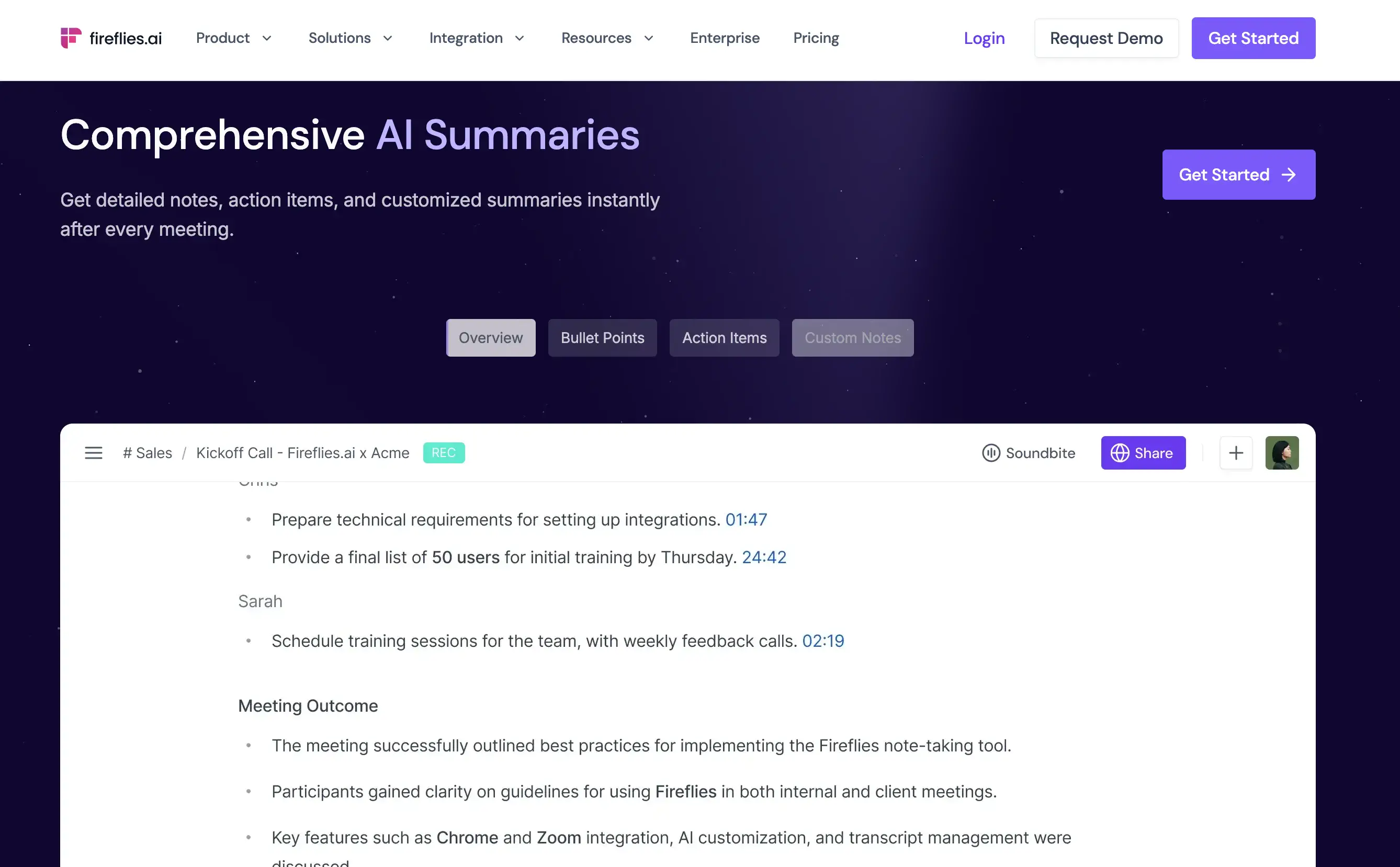
Fireflies.ai ist ein Besprechungsassistent mit fortschrittlichen KI-Funktionen, einschließlich der Erfassung, Transkription und Zusammenfassung von Besprechungen auf allen wichtigen Konferenzplattformen.
Warum ist es eine Verbesserung gegenüber Jamie AI? Lesen Sie weiter, um es herauszufinden!
Glühwürmchen KI gegen Jamie KI
Jamie AI erfordert eine manuelle Kennzeichnung der Lautsprecher, bevor Lautsprecher automatisch etikettiert werden können. Im Gegensatz dazu die Chrome-Erweiterung von Fireflies.ai ermöglicht automatische Lautsprecherbeschriftung und vollständige botfreie Aufnahme für Google Meet-Anrufe.
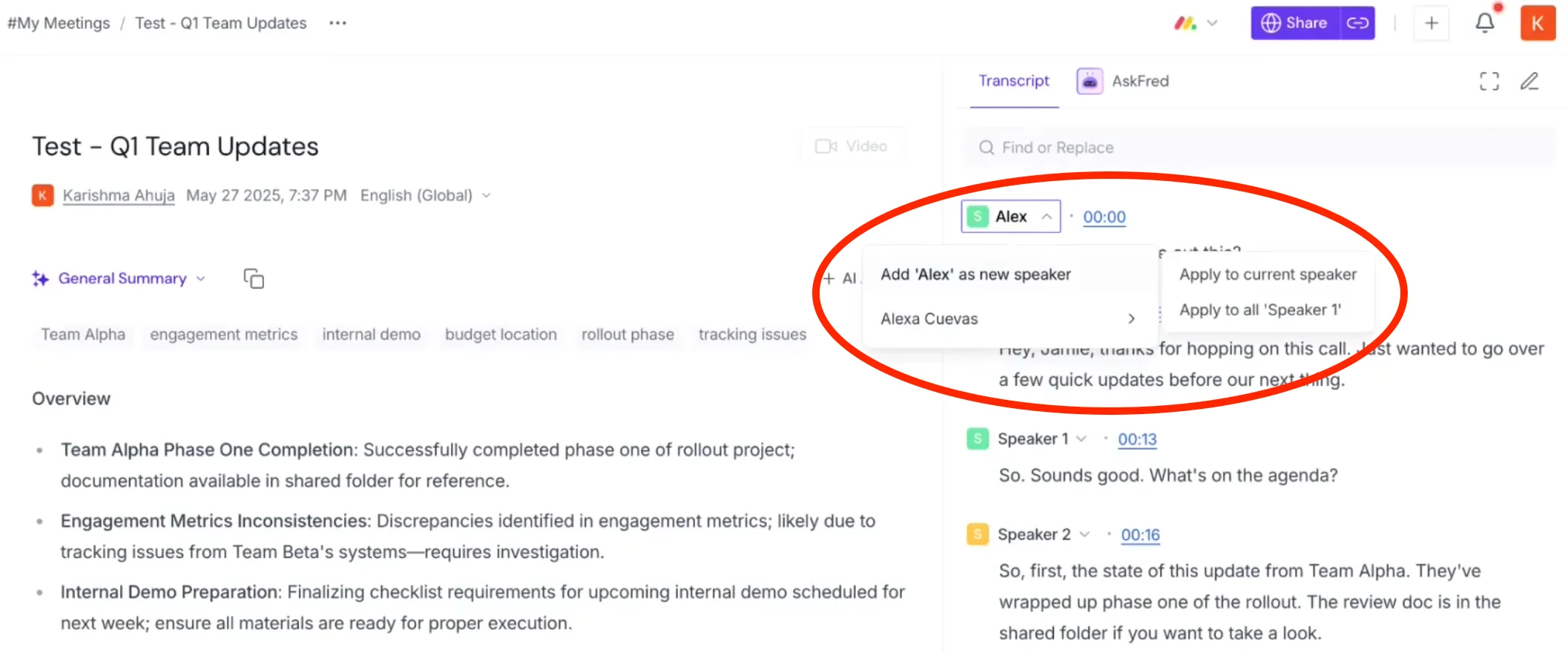
Sie können jedoch immer noch Sie müssen Lautsprecher in Fireflies manuell taggen. Dies ist erforderlich, wenn Sie eine Audiodatei hochgeladen haben, die keine Lautsprecher-Metadaten enthält, oder wenn Sie die Fireflies-App für Mobilgeräte verwendet haben. Derzeit erkennen die mobilen Transkriptionen der Plattform Sprecher oft nicht automatisch — im Gegensatz zu anderen Alternativen zu Glühwürmchen.
In Bezug auf Integrationen ist Fireflies auch eine bessere Wahl als Jamie. Ersteres bietet eine umfassendere Integrationsunterstützung mit CRM-Tools wie Salesforce und HubSpot. Das einzigartigste Merkmal der Plattform ist jedoch definitiv Stimmungsanalyse.
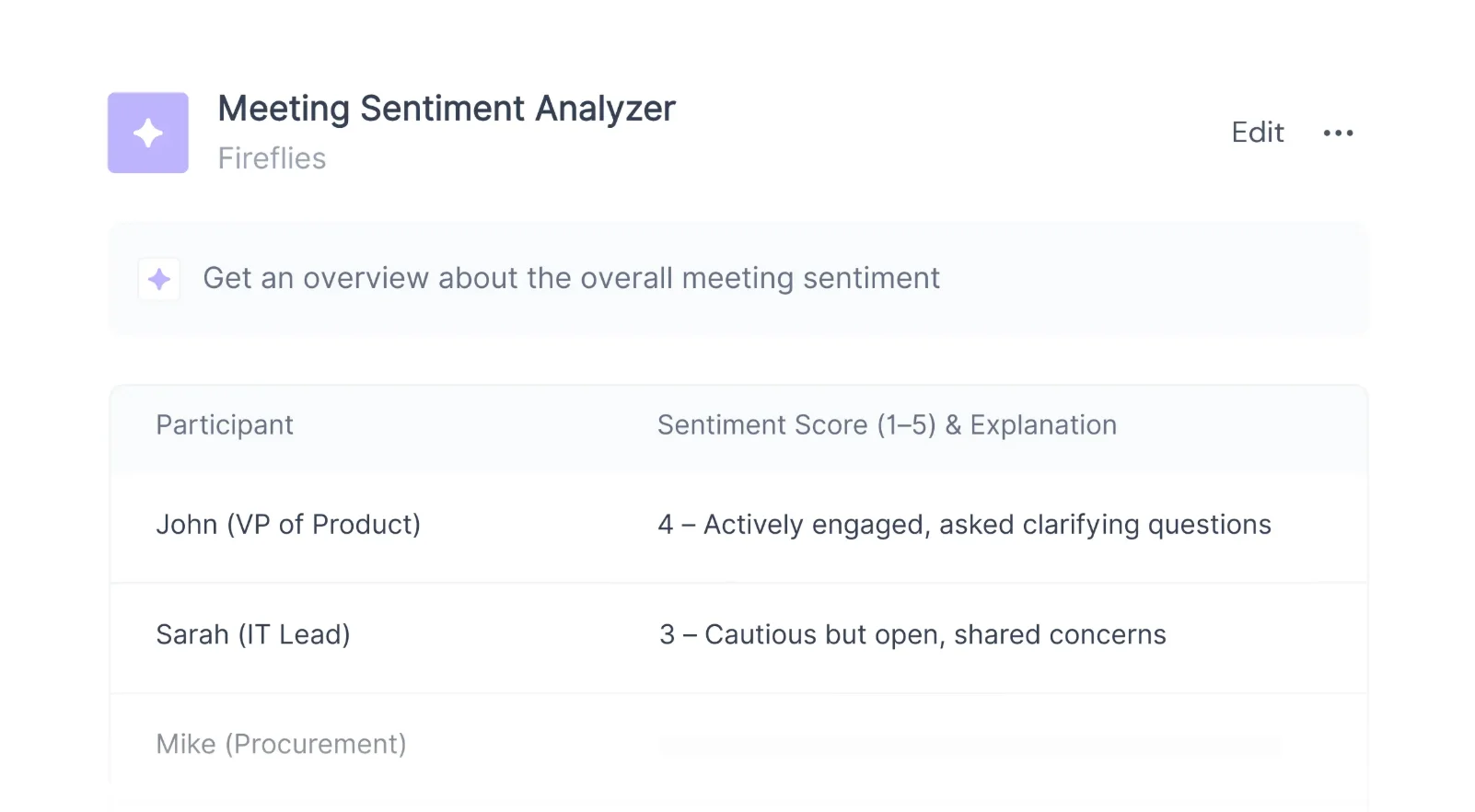
Mit der Stimmungsanalysefunktion von Fireflies können Sie die Stimmung unter den Rednern in Ihren Besprechungen „erkennen“.
Die Plattform kategorisiert wichtige Keywords oder Phrasen automatisch in positive, negative und neutrale Stimmungen. Dies zeigt Ihnen sofort, wie gut ein Anruf gelaufen ist.
Sie können sich auch bewerben Stimmungsfilter zu Ihren Transkripten und sehen Sie sich nur Teile der Konversation mit einer bestimmten Disposition an. So kannst du zum Beispiel direkt zu negativen Aussagen springen, auf die du eingehen musst.
Unglücklicherweise Fireflies AI bietet keine unbegrenzten Meeting-Aufzeichnungen an — Beschränkung auf 3 Stunden, auch auf kostenpflichtigen Stufen. Die kostenpflichtigen Tarife sind jedoch günstiger als die Abonnements von Jamie AI.
Die Preise für Glühwürmchen erklärt
Sie fragen sich, ob Fireflies der kostengünstigste KI-Meeting-Assistent für Ihre Bedürfnisse ist? Schauen Sie sich an, es ist anders Abonnementstufen unten:
In Anbetracht seiner fortschrittlichen Funktionen für Daten- und Stimmungsanalysen Die Abonnements von Fireflies bieten mehr Wert — und beginnen Sie mit deutlich niedrigeren monatlichen Raten als Jamies AI.
Vor- und Nachteile von Fireflies AI
Du bist dir nicht sicher, ob Fireflies.ai seinen Preis für dein Team wert ist? Folgendes müssen Sie wissen:
Lesen Sie mehr: Glühwürmchen-KI gegen Otter-KI gegen Bluedot
#4. Fathom — Ausgezeichnetes kostenloses Meeting-Tool
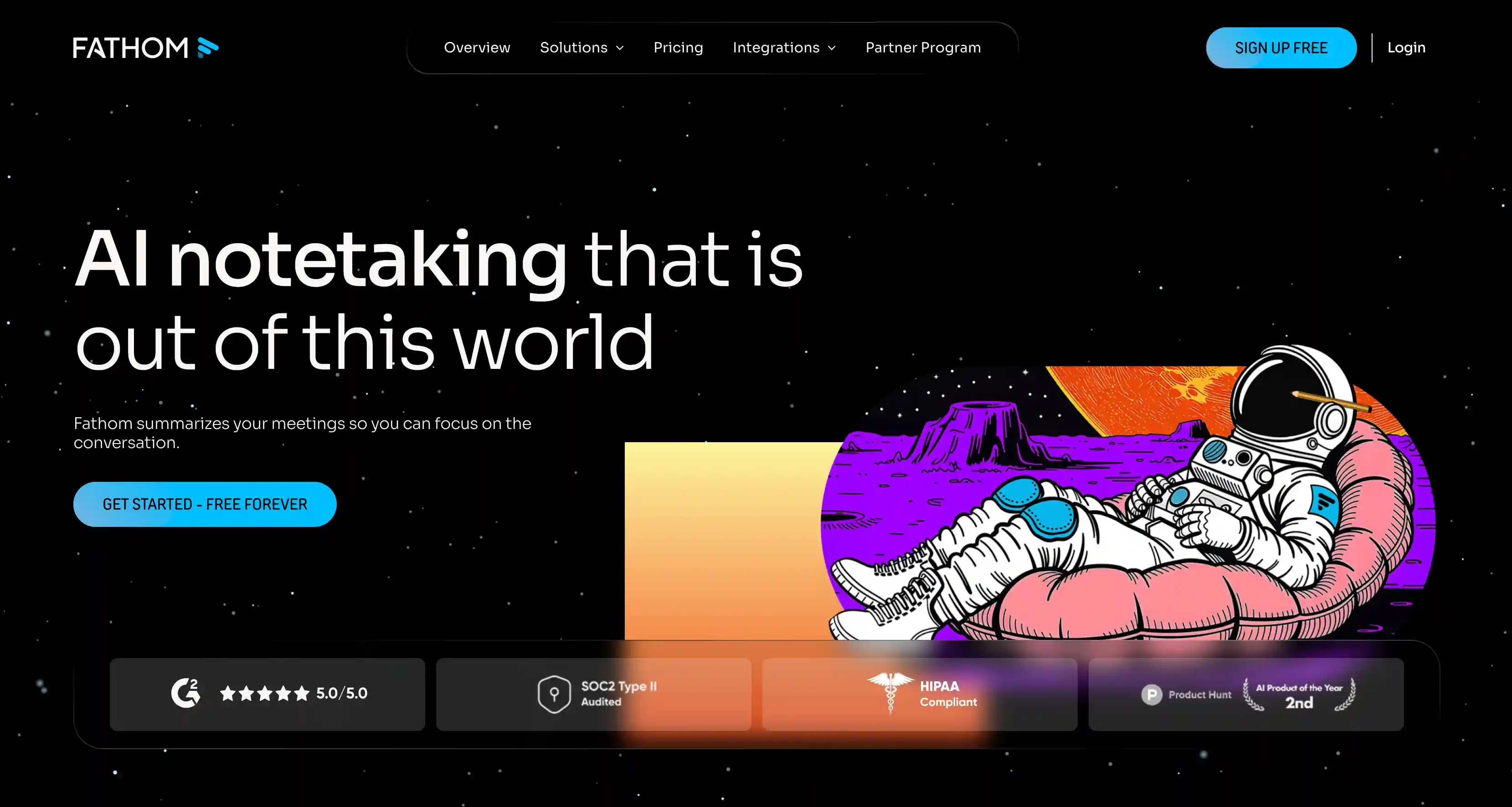
KI ergründen ist ein KI-gestützter Meeting-Assistent, der Anrufe auf Zoom, Google Meet und MS Teams aufzeichnet, transkribiert und organisiert. Es verspricht mehrsprachiger Support in 25 Sprachen, unbegrenzte Aufnahmen und Transkriptionen sowie unbegrenzte Aufnahmelänge — alles im kostenlosen Tarif.
Die Frage ist — funktioniert Fathom AI besser als Jamie oder gibt es dir zumindest ein besseres Angebot? Lass es uns herausfinden.
Fathom AI gegen Jamie AI
Bei Jamie AI müssen Sie Lautsprecher manuell beschriften, nachdem Sie Ihr erstes Meeting mit ihnen aufgezeichnet haben. In Fathom müssen Sie nicht — Die Plattform unterstützt die automatische Lautsprecherbeschriftung. Sie können die Beschriftungen jedoch manuell bearbeiten, da das Modell von Fathom dazu neigt, mit Akzenten und Hintergrundgeräuschen zu kämpfen.
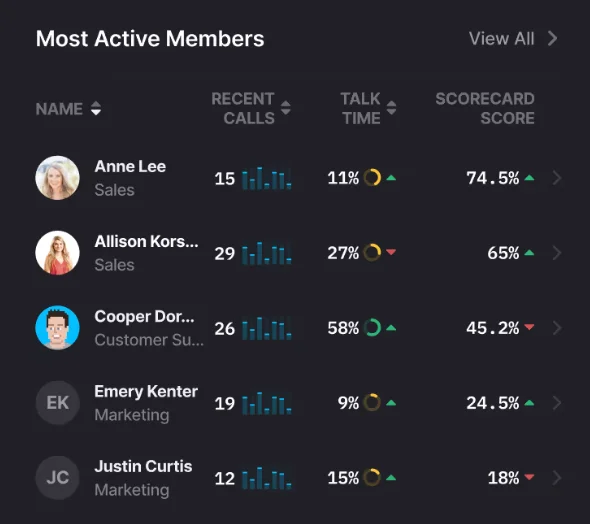
Sobald Sprecher markiert sind, erkennt die Plattform sie in nachfolgenden Gesprächen. Sie können sogar sehen, wie lange sie in den letzten Besprechungen gesprochen haben, und eine KI-Scorecard, die ihre Beiträge bewertet.
In Bezug auf die Integration bietet Fathom AI viel mehr für Sie als Jamie — insbesondere im Hinblick auf die CRM-Datensynchronisierung. Du kannst dein Fathom AI-Konto verbinden mit:
- Salesforce — für den Import von Gesprächszusammenfassungen und Besprechungsdokumenten in Kontakte, Konten und offene Gelegenheiten und
- HubSpot — for importing the same information to companies, contacts, and deals.
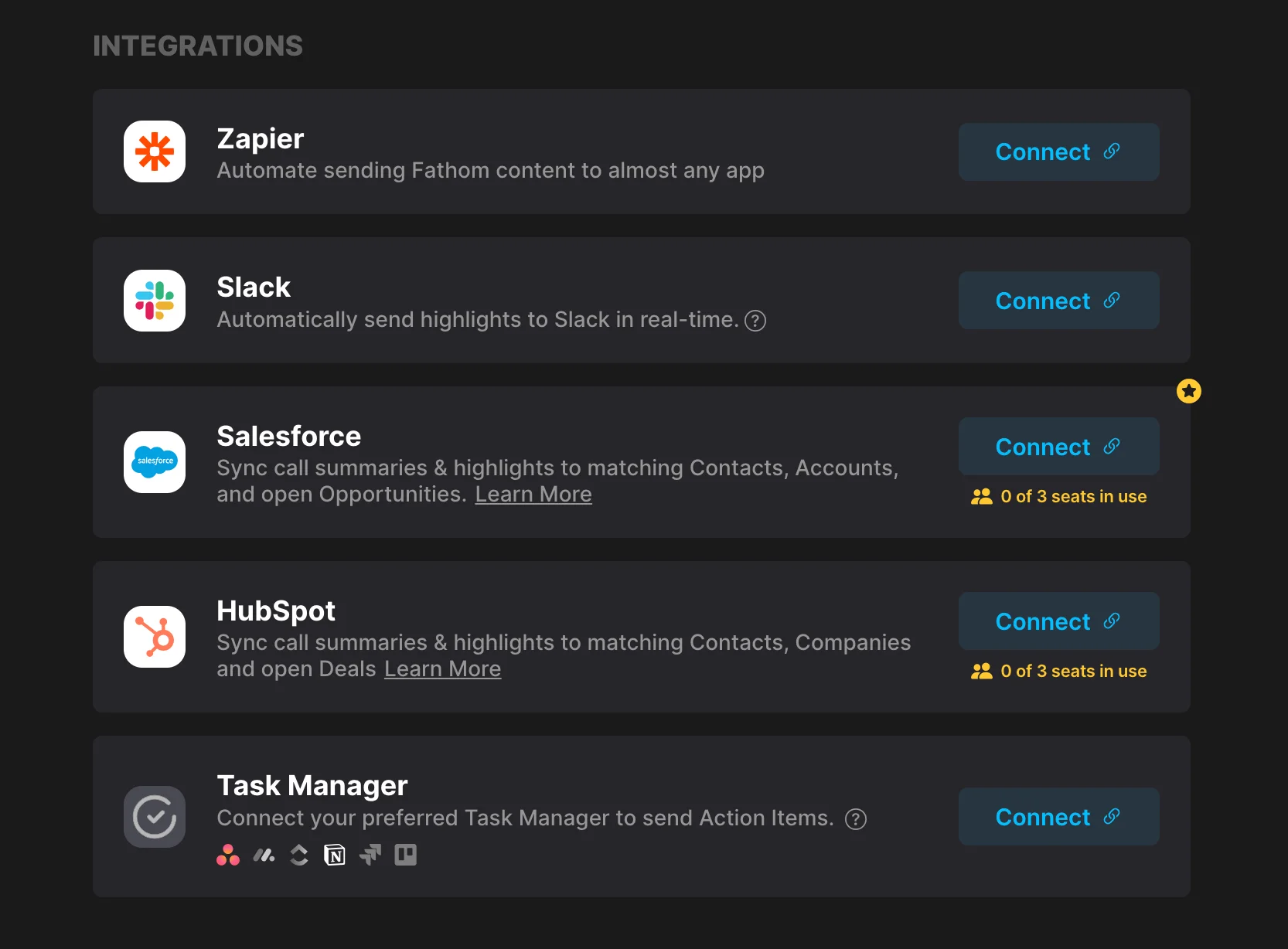
Moreover, Fathom supports other integrations via Zapier, enabling data to flow into task systems, dashboards, or automated follow-ups. This makes Fathom a great choice for teams looking to integrate an AI assistant into their existing stack.
Unfortunately, while Fathom AI's interface is primarily browser-based, it also requires you to install a desktop app — and there's no support for mobile.
The language support is decent, but its 25 languages are a far cry from apps like Bluedot, which support 100 or more.
So, how does Fathom stand out among other Jamie alternatives? Besides a flashy website, it has one of the most robust free plans.
Fathom AI Pricing Explained
Let's examine what you get with each Fathom AI subscription:
Few Jamie AI alternatives provide as much value in their free tier. And while Fathom doesn't include unlimited AI summaries or unlimited assistant messages, you do get unlimited transcripts, basic summaries, video and audio recordings, and recording storage — without paying a penny.
The advanced features for team collaboration and better meeting summaries are still locked behind the pricier subscriptions, but you get plenty of mileage out of the free plan.
Fathom AI Pros and Cons
Here are the main positives and negatives of using Fathom for online meetings:
Note: Want something similar to Fathom, but better-suited for your needs? Check out our guide to Fathom alternatives.
#5. Read AI — Great Jamie Alternative for Sales Teams
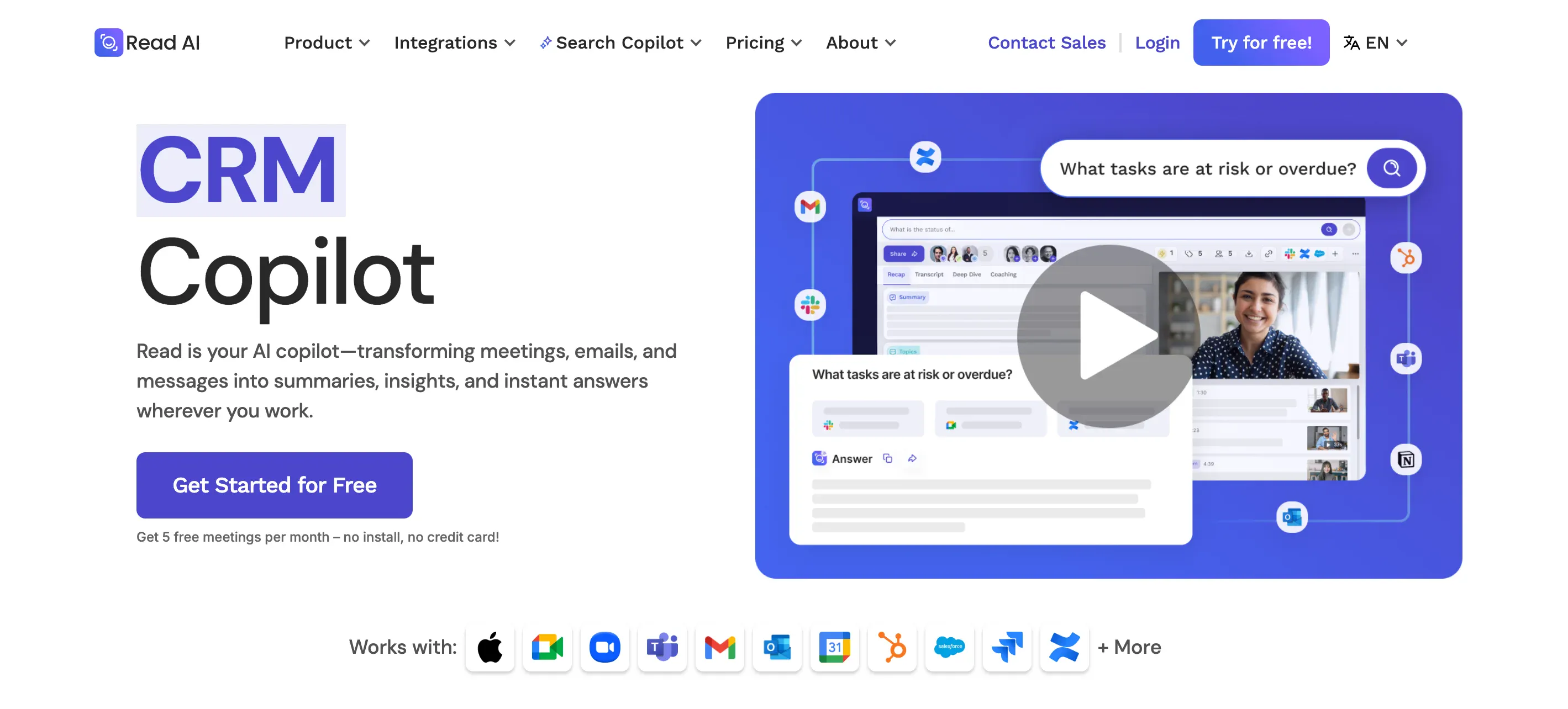
Read AI brands itself as your AI copilot — supposedly transforming meetings, emails, and messages into summaries and insights across meeting platforms and other productivity tools.
The tool is definitely a decent Jamie alternative, especially for sales coaching and meeting analytics. It goes way beyond automated meeting notes — but maybe a bit too far.
Let’s get the full picture.
Read AI vs. Jamie
In terms of Jamie's main drawbacks, Read AI is a definite improvement. The platform automatically labels speakers in your transcript and meeting notes. It also highlights points of positive and negative audience reactions in virtual meetings for each speaker.
It also makes task management easier with automated reports and a dedicated Calendar view, where you can also access meeting content from previous meetings.
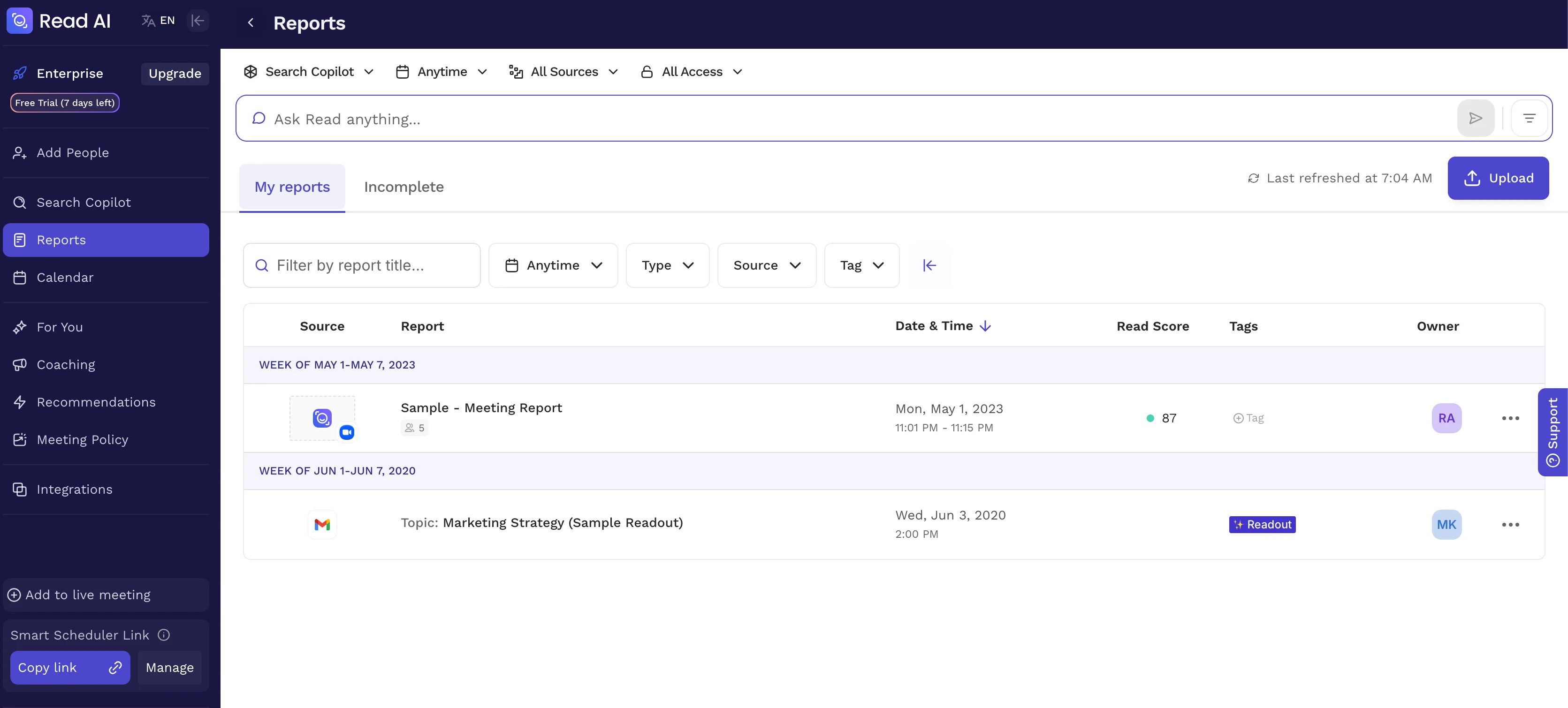
However, its practical usefulness is debatable. The Calendar view just pulls from your Google or Outlook Calendars, and most users don't want to manage their time through yet another calendar app.
Read AI's real advantage is in meeting analytics. It analyzes each meeting and automatically provides recommendations for improving your team's approach in the future.
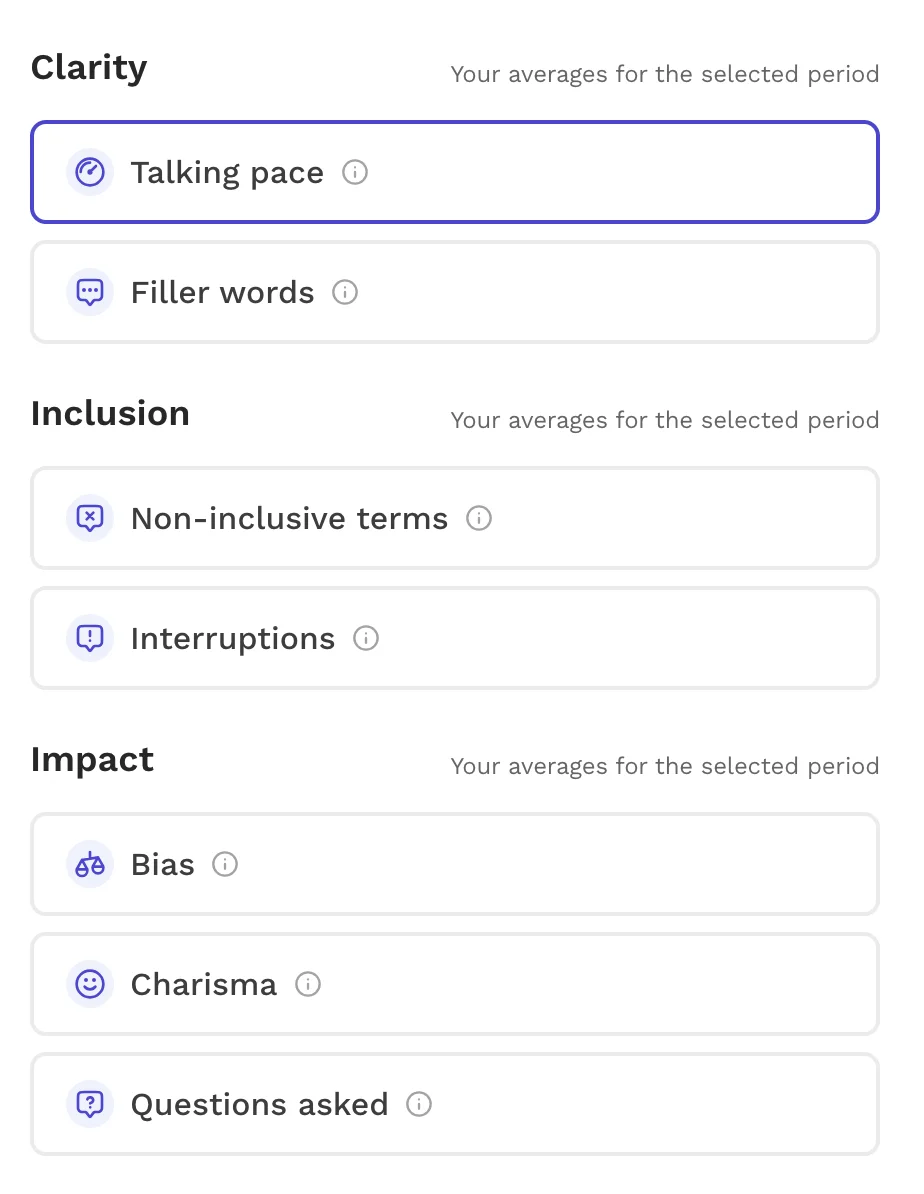
This makes the platform particularly useful for sales managers and team members with frequent sales calls.
However, Read AI may be a bit overkill if you just want to view video recordings of past meetings and get real-time transcriptions. Its interface is more reminiscent of a full-fledged CRM, and users report it's a bit too invasive.
Once you make an account, Read AI asks for access to all of your email and productivity apps — with way more permissions than you'd give any other AI meeting tool.
If you use it for transcripts in Microsoft Teams, it even automatically creates accounts for other team members in your workspace.
Privacy concerns aside, the platform's multi-language support is also a bit lacking, with only around 20 languages.
Read AI Pricing Explained
Here's all you need to know about Read AI's various pricing plans:
The Free plan mainly serves as an introduction to the platform, giving you a feel for how Read AI works before committing to a paid subscription. If you’re interested in exploring its full potential, consider trying the 7-day Enterprise free trial — it includes access to advanced analytics tools and deeper meeting content insights.
Note: If you're looking for a less intrusive alternative to Read AI, check out our guide on the topic.
Read AI Pros and Cons
Do the advanced analytics features of Read AI outweigh its privacy drawbacks? Consider all the pros and cons before making a choice:
How Did We Choose The Top AI Meeting Assistant?
To find the top Jamie AI alternatives, we tested and analyzed many of the most popular AI meeting assistants currently available.
The goal wasn’t just to rank them by name recognition, but to determine which ones genuinely save time, improve collaboration, and integrate naturally into daily workflows.
We focused on four main factors:
- Transcription & speaker labeling accuracy,
- Available integrations
- Overall usability, and
- Value for money.
We wanted to see how each tool on this list addressed Jamie’s known drawbacks — manual speaker tagging, limited integrations, desktop-only access, and premium pricing.
Transcription & Speaker Labeling Accuracy
We didn’t rely on marketing claims. Each platform was tested over multiple meetings on video conferencing platforms like Zoom, Google Meet, and Microsoft Teams.
We assessed how accurately they captured speech, whether they automatically labeled speakers, and how much cleanup we had to do afterward. Tools that required manual tagging or produced inconsistent results ranked lower.
Available Integrations
Besides the usual integrations with team collaboration tools, email providers, and calendars, we wanted to see how well these tools blend into broader work ecosystems.
CRMs like Salesforce and HubSpot, project tools like Asana, and collaboration platforms like Slack or Notion were key testing grounds. Platforms that allowed automatic CRM data updates earned higher scores, especially for sales and operations teams.
Overall Usability
Browser-based access, mobile apps, and quick onboarding were strong deciding factors. Tools that required desktop installations or clunky setup processes ranked slightly lower, though we didn't penalize them too heavily if they also record video and eliminate background noise well. Unfortunately, few assistants also provide AI noise cancellation.
We prioritized options that could launch instantly through a Chrome extension or web dashboard, giving users flexibility for audio recordings across devices.
Value for Money
Lastly, we compared subscription tiers. Meeting assistants that provided real-time transcriptions, AI summaries, and video recordings for less than Jamie’s pricing ranked higher. Free plans with meaningful functionality — like Fathom’s unlimited meeting summaries — also influenced placement.
Ultimately, every platform we selected makes meetings easier — often at a fraction of Jamie AI’s cost.
Which AI-Powered Jamie Alternative Wins?
Among all the Jamie AI alternatives we tested, Bluedot provides the most value, ease of use, and accuracy. It delivers full browser-based functionality — no desktop installation required — in a clean, intuitive interface.
Get started with Bluedot for free
Its automatic speaker labeling works out of the box, even in group settings — one of Jamie’s biggest downsides.
The integration ecosystem is also stronger. You can push meeting notes directly into Salesforce tasks and HubSpot deals, saving your team time otherwise wasted on manual updates.
Unlike most competitors, Bluedot includes unlimited meeting duration on its mid-tier plans and transparent pricing that starts at nearly half of Jamie’s cost. The platform also provides detailed speaker analytics, team insights, and real-time transcription in multiple languages. It's equally effective for sales, internal meetings, and client communication.
Frequently Asked Questions
Now that we've reviewed some of the main Jamie alternatives, let's tackle some of the most frequently asked questions on the topic.
Who are Jamie AI's competitors among AI meeting assistants?
Jamie AI competes with many top-tier AI meeting assistants, including Bluedot, Fathom AI, Fireflies.ai, and Read AI, among others.
You can frequently find these alternatives in comparison reviews and product lists alongside Jamie AI. Many of them have distinct strengths, like advanced meeting notes and meeting summaries, support for uploaded audio files, or AI-generated follow-ups.
What is the difference between Krisp AI and Jamie AI?
The main difference between Krisp AI and Jamie is that the former provides bot-free meeting capture with advanced noise cancellation and accent conversion. Krisp leans more into audio clarity and useful summaries of past meetings. Unlike Jamie, Krisp also supports video recording.
What's the top AI transcriber?
There is no single “top” AI transcriber that fits everyone’s needs — your choice depends heavily on your specific workflow and budget.
Wenn Sie jedoch eine großartige Komplettlösung benötigen, bietet Bluedot genaue Transkriptionen, nützliche Besprechungszusammenfassungen und eine einfache Bearbeitung von Videoaufzeichnungen früherer Besprechungen. Sie können es auch verwenden, um automatisch Follow-ups zu generieren und sich vom KI-Assistenten Vertriebscoaching zu lassen.
Ist Jamie AI sicher?
Ja. Jamie AI folgt strengen Datenschutz- und Sicherheitsstandards, einschließlich DSGVO-Konformität, Hosting in der EU und ohne Modeltraining für Kundendaten.
Gemäß der offiziellen Datenschutzrichtlinie verwendet Jamie die AES-256-Verschlüsselung für gespeicherte Daten und TLS 1.2+ für Daten während der Übertragung. Audioaufnahmen werden nach der Transkription gelöscht und die gesamte Verarbeitung erfolgt innerhalb der EU. Das Unternehmen hat einen externen Datenschutzbeauftragten ernannt und führt regelmäßige Sicherheitsaudits durch. Die Nutzer behalten außerdem die volle Kontrolle über die Einwilligung und können sie jederzeit widerrufen.
Kurz gesagt, die Verwendung von Jamie AI gilt als sicher — vorausgesetzt, Sie befolgen Standardpraktiken wie das Einholen der Zustimmung der Besprechungsteilnehmer und die Sicherung lokaler Geräte.
Wie genau ist Fathom AI?
Wenn Ihre Besprechungsbedingungen einigermaßen angemessen sind, mit gutem Audio und einer guten Internetverbindung, stellt Fathom Transkriptionen zur Verfügung, denen Sie für die meisten Arbeiten und Zusammenfassungen nach dem Meeting vertrauen können. Wie jedes KI-Tool kann es jedoch in anspruchsvolleren Umgebungen Fehler machen. Überprüfen Sie immer die KI-Zusammenfassungen und andere Besprechungsinhalte auf Fehler, insbesondere wenn Sie beabsichtigen, es regelmäßig zu verwenden.
Wie funktioniert Fireflies AI?
Fireflies.ai funktioniert, indem es an Ihren Besprechungen teilnimmt oder diese aufzeichnet, das Audio automatisch transkribiert und dann durchsuchbare Transkripte, Zusammenfassungen und Erkenntnisse erstellt.
Sie laden den Fireflies-Bot zu Ihrem virtuellen Meeting ein oder aktivieren die Chrome-Erweiterung, um Anrufe automatisch zu erkennen. Nach dem Anruf können Sie das vollständige Protokoll durchsuchen (z. B. „Finden Sie heraus, was Martha über das Budget gesagt hat“), Segmente mit Lesezeichen versehen und Notizen mit Teamkollegen teilen.