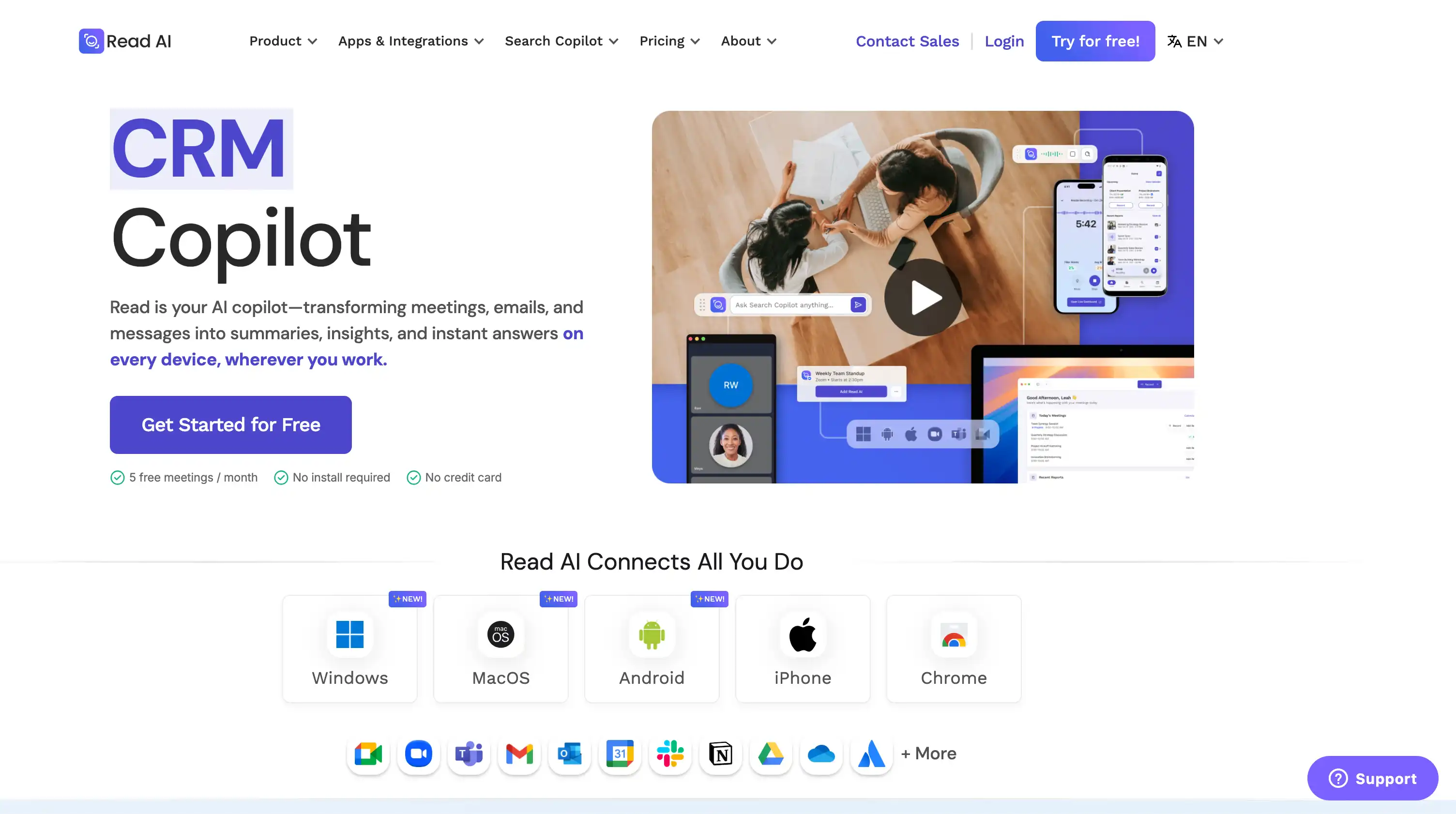
Read AI presents itself as an all-around AI copilot — a tool that pulls insights from emails, Slack messages, and meetings and gathers them into one place.
Like similar tools I’ve tested recently, it can record, transcribe, and summarize meetings. However, there’s one major difference: Read AI also scans your emails and messages to build a broader context, allowing it to provide key insights .
As it turns out, that extra access isn’t such a great thing.
For my taste (and many other users agree), Read AI has too much access to my work data. It’s intrusive and often plays fast and loose with cybersecurity.
Because of these issues, I tested a bunch of Read AI alternatives, particularly those suited for customer success teams . You’ll find the results below, and a deeper look at why you may want to avoid Read AI altogether.
TL;DR
- Read AI is risky due to invasive permissions, aggressive auto-joining behavior, and extremely difficult removal. It has major privacy and security red flags. surfer-content-editor-read ai a…
- Bluedot is the best Read AI alternative, offering bot-free recording, strong privacy controls, accurate multilingual transcription, CRM integrations, and unlimited video retention on paid plans.
- Fireflies.ai offers powerful analytics and CRM workflows, but uses a credit-based system, has intrusive behavior, and can be difficult to disable.
- Otter.ai is reliable for transcription and long recordings but suffers from predatory marketing, auto-joining issues, poor support, and limited language coverage.
- Fellow is strong for meeting prep—with agendas, templates, and action items—but is expensive, cluttered, and requires visible bots for video recording.
- MeetGeek provides solid conversation intelligence and responsive support but suffers from low video quality, slow processing, and strict retention limits.
What Are The Top Read AI Alternatives?
After testing over a dozen AI note takers, my top picks for a Read AI alternative are:
- Bluedot
- Fireflies.ai
- Otter.ai
- Fellow
- MeetGeek
Why did I single out these 5 tools? Read on to find out.
#1. Bluedot — Best Read AI Alternative Overall
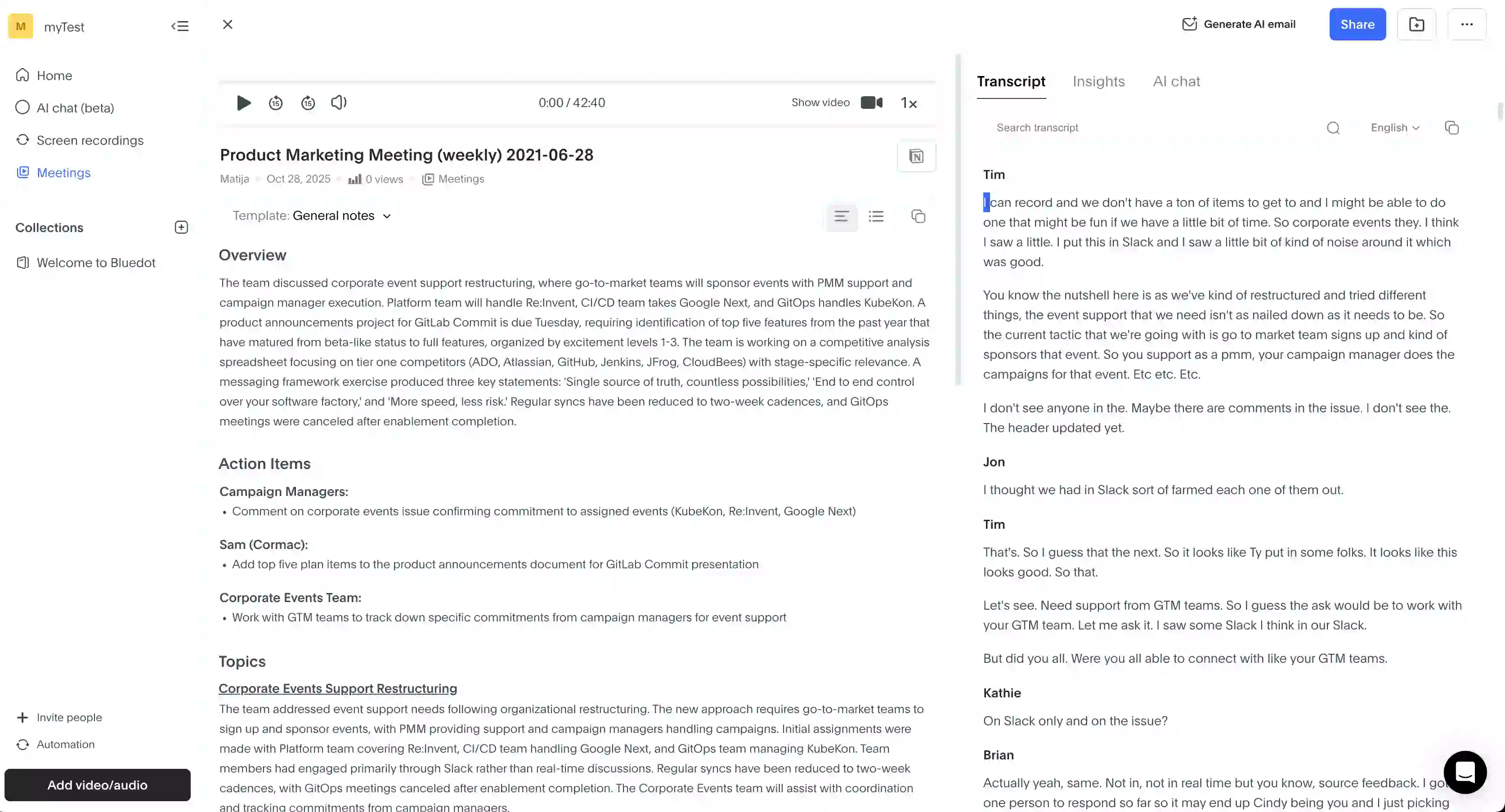
Bluedot is a no-nonsense, AI-powered meeting assistant that records, transcribes, and summarizes conversations — both in-person and online.
Unlike most AI meeting assistants that want to be your entire virtual business environment, Bluedot has a simpler philosophy — it does fewer things, it's not intrusive, and it works great.
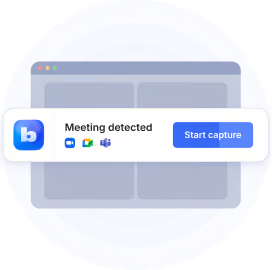
Bluedot captures calls across major video conferencing platforms like Google Meet, Zoom, and Microsoft Teams. You can do that through a Chrome extension or desktop and mobile apps, letting you record without a bot. As a result, the platform is a more discreet online video recorder for meetings.
It's great for business intelligence as well, since it integrates with major customer relationship management (CRM) tools like Salesforce and HubSpot.
Bluedot Key Features
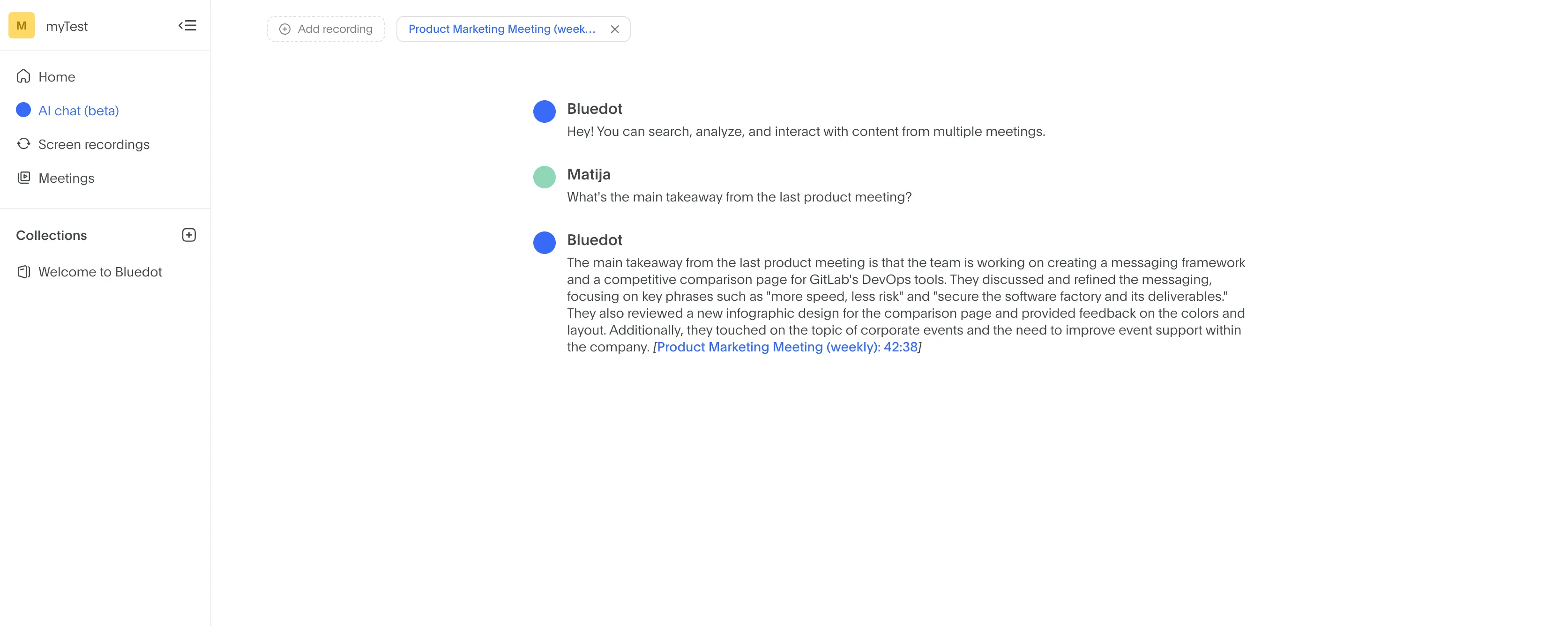
- Bot-Free Meeting Capture — via a Chrome extension or apps that record and transcribe meetings without a visible bot.
- Comprehensive CRM Integration — it seamlessly syncs meeting notes, and action items directly into Salesforce and HubSpot.
- Extensive Multilingual Support — accurate transcription and AI meeting notes in 100+ languages, making it a much better choice than Read AI for diverse teams.
- Real-Time Transcription — unlike some hardware-based note takers, Bluedot can transcribe meetings in real-time.
- Custom AI Notes — AI meeting summaries tailored for specific use cases via custom templates.
- Detailed Speaker Analytics — talk ratios, average talk speeds, and monologue length for each speaker.
- Unlimited Storage and Duration — on paid plans, you get unlimited video retention and storage and unlimited meeting duration, unlike with many competing AI meeting assistants.
Bluedot Pricing Explained
Here's what you get with each Bluedot subscription:
Bluedot Pros and Cons
Bluedot vs. Read AI - Final Verdict
For me, Bluedot stands out as the strongest Read AI alternative thanks to its privacy-first design and tighter control over user data.
Ultimately, Bluedot just takes a cleaner approach as an AI meeting assistant. Its Chrome extension records meetings without deploying a bot, so it stays invisible and doesn’t join my calls as a phantom participant.
Plus, Read AI has raised red flags about GDPR compliance and has been criticized for failing to delete user data on request. Bluedot is simply a safer and more trustworthy alternative.
#2. Fireflies.ai — Great for Sentiment Analysis
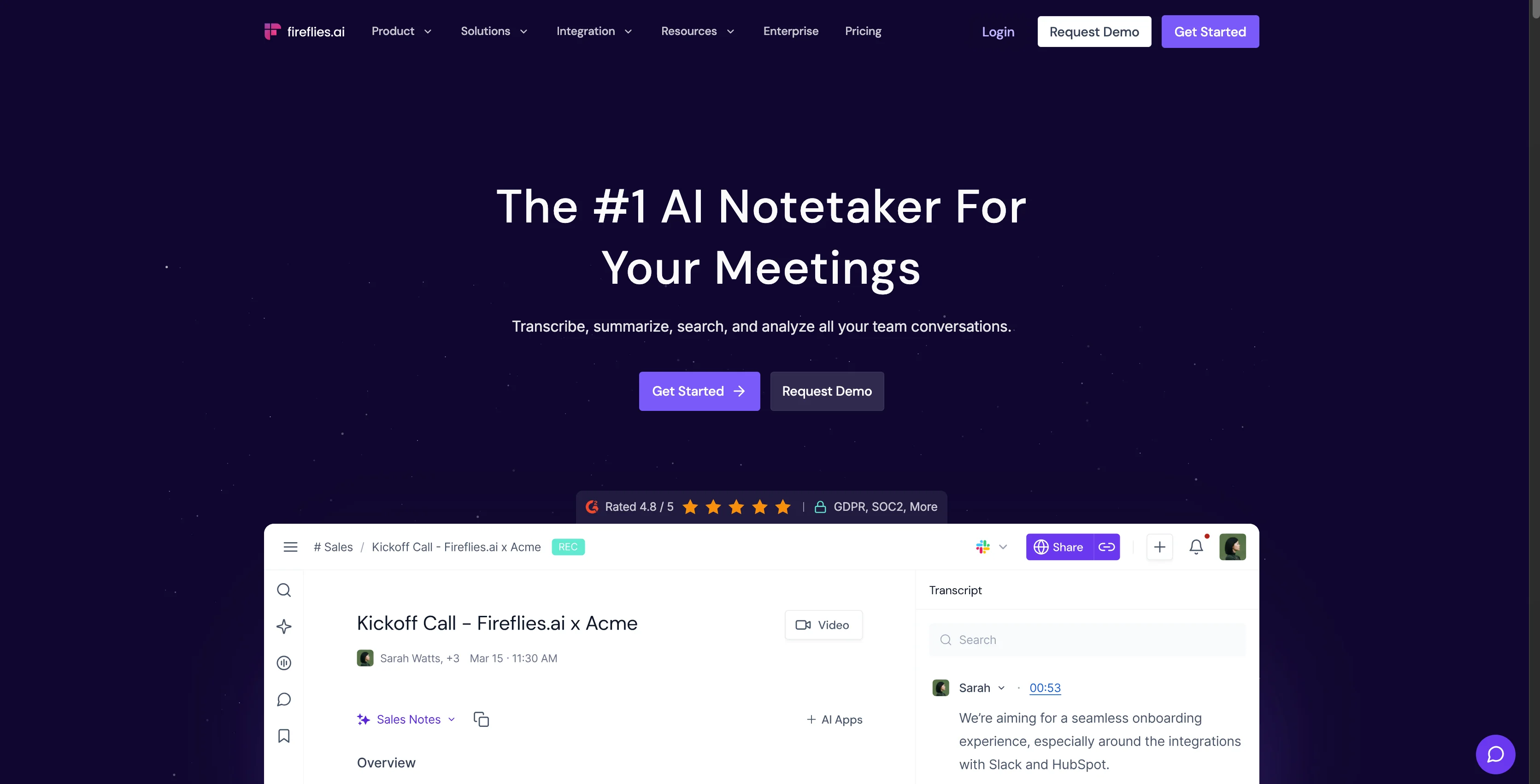
Fireflies.ai is another subscription-based meeting assistant that records, transcribes, and summarizes calls across Zoom, Google Meet, Teams, and Webex.
Primarily, it’s a Read AI alternative built for sales and success teams, with conversation intelligence features like sentiment scoring, talk-time analytics, and effective note taking. Like Bluedot, it also supports automated CRM follow-ups for Salesforce and HubSpot. Fireflies also claims SOC 2, HIPAA, and GDPR compliance and claims none of your data trains its models.
While it puts more effort into data security than Read AI and provides more advanced features for sales teams, bear in mind that Fireflies AI also isn't immune to some questionable business practices. It's also more expensive than competitors like Bluedot, thanks to its credit-based pricing.
Fireflies AI Key Features
- Transcription in 100+ languages with claimed 95% accuracy.
- Sentiment analysis and talk-time tracking for meeting insights.
- AskFred AI assistant to search across past transcripts.
- Automatic bot for recording and summaries.
- Integrations with 200+ tools including Salesforce, HubSpot, Slack, and Notion.
- Video recording with unlimited storage on higher tiers.
Fireflies AI Pricing Explained
Fireflies’ pricing is clear on paper, but complicated by credit-based charges for advanced AI features in practice. Here's the TL;DR:
Fireflies AI Pros and Cons
Fireflies AI vs. Read AI — Final Verdict
Fireflies AI is the more capable product, especially with its broad language support. But, both Fireflies and Read AI share the same controversial behavior: aggressive calendar permissions, auto-spread through emailed summaries, and tough offboarding that often forces IT teams to manually revoke access at the directory level.
However, the difference is risk. Fireflies at least publishes HIPAA, GDPR, and SOC 2 Type II claims and enforces Zero Data Retention. Read AI, by contrast, is not FedRAMP certified and is widely criticized for GDPR violations and refusing to delete user data when asked.
#3. Otter.ai — Great for Audio-Only Recording
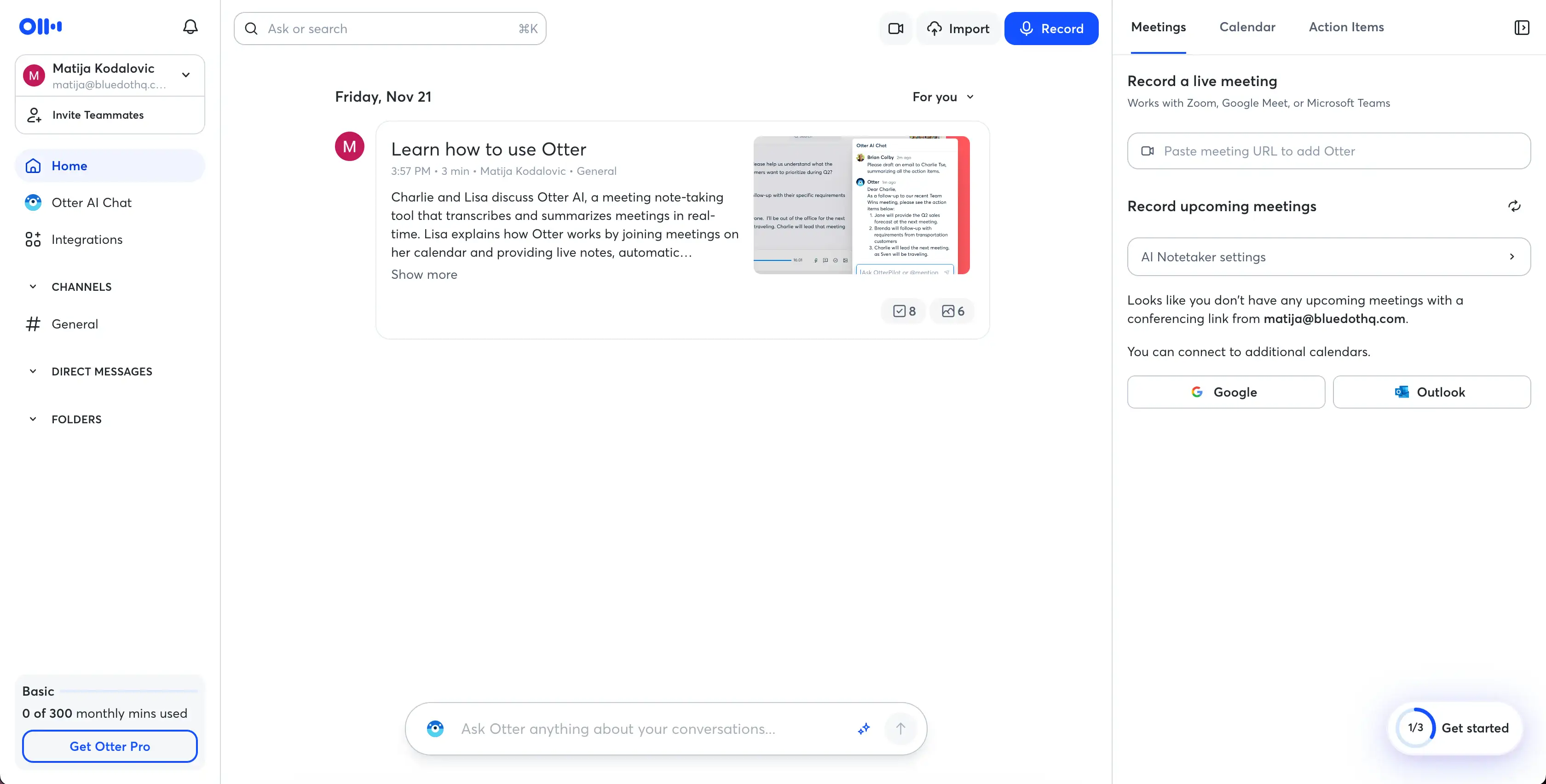
Otter AI is one of the first AI meeting assistants on the scene. It works well enough, consistently turning spoken conversations into clean, searchable text.
Its bot, OtterPilot, can auto-join meetings on Zoom, Google Meet, and Teams, and the platform runs on both web and mobile apps. Also, it can record audio up to 4 hours, making it a decent choice for longer conversations. However, Otter AI suffers from some of the same issues as Read AI and Fireflies — mainly, the way it markets and spreads itself to new users.
Otter AI Key Features
- Real-Time Transcription — transcribes meetings live with solid accuracy and updates text on the fly.
- Cross-Platform Support — Runs in any browser and on iOS and Android apps, making it accessible across devices.
- OtterPilot Bot — Auto-joins scheduled meetings to record and transcribe without user intervention.
- Otter AI Chat / Transcript Search — Lets you query past meetings with natural language prompts. You can use Otter AI chat to pull details, action items, or summaries from conversations.
- Calendar + CRM Integration — Syncs with Google and Outlook calendars, and supports CRM workflows with Salesforce and HubSpot on business plans.
- Speaker Identification — Attempts to label speakers automatically, though users often need to refine tags manually.
- Unlimited Uploads (Pro Tier) — The Pro plan supports unlimited imports, a standout perk compared to competitors.
Otter AI Pricing Explained
Otter uses a tiered subscription model based on minutes and features. Many users report “shrinkflation” as plans have increased in price while minute allowances have dropped.
Otter AI Pros and Cons
Otter AI vs. Read AI — Final Verdict
Otter AI and Read AI share the same foundational problem: they both use aggressive, intrusive growth tactics that spread across calendars and force broad permissions through SSO sign-ins. Both are extremely difficult for IT teams to fully remove, and both create obvious security risks with external clients.
However, Read AI pushes far more extreme permission requests, demanding full calendar access — even from non-customers — just to view shared notes. It has also been called out for GDPR violations.
Otter AI’s issues stem from shrinking value, rising prices, and its policy of training AI models on customer data, which has already triggered legal action. If you can get past those, Otter AI is still a better alternative.
#4. Fellow — Great for Meeting Prep
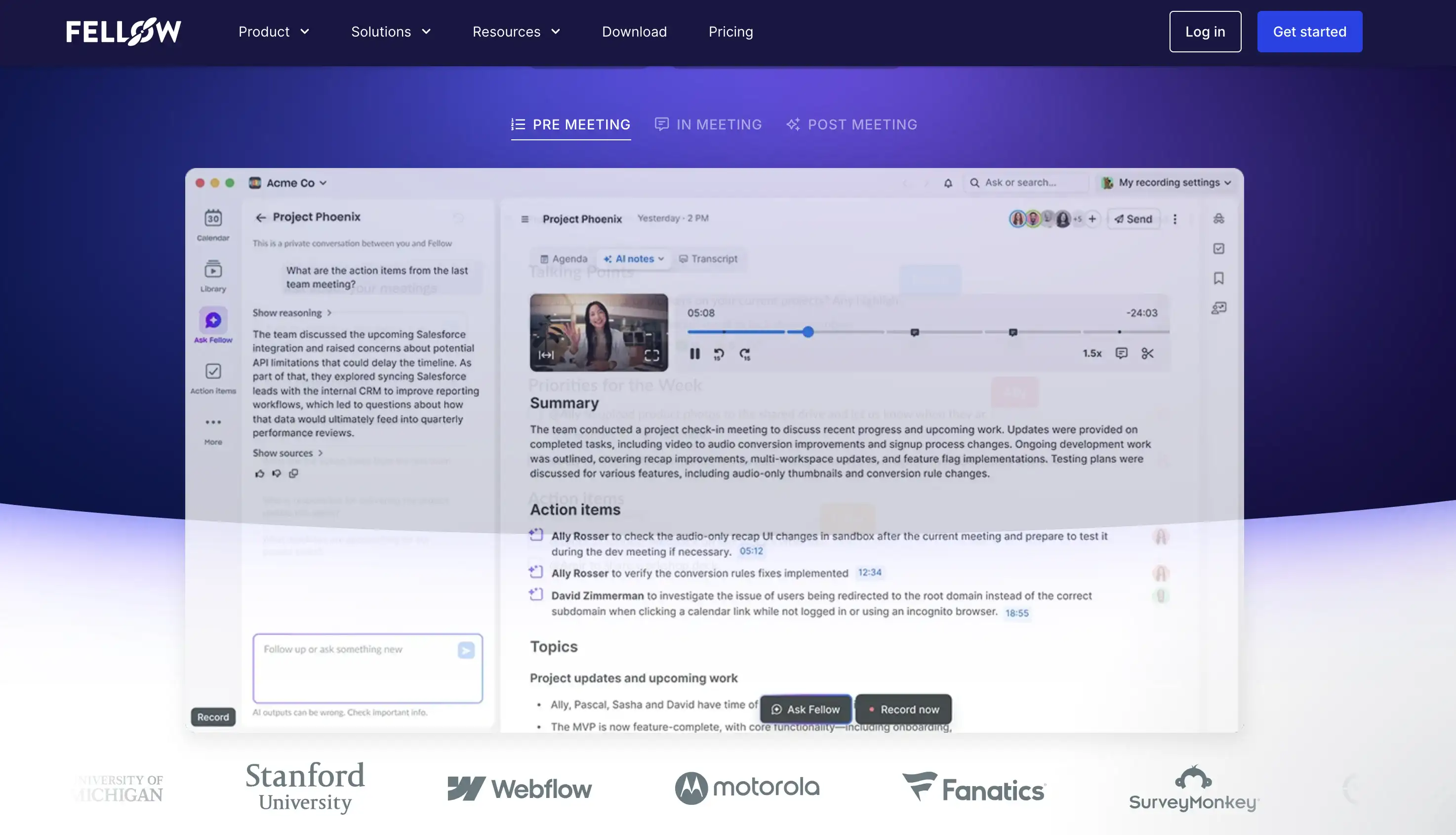
Fellow is an AI-powered tool designed to simplify your entire meeting lifecycle. Its various features can help you automate various tasks related to the preparation, execution, and follow-up stages of a meeting.
While it's a breath of fresh air compared to overly complex Read AI alternatives that try to do too much, it's still hard to escape the feeling that Fellow AI tries to do too much. In a bid to appeal to sales teams, customer success, engineering, product, HR, and IT personnel, it ultimately fails to serve any one of those groups fully.
Fellow AI Key Features
- Transcription and Summaries — Records meetings, transcribes in 92 languages, and generates structured notes with summaries, decisions, and recommended action items.
- AI Agendas — Creates draft agendas ahead of each call to streamline preparation.
- Templates and Customization — Offers ready-made templates for weekly meetings, kickoffs, sales calls, and 1:1s, with full customization options.
- Action Item Tracking — Auto-detects tasks or lets users add them manually; items can be assigned with owners and due dates.
- Meeting Capture and Storage — Records through an auto-joining meeting bot or via uploaded audio files.
- Integrations — Syncs with Google and Outlook calendars, connects to Salesforce and HubSpot, and links tasks to Asana, ClickUp, Notion, and Linear via Zapier.
- Organized Note History — Consolidates notes from recurring meetings into a single thread and supports fast sharing and feedback.
Fellow AI Pricing Explained
Compared to other Read AI alternatives, Fellow AI's pricing structure is generally considered expensive.
To get unlimited access to core features like AI meeting notes and recordings, you have to subscribe to the significantly higher-priced Solo or Business plans. Furthermore, you can't keep recordings indefinitely without the higher-tier Enterprise plans or the annual Business plan.
Here's an outline of the pricing and key features for Fellow AI's plans:
Fellow AI Pros and Cons
Fellow AI vs. Read AI — Final Verdict
Fellow AI and Read AI both aim to streamline meetings, but they operate very differently and pose very different risks.
Fellow focuses on structured collaboration, giving users AI agendas, summaries, and action items. However, it’s pricey, key features sit behind higher tiers, the interface can feel cluttered, and video recording requires a visible bot — which many teams dislike.
Read AI centers on analytics, providing sentiment tracking, speaker labeling, and fast summaries that break meetings into chapters and tasks. It’s useful when users can’t follow every detail. But its core problem is privacy: Read AI spreads through organizations by auto-joining meetings and emailing attendees, demanding sweeping calendar permissions and proving extremely difficult to remove.
If you value privacy and proper meeting prep, Fellow AI is a worthy Read AI alternative — though arguably not without its faults.
#5. MeetGeek — Useful for Conversation Intelligence
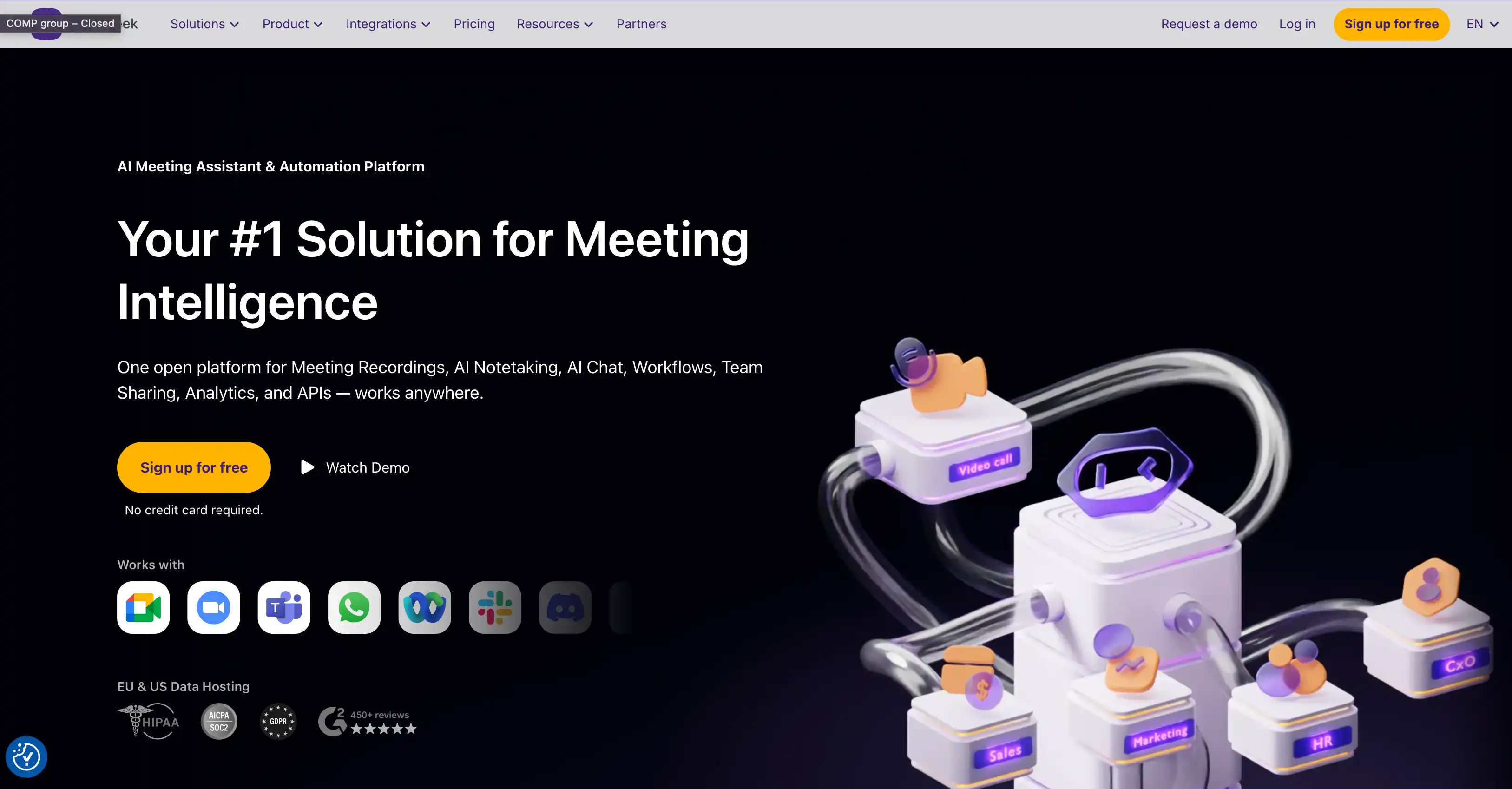
Shockingly, MeetGeek is another AI platform that automatically joins scheduled calls, records both audio and video, and generates AI-driven summaries and notes for in person meetings.
How does it differ from other Read AI alternatives? Compared to others, MeetGeek focuses more on advanced conversation intelligence for sales teams — though its analytics can be useful in other use cases.
The platform can track everything from agenda adherence monitoring to speaker distribution analytics — and suggest improvements at each step to help you prepare for subsequent meetings.
MeetGeek Key Features
MeetGeek provides a suite of features designed to enhance meeting documentation and analysis:
- Automatic Recording and Transcription — automatically joins scheduled meetings, records audio and video, and transcribes the conversation. It officially supports transcription in over 50 languages.
- AI-Generated Summaries — with main topics, highlights, and action items. Also, an Insights tab with visual analytics such as talk-to-listen ratios and engagement statistics.
- Easy Meeting Setup — schedule a call in your calendar and set MeetGeek to join automatically, paste a conference link to invite the bot, or send an email inviting the bot.
- Video Playback — review meeting transcripts and video side-by-side, with the option to jump to a specific section of the video by clicking on the corresponding part of the transcription.
- Integrations — with platforms like Google Meet, Zoom, and Microsoft Teams.
MeetGeek Pricing Explained
MeetGeek's prices aren't especially high compared to other Read AI alternatives, but users on lower tiers are constrained in terms of video retention and AI features. Even on higher tiers, video recordings on the Pro plan are only retained for six months, and on the Business plan for twelve months.
Here's a brief overview of different MeetGeek subscriptions:
MeetGeek Pros and Cons
MeetGeek vs. Read AI — Final Verdict
While MeetGeek fails on fundamentals like slow processing, low video quality, and inaccurate multilingual transcription (especially in non-English conversations), it's still a safer choice than Read AI.
Unlike Read AI, MeetGeek doesn't have intrusive marketing practices, and it doesn't misuse the permissions you give it. Finally, it offers some of the best customer support you'll find among AI meeting assistants, second only to Bluedot in that regard.
It's not the best AI meeting assistant for automated meeting summaries and transcripts, but it's more reliable and ethical with your data than Read AI.
Why Do I Need a Read AI Alternative?
For me, the main reasons to find an alternative to Read AI are:
- Lack of data privacy and security
- Intrusive deployment
- Difficult removal
- Unresponsive customer support
If “intrusive deployment” and “difficult removal” make Read AI sound like a virus, don’t be surprised — more than one user has described it as “essentially malware.”

If you think that’s an isolated incident, think again — here’s Read AI’s shockingly low Trustpilot score, which raises key points about user dissatisfaction :
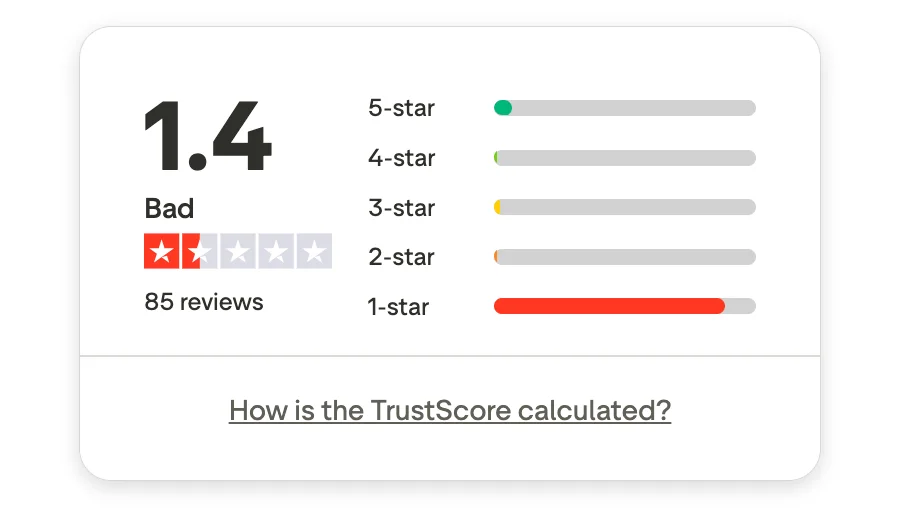
Let’s dig into Read AI’s issues in more detail.
#1. It doesn’t care about your privacy
People criticize Read AI for requesting broad and "ludicrous" permissions during sign-up, often through a single sign-in via Microsoft or Google SSO.
These permissions typically grant the app access to read and create your online meetings, log in and read your profile, and maintain total access to your calendars.
For most AI note takers, this is fairly normal — the app needs access to your calendar so it knows which meetings to join and record. However, Read AI takes it a step further by demanding extensive access even from external, non-paying meeting participants.
That’s right — you need to give Read AI all these permissions just to view a transcript provided by a meeting host that uses Read AI.
Obviously, most users think this is an insanely invasive practice.
#2. It spreads aggressively through your organization
One of the reasons some people (and universities) treat Read AI as malware is that it joins meetings automatically, often without seeking acceptance.
Once you inadvertently grant permissions (even by simply clicking an SSO button to view a transcript), the Read AI bot automatically joins future meetings scheduled in your calendar.
The app is built to pull other meeting attendees into its system by sending emails with links to meeting notes. Those links prompt recipients to sign in and grant the same broad permissions, which causes the software to spread quickly across entire organizations. Some users have even compared its behavior to a “computer worm.”
In one case, the AI meeting assistant supposedly sent an unsolicited email with a Teams meeting transcript not only to a federal employee’s official .gov address but also to their personal home email.
This is a huge breach of organizational separation — and means Read AI users are right to be concerned about data boundaries. If you need a dependable bot-free note taker, any half-decent Granola AI alternative that respects your security and privacy would be a better choiice.
#3. It’s insanely hard to remove
When it comes to removal, Read AI app is surprisingly, stubbornly persistent. Even if you've done everything right, like deleting your account and turning off every auto-join setting, the bot might still pop up in your meetings.
Even if your organization has tried to block the domain tenant-wide, Read AI may still appear here and there.
To truly stop this thing after it has joined multiple meetings , you need to:
- Re-Log In: First, you have to manually log back into the Read AI portal using the exact same single sign-on (SSO) — Microsoft or Google — you used for that initial sign-in.
- Disconnect Manually: Once inside, you need to manually disconnect every single integration (like your Outlook Calendar) and disable all auto-join settings.
- Delete Your Account: Only then can you finally navigate to some obscure, advanced settings page just to delete the account entirely.
It’s a multi-step process that feels intentionally designed to make you give up.
And if you thought it was tough on your end, spare a thought for your IT team. To successfully block it company-wide, your poor admins have to:
- Implement strict policies to deny you permission to consent to third-party apps in the future.
- Go into Entra ID and manually revoke the app’s permissions from every single user record.
The bottom line is, getting rid of Read AI is harder than it has any right to be.
#4. It doesn’t even work that well
For a tool that sells itself that aggressively, you’d at least hope Read AI works great.
Unfortunately, that doesn’t seem to be the case.
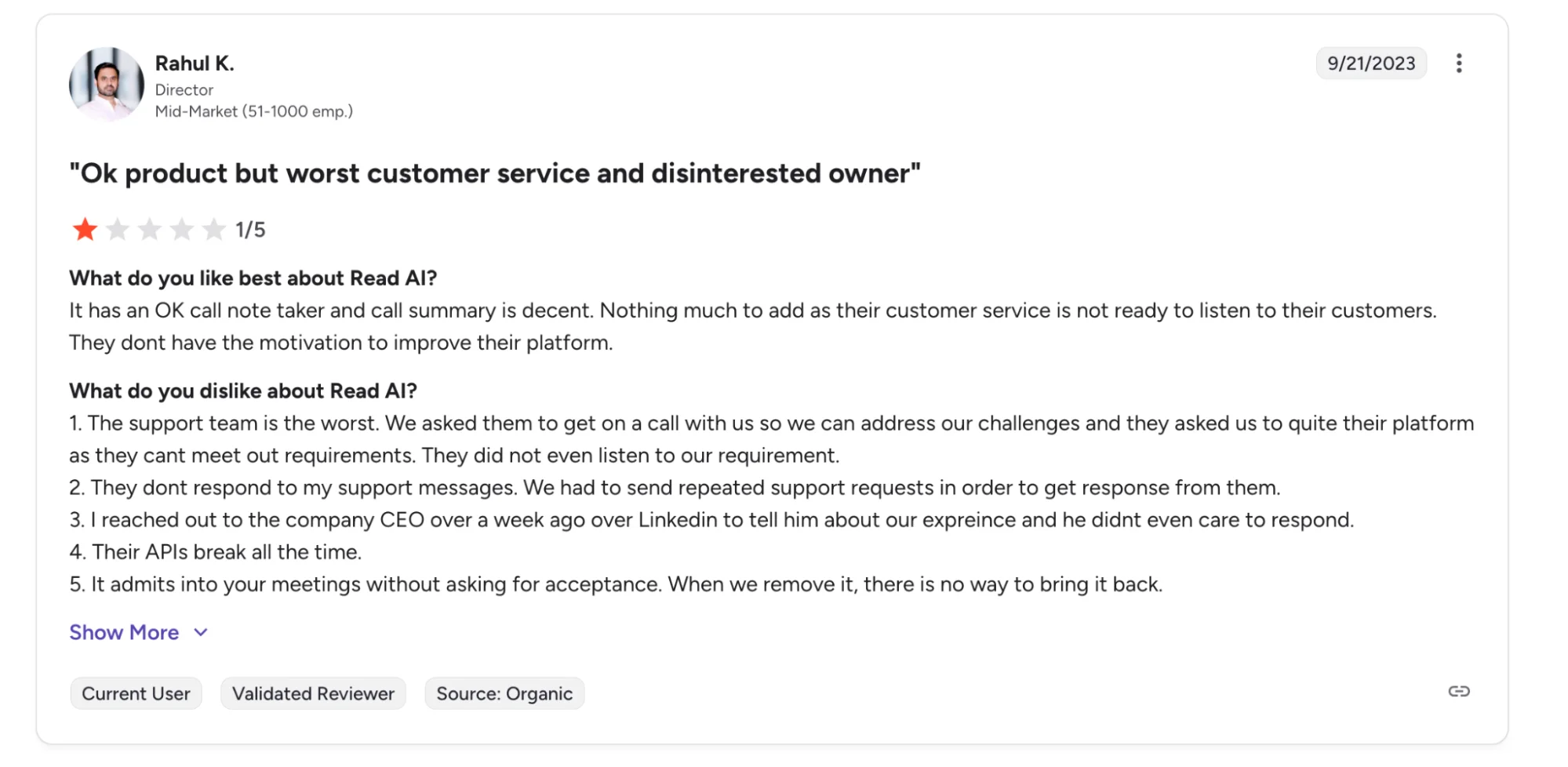
Customer support is a common frustration. Many users say the support team is slow to respond or ignores requests altogether. Some people report sending multiple messages before getting any help. One former user even shared that the team told them to “quit their platform” when they asked for assistance.
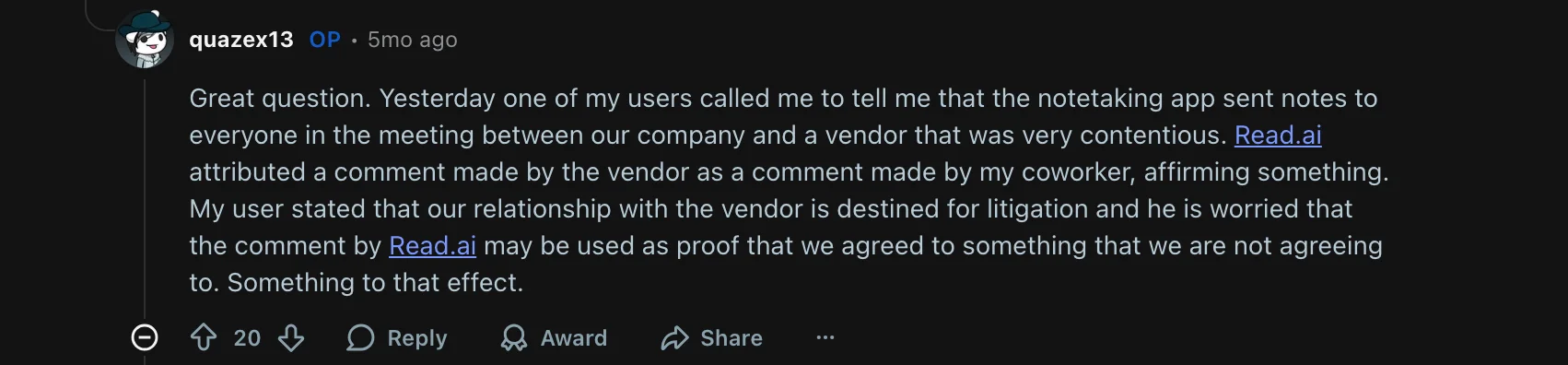
You may also notice issues with speaker identification. The system sometimes assigns comments to the wrong speaker. This can create serious risks in high-stakes moments; one user feared a misattribution could be used against them in legal proceedings.
Also, these problems make Read AI less useful for sales calls or large internal meetings with many participants.
Finally, language support is limited as well. With only about 20 supported languages, Read AI lags behind competitors like Bluedot that offer better coverage for international meetings.
What's The Best Read AI Alternative?
Bluedot is the best Read AI alternative because it prioritizes your privacy and data security. Read AI requires invasive permissions that scan your emails and access your entire calendar. However, Bluedot only asks for access it needs to capture and provide detailed meeting summaries — without overstepping boundaries.
Furthermore, Bluedot supports bot-free recording, while Read AI aggressively auto-joins calls and spreads through organizations aggressively and often without permission.
In addition, Bluedot offers accurate transcription in over 100 languages, while Read AI supports only about 20. You also gain better control over your data with strict adherence to GDPR standards.
Ultimately, Bluedot delivers a safer and more reliable service.