With AI note takers, recruiters don’t have to split their attention between writing notes and listening to the candidate.
Interview transcription software transcribes and summarizes the conversation automatically. As a result, you won’t miss key details about each applicant and make better hiring choices. And you'll improve the candidate experience.
AI meeting assistants also help you reduce your administrative load. With the right AI note taker, you can export key details into your chosen ATS automatically.
The back-and-forth with your hiring manager is also quicker, because you can automatically share AI summaries from calls with each applicant.
Over the past year, I’ve reviewed 25+ AI note takers, and I can confidently say which are the best AI note-taking tools for recruiters.
In this article, I’ll show you how to choose the right AI meeting assistant for your specific needs — and present my top choices for HR professionals.
TL;DR
- Bluedot is the best AI note taker for recruiters, with bot-free recording on all platforms, customizable interview templates, and affordable pricing with unlimited storage.
- Dover is a good pick for startups that want AI note-taking built into their ATS — but it only works on Google Meet, and the $199/month price tag is steep.
- Metaview offers strong candidate evaluation and 50+ native ATS integrations, but it's the most expensive option at a minimal $50–$60/user/month, with accuracy issues in non-English calls.
- Fireflies has the best candidate analytics, but its intrusive bot, credit-based pricing that adds up fast, and aggressive spreading make it harder to recommend.
How to Choose the Right AI Note-Taker for Recruitment?
To choose the right AI note-taker for interviews, pick a tool with the following features:
- Automatic interview transcription and note-taking — Lets you stop writing during interviews and focus on the candidate.
- Structured post-call AI summaries — Gives you specific candidate details after every call without doing anything manually. You can have stuff like salary expectations and notice period ready for you the second all the meetings end.
- ATS integration — Automatically updates your applicant tracking system with relevant information about candidates after each call.
- Customizable note templates — Let you tweak the AI-generated notes for your specific needs, like various recruitment stages. As a result, you’d get notes with different details from a screening call and a technical conversation.
- Searchable transcripts and an AI chatbot — Makes it easy to get answers to specific questions about past interviews without spending hours re-reading transcripts or listening to recordings.
- Shareable AI summaries — Helps you quickly share important details with hiring managers or inform candidates in the hiring process. Preferably, look for AI note takers that let you do this without requiring everyone to open accounts to access the AI summaries.
- Bot-free recording — Makes calls less awkward, compared to those recorded by AI meeting bots, which some platforms use. A visible bot often makes candidates uneasy during interviews.
- Compliance controls and optional notifications — Gives you an easy, subtle way to notify candidates that you’re recording the conversation. This is important for compliance in many jurisdictions.
What Are the Top 4 AI Note Takers for Recruiters?
The top 4 AI note-taking tools for recruiters are:
- Bluedot
- Dover
- Metaview
- Fireflies
I’ll explain why I chose each of these tools below, compare their prices, and give you their main pros and cons.
#1. Bluedot — Best AI Interview Notetaker Overall
Bluedot is my top recommendation to recruiters looking for an AI note taker. It supports all major video call platforms (Google Meet, Zoom, and Microsoft Teams), can record and transcribe calls without a visible bot, and, most importantly, is easy to use.
The interface is minimalistic and intuitive, and I always appreciated Bluedot’s lack of feature bloat. There’s nothing unnecessary here, and everything that you get just works — nothing to distract you from the actual meetings.
Thanks to the Chrome extension that uses your system audio and the camera to capture audio and video, you don’t have to use a visible bot — though one is available, and you can customize its appearance with a paid plan.
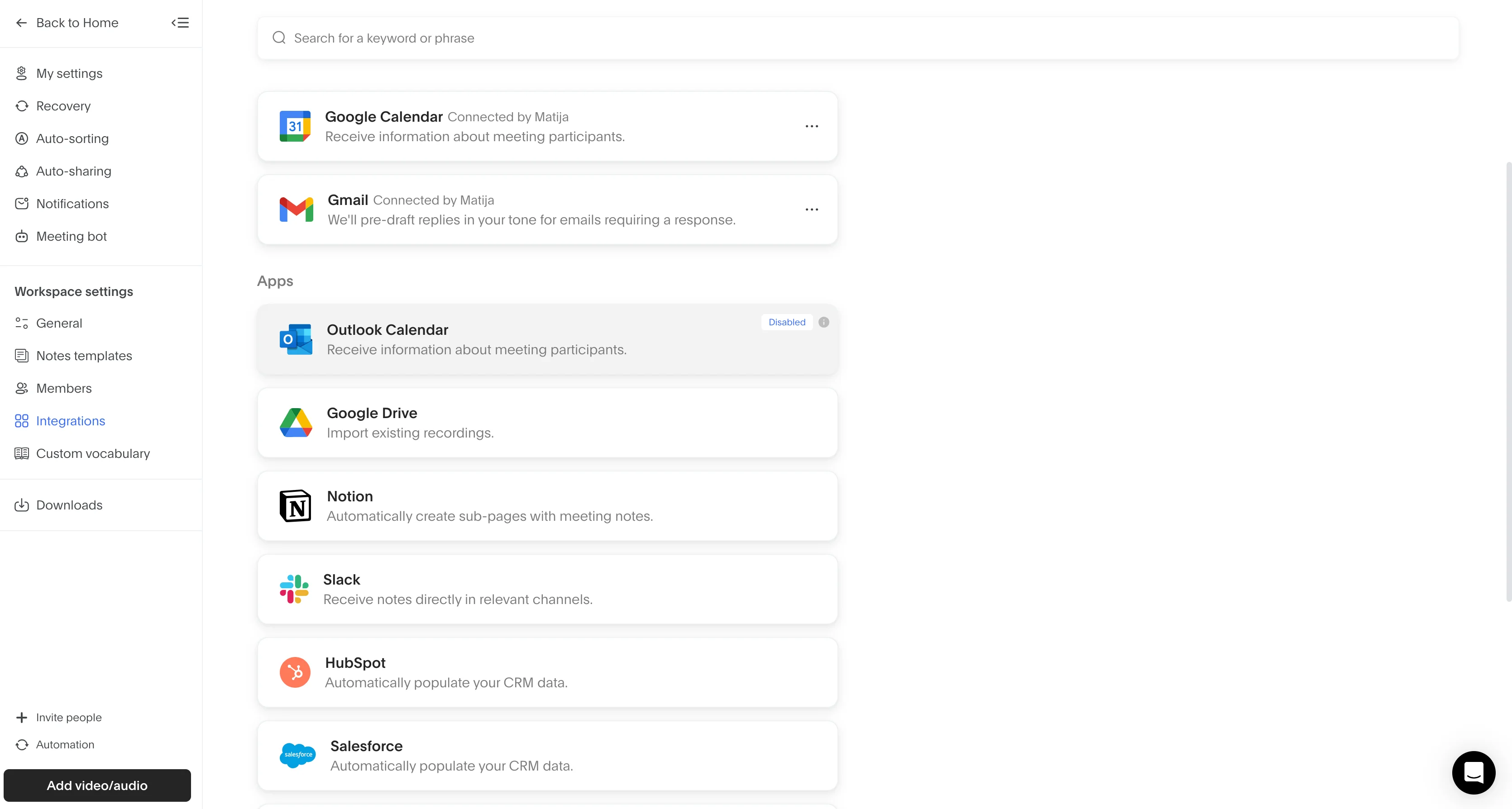
Crucially, you can easily automate most post-interview work with Bluedot. It integrates natively with Slack and Notion, and you can integrate the AI note-taker directly with your ATS via Zapier, Webhooks, or Make.
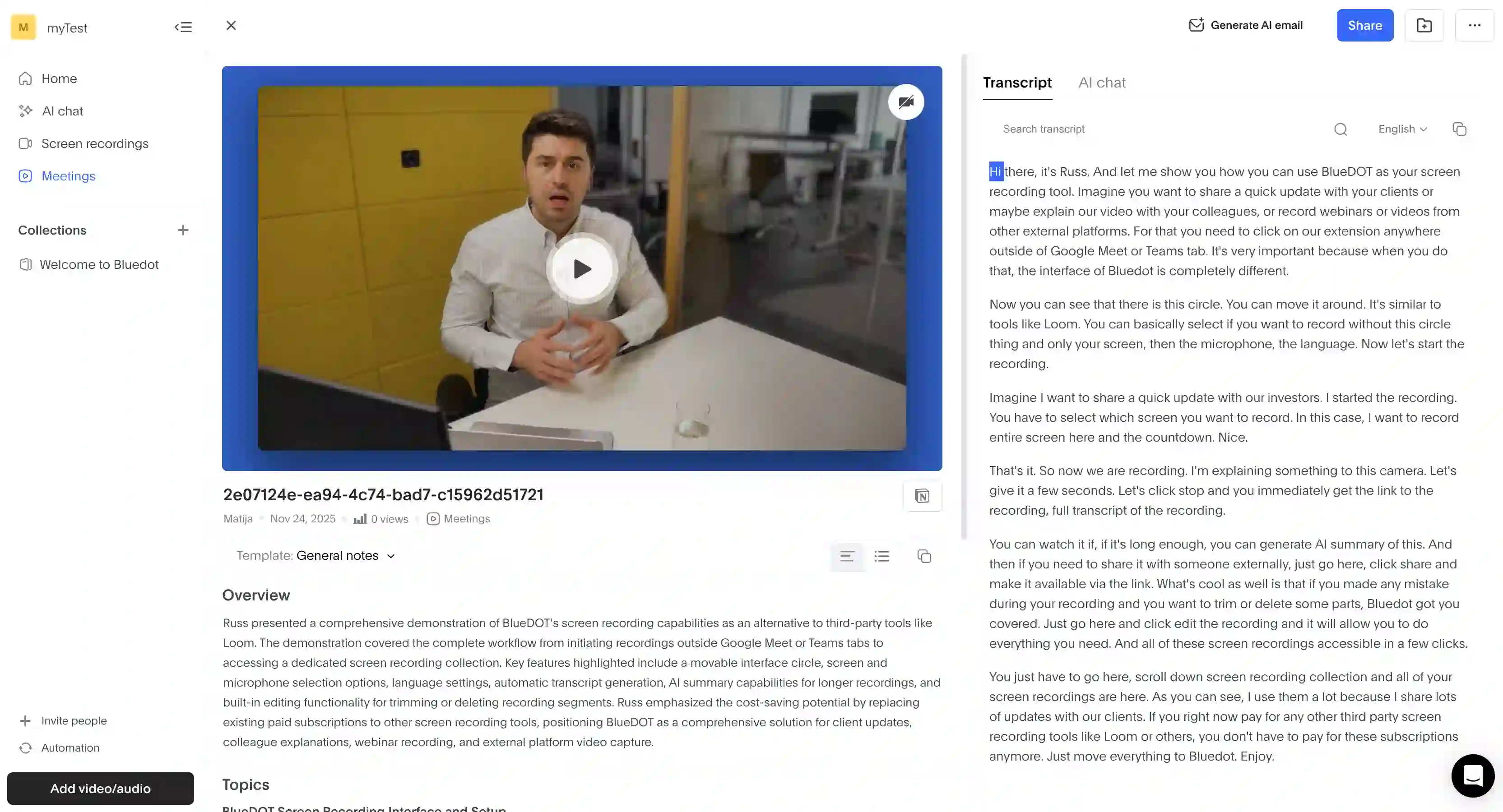
For example, you can automatically populate candidate profiles in your ATS with key details from the interview immediately after the call ends. There’s a pre-built template for meeting notes for recruiters with all the necessary candidate information — though you can tweak it or build your own easily.
You can also search transcripts and ask an AI chatbot specific questions about your virtual meetings — useful when you need to recall what a specific candidate said weeks ago, without sitting through the entire recording.
The only downside is that the free plan is limited to 5 meetings total, though most HR professionals don’t really need a free tool, just an affordable one.
Key features
- Bot-free recording candidate interviews — allowing candidates to speak more candidly about sensitive topics like compensation.
- Post-interview summaries — automatically providing AI-generated notes with specific details relevant to recruiters, like salary expectations and notice period.
- AI-powered transcript search — letting you ask questions like "When can this candidate start?" or "What tools have they used?" and get specific answers from past interviews instantly.
- Customizable meeting templates — helping you tailor note formats to your specific interview process and different stages. You can also use it for general business meetings.
- Shareable summaries without account requirements — you can share any summary with a hiring manager in seconds via a link, and they don’t need a Bluedot account to view it.
- AI transcription for interviews in 100+ languages — for better candidate experience in global recruitment agencies.
Pricing
I like Bluedot’s pricing because it’s straightforward and affordable, especially compared to many competing AI tools that try to squeeze out more money out of each subscriber with expensive credit-based pricing and hidden costs.
Also, Bluedot has one major advantage — unlimited storage for your recordings and transcripts on all paid plans. Most competitors delete your data every few months, which makes it harder to build a consistent database of interviews and candidates.
Pros and Cons
#2. Dover — Great Solution Inside an ATS
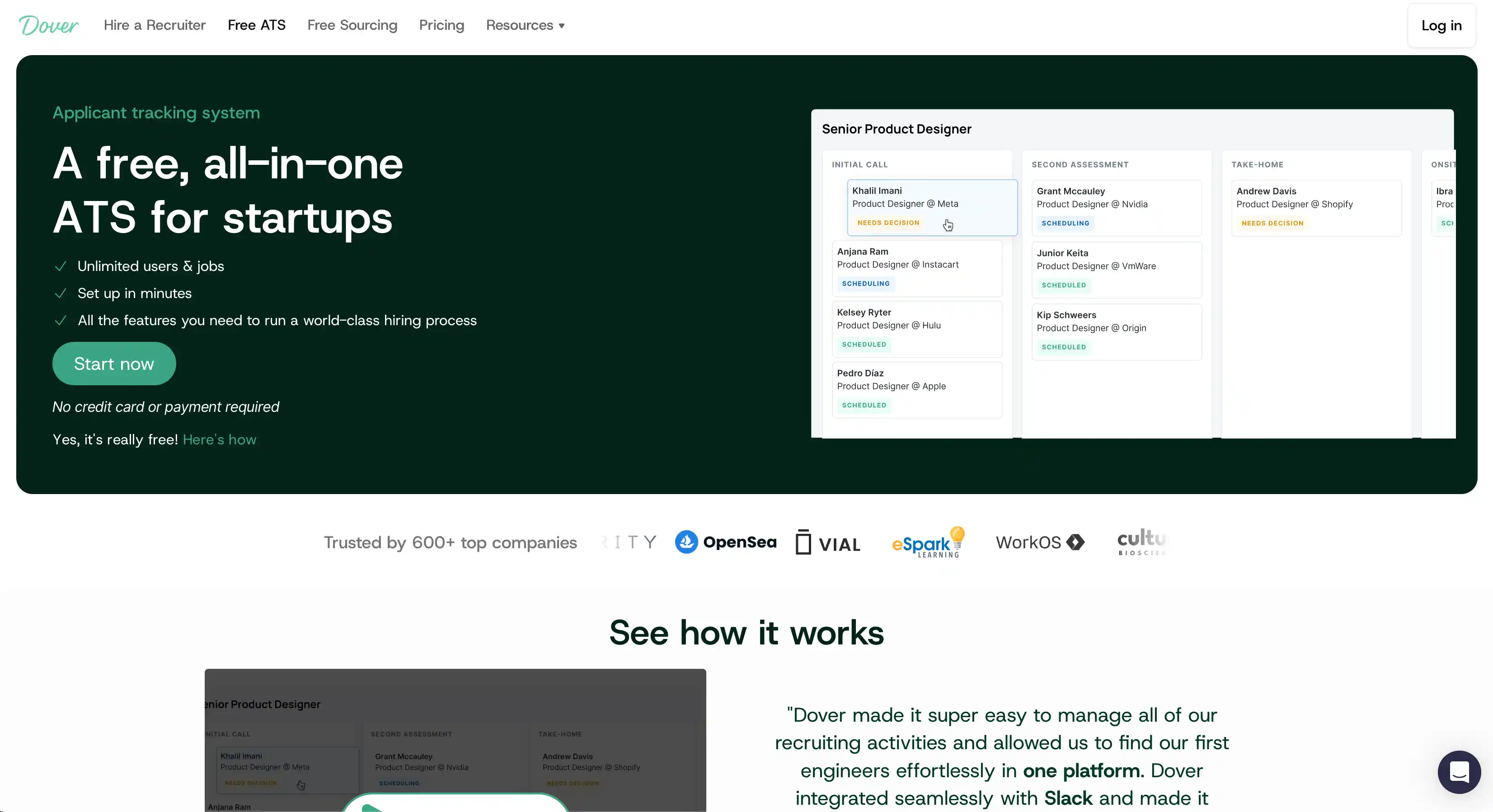
Right away, you should know that Dover isn't a standalone AI note-taker per se. Rather, it’s an ATS with a built-in AI note-taker.
This makes Dover a decent choice for startups that are still in the process of building their recruitment pipeline, but not necessarily a great option for established companies that already have a hiring stake in place.
Why did I like it enough to place it so high on this list? For starters, the idea of having everything you need for hiring on one platform is naturally appealing. You don’t even have to integrate this AI note-taker with an ATS via API or automation tools — everything’s in one place, straight out of the box.
Plus, Dover automatically integrates with 100+ job boards (including LinkedIn and Indeed), and it can speed up your recruitment in all sorts of ways. For example, Dover provides a simple no-code builder for your careers page and a bunch of useful email templates.
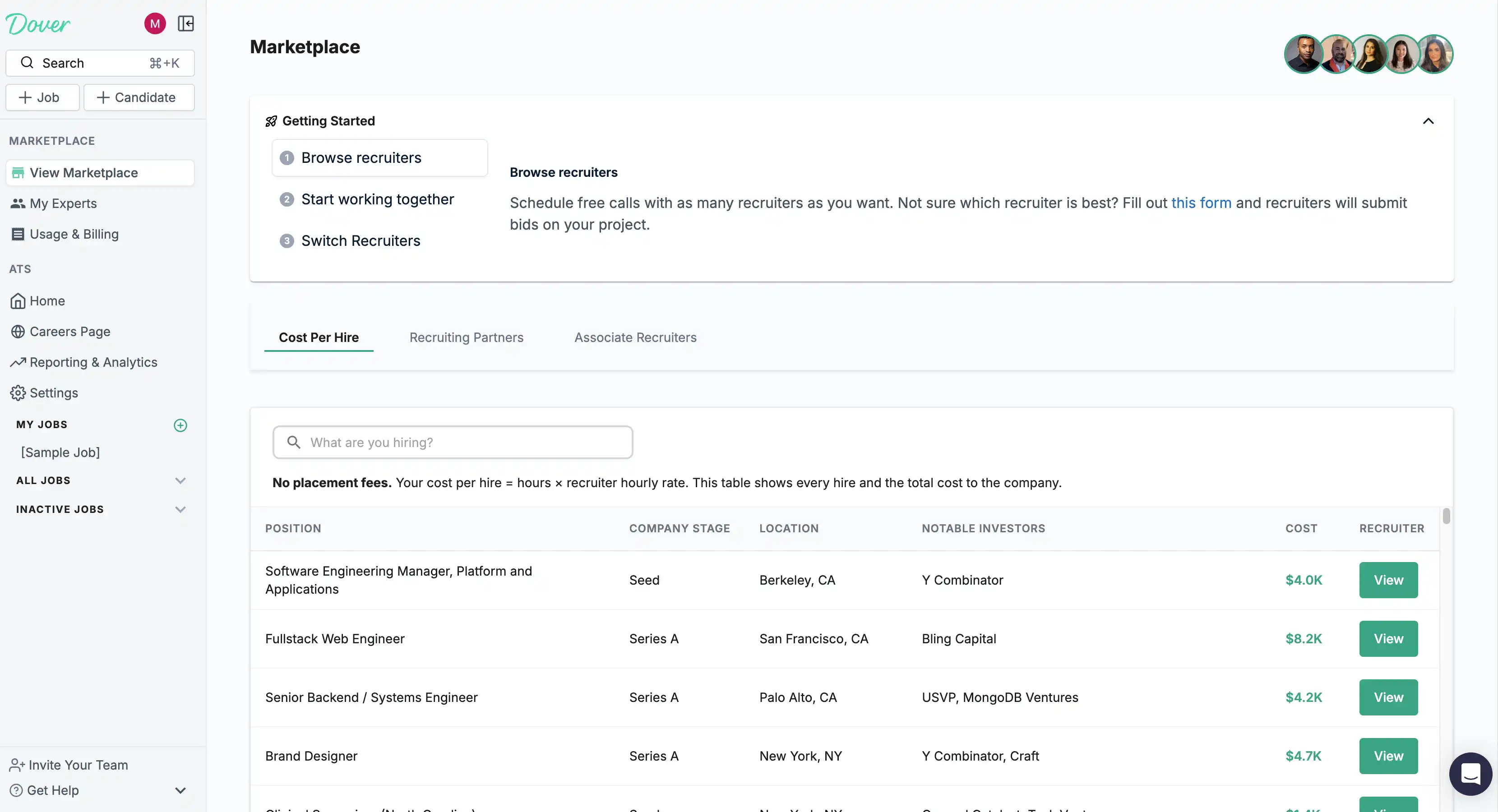
Crucially for new companies, Dover also has its own marketplace where you can hire pre-vetted fractional recruiters at hourly rates. Again, great for startups that can’t or don’t want to commit to a full-time recruitment role in-house.
But let’s get back to the actual AI transcription and notes. In terms of automating your post-meeting work, Dover probably does the most detailed job. You can create feedback forms for each interview stage, and the AI notetaker populates them after each call.
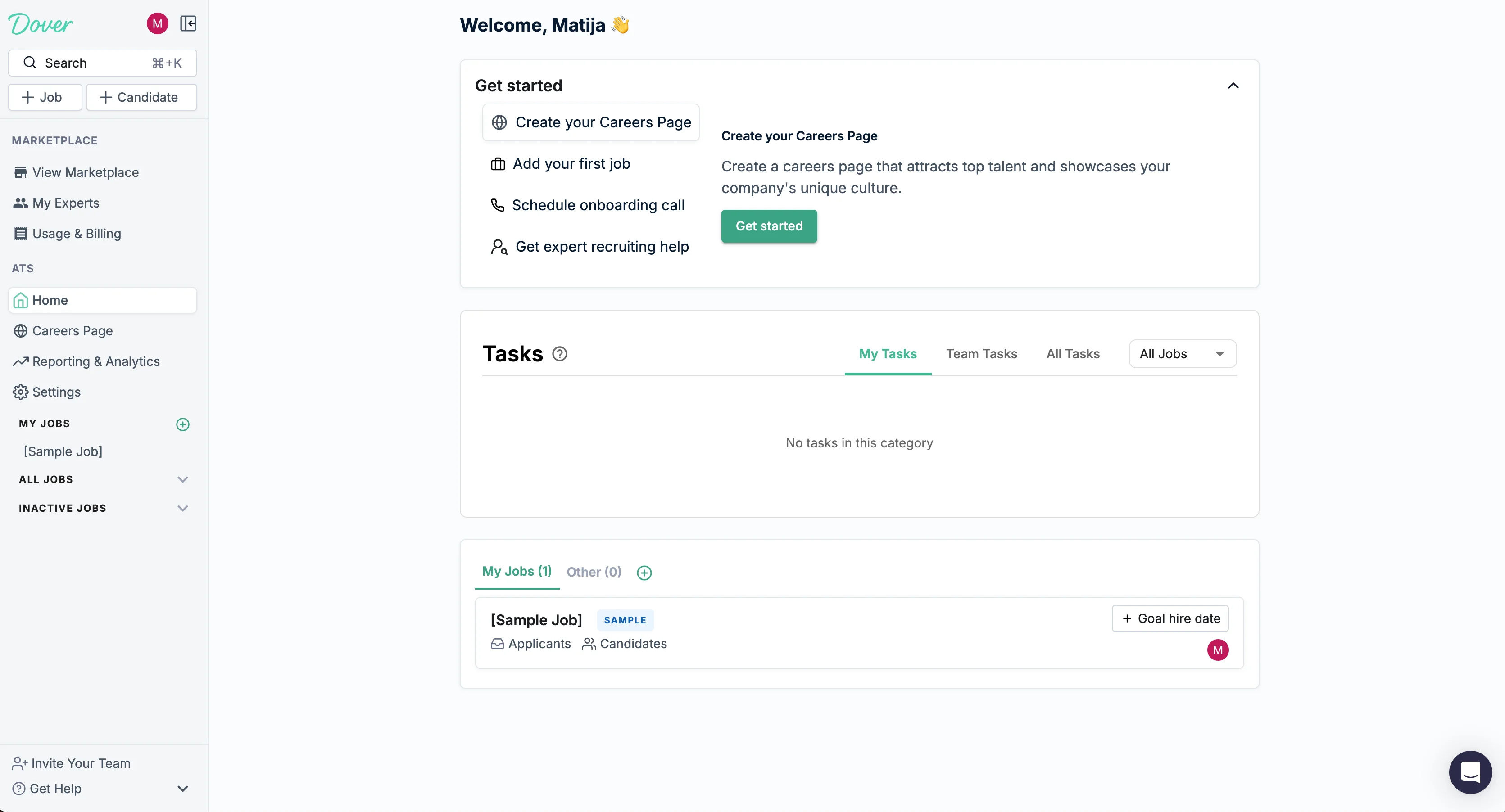
However, there’s a reason why it’s not first on my list. Namely, the fact that its AI notetaker only supports Google Meet — no Zoom, no Microsoft Teams. Also, it only works with interviews scheduled through Dover.
Plus, there's no bot-free option, and the occasional bugs and UI glitches don’t help.
Key Features
- Recruiting marketplace — You can hire recruiters directly through Dover, with no placement fees and hourly rates typically between $75–$125.
- Customizable interviews — Allows you to customize interview stages and the notes you get from each one
- 100+ job board integrations — for posting jobs on LinkedIn, Indeed, and 90+ other boards directly from Dover.
- Full ATS — You can track candidates in the same platform where you get your interview documentation. That way, you don’t have to sync data with other tools.
- Automated feedback forms — After each interview, the notetaker automatically populates your feedback forms for each candidate.
- No-code careers page — Makes it easy to build a branded careers page with your logo and company info. You don’t have to pay for a web developer or another no-code builder.
Pricing
I like Dover’s simple pricing. There’s no per-seat price; you just pay for the full platform. However, the only paid tier is pretty pricey at $199 per month.
For this price, you get a pretty limited AI notetaker that you can’t use for anything apart from candidate interviews. On the other hand, tools like Bluedot are cheaper and useful for sales teams and customer service calls too.
Pros and Cons
#3. Metaview — Great for Candidate Review
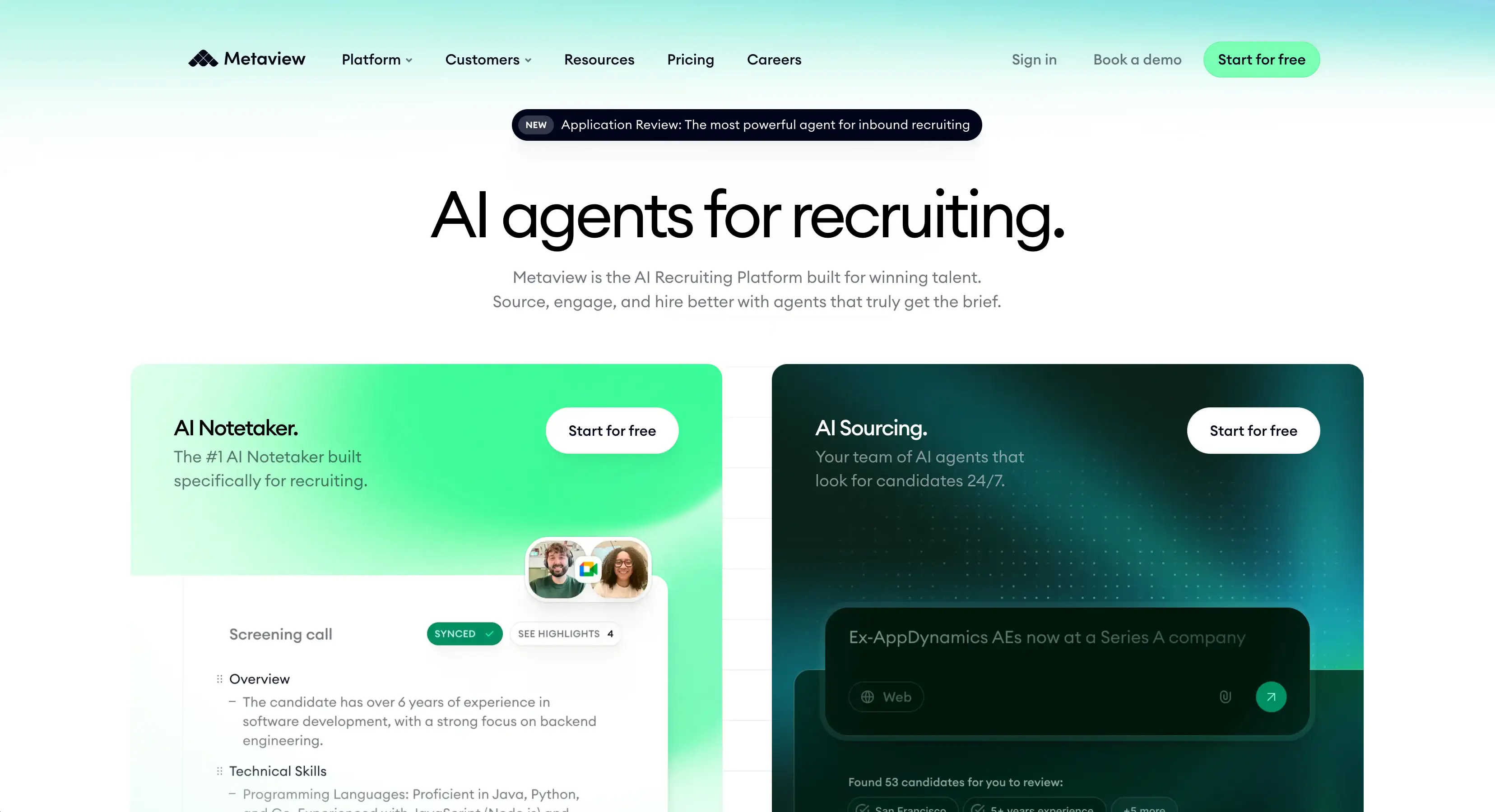
Like Dover, Metaview is also built specifically for recruiting teams. Its selling point is basically AI automation for every aspect of your hiring process — with mixed results, in my opinion.
With Metaview, you get AI for sourcing, reports, application review, and job posts, but the notetaking is probably Metaview’s most popular feature. And, naturally, the one that lands it a spot on my list.
Ultimately, it works the same as any other AI note taker. It joins your calls as a bot, transcribes the conversation, and provides structured meeting notes in the end.
Here, I liked how Metaview’s note templates are specifically tailored for recruitment workflows. Also, I think Metaview natively supports the largest number of integrations with major recruiting platforms (including Greenhouse, Ashby, Gem, Lever, and 50 others).
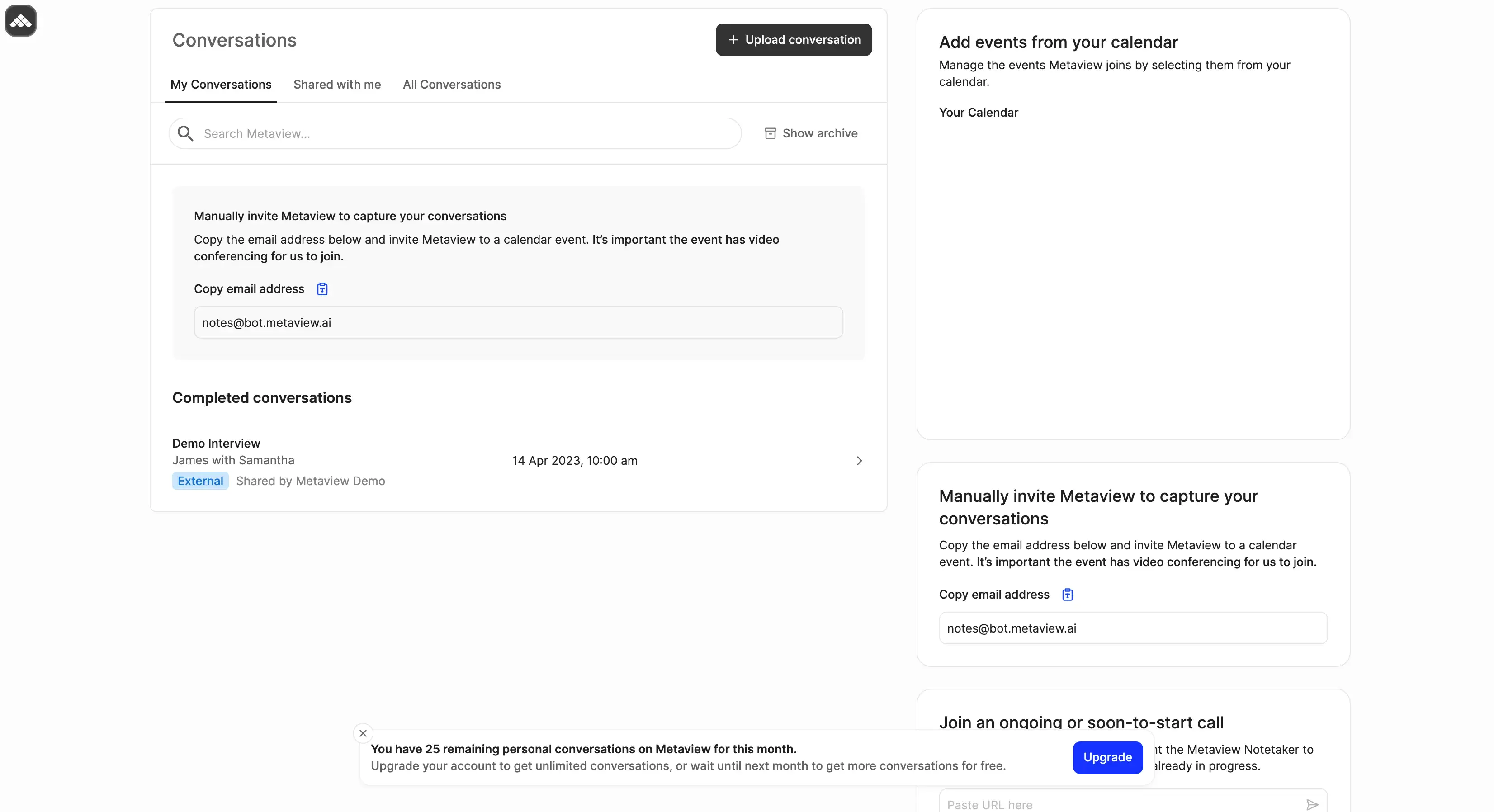
The meeting notes also judge candidates against your job description, which is pretty unique — though also easily replicable in other platforms with customizable templates.
Metaview is also a decent choice in terms of compliance. Candidates can opt out of being recorded (though the company claims only 2% do so), and privacy controls are pretty extensive.
Still, Metaview is expensive. The Pro Notetaker plan costs $50–$60/user/month — more than double the price of Bluedot or Fireflies. And the most useful features are locked behind the “Full AI Recruiting Platform” tier, with custom pricing you can’t see online. And I bet it isn’t cheaper than the Pro Notetaker tier.
All this wouldn’t be such an issue if the platform did better on the fundamentals. Users report accuracy issues in non-English conversations, and the bot doesn’t always join rescheduled calls, which happen pretty often in recruitment. For this price, I don’t want to see so much daily friction.
Key Features
- Structured Candidate Evaluation — Metaview can evaluate applicants against your ideal candidate profile after each interview. When this works, it speeds up the screening process significantly.
- 50+ native ATS integrations — Metaview works with platforms like Greenhouse, Lever, Workable, SmartRecruiters, Ashby, BambooHR, Bullhorn, and dozens more without Zapier.
- Customizable note templates — You can create specific templates for interview stages or design templates to extract key points from interviews.
- Candidate TLDRs — One-paragraph snapshots of each candidate, which you can quickly share with hiring managers.
- AI Sourcing agent — Metaview’s AI can automatically find ideal candidates for your open roles and generate candidate cards. You can review these, and the ones you don’t discard get sent to your ATS.
- Phone interview support — You can also record and transcribe phone calls.
Pricing
If we don’t count Fireflies' credit-based dynamic pricing (which can also get pretty pricey), Metaview is the most expensive choice on my list. And that’s true even if you don’t pay for the full AI recruitment experience.
Ultimately, I’m not sure Metaview justifies its costs compared to alternatives, even for large companies with huge hiring pipelines. To use it properly, you have to pay a fortune and redesign your entire hiring process around Metaview’s AI tools.
And I don’t think it saves you that much time in the end, while simultaneously locking you into a pretty closed hiring ecosystem that’s difficult to leave because you’ve built your entire recruitment process around it.
Pros and Cons
#4. Fireflies.ai — Great for Candidate Analytics
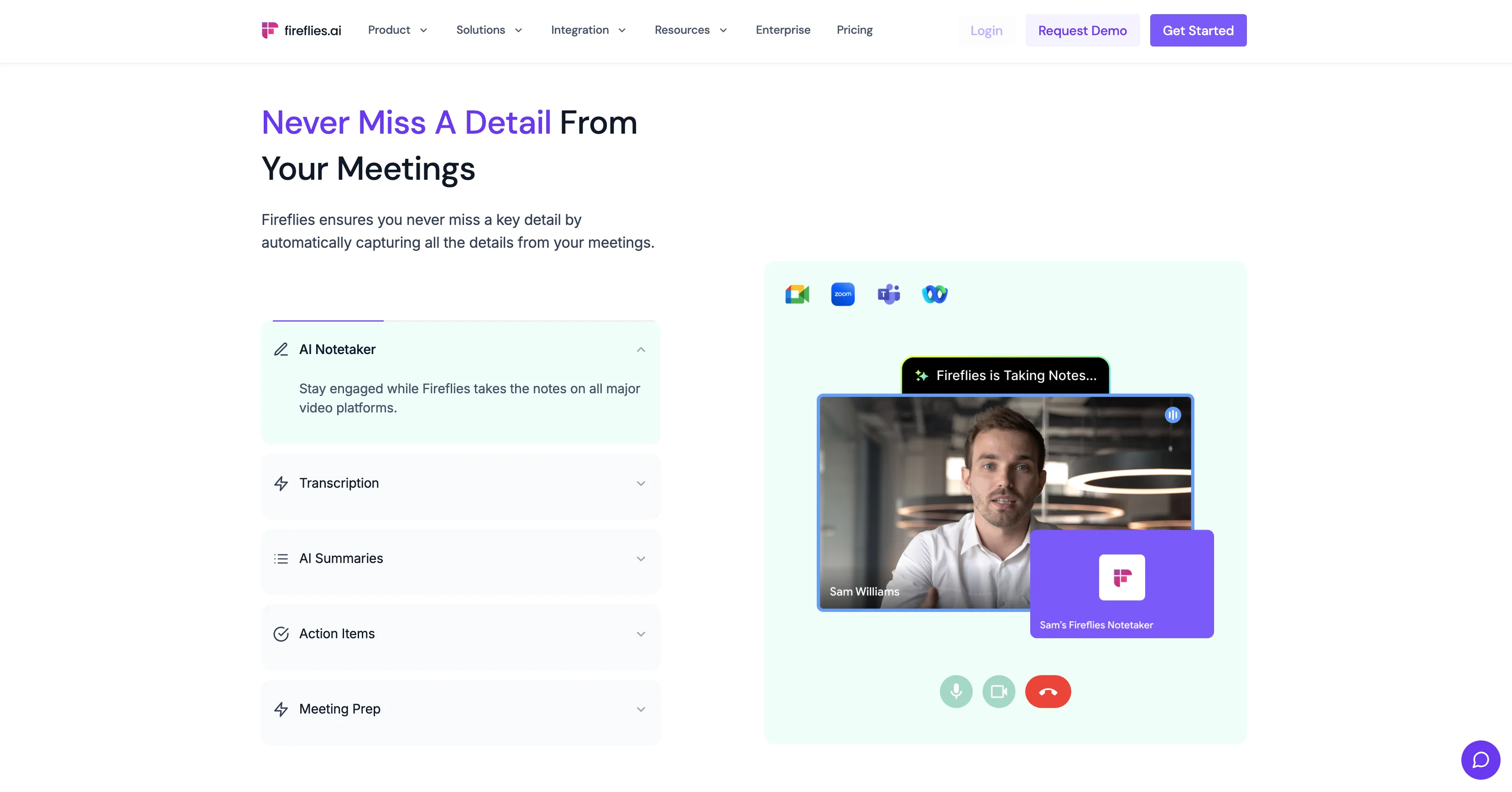
With our Fireflies review, we’re circling back to general-purpose meeting assistants. However, that doesn’t mean Fireflies doesn’t have a lot to offer to recruiting teams.
In fact, Fireflies is one of the best options for conversation analytics, making it great at analyzing how well candidates performed in interviews.
But let’s start with AI note-taking. As you’d expect from a popular AI meeting assistant, Fireflies supports recording and transcription on Zoom, Google Meet, Microsoft Teams, and Webex.
Unfortunately, bot-free recording is only an option for Google Meet. But Fireflies’ real strong suit is how it’s able to process transcripts into meeting notes.
The platform offers a wide selection of automations it calls “AI Skils”. Each of them is built for a specific purpose, but hiring teams will probably be most interested in the:
- Candidate Sentiment Analyzer
- Culture Fit Extractor
- Candidate Questions Tracker
- Generic Meeting Recaps
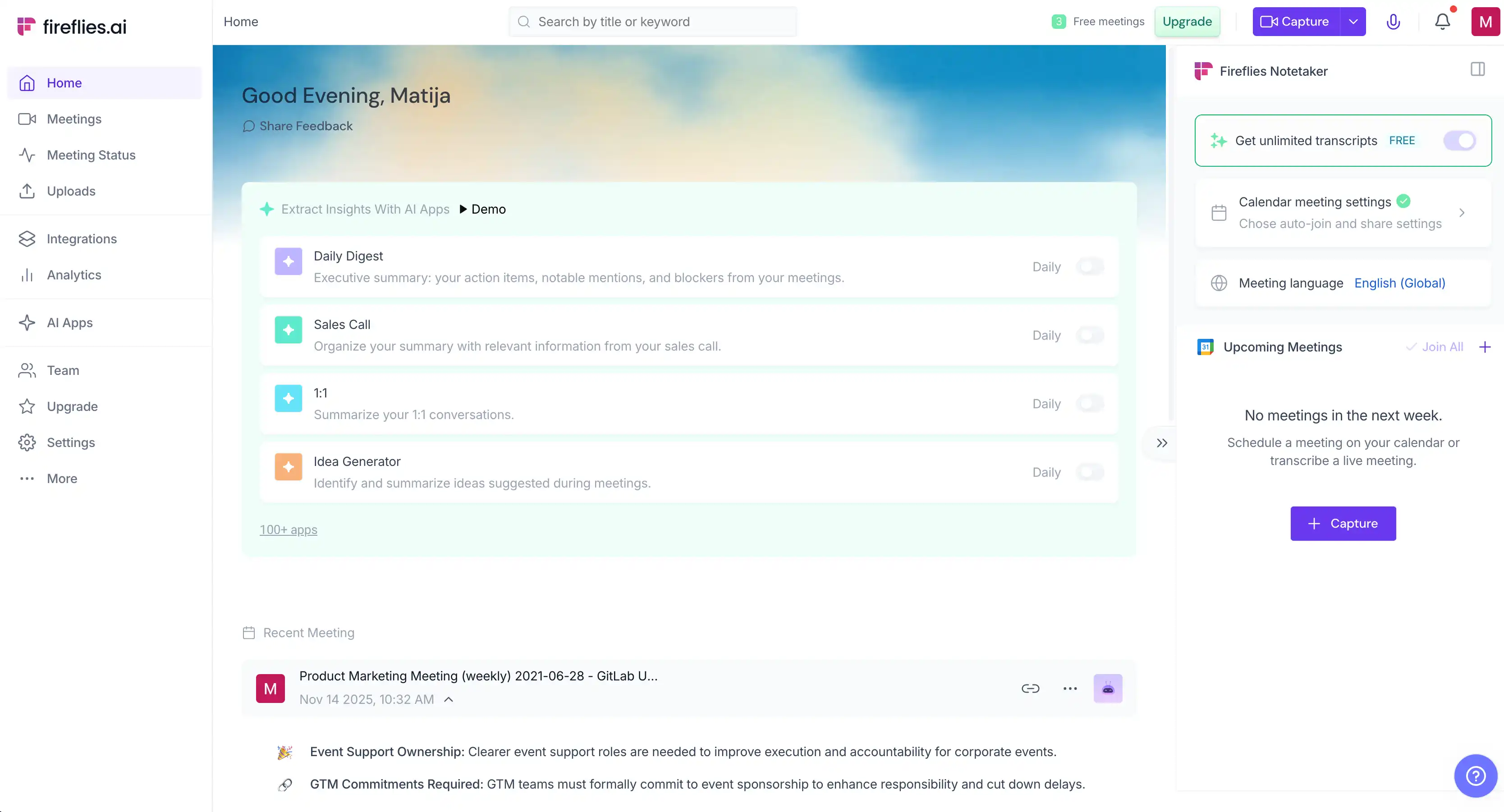
In practice, these “AI Skills” are just fancy names for specific templates for meeting notes — but they’re well-designed and provide useful info. Also, Fireflies can automatically sync the notes you get to BambooHR and Greenhouse.
There’s also AskFred, the platform’s AI chatbot, which can answer questions about specific candidates and past virtual meetings in general.
While its AI interview intelligence is useful, Fireflies has a bunch of issues that place it behind similar Fireflies alternatives. Its bot joins meetings automatically by default and sends summaries to all participants — including candidates — prompting them to sign up.
For recruiting teams, this is an obvious problem. Your meeting notes, in most cases, contain evaluations and comments that you don’t want your candidates to know about. Plus, the fact that you need a Fireflies account to view shared notes makes sharing them with hiring managers tricky — at least without paying for additional seats.
Also, the Fireflies bot often starts randomly joining other virtual meetings in your organization, as soon as one user grants it calendar access. It may also keep joining after you’ve canceled your Fireflies subscription, until you manually revoke its permission. Multiple users on Reddit describe this behavior marketing as "virus-like.”
Key Features
- Recruiting-specific AI Skills — Note templates that provide useful information on candidates.
- AskFred AI assistant — Get direct answers to questions about specific candidates and past meetings, pulled directly from transcripts.
- Native ATS integrations — Sync AI-generated interview notes and summaries directly to popular ATS.
- Conversation intelligence — See talk-time ratios and sentiment breakdowns for each interview, helping you see how candidates felt and behaved. Also, makes it easy to evaluate interviewers.
- 100+ language transcription — useful for global recruitment agencies that operate in non-English markets.
Pricing
If you only look at the subscription prices, Fireflies seems affordable. However, the platform’s actual margins come from its expensive AI credits.
You spend AI credits anytime you use an AI feature — including AI Skills, AskFred, and syncing with ATS or CRMs. If you plan to rely on Fireflies at scale, these credits run out insanely fast — and none of the subscriptions provide enough credits on their own. Expect to pay more for credit top-ups than your actual subscription.
Combined with limited storage even on pricier tiers, and credits that don’t carry over at the end of each month, this is a very expensive AI note-taking tool for recruiting teams.
Pros and Cons
What's the Best AI Note Taker for Recruiters?
Bluedot is the best AI note taker for most recruiters. It provides all the features you need without also handing you a bunch of things you didn’t ask for. Also, Bluedot doesn’t overcharge you through credits or expensive subscriptions. And you can use it in your customer and sales teams.
Crucially, Bluedot supports bot-free note-taking and transcription on all platforms — unlike competitors that only support it on one or two video conferencing apps. And if you need ATS integration, you can quickly set it up through Zapier or Make.
Dover limits you to Google Meet, and it costs $199 per month. Metaview is only worth it for bigger hiring pipelines — and even then, it overcomplicates things and takes some hiring decisions out of your hands. It also costs $50–$60/user/month just for the notetaker.
Fireflies has the strongest candidate analytics, but coupled with an intrusive bot and pricing that quickly balloons thanks to a complicated AI credit system.