Fellow AI is an AI-powered meeting assistant designed to help you run more efficient meetings.
However, despite an extensive feature set, Fellow AI has its share of problems. As a result, plenty of its users start looking for Fellow app alternatives after a while.
With that in mind, we'll explore the most common issues users face with Fellow. I'll also recommend my favorite Fellow alternatives, determined after testing two dozen AI note takers.
Let's get into it.
TL;DR
- Fellow AI offers solid transcription and agenda tools, but struggles with bot-only video recording, limited device support, steep learning curves, and expensive plans with restrictive limits.
- Bluedot is the strongest Fellow AI alternative, providing multi-platform, bot-free recording, accurate multilingual transcription, unlimited video retention on paid plans, and fast processing.
- Fireflies AI delivers fast processing and conversation intelligence but relies on costly credits, pushes aggressive marketing, and has tight limits on lower plans.
- Otter AI offers strong cross-device access but faces privacy concerns, spam-like sharing behavior, limited languages, and no built-in video recording.
What is Fellow?
So, what is Fellow? Essentially, it's an AI meeting assistant designed to simplify your entire meeting process.
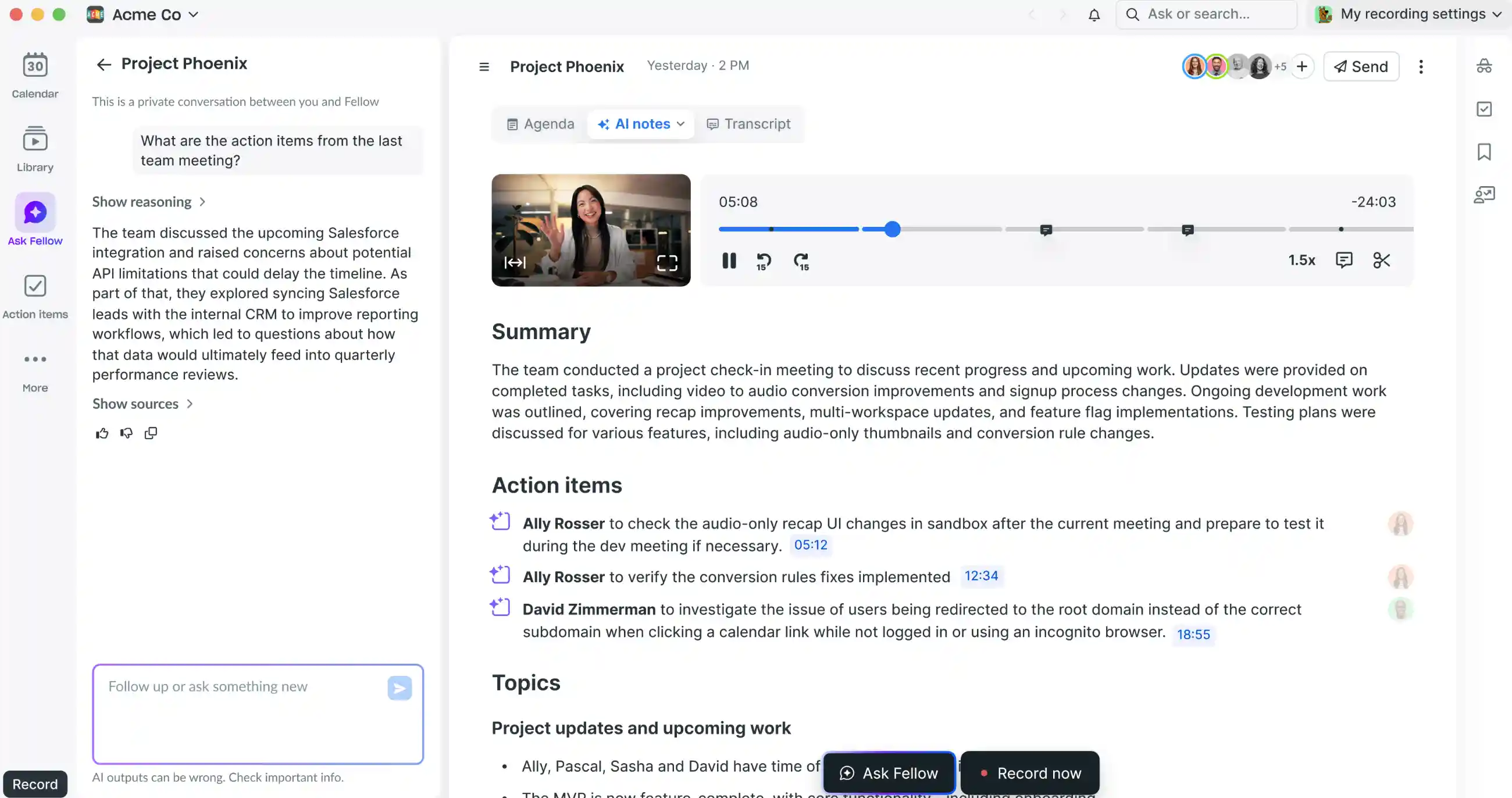
Like most similar tools, Fellow AI can transcribe, record, and summarize your conversations. It can also provide AI-generated agendas based on your previous meetings, to help you prepare for your next call.
In addition to these basic functions, Fellow AI provides advanced features that automate menial tasks and improve your team's productivity.
Unfortunately, these features are the reason Fellow AI spreads too thin — ultimately, it tries to be too many things at once, for the widest possible range of use cases.
But before we get into the app's pros and cons, let's explore how Fellow AI actually works in more detail.
Fellow AI Key Features

How does Fellow AI help you manage meetings? Ideally, your workflow with this app looks like this:
- You record a meeting or upload a previously recorded one.
- Fellow AI transcribes the call and provides AI-generated, structured notes with valuable insights.
- Based on those notes, you create agendas and action items for follow-up calls.
Recording Meetings
To record meetings, you have two options:
- Bot-free audio recording via the desktop app
- A meeting bot that joins meetings from your calendar
Note that video recording is only available with the Fellow bot — without it, you can only record audio during your calls.
Once you give Fellow access to your Outlook or Google Calendar, the AI meeting assistant will automatically pull information from those platforms into its own internal calendar.
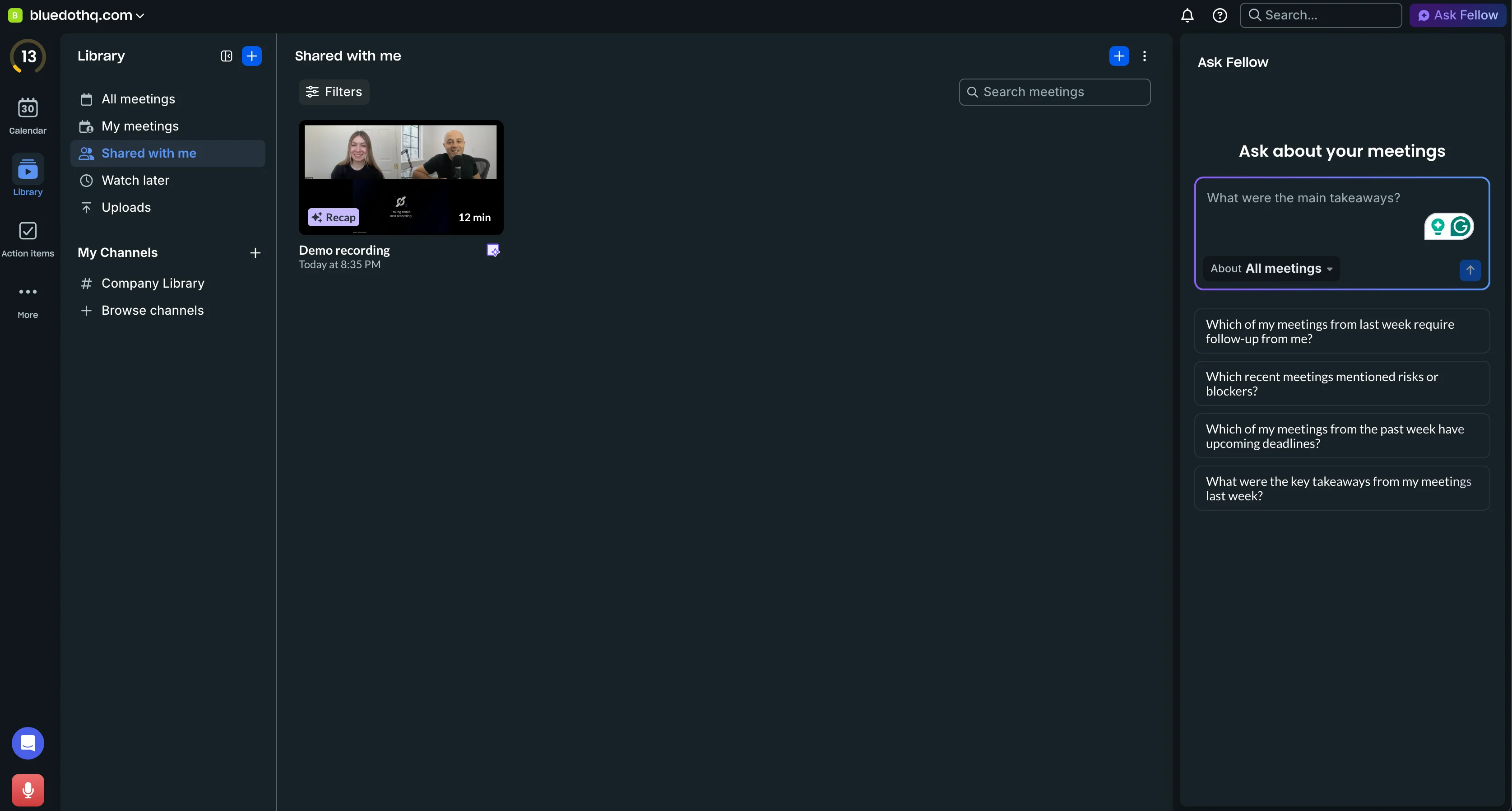
There, you can see the entire meeting lifecycle — including any meeting agendas, notes, and action items related to the event.
Alternatively, you can also just upload recordings of previous meetings, made on various video conferencing platforms like Zoom, Google Meet, and Microsoft Teams.
Transcription & Meeting Notes
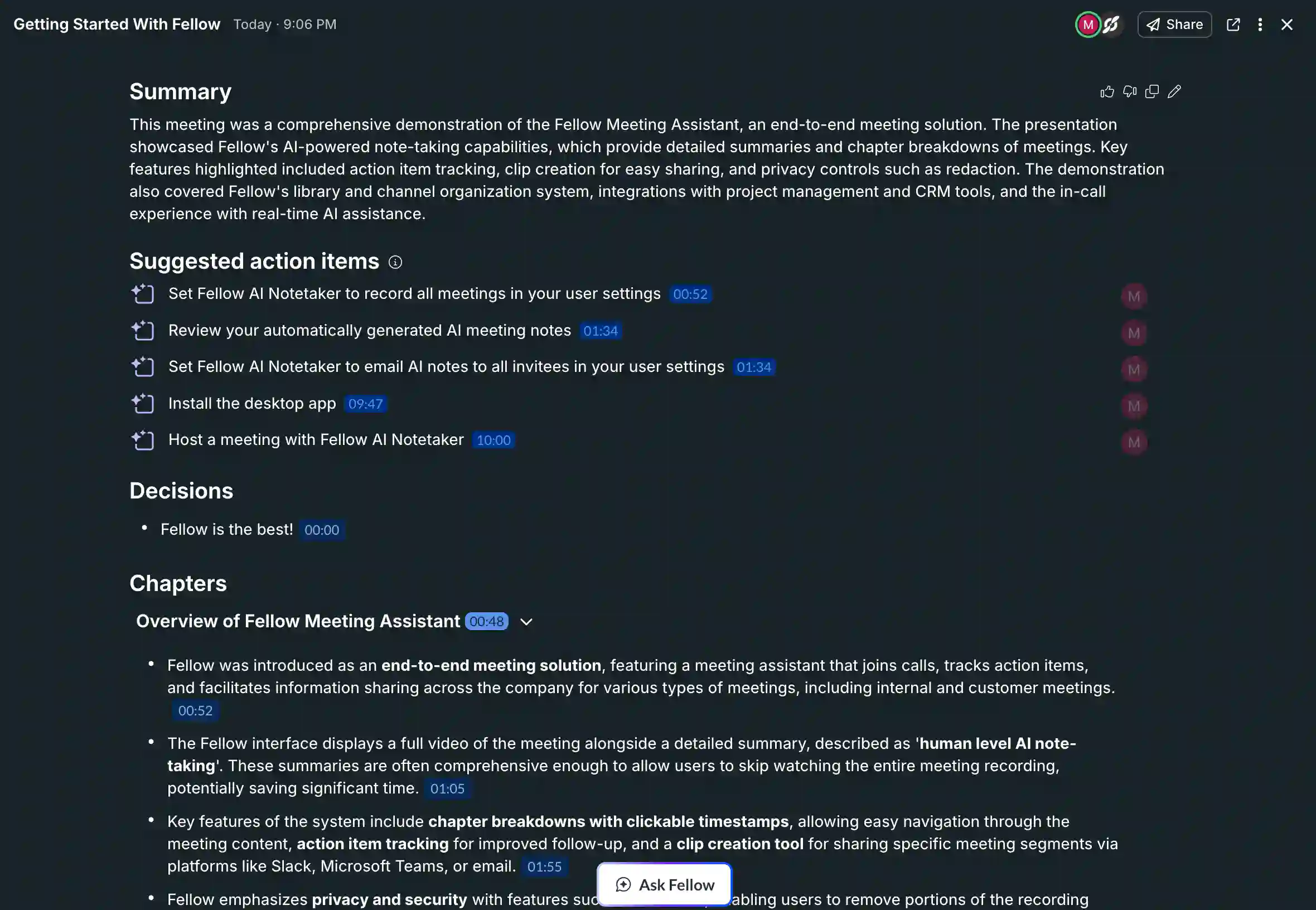
Once you've imported or recorded a meeting in Fellow AI, the platform automatically transcribes the call and marks different speakers.
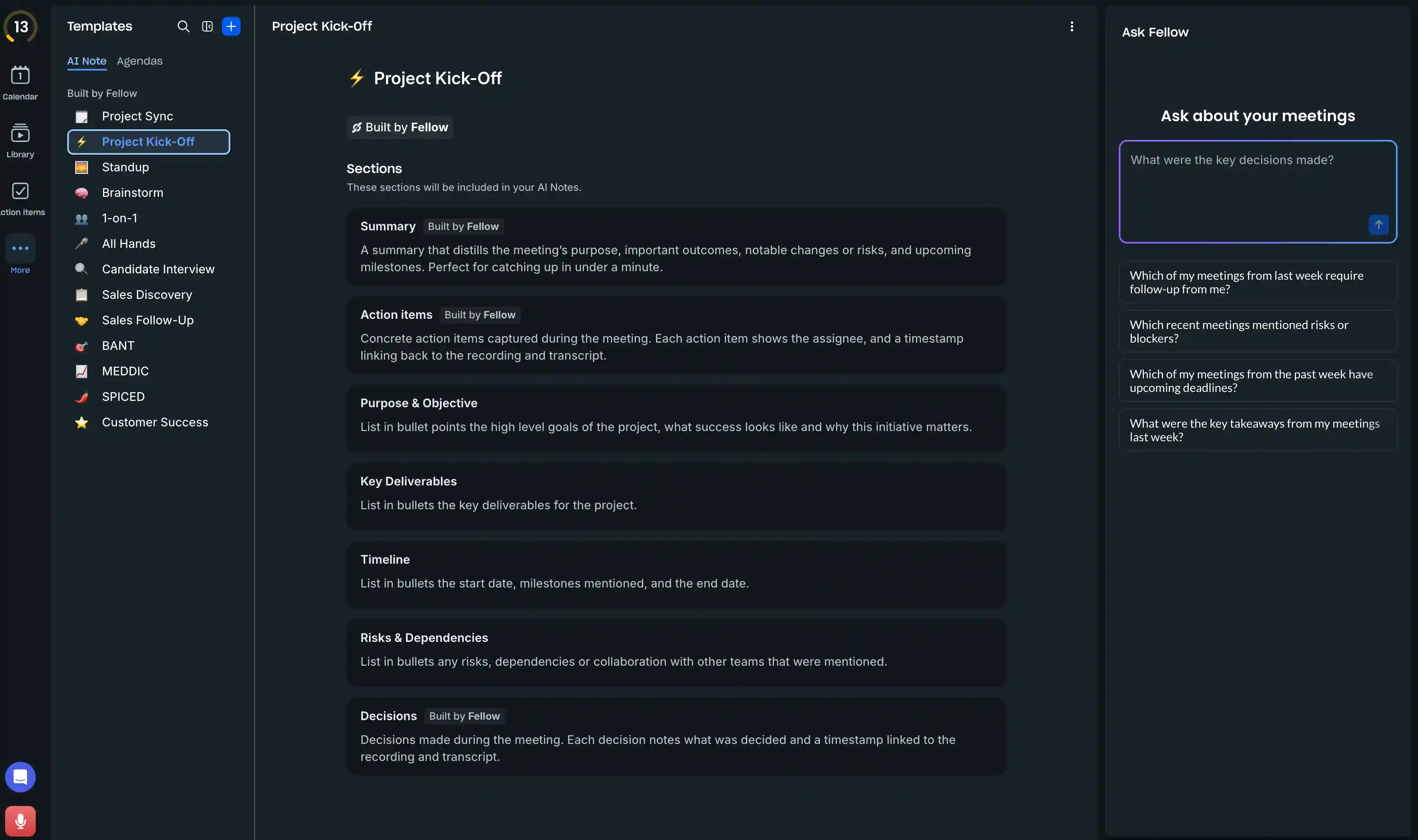
Fellow AI also highlights key points from the call in its AI notes. You can customize the notes through different templates, but the default "General Meeting" setup contains:
- Brief summary of the meeting,
- Suggested action items based on the meeting, and
- Decisions made in the meeting.
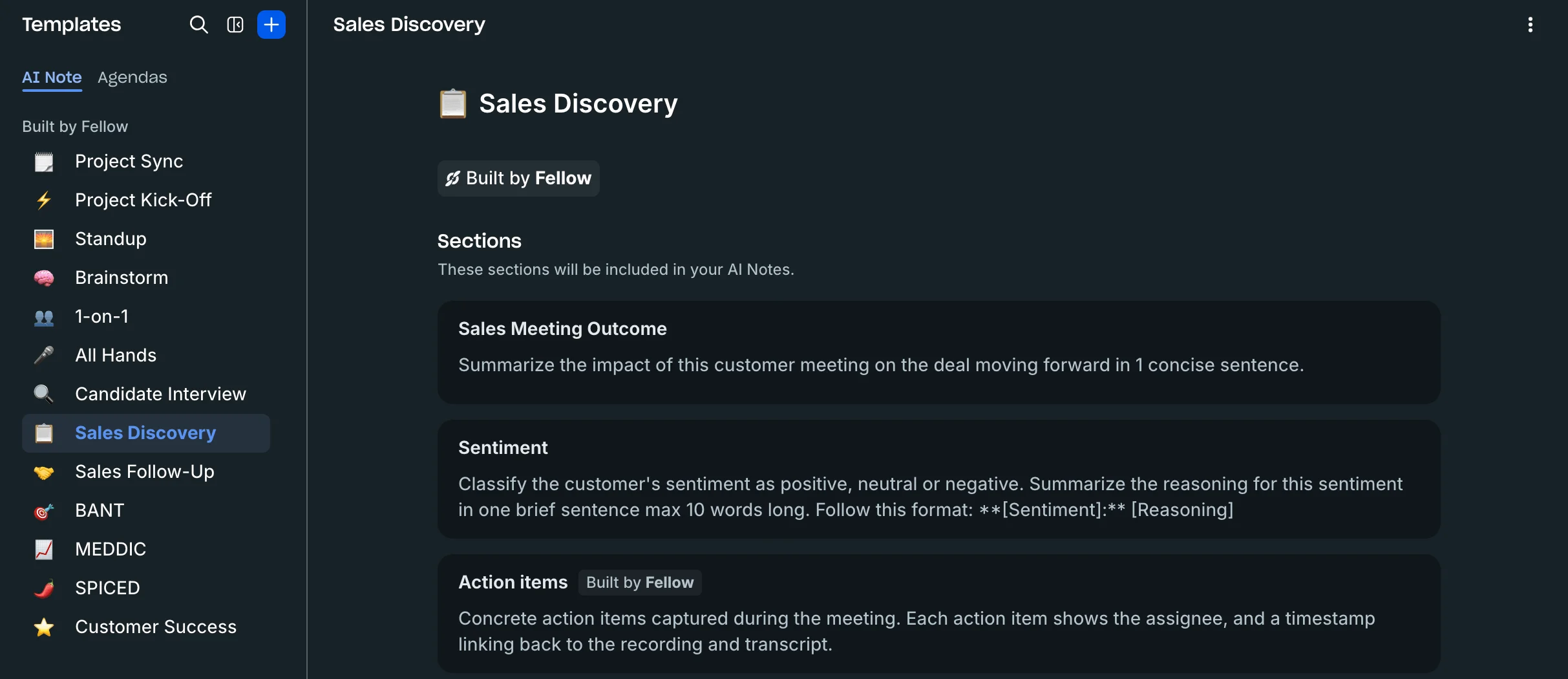
Based on your (team's) needs, however, you can choose from a variety of specialized note-taking templates. These include:
- Weekly Team Meeting Template — Designed to structure recurring team meetings, focusing on priorities, general updates, and identifying challenges.
- Project Kickoff Meeting Template — Used at the start of a project to align the team on the vision, scope, and execution strategy.
- Project Status Meeting Template — Facilitates checking in on project progress and identifying current roadblocks.
- Brainstorming Meeting Template — Provides a framework to help teams generate and vet new ideas in a structured environment.
- Company All Hands/Town Hall Template — Created for company leadership to share major announcements and host large-scale Q&A sessions.
- 1:1 Meeting Template — The standard tool for managers and direct reports to hold regular discussions on performance and immediate priorities.
- Sales Discovery Call Template — Structures the initial conversation with a prospect to efficiently uncover their needs and determine if they are a viable sales opportunity.
- Customer Success Check-in Template — Used by CSMs to review the health of a customer account and address challenges.
In these notes, Fellow AI will also recommend action items you can create based on each meeting.
Action Items
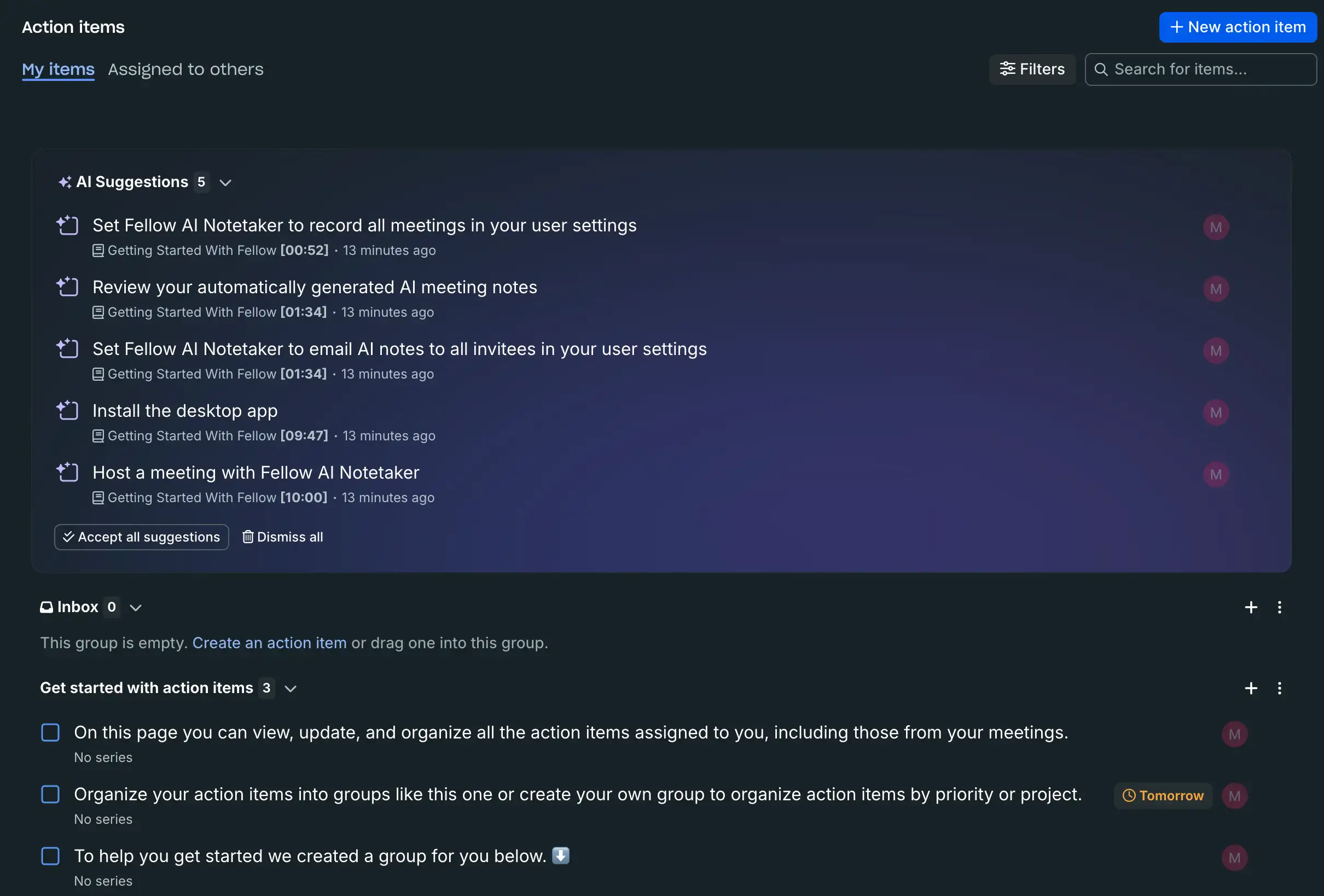
The AI-generated meeting notes you get with Fellow AI also include action items — tasks with a checkbox that can be assigned to you or another team member, in your collaborative agendas.
During a meeting, attendees can also manually add an action item directly into the shared meeting notes and assign tasks to others.
Once an action item is created (either manually or by the AI), users can assign it to a specific person and set a due date. You can view all tasks from your meetings in the "Action Items" screen, and organize them by:
- The meeting or note they originated from,
- Due Date.
- Custom groups (e.g., by project, priority, or urgency).
If your team uses other collaboration tools to assign tasks, you can also sync action items with them. Fellow AI supports integrations with Asana, ClickUp, Notion, Linear, Motion, and others (via Zapier).
Who Uses Fellow AI?
As you can see from its variety of templates for internal and external meetings, Fellow AI tries to cater to a wide audience, including:
- Managers and Leaders — who need to run effective 1:1s, leadership huddles, and ensure team accountability and alignment.
- Sales Teams — Who use it for Sales Discovery Calls and Deal Review Meetings, benefiting from automatic CRM updates, pre-meeting briefs, and recap templates aligned with sales frameworks (e.g., MEDDICC or BANT).
- Customer Success (CS) Teams — Who use it for customer check-ins and QBRs (Quarterly Business Reviews) to track account health and ensure customer value.
- Engineering and Product Teams — Who rely on it to efficiently document decisions and track issues (often syncing with tools like Linear).
- HR and IT Teams — Who use it for secure documentation of sensitive meetings (like 1:1s or performance reviews) while maintaining privacy and compliance (SOC 2, GDPR)
Since Fellow aims for such a wide target audience, only a few AI meeting assistants can serve as a real alternative. Luckily for you, I've tested most of them so you don't have to.
Best Fellow App Alternatives — My Top 3 Picks
Based on extensive testing and online research, my top 3 Fellow alternatives are:
- Bluedot
- Fireflies.ai
- Otter.ai
#1. Bluedot — Best Fellow Alternative Overall
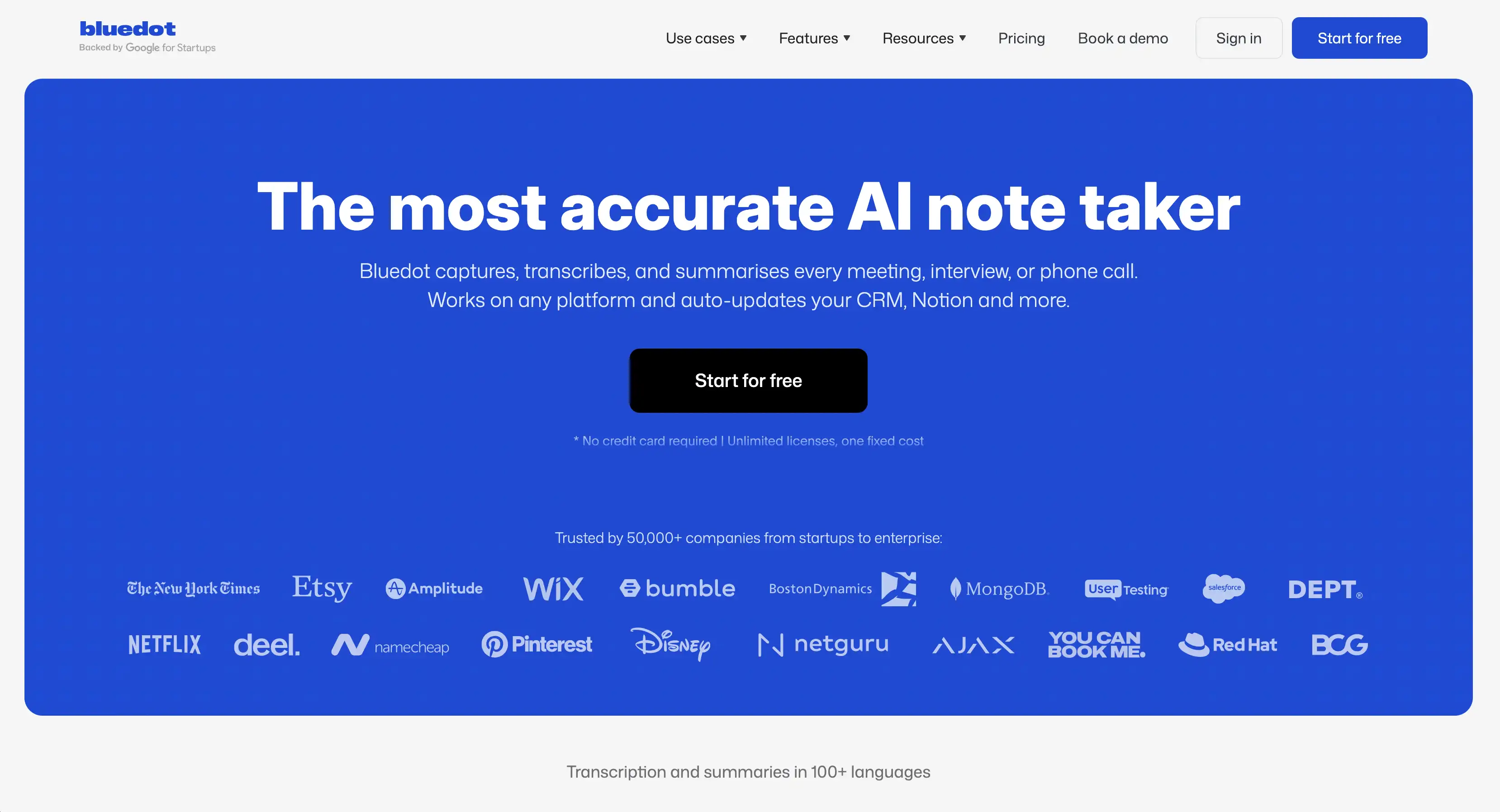
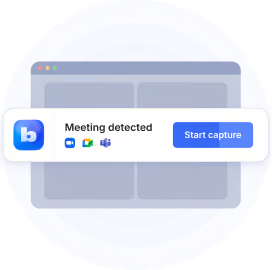
Bluedot is a multi-platform, bot-free meeting notetaker that records, transcribes, and summarizes your online and in-person meetings.
It captures conversations privately and without disrupting your calls across various operating systems, including macOS, Windows, Android, iOS, and through a Chrome extension.
Bluedot Key Features
- Bot-Free Meeting Capture: Records and transcribes meetings without requiring a visible bot to join the call, typically through a Chrome extension or mobile app.
- Multilingual Support: Supports 100+ languages for transcription and summaries, making it highly suitable for remote, global teams.
- Comprehensive Recording and Storage: Delivers full video recording and file imports on Pro tiers and offers unlimited storage (video retention) on all paid plans, unlike many competitors.
- Automatic Speaker Labeling: Automatically labels each meeting participant in the transcript and provides detailed speaker analytics (talk ratios, longest monologues, average talk speeds).
- Custom AI Notes: Offers AI-generated meeting summaries through customizable templates.
- Seamless Integration: Integrates easily with popular CRMs like HubSpot and Salesforce (Business plan) to automatically sync meeting summaries and notes to tasks and deals, as well as productivity tools like Slack and Notion.
- Search and Edit: Provides searchable transcripts, an AI chat function for pulling insights, and a transcript-based video editing tool to easily trim recordings.
Bluedot Pros
✅ Clean workflow without intrusive bots or disruptions, capturing meetings via a browser extension.
✅ Supports 100+ languages for accurate transcription and summaries, outperforming most alternatives.
✅ Unlimited video retention and unlimited duration on Pro and Business paid plans.
✅ Transcripts are private by default
✅ No forced sign-ups since external recipients do not need a Bluedot account to view shared meetings.
✅ Responsive and timely customer support.
✅ Faster processing speed for video and audio than competitors like Fellow, MeetGeek, and Fireflies AI.
✅ Automatic speaker labeling works reliably out of the box, even in group settings.
✅ Works across all major platforms, including Google Meet, Zoom, and Microsoft Teams.
Bluedot Cons
❌ The Free plan is significantly limited to only 5 meetings lifetime and a maximum of 1 hour per recording.
❌ The Basic plan only supports unlimited meetings for audio recording.
Bluedot Pricing
#2. Fireflies.ai — Great for Conversation Intelligence
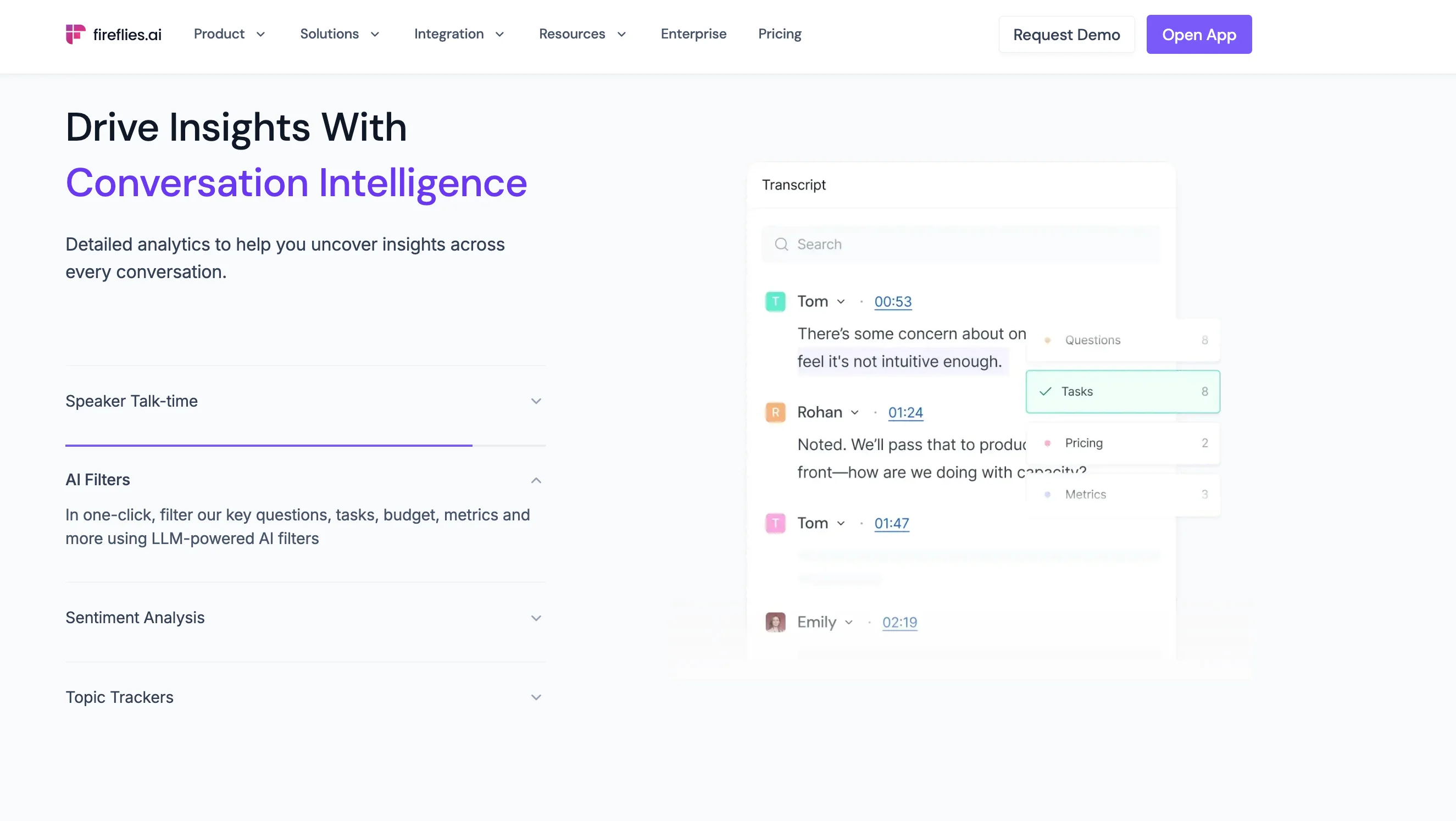
Fireflies AI is a popular meeting assistant that records and transcribes your calls before providing AI summaries with key points from the conversation. It offers advanced AI features, conversation intelligence, and works in over 100 languages, making it a suitable choice for diverse teams.
While its summaries are usable, the platform suffers from recurring issues that turn users toward Fireflies alternatives, such as a pricey credit-based pricing structure, tight storage limits, slow support, and aggressive marketing.
Fireflies Key Features
- Records and Transcribes: Captures and transcribes calls across major platforms (Zoom, Google Meet, Teams).
- Multilingual Support: Supports transcription in over 100 languages.
- AI Summaries and AskFred: Provides AI summaries and includes the AskFred AI assistant, which allows users to interact conversationally with recorded meetings and search transcripts.
- Sentiment Analysis: Offers unique sentiment analysis features, categorising essential keywords and phrases into positive, negative, or neutral sentiments.
- Integrations: Integrates with major CRMs (HubSpot, Salesforce) and collaboration tools (Notion, Slack).
- Video/Intelligence: Offers video recording and conversation intelligence on Business and Enterprise tiers.
Fireflies Pros
✅ Supports 100+ languages for transcription, maintaining clearer results across accents than some competitors, making it a great choice for global teams.
✅ Delivers stronger performance and faster video and audio processing speed compared to some alternatives, typically completing tasks in under five minutes.
✅ Provides unlimited storage on Business and Enterprise plans, which is beneficial for teams that revisit old calls.
✅ Offers robust AI features beyond transcription, such as sentiment analysis and the AskFred assistant.
Fireflies Cons
❌ Relies on an expensive credit-based system for advanced AI features ("AI Apps," custom summaries), which runs out quickly and requires additional purchases on top of the subscription.
❌ Customer support is often unresponsive or slow, with multiple unaddressed concerns reported, particularly regarding billing issues, automatic renewals, and subscription cancellation problems.
❌ Transcription struggles with heavy accents and can have difficulty reliably tagging different speakers during overlapping speech or in noisy environments.
❌ Engages in aggressive marketing practices, such as automatically sending meeting summaries to every call participant by default and forcing external viewers to register an account.
❌ Meeting recordings are limited to 3 hours, even on paid tiers.
❌ Imposes tight storage limits on the Free (800 minutes) and Pro (8,000 minutes) plans, which may require professional users to constantly delete old conversations.
❌ Supports only one language per session.
Fireflies Pricing
#3. Otter.ai — Great for Multi-Device Use
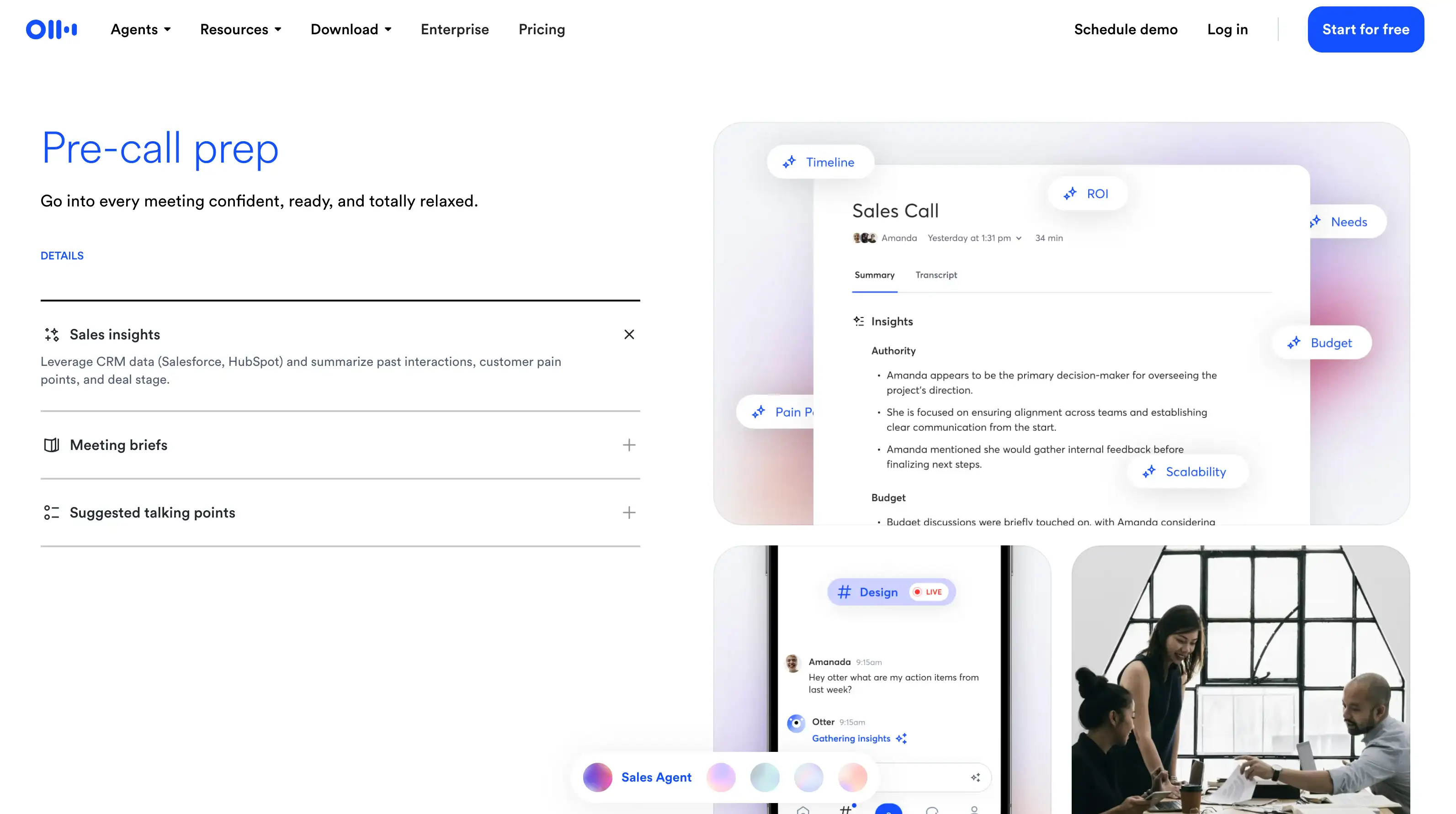
Otter.ai is an AI-powered transcription and meeting platform. It's one of the oldest platforms on the market that captures, summarizes, and organizes spoken content from live calls, uploaded recordings, or in-person meetings.
While Otter is great for folks who need multi-device accessibility, it faces significant challenges regarding data privacy, intrusive marketing, shrinking limits, and transcription accuracy, leading many users to seek Otter alternatives.
Otter AI Key Features
• Transcription and Summarization: Captures and summarizes spoken content from live calls, uploaded files, and in-person meetings.
• Cross-Platform Access: Runs natively on web browsers and dedicated mobile apps for iOS and Android.
• Meeting Capture: Uses a note-taking bot, OtterPilot, which can automatically join meetings on Zoom, Microsoft Teams, and Google Meet.
• Speaker Identification: Identifies and automatically labels distinct speakers based on stored profiles and meeting data, though manual tagging is still sometimes required.
• Integrations: Integrates with Google Calendar and Outlook Calendar. Syncs meeting notes and insights into deals and contacts within major CRMs like Salesforce and HubSpot (though this is often restricted to higher tiers).
• Duration Limit: Supports a maximum meeting duration of up to 4 hours on the Business plan, which is slightly higher than some competitors.
Otter.ai Pros
✅ Accurate Transcripts: Accurately transcribes and summarizes meetings with speaker detection, resulting in cleaner, more searchable transcripts.
✅ Wide Accessibility: Works seamlessly across web browsers and mobile apps (iOS and Android), offering greater cross-device flexibility compared to desktop-only setups.
✅ Calendar Integration: Natively connects with both Google Calendar and Outlook Calendar for meeting syncing.
✅ CRM Support: Integrates with popular CRMs like Salesforce and HubSpot for syncing meeting notes, though these features are often limited to higher-tier plans.
✅ Meeting Duration: The Business plan offers a 4-hour maximum per conversation limit.
Otter.ai Cons
❌ Privacy Concerns: Otter AI has been sued over its handling of user data and admits to training its AI models on user transcriptions and recordings.
❌ Aggressive Marketing: Is notorious for spamming colleagues and contacts with unauthorized emails and invitations, making users feel the software hijacks their identity.
❌ Automatic Sharing: By default, Otter automatically shares transcripts with all call participants, including external clients, risking the exposure of sensitive internal discussions.
❌ Feature Limitations: The platform does not support built-in video recording, relying solely on audio capture or external imports.
❌ Limited Multilingual Support: Only supports a limited set of 4 languages, which is considered unacceptable for global teams compared to alternatives supporting 100+ languages.
❌ Inconsistent Accuracy: Transcripts are often inaccurate, especially beyond the simplest words, requiring extensive manual editing, which defeats the purpose of an AI assistant.
❌ Permissions Misuse: Users report granting calendar and contact access during onboarding, which is then used to spam colleagues; the software may continue trying to join meetings even after being removed from a Google account.
Otter.ai Pricing
Why Do You Even Need a Fellow App Alternative?
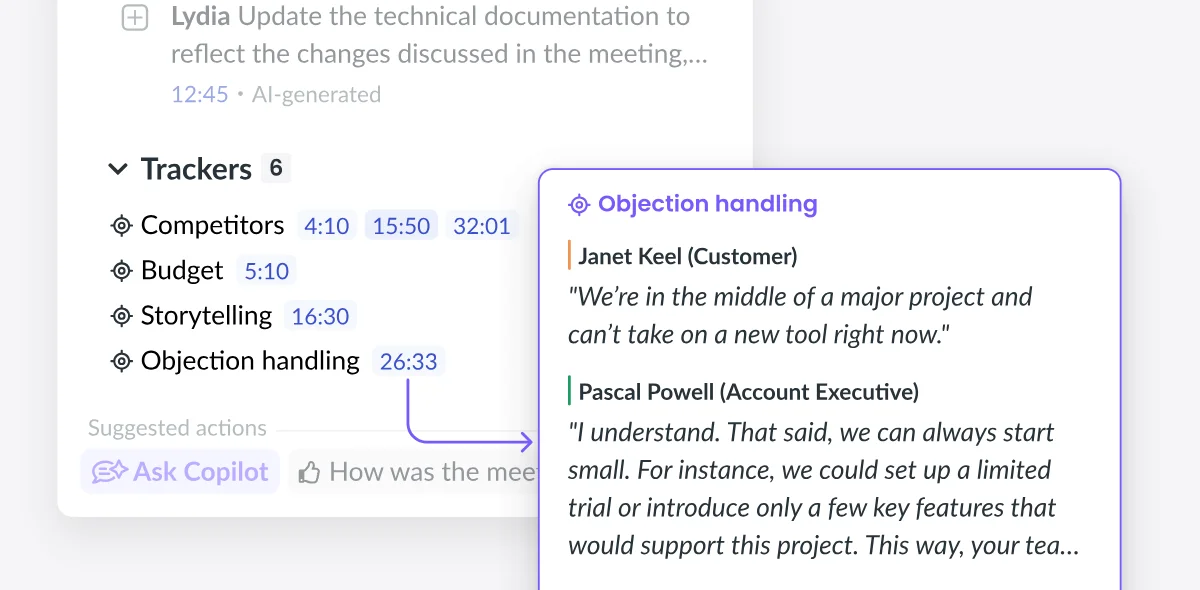
Considering Fellow AI's more advanced features, note-taking options, and agenda templates, the question is: Does Fellow actually improve team collaboration and help you run more productive meetings?
Well, yes and no. While Fellow isn't a bad AI note taker, its other collaboration features aren't as advanced as existing tools — and its premium plans don't scale well for larger organizations that those features are supposed to serve.
However, Fellow's basic features like transcription, meeting notes, and meeting summaries are useful — especially for recurring meetings. The only problem is that you can get them for less money on competing platforms that don't try to be a task management tool as well.
Let's take a closer look at the app's crucial pros and cons in a more detailed Fellow review.
Advantages of Fellow AI
There's definitely plenty to like about Fellow AI, despite the platform's flaws.
For an app that tries to handle task management and collaborative agendas while being an AI note taker, it's actually not that hard to use — at least if you're implementing it in a small team, or as a solo user.
Also, some of its advanced features are definitely useful for everyone — like the collaboration tools for meeting notes, which make it easy for everyone to work on notes from a single meeting and pitch in.
According to my tests and verified online reviews, Fellow also doesn't have chronic issues with transcription accuracy — not counting a few occasional syncing issues.
It provides meeting agendas, agenda templates, and basic features like transcription in 92 languages.
It also integrates with CRMs used by customer success and sales teams, like Salesforce and HubSpot, for simpler meeting management. Ultimately, it probably helps you take fewer meetings you don't need. And Fellow's additional features for conversation intelligence help you extract more value from even the most hectic meeting structure.
So, yes — it results in better meetings, and it's certainly easier to use than taking notes manually. But, Fellow AI has serious downsides that make it hard to recommend as a comprehensive solution.
Downsides of Fellow AI
Besides a handy AI chat and some decent note-taking and meeting management features, Fellow AI has a few problems that might be deal-breakers for your team — and reasons enough to consider other tools. These issues include:
- No bot-free video recording
- Lack of support for different devices
- A steep learning curve for some people
- Doesn't scale well for larger teams
- Low cost-effectiveness across the board
Let's examine these key downsides more closely.
#1. It can't record video without a bot
While its audio quality is decent, Fellow AI doesn't let you record video from online meetings bot-free — a feature most of its best alternatives provide.
This can be a detriment to otherwise effective meetings, especially if you want to implement Fellow AI in your sales team.
Without video recordings, goal tracking in sales becomes harder because you can't gain insights from subtle cues like body language. Obviously, this makes your meeting agendas less concrete and precise.
Even more importantly for sales, the meeting bot feels intrusive to most prospects. When a prospect sees the bot, the sales rep has to address the fact that they're recording these one-on-one meetings — an uncomfortable situation if the goal is to put the prospect at ease and actually sell something.
Plus, bots can be problematic from a legal standpoint in some highly regulated industries — like finance, healthcare, or government. Many organizations prohibit third-party bots from note-taking and accessing meetings due to the risks of data leaks.
This is why other note takers built with bot-free recording options are more useful. When they record video through desktop applications or browser extensions, you get more accurate notes and meeting summaries — without any of the privacy issues.
#2. It doesn't support different devices
While Fellow integrates with plenty of apps, it doesn't provide its more advanced features on different devices.
To get the most out of the platform in terms of collaboration features and recording, you'll have to install the desktop app. There, you can at least record audio without a bot — which isn't an option with Fellow's web or mobile apps.
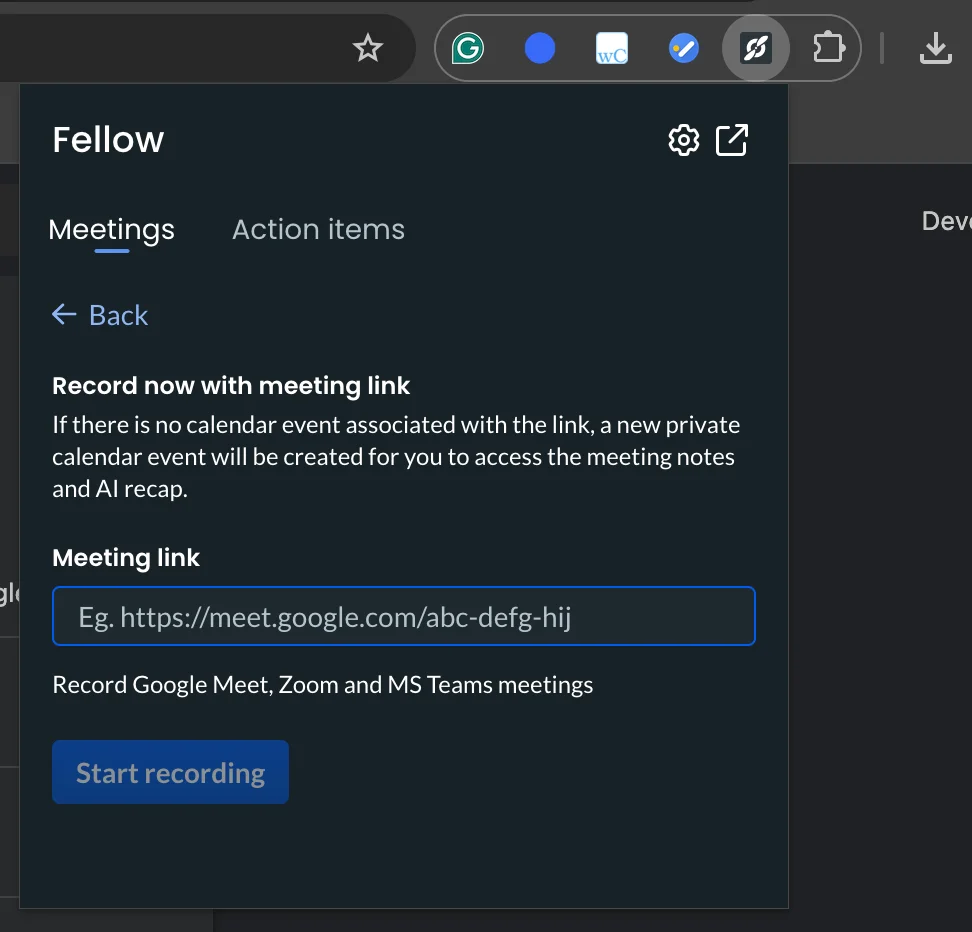
In the browser, you can only record calls with a meeting bot. There's also a Chrome extension, but it doesn't do a lot — you can only use it to send a meeting link to Fellow AI or manage to-do lists with action items.
The mobile apps do even less, since you can't record meetings on mobile at all. You can only create templates, schedule team check-ins, and do some light meeting management. The apps for Android and iOS also let you edit meeting notes and action items, but that's still easier to do on the desktop app — especially in larger teams.
#3. It has a steep learning curve
According to online reviews from actual users, many of them are unhappy with Fellow AI's steep learning curve and chronic bugs.
A major hurdle is the interface and task management experience. The platform tracks action items well, but users describe the main dashboard and the page of action items as unorganized and cluttered, which makes it harder to find and prioritize tasks. Also, users claim that the initial setup is somewhat challenging and a bit confusing to get through.
For individual users, feature bloat is also a real issue. Fellow is clearly designed with teams in mind, and solo operators often use only a small portion of its capabilities. And yet, Fellow markets itself as a platform that also caters to individual users — with an entirely different, but still pricey subscription for them.
All this wouldn't be as annoying without the platform's technical problems. Users report inconsistent recording performance and bugs with certain integrations, including the browser version.
For larger businesses, it's simply hard to search through meeting notes to find anything specific. You have to find the actual date in the calendar and click on the specific meeting. Plus, it's hard to share notes with people outside your organization. They have to create a guest account, but also have to know your workspace domain — incredibly frustrating for customer-facing teams.
#4. It's too expensive
Ultimately, Fellow AI doesn't provide enough value to justify its enterprise pricing — or its expensive lower-tier subscriptions.
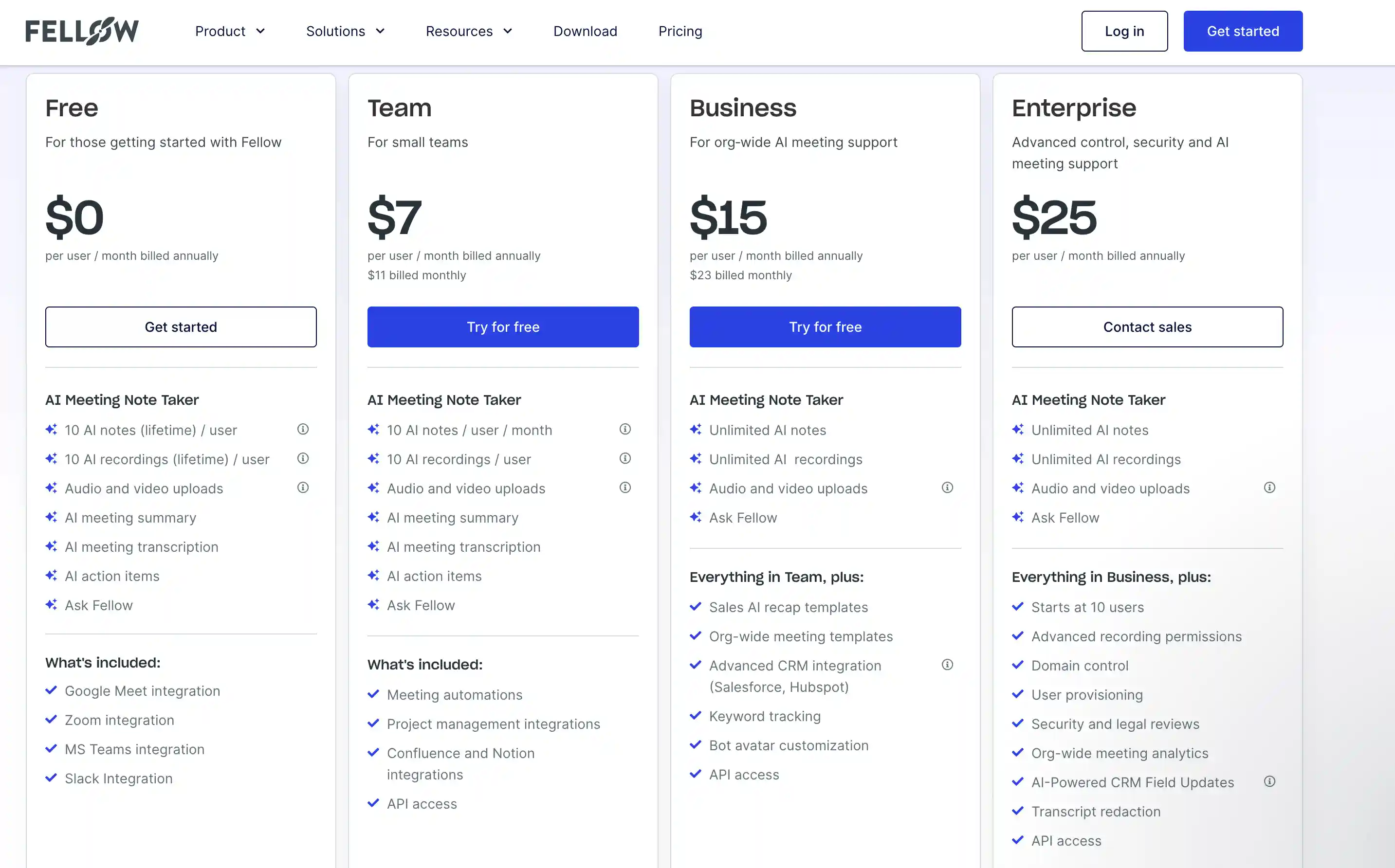
For starters, Fellow AI doesn't offer monthly billing for its Enterprise plan. That means you have to lock into a full year right away if you want the most expensive plan with the most advanced team collaboration options.
This is reason enough to believe Fellow doesn't scale well for larger organizations. But in reality, it's not affordable for small businesses either. The most valuable features are locked behind the Solo and Business tiers, which are priced significantly higher than the initial Teams tier ($7/user/month billed annually).
Also, only the Business plan ($23/user/month billed monthly) offers unlimited AI meeting notes and recordings for teams. As a solo user, you'd have to pay a whopping $29 per month to avoid stringent caps on recording, uploads, and meeting notes.
Plus, video recordings are automatically converted to audio after set periods, which vary dramatically by plan:
- The Free plan only keeps video for 3 months.
- The Team plan only keeps video for 1 year.
To get true, unlimited video retention, teams must commit to the Business (Annual) or Enterprise plan. This makes long-term knowledge retention expensive.