I've been using Loom on and off as my default screen recorder since 2020. Like most of you, I used it to create short talking-head videos that also display my screen.
Because I worked with colleagues in different time zones, these videos helped me avoid late-night and early-morning meetings. Screen-recording an issue or an idea while also talking through the footage was a great way to explain my thoughts.
Everybody did the same thing at my old company. For years, Loom videos were the industry standard for async communication.
In 2026, I switched to another video recording platform — permanently. I'll explain why, and tell you about the various Loom alternatives I tried before landing on my top choice.
TL;DR
- Loom has become increasingly unreliable since Atlassian acquired the screen recorder in 2023. Users report frequent crashes, failed uploads, and memory leaks.
- Atlassian's customer support for Loom is slow and hard to reach, sometimes taking up to a week to respond.
- Loom's AI transcription often lacks punctuation, and its note templates are geared almost exclusively toward software development teams.
- Bluedot is the best Loom alternative because it records meetings without an intrusive bot, provides accurate transcripts, and offers responsive in-house support. It's best for meetings and async team communication.
- Tella offers stronger video editing features than Loom (4K export, timeline editing, auto-zoom), but has no Windows app and occasionally lags.
- Camtasia is a screen recording tool for course creators and educators, with embedded quizzes and SCORM export — but overkill for quick async videos.
Why I Needed a Loom alternative
I started looking for a Loom alternative because this once-great screen recorder slowly became less and less usable — especially after being acquired by Atlassian (of Jira fame) in late 2023.
Here's why I've grown increasingly frustrated with Loom.
#1. Bugs and glitches
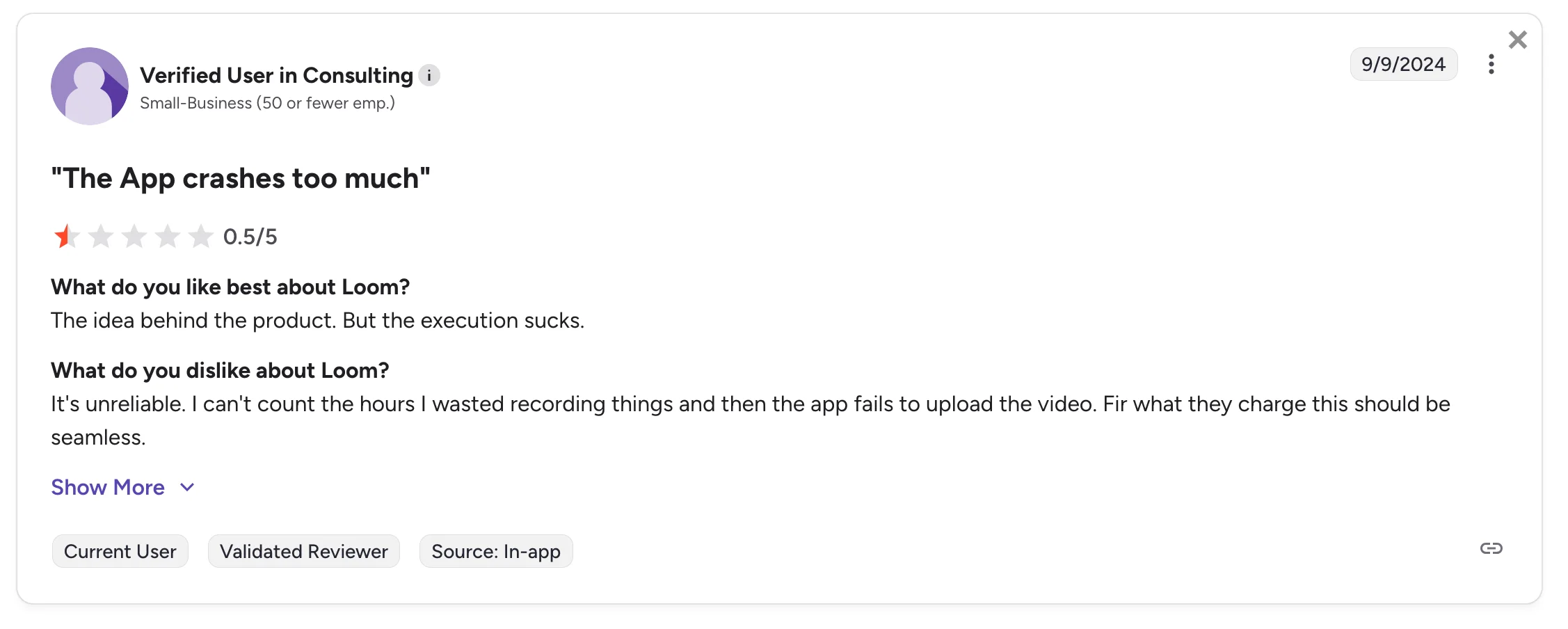
Source: G2 review.
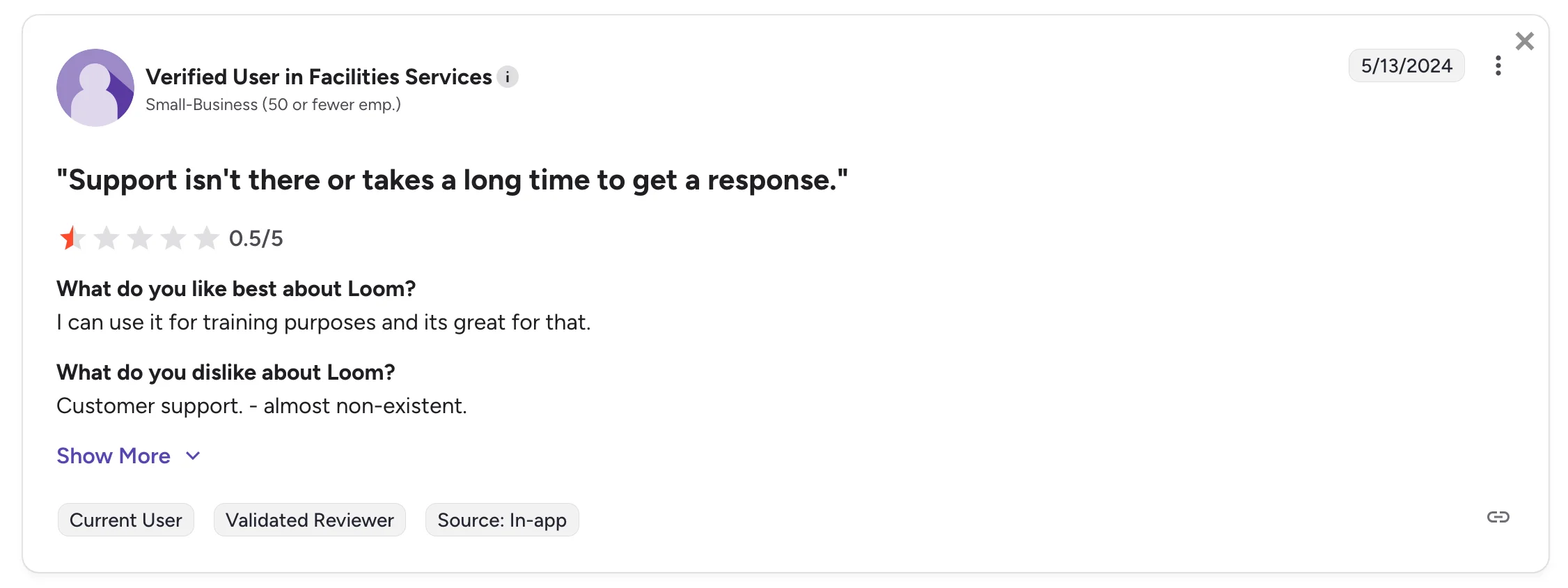
Users have been complaining about Loom's bugs and glitches on G2 and Capterra for a while. Loom has become notoriously unreliable — videos often stop recording randomly, you may encounter playback issues, and the platform may fail to upload your existing videos multiple times in a row.
I personally experienced the uploading issue yesterday, when I fired up Loom to take a few screenshots and see if anything had changed while I was away.
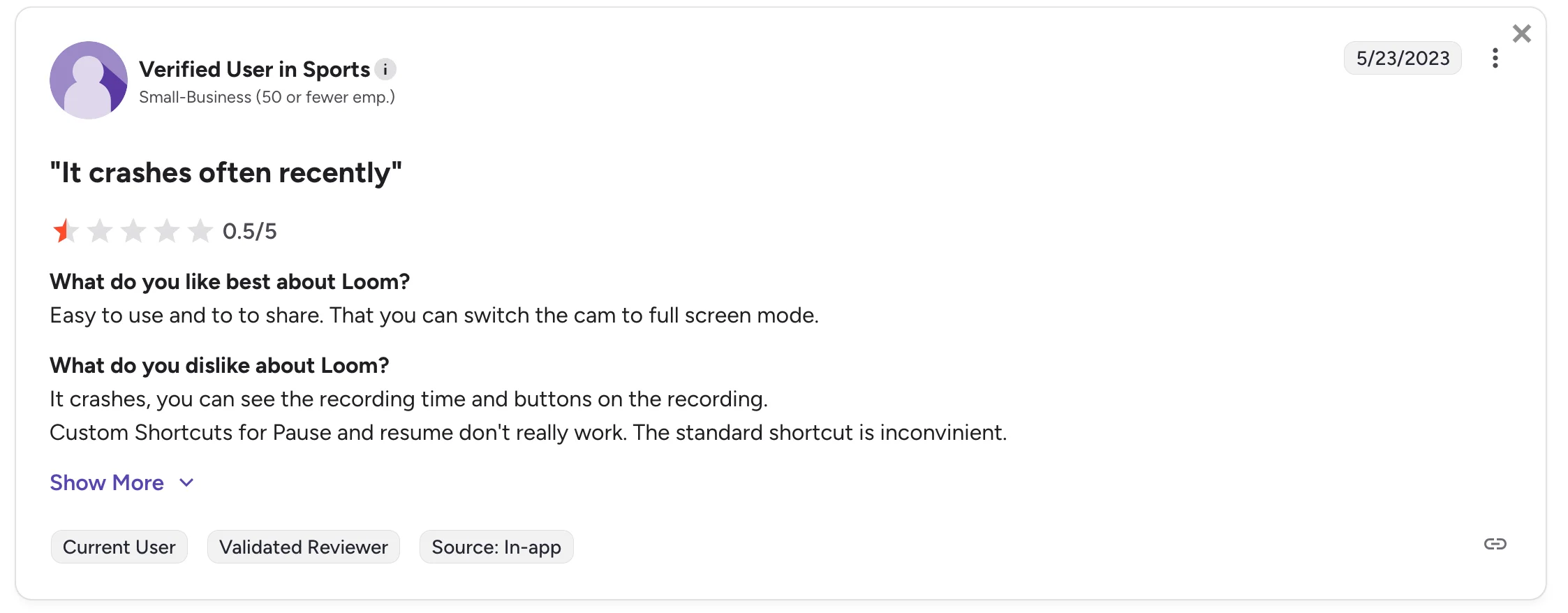
Source: G2 review.
Personally, I haven't used Loom's Mac and Windows desktop apps. But other users report having to force-quit the screen recorder apps, and even reinstall them. The apps seem unstable and prone to freezing. Also, Loom's desktop apps may be struggling with memory leaks, freezing users' devices. Even when they work, they're too resource-heavy and use up too much memory.
Users also report slow video processing, especially for longer videos, as well as general lag and clunkiness. And a personal issue of mine — custom keyboard shortcuts for pausing and resuming don't always work.
#2. Poor customer support
Source: G2 review.
Poor customer support is easily Loom's biggest weakness, right next to general buginess.
Since Atlassian (which also owns Jira and Trello) acquired Loom in 2023, Loom's customer support has been handled directly by Atlassian staff.
Now, you can't actually talk to a human support agent on Loom. You can either:
- Chat with an AI bot on Loom, or
- Send a message describing your problem to Atlassian's support team.
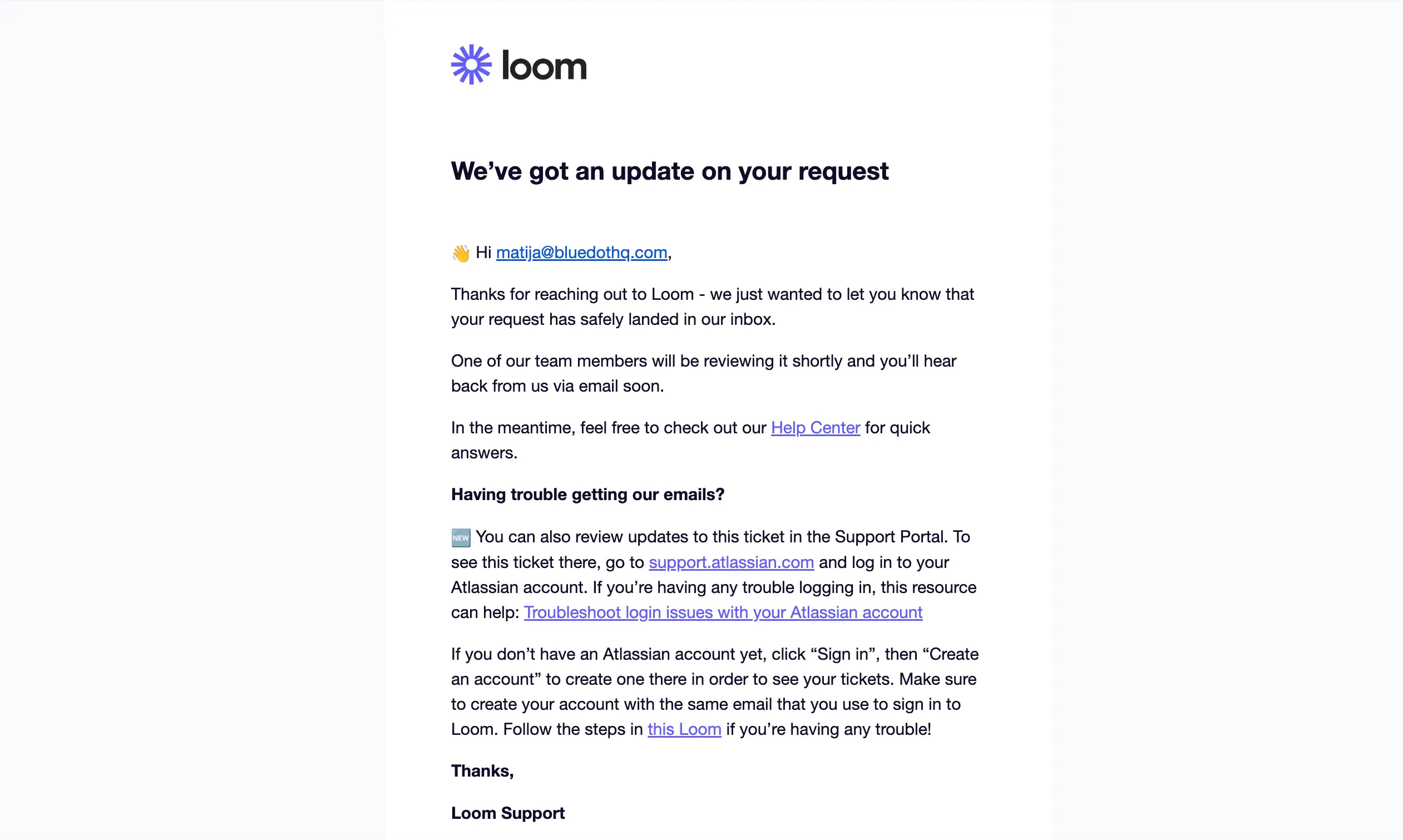
Unfortunately, Atlassian's customer support isn't responsive, and you need to wait hours (at best) to get a message back. Also, you must create an Atlassian account on their separate website to check the status of your support ticket and see a potential response.
Source: Private screenshot.
It's complicated, the support staff is extremely hard to reach, and they're rarely helpful.
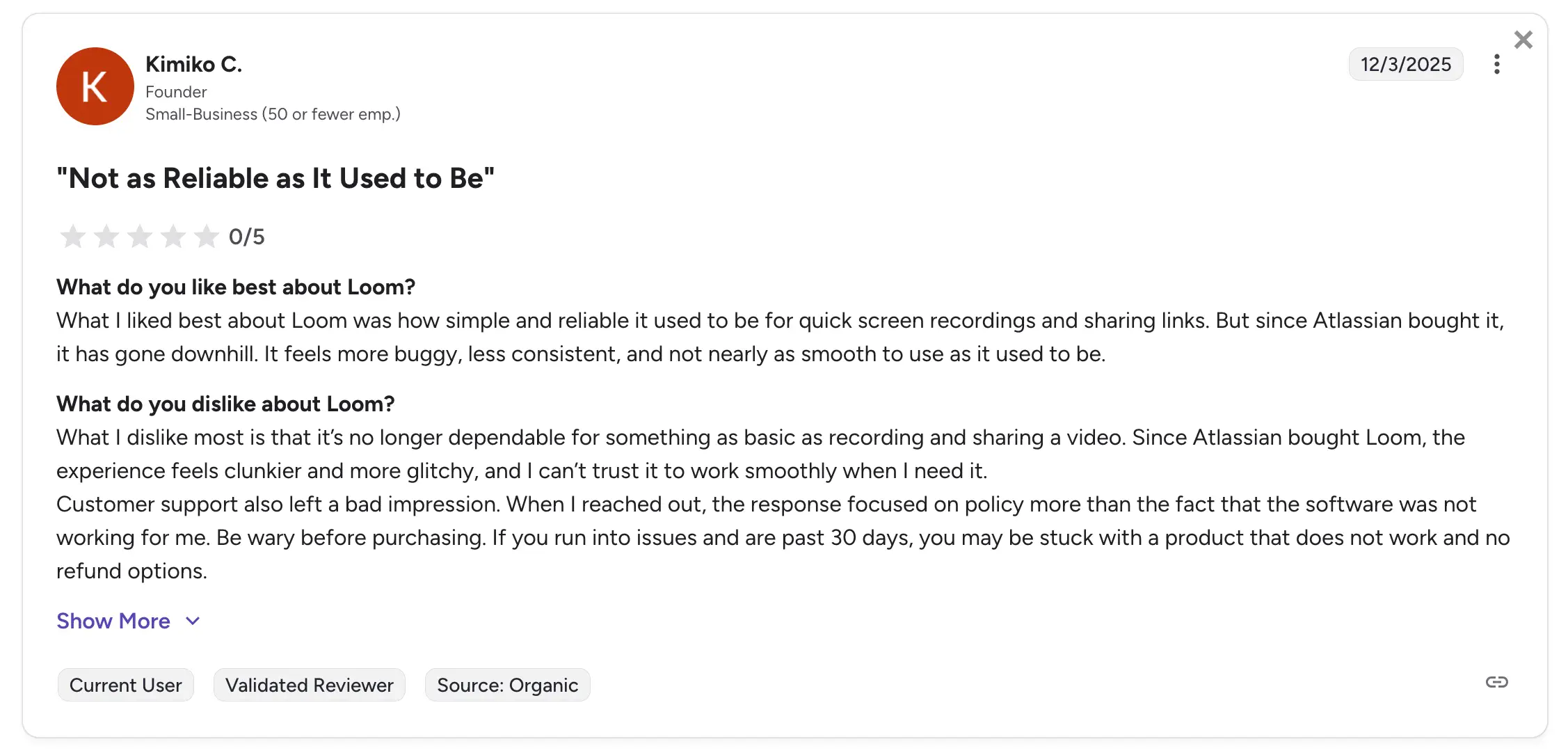
Other users report waiting up to a week for a response on a simple issue with the screen recorder. Atlassian's support team doesn't seem knowledgeable about Loom's advanced AI features either, resulting in generic advice and responses that focus on company policies rather than actual issues.
Source: G2 review.
Many users can't even open a ticket, and some are attributing all of these issues to the Atlassian acquisition. I tend to agree, since Loom was more stable for me before the new management.
#3. Annoying meeting bot
Source: G2 review.
In 2024, Atlassian acquired Rewatch (an AI meeting assistant) and integrated it into Loom. It makes sense, I get it — integrate the meeting recording platform with your general video recorder.
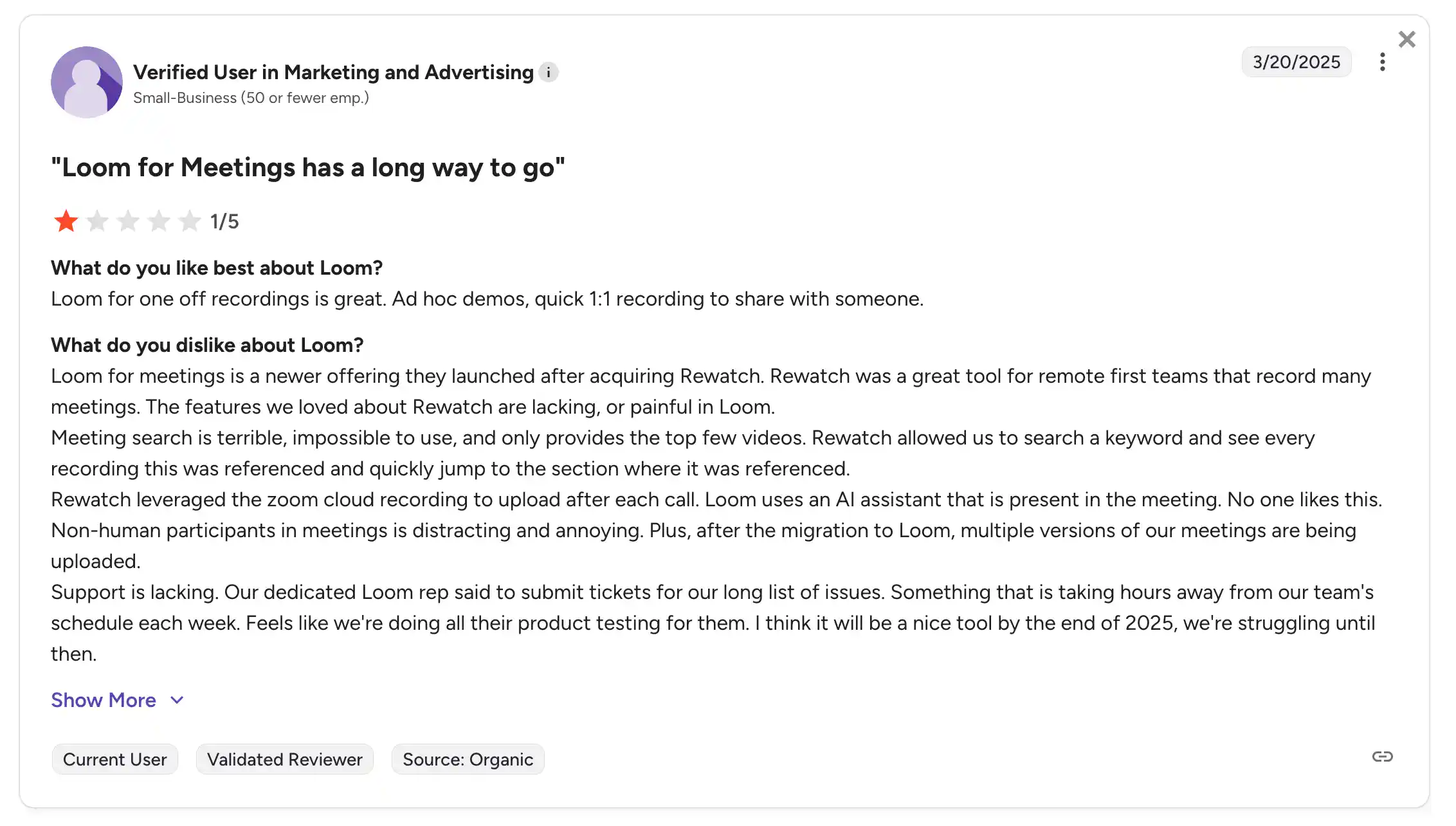
However, some users (myself included) feel like Loom's video recording for meetings leaves a lot to be desired.
I don't like the fact that Loom uses a bot to record meetings. It makes everyone on the call uneasy, and meeting assistants like Bluedot do it subtler via your system audio and video.
Loom also makes it hard to rewatch past meetings with a clunky meeting search, which only seems to provide a few results. For SDRs who make 45 dials a day, this isn't ideal.
#4. Unreliable AI transcription and notes
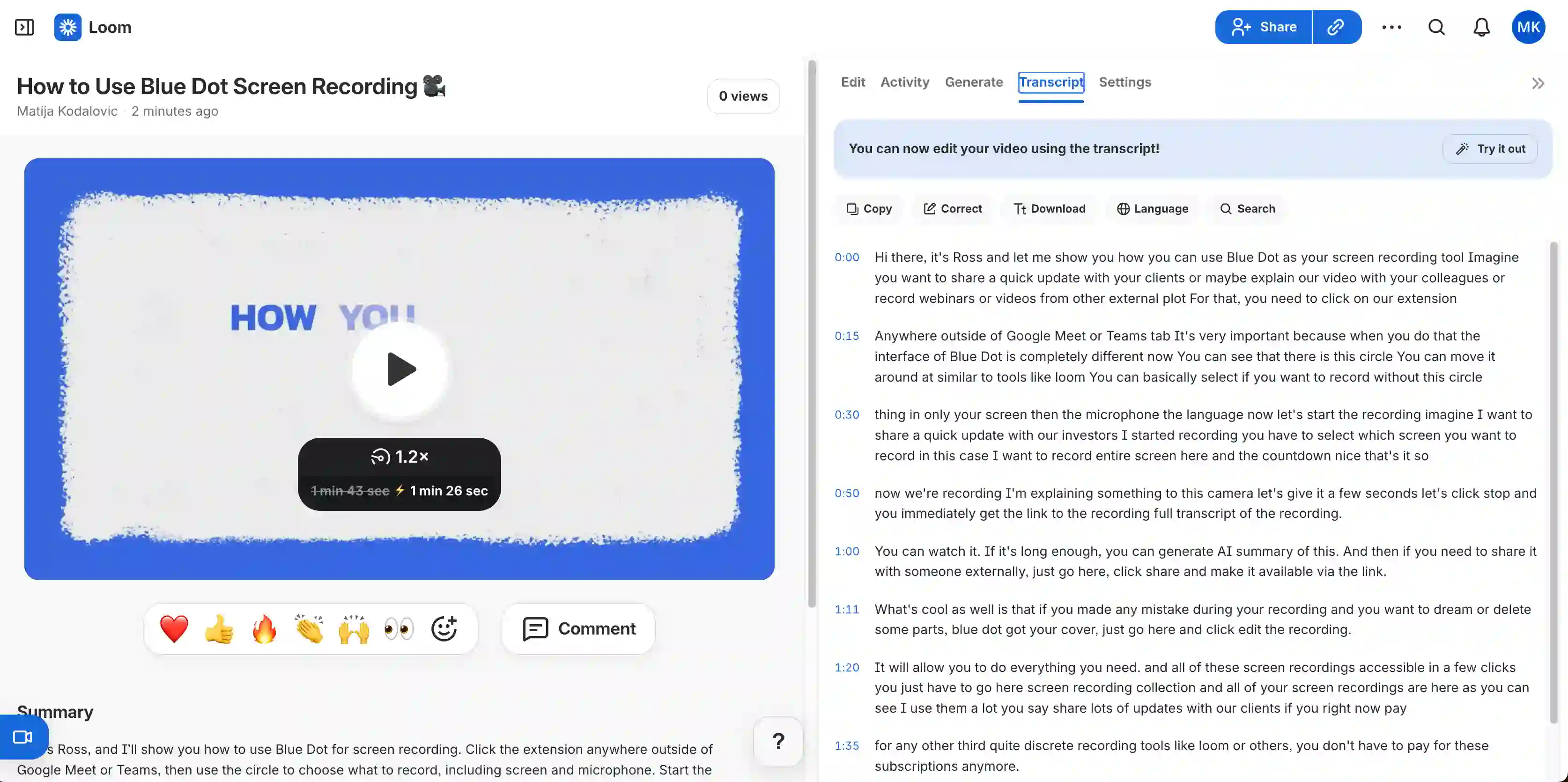
Loom's AI transcription and meeting notes are unreliable at best, at least in my experience.
As you can see from the screen recording above, Loom often produces transcripts without any punctuation. I either have to give the transcript to another AI to clean up or do it manually. Both cost me time and energy.
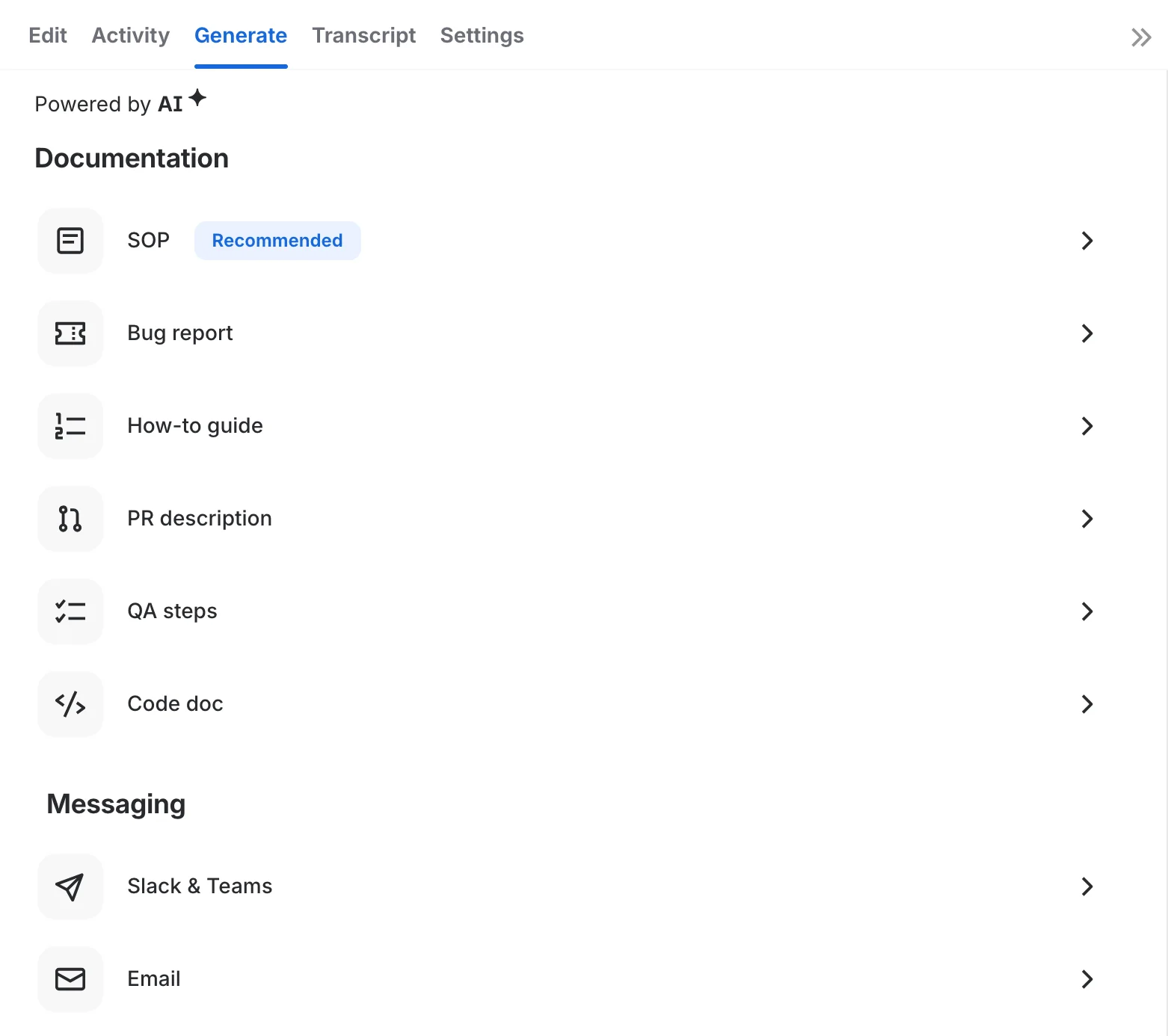
Loom provides AI-generated meeting notes based on your transcript and recording. You can choose different templates for those notes, like on most other AI note takers.
The problem is that Loom's note templates are only useful for software development and coding tasks.
The templates are for code docs, QA steps, pull requests, and bug reports — great for software engineering teams that use Jira to manage their projects, but useless for everyone else.
As a sales representative, legal professional, or support agent, I'd look elsewhere for an AI note taker.
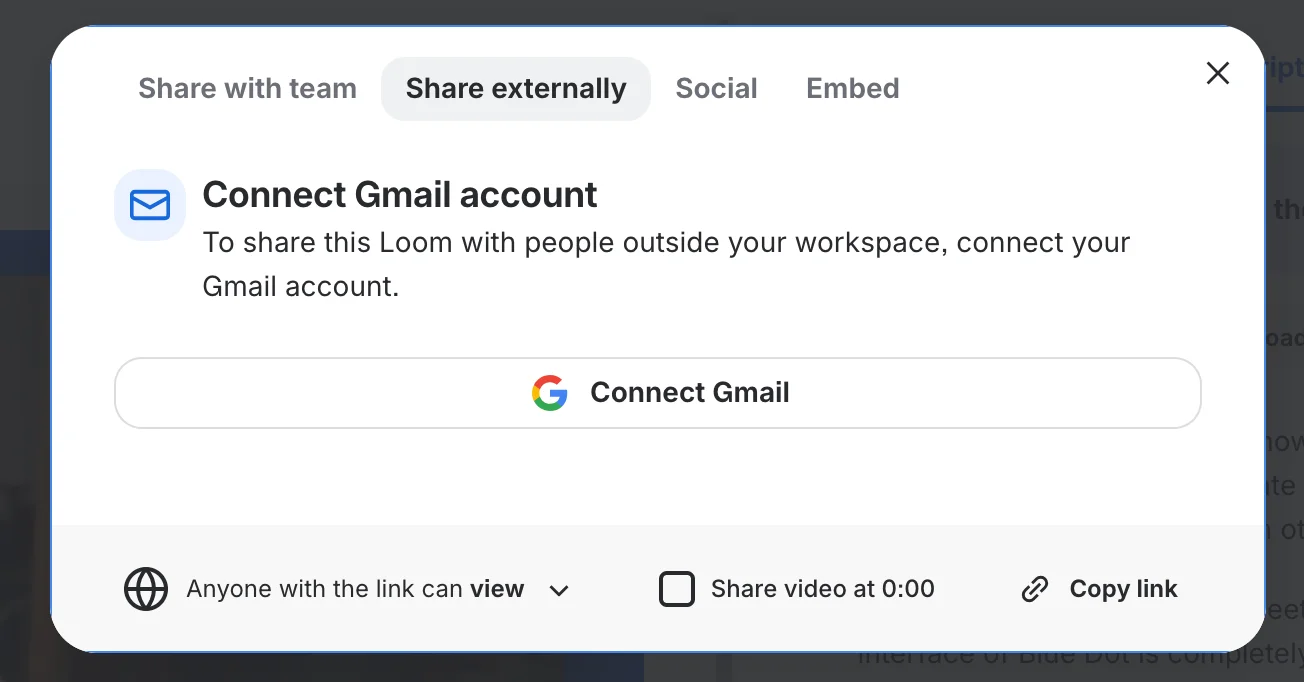
Sharing existing Loom videos and transcripts with others is also more difficult than in most other AI note takers. To share Loom content with anyone outside your workspace, you need to connect your Gmail account.
On platforms like Bluedot, you just send someone a link, and they don't need an account to open it.
What are the best Loom alternatives?
The best alternatives to Loom are:
- Bluedot
- Tella
- Camtasia
I'll explain my choices in a few quick reviews and compare each tool to Loom.
#1. Bluedot
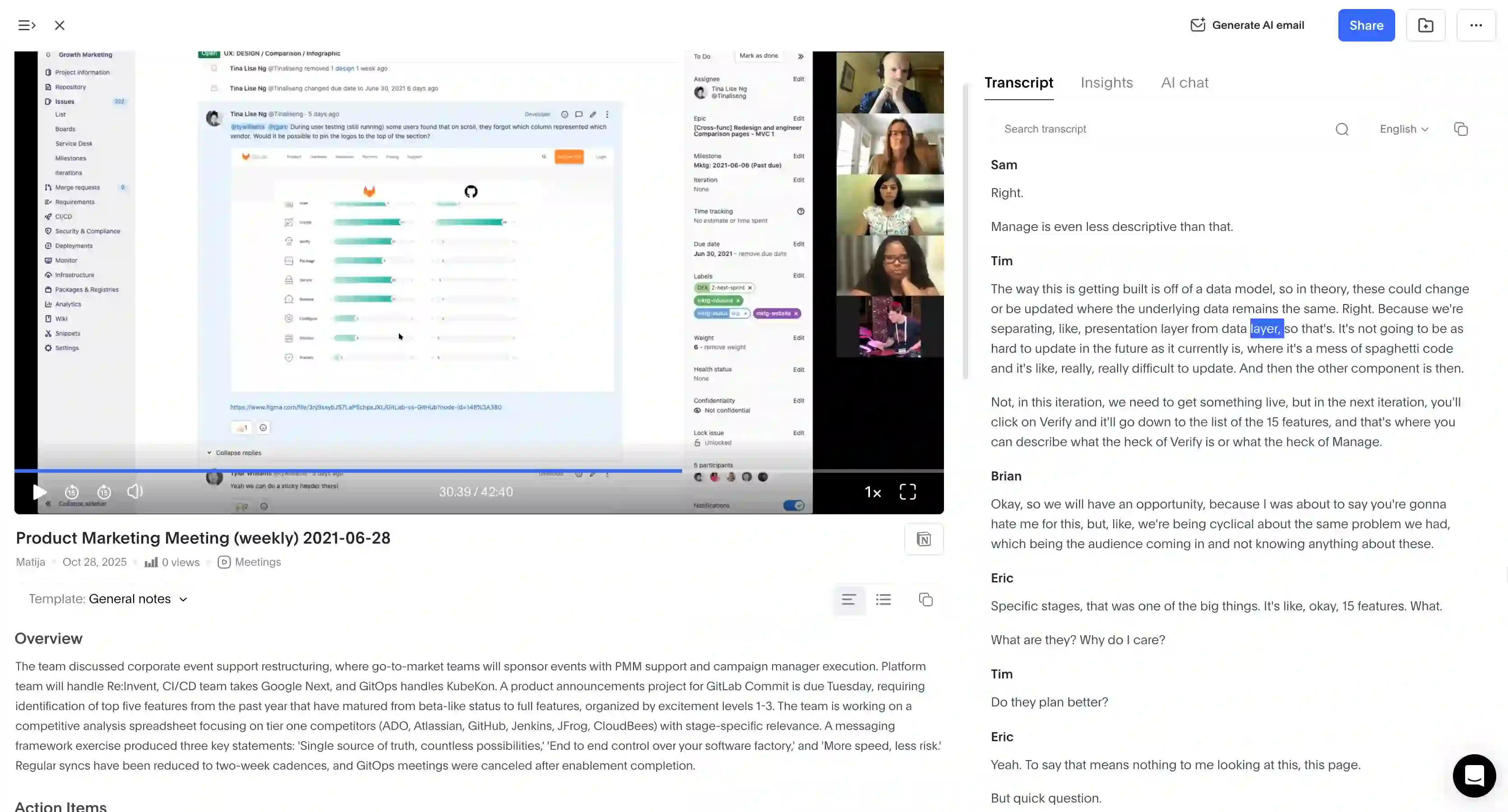
Bluedot is an AI meeting assistant that records, transcribes, and summarizes conversations. It supports all popular video platforms, including Google Meet, Zoom, and Microsoft Teams.
Unlike Loom, Bluedot isn't primarily a video editing platform — but it has all the features for my daily screen recording needs.
Bluedot is mainly an AI note-taker for meetings. And crucially for me, it records and transcribes meetings without a bot. Instead, it uses a Chrome extension (or an app, if you prefer) to directly record microphone audio and system audio and video.
It's more discreet than Loom, and more importantly, it actually works. Videos don't randomly stop recording in the middle of the meeting, and I get clean, accurate transcripts. With punctuation and speaker tagging.
Source: G2 review
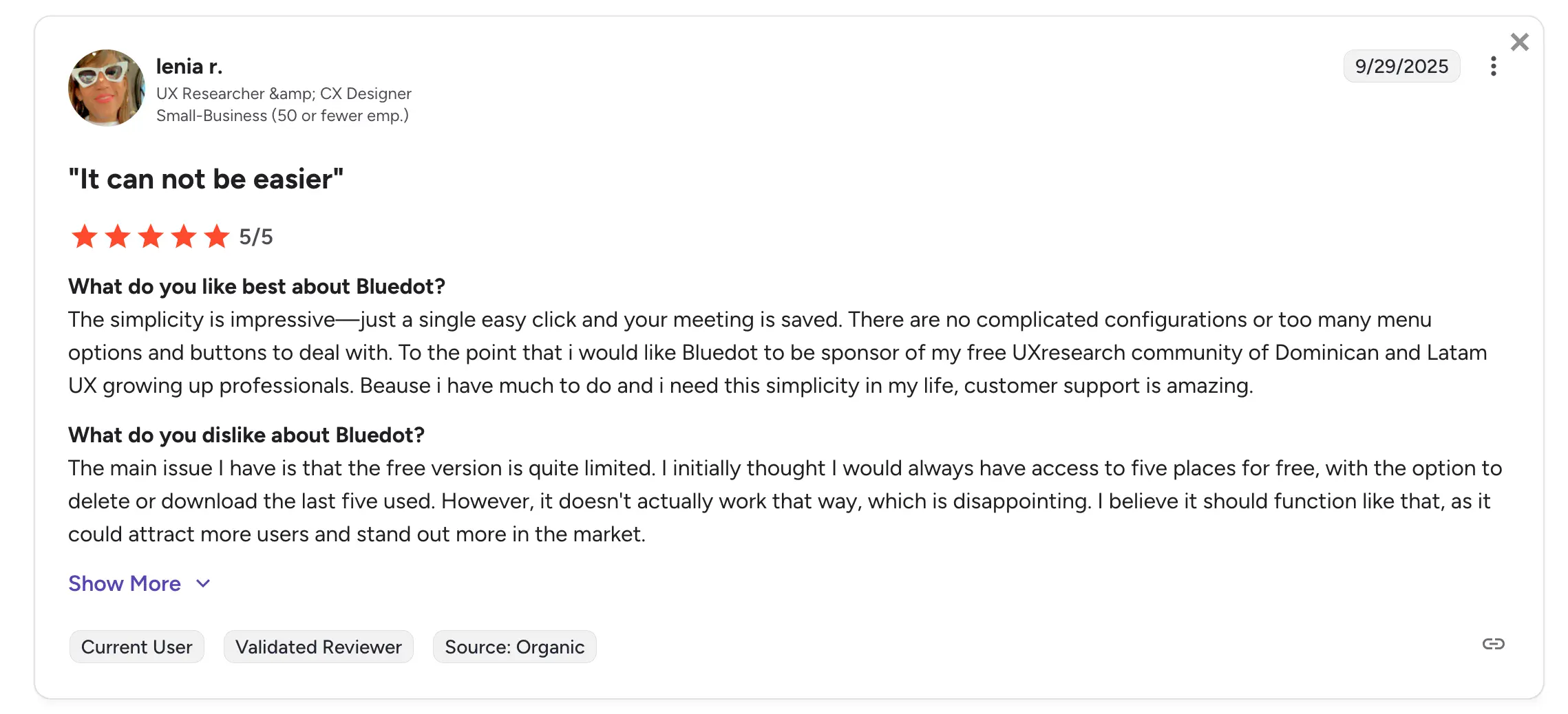
I haven't experienced any bugs or glitches with Bluedot, but according to users on G2, its customer support responds within minutes. Compared to the agony of waiting hours or days for Atlassian's Loom support staff, it's a breath of fresh air.
Key Features
- Speaker analytics, including talk ratios and monologue length
- Bot-free recording via Chrome extension, desktop app, or mobile app
- AI chat for discussing past meetings and quickly extracting information
- Simple video cutting by editing the transcript text
- HubSpot and Salesforce integration for sharing meeting notes
- Zapier and Make support for integrations with other tools
- Transcription in 100+ languages
- Customizable templates for sales, recruiting, and other teams
Pros
- Unlimited transcriptions, recordings, video, and audio storage on all paid plans
- In-house customer support that responds in minutes, helping with bugs and new features
- Easily shareable links for screen recordings (recipients don't need a Bluedot account)
- GDPR and CCPA compliant, SOC2-certified
- No intrusive bot in meetings
Cons
- Basic plan only supports audio recording, unlike Loom's free plan
Pricing
- Free plan — $0. 5 meetings lifetime, max 1 hour per recording
- Basic — $14/member/month (annual) or $18 (monthly). Unlimited audio-only meetings, unlimited storage, max 1 hour per recording.
- Pro — $20/member/month (annual) or $25 (monthly). Unlimited meetings with video, unlimited duration, custom templates.
- Business — $32/member/month (annual) or $39 (monthly). Everything in Pro plus unlimited imports, HubSpot & Salesforce integration.
- Unlimited — Custom pricing. Unlimited paid seats, SSO, SCIM, and access to all features.
#2. Tella
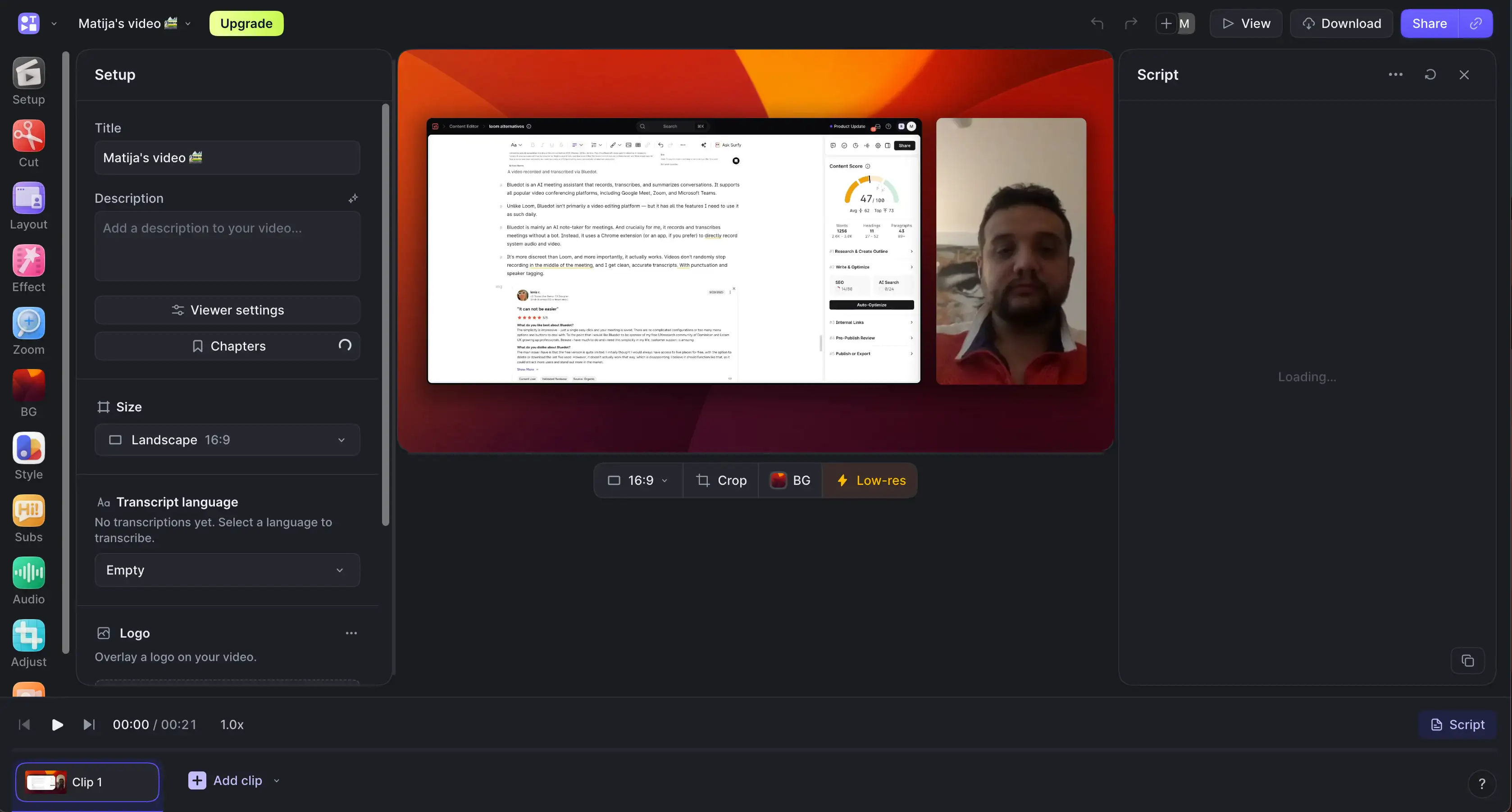
Tella is a video recording and editing platform that really wants you to know it isn't just another screen recording tool.
In many ways, it's more powerful than Loom. While Loom focuses on videos that replace meetings and emails, Tella gives you great tools to easily create a wider range of formats — including YouTube videos, social media clips, and product demos.
Loom positions itself as a video communication tool built for teams. You record your screen and camera, share the video with a link, and your colleagues watch it on their own time. It's designed to replace meetings and long emails.
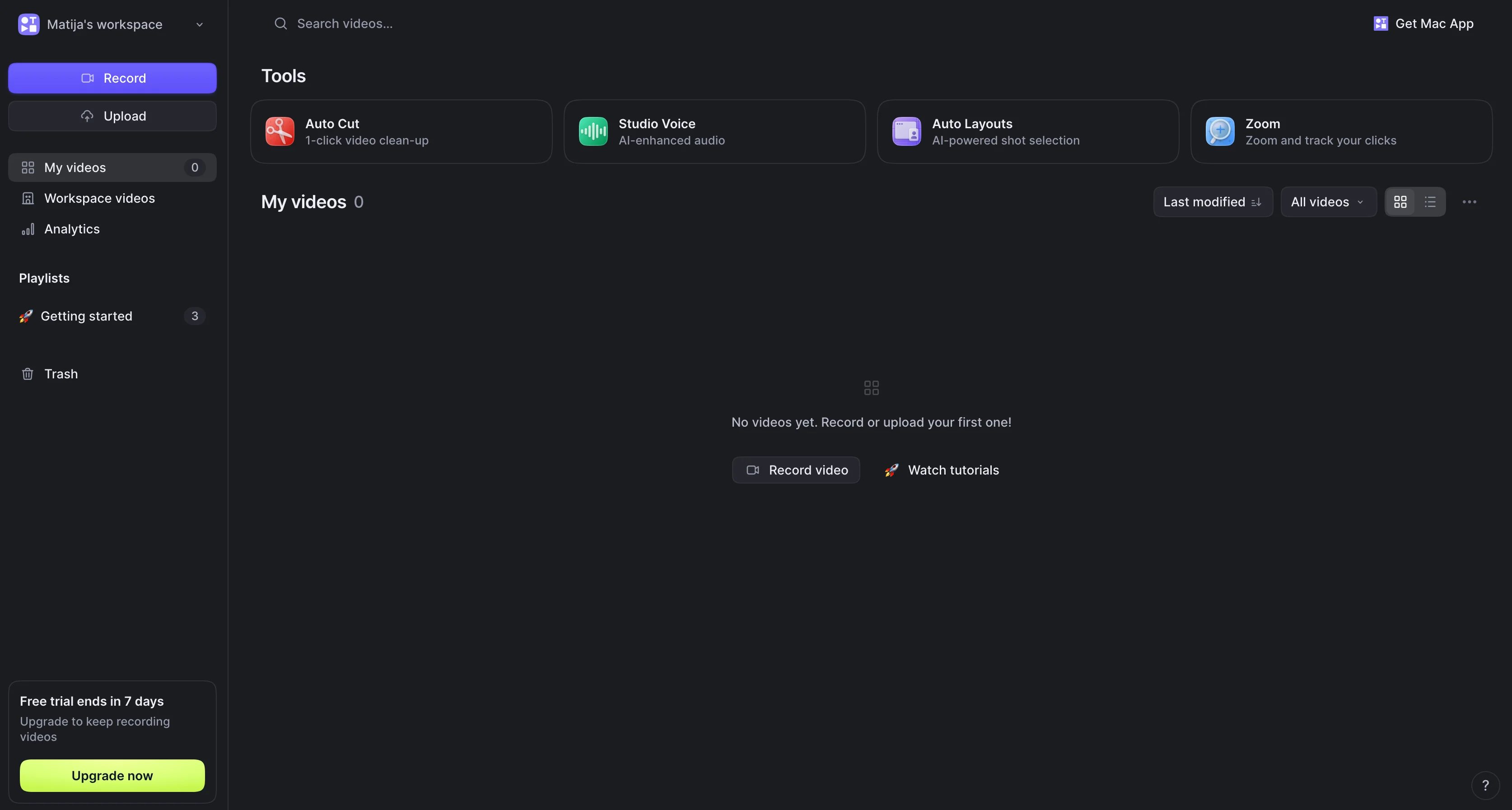
I liked the vast options I had for style, background, and effects. However, the web-based version of Tella isn't optimized as well as Loom's — I was constantly dealing with a small amount of lag. Not deal-breaking, but still annoying.
Also, I appreciate Tella's ability to record meetings and video walkthroughs without a bot. You can get an automated subtitle and transcript, but the subtitle is fiddly to correct.
While Tella's support staff is more responsive than Loom's, I still waited a full day for a response — and there's no way to schedule a live call with an agent.
Key Features
- CTA buttons and funnel analytics (measure video plays and clicks)
- Remove filler words and silence automatically in one click
- Edit videos on a timeline and switch video layouts at any time
- 4K export at 60 FPS
- Blur tool for passwords and sensitive info
- Auto zoom that highlights clicks on the screen
- Custom, royalty-free backgrounds from Unsplash
- Built-in teleprompter that others can't see
Pros
- Completely free screen recorder for viewers, easily shareable links
- More powerful video editing capabilities than Loom
- Embed videos easily in Slack and Notion
- Loom migration tool for transferring existing Loom videos (on paid plans)
Cons
- No Windows app (as of 2026)
- Integrates with fewer apps than Loom
- Occasional bugs (corrupted clip segments, wrong screen recording)
- Lags more than Bluedot, not really built for meetings
Pricing
- Pro — $13/user/month (annual) or $26 (monthly). Unlimited videos, AI editing, 4K export, transcription in 106 languages, analytics with 30-day history.
- Premium — $19/user/month (annual) or $39 (monthly). Everything in Pro plus custom domain, domain restriction, white-label, 60 FPS export, advanced analytics for multiple clips, team playlists.
- Enterprise — Custom pricing. Everything in Premium plus SSO/SCIM, shared Slack channel, personalized onboarding, and volume discounts.
#3. Camtasia
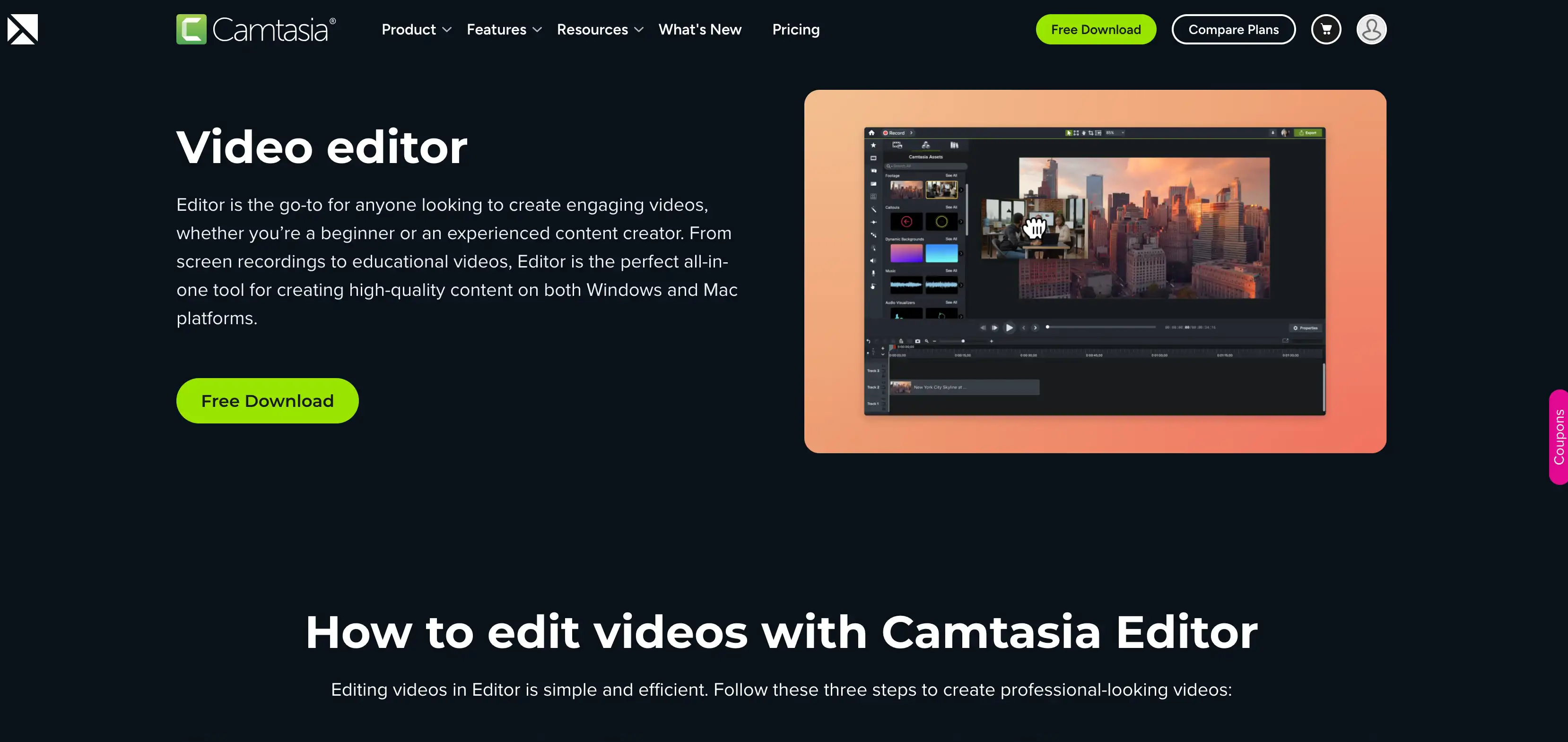
Camtasia is the oldest screen recording tool on my list, initially released in 2002.
Over two decades later, it still holds up — though mainly used by course creators and educators. If you want to record and edit an instructional video, it's a great choice.
Camtasia can record your screen and webcam in two different streams, which you can then edit in a simple drag-and-drop video editor. Then, you can export a video in up to 4K and 60 frames per second.
These days, the tool is part of a broader Camtasia Suite, but I've only tested the basic Camtasia Editor.
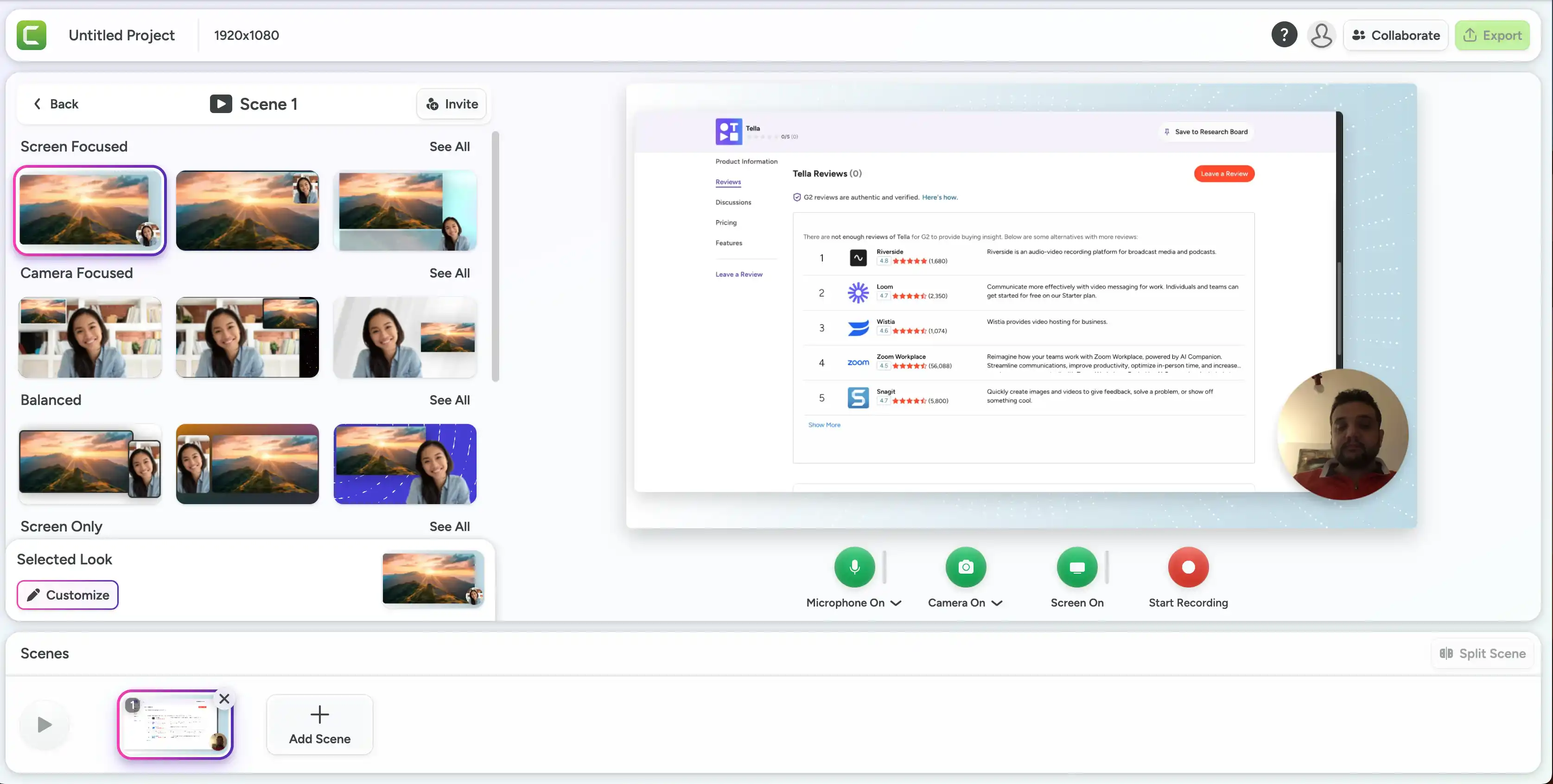
Besides a simple UI for inexperienced video editors like me, I appreciated Camtasia's asset library. It gives you access to various backgrounds, sound effects, and other video elements — though many of them look a bit dated.
The main reason Camtasia ranks lower on my list is that I don't use its main selling points — support for embedded quizzes in educational videos. You can create and export these as SCORM packages and import them into Moodle and other eLearning platforms. Useful, but ultimately not for me.
Key Features
- Edit and resize the cursor at any time after recording
- Embed interactive quizzes directly into videos for educational content
- Export SCORM files into LMS platforms
- Generate captions and remove filler automatically with AI
- Clean up background noise and translate videos
- Cut videos quickly by deleting words from the transcript
Pros
- Extremely beginner-friendly UI
- More options for transitions and annotations than in Loom
- Large library of royalty-free assets (on paid plans)
- Best choice for course creators and educators
Cons
- Maybe overkill for quick screen recordings
- Occasionally crashes on longer projects with multiple clips and high-quality videos
- More expensive than Loom if you don't want watermarks on your videos
- Not really designed for async communication or meetings, primarily oriented towards video production
Pricing
Individuals (billed yearly):
- Starter — €39.57/year. Screen capture with watermarked Editor, Snagit, basic AI features (blur, noise removal, background removal).
- Essentials — €182.50/year. Everything in Starter plus watermark-free Editor, Audiate, text-based editing, filler word removal, transcription, and multitrack recording.
- Create (Best Option) — €252.62/year. Everything in Essentials plus AI script generation, voiceover generation (200+ voices), multi-language support.
- Pro — €607.71/year. Everything in Create plus AI avatars, script translation, audio dubbing, image generation, 100M+ stock assets, unlimited Screencast videos.
Teams & Business:
- Business — €200.88/user/year. Transferrable licenses, up to 99 users, volume discounts for 10+, phone and chat support.
- Enterprise — Custom pricing. Flat annual fee, locked pricing for 3 years, dedicated success manager, end-user management.
Education:
- Educators — €164.72/user/year (18% off). For accredited institutions, transferrable license.
- Students — €182.50/year. For verified full-time students in US, UK, and Canada.
Why did I choose Bluedot as my Loom alternative?
Disclaimer: I work for Bluedot, testing and reviewing various video editing tools and AI note takers.
Ultimately, Bluedot is my preferred Loom alternative because it's simple, easy to use, and doesn't have nearly as many bugs. Also, it's specifically built for meetings and talking-head videos, which were my two main use cases for Loom in the first place.
I also appreciate Bluedot's responsive support team. These days, even the largest corporations like Atlassian skimp on customer support — and I don't like waiting days or hours for a simple answer or help with a bug.
Bluedot is also a better choice for non-tech teams that are looking for AI-powered transcriptions and notes.
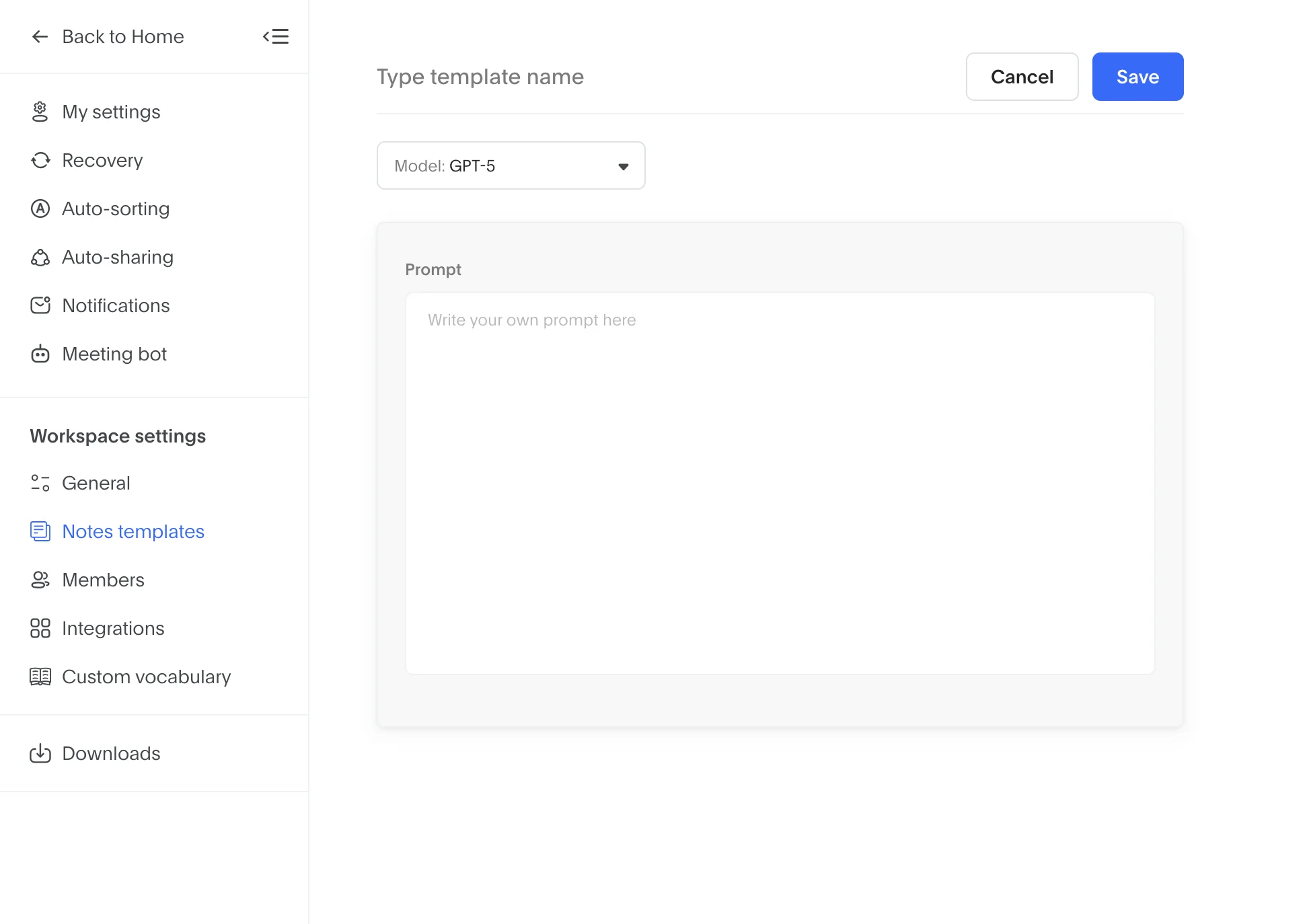
You can choose from more varied note templates for sales teams, recruiters, and support staff on Bluedot — or easily create a custom template for your needs with a simple text prompt. In Loom, you'd have to settle for a generic SOP.
Admittedly, Bluedot isn't ideal if you're producing more demanding content, with fancy transitions and tons of annotations.
However, Bluedot is hands-down the best choice for automating post-meeting work, simple team presentations, and sharing information with your colleagues via short clips.
Frequently Asked Questions
Is Loom still worth using in 2026?
Loom is worth it if you only record videos occasionally. For long-term professional use, you can find more dependable options — for everything from recording meetings to producing more demanding content.
Loom's cost-effectiveness has dropped since Atlassian acquired it, and many users have been complaining about bugs and a lack of customer support. If you're going to use a video recorder for daily tasks, consider a Loom alternative instead.
Can Bluedot record meetings without a bot?
Yes. Bluedot captures meetings through a Chrome extension, desktop app, or mobile app, without a bot in the call. There's an optional bot if you still want to use one, but it's not required on any platform.
What is the best free Loom alternative?
Bluedot is the best free Loom alternative if you need audio recording and AI-generated notes. For basic screen recording, though, you'll need a paid plan. Tella also has a free tier with basic video recording, but you'll need a subscription for advanced editing tools. Camtasia, on the other hand, doesn't have a completely free version — only a trial period.
Which Loom alternative is best for sales teams?
Bluedot is the best Loom alternative for sales teams because it offers customizable note templates built specifically for sales calls. It also integrates with popular CRMs like HubSpot and Salesforce, making it easy to populate deal and customer profiles with information from meetings. After each call, Bluedot can automatically push meeting summaries and action items into your CRM.