Most AI note takers can't record a meeting that isn't on Zoom.
That's not ideal for a construction site. Here, many important conversations don't happen in an office or across a dinner table.
On the jobsite, you're often forced to scribble hasty notes by hand. And lose a lot of meeting context and details.
A great AI note taker can help, but only if it works equally well for in-person meetings and virtual calls.
This guide ranks the 9 best picks for an AI note taker for construction: which ones record in person, which are video-only, and how each handles a noisy site, a bilingual crew, and your budget.
Why you should listen to me
I've tested dozens of AI note takers while writing for Bluedot, literally down to the most obscure tools on the market.
Many construction PMs already use our AI meeting assistant, and we've talked to them to learn their pain points and deal-breakers.
We know what your colleagues are using to take notes easily — and why.
Key Takeaways
- Bluedot is the top pick for construction teams: it records both in-person and online meetings bot-free from a phone, desktop, or Apple Watch, labels each speaker by name, transcribes English, Spanish, and 100+ languages, and is SOC 2 certified and GDPR-compliant for government and unionized jobs.
- Plaud is the choice if you want dedicated, hands-free recording hardware for a noisy site, but you buy a device ($159+) and pay a subscription on top, and reviewers report unreliable support.
- Fireflies suits teams mostly on Zoom or Teams that also meet in person, but off those platforms you get only generic speaker labels, and its AI features are metered by credits.
- Otter is an easy, familiar pick for office video calls, however it forgets speakers between meetings and its bot can add and email people who weren't invited.
- Fathom has one of the most generous free plans for video calls, but it's video-only — no in-person recording, no phone app, and no audio upload.
- Granola gives a solo PM on an iPhone tidy, bot-free notes, but it keeps only the transcript (not the audio), labels speakers generically, and stores data in the US only.
- CompanyCam is great for photo-and-voice field documentation, but it documents the site, not meetings — it doesn't record conversations or label speakers.
- KYRO is built to run an entire multilingual field operation, however its voice notes are one-worker field updates, not meeting transcripts, and pricing starts at $500/mo per module.
- Flowlly is the only tool built specifically for construction meeting minutes, but it only joins scheduled calendar meetings — so on-site conversations go unrecorded — and it's early-stage with no published pricing.
2 types of AI tools for construction — and their blind spot
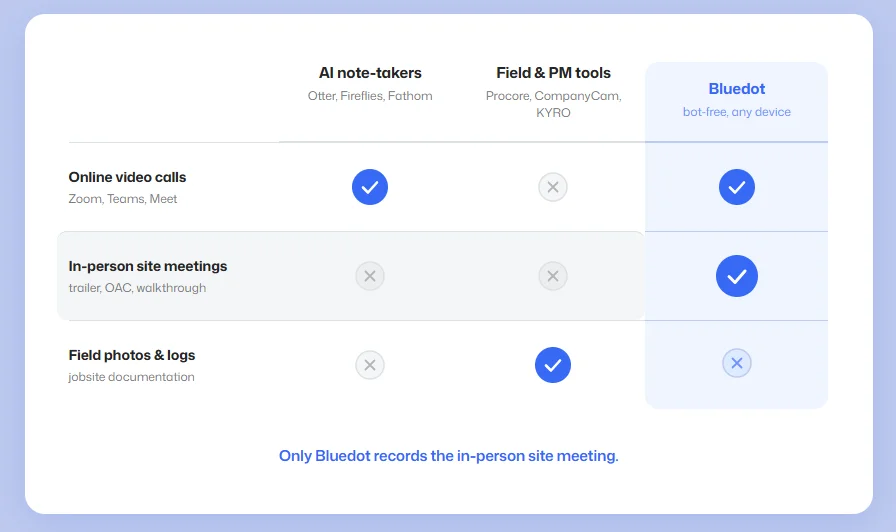
Most AI tools you'd use on a construction project are:
- AI note takers — Otter, Fireflies, Fathom, and other AI meeting assistants. They record your meetings, use AI to transcribe the conversation, and generate AI meeting notes and follow-ups.
- Construction management and field tools — Procore, CompanyCam, KYRO. They automate admin tasks on the jobsite. For example, turning photos, daily logs, RFIs, and a foreman's voice memo into a progress report.
The problem: 99% of these tools aren't useful for in-person meetings — a huge part of your job.
Field tools don't record conversations, and most AI note taker apps were built for video calls.
A few — Otter, Fireflies, Granola — let you record an in-person meeting with your phone, but the experience is usually buggy, you lose recordings all the time, and they can't handle bad cell reception at a construction site.
Some apps, like Fathom or Microsoft Copilot, can't record in-person at all.
"Copilot doesn't have any tools that can help with note-taking for in-person meetings." — IT project manager at a construction and real estate firm
Most people end up taking notes themselves, or just memorize (and forget) a lot.
What's the most useful AI tool for construction firms?
What you need is AI note taking tools for construction that handle in-person meetings.
Plaud devices are a great example, if you don't mind buying new hardware.
For recording jobsite conversations with your existing devices, consider Bluedot.
Below, we'll take a closer look at the 9 most popular AI tools for construction notes.
The best AI note takers for construction: quick overview
*Plaud's free minutes still require one of its hardware devices.
#1. Bluedot — top pick for in-person construction meetings
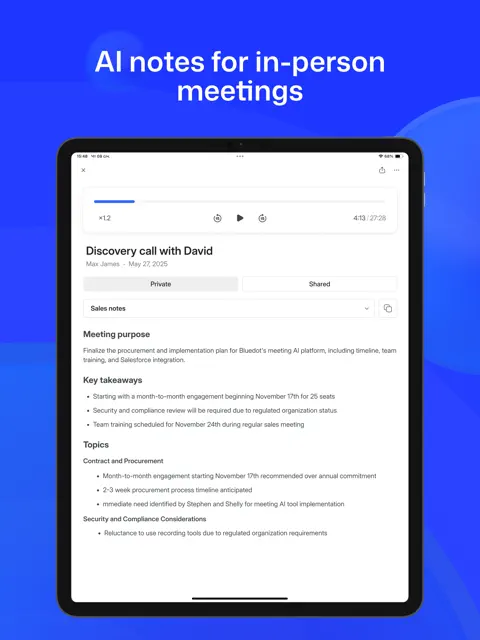
Bluedot is a bot-free AI note taker that records your meetings — on Microsoft Teams or in the site trailer.
It works for both the design team video call and the in-person OAC meeting. Either way, you get an accurate transcript and AI meeting notes afterward.
Resolving disagreements gets easier with an accurate transcript that keeps everyone on the same page. Forget arguing about a disputed change order — you have the exact words from every conversation.
The one catch is integrations. Bluedot doesn't connect straight to Procore yet, so notes reach your PM software through Zapier.
"…the one that was the most accurate, worked for the various types of meetings, both virtual and in person." — operations lead at a facilities firm with PMs on construction sites
Who Bluedot is for
Best for: construction PMs and site teams who need both their video calls and in-person meetings on record.
Key features
- Bot-free recording — online and in person.
- Records at a desk or on-site — from a phone, laptop, or Apple Watch.
- Speaker recognition — labels each line with the speaker's name.
- Transcribes English, Spanish, and 100+ languages — plus a custom vocabulary (English) where you can add site-specific jargon for sharper accuracy.
What Bluedot does well
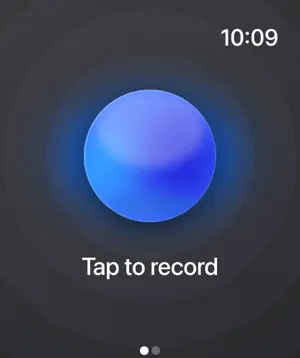
✅ The only tool here you can run from a smartwatch
✅ SOC 2 certified and GDPR-compliant, for government or unionized jobs
✅ EU or US data residency, and your meeting recordings never train AI models
✅ Turns an hour-long meeting into written notes in minutes
"It's like five, ten minutes versus one or two days." — operations lead, existing Bluedot customer
Bluedot pricing
- Free — $0: 5 recordings to try it, up to an hour each. Apple Watch and in-person recording included.
- Basic — $14/user/mo: unlimited audio meetings, one-hour cap, no video.
- Pro — $20/user/mo: unlimited video, unlimited length, custom templates.
- Business — $32/user/mo: unlimited imports plus HubSpot and Salesforce sync (Voice-to-CRM).
The free plan is five recordings total, not five a month — so a working crew likely needs a paid plan like Basic or Pro.
💡 BLUEDOT PRO TIP
Rename "Speaker 1" once, and Bluedot tags the speaker correctly across the whole transcript. That way, you always know who said what.
#2. Plaud — best for hands-free recording in construction firms
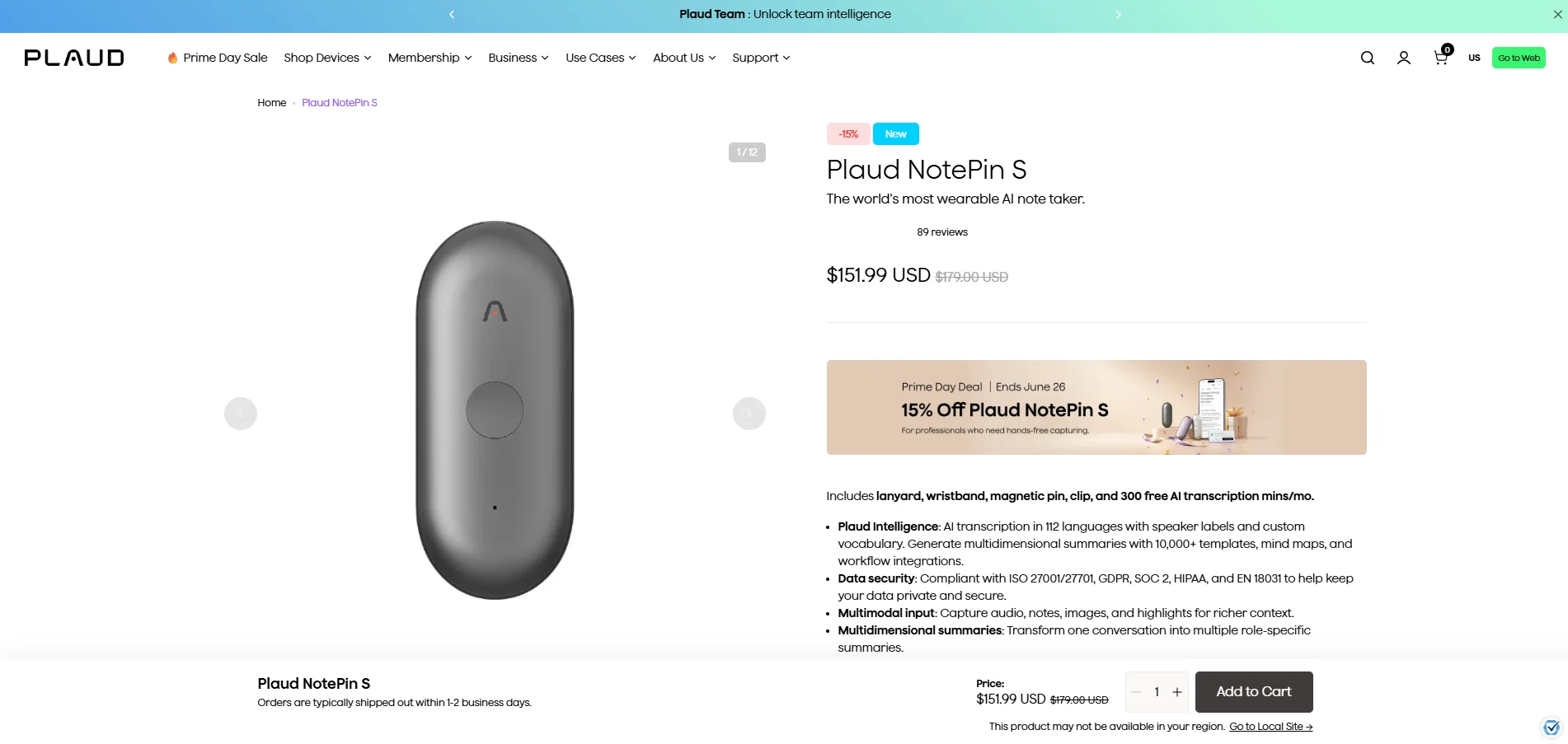
Plaud is a brand of hardware-based AI note-takers:
- Plaud Note — a small recorder in the shape and size of a credit card, which you can attach to your phone.
- Plaud Note Pro — a more powerful version of the base recorder.
- Plaud NotePin — a wearable, pill-shaped recorder you can wear as a pendant or clip on your shirt.
- Plaud NotePin S — a more expensive NotePin, with physical buttons and more included accessories.
After you record a conversation with a Plaud device, it syncs with your phone or web app — which is where you get the transcript and meeting notes.
A dedicated recorder has its appeal on a noisy construction site, since its more powerful microphones capture better audio quality than most phones. Also, it picks up an in person meeting better because it's not in your pocket.
The downside is cost. You buy the recorder, then pay a subscription, which blindsides many buyers.
"...no any mention about that subscriptions before purchasing it." — Mohamed Talaat, Trustpilot
Who Plaud is for
Best for: contractors who want a dedicated, hands-free recorder.
Look elsewhere if: you'd rather not buy and maintain another device, or you need sync with Procore.
Key features

- Dedicated recording hardware — the Note, Note Pro, and wearable NotePin line.
- Longer mic range on Note Pro — picks up audio to about 16 feet, against roughly 10 on the others.
- Industry glossaries and 112 languages — a custom vocabulary with built-in glossaries for technical terms.
- Auto speaker labeling — learns a voice from a 30-second sample and names that speaker next time.
What Plaud does well
✅ Battery runs for days of recording and weeks on standby
✅ Strong compliance for regulated or government work (SOC 2 Type II, ISO 27001, and HIPAA)
✅ Gets jargon and technical talk right
Drawbacks of using Plaud
❌ Hardware failures and firmware bugs, with a short warranty and slow fixes
❌ Customer support is unresponsive
❌ Speaker labeling and transcription quality drop with background noise
Plaud's support gets a lot of flak, and not without reason. One reviewer reported getting "No solution. No timeline. No replacement." after Plaud's own firmware update bricked his device.
"...tainted a good product with NO CUSTOMER SUPPORT." — Jacey Davis, Trustpilot
Plaud pricing
- Free — $0: 300 minutes of transcription monthly, though the recorder is still a separate buy.
- Pro — $99.99/year (about $8.33/mo): raises the cap to 1,200 minutes monthly.
- Unlimited — $239.99/year (about $20/mo): unlimited in name, with a 24-hour-per-day transcription ceiling.
You still need to buy a $159 device, so the "free" tier isn't really free.
#3. Fireflies — best for teams on Zoom who also meet in person
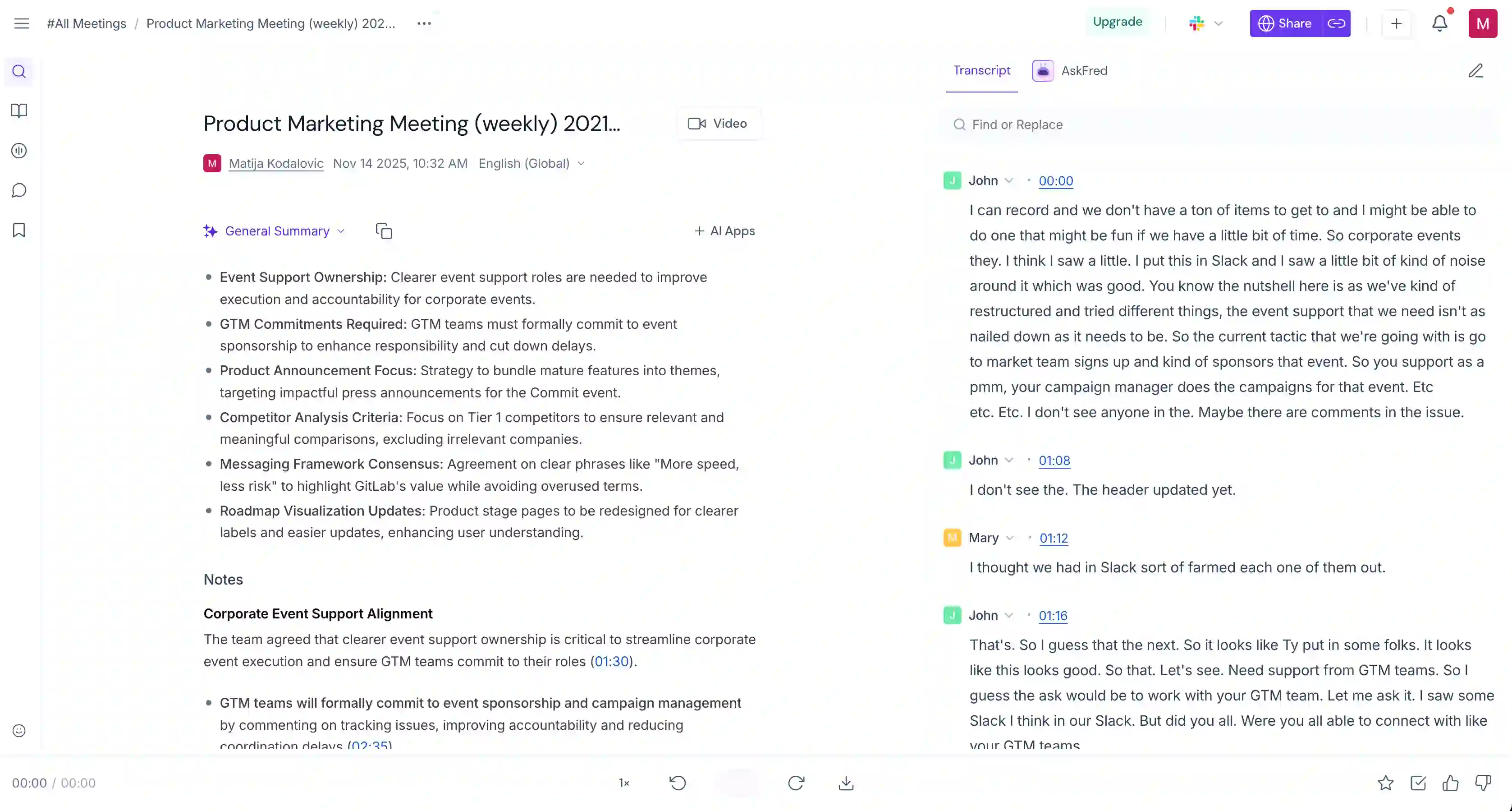
Fireflies is an AI meeting assistant built around a meeting bot that joins meetings on Zoom, Teams, or Google Meet, transcribes them, and the AI writes the meeting notes.
It also has a phone app that records in-person meetings — so the same tool can transcribe a sit-down with a sub, not just the video call.
Two things to watch for construction: off Zoom and Meet, you only get generic speaker labels (Speaker 1, Speaker 2). And Fireflies meters its AI features with credits, so the real cost is much higher than the subscription prices would suggest.
Who Fireflies is for
Best for: teams whose meetings mostly happen on Zoom or Teams and who want one tool that also catches the occasional in-person meeting.
Look elsewhere if: most of your meetings are on-site.
Key features
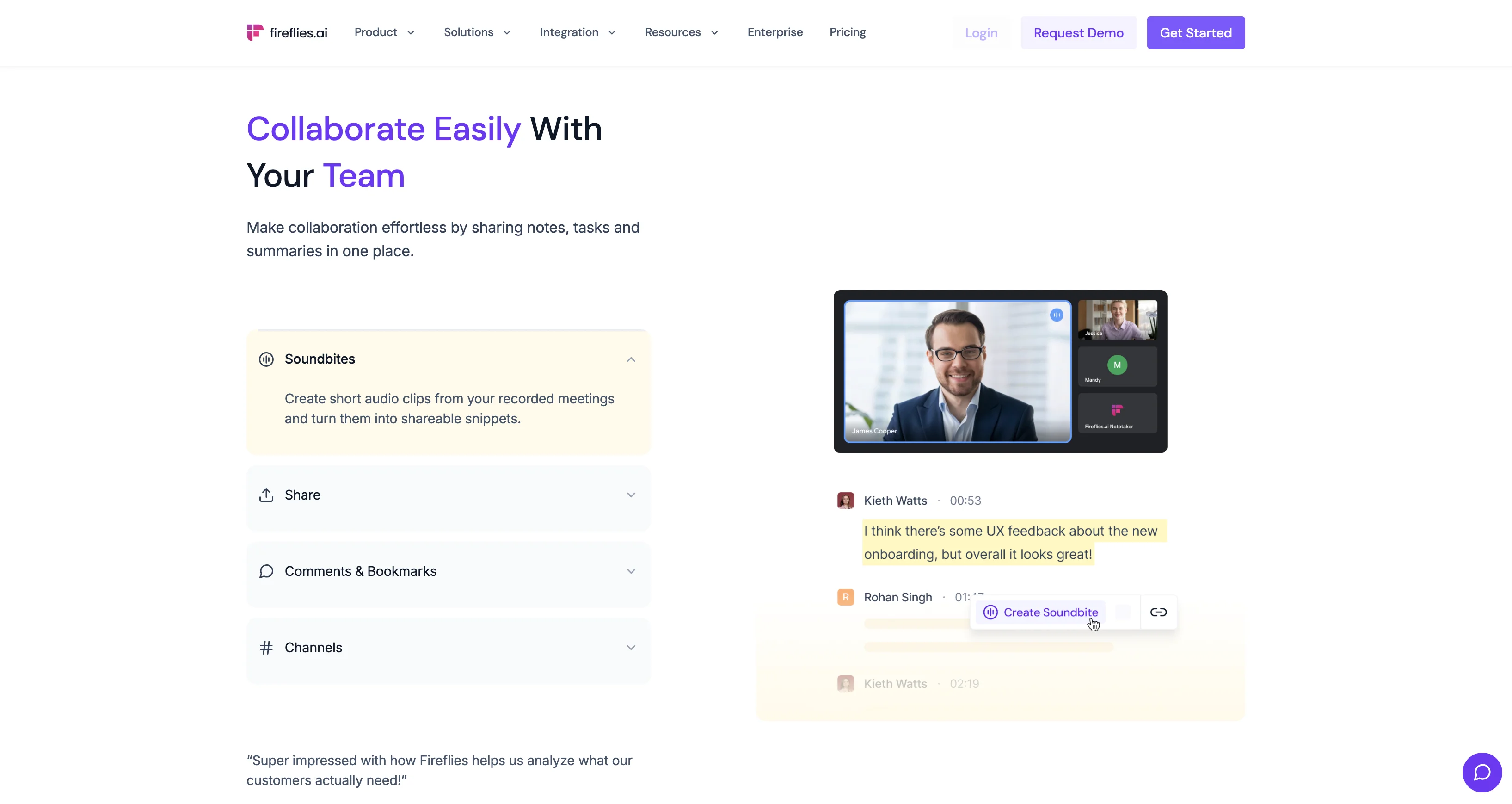
- Meeting bot transcription — joins Zoom, Teams, Google Meet, and Webex and writes up meetings.
- Multi-language mode — multilingual support for 100+ languages, and 60+ within a single meeting (Business plan).
- AskFred AI chat — ask questions and get answers pulled from past meetings.
- CRM and Slack integrations — share notes to Salesforce, HubSpot, or Slack (paid plans).
What Fireflies does well
✅ Records in person from a phone
✅ Good for bilingual crews — transcribes English and Spanish, even mixed in one meeting
Drawbacks of using Fireflies
❌ Off Zoom and Meet, speaker labels are only "Speaker 1, Speaker 2"
❌ Accuracy is lower in a noisy, multi-speaker meeting
❌ AI features are metered by credits you buy on top of your plan
❌ The bot joins meetings even after I deleted my account
The credit model and the bot are my biggest downsides. Reviewers say the notetaker "still joins Zoom meetings" even after they deleted their account, and call out the billing:
"Deceptive billing practices, no transparency, and poor customer support." — Verified user in games industry, G2
Fireflies pricing
- Free — $0: transcription in 100+ languages with 800 minutes of storage per seat.
- Pro — $10/user/mo (annual): 8,000 minutes of storage, meeting summaries, and the integrations.
- Business — $19/user/mo (annual): unlimited storage, video recording, and multi-language mode.
- Enterprise — $39/user/mo: SSO, HIPAA, and private storage.
Every paid plan is billed per seat, and Enterprise is annual-only.
#4. Otter — best for office teams already on Zoom and Teams
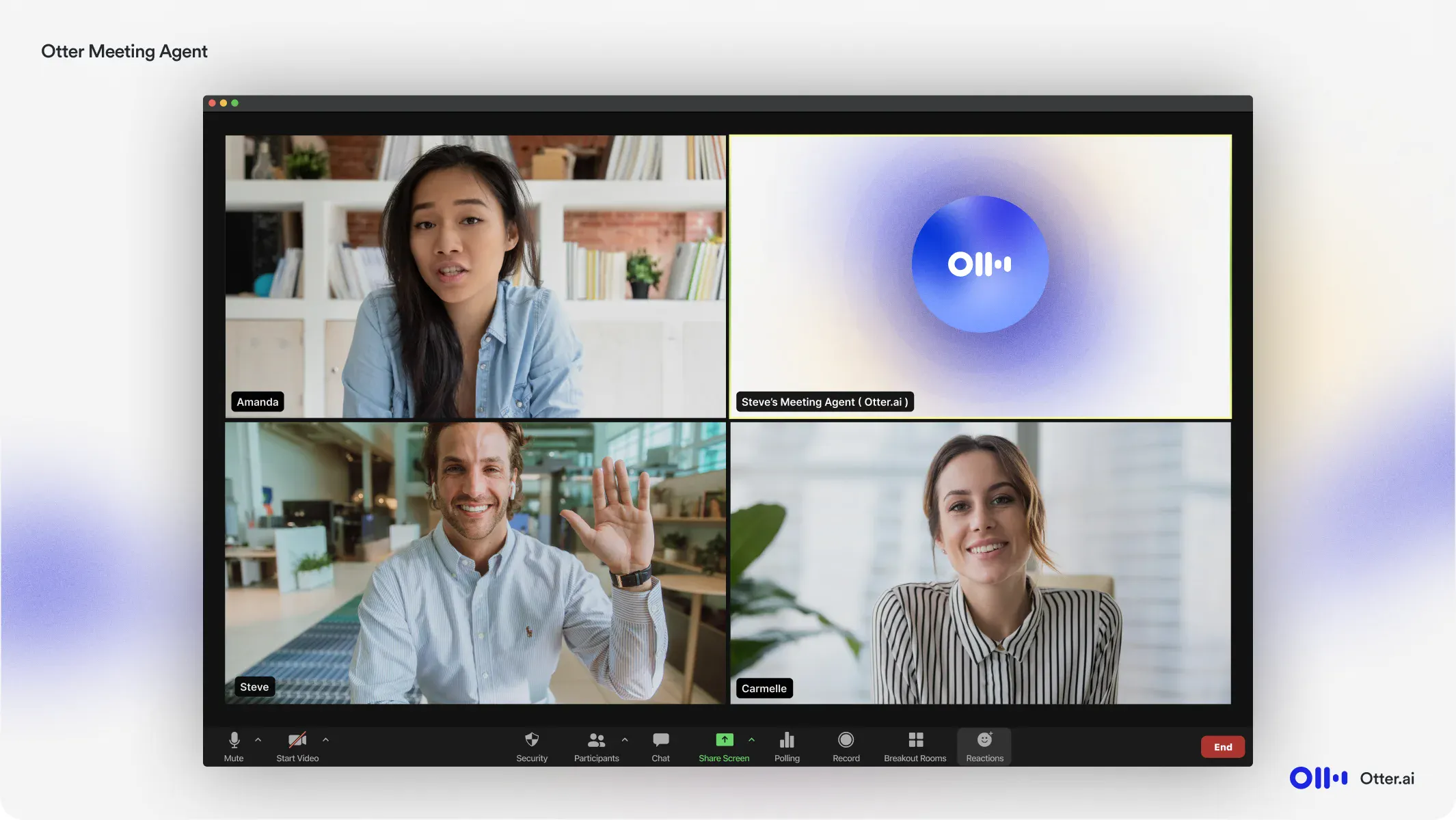
Otter AI is a widely used AI meeting assistant. Its bot joins and transcribes your video calls, and lets you ask questions about them afterward through Otter AI Chat.
It records in-person meetings too, through the phone app — though the bot is built for video calls first.
Unfortunately, Otter forgets who's who once a meeting ends, so you re-introduce the same crew each time — annoying on a crowded site.
Who Otter is for
Best for: teams who want an easy-to-adopt tool and run most meetings on Zoom, Teams, or Meet.
Look elsewhere if: your site meetings are crowded and in person.
Key features
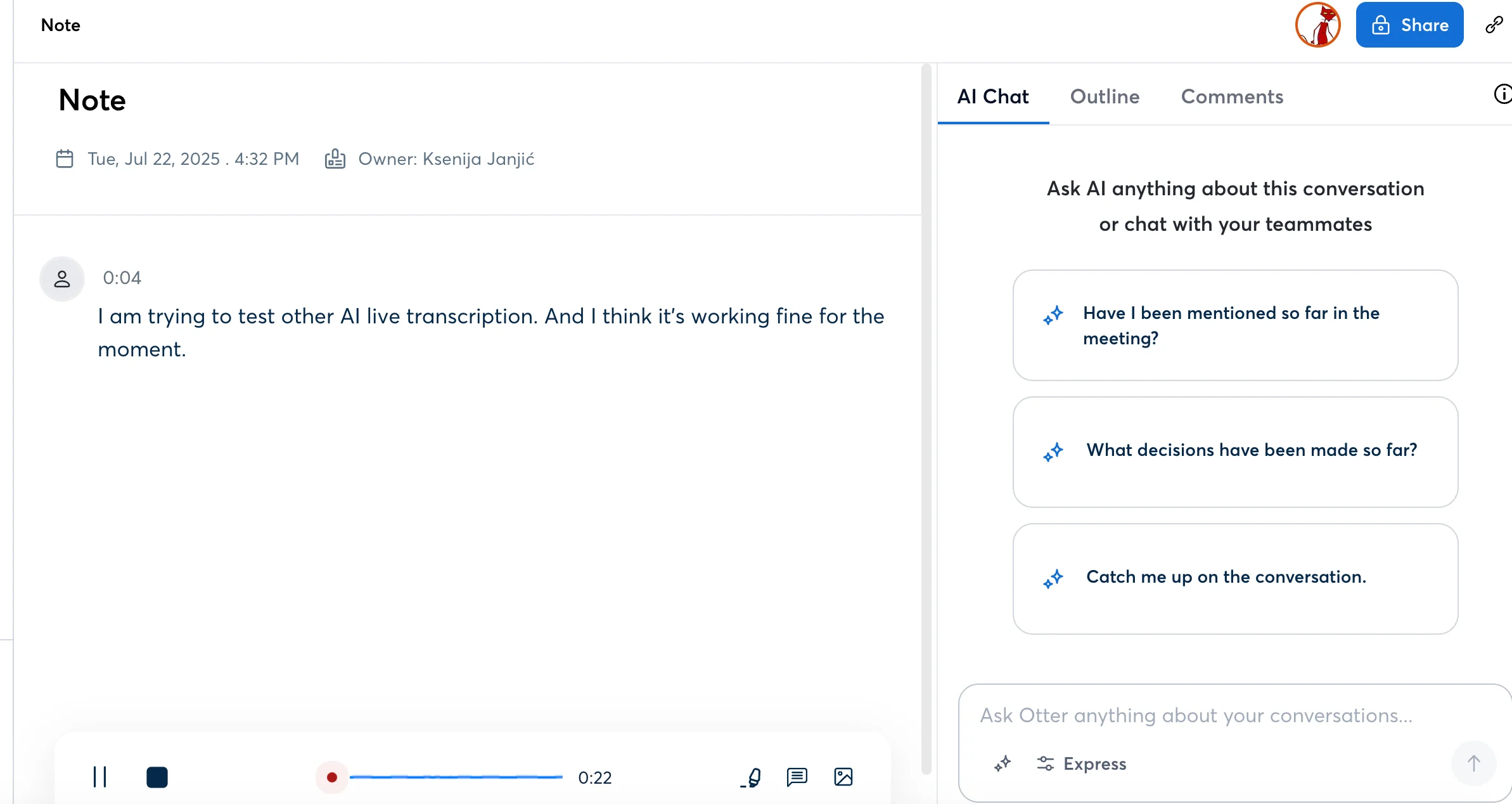
- Live captions during the call — real-time transcription of Zoom, Teams, and Google Meet as people talk.
- Otter AI Chat — ask about past meetings in plain language instead of scrolling the transcript.
- Phone app and Chrome extension — record in person on mobile, or grab a Meet call bot-free in the browser.
What Otter does well
✅ Reliable transcription on a clean video call, or an imported audio file
✅ A good fit for the office side — Teams and Zoom calls with the design team or owner
Drawbacks of using Otter
❌ Otter doesn't remember speakers between meetings — you label the same people again every time
❌ It isn't as accurate with accents, background noise, and technical terms
❌ The visible bot adds your colleagues without asking, and can email transcripts to people who weren't in the meeting
❌ A class-action lawsuit has been filed over how it records without clear consent
The speaker labeling and the pushy bot are the real problems:
"Spending 1 hour to tag all the speakers in a 10-hour meeting only to do it all again." — Verified user, G2
And a CEO warned that Otter sends notes out on its own unless every employee turns it off:
"...nightmare to have every employee turn off… risk accidentally sending meeting notes" — Mason S., CEO, G2
Otter pricing
- Free — $0: 300 transcription minutes a month and three file imports for the life of the account.
- Pro — $8.33/user/mo (annual): 1,200 minutes a month and 10 imports a month.
- Business — $19.99/user/mo (annual): unlimited meeting transcription minutes and bulk export.
- Enterprise — custom: SSO, a HIPAA add-on, and admin controls.
The free plan's three-imports-ever cap makes it a trial more than a free tier for a busy crew.
#5. Fathom — best for free notes on video calls
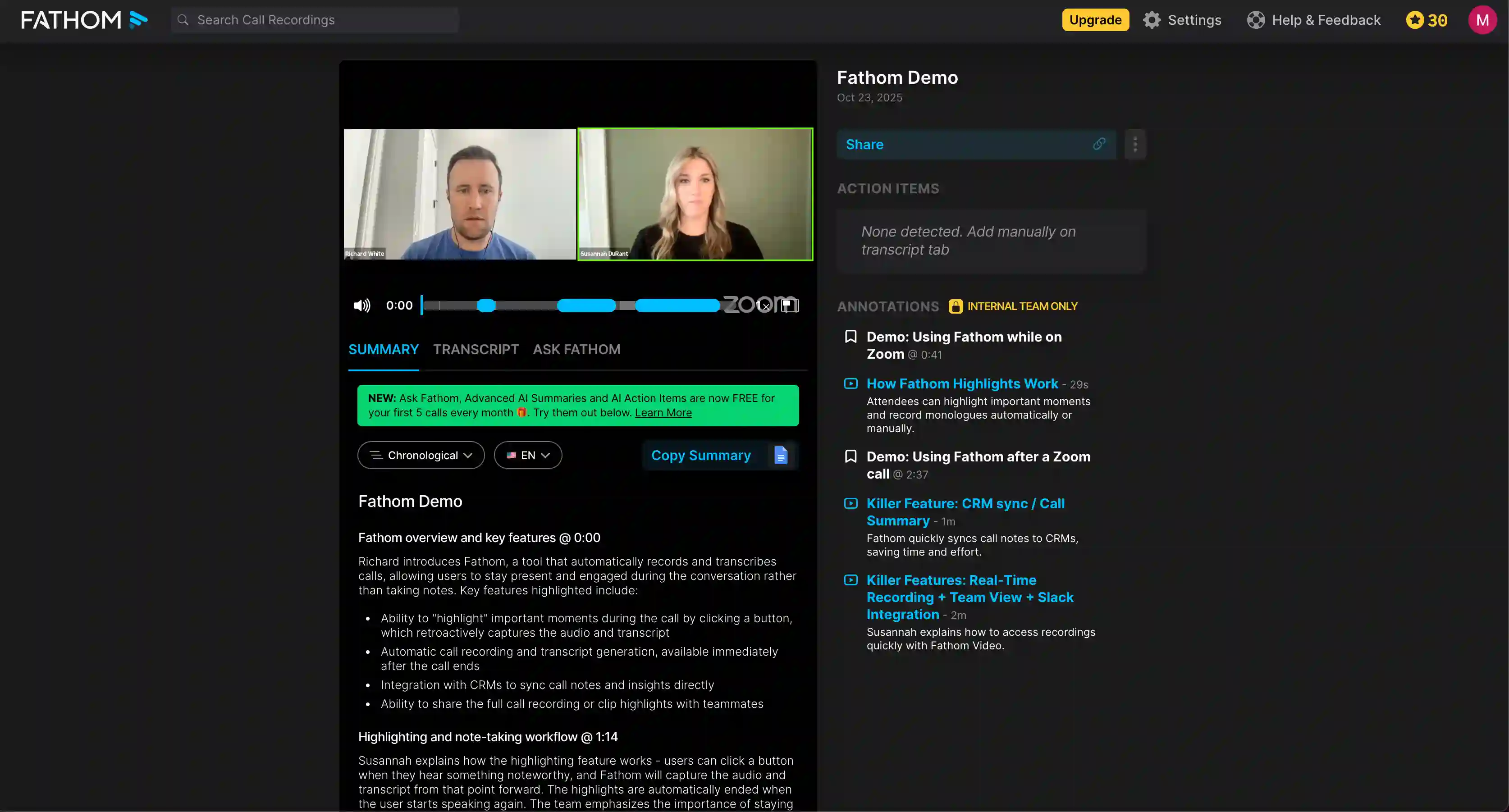
Fathom is an AI meeting assistant that records and summarizes your video calls on Zoom, Teams, and Google Meet, and its free version is more generous than most.
But Fathom only works on video calls. There's no phone app for in-person meetings, no Apple Watch, and no way to upload an audio file you recorded elsewhere — forget about using it for a meeting in the trailer.
Who Fathom is for
Best for: an office-based PM whose internal meetings are all on Zoom or Teams.
Look elsewhere if: you need to record anything in person.
Key features
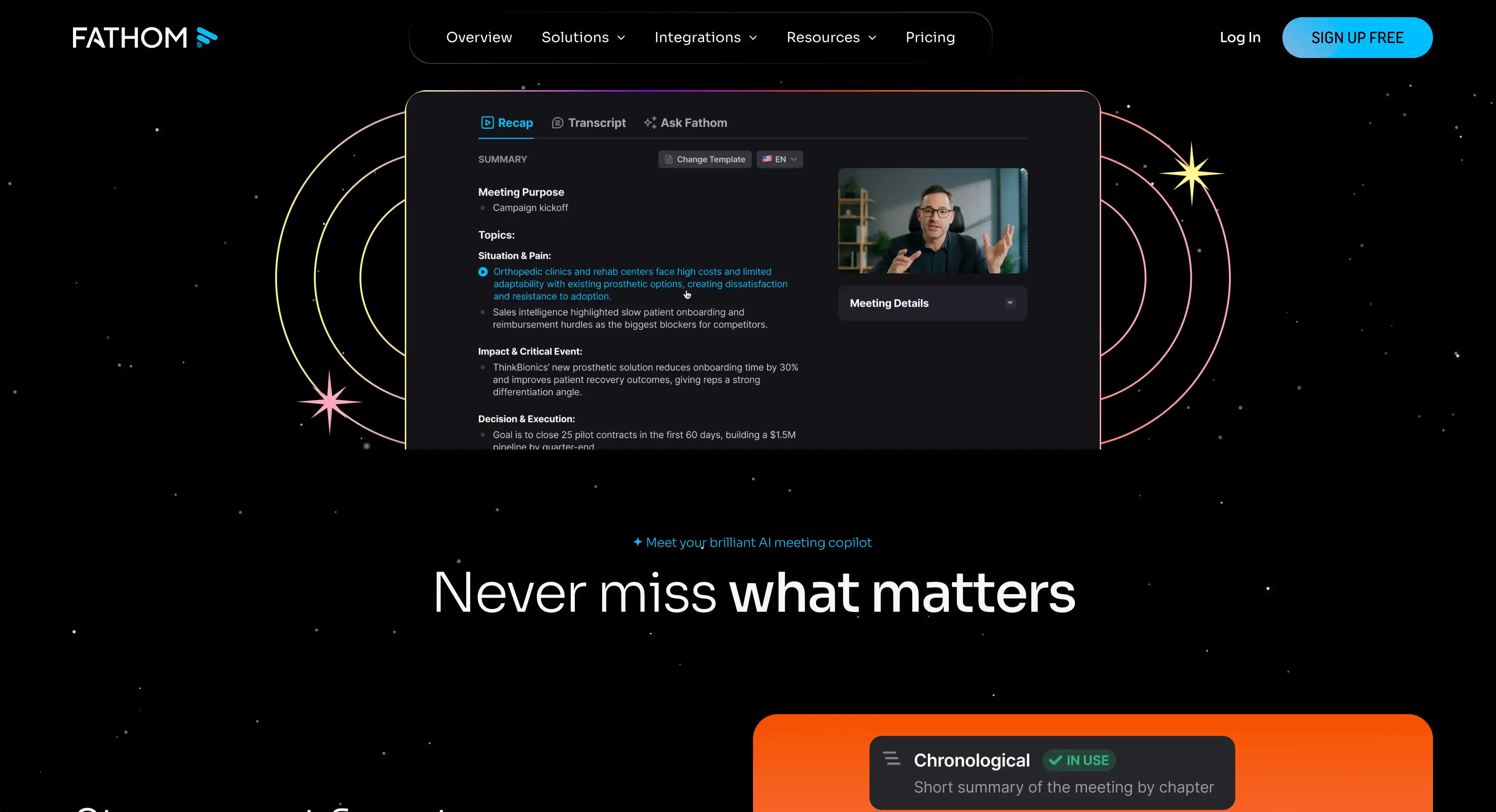
- Bot or bot-free recording — record meetings on Zoom, Teams, and Google Meet.
- Automated summaries and action items — a templated meeting recap after each call, with the key points and follow-ups pulled out.
- Clips and highlights — grab a key moment from a call and share it.
- Integrations — Slack, HubSpot, and Salesforce, plus ChatGPT and Claude.
What Fathom does well
✅ One of the most generous free plans here — unlimited recordings and transcripts
✅ Audited security — SOC 2 Type II, HIPAA, and GDPR
Drawbacks of using Fathom
❌ Video calls only — no in-person recording, no phone app, and no way to upload an outside audio file
❌ It sometimes misses a meeting without warning
❌ The summary sometimes includes things that were never said
❌ Bot-free recording is Mac-only, and still in beta — on Windows, a bot joins the call instead
Two things come up again and again in the low ratings:
"...it missed one of my most important meetings of the year" — Verified user in media production, G2
"...the AI seems to hallucinate a lot" — Verified user in marketing, G2
Fathom pricing
- Free — $0: unlimited recordings and transcripts, with basic summaries.
- Premium — $16/user/mo (annual): advanced features like summary templates, action items, and Ask Fathom.
- Team — $15/user/mo (annual, 2-user min): global search, custom vocabulary, and SSO.
- Business — $25/user/mo (annual, 2-user min): CRM field sync and coaching metrics.
The free plan is usable, but CRM sync is capped at three users per company until the Business paid plan.
#6. Granola — best for bot-free notes when you work solo

Granola is a bot-free AI note taker built around your own notes. If you jot down a few lines during a meeting, it uses the transcript to flesh them out into a clean summary afterward.
One thing to understand up front: Granola doesn't actually record your meeting.
It processes the audio live to produce a transcript, then discards the audio — there's no recording to replay later and no way to upload an audio file you captured elsewhere.
On a Mac or PC, Granola's desktop app transcribes system audio from Zoom, Teams, and Google Meet. To capture an in-person meeting, you use the iPhone app, which listens through the phone's mic.
That makes Granola a solid pick for a solo PM, and a weak one for a crowded coordination meeting.
Who Granola is for
Best for: an individual PM on an iPhone who wants tidy, bot-free AI meeting notes without a recorder.
Look elsewhere if: your crew is on Android or you want the audio on file.
Key features
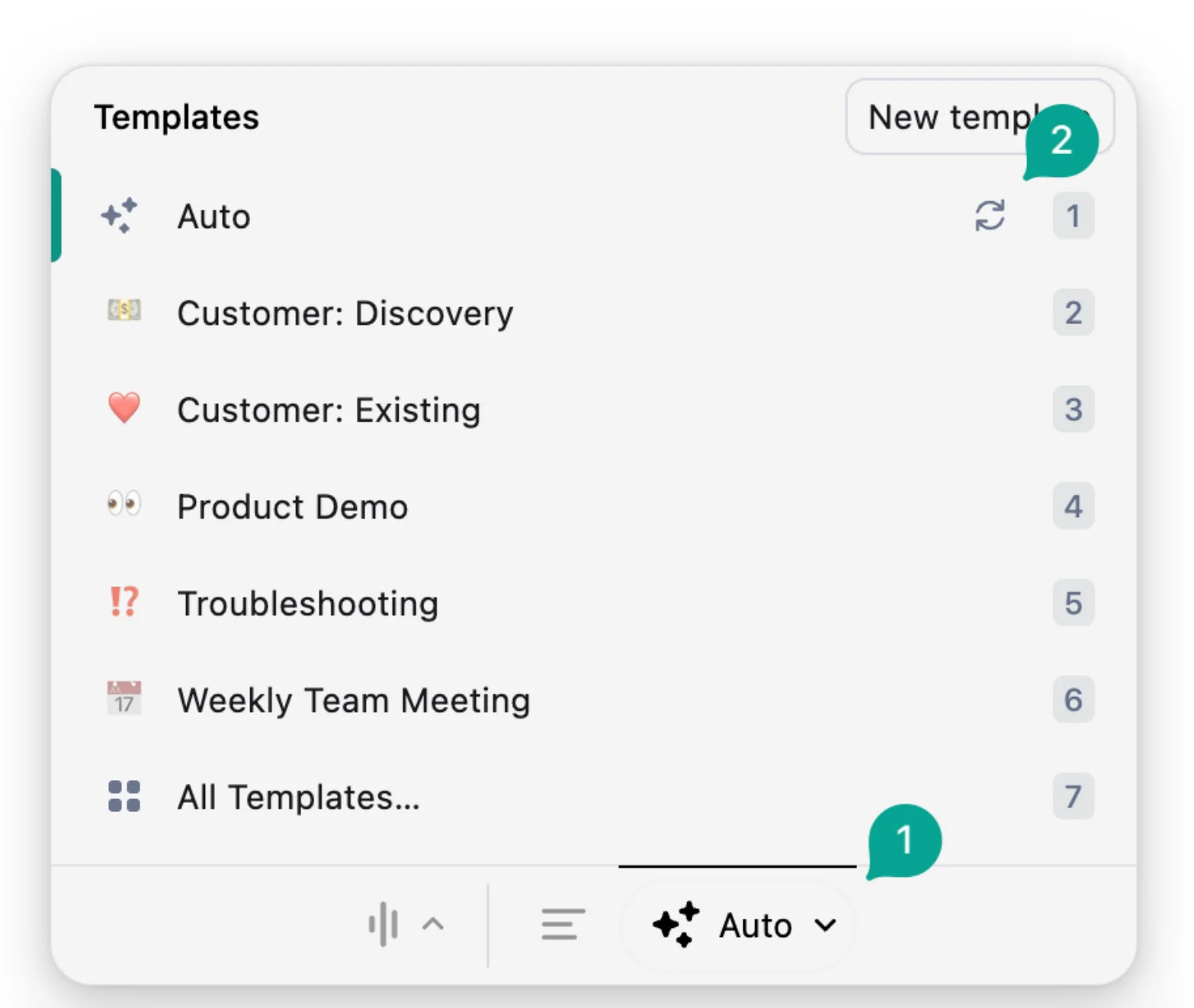
- Bot-free capture — transcribes system audio on desktop and in-person audio on the iPhone.
- Notes built on your own — you type shorthand during the meeting, and Granola expands it into structured notes against the transcript.
- Granola Chat — ask questions across your meeting knowledge in plain language.
- Multi-language transcription — multilingual support including English and Spanish, plus an English custom vocabulary for site-specific jargon.
What Granola does well
✅ Discreet, bot-free recording
✅ Handles bilingual meetings, English and Spanish included
✅ Clean, lightweight notes with very little setup
Drawbacks of using Granola
❌ It keeps the transcript, not the audio — there's nothing to replay if a change order is later disputed
❌ No named speakers — desktop labels only "Me" and "Them," and the iPhone app tags generic "Speaker A, B, C"
❌ In-person recording is iPhone-only
❌ Data is stored in the US only, with no EU residency option
❌ The free plan keeps just 30 days of history
Because there's no audio to fall back on, your record is less convincing in case of a dispute — and users say mistakes do happen:
"It does not capture all meeting details." — Paul M., Executive Assistant, G2
"...it can't identify the participants after the fact" — r/AI_Agents
Granola pricing
- Free — $0: AI meeting notes, Granola Chat, and multi-language support, but only the last 30 days of meeting history and no integrations.
- Business — $14/user/mo: premium features — unlimited history, advanced AI models, and integrations (Slack, HubSpot, Notion, Zapier).
- Enterprise — from $35/user/mo: SSO, admin controls, and org-wide retention settings.
Granola's paid plans bill monthly only — there's no annual discount.
#7. CompanyCam — best for field and photo documentation
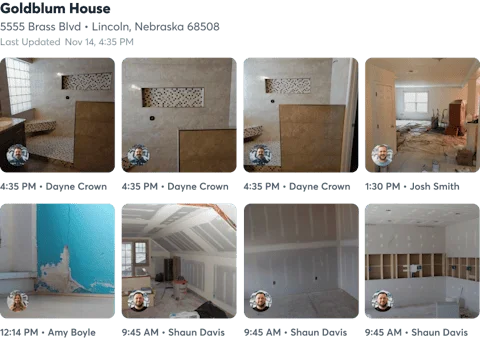
CompanyCam is a construction app for documenting the jobsite in photos — not for taking meeting notes.
Its AI Walkthrough Note is the closest it comes: you walk the site, snap photos, and talk, and the AI writes your narration into a shareable field report.
That makes it a solid record of site conditions and progress — but it can't sit in on a coordination meeting or an OAC call. It can't capture conversations and has no speaker labels, so it's pretty useless for actual meetings.
Who CompanyCam is for (and who it isn't)
Best for: field crews who need a photo-and-voice record of what's happening on-site.
Look elsewhere if: you need notes from meetings, not walkthroughs.
Key features
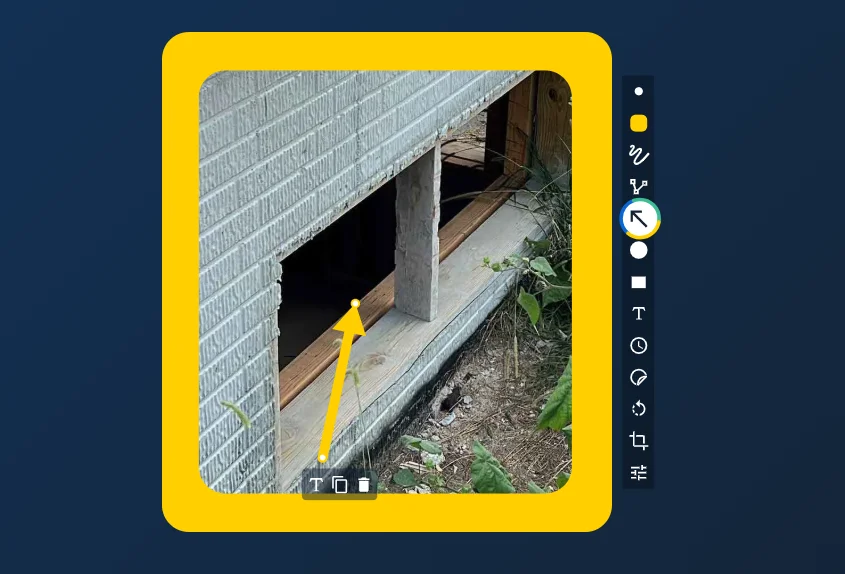
- AI Walkthrough Note — turn voice memos into an editable field report.
- Photo and video documentation — GPS- and time-stamped, with unlimited cloud storage.
- Real-time translation — between English and Spanish.
- 60+ integrations — trade CRMs like AccuLynx, JobNimbus, and ServiceTitan, plus Zapier.
What CompanyCam does well
✅ One of only three construction-first tools in this lineup
✅ A photo-based record of the site
✅ Translates messages, tasks, and reports between English and Spanish
Drawbacks of using CompanyCam
❌ It documents the site, not the meeting
❌ No conversation capture or speaker labels
❌ No free plan, and a three-seat minimum
❌ Unlimited AI needs the $129/mo Premium plan
In practice, the photo upload draws complaints — some users report photos going missing after a project syncs:
"...16 pics for the project are invisible somewhere." — CompanyCam user, App Store
CompanyCam pricing
- No free plan: a 14-day trial only.
- Pro — $79/mo (3 users, annual): photo documentation and translations, with 10 AI credits to trial the AI.
- Premium — $129/mo (3 users): unlimited AI walkthroughs, recaps, and daily logs.
- Elite — $199/mo (3 users): document signing, photo measurements, and iOS LiDAR capture.
Extra seats are $29/user/mo, and even a solo operator pays for three.
#8. KYRO — best for multilingual field crews
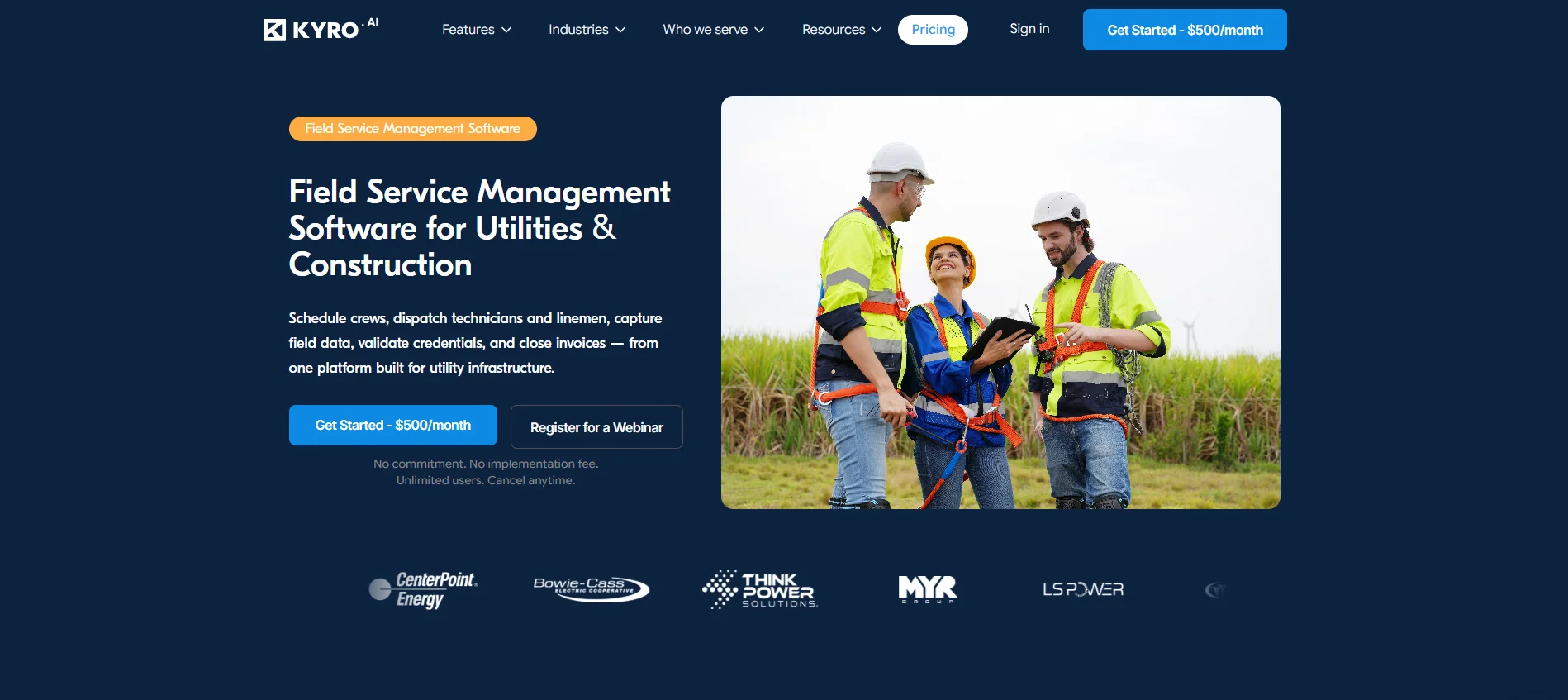
KYRO is a field-operations platform for utility, storm, and construction contractors. It runs rosters, daily logs, safety forms, and invoicing — crucially, not meetings.
However, it supports multilingual voice notes. A crew member records a field update in their own language, and KYRO's AI can translate it for the rest of the team.
KYRO solves some basic problems for a multilingual crew, but it can't replace an actual AI meeting assistant. It only supports field updates from one worker, not a transcript of a meeting. And at $500 per module per month, it's not priced for everyone.
Who KYRO is for (and who it isn't)
Best for: large utility, storm, and vegetation crews who need field documentation in multiple languages.
Look elsewhere if: you want meeting notes, or you're a small team weighing the price.
Key features
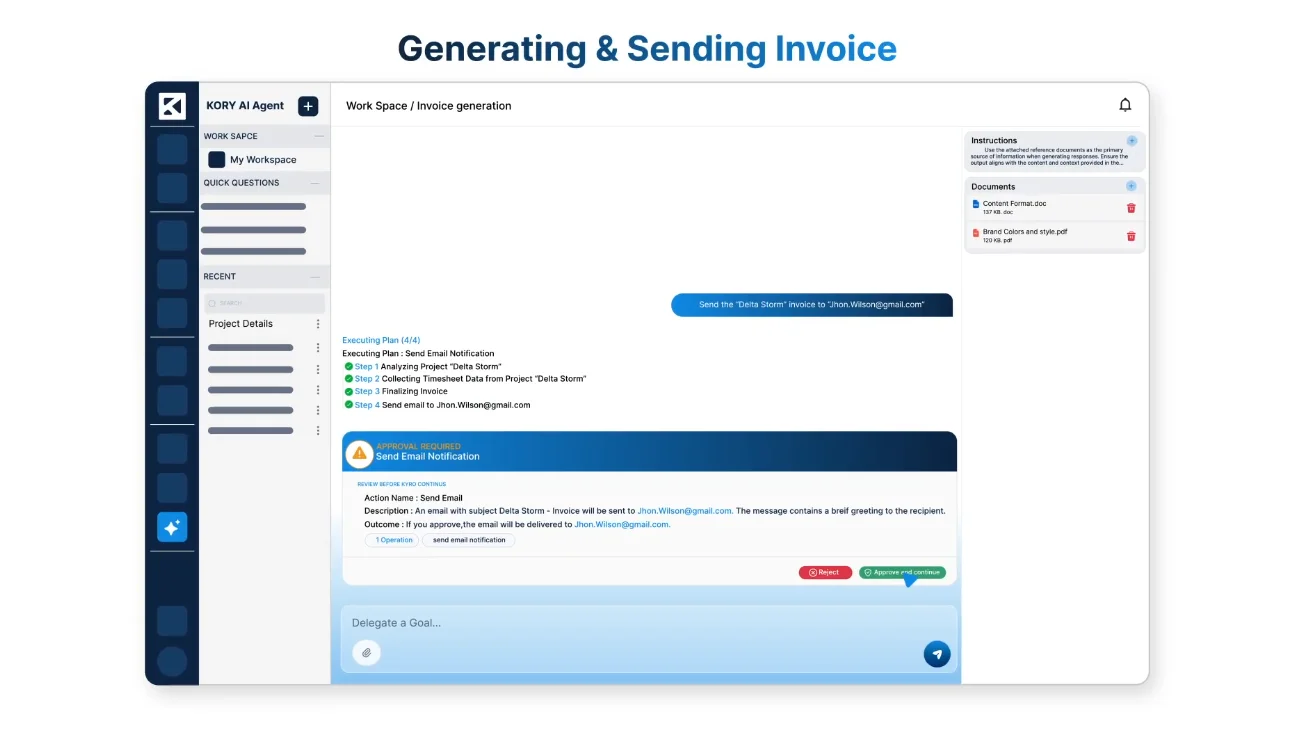
- Multilingual voice notes — crews record updates in any language, and AI translates them for managers.
- 50+ digital forms — inspections, safety audits, OSHA-aligned forms, and daily logs.
- Field-to-invoice tools — GPS-verified timesheets, automated invoicing, and crew credentialing.
- Offline capture — log forms and timesheets with no signal, then sync later.
What KYRO does well
✅ Built to run and document an entire field operation
✅ Covers OSHA safety and crew credentials
✅ Lets a non-English-speaking crew file reports easily
Drawbacks of using KYRO
❌ Its voice notes are field updates, not meeting transcripts
❌ Records one worker at a time, not a room
❌ Pricing starts at $500/mo per module, with no free tier
❌ Aimed at utility and storm crews, not small GCs
KYRO has few public reviews, and they skew strongly positive — so there's little critical signal to weigh. The soft knocks that recur are a learning curve at onboarding, plus a mobile app and reporting that some users find limited.
KYRO pricing
- No free plan: a live demo or webinar to try it.
- $500/mo per module: a flat rate, unlimited users, no setup fee, cancel anytime.
Each module is billed separately, so a full deployment is expensive.
#9. Flowlly — best for construction-specific meeting minutes
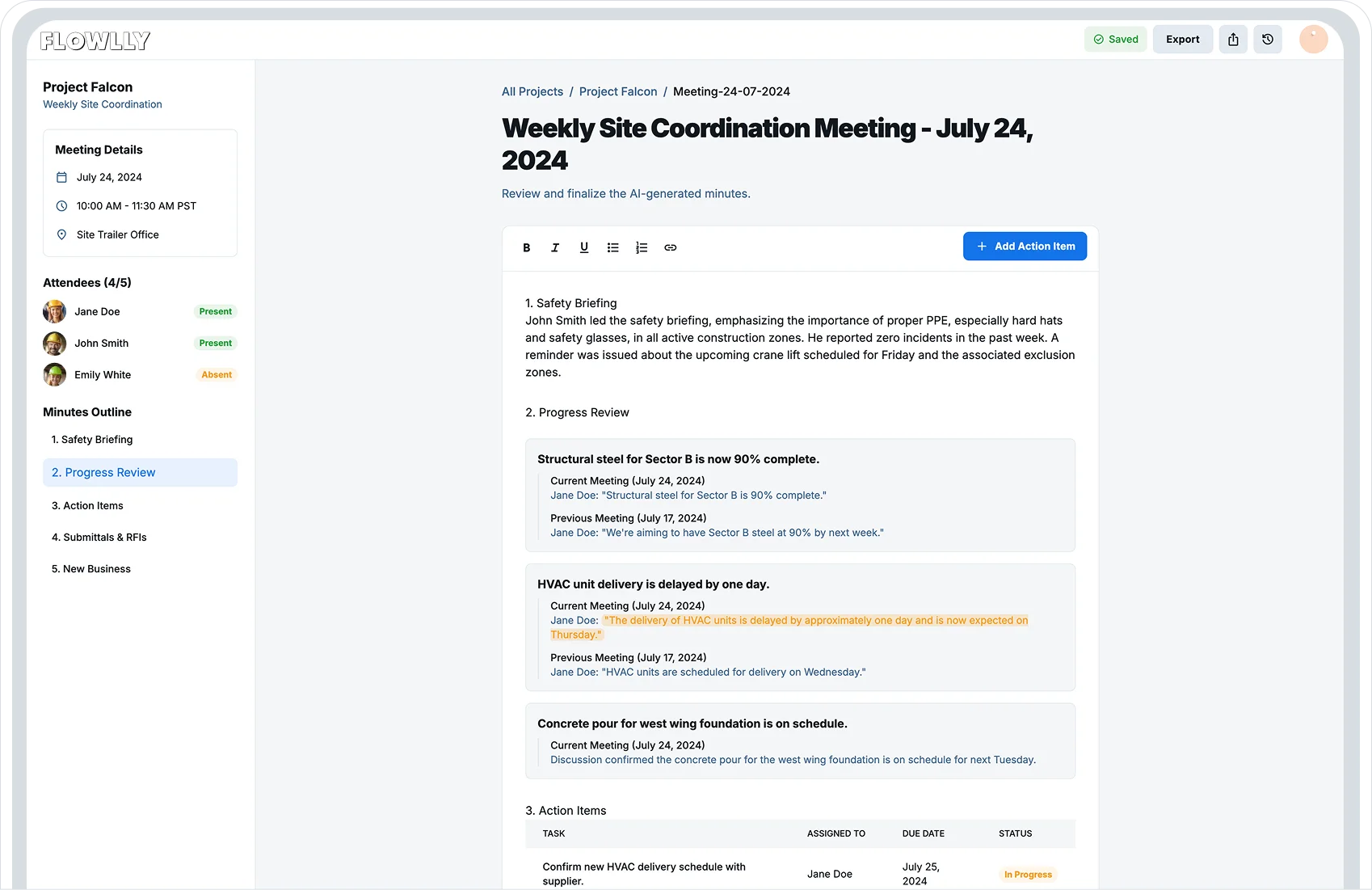
Flowlly is the only tool here built specifically for construction meeting minutes.
It joins your scheduled meetings through your Google Calendar and turns each one into time-stamped, searchable notes and meeting minutes — which can hold up in a dispute.
You set the agenda topics up front, the AI writes the meeting minutes against them, and you can lock the minutes so no one edits them after the fact.
But Flowlly only joins meetings through your calendar — so on-site conversations go unrecorded.
Who Flowlly is for (and who it isn't)
Best for: office-based construction teams who want accountability and a defensible record.
Look elsewhere if: you need to record in-person meetings.
Key features
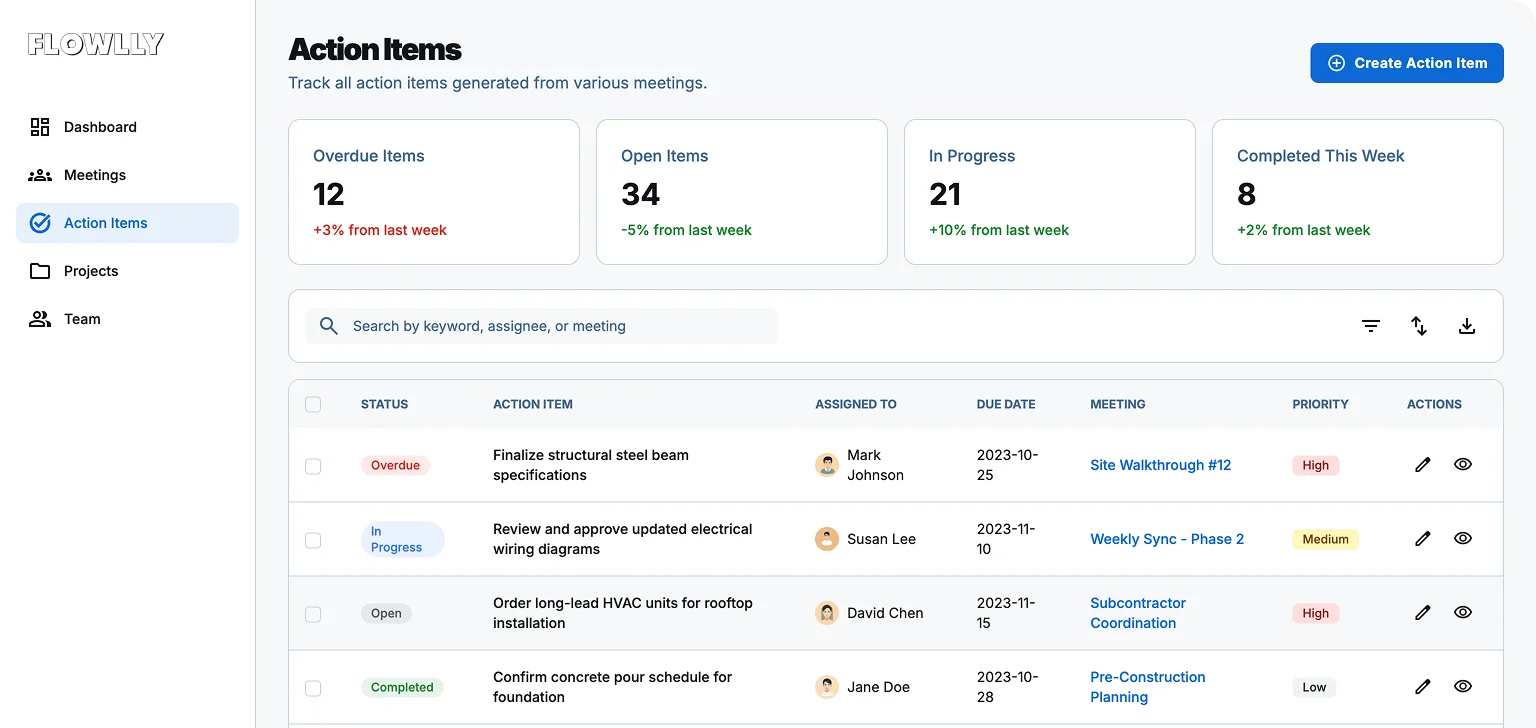
- Topic-driven minutes — you define the agenda, and the AI writes the meeting minutes.
- Locked records — freeze the meeting minutes after a set time so they can't be changed.
- Change tracking — every edit to the minutes is attributed to whoever made it.
- Action items and approvals — auto-generated follow-ups, plus comment-and-approve on the minutes.
What Flowlly does well
✅ The only construction-specific meeting minutes tool here
✅ Makes your meeting record hard to dispute
Drawbacks of using Flowlly
❌ Can't record a site walk or trailer meeting — calendar invites only
❌ Early-stage, with no published pricing
❌ No security or compliance details published
❌ English only, with no Spanish for bilingual crews
Flowlly pricing
- No published pricing
What construction teams use today
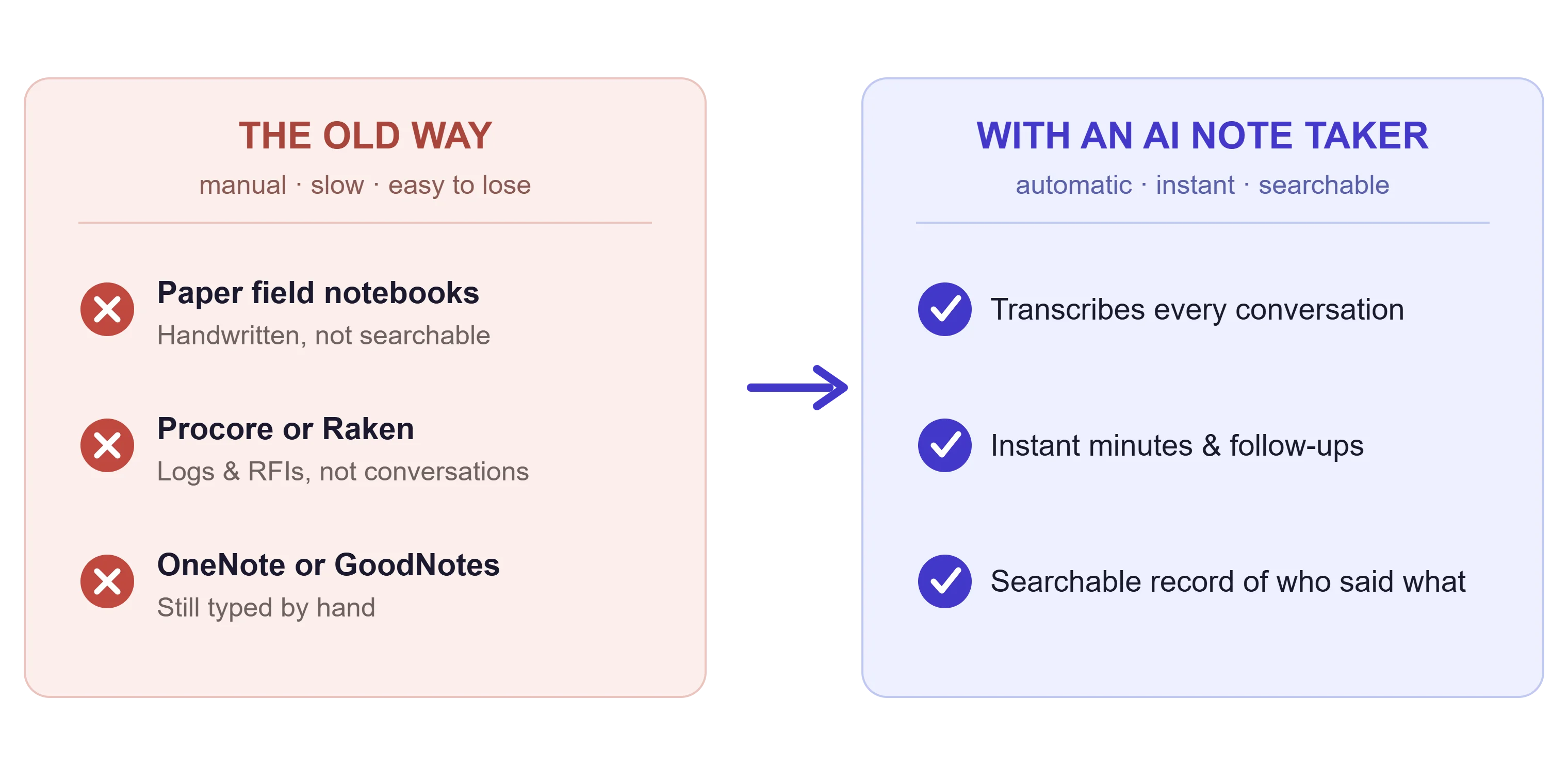
For note-taking, most construction teams use:
- Paper field notebooks — a weatherproof construction note pad you can use in the rain
- Procore or Raken — daily logs, RFIs, and the project's system of record
- OneNote or GoodNotes — typed or handwritten notes on a tablet
A construction notebook (like Rite in the Rain) is still the most common choice. Not ideal, but necessary when you need a written record of stuff clients and contractors say.
"Clients are coming in saying 'we made this decision'... we need that accuracy." — Facilities-management lead, construction (Bluedot demo call)
Switching from hand-written notes to AI software isn't a simple transition. You should still do it, because over time, it's a game-changer.
The right AI note taker for construction can transcribe every conversation and give you instant meeting minutes and follow-ups. Great for client walkthroughs and OAC calls.
💡 BLUEDOT PRO TIP
Moving from a notebook to AI? Learn how to easily turn in-person meetings into shareable notes with our guide: How to Write a Meeting Summary.
Which AI note taker integrates with Procore?
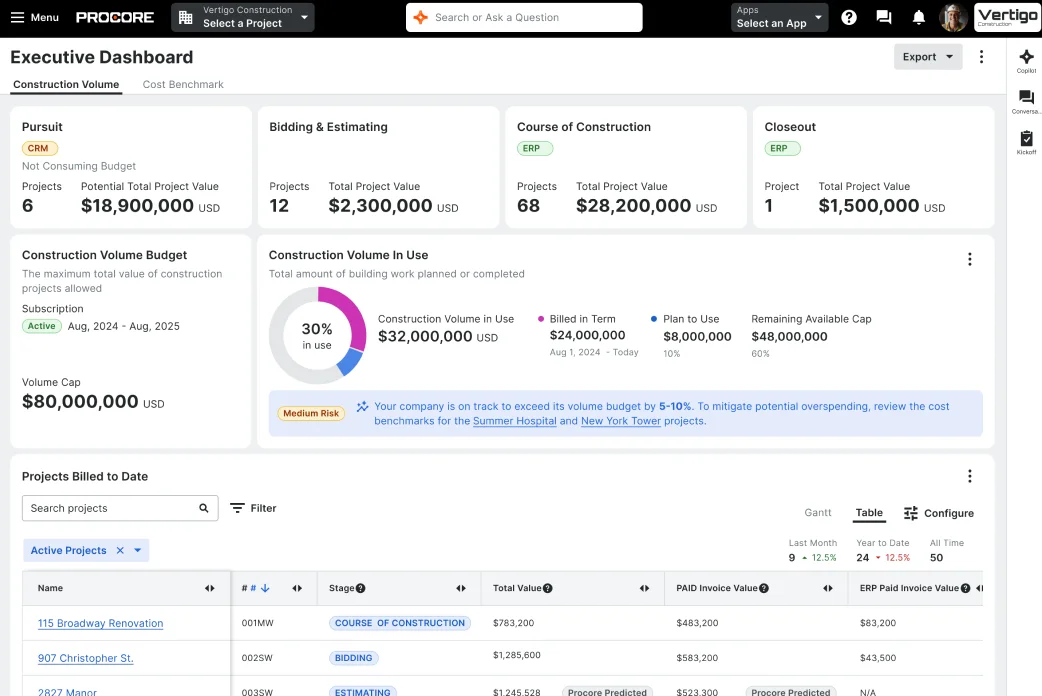
No AI note taker app — and no construction-PM tool either — connects natively to Procore today.
It's one of the biggest unfilled gaps in AI for construction.
Be skeptical of sources that claim otherwise. One affiliate blog mentions that the dictation app WisprFlow connects to Procore, Buildertrend, and CoConstruct — but WisprFlow's own site doesn't confirm that.
💡 BLUEDOT PRO TIP
To get meeting notes into Procore or a CRM today, you route them through Zapier, Make, or a webhook. Bluedot supports all three, plus native HubSpot and Salesforce integrations.
Are AI note takers legal on the jobsite?
Yes, AI note takers are legal — but how you use one is governed by recording-consent laws, and those vary by state and country.
Assume you need everyone's consent before you record meetings.
"A lot of the construction guys... some older people: 'I don't want to be recorded." — Apartment-company CTO (Bluedot demo call)
On a jobsite, consent is as much about trust as law. To stay on the right side of both, always:
- Tell everyone before you start
- Learn the local regulations (some states need only one person's consent, others require everyone's)
- Control who gets the file
Meeting recordings can end up as evidence, so manage access to the files responsibly.
This isn't legal advice, and consent laws change by jurisdiction. But these practical standards hold anywhere.
💡 BLUEDOT PRO TIP
On unionized or government jobs, you may be required to purge records on a schedule.
Use Bluedot's custom retention policy to auto-delete recordings after a set period.
Frequently asked questions
What is the best AI note taker for construction?
Bluedot is the best AI note taker for in-person meetings — OAC calls, coordination, client walkthroughs — because the AI note taker app records bot-free from a phone, Apple Watch, or desktop.
If you need field and photo documentation, CompanyCam is another great choice.
What is the most accurate AI notetaker?
Most AI meeting assistants claim high accuracy figures. Bluedot touts a 98.8–99% transcription accuracy, Fireflies 95%+ — but those are figures from marketing materials, probably obtained on clean audio.
On a noisy jobsite with poor audio quality, any AI meeting assistant will make more mistakes. The ones that let you add custom vocabulary for technical jargon, like Bluedot, are reasonably accurate in real-world conditions.
Can you use ChatGPT for construction?
Yes, up to a point. ChatGPT helps with drafting RFIs, summarizing specs, and explaining code requirements. But it can't record or transcribe meetings.
Use ChatGPT for construction paperwork, but pair it with an AI note taker for the actual conversations.
What is the best note-taking app for engineering?
For engineering meetings — design reviews, owner-architect-contractor calls — you need bot-free in-person recording, real-time transcription, and accurate speaker labels, which Bluedot offers.
For personal notes and calculations, stick with OneNote or Notion.
Is there a free AI note taker for construction?
Yes. Among the free AI note takers and free version plans here, Bluedot's free plan includes in-person and Apple Watch recording, with five lifetime recordings.
Fathom has the most generous free tier for video calls, and Otter's free version gives you 300 minutes a month.
Record every construction meeting with Bluedot
The best AI note taker for construction can boost your meeting productivity by handling the follow-ups and busywork around in-person meetings for you.
Bluedot records your conversations on the site walk or in the trailer via the Apple Watch, or apps for Android and iOS devices. It's discreet and doesn't take anyone's focus away from the actual discussion.