Most "AI note takers" are really meeting bots — they join a Zoom or Teams call and transcribe it.
That doesn't work for a real-life conversation in a client's office or a conference hallway.
If you've been hunting for an AI note taker for in-person meetings — ideally one you can start from your Apple Watch — you've probably found that almost nothing actually does the trick.
I can help you, though. I'm Bluedot's resident writer and researcher, and I've tested more than 30 AI note takers for articles like this one.
Here, you'll learn about the best AI note takers for Apple Watch, how note takers work in general, and what to look for before you pay for one.
Key Takeaways
- Bluedot is the top pick for in-person meetings: a native Apple Watch app with bot-free recording on every plan, working across watch, phone, and desktop, with notes that sync to Claude, your CRM, or your ATS.
- Wave is a strong choice for privacy-conscious solo users — no AI training and SOC 2 audited — though recordings can drop when a call interrupts.
- Notee is the cheapest way to get AI meeting notes on the Apple Watch, but it's not reliable. Reviewers report outages and unwanted billing.
- Otter and Fireflies are capable meeting bots for Zoom and Teams, but neither runs on the Watch — you can only use them to process a recording you make with another Apple Watch app.
- Plaud offers dedicated devices with strong mics, but it's another gadget to buy, charge, and subscribe to.
The three types of AI note takers
Search "AI note taker," and almost everything you find is built for video calls. Mostly, meeting bots that join a Zoom or Teams and get you a transcript afterward.
That's great for remote meetings. And useless for business meetings when the client is across the table, or you're having a quick chat at a conference.
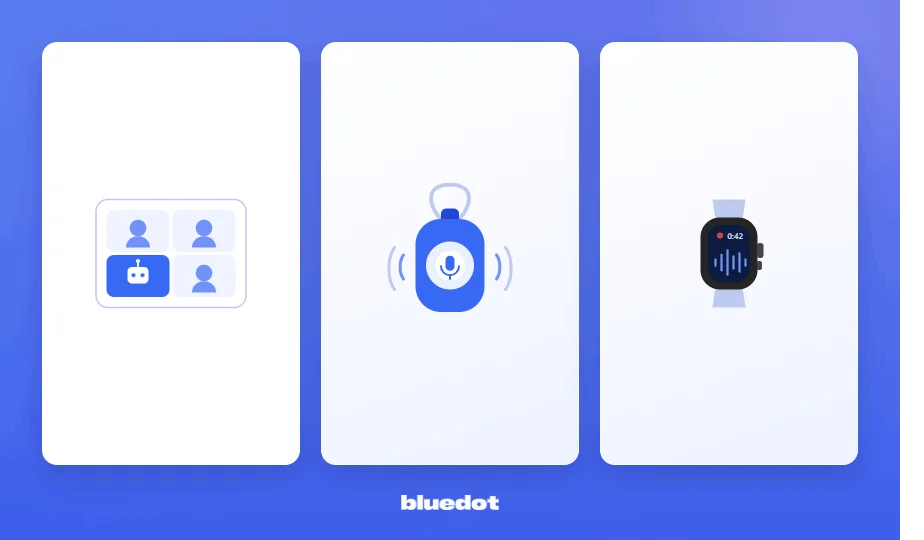
Before you choose one AI note taker, you need to know what kind of conversation they're built for — in other words, how they capture sound:
- Meeting bots — a visible bot joins your Zoom or Teams call and transcribes it
- Wearable AI note takers — a separate recorder you carry, like Plaud
- Native Apple Watch apps — record conversations hands-free, straight from your wrist
I've reviewed a few apps from each category — and a few that overlap. We'll take a closer look at each one.
Can you take notes on an Apple Watch?
Yes, you can take notes on an Apple Watch in three ways. Each one gives you a transcript and a call summary on your phone:
- A native Watch app — like Bluedot, Wave, or Notee
- Voice Memos — built-in Apple Watch transcription app
- Record now, upload later — make an audio recording on your Apple Watch, and upload it to another tool for transcription
💡 BLUEDOT PRO TIP
iOS blocks apps from listening to each other, so the Apple Watch can't record audio from a phone call. It's only ideal for in-person conversations.
How recording on the Apple Watch works
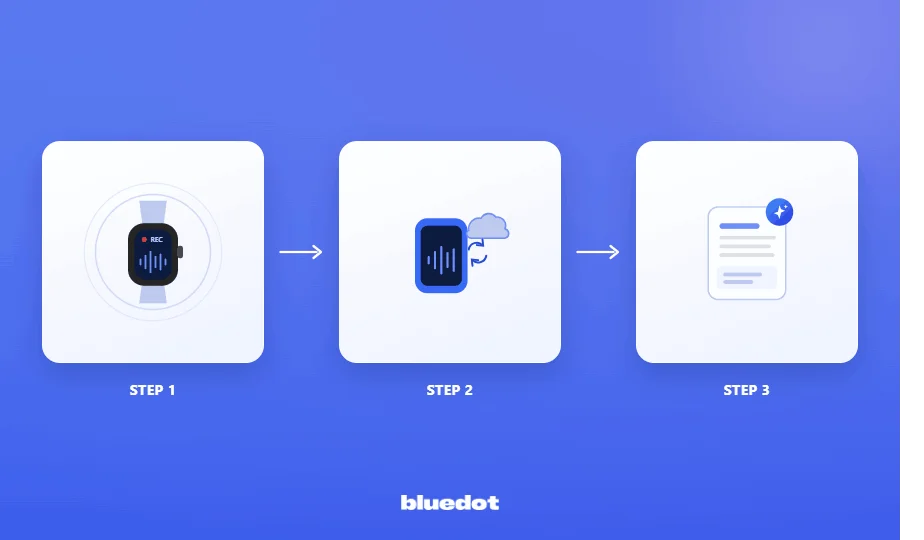
Recording conversations via native Watch apps is simple and doesn't require any complicated setup:
- Open the app on your Watch and tap record — like Bluedot, Wave, or Notee
- Simply keep talking — the Watch records hands-free
- Check your phone afterward — you'll get a transcript and meeting notes once you stop recording
Behind the scenes, the Watch sends the audio recording to your iPhone or the app's cloud storage, where AI models (like OpenAI's Whisper) transcribe it and organize information into structured notes.
If you don't want to install another app on your Apple Watch, the built-in Voice Memos can handle real-time transcription and live captions on recent watchOS versions. But you'll miss out on call analytics and meeting notes.
💡 BLUEDOT PRO TIP
Add Bluedot to your Watch face as a complication, and you can start recording with a single tap — no scrolling through apps mid-conversation.
What to look for in an Apple Watch AI note-taking app
For in-person business meetings, a few key features matter:
- A native Watch app — so you can record meetings without a paired iPhone
- Speaker identification — clearly shows you who said what
- Accuracy in real-world conditions — accents, crosstalk, uncommon words, and multilingual meetings without garbling
- Built-in privacy — consent prompts, GDPR, and SOC 2, and no AI training on your recordings
- Reliable battery and sync — if it's a separate device
- Useful output — AI summaries that highlight key points, with easy CRM export if you need it
💡 BLUEDOT PRO TIP
An AI note taker can't label speakers for in-person conversations unless they introduce themselves. It separates the voices, but "Speaker 1" stays "Speaker 1" until you rename it.
In online calls, these apps can pull participant information from your calendar.
The top Apple Watch note takers, side by side
Here's how the six compare for capturing an in-person conversation:
The full breakdown of each is below, starting with the wrist-native picks.
#1. Bluedot — top choice for in-person meetings
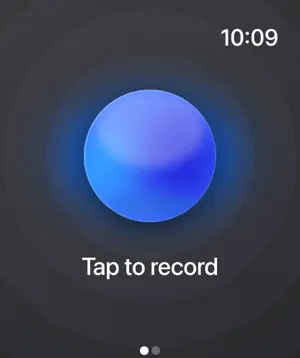
Bluedot is the only tool here built by an AI note-taker company with a native Apple Watch app.
You tap once on your wrist, and it records hands-free and transcribes your in-person meetings — no bot, no laptop open on the table. The browser extension and desktop app can also record phone calls and online meetings.
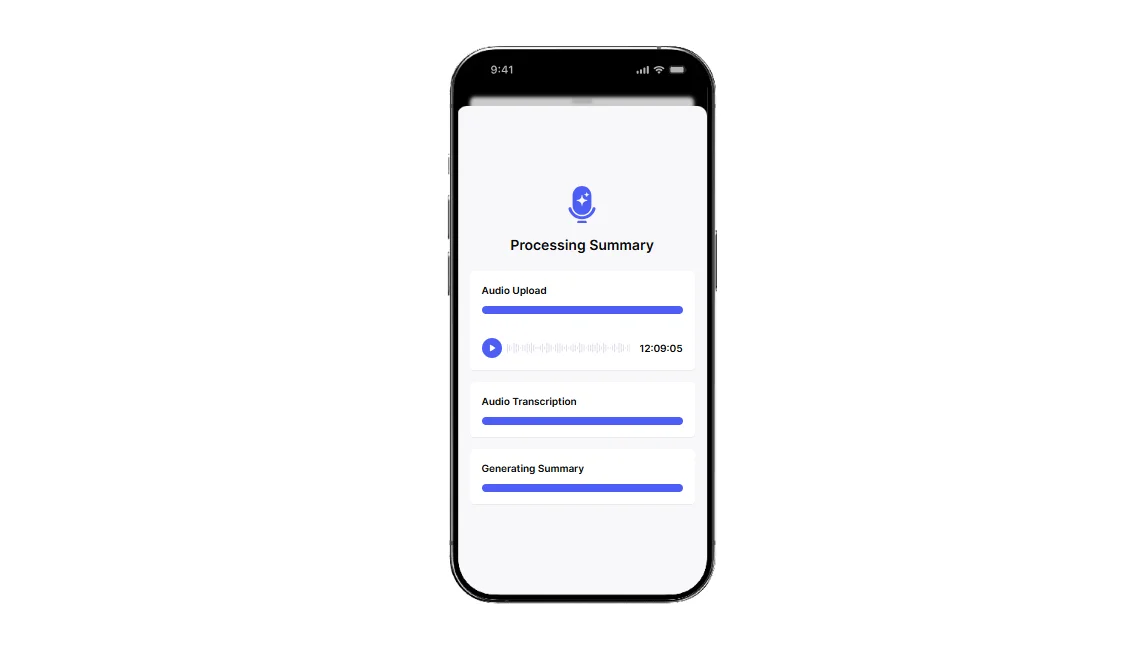
Once any conversation is done, Bluedot pushes the notes to Claude, Slack, Notion, or your CRM. You can also connect it to dozens of other apps directly, and thousands via Zapier.
It's your best pick here for in-person meeting support. The only catch: on an in-person recording, it can't label speakers on its own.
Who Bluedot is for
Best for: client- and field-facing professionals who already wear an Apple Watch and need to record client calls and face-to-face conversations without a bot.
Key features
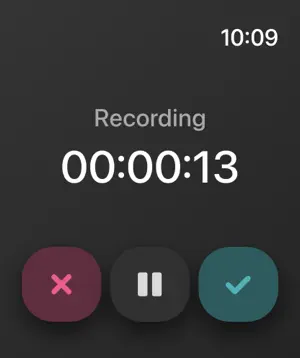
- Native Apple Watch app — start and stop recording with one tap
- Bot-free recording — no AI bots joining your calls, which stay discreet
- One account across every device — Watch, phone, and desktop
- Output to Claude, CRMs, and other apps — share notes with colleagues and action items wherever your team works
What Bluedot does well
✅ The only wrist-native option here from a dedicated note-taker
✅ Records in-person conversations discreetly, so people speak freely, and you stay focused
✅ Accurate transcripts and notes in 100+ languages
Drawbacks of using Bluedot
❌ Automatic speaker labeling only works on online calls (Zoom, Meet, Teams)
❌ CRM and ATS automation is reserved for business and enterprise plans
Bluedot pricing
- Free — core recording and transcription on watch, phone, and desktop
- Paid plans from $14/mo — higher limits plus the CRM and ATS automation
The free plan is enough for everyday use and to test recording on the Apple Watch before you pay.
"It's recording on the watch, and the quality is better than the phone." — consulting lead, Bluedot user
#2. Wave — best for privacy-conscious solo use
Wave is a native Apple Watch app for recording and transcription. It comes with clear privacy rules, which professionals in security-sensitive industries will appreciate.
It records on its own, with Voice ID speaker labels, 76 languages, and desktop and web apps alongside the Watch.
Wave is SOC 2 audited, and it doesn't train AI on your recordings. However, it isn't the most reliable option in practice — the most common complaint in reviews is that a recording can drop mid-session, usually when a phone call interrupts.
Who Wave is for (and who it isn't)
Best for: privacy-conscious solo professionals who want an Apple Watch app
Look elsewhere if: you need HIPAA compliance or you manage a large shared library of recordings.
Key features
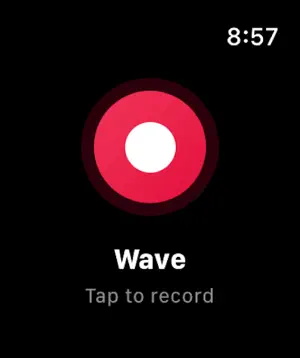
- Native Apple Watch app — records on its own (Series 4+, watchOS 10+)
- Imports audio, video, and podcasts — not just live recordings
- Voice ID — labels recurring speakers automatically
- 76 languages, plus desktop and web apps
What Wave does well
✅ Great privacy policy — no AI training, SOC 2 audited
✅ A usable free version — test the free plan for 30 minutes a month before paying
Drawbacks of using Wave
❌ Recordings can drop — especially if you get a phone call in the meantime
❌ Not HIPAA-compliant — off-limits for medical professionals
❌ Doesn't format notes well when exporting to OneNote and Notion
Wave pricing
- Free — 30 minutes of recording a month
- Pro — $11.67/mo (billed annually) — removes the limit
Bear in mind that prices may differ across regions and platforms.
"the recording can disconnect very easily." — Wave user, [App Store review]
#3. Notee — native Watch app, but prone to crashing
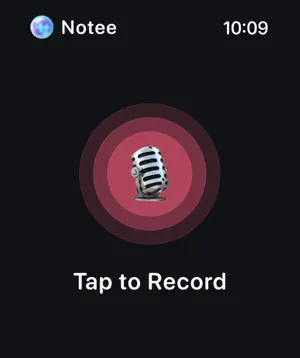
Notee records in-person conversations from a native Apple Watch app and transcribes imported audio files. It's one of only three apps here that run on your wrist, at the lowest entry price.
Like Wave, its main issue is reliability.
Users complain about outages that leave their recording stuck in processing, and transcripts that fail to sync from the Watch to the phone — effectively losing all notes from important conversations.
Notee also has billing issues, including a supposedly free trial that charges before the seven days are up.
The bottom line: it's not dependable — especially for important meetings you can't repeat.
Who Notee is for (and who it isn't)
Best for: users who want to record conversations on their Apple Watch on a budget
Look elsewhere if: the recording is mission-critical. The reliability complaints are too common to risk it.
Key features
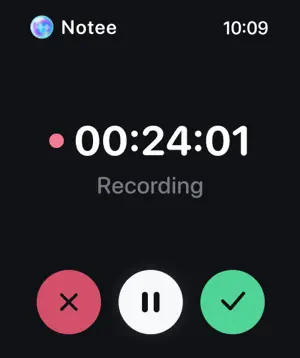
- Native Apple Watch app — record without opening your phone
- Audio import — bring in existing audio files (no video)
- Speaker labels — tags roughly 3–5 speakers
- Low entry price — a free tier plus in-app upgrades
What Notee does well
✅ One of only three apps here with native Watch recording
✅ The lowest entry price among native Apple Watch notetakers
Drawbacks of using Notee
❌ A 2026 outage left recordings stuck and failing to process
❌ The Watch recorder drops long recordings, and transcripts get lost if phone sync fails
❌ 7-day trial charges right away, without a refund
❌ A perpetual content license in the ToS and a cross-app tracking label contradict the privacy-first marketing
Notee pricing
- Free — basic recording and transcription
- Paid upgrades (in-app) — roughly $40–80 a year
Pricing isn't shown upfront, and reviewers report the same annual plan at $40 for some and $80 for others.
"An hour and a half meeting just gone." — Notee user, [App Store review]
Otter & Fireflies — meeting bots, not Watch apps
Otter and Fireflies are the best-known AI note takers, but neither runs on the Apple Watch.
They're meeting bots — they join your Zoom or Teams call and transcribe it.
For in-person notes, your only path with Otter and Fireflies is to record on your Watch and upload the file to them, or run their phone app during the conversation.
#4. Otter.ai
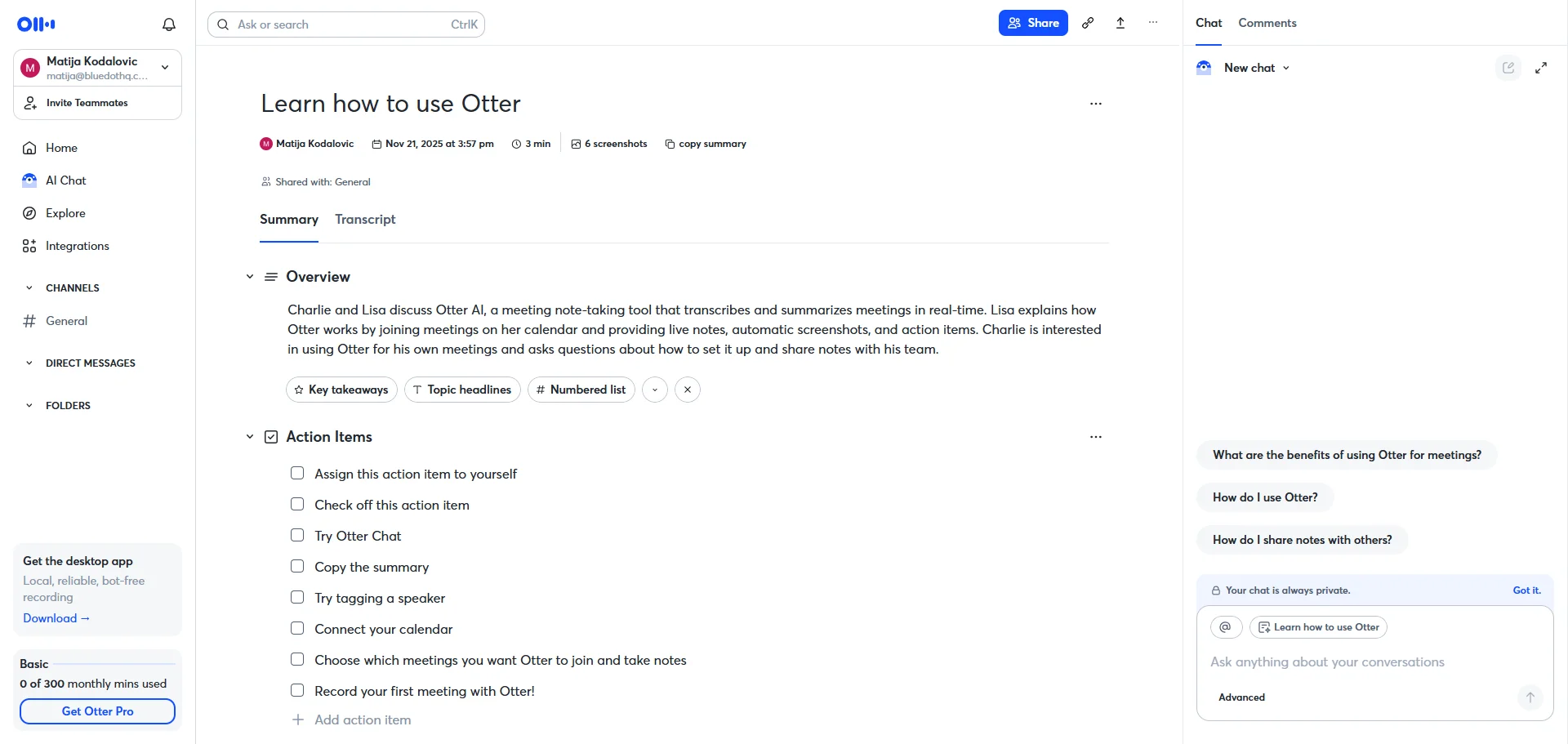
✅ Reliable transcription for Zoom, Teams, and Meet
✅ A generous free version for online meetings
❌ The bot auto-joins calls and emails attendees without asking
❌ Intrusive enough to have drawn a class-action lawsuit over recording consent
❌ Weak speaker labeling and shaky accuracy on accents
"Operates like malware… continues to try and join your meetings." — Dan W., Technical Director [G2 review]
#5. Fireflies.ai
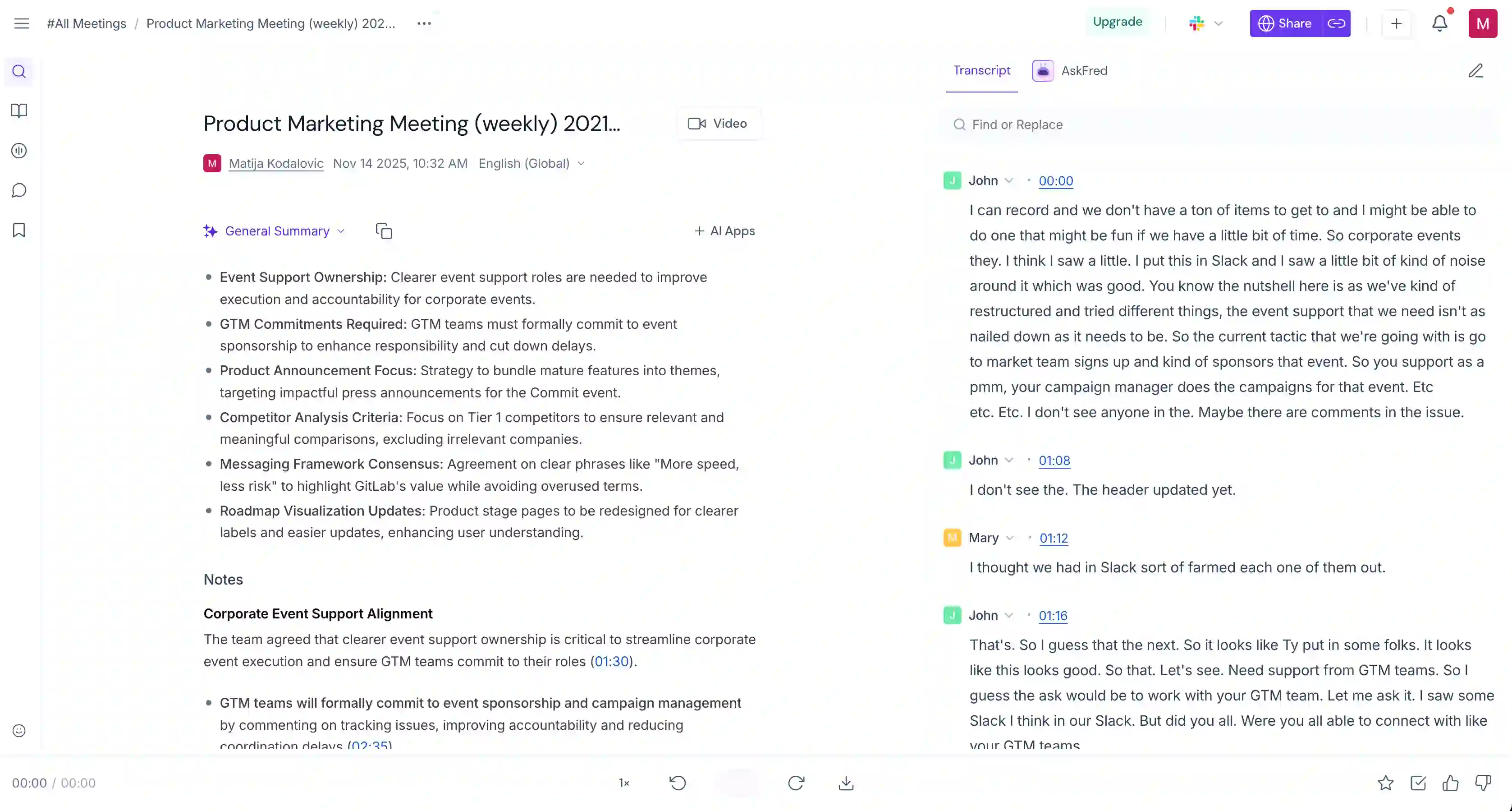
✅ Broad integrations, including Slack, CRMs, and an API
✅ Solid for teams that live in Zoom and Teams
❌ Constant bot joining meetings without consent, even after the account is deleted
❌ Deceptive billing that auto-upgrades you to a higher tier
❌ Incoherent or low-quality summaries
#6. Plaud — the dedicated device alternative

Plaud is a brand of AI note-taker devices. Its most discreet product is a small wearable recorder, the NotePin. You wear it, it records, and the audio syncs to Plaud's app for transcription. Plaud's web app also generates meeting notes based on the transcribed recordings.
The catch is the reason an Apple Watch app appeals in the first place: Plaud is another device to buy (around $150–200), charge, and sync. You also have to pay a monthly or yearly subscription for Plaud's software.
If you already wear an Apple Watch, you'd be paying twice for something you don't really need.
Who Plaud is for (and who it isn't)
Best for: people who want a dedicated recorder and don't mind carrying and charging one.
Look elsewhere if: you'd rather use the Apple Watch you already own.
Key features

- Wearable recorder (NotePin) — clips on or wears like a pin
- Standalone recording — works without a phone or watch
- Audio import — bring in existing recordings via Plaud's web app
What Plaud does well
✅ Strong, dedicated mics built for accurate in-person recording
✅ Nothing to open or unlock — record hands-free whenever you want
Drawbacks of using Plaud
❌ Another device to buy (around $150–200), then charge and carry around
❌ A monthly AI subscription on top of the hardware cost
❌ Occasional shipping or support issues
Plaud pricing
- Device — around $150–200 — one-time hardware (NotePin / NotePin S)
- Free (Starter) — 300 transcription minutes a month
- Pro — $17.99/mo or $99.99/year — 1,200 minutes a month
- Unlimited — $29.99/mo or $239.99/year — "unlimited," but capped at 24 hours of transcription a day
The subscription is required for transcription even after you've bought the device.
"After paying +200$ … I did not expect the subscription to use it." — Plaud user, [Trustpilot review]
Recording without a bot, and recording in person
On a video call, a bot-free AI note taker records your computer's audio directly instead of sending a bot to join the conversation.
You still get the same bot-free notes — a transcript, summary, and action items. With bot-free capture, no bot appears in the participant list, and the call stays between the people in it.
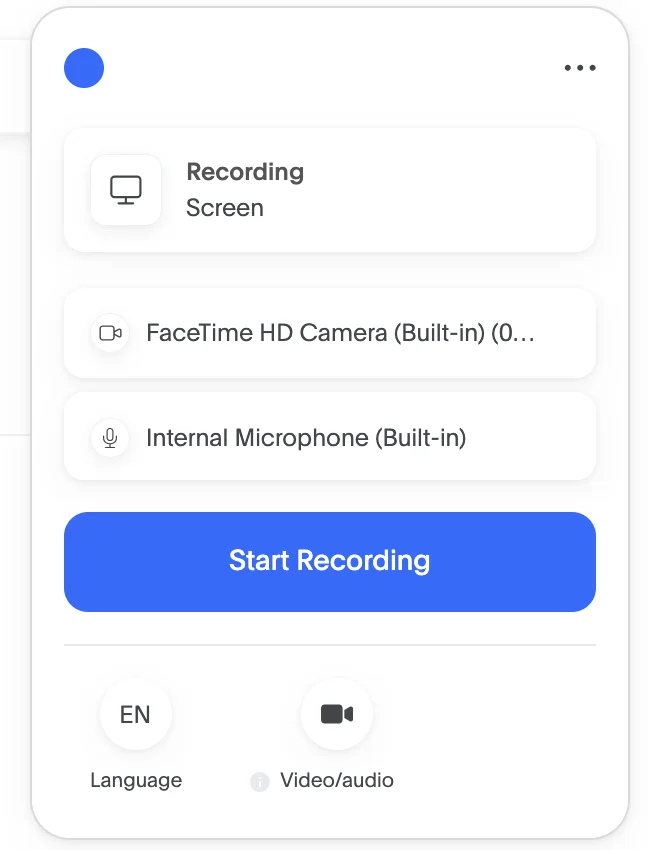
In person, there's no bot to avoid — a bot only joins virtual calls. Face-to-face, your bigger worries are discretion and consent.
A recorder on the table is visible, and most people don't speak freely when they know they're being recorded.
In two-party-consent states and under GDPR, you also need everyone's permission first. So ask for consent up front, and pick a tool that doesn't train AI models on your meeting recordings. Ideally, your AI notetaker also encrypts your meeting data in transit and at rest.
💡 BLUEDOT PRO TIP
Not sure how to ask? Read our guide to getting recording consent
After the meeting: follow-ups, CRM, and sharing
Recording is only half the job. What happens afterward is where an AI note taker actually boosts your meeting productivity.
Here's what you get once a meeting ends:
- Meeting summaries and action items — the AI assistant turns the transcript into structured notes you can skim, with key decisions and to-dos clearly outlined for you
- Follow-ups into your CRM — sync notes to HubSpot or Salesforce so sales reps and sales teams don't have to copy-paste
- Share notes in one team workspace — so team collaboration doesn't take time and energy
If your meeting history is searchable, you can also pull up what was said in past meetings or old calls at any time. No need to replay a recording or read entire meeting transcripts yourself.
Frequently asked questions
Can I use AI on an Apple Watch?
Yes. The Apple Watch runs AI note-taking apps like Bluedot, Wave, and Notee that record a conversation and turn it into a transcript and summary. The Watch's built-in Voice Memos also transcribes recordings on recent watchOS versions.
Does Apple have an AI note taker?
Not a dedicated one. Apple's Voice Memos records and now auto-transcribes on recent watchOS and iOS versions, but it doesn't summarize meetings or pull out action items. For that, you need a third-party AI assistant like Bluedot.
What is the best wearable AI note taker?
It depends on what you want to wear. If you already own an Apple Watch, an app like Bluedot turns it into a wearable AI note taker with no extra hardware. If you'd rather carry a dedicated recorder, Plaud is the main standalone option.
Does Teams have an AI note taker?
Yes. Microsoft Teams includes an AI note-taker through Copilot, which transcribes calls and writes meeting recaps. It only works in Teams meetings, though — it can't record an in-person conversation or a call on another platform.
Does Zoom have an AI note taker?
Yes. Zoom's AI Companion can transcribe a meeting and generate a summary on paid accounts. Like Teams, it only covers Zoom calls — it won't record in-person meetings or calls on other platforms.
Record and transcribe on your Apple Watch with Bluedot
If your important conversations happen face-to-face, the Apple Watch is the most direct way to record them. Only a handful of apps actually run on it.
Bluedot is the AI note taker built with the Apple Watch in mind, with bot-free recording from your wrist on every plan.
Wave is a strong privacy-first alternative, and Notee is the cheapest, but unreliable option.
Prefer a dedicated gadget? Plaud works, but it's another device to buy and charge. And the familiar meeting bots — Otter, Fireflies, Teams, Zoom — only work on virtual calls.
Already wear an Apple Watch and attend a lot of in-person meetings? An AI note taker like Bluedot is a genuine game-changer — after one tap, the transcript and the notes write themselves.