You spend 60% of your week not selling.
It’s what 4,000 sales reps told Salesforce in their 2026 State of Sales survey. And it’s no surprise, considering the time you need for prospecting, CRM updates, and coaching.
To help you spend more time with buyers, most RevOps teams are now looking into AI tools that can reduce your admin work.
AI notetakers are a great example. They capture meetings, transcribe them, summarize what happened, and increasingly, fill out CRM profiles and follow-up tasks for you.
But, there are dozens of AI meeting assistants with similar core features now, and the differences between them aren’t obvious — so which one do you pick?
While writing for Bluedot, I've tested 30+ AI note takers, including free ai note takers. I've also analyzed hundreds of conversations with SDRs and AEs who use these tools daily.
I’m here to show you 8 of the best AI note takers for sales calls. The ones that sales reps actually use.
TL;DR
- Bluedot is the top pick for sales calls and voice-to-CRM. It records bot-free on any device (laptop, phone, Apple Watch), provides transcripts and AI notes, auto-fills custom HubSpot and Salesforce fields, and costs roughly ten times less than Gong.
- Gong offers deal forecasts and 300+ pipeline signals, but every tier is sales-gated and priced for enterprise budgets.
- Fathom has the most generous free plan, with unlimited recordings and 17 sales templates, though its bot-free recording is Mac-only and still in beta.
- Laxis combines AI notes with outbound email and LinkedIn sequences, but its three products each need a separate subscription, and you're mostly stuck on the desktop app.
- Otter.ai connects to many CRMs and dialers, yet its sales features sit behind Enterprise plans, and it carries a 2025 privacy lawsuit.
- Fireflies.ai stands out for sentiment analysis and 100+ language transcription, although it runs on a confusing AI credit system and can't record without a bot.
- Plaud records in-person meetings through physical devices, but you need hardware starting at $159 on top of a monthly subscription.
- Granola blends your typed notes with the meeting transcript into clean meeting summaries, though it doesn't record audio or video, offer analytics, or sync with Salesforce.
Quick Overview: Top 8 AI Note Takers for Sales Calls
#1. Bluedot — Top Choice for Voice-to-CRM
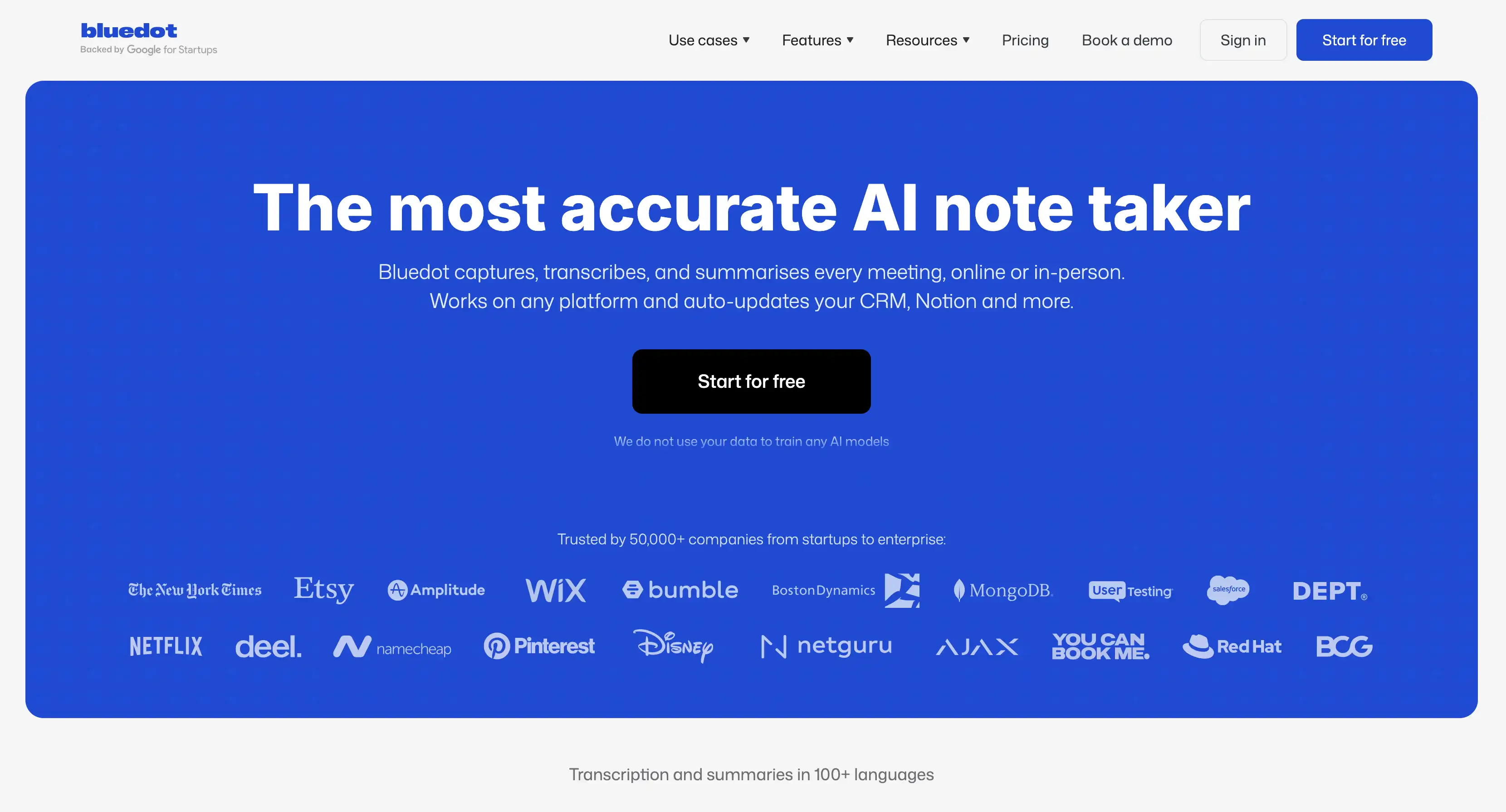
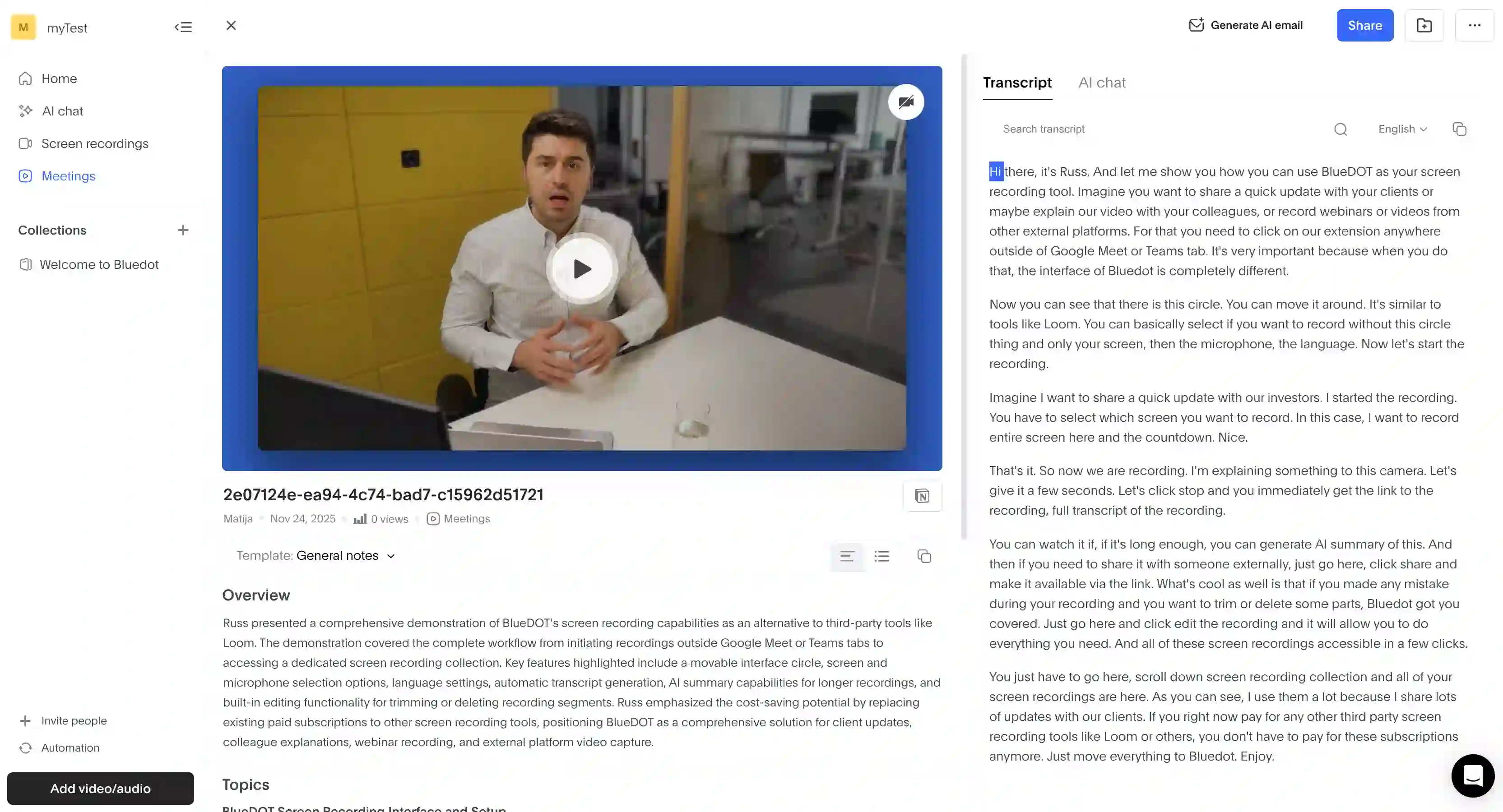
Bluedot is my first pick among AI note takers for sales because it records and transcribes meetings on any device (laptop, phone, Apple Watch) without a bot. Then, it updates your HubSpot or Salesforce based on AI summaries— with custom field mapping.
Key features
- Apple Watch app for in-person transcription
- Desktop app can record in-person conversations, phone calls, and online meetings on any video conferencing platform — all without a meeting bot
- MCP connector for Claude and ChatGPT
- Customizable retention policy for meeting recordings, transcripts, and notes
- AI chat for questions about your entire team's past meetings
Advantages
✅ Subscription is roughly ten times cheaper than Gong, with no setup fee
✅ Bot-free recording on all devices, with optional consent notifications for compliance
✅ Voice-to-CRM that auto-fills standard and custom fields in HubSpot and Salesforce after calls
✅ Built-in sales templates, plus custom templates based on prompts
✅ AWS hosting in Frankfurt and Ohio, and customer data isn’t used to train Bluedot’s AI
Downsides
❌ Free plan only lasts for 5 recordings
❌ Basic plan is audio-only
Pricing
- Free plan: $0
- Basic: $14/user/month (annual)
- Pro: $20/user/month (annual)
- Business: $32/user/month (annual)
- Unlimited: Contact sales
#2. Gong — AI Notetaker for RevOps with Large Budgets

Gong is one of the most popular revenue intelligence platforms on the market — I seriously doubt anyone reading this article hasn’t heard of it.
It records calls, generates deal boards and forecasts, automates coaching via AI, and auto-fills your CRM with meeting recaps.
Gong is also the most expensive option on this list — only suitable for enterprise teams with huge budgets.
It’s definitely a Salesforce-sized line item, often with a multi-year contract.
Key features
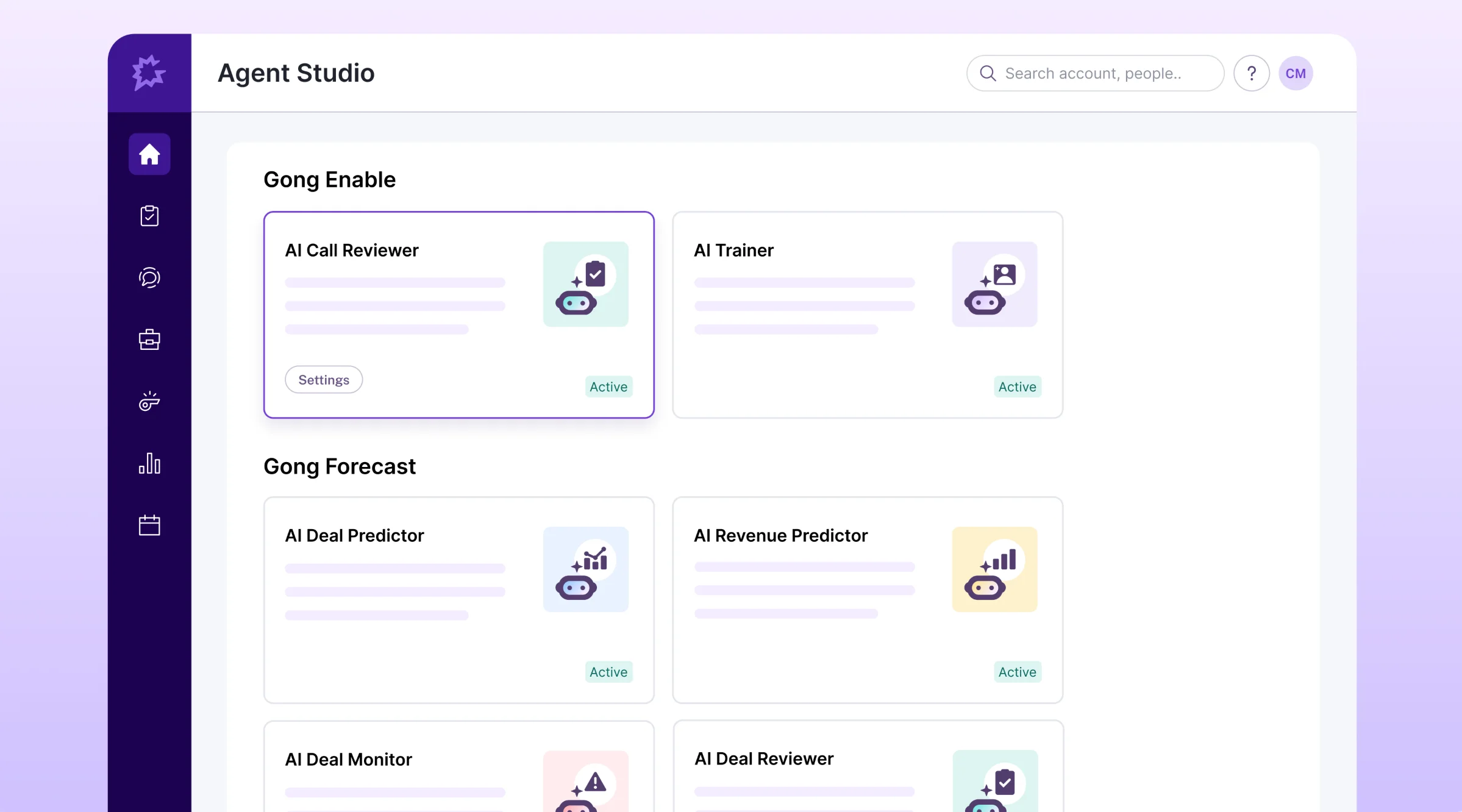
- AI Trainer simulates calls up to 30 minutes long, built from real recordings
- AI Revenue Predictor that analyzes 300+ signals across your pipeline
- AI Data Extractor that pulls relevant info from calls and fills Salesforce, HubSpot, or Dynamics fields (up to 20 per workspace)
- 21 pre-built "By Gong" smart trackers (Champion, Budget, Decision criteria, Compelling event, and the rest of the MEDDIC/SPICED roster)
- AI Theme Spotter that finds recurring themes across up to 50,000 calls
Advantages
✅ Built to fit all RevOps work
✅ Native Salesforce, HubSpot, and Dynamics 365 integration
✅ You can choose where your data is kept (US, Europe, Israel)
✅ Customer data used to train AI models
✅ HIPAA compliance available, with English-language PHI redaction
Downsides
❌ No public price for any tier
❌ Per-user license + separate platform fee, with multi-year contracts
❌ Foundation, Engage, Forecast, Enable, and Data Cloud are all separate add-ons with additional subscriptions
❌ No bulk data export
❌ Microsoft Teams bot sometimes fails without notifying you
❌ Only one CRM can be connected at a time
❌ Support drops off sharply after onboarding
Pricing
- Everything is sales-gated, no public prices
Read More: Gong Alternatives and Competitors
#3. Fathom — Free AI Notetaker for Basic Needs
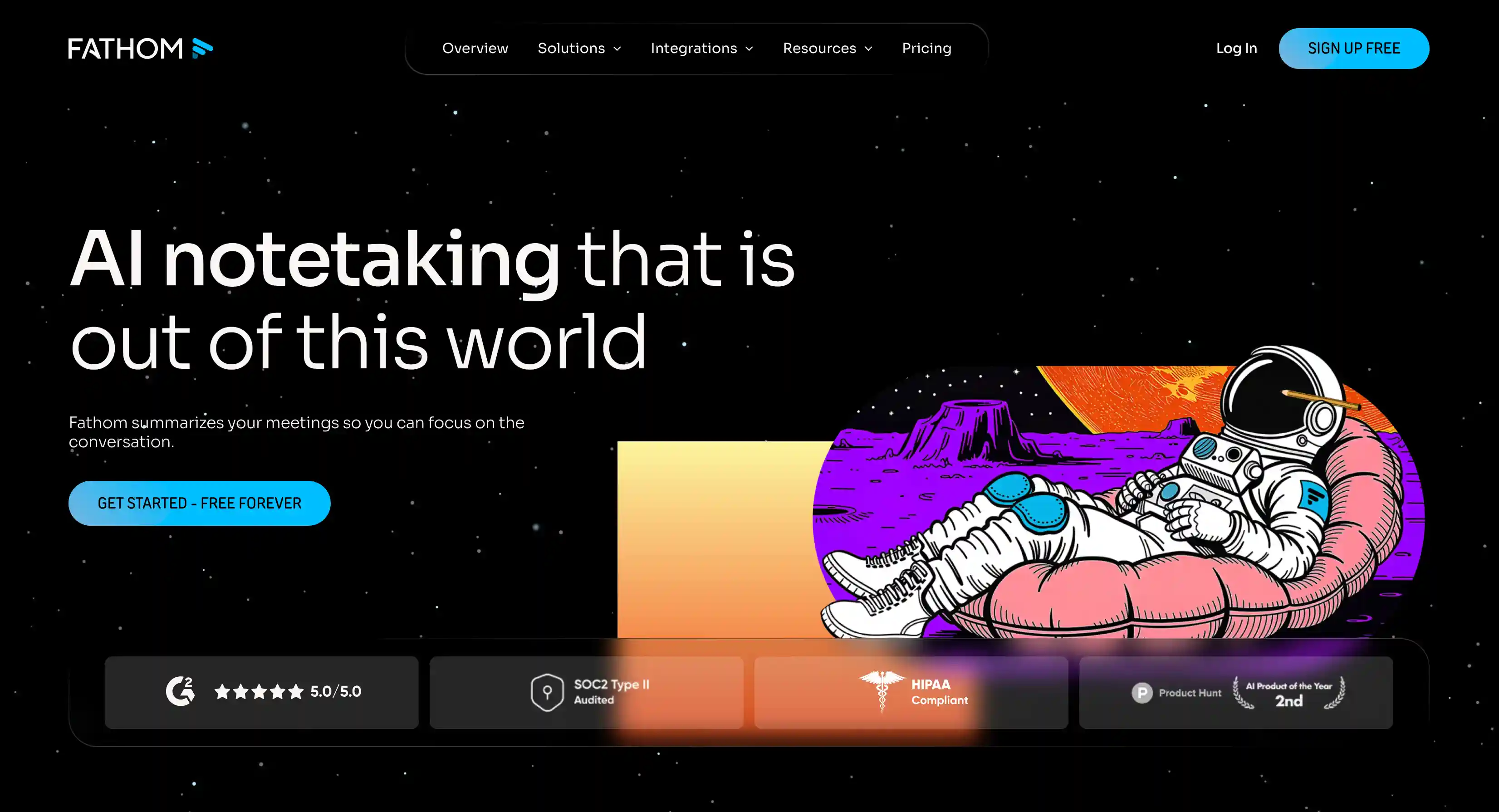
Fathom is an AI note taker that lets you use its basics for free, and bets you'll pay for advanced AI features. It might be the most generous free plan in this category.
Using Fathom’s free tier for sales is unrealistic, but it’s a great test drive before committing to a paid plan.
Even with a free account, you can generate AI summaries automatically based on sales-specific templates (MEDDPICC, SPICED, BANT, Sandler).
Key features
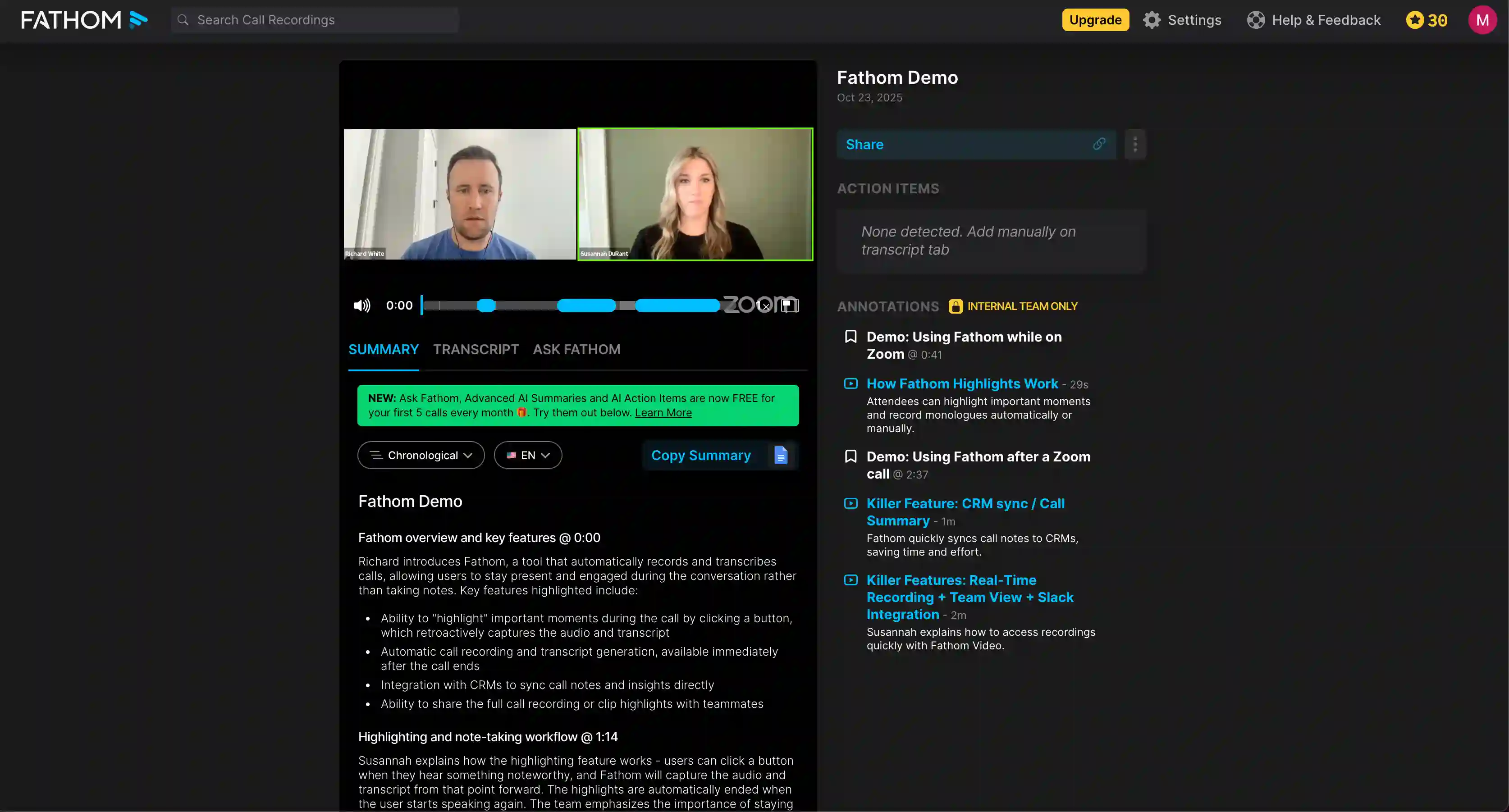
- Free plan with unlimited meeting transcripts, recordings, and call storage
- 17 AI meeting summary templates for key takeaways, including MEDDPICC, SPICED, BANT, and Sandler
- Deal View shows all calls related to a single Salesforce or HubSpot opportunity
- MCP connector for Claude and ChatGPT
Advantages
✅ Generous free tier that doesn’t limit recordings or transcription minutes
✅ 90-day money-back guarantee on Team and Business
✅ CRM sync to HubSpot, Salesforce, and Close on every plan
✅ AI Scorecards and Behavioral Metrics for sales coaching
Downsides
❌ Bot-free recording is Mac-only and still in beta
❌ Custom data retention policies only on Business
❌ Fathom bot sometimes fails to join a meeting — you may not notice that you haven’t recorded anything
❌ The Ask Fathom AI chat only works with the last 2 weeks of calls on lower tiers
❌ CRM connections are capped at 3 users on every plan below Business
❌ Salesforce sync doesn’t cover Leads
Pricing
- Free plan: $0
- Premium: $16/user/month (annual) / $20 monthly
- Team: $15/user/month (annual) / $19 monthly (min 2 users)
- Business: $25/user/month (annual) / $34 monthly (min 2 users)
Read More: Fathom Alternatives
#4. Laxis — AI Meeting Notes + Outbound

The folks at Laxis probably wouldn’t like me calling them an AI note taker for sales meetings — the platform markets itself as more of a sales engagement platform.
In practice, Laxis is three different products, each of which requires a separate subscription: a bot-free AI meeting assistant, a 700M-contact prospect database, and an AI SDR that automates email and LinkedIn sequences.
The bottom line is — useful, but expensive. And you’re kinda limited to the desktop app.
Key features

- Bot-free recording via the desktop app
- AI Voice Keyboard for voice-to-text
- Templates for MEDDIC, BANT, and SPICED
- Global LaxisChat for questions about every meeting (or uploaded file)
- AI SDR add-on for automating outreach
Advantages
✅ Premium tier for meeting assistant starts at $9.99/user/month (annual billing)
✅ Bot-free recording
✅ Syncs to Salesforce, HubSpot, and Pipedrive
✅ 40+ pro sales templates
✅ SOC 2 Type 1 certified, GDPR and CCPA compliant
Downsides
❌ LinkedIn outreach requires pasting your li_at session cookie rather than OAuth — you’re giving away a lot of control
❌ SSO, SAML, and EU data residency only on Enterprise
❌ Unresponsive customer support
❌ Meeting Assistant, Prospect Research, and AI SDR are three separate subscriptions
❌ CRM automation only on Business ($19.99/user/month) and above
❌ No built-in way to ask for recording consent
Pricing (Meeting Assistant)
- Basic: $0
- Premium: $9.99/user/month (annual)
- Business: $19.99/user/month (annual)
- Enterprise: Custom
#5. Otter.ai — AI Note Taker with Dialer Integrations
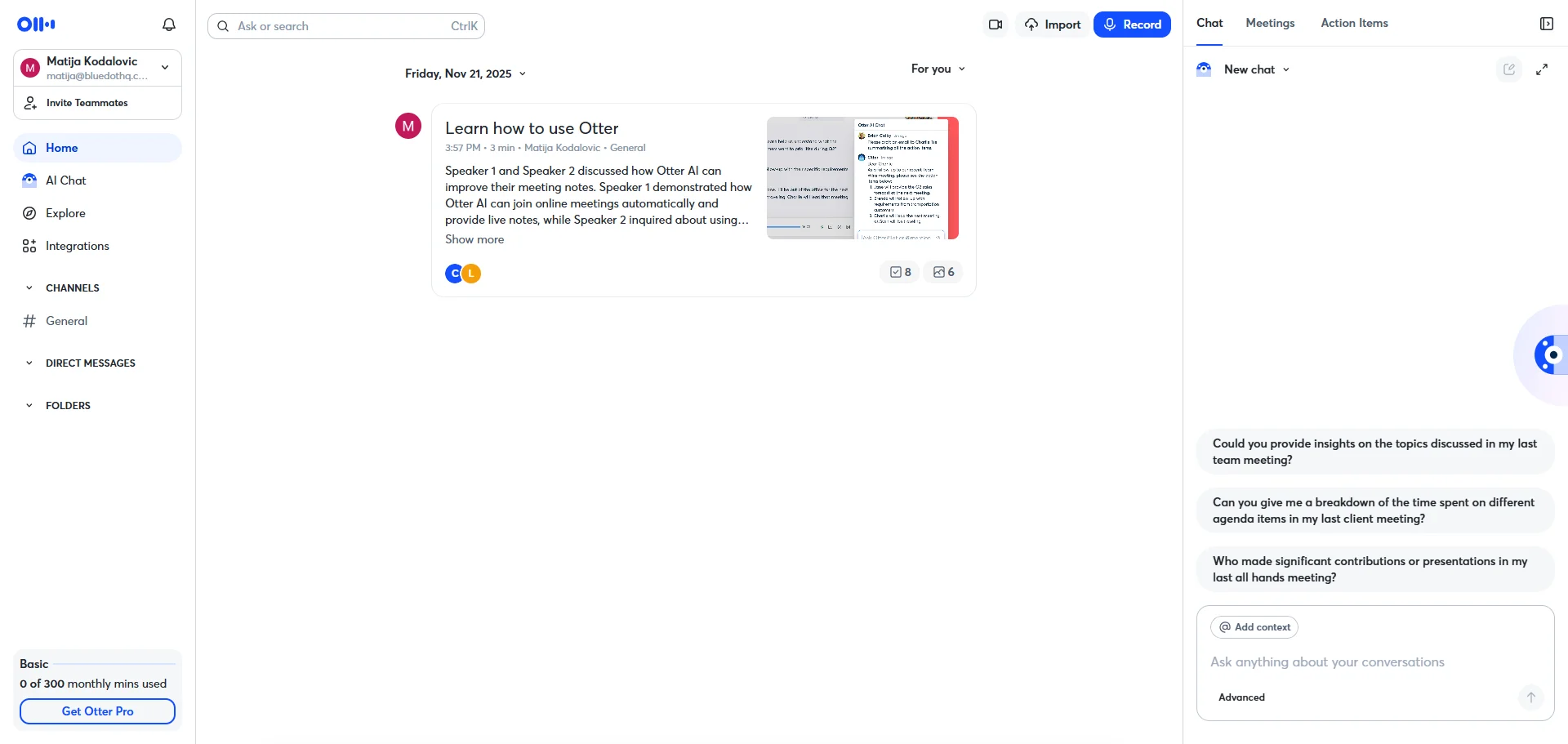
Otter is the AI note taker most people have heard of — for better and, increasingly, for worse.
For sales reps, the appeal is a wide range of CRM integrations that go beyond the usual suspects like Salesforce and HubSpot. It also integrates with popular dialers.
Enterprise-tier subscribers get access to a Sales Agent for live coaching during calls, as well as CRM sync after each conversation.
Key features

- SDR Agent — an autonomous voice agent that runs inbound qualification and product demos
- Sales Notetaker with live coaching prompts and deal intelligence
- MCP server for Claude, ChatGPT, and Cursor
- Automatically captures slides from shared screens in online meetings
Advantages
✅ Pro plan is cheap — $8.33/user/month on annual billing
✅ Integrations with Salesforce, HubSpot, Dynamics, Zoho, Outreach, Salesloft, Dialpad, JustCall, RingCentral
✅ Bot-free recording of video files (but only on the desktop app and Google Meet)
✅ HIPAA add-on available for Enterprise subscribers
Downsides
❌ Sales features (Sales Agent, SDR Agent, AI Chat with Salesforce) are Enterprise-only
❌ SSO and SCIM only on Enterprise contracts with at least 100 seats
❌ Bad reputation for aggressive marketing and bots auto-joining calendar meetings
❌ Sometimes creates colleague accounts automatically
❌ A 2025 class-action lawsuit around privacy violations
❌ Otter AI Chat is limited to 20/50/200 queries per user per month
Pricing
- Basic (free plan): $0
- Pro: $8.33/user/month (annual)
- Business: $19.99/user/month (annual)
- Enterprise: Custom
Read More: Best Otter.ai Alternatives
#6. Fireflies.ai — Structured Notes + Sentiment Analysis
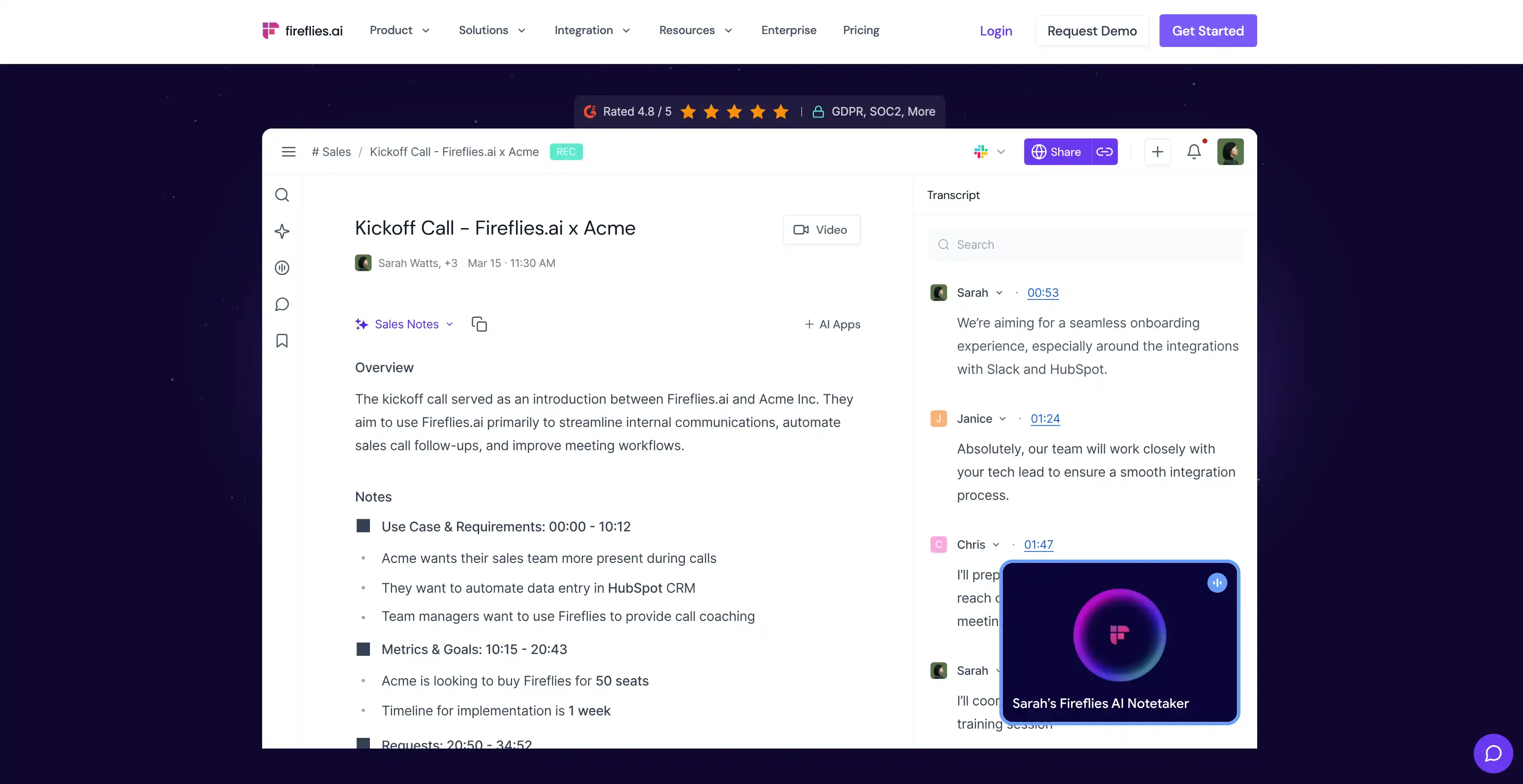
At first glance, Fireflies is one of the cheaper alternatives to upmarket meeting assistants for sales.
You get 18 CRM integrations and meeting transcriptions in 100+ languages with multi language support. MCP support also means you can use your favorite AI tools with your meeting data from Fireflies.
In the sales industry, it’s known for its sentiment analysis feature, which captures more nuance from conversations than the average AI note taker.
Unfortunately, it’s also known for a complex and pricey credit system for AI features, as well as aggressive and annoying marketing practices.
It also can’t record video or audio without a bot — although you can still get a bot-free transcription from its desktop app.
Key features

- Fireflies MCP Server for Claude, ChatGPT, and Devin
- 18+ integrations with CRM and project management tools, including Salesforce, HubSpot, Pipedrive, Zoho, Attio, Folk, and Close, plus Google Docs and Notion
- Multi-Language Mode for different languages in one meeting
- AskFred AI assistant for questions across multiple meetings
- Live Assist on calls with a custom knowledge base
Advantages
✅ Conversation intelligence that helps extract key insights (sentiment, topic trackers, question detection)
✅ Native dialer integrations: Aircall, RingCentral, Zoom Phone, OpenPhone, Dialpad
✅ Zero Day Retention contracts with all AI vendors (OpenAI, Anthropic, ASR providers)
✅ HIPAA and FERPA (on Enterprise)
Downsides
❌ No bot-free recording option
❌ Automatic speaker labels on Google Meet and Zoom
❌ On the Pro plan, the bot can’t record two calls simultaneously
❌ AI Credits on top of regular subscriptions
❌ Fireflies bot may join calls even when you cancel your subscription
❌ Aggressive marketing to colleagues on the same email domain
❌ Support only via chatbot
Pricing
- Free plan: $0
- Pro: $10/seat/month (annual) / $18 monthly
- Business: $19/seat/month (annual) / $29 monthly
- Enterprise: $39/seat/month (annual only)
Read More: Top Fireflies Alternatives
#7. Plaud — Physical AI Notetaker for In-Person Meetings

Plaud is the only AI note taker on this list that ships in a box, built for in person meeting recording.
It’s a brand of physical devices that record conversations, and then sync to the Plaud AI cloud — where everything is transcribed and summarized.
You can choose between two credit-card-sized devices that snap to your phone, or a small pin you can wear around your neck.
The recorders work well, and they pick up a lot thanks to powerful microphones — but you still need to buy hardware that costs between $159 and $189. And then pay for a monthly subscription on top of that.
Key features

- Hardware devices (NotePin, NotePin S, Note, Note Pro)
- Phone call recording via Vibration Conduction Sensor on Note and Note Pro
- Trigger-based automations called AutoFlow, which recognize spoken keywords
- Ask Plaud AI chat that works across your whole meeting library
Advantages
✅ Pro plan is $99.99/year — roughly $8/user/month
✅ SOC 2 Type II, ISO 27001, ISO 27701, HIPAA, GDPR
✅ Real time transcription in 112 languages with industry glossaries
✅ Encryption via AES-256 at rest, TLS 1.3 in transit.
✅ Recordings aren’t used to train AI
Downsides
❌ You need to buy hardware, starting at $159 per device
❌ No native Salesforce or HubSpot integration, only Zapier
❌ Many sales-relevant features (Plaud Desktop, AutoFlow, Ask Plaud, Custom Vocabulary) are still in Beta
❌ Lots of documented shipping delays and refund disputes
❌ Data hosted only in the US, without an EU residency option
Pricing (subscription only)
- Starter (free plan): $0
- Pro: $99.99/year ($8.33/mo)
- Unlimited: $239.99/year ($20/mo)
- Enterprise: Custom
Read More: Plaud Alternatives
#8. Granola — Note Taking without Video Recording
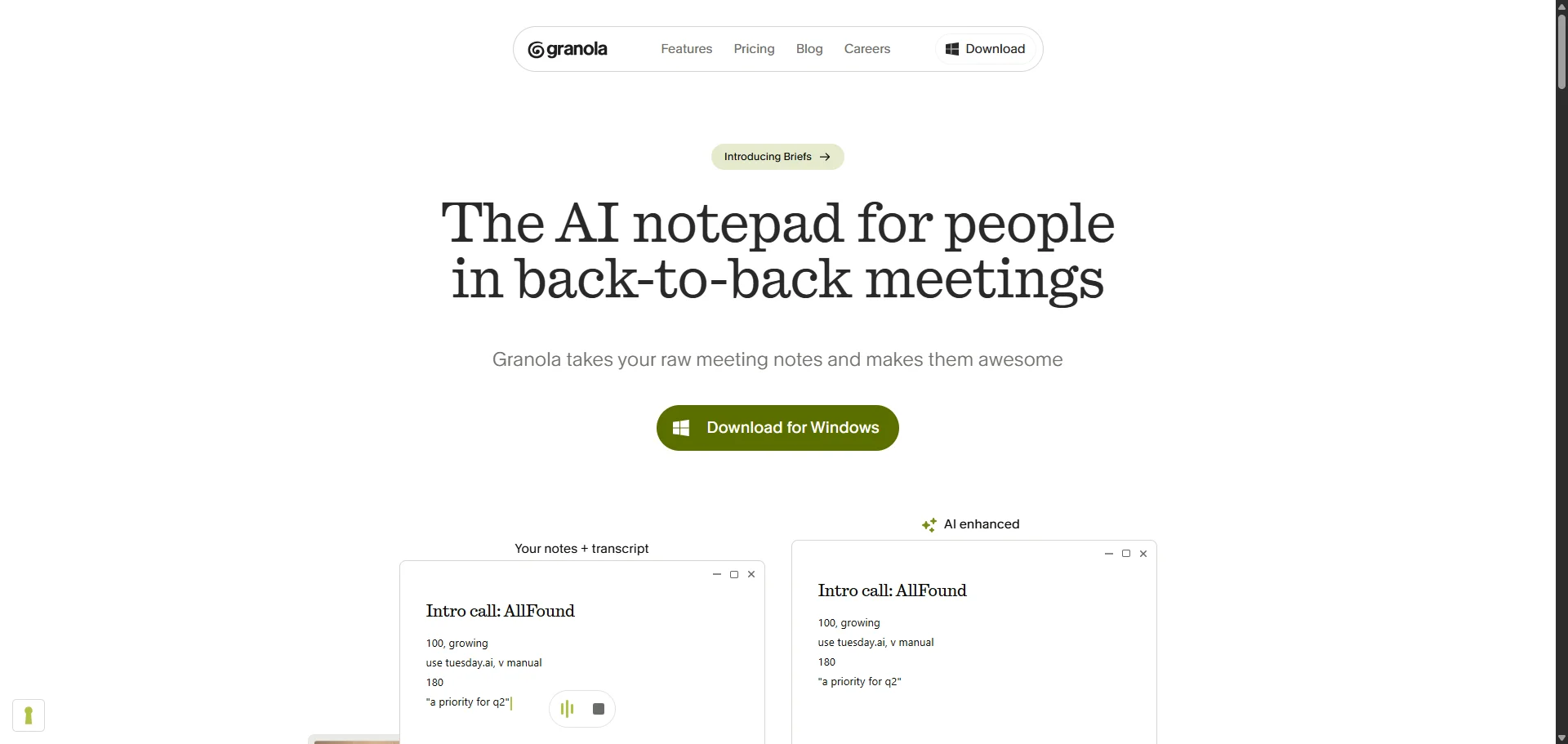
Granola is, quite literally, an AI note taker. As in, it doesn’t record audio or video or provide any advanced analysis features.
Interestingly, Granola lets you take notes manually during meetings. After the meeting is over, it blends your typed bullets with the transcript into one AI-enhanced meeting summary.
Your manual notes are used to guide the AI on what to prioritize in the meeting summary — I find it often highlights my words as the most important ones, and generates sections around them.
Key features
- Bot-free AI transcription, but without recording
- AI note taking with citations that link every list item to a transcript timestamp
- Pre-meeting Briefs for upcoming meetings that pull from prior notes, calendar, the web, LinkedIn, and optionally Gmail
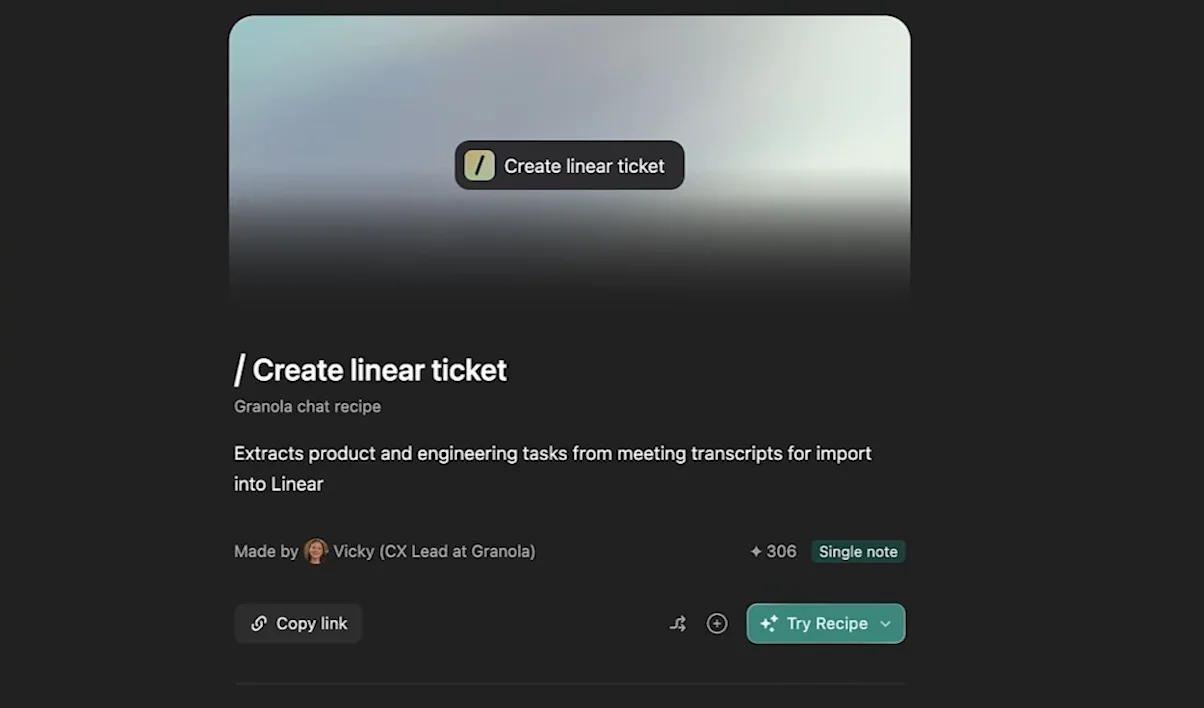
- Custom prompt templates (“Recipes”)
- Built-in iPhone dialer for outbound phone calls with transcription
Advantages
✅ Business plan is $14/seat/month
✅ Advanced LLM models in Chat on Business+ (Sonnet 4.5 Thinking, Opus 4.5, Gemini 3 Pro, GPT-5.1 Thinking)
✅ HubSpot, Attio, and Affinity integrations
✅ Granola MCP for Claude and ChatGPT
✅ Customer data is not used to train models
Downsides
❌ No advanced features like talk-time analytics, conversation intelligence, or coaching
❌ SSO only on Enterprise, with a 50-seat minimum
❌ No support for Android, iPad, or Apple Calendar
❌ No browser version, only desktop apps
❌ iPhone app cannot transcribe video calls
❌ No Salesforce integration
❌ No custom field mapping for CRMs
Pricing
- Basic: $0
- Business: $14/seat/month (monthly only)
- Enterprise: From $35/seat/month (contact sales)
Read More: Granola Alternatives
How to Choose an AI Meeting Assistant for Sales: 6 Important Factors
The right tool depends on who you're selling to.
An enterprise AE running six-figure deals has different needs than an SDR working a high-volume SMB pipeline.
The AI notetaker that works for one will actively get in the way of the other.
We've spoken to reps across both ends of that spectrum. When they evaluate an AI notetaker, here’s what they consider:
#1. Price
For sales, the AI note taker market has 3 segments:
At the top, there’s enterprise revenue intelligence with deal analytics, pipeline risk signals, manager coaching dashboards, and competitive mention tracking.
This is where you’ll find Gong, Chorus (now owned by ZoomInfo), and Clari Copilot. They’re great if you have an infinite budget. Gong runs around $1,360–$1,600 per user per year, plus a $50,000 platform fee. A 10-person team is looking at $17,000–$28,000, without any of the additional modules.
As one of our prospects said, "The total investment was going to be like $70–80k range. I don't know if I'm ready for that. We're still a startup."
That’s where mid-market meeting intelligence tools come in.
Bluedot, Fathom, and Fireflies all combine call transcription and recording with sales-specific meeting notes at a fraction of the price. Bluedot’s cheapest paid tier is roughly ten times cheaper than Gong’s— and there’s no hefty setup fee.
A sales enablement leader who started using Bluedot for 100 seats framed it as: “We need what Gong does, but we can’t afford what Gong costs.
On paper, all the tools in this market segment appear similar. In practice, they diverge sharply on recording methods, CRM integrations, and the quality of AI summaries and transcripts. Some make compliance easier or harder, depending on their data privacy and security.
Finally, we have general-purpose transcription tools, often a completely free tool — some of which don’t even record audio or video, like Granola. They also don’t support a wide range of devices, or advanced CRM integration. Sales reps rarely use them, so I won’t cover them in more detail.
#2. Bot-free recording
Bots are the single biggest complaint I hear in conversations with SDRs and AEs, and in every sales community from RevGenius to r/sales.
When a meeting bot joins your discovery call as a meeting participant, it doesn’t put your prospect at ease — and it doesn’t help you build rapport.
The bot problem gets worse depending on who you're selling to. As one of our customers who sells into healthcare put it, doctors "flip out" about being recorded.
Healthcare, financial services, government, defense, and legal all have strict compliance requirements.
Their IT departments often block third-party bots from joining virtual meetings. In fact, any recording without consent triggers security questionnaires.
That’s why Bluedot records without a bot on any device or platform, bot-free — from your laptop to your Apple Watch.
If you need to disclose that you're recording for compliance, you can turn on a subtle notification.
And if you decide a bot works better for certain calls, you can still invite one by connecting your calendar to the app.
#3. Voice-to-CRM features
Sales reps want voice-to-CRM integration in their AI note takers because updating CRM records takes a long time. It's also boring, and frankly, most reps don't do it well.
Before AI note takers, tools like Hey Dan had you dialing a number after a meeting and dictating the key points. The service would generate notes and fill out CRM fields for you.
Obviously, that’s a hassle.
Bluedot automates the whole process for you. You get a transcription and meeting notes after each call, and the app extracts relevant information and updates the corresponding CRM fields and follow-ups in HubSpot and Salesforce. Zero work after the call.
#4. Deep CRM integration
Every AI note taker claims to integrate with your CRM. In practice, most of their integrations are shallow enough to be useless.
If a tool syncs to Salesforce but logs meetings as Tasks instead of Events, or just copies the entire meeting notes into the Note section, you won’t get useful reports.
Serious CRM integration means custom field mapping.
In Bluedot, you can write a prompt that shows the AI which data points to extract from every conversation. The AI then uses this information to populate the corresponding CRM fields in HubSpot and Salesforce.
You don’t have to do anything manually after the call.
#5. Sales-specific meeting intelligence
Generic meeting notes don’t give you actionable intelligence with proper sales context.
For sales meetings, AI summaries are only useful if they’re specific: customer pain points, objections raised, competitors mentioned, budget signals, and key discussion points.
Ideally, you want information mapped to the framework you’re using, like MEDDIC or BANT. If an AI note taker can’t do this out of the box, it should let you create custom summary templates according to these frameworks — or any other specific data points you need.
In Bluedot, you can build custom templates for discovery calls, demos, or internal meetings — or use one of the default available templates.
However, meeting intelligence is only useful if it’s cross-meeting intelligence.
The most advanced AI note takers and meeting assistants have built-in AI chats, where you can ask questions about key moments in your entire meeting history.
In a second, you can learn what a specific prospect said in every conversation — or get general insights about your team’s calls.
This ability to query past calls conversationally is valuable. It’s one of the main reasons teams pay enterprise prices for revenue intelligence platforms in the first place.
#6. Data privacy and security
We’ve talked to 100+ sales pros from global teams who use Bluedot — development representatives, account executives, and sales managers.
Here’s what they expect from an AI note taker in terms of privacy and security:
- Data retention — control over how long recordings are stored
- No AI data training — Assurance that their calls are NOT used to train AI models
- Pen testing/compliance docs — shareable security documentation, DPA files, and pen test summaries
- Recording consent — prompts, emails, or logs for auditors
- Security certifications — mostly SOC 2 and ISO 27001
- Data hosting & encryption — server locations (AWS/Azure), encryption standards, and data residency
- Regional compliance — CCPA/CPRA, GDPR (especially for European sales professionals)
Don’t settle for less when choosing your team’s AI note taker.
Close Deals Faster With Bluedot
For most sales teams, the choice isn't between Bluedot and Gong — it's between Bluedot and another mid-market tool. But most of them record with a bot and dump generic notes into your CRM.
Bluedot doesn't do that.
It records bot-free on every device, generates sales-specific notes you can customize, and fills out custom HubSpot or Salesforce fields after every call.
You don’t have to spend hours updating your pipeline. Focus on actual buyers instead.