One of the latest gadgets riding the AI wave is the Plaud Note — an AI-powered audio recorder aimed at professionals and students. It can capture, transcribe, and summarize meetings, lectures, phone calls, and voice memos.
Of course, the idea behind the Plaud Note and similar AI tools is clear — they automate note-taking so you can focus on actual conversations and meetings.
But do you really need a separate gadget for that, when transcription software on your laptop and phone can do the same thing?
To get to the bottom of this, I tested the device — as well as the most popular Plaud Note alternatives.
TL;DR
- Plaud Note alternatives are in demand because Plaud’s hardware is pricey, relies on subscriptions, and often frustrates users with slow transfers, missing features, and inconsistent accuracy.
- Bluedot is the best Plaud alternative thanks to bot-free recording, multilingual transcription, CRM integrations, unlimited storage, and real-time summaries. It also doesn’t impose additional hardware costs.
- HiDock P1 is ideal for users who want Bluetooth-earphone recording, three audio modes, AI noise cancellation, and generous lifetime transcription, though advanced templates require a paid plan.
- Mobvoi TicNote offers real-time transcription, mind maps, and a lower-cost subscription, but requires hardware and has reliability issues tied to Mobvoi’s history of weak long-term support.
- FoCase Rec is the cheapest hardware option and offers 1,800 free minutes per month, strong privacy, and a 3-year warranty, but its transcription quality lags behind competitors.
Plaud Note — What You Need To Know
The first thing I noticed about the original Plaud Note is how light it was. The ultra-slim device is made from aluminum alloy, weighing only around 1.04 ounces (30g) — roughly the size of a credit card.
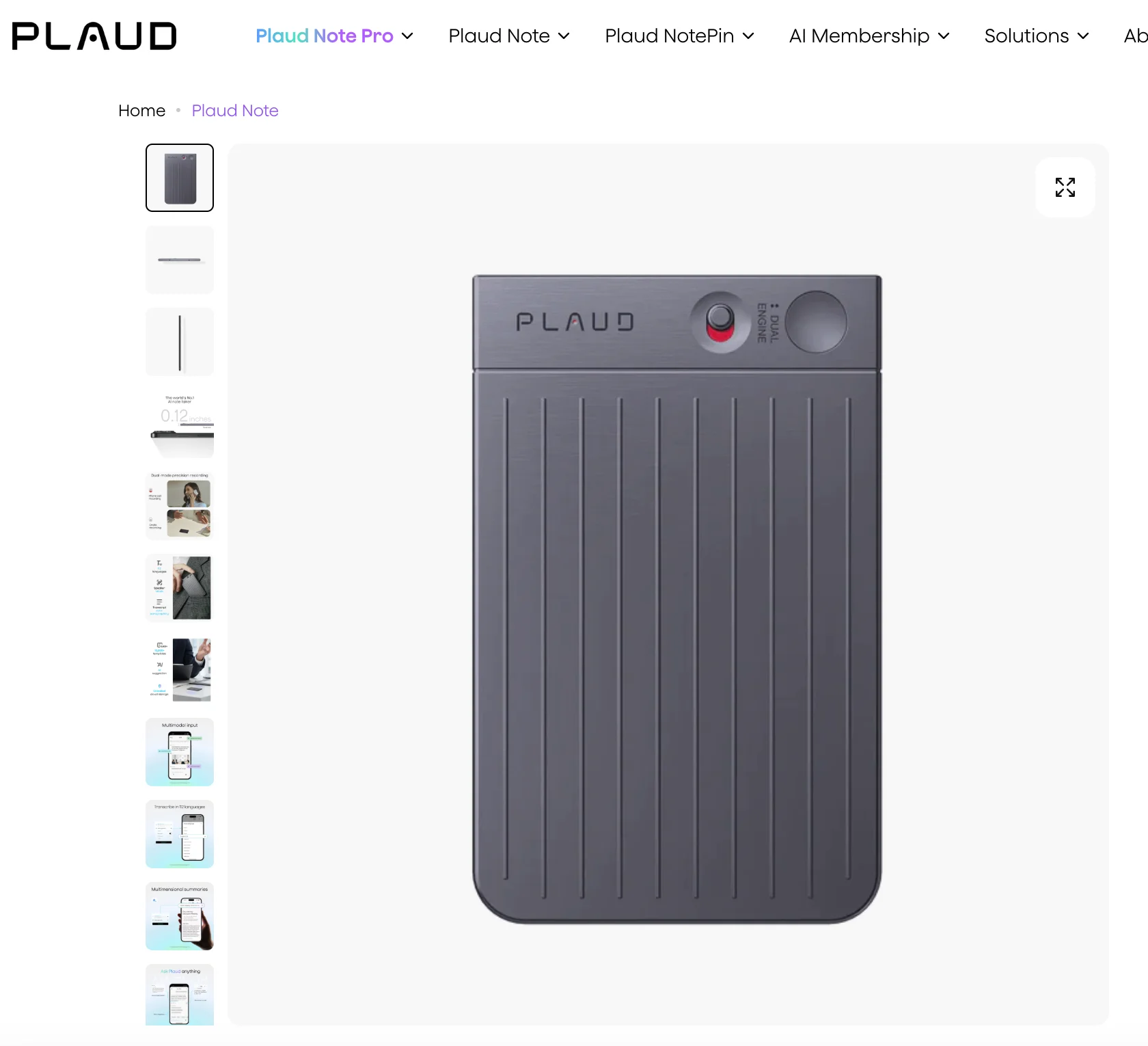
It’s a simple device. You press its single physical button to start or stop a recording, confirmed by a vibration and a red LED.
Read More: Full Plaud AI Review
Can I Use Plaud Note Without a Phone?
I see a lot of people get this wrong, but you don’t need a phone or an Internet connection to record with the Plaud Note. The device has 64GB of internal storage, which translates to 480 hours of recorded audio.
Now, while you don’t need anything except the Plaud Note to record, you do need a phone or laptop to get the transcription and meeting notes.
The device itself doesn’t have any AI processing capabilities. Once a recording is finished, the audio gets transferred to the Plaud App on your smartphone or computer.
By default, the Plaud Note transfers audio in the background when it’s connected to your phone via Bluetooth.
In my experience, however, a WiFi connection works best. With Bluetooth, it took me over 10 minutes to transfer a 70-minute recording — the WiFi transfer option is much faster.
Anyway, the app is the "brains of the entire operation". And it’s where the transcription and AI meeting notes are actually generated.
How Long Does the Battery Last?
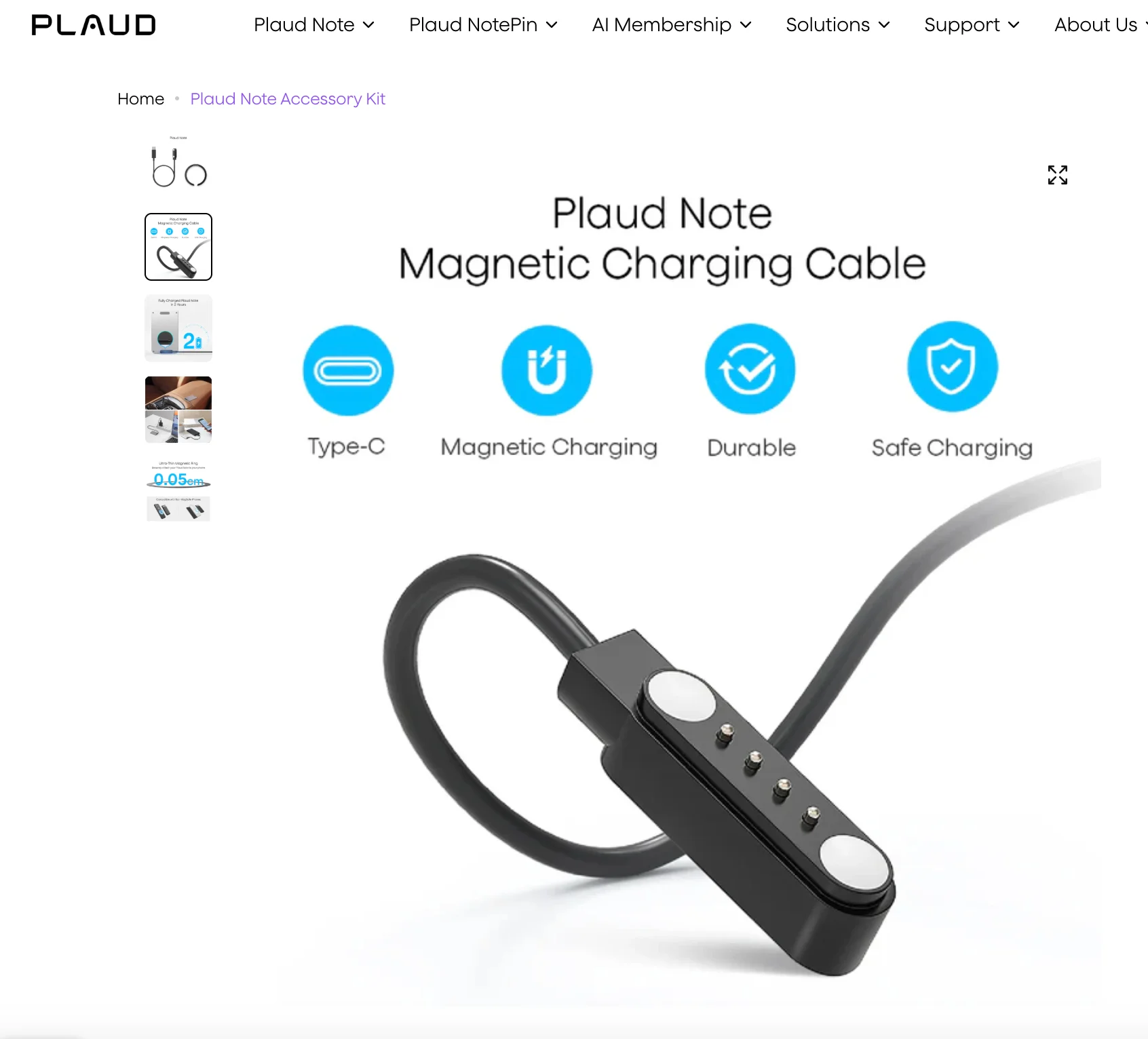
Speaking of time, the battery is supposed to support 30 hours of recording on one charge, though it lasted me a bit less.
While the charger is magnetic and easy to use, it’s also proprietary, which means it’s yet another cable you’ll have to keep around the house and carry with you.
The device itself is MagSafe compatible — though remembering to attach it to my phone and charge it was still a chore.
On its own, it’s not clunky or difficult to use. But, when coupled with a smartwatch, earbuds, and a phone that I need to charge regularly, managing the battery for another device was a bit much for me.
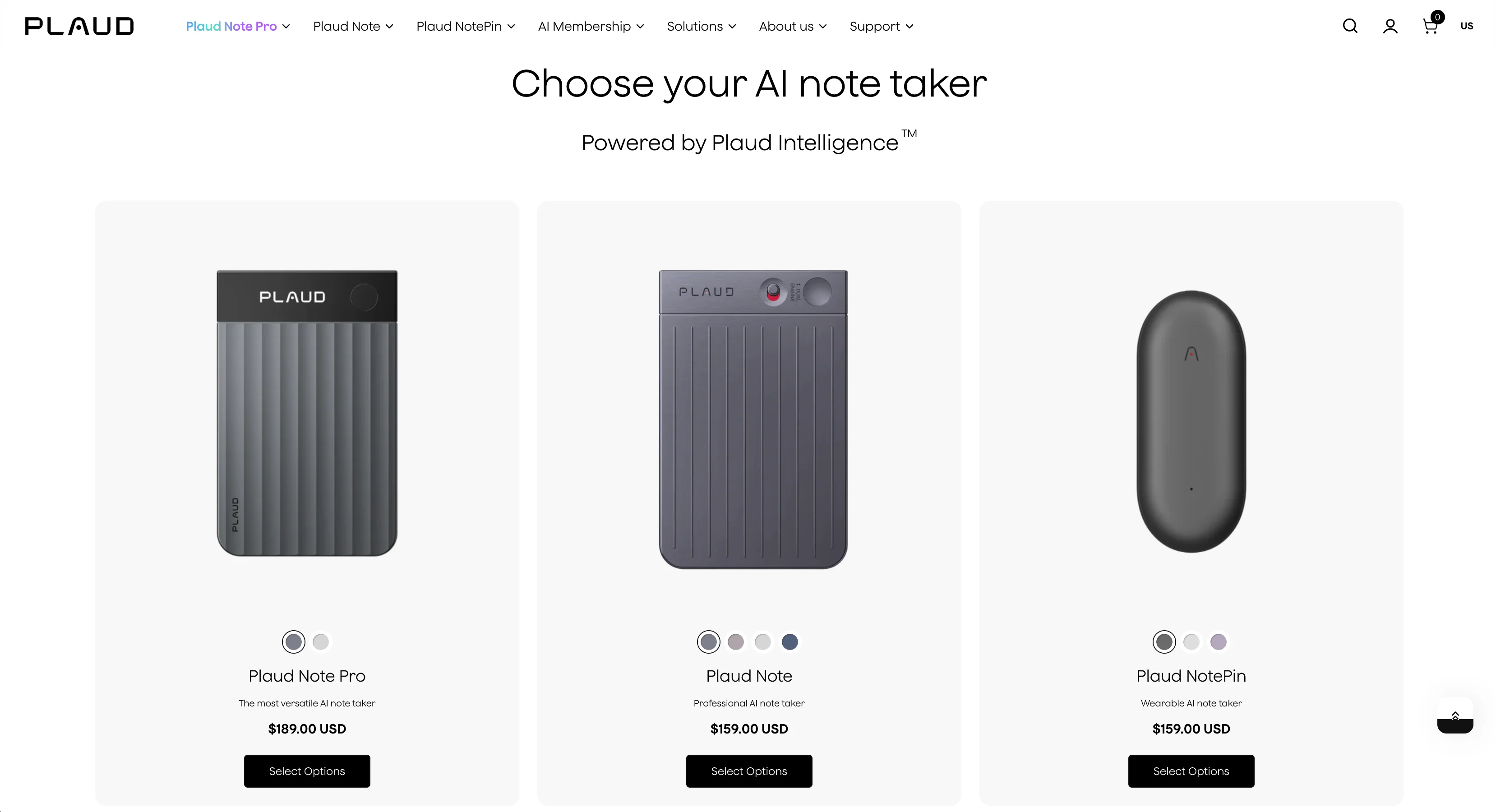
What is the Difference Between Plaud Note and Plaud NotePin?
Besides the original Plaud Note, the company makes two other versions of its AI note-taker:
The NotePin is supposed to be an even smaller form factor, which you can wear to lectures and meetings discreetly.
How Much Does Plaud Note Cost?
The device itself is a one-time purchase of around $159. However, you also need a subscription to actually use it. Three plans are available:
- Starter Plan (Free): Includes 300 minutes of transcription per month.
- Pro Plan: Provides 1,200 minutes per month and templates, custom prompts, and other advanced features.
- Unlimited Plan: Offers unlimited transcription minutes, typically costing around $240 per year.
Even for the most professional users, the subscriptions are often a deal breaker. And they’re hardly optional, since the free plan only gives you 5 hours of transcription per month.
Plaud AI Alternatives — My Top Choices
Here's a quick list of our top AI transcription devices and platforms to replace Plaud:
- Bluedot
- HiDock P1 AI Voice Recorder
- Mobvoi TicNote
- FoCase Rec
#1. Bluedot — Best Plaud AI Alternative Overall
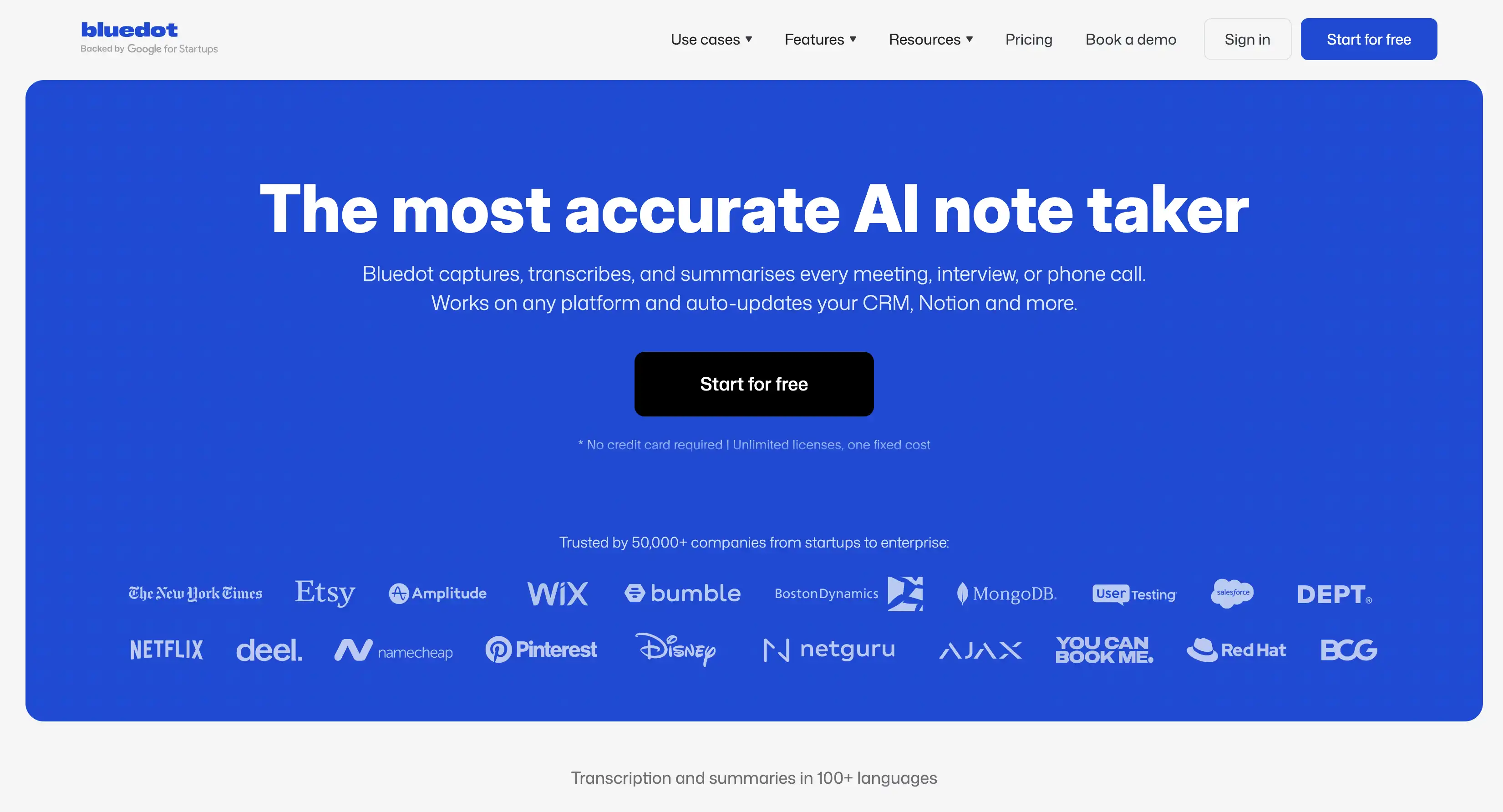
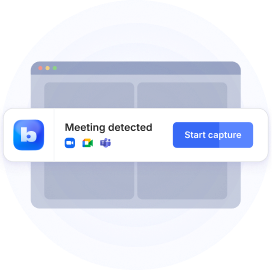
Bluedot is an AI-powered meeting assistant that records conversations, primarily on online meeting platforms like Google Meet, Zoom, and Microsoft Teams — but you can use it to record phone calls and in-person conversations as well.
Crucially, it produces searchable transcripts and AI-generated summaries for all your meetings. And it’s discreet too, thanks to a bot-free recording option via a Chrome extension or a mobile/desktop app.
Unlike many other AI note takers, Bluedot doesn’t have to appear as an attendee in the call. For me, this makes it the most discreet way to record online and real-life conversations.
Bluedot Key Features
- Meeting Capture without a Bot — through a Chrome extension or app
- Multilingual Support — accurate transcription and AI meeting notes in over 100 languages, making it popular among global teams.
- CRM Integration — it syncs easily with major CRMs, including Salesforce and HubSpot. You can automatically transfer meeting summaries and action items into deal pages or profiles.
- Customizable AI Notes — AI-generated meeting summaries tailored for specific types of calls, making it a great tool for sales teams or HR interviews.
- Real-Time Transcription — Unlike Plaud, which processes transcription after recording, Bluedot can transcribe meetings in real-time.
- Speaker Analytics — conversation intelligence features detailing speaker performance, including talk ratios, longest monologues, and average talking speeds.
- Video Support — Bluedot supports video recording of meetings and lets you edit videos directly by editing the transcript.
Bluedot Pros and Cons
Bluedot Pricing
For me, Bluedot is definitely the more cost-effective choice. You don’t have to pay for additional hardware, and there’s no credit system where you have to count every minute you record and transcribe.
#2. HiDock P1 AI Voice Recorder — Great for Bluetooth Earphones
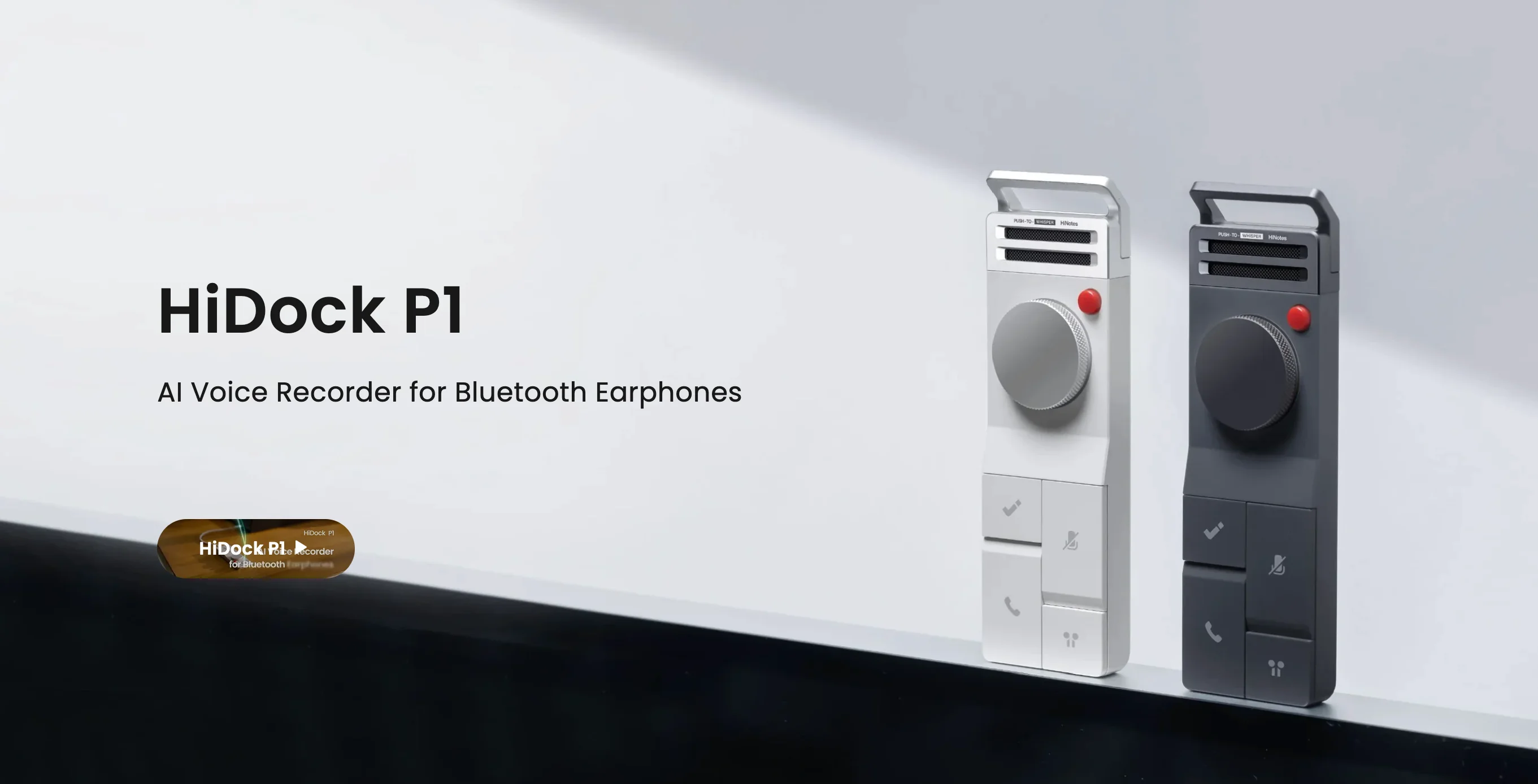
The HiDock P1 AI Voice Recorder is an AI audio recorder designed for Bluetooth earphones. It’s a pocket AI note-taker that can record phone calls calls, live and virtual meetings, and personal ideas — if you have Bluetooth headphones.
Right off the bat, I have to compliment the HiDock’s design. The device has a solid aluminum casing that feels great in your hands — it’s nowhere near as light as the Plaud Note, but it has the kind of weight that signals quality materials.
HiDock P1 Key Features
- BlueCatch™ Technology — seamlessly connects and pairs with any Bluetooth earphones. You can connect or release system audio with a single button, so switching between meetings the P1 and other uses is easy.
- Three Recording Modes — for excellent transcription accuracy in different audio scenarios (Call, Room, and Whisper modes)
- Bi-directional Noise Cancellation — AI speech enhancement which filters out background noise from the user's end and the far end of the conversation, creating clean audio for transcription.
- HiNotes AI Platform — a companion app handles transcription and summarizes real-life and virtual meetings via popular AI models.
- Free Lifetime Transcription — in 75+ languages for its audio recordings, up to 4 hours long per file.
- Speed and Storage — 64GB of local storage, and it can transfer an hour of recording in under a minute.
HiDock P1's Pros and Cons
HiDock P1 Pricing
Both Plaud Note ($159 USD) and HiDock P1 ($169 USD) require an initial hardware purchase and a subscription for premium AI features. This hardware device is slightly more expensive upfront than the original Plaud Note, but its annual model gives more freedom to heavy users. Also, basic transcription is free — which you don’t get with the Plaud Note.
#3. Mobvoi TicNote — Great for Recording Calls
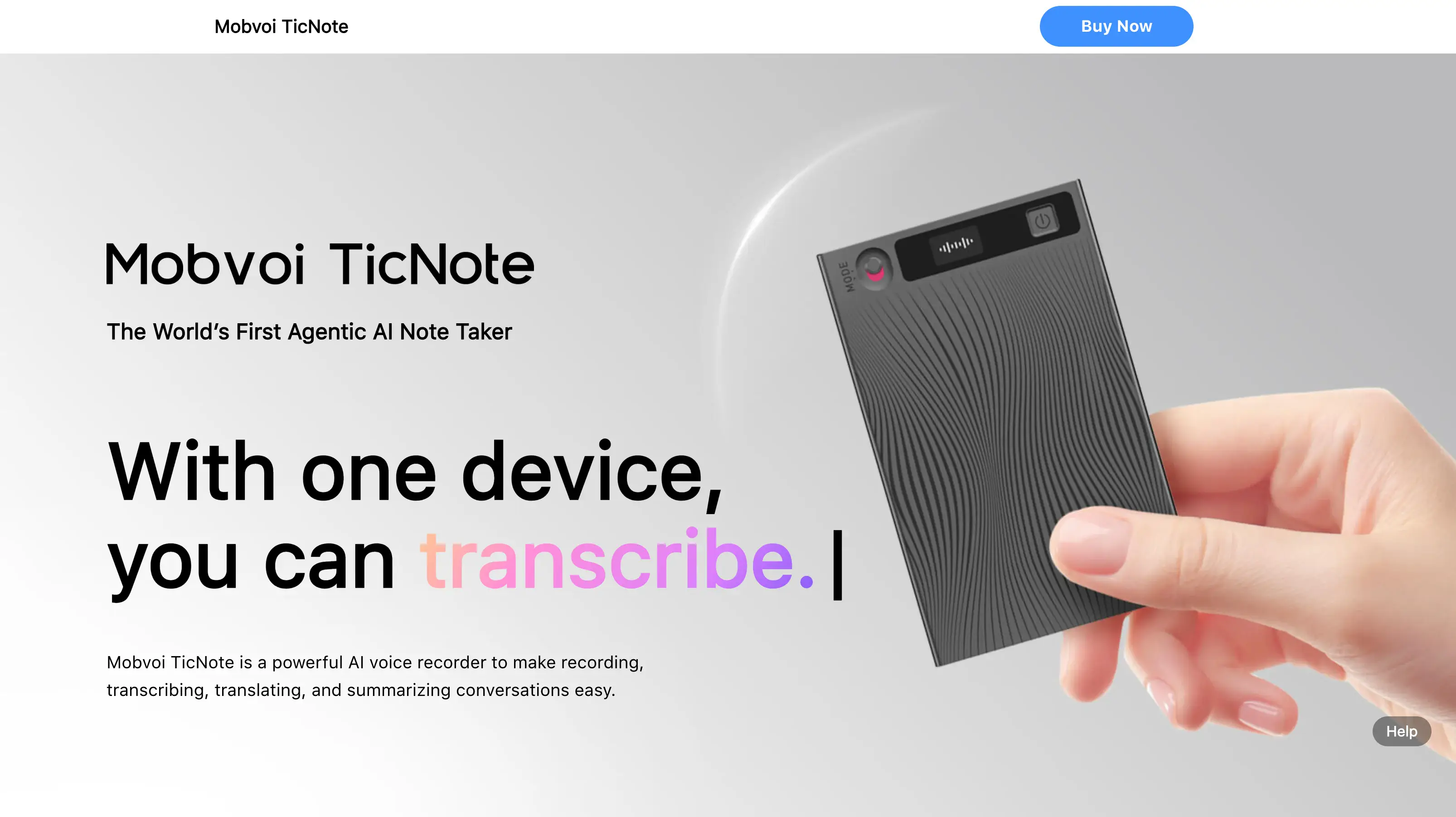
The Mobvoi TicNote advertises as the World’s First Agentic AI Note Taker — but I think it’s just using “Agentic” as an AI buzzword, since its AI features are routinely found in competing products too.
Nonetheless, it’s another hardware-based AI voice recorder that can record and transcribe audio for busy professionals in many situations — like meetings, lectures, and calls for sales teams. And if that description sounds similar to how I explained the Plaud Note, take a look at the product itself.
Yes, the design is eerily similar to the Plaud Note. And it’ll be hard for Mobvoi to beat the charge of copying their competitor, since the Note came out a full 2 years earlier than the TicNote.
But is it any good? Well, yes — for now. But Mobvoi is known for dropping ongoing support for its devices.
Mobvoi TicNote Key Features
The key functionalities of the Mobvoi TicNote are focused on comprehensive AI analysis and structured output:
- Real-Time Transcription — unlike the Plaud Note, the TicNote can transcribe live while recording
- AI Features (Shadow) — the built-in AI agent, Shadow, generates mind maps, deep research reports, and summaries of key moments
- Multilingual Support — transcription and translation in 101 languages.
- Phone Call Recording — via Vibration Conduction Sensor (VCS) technology. Though you have to attach the device to your phone magnetically for this feature.
- Advanced Security — User data is securely stored in a U.S.-based cloud infrastructure, and Mobvoi states that the TicNote never uses user data to train AI models.
Mobvoi TicNote Pros and Cons
Mobvoi TicNote Pricing
The Mobvoi TicNote and Plaud Note hardware devices both cost around $159.
In terms of subscriptions, TicNote has a more affordable middle tier, which gets you more minutes for a lower price than Plaud Note’s equivalent plan.
#4. FoCase Rec AI Voice Recorder — Lowest-Priced Plaud Alternative
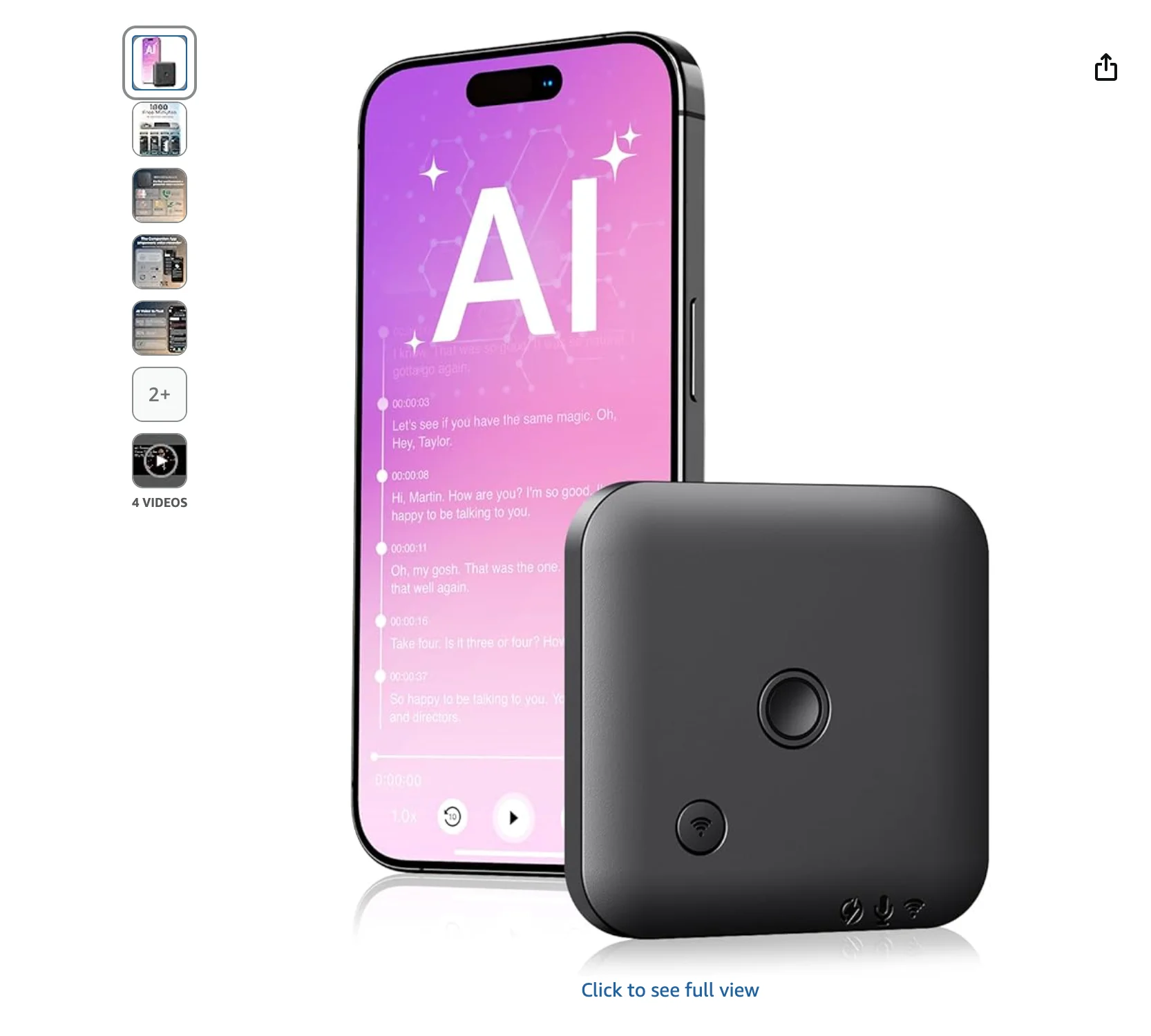
The FoCase Rec AI Voice Recorder (also called the FoCase Note) is a hardware-based AI voice recorder that closely resembles the credit-card-sized form factor of the Plaud Note.
It captures audio from conversations and then uses a companion app (FoCase Rec) and OpenAI’s ChatGPT AI for processing and analysis.
There is no two ways about it — the FoCase Rec is a much more affordable hardware device than most competitors, including Plaud’s devices. However, its transcription quality is proportionally worse.
FoCase Rec Key Features
- Design and Portability — a magnetic, pocket-sized device, measuring approximately 2.47" x 2.47" x 0.25" and weighing only 28 grams.
- Recording Technology — It uses dual noise-canceling microphones. For call recording, it is equipped with a Vibration Conduction Sensor (VCS) technology that captures internal phone vibrations, enabling the recording of both sides of a call when magnetically attached to a smartphone.
- Storage and Data Transfer — 64GB of internal memory. Audio files can be retrieved via a USB cable connection or wirelessly transferred to the companion app for AI services.
- Customization and Languages — transcription in 112 languages. Users can customize summaries using 7 built-in custom templates.
- Privacy — no cloud uploads for audio files, which stay securely on the recorder and the user's phone, and the company has no access to user files.
- Warranty — The device is backed by a 3-year warranty.
FoCase Rec Pros and Cons
FoCase Rec Pricing
The Plaud Note (OG) is typically priced around $159. On the other hand, the FoCase Rec is available at significantly lower prices, sometimes around £46 (or approximately $58).
Also, the FoCase Rec offers far more free transcription per month:
- The FoCase Rec provides a generous 1,800 free minutes of AI services monthly.
- The Plaud Note (OG and Pro) offers a starting point of only 300 free minutes of transcription per month.
Why Do You Need a Plaud Alternative?
The main reasons to consider a Plaud Note alternative are its high price, technical flaws, and poor customer support.
#1. It’s Too Expensive
Many users complain about the pricing model. They buy the device for $159 or more, only to discover that they also need a monthly subscription to use it.
Without a paid plan, the device feels like an expensive voice recorder. Most essential features, including transcription and AI summaries, require a paid membership.
And as I mentioned above, the free plan offers only 300 minutes per month. This limit is too low for anyone who records daily.
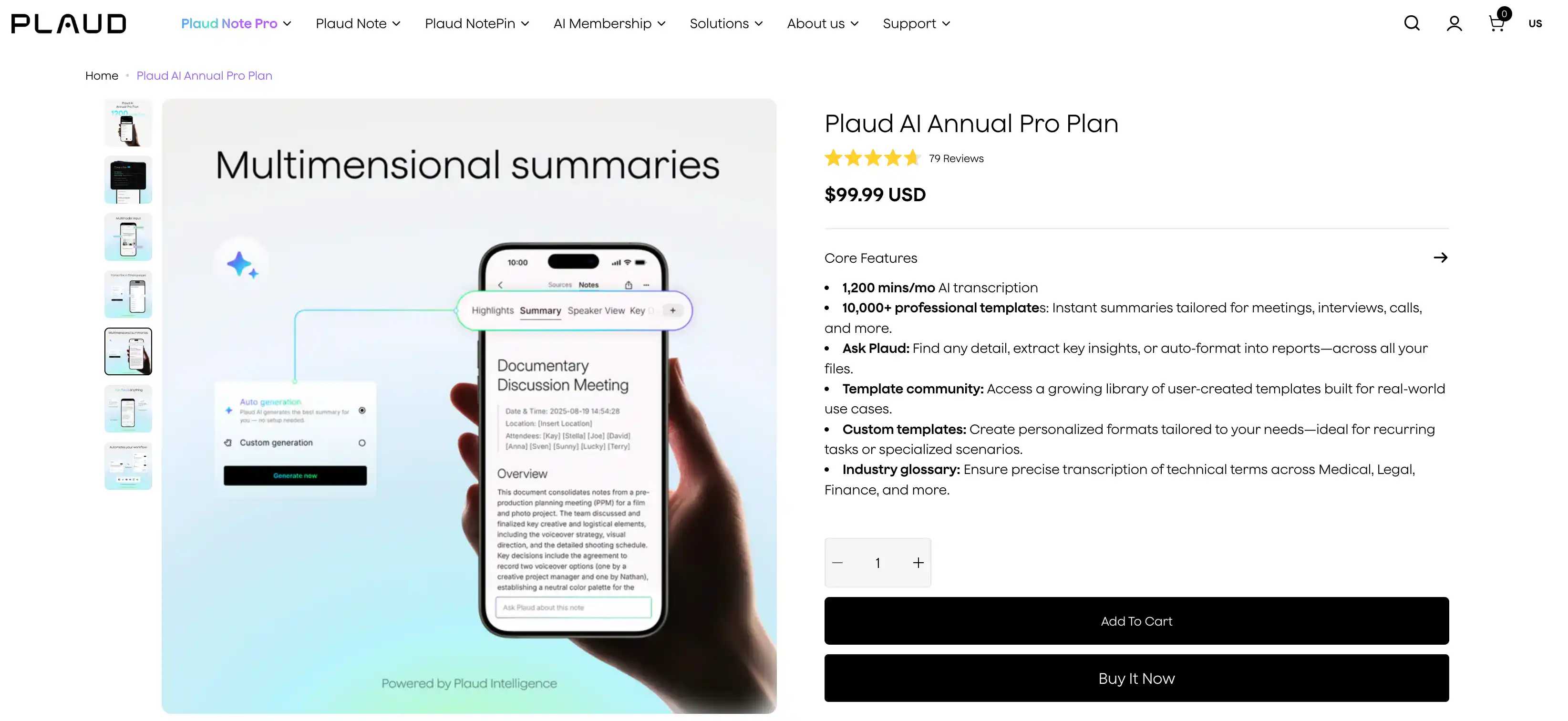
On the other hand, the Unlimited Plan can cost more per year than the device itself. Unfortunately, you’ll need it if you record over 20 hours per month.
This is a ludicrous price to pay compared to software-based AI note takers like Bluedot or tl;dv, which work on your existing phone and laptop hardware. Also, many of them offer a more generous free plan.
#2. It’s Too Fiddly to Use
Unlike many other AI note takers, the Plaud Note doesn’t support real-time transcription. You must finish the session, upload the audio to the app, and wait for cloud processing.
For me, this was frustrating — I expect AI tools to reduce my workload, not create entirely new chores for me to do every day.
Also, I’m uncomfortable with the fact that the real value isn’t in this $159 device, but in the app for which I’m paying a monthly subscription.
None of the main functions are performed on-device — so if Plaud fails as a company or simply stops updating its app, the Plaud Note will inevitably become an overpriced voice recorder.
On top of that, I (and other users) experienced a ton of small issues. Sometimes the Plaud Note won’t connect to your phone after an app update, and it’ll take a few tries to succeed.
In some cases, the audio files are corrupted mid-transfer — though that happens with the NotePin more often than with the Plaud Note, to be fair.
#3. It's Not Reliable Enough
The whole point of a separate device for AI-powered recording is, for the most part, higher transcription accuracy.
For me, the Plaud devices didn't deliver on that. Despite having microphones designed for more distant and accurate audio capture, I just didn't notice it performing better than the mic on my phone or laptop.

Other users have noticed this too, with some suggesting the Plaud devices were useless in any environment with background noise.
If you pay for the Note Pro, you'll notice entirely new bugs. For example, the Smart Dual Mode sometimes fails to capture the other speaker's voice, forcing you to switch to speakerphone for a complete recording.
#4. It's Not That Discreet
Discretion is one of Plaud Note's main selling points, especially for recording in-person chats.
But you know what's more discreet than a small device you attach to your phone? That's right — simply recording the conversation on your phone.
And the NotePin doesn't help that much. It's clearly a small gadget that does something, and everyone around you who doesn't know will spend the whole meeting wondering about it.
An AI meeting assistant like Bluedot works on your existing devices. You just discreetly tap one button in an app and start recording — no fussing about.
#5. Its Customer Support is Disappointing
Many users have issues with Plaud's customer support. Some describe support as slow, unresponsive, and even dismissive. Unfortunately, getting help can take days or weeks.
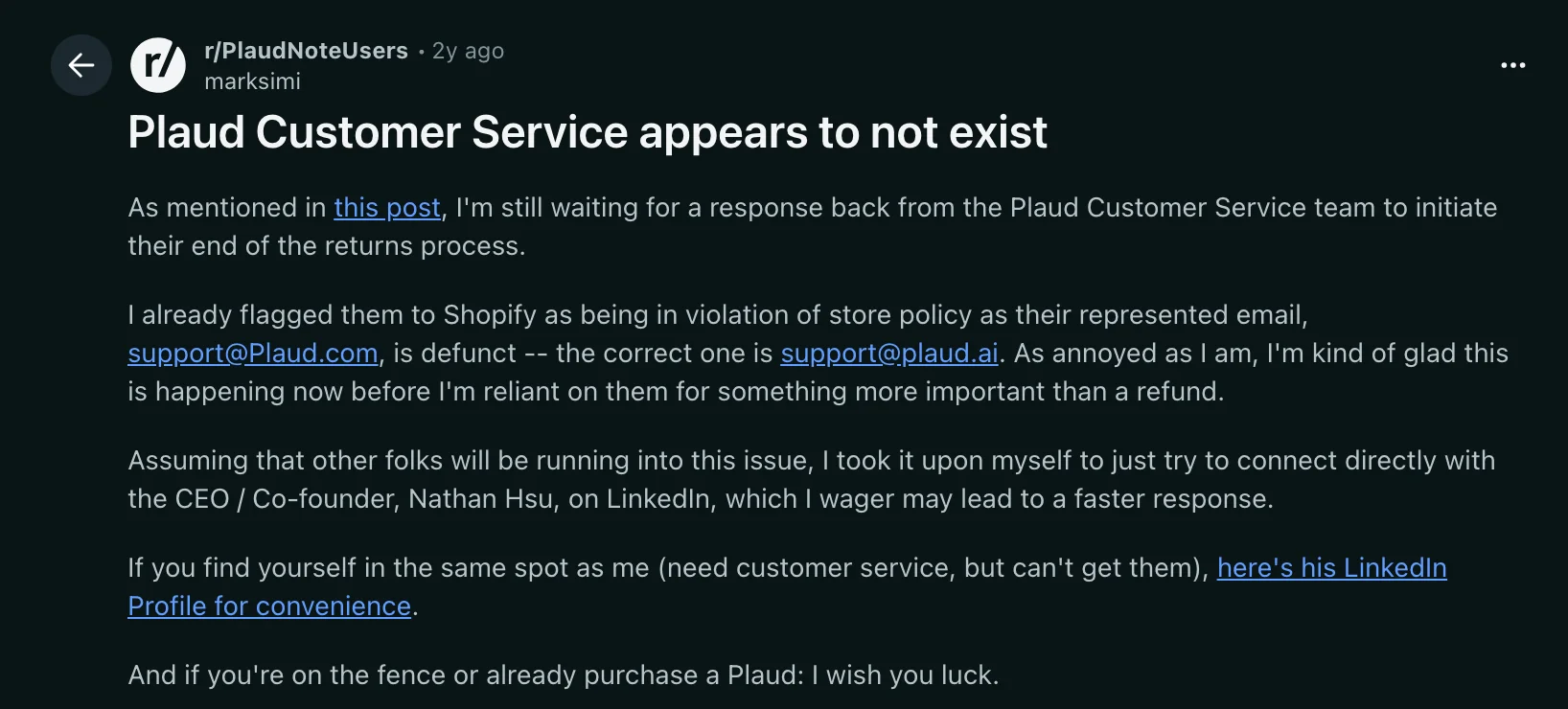
Several users say the company ignores return requests until the return window closes to minimize the chances of a customer getting a refund.
Obviously, this made me uneasy about using Plaud's products in the long run — especially since their more advanced AI features for conversation intelligence involve processing my private recordings and data.
Use Software Like Bluedot Instead
For me, software like Bluedot will always be the best way to transcribe conversations and get meeting notes.
I just don't need another device to charge and carry around, no matter how small it is. At the end of the day, Plaud Note just introduces more friction into my workflow. With Plaud's devices, I need to think about accessories and hardware, and pay a subscription on top of all that.
On the other hand, Bluedot is more affordable, equally accurate, and it integrates with other digital tools. For me, the Google Docs, Slack, and Notion integrations matter the most — but, for example, sales teams will also appreciate priority support and the revenue intelligence they get from Bluedot's AI.
It's also a more discreet way to record Google Meet calls, and I get better language support — making Bluedot a no-brainer.