.webp)
Financial advisors spend 10% of their time on administrative work — at least according to financial planner Michael Kitces.
For US-based financial advisors, much of that work isn’t optional. For example, you need detailed meeting documentation to comply with SEC Rule 204-2.
As a result, you’re always busy typing up notes and action items after client meetings, updating CRMs (if you use one), and drafting follow-up emails. These tasks often take more time than the meeting itself — if you don’t automate them with AI.
With an AI meeting assistant, you can record and transcribe meetings automatically. After each call, these tools also produce client meeting notes based on a template you choose (or customize). Some of the best AI note takers also automatically update your CRM with notes and draft follow-up messages.
Over the past few months, I’ve tested dozens of AI tools — and I can confidently recommend the best AI note takers for finance teams.
TL;DR
- Bluedot is the best overall AI note taker for finance teams, with bot-free recording, custom meeting templates, CRM integration via Zapier, and simple pricing starting at $14/user/month.
- Zocks is purpose-built for financial advisors with Redtail and Wealthbox support and accurate financial terminology. However, it doesn't store recordings, and pricing starts at $80/user/month.
- Pulse360 automates client deliverables and connects to finance-specific CRMs, but it's expensive for solo advisors at $99/month minimum.
- Fathom offers the most generous free plan with unlimited recordings, but it uses a meeting bot, only supports 25 languages, and has no mobile app for in-person meetings.
- Jamie AI may appeal to EU-based firms thanks to EU data residency and ISO 27001 certification — but the €47/month Pro plan is steep given its 3-hour meeting cap and lack of recordings.
- Fireflies has the best conversation analytics with sentiment analysis and topic tracking, but with expensive credit-based pricing and a bot that spreads aggressively through organizations.
- Otter works on all devices and has live transcription, but it trains AI on customer data and has faced a lawsuit over its data handling — a serious concern for SEC- and FINRA-regulated teams.
Quick overview: 7 best AI note takers for client interactions
How do you choose the best AI note taker for financial advisors?
To choose the best AI note taker for your needs, find a tool with:
- CRM integration — Larger financial advisory firms often use Salesforce, Redtail, or Wealthbox. Your AI meeting assistant should automatically update client profiles in your CRM with notes from meetings.
- Bot-free recording — Clients feel uneasy when a bot joins your call without consent, especially if you’re about to discuss sensitive financial information. Use an AI tool that can record without a bot, preferably through a browser extension.
- Accurate transcription — Many general-purpose AI note takers make mistakes with financial terms. Choose a platform that can easily handle your specific industry jargon. Ideally, your AI note taker should also let you build a custom vocabulary to reduce mistakes.
- Flexibility — Wealth managers and the average financial advisors don’t only have client meetings. Find an AI note taker that works equally well with internal meetings, board prep, and hiring interviews.
- Transparent, simple pricing — Tools built specifically for finance meeting notes are often much more expensive than general-purpose AI meeting assistants, without enough value to justify exorbitant prices. Find the most cost-effective tool with transparent, reasonable pricing.
Read More: AI Note Takers for Lawyers: Best Tools Reviewed
What tools offer the best AI meeting notes for finance teams?
According to my research, the best AI note takers for most advisory firms are:
- Bluedot
- Pulse360
- Jamie AI
- Zocks
- Fireflies AI
- Otter
- Fathom
Bluedot
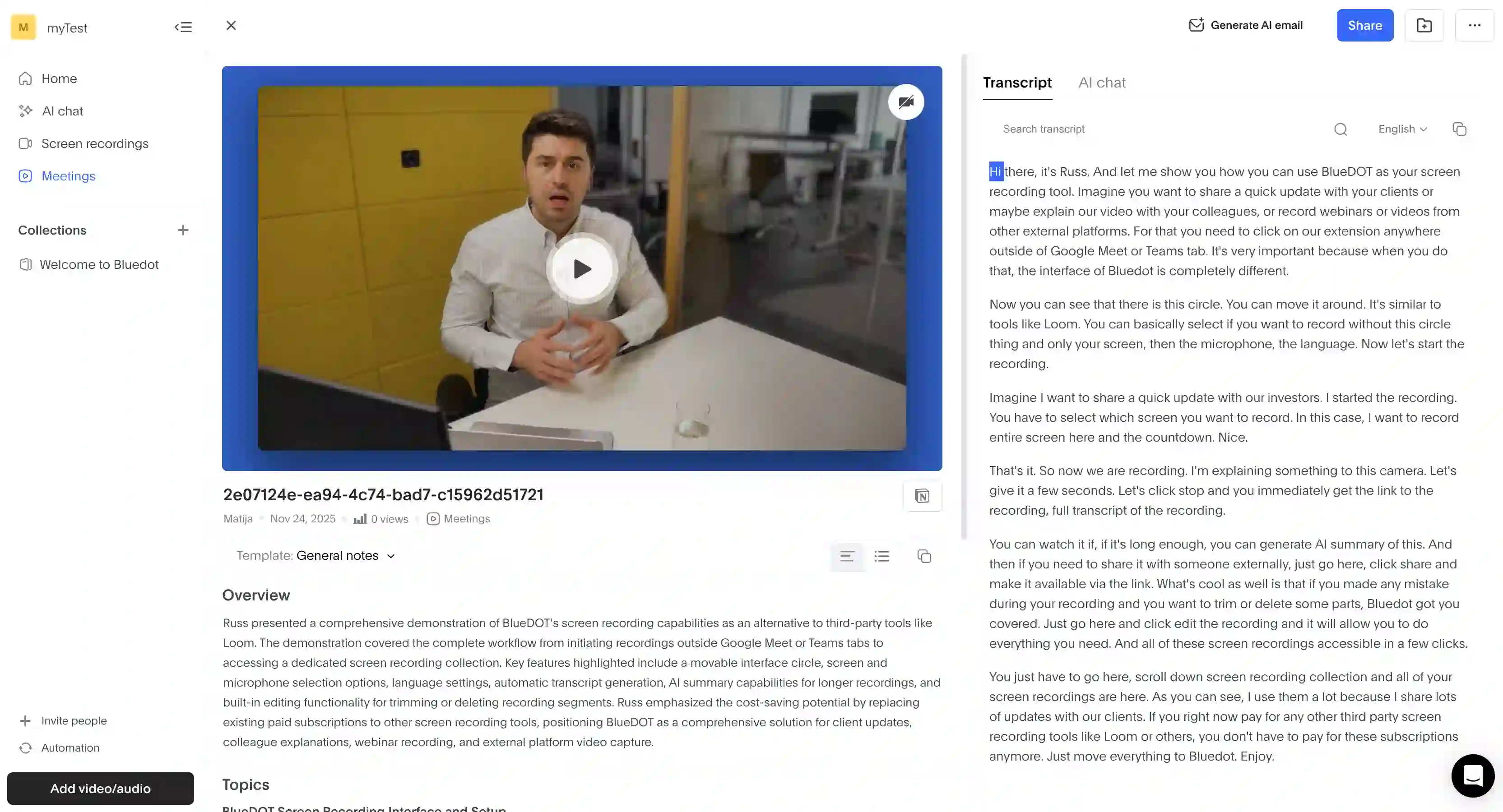
Bluedot is my top choice for detailed meeting notes for two main reasons: it’s easy to use, and useful for your entire team — not just the folks talking to clients directly.
Importantly, Bluedot records and transcribes conversations via a Chrome extension. There’s no bot to make sensitive conversations awkward, and you can literally install the extension in a minute.
After that, you just join a call and hit the “Start Recording” button. Once the meeting is done, you’ll get an accurate transcript and an AI summary — with client meeting notes generated based on different templates.
You can use one of the pre-built templates or create your own through an AI prompt. I think this is useful for finance teams because it allows you to create a different template for client reviews and internal meetings. With most other tools, you’d have to pay for higher-priced tiers to customize the templates.
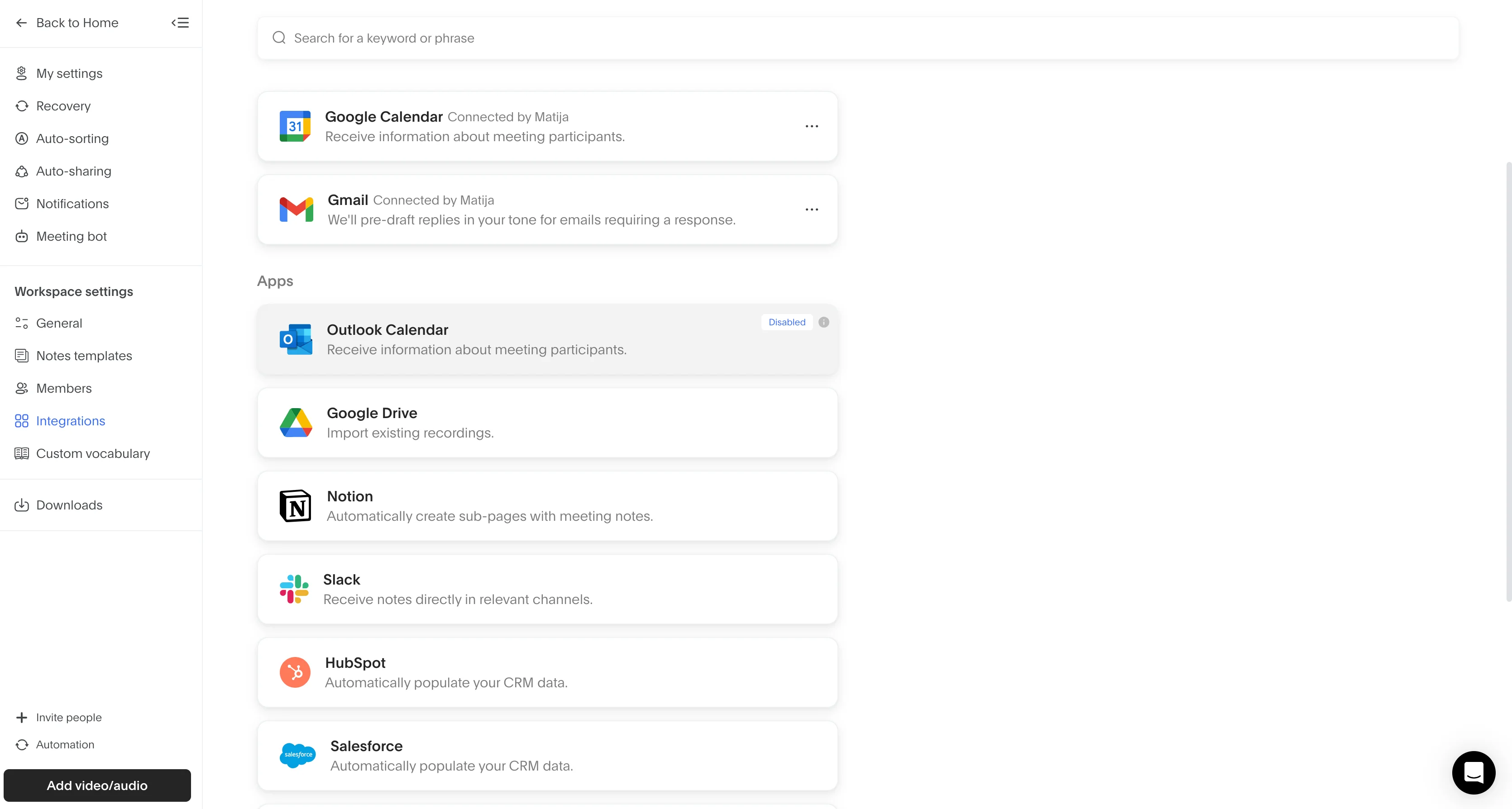
I also liked the AI chat feature, which lets you ask questions across up to 10 past recordings at once. It’s a good way to synthesize knowledge from different conversations in one place, and quickly get answers to specific questions without combing through hours of recordings.
There’s also a handy “Generate follow-up” button that automatically creates a follow-up email based on your conversation. Of course, you can edit it before hitting “Send”.
For finance teams, I think the only downside is that Bluedot doesn’t connect with a few popular finance CRMs like Redtail and Wealthbox. Still, the platform natively integrates with Salesforce and HubSpot, and you can connect to other CRMs via Zapier too.
Key features
Bluedot’s key features include:
- 100+ languages for transcription and summaries
- Custom meeting templates that provide different note formats for every type of meeting
- Zapier and Make support connecting you to thousands of other tools not natively supported by Bluedot
- AI chat that answers questions about up to 10 meetings at once
- Integration with Salesforce and HubSpot for quickly updating deal and contact pages after meetings. You can also connect to other CRMs through Zapier.
- Unlimited storage on all paid plans
- Bot-free recording via Chrome extension, desktop app (Mac/Windows), and mobile apps (iOS/Android)
- Automated follow-up emails in the form of Gmail drafts based on meeting documentation
Pricing
Learn More: Bluedot Pricing and Plans
Unlike most other AI note-taking tools, Bluedot has simple pricing. A free plan (mostly used to try out the platform) and 4 paid subscriptions, depending on your team’s (or individual) needs.
Besides being relatively affordable, Bluedot doesn’t lock features behind paid add-ons, and there are no expensive credits for AI features that you’d constantly have to top up. Plus, the $39/user/month Business plan unlocks CRM systems integrations. The equivalent subscription tiers for Zocks or Pulse360 cost a lot more, while Fathom is priced similarly but doesn’t offer bot-free recording.
Pros and Cons
Here's the revised table:
Best for: Finance teams that need a single AI meeting tool that works for all internal and external calls, at a reasonable price.
Zocks
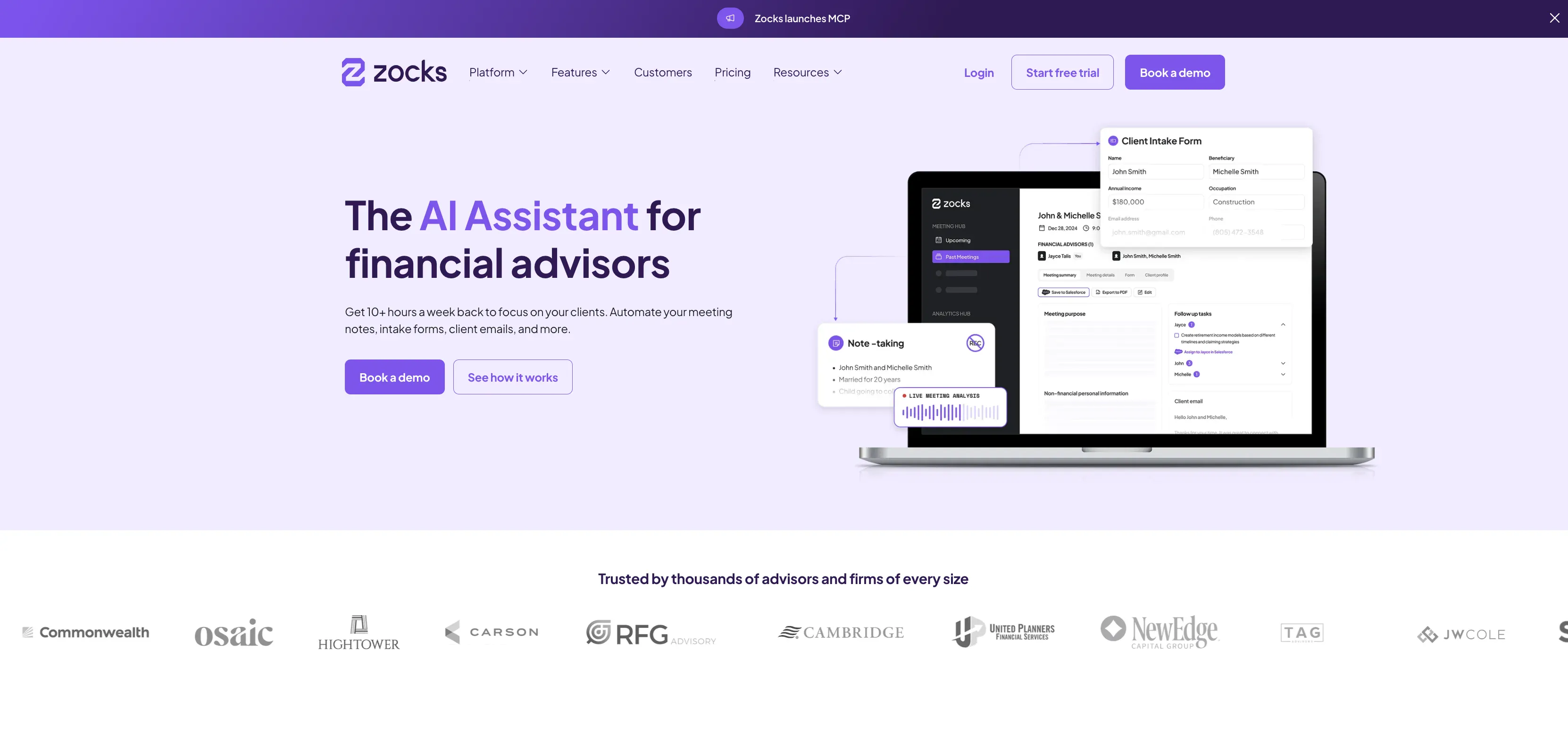
Zocks is the most specialized AI note-taking tool I’ve reviewed for this article, and you’ll notice that immediately if you ever try it.
Simultaneously, this is Zocks’s biggest strength and weakness.
So, this is a tool built specifically for financial advisors — and full disclosure, I’m not one myself. But I can see the appeal for post-meeting tasks nevertheless. It’s clearly trained to handle tax, insurance, and wealth management terminology more accurately than most other AI software on this list.
Apart from Bluedot, I’ve noticed general-purpose AI transcription tools struggle with stuff like “EBITDA” on a quarterly earnings call, or terms "tranche". Zocks seems to handle those easily.
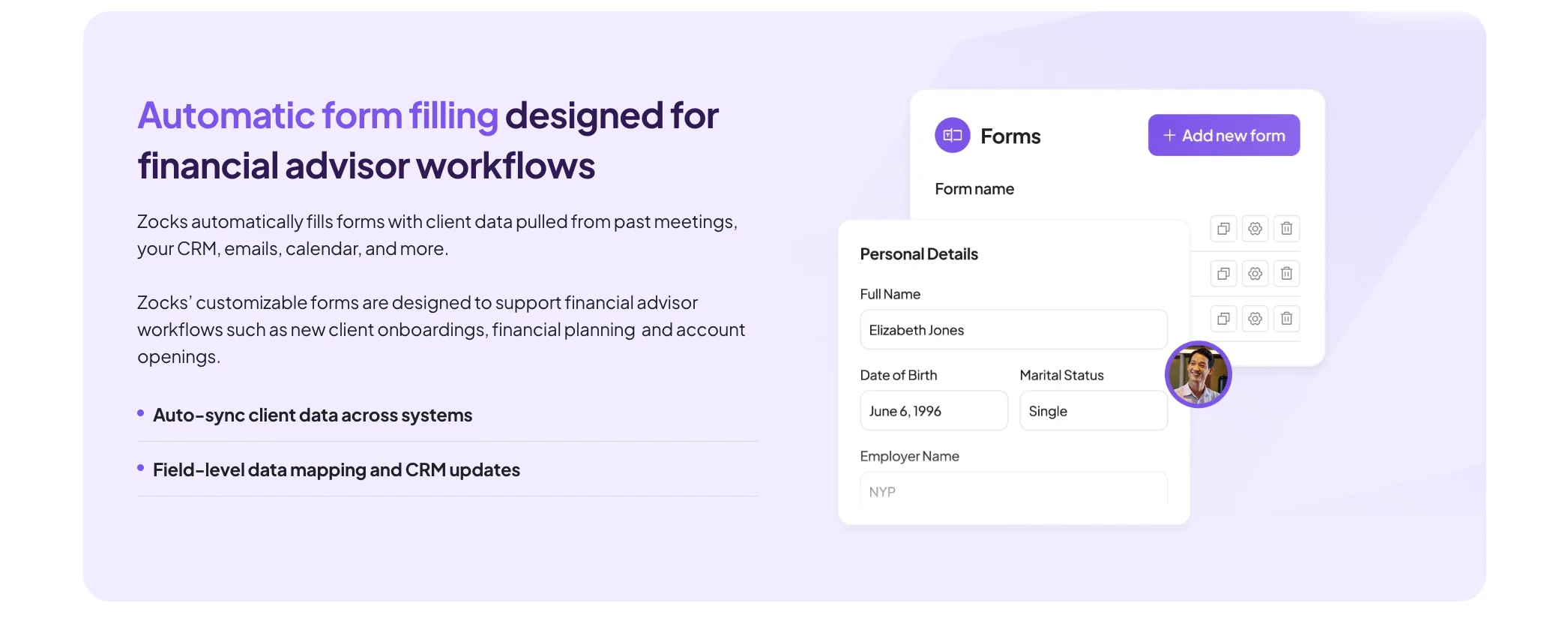
Zocks also provides meeting templates specifically made for financial topics, which is useful for meeting documentation.
Speaking of regulatory compliance, security-minded finance experts will be happy to hear that Zocks doesn’t actually record conversations — or, rather, it doesn’t store any audio or video after transcribing it.
Important Details
While no recording is great for folks who don’t like being recorded, it’s also a main drawback of the platform. If there’s a mistake in a transcription or a meeting note, you don’t have a recording you can check with Zocks. And based on G2 reviews, Zocks can sometimes make mistakes. As a result, some users still take notes on paper — defeating the platform's whole purpose.
If you look past that, Zocks is still helpful with Redtail and Wealthbox integrations. Plus, it can fill forms on eMoney and PreciseFP for you, and draft emails in your tone of voice. I think it’s a useful tool for solo advisors — but with some other flaws you should know about.
The UI is occasionally unresponsive and buggy. Speaker identification doesn’t work flawlessly either, and participants sometimes appear twice. If you want to use Zocks with phone calls, bear in mind it creates a three-way call — achieving the same privacy issue you’d get with a meeting bot on Zoom. And language support is limited to just 10 languages, which rules it out for global teams.
Key Features
- Note-taking without recording and storing audio or video
- AI trained on financial terminology that makes fewer mistakes with terms related to wealth management, planning, insurance, and taxes
- Native CRM system integrations with Redtail, Wealthbox, Salesforce, Practifi, SmartOffice, AdvisorEngine, and more
- Automated form filling for eMoney fact finders and PreciseFP forms
- Dynamic client profiles built automatically from meetings, emails, CRM, and connected systems
- Useful integrations with eMoney, Holistiplan, Orion, RightCapital, Wealth.com
- Meeting scorecards that score staff performance across 18 metrics
- Sentiment analysis that tracks client reactions during meetings
- Document Intelligence that extracts portfolio data from tax documents, estate plans, and statements (Ultimate plan only)
Pricing
Zocks is the most expensive AI tool here. A solo financial professional on the Essentials plan pays $80/month. For comparison, that’s more than double Bluedot's Business tier.
A five-person team on Professional pays $700/month. Now, if you’re ready to integrate Zocks into every aspect of your business, this may be justifiable. But, most financial advisors I know wouldn’t be comfortable with depending on a single tool so much.
If you just want to get some accurate transcriptions and notes that you can push to your CRM, Zocks is definitely overkill. Also, there’s no way to test the platform without booking a demo.
Pros and Cons
Best for: RIA firms and wealth management firms that use Redtail or Wealthbox and don’t mind a really steep price
Pulse360
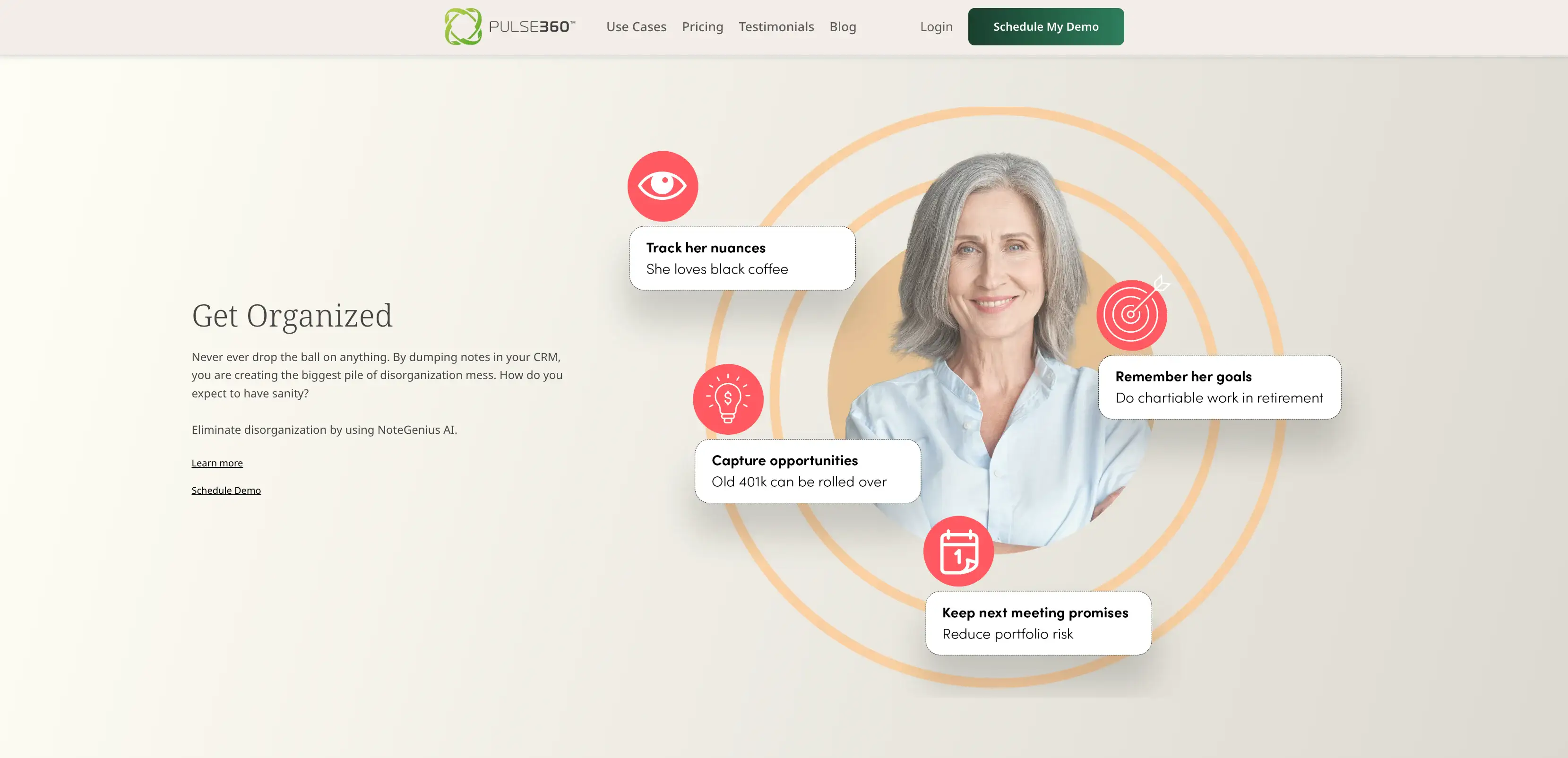
Pulse360 is an AI meeting assistant designed specifically for wealth management firms. Beyond meetings, it tries to streamline other parts of your post-meeting workflow.
Its AI note-taking tool is called CaptureGenius, and it captures more than your meetings. You can also use it to dictate your own private notes, and the platform automatically turns them into organized documents.
As for meetings, Pulse360 works with Google Meet, Zoom, and Microsoft Teams — but not without a bot. On the iOS app, there’s also a built-in notepad where you can add handwritten notes to any client profile.
The platform’s AI organizes notes by status and topic, making them easier to manage. It also automatically adds notes to the appropriate profiles in Salesforce, Wealthbox, or Redtail. CRMs aside, Pulse360 also integrates with specialized tools like Riskalyze and PreciseFP.
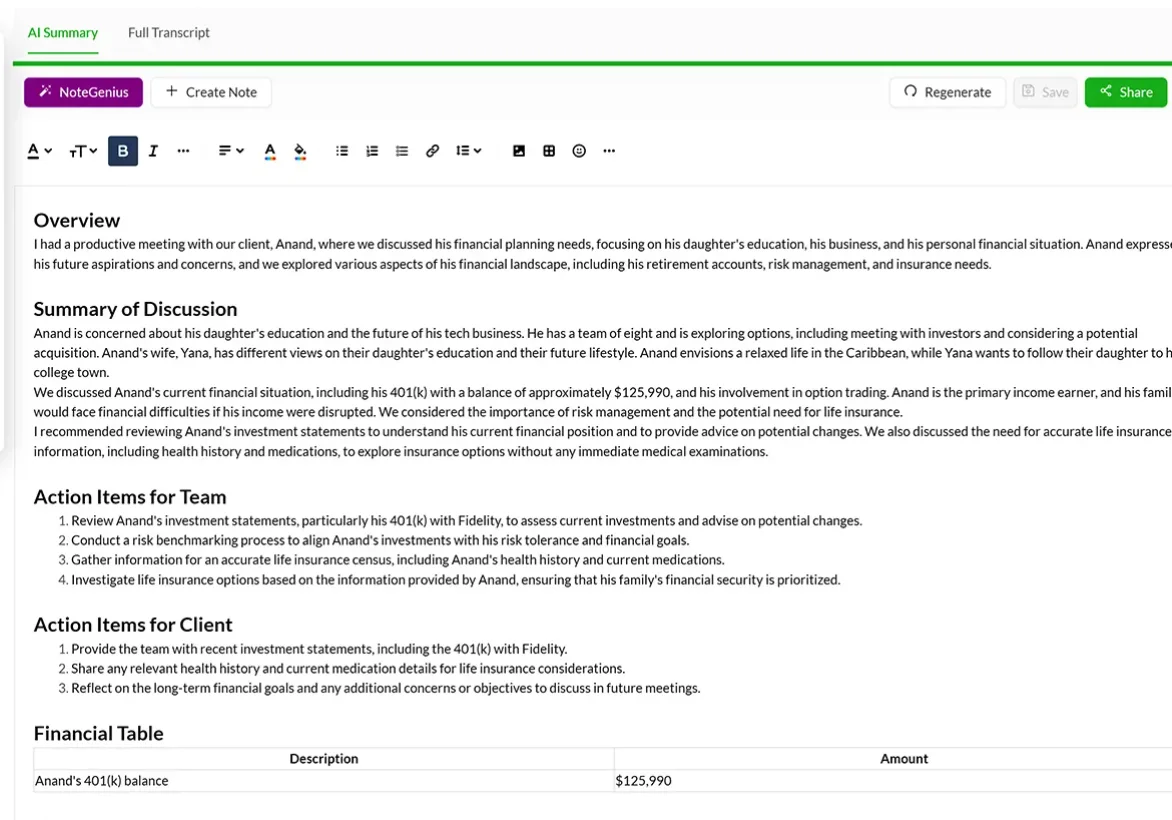
You can also use Pulse360’s AI to rephrase your writing. I think this is useful for client-facing documents, because it can automatically translate financial terms into simpler language that clients will understand.
Read More: How to Write a Meeting Summary
In general, Pulse360 is there to help you create client deliverables faster — as long as you’re comfortable with embedding it into every aspect of your post-meeting workflow.
When it comes to security, all the bells and whistles you’d expect in this price range are there — SOC 2 Type II compliance, standard AWS encryption, and no training of AI models with your data.
Important Details
Before you opt for Pulse360, you should bear in mind that it mainly targets mid-to-large finance firms. For a solo advisor or a smaller firm, I think it’s just too expensive. Even without the AI note taker (which is optional), the lowest price is $49 per month.
With that in mind, it’s not ideal that Pulse360 can get laggy. Also, team management isn’t really user-friendly, and I’d like the access control to be more granular.
Key Features
- Template Builder that makes it easier to produce client deliverables
- CaptureGenius AI notetaker for Zoom, Teams, Google Meet, and in-person meetings
- AI Writer that simplifies financial language for clients
- NoteGenius AI that organizes notes and updates connected CRMs
- Handwritten notes you can write in the app alongside AI summaries
- CRM integration with Redtail, Wealthbox, Salesforce (and XLR8, Practifi, Salentica, FSC)
- SmartFields and Dynamic SmartFields that update CRM fields with client data automatically
- Nitrogen/Riskalyze and PreciseFP integrations for risk questionnaires and client onboarding
- SOC 2 Type II compliant
Pricing
Pulse360's flat pricing model is great for teams, but far from ideal for solo advisors. At $99/month for one advisor and one staff member, the Note-taker Only plan costs more than Bluedot's Business tier ($39/user/month). It’s also nearly as expensive as Zocks' Essentials ($80/user/month).
Pros and Cons
Best for: Mid-size advisory practices (5–10 people) that need to automate deliverables.
Fathom
Fathom has the most generous free plan out of all the AI note takers I’ve tested here. You can use it indefinitely, and you get unlimited transcriptions and recordings. However, you only gain access to the most basic AI summaries, and no other advanced features — they have to leave something for the paid tiers, after all.
Still, this makes Fathom a decent choice for solo financial advisers who want to test this type of software before paying.
There aren’t many features specifically made for financial advisors, but the Deal View is useful because it shows you all the meetings related to a specific client in one place. If you opt for the Team plan, you can also add custom vocabulary, which helps Fathom make fewer mistakes with financial jargon.
When it comes to security, you’ll be happy to hear that Fathom doesn’t train its AI on your data, and that the platform is compliant with SOC 2 Type II and HIPAA.
Read More: Fathom Review: Pros, Cons, and Pricing
Important Details
Before paying for a subscription, though, you should know about Fathom’s limitations. First, it uses a bot to record all meetings, and there’s no bot-free option right now. Fathom’s FAQ says this is “coming soon”, but it’s been that way for a while now.
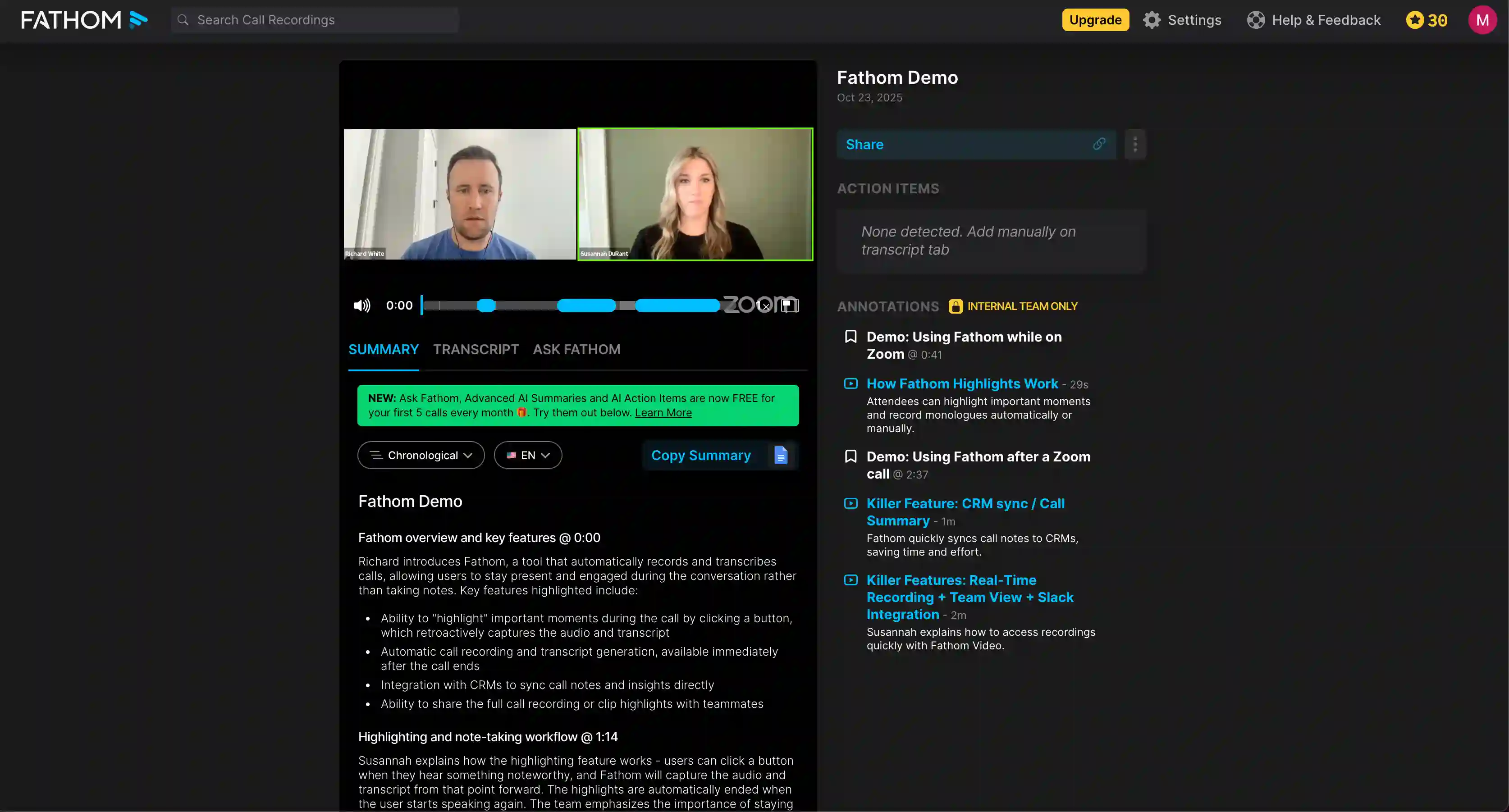
Also, it’s not the ideal choice for advisors who serve a global clientele, since language support is relatively low — it only transcribes around 25 languages. And there’s no mobile app for in-person meetings.
I’m also not fond of Fathom’s UI, which is filled with light grey text on dark backgrounds — very difficult to read. And if you encounter any issues, Fathom’s customer support only responds via email. Be prepared to wait for a while.
Key Features
- Keyword alerts that notify you when specific topics come up
- AI scorecards that track your staff’s performance in meetings
- Custom vocabulary for transcription that lets you add financial terms
- Unlimited free recordings and transcriptions without meeting caps or storage limits
- Deal View that groups all related meetings
- CRM integration with Salesforce and HubSpot
- Ask Fathom, an AI chat that helps you search for information from past meetings
- 15+ summary templates with sales frameworks (BANT, Sandler) on paid plans
- SOC 2 Type II, HIPAA compliant, and doesn’t train AI on your data
Pricing
Especially compared to more specialized AI meeting assistants, Fathom isn’t the most expensive option out there. Plus, it offers a decent free plan where you can test its basic features for as long as you want.
However, bear in mind that advanced CRM integration and the Deal View require the most expensive Business subscription.
Pros and Cons
Best for: Solo advisors and small firms that want to try AI note-taking without paying for a subscription right away.
Jamie AI
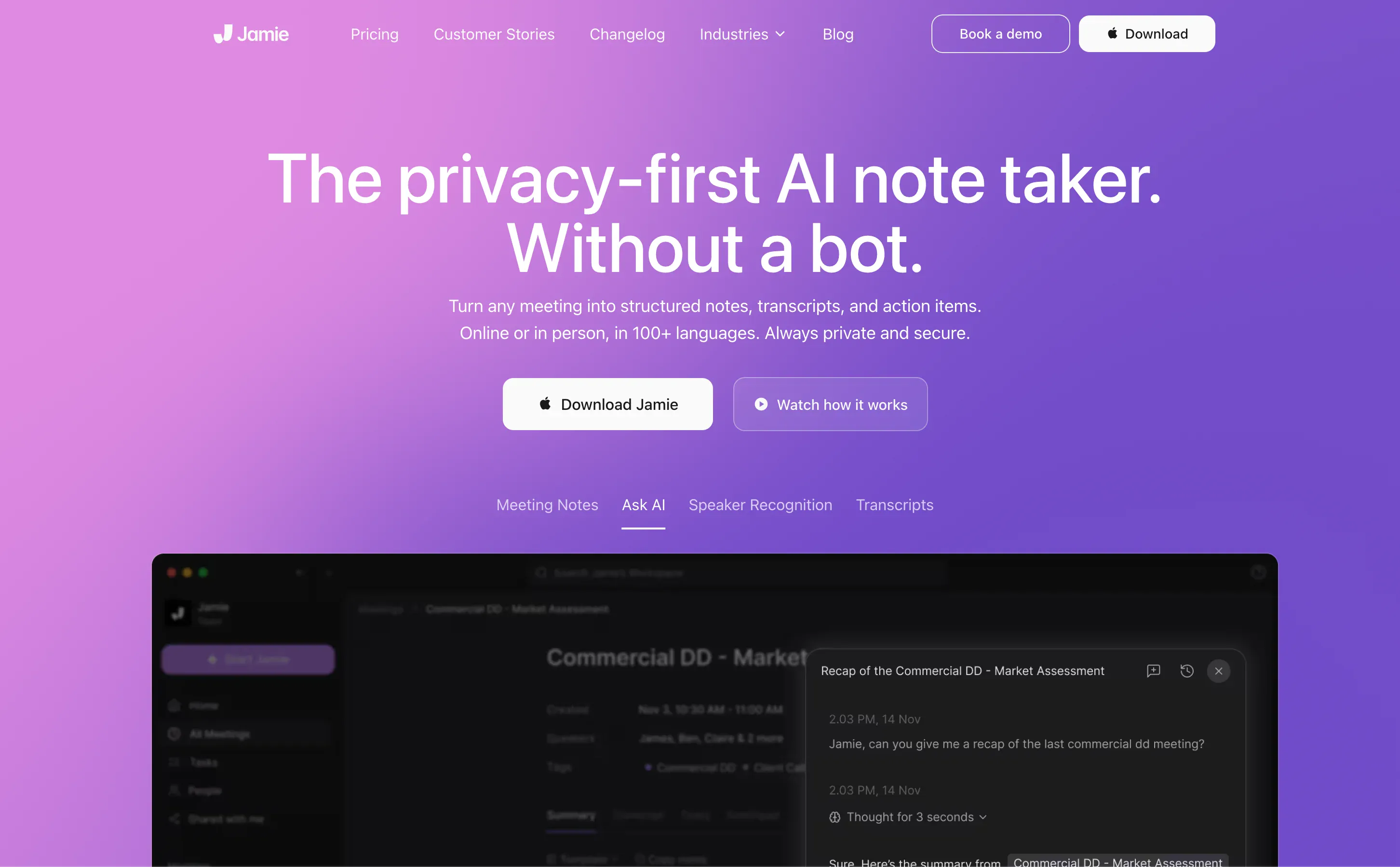
Jamie AI focuses on privacy, which I liked — and I imagine wealth management firms will appreciate as well. It deletes audio recordings immediately after transcribing your calls, and all data is processed on EU-based servers. The platform is also GDPR compliant, and it has an ISO 270001 certification.
In practice, I found Jamie AI a bit fiddly because there’s no web-based app or a browser extension. You have to download an app, either on iOS or on a desktop. There’s no Android support, though both Mac and Windows are an option.
There’s no bot, which is great, but there’s also no video or audio recording.
That’s the flip side of such a privacy-first approach, and I don’t really like not being able to go back and watch recordings like I can on Bluedot. A lot of mannerisms and subtle non-verbal cues get lost in transcription, and there’s no way to check the accuracy of your notes and transcripts.
Important Details
Users have also reported occasional bugs on G2, like the app freezing while it processes transcripts — though I haven’t encountered this myself. A problem I can attest to, however, is that Jamie can miss sentences or make other mistakes when a lot of participants are in a meeting.
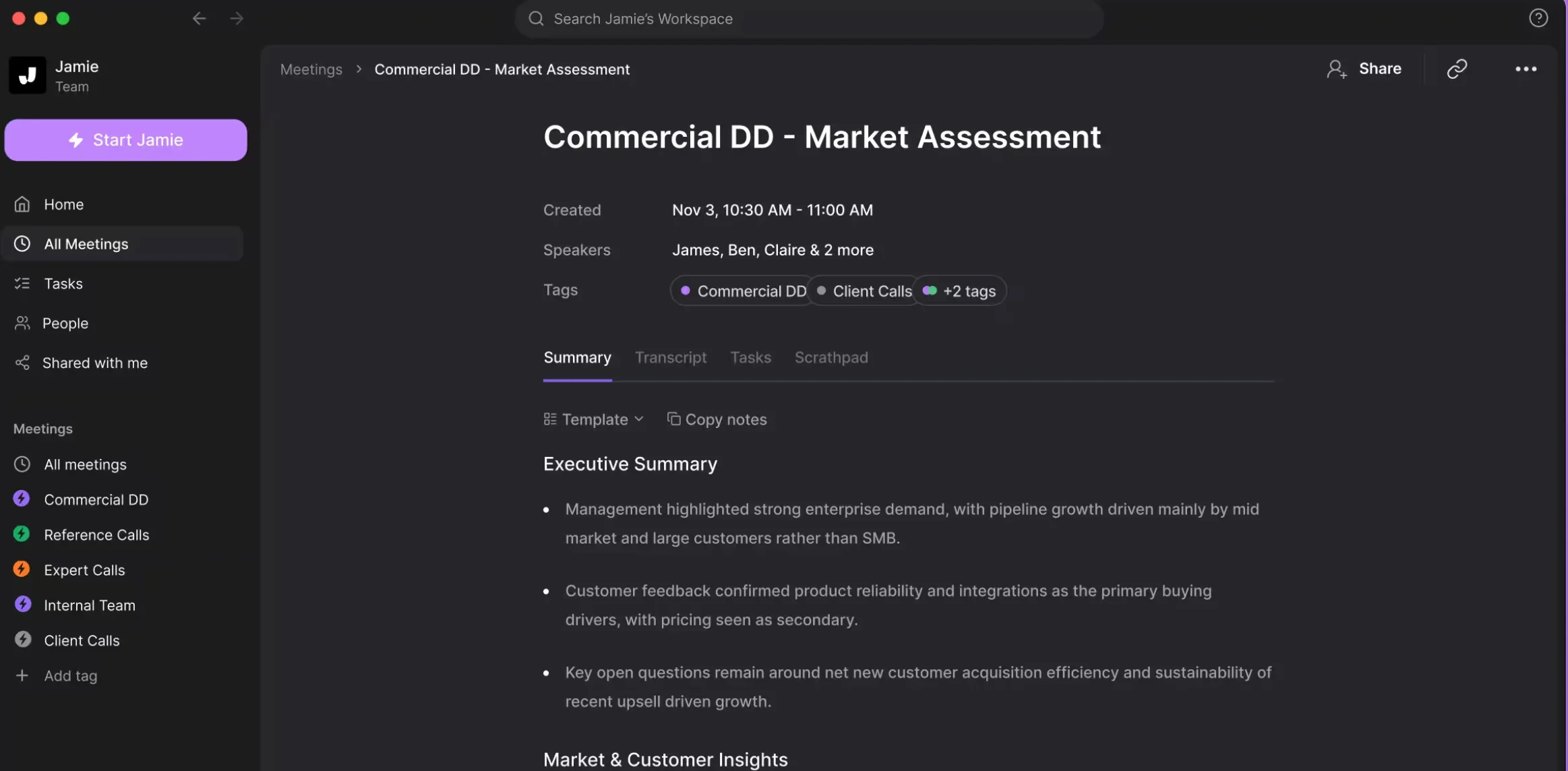
Integrations with CRMs are also locked behind the €47/month Pro plan, and there’s no native integration with Wealthbox or Redtail. In general, pricing is a sticking point for me with Jamie. The Pro plan costs roughly $50 USD/month for a single user, with a 3-hour meeting cap. If you’re looking for a generalist AI note taker, you can get more value for your money with a tool like Bluedot.
Still, I liked some of Jamie’s quality-of-life features — including a Scratchpad you can use live during client meetings, and jot down anything you feel is particularly important. Its transcriptions are also easy to edit thanks to a global Find & Replace feature, which you can use to correct the same mistakes that repeat throughout client conversations in a single click.
Read More: Jamie AI Review: Is It Worth the Price?
Key Features
- Bot-free recording via a desktop app (Mac/Windows) and iOS app
- Audio deleted after transcription so nothing is stored, and all data is processed on EU servers
- Custom templates, up to 3 on Plus, unlimited on Pro and above
- Ask Jamie AI chat for questions about different meetings. It can also provide context on any specific part of a transcription and help you draft follow-ups.
- Find & Replace for quickly fixing repeated mistakes in the entire summary or transcription.
- Integrations — Notion, Google Docs, OneNote, Asana (all plans); Salesforce, HubSpot, Attio (Pro+)
- ISO 27001 certified, GDPR compliant and no model training on customer data
Pricing
For what it delivers, Jamie is expensive. Even on the most expensive tiers, your meeting duration is limited — and you end up paying a lot for a tool that doesn’t even store your audio or record your video.
Pros and Cons
Best for: EU-based advisory firms and wealth management firms that feel strongly about storing data on EU servers.
Fireflies AI
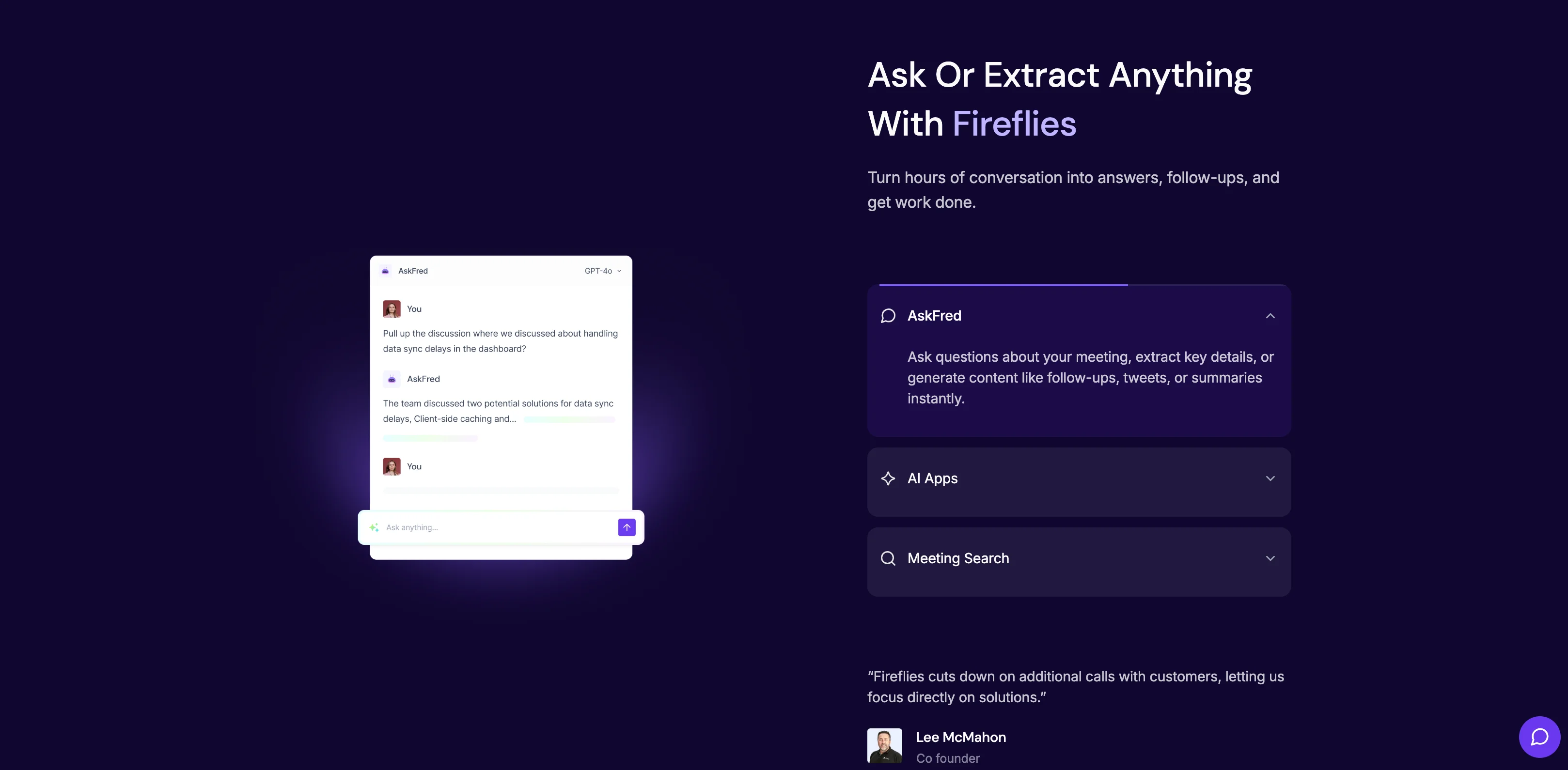
If you’re interested in AI note takers for finance teams with client conversation analytics, you should definitely consider Fireflies.
Most AI meeting assistants offer the same basic conversational analytics, but Fireflies goes a step further with sentiment analysis. Its AI is trained to categorize statements as positive, negative, or neutral.
It tags these moments in client meetings, so you can instantly jump to specific points where clients expressed concern. While I didn’t use this feature a lot personally, I was more fond of Fireflies’ topic tracker. It tags specific subjects across multiple meetings, so you can view all client conversations related to that topic in an instant.
Depending on what you need, there are also custom note templates like the Investment Opportunity Evaluator and Customer Profile Generator. All useful if you want those specific insights from your calls.
Importantly, Fireflies integrates with Salesforce and HubSpot — but also Wealthbox and Redtail.
Read More: Fireflies vs Otter vs Bluedot: Full Comparison
Important Details
Considering all of the above, why doesn’t Fireflies rank higher on my list?
First of all, I didn’t like that it required a bot to record and transcribe meetings on Microsoft Teams and Zoom (there’s a Chrome extension for Google Meet).
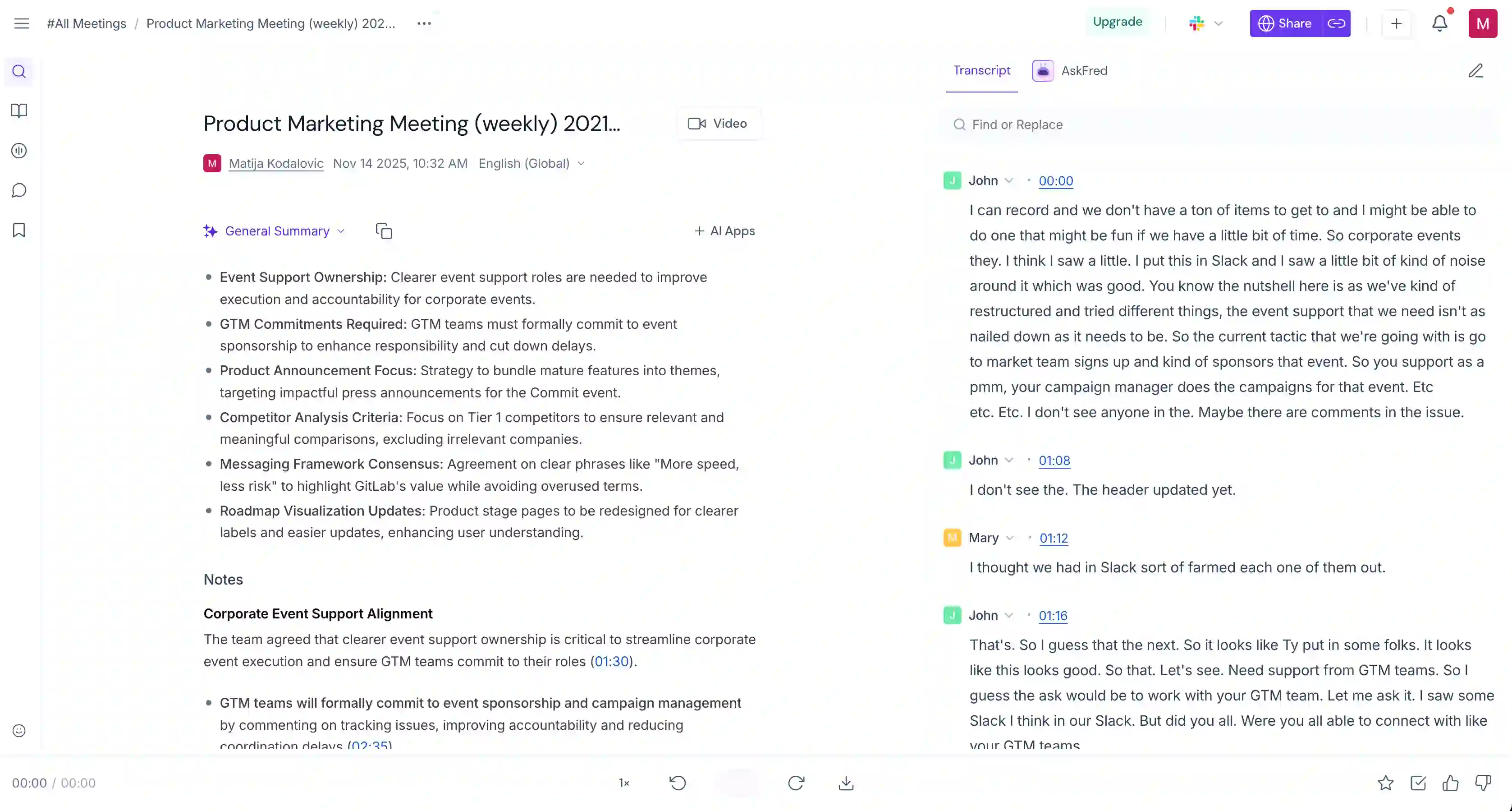
But more importantly, Fireflies is just a lot more expensive than it seems. The paid tiers look affordable at first glance, but all of them are tied to a pricey AI credits system.
On Fireflies, you spend AI credits to use any AI-related feature. This includes pushing client documentation to your CRM, asking its AskFred chatbot a question, or running an “AI Skill” ( a fancy term for meeting templates). Even with the Business plan, you only get 30 credits per month, and they run out quickly.
Even with this, I wouldn’t rank Fireflies so low if it weren’t for its aggressive marketing tactics.
Basically, its goal is to spread through any organization as fast as possible. Once one user gives Fireflies calendar access, the bot starts joining all their meetings. After that, Fireflies emails every participant with summary notes, which you need an account to view.
In fact, the bot may try to join your meeting even after you’ve canceled your subscription. To stop it permanently, you have to prevent access manually and delete your Fireflies account.
For me, this is an annoyance — but it may be a deal-breaker for finance teams that handle sensitive client information.
Key Features
- Sentiment analysis that categorizes statements as positive, negative, or neutral
- AI Skills that analyze your transcripts and extract useful info, like Financial Goal Tracker, Profitability Insights Tracker, Customer Profile Generator, Investment Opportunity Evaluator
- CRM integration with Salesforce, HubSpot, Redtail, and Wealthbox
- AskFred AI for conversational search of meeting transcripts
- Topic trackers that tag specific subjects across meetings
- Chrome extension for bot-free recording on Google Meet (bot required on Zoom/Teams)
- Mobile app for recording in-person meetings on iOS and Android
Pricing
While its subscriptions aren’t the most expensive on this list, Fireflies AI credit top-ups actually make it one of the most pricey AI note takers.
A team running 5+ meetings per day will easily spend 30 monthly credits in one week. And platforms like Bluedot and Fathom include all AI features in the subscription price.
Pros and Cons
Best for: Advisory firms that want conversation analytics like sentiment scoring and topic tracking.
Otter AI
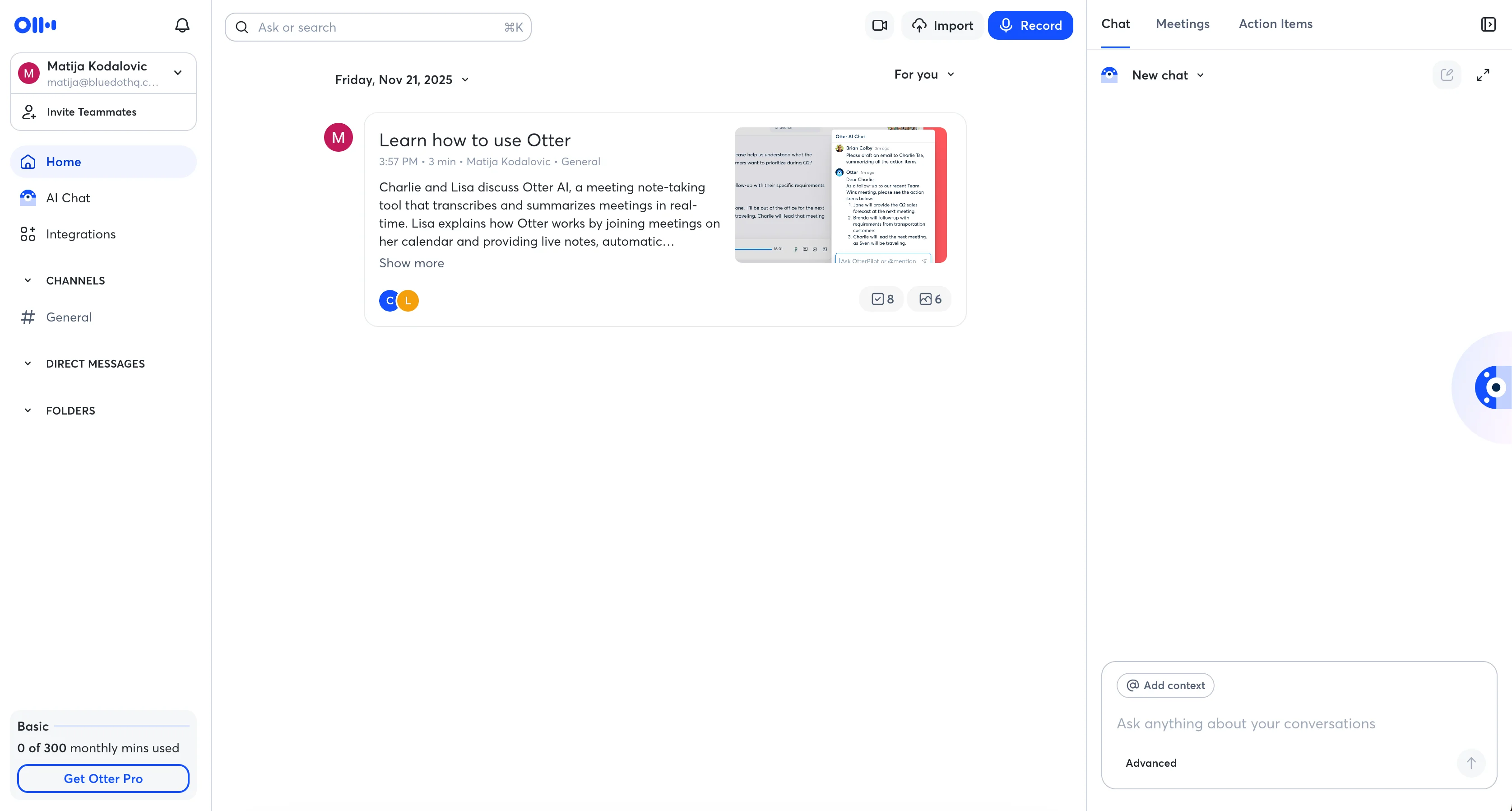
When I tested Otter AI, I liked its flexibility. It worked on pretty much all my devices — there’s a version for desktop, web browsers, Android, and iOS. If you meet a lot of clients in person, I’d say this is a plus.
I have to commend the Automated Slide Capture tool as well, which is exactly what it sounds like — a way to automatically record shared screens and presentation slides from each meeting. The images are inserted into your transcript, which was really useful and a huge time-saver.
Unfortunately, that’s where my positive impression ends. While the 4-hour cap for meetings on Business subscriptions isn’t too tight, I don’t appreciate being limited while paying for such a high subscription.
Read More: Best Otter AI Alternatives in 2026
Important Details
Otter’s main problems relate to data privacy. On its Privacy & Data Security page, Otter openly admits to training AI models on customer data.
In fact, Otter faced a lawsuit over its handling of customer data. According to an NPR story, Otter routinely joins calls where it’s not invited, as long as it has access to someone’s calendar. It even allegedly killed an investment deal by accidentally sharing confidential financials disclosed in a meeting.
I’m not a finance expert, but I’d say this isn’t a great sign for financial planning conversations that fall under FINRA or SEC oversight.
Also, Otter uses the same aggressive expansion tactics I noticed with Fireflies. If you sign up with a company account, Otter will prompt everyone on your contact list to sign up — and join all meetings by default.
For instance, if two recruiters are on a call and a candidate joins afterward, Otter might send the entire transcript to everyone, giving the candidate information about everything that was discussed without their presence.
Removing Otter is also difficult, because its bot may try to join meetings even after you cancel your subscription. As with Fireflies, the only reliable solution is manually revoking calendar access.
Also, Otter only supports English, Japanese, French, and Spanish. And it doesn’t record videos. Considering all of this, the fact that Otter’s been consistently raising its prices over the past few years doesn’t fill me with joy either.
Key Features
- Live transcription during meetings
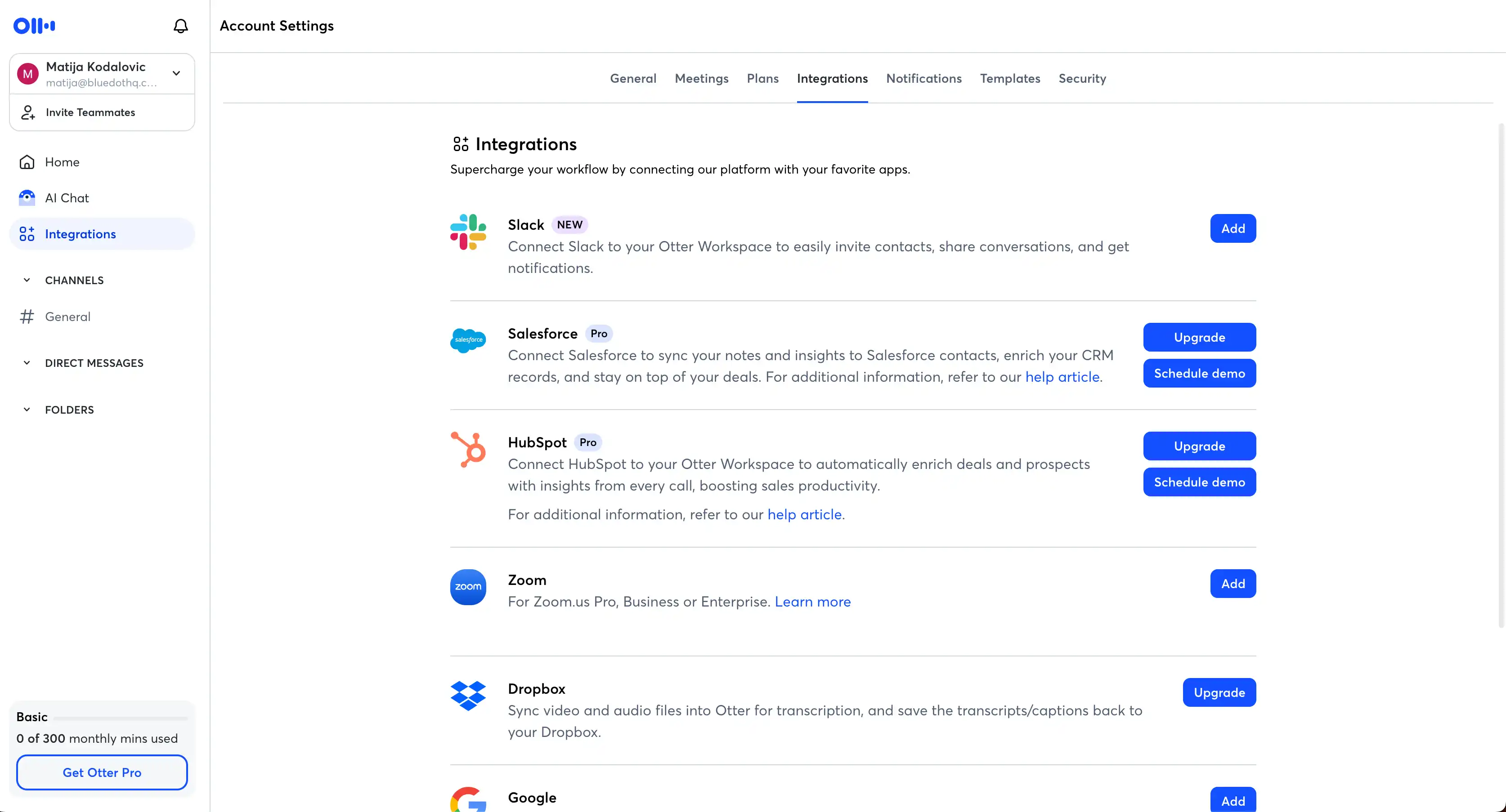
- Support for all platforms via browser, iOS, Android, desktop app, and Chrome extension
- Collaborative note editing that allows the whole team to collaborate
- Custom AI meeting templates, up to 30 per user on the Business plan
- CRM integration that automatically syncs notes with Salesforce and HubSpot on the Business tier
- Channels for group conversations directly on the platform
Pricing
With the annual discount, Otter’s Business plan seems reasonable at just $19.99/user/month. However, there’s still a 4-hour meeting limit — and only 5 users can integrate with CRMs on one Business account. For a platform with no video recording, this isn’t the steal it appears to be.
Pros and Cons
Best for: Finance teams that need transcription for in-person meetings but don’t handle highly sensitive client data.
Final Verdict — What's The Best AI Meeting Assistant for Finance Teams?
The best AI note taker for finance teams in 2026 is Bluedot — if you want a cost-effective tool you can use for all meetings in general.
With Zapier, you can easily connect Bluedot to Redtail and Wealthbox and automate note-sharing. Of course, if you want these integrations out of the box for maximum advisor satisfaction, consider Zocks and Pulse360 as well. But, be prepared to pay a much higher monthly subscription.
The other option is one of the many other generalist AI meeting assistants I’ve covered here. But, they’re generally not as cost-effective as Bluedot — and they don’t care as much about access control and data privacy, which are essential for any finance team.
Frequently Asked Questions
What is an AI note taker for finance teams?
An AI note taker for finance teams is software that records meetings, before generating transcripts and AI summaries automatically.
Financial advisors in the wealth management industry generally use these tools for client meetings and deliverables, though they can be used internally with other staff members too.
Are AI note takers compliant with SEC and FINRA regulations?
Some AI note takers can be used in a way that complies with SEC and FINRA regulations in the wealth management industry, but you shouldn’t trust a tool to guarantee your compliance. Your compliance officer should know your specific regulatory obligations, and evaluate each piece of software accordingly.
Do AI note takers work for in-person client meetings?
It depends on the tool in question, but many AI note takers like Bluedot can be used for in-person advice delivery meetings — mostly through smartphone apps.
What's the difference between bot-free recording and note taking without recording?
Bot-free recording captures audio and video from a meeting, but without a bot — like with Bluedot. Besides a transcript and notes, you get an actual recording in the end.
When note-taking is done without recording, you only get a transcript and notes after the call. The actual recording is deleted, mostly to ensure client confidentiality.
Which AI note takers integrate with Redtail and Wealthbox?
While Bluedot and other AI note takers can integrate with Redtail and Wealthbox through Zapier, Zocks, Pulse360, and Fireflies can do so natively.
Can I use a general-purpose AI note taker as a financial advisor?
Yes — and for many finance teams, it's the better choice. General-purpose AI note takers like Bluedot are less expensive, and they can handle internal staff meetings as well as post-meeting processes.
However, some of these general-purpose tools may need some adjustment to transcribe financial terms accurately. With most AI meeting assistants, you can easily do this by adding terms to its custom vocabulary.