iPhone apps are an afterthought for most AI note takers — a stripped-down experience compared to their web and desktop counterparts, usually without crucial features.
I'm here to help you find the best AI note taker for iPhone and iPad. The one that records without a hitch and gives you all the information you need about each meeting.
Everything here comes from research I've done as Bluedot's resident content specialist: 30+ AI note takers tested hands-on, our conversations with iPhone users, and verified online reviews of all the covered tools.
Below, you'll learn about the:
- 8 best AI note taker apps for iPhone and iPad, ranked,
- Actual truth about recording phone calls on an iPhone, and
- Billing traps behind "free" AI note-taking tools.
Key Takeaways
- Bluedot is the number one choice overall — private, bot-free meeting notes on the iPhone, iPad, and Apple Watch, with replayable recordings and no AI usage credits that limit its features.
- Otter works for live transcripts of scheduled video calls, but a visible meeting bot joins every online call — a poor fit for discreet or client-facing work — and reviewers report renewal charges arriving without notice.
- Fireflies leads on conversation intelligence — sentiment, talk time, topic trackers — but a monthly credit allowance meters nearly every AI feature, and the full analytics require the Business plan.
- Granola is great for blending your own notes with the AI's, but it's US-hosted, trains its AI on your meetings by default, and records no video.
- Notta wins for multilingual meetings with live translation in 58 languages, but watch the 3-minute free cap and the trial-to-annual billing complaints.
- Jamie is the closest bot-free, privacy-first alternative, but it runs only on the iPhone — no iPad version — and its paid plans cost more than any other pick on this list.
- Wave is a simple all-in-one mobile recorder that also covers the iPad, Apple Watch, and desktop, but beware the surprise ~$140 charge that can land the day a trial starts.
- Plaud is the pick when you really need to record iPhone calls, but you pay a lot for the privilege — $160 to $200 for the recorder up front, then a subscription once you outgrow the 300 free monthly minutes.
Does the iPhone have an AI note taker?
Yes — iPhone supports many AI note taking apps. With the right one, your iPhone records in-person conversations, transcribes them, and writes automatic meeting notes (though most of it happens in the cloud). You don't need a laptop or any third device.
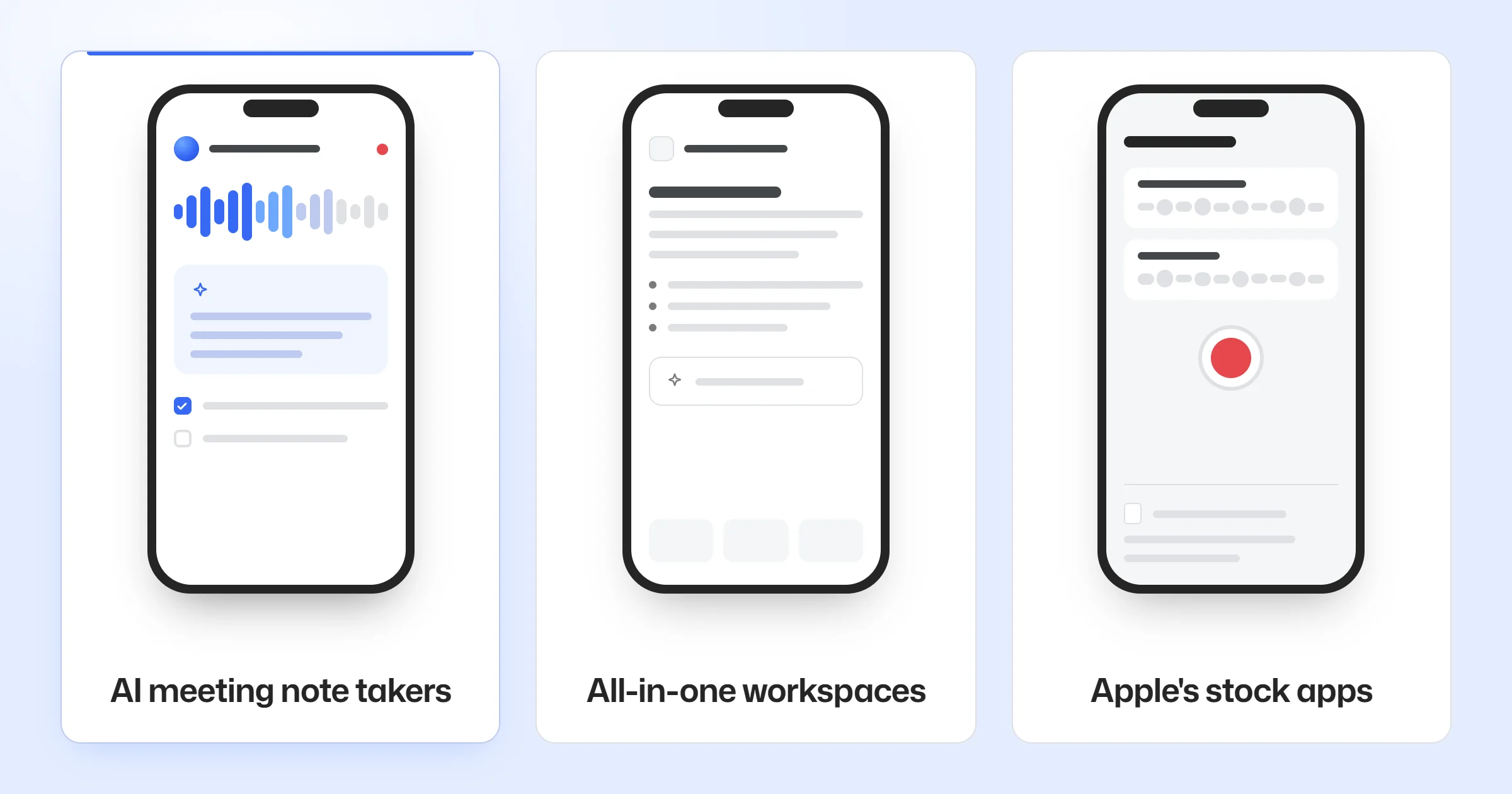
However, an "AI note taking app" on the App Store can be three different things:
- AI meeting note takers — apps like Otter, Fireflies, and Bluedot that turn audio or video of a conversation into meeting notes: a transcript, a summary, and action items (what we're mostly covering here)
- All-in-one workspaces — hubs like Notion, where AI helps with notes and docs you type yourself, not with recording
- Apple's stock apps — Voice Memos, Notes transcription, and Apple Intelligence summaries. They're already on your phone and free, but their output is more generic. Better for personal use than work.
How do AI note takers record conversations?
Phone apps use the iPhone or iPad mic.
On video calls, many web apps send a meeting bot — a visible AI participant that joins your video conferencing platform (Zoom or Google Meet) to record it — while bot-free apps record from your device discreetly.
That's why people try a few AI meeting assistant apps before sticking with one.
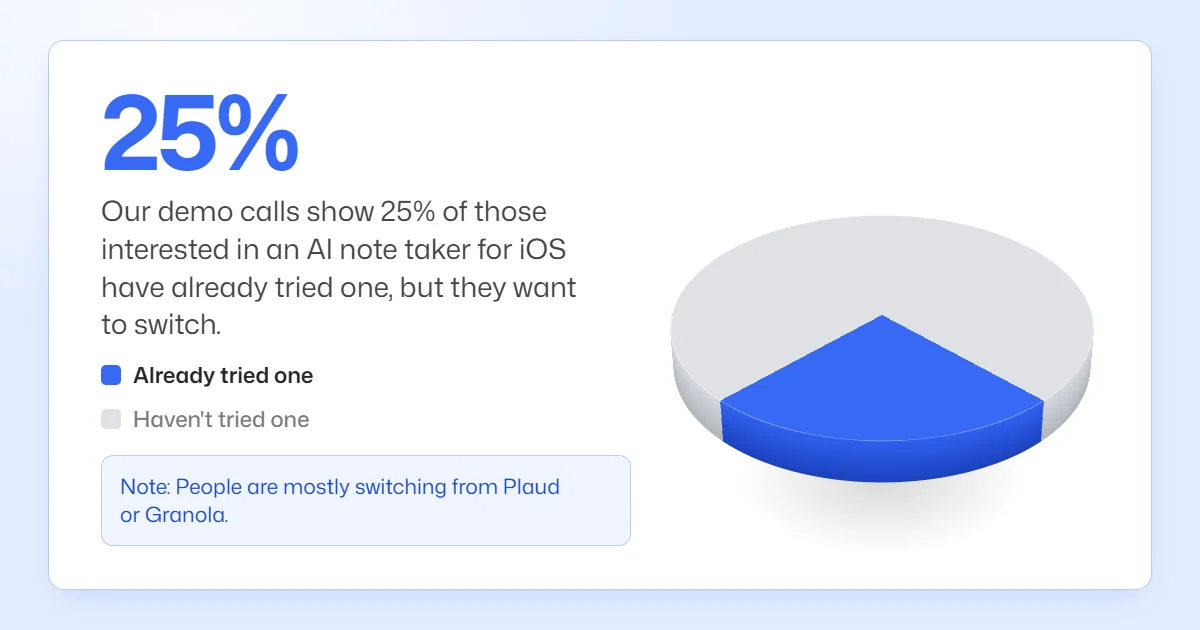
Here at Bluedot, our demo calls show 25% of folks interested in an AI note taker for iOS have already tried one — usually Plaud's hardware or Granola.
Most of them stick with Bluedot. Keep reading to learn why.
What to look for in an iPhone or iPad AI note taker
Most AI note taking apps for iPhone and iPad look the same — real-time transcription, AI summaries, searchable notes, templates for meeting notes.
The differences are subtle and important. Here are the core features you should look out for:
- A native iOS and iPad app — not a desktop tool with a thin phone version
- In-person note capture with the phone or iPad mic — not just a bot that joins video calls
- Bot-free recording in online calls — nothing joins the call for the other side to see
- Actual value for your money — generous free plans often hide hard caps, metered AI credits that cost a lot, and hard-to-cancel subscriptions
- Privacy and EU data handling — where recordings are stored, and whether the vendor trains AI on them
- Accuracy on a phone mic — multiple speakers, accents, and industry jargon
💡 BLUEDOT PRO TIP
If EU data handling is on your checklist: Bluedot lets you choose your data region (EU or US) and set a custom retention policy, so recordings are stored where — and only as long as — you want.
Most people who record in-person meetings want to do it on their phone.
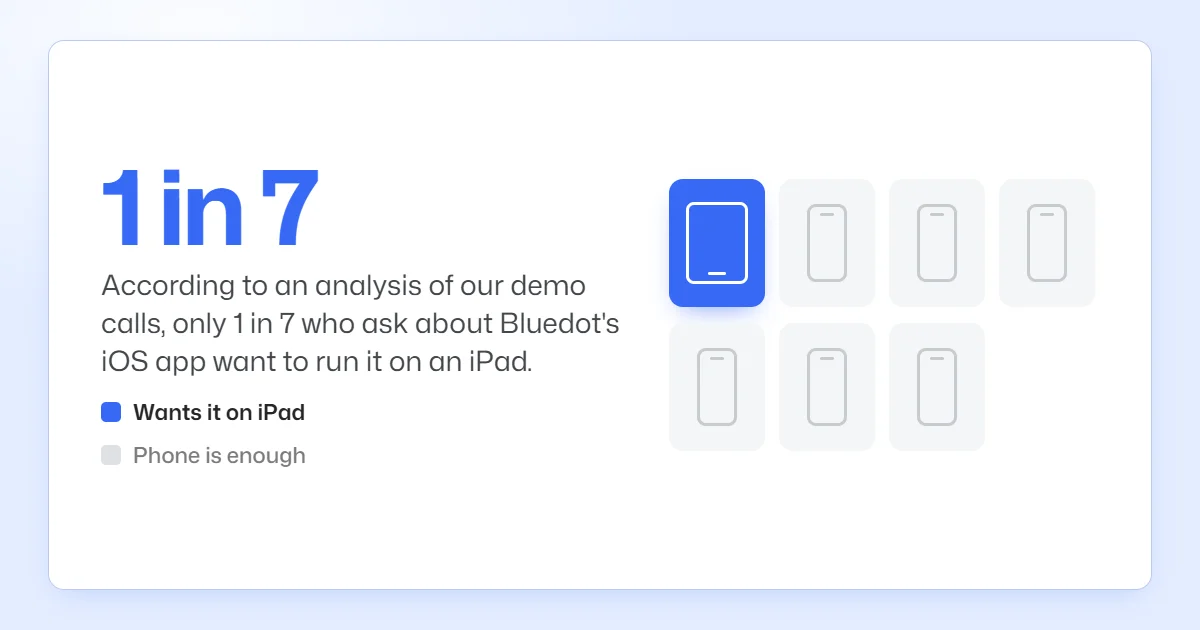
According to an analysis of our demo calls, only 1 in 7 who ask about Bluedot's iOS app want to run it on an iPad — for most people, a phone is more convenient and more discreet.
How does speaker identification work on a phone?
Automatic speaker identification (diarization) separates the voices in one mic recording and labels each segment Speaker 1, Speaker 2, and so on. In an online meeting, the app can pull real names from the calendar or the participant list — in the room, there's no list, so you get generic labels which you can edit.
You get less accurate identification (and transcriptions) when people talk over each other, or when there's background noise. Strong accents don't help either.
To get the most out of an AI meeting assistant on your phone, we advise you:
- Put the phone or iPad in the middle of the table, and
- Ask everyone to quickly introduce themselves at the start of the meeting.
The 8 best AI note takers for iPhone and iPad at a glance
Here's how the eight compare on the criteria above — the details are in each review below:
Paid plan prices are per user per month on annual billing — except Granola, which only bills monthly, and Plaud, where the yearly Pro plan comes on top of the recorder itself.
#1. Bluedot — for private iPhone & iPad meeting notes
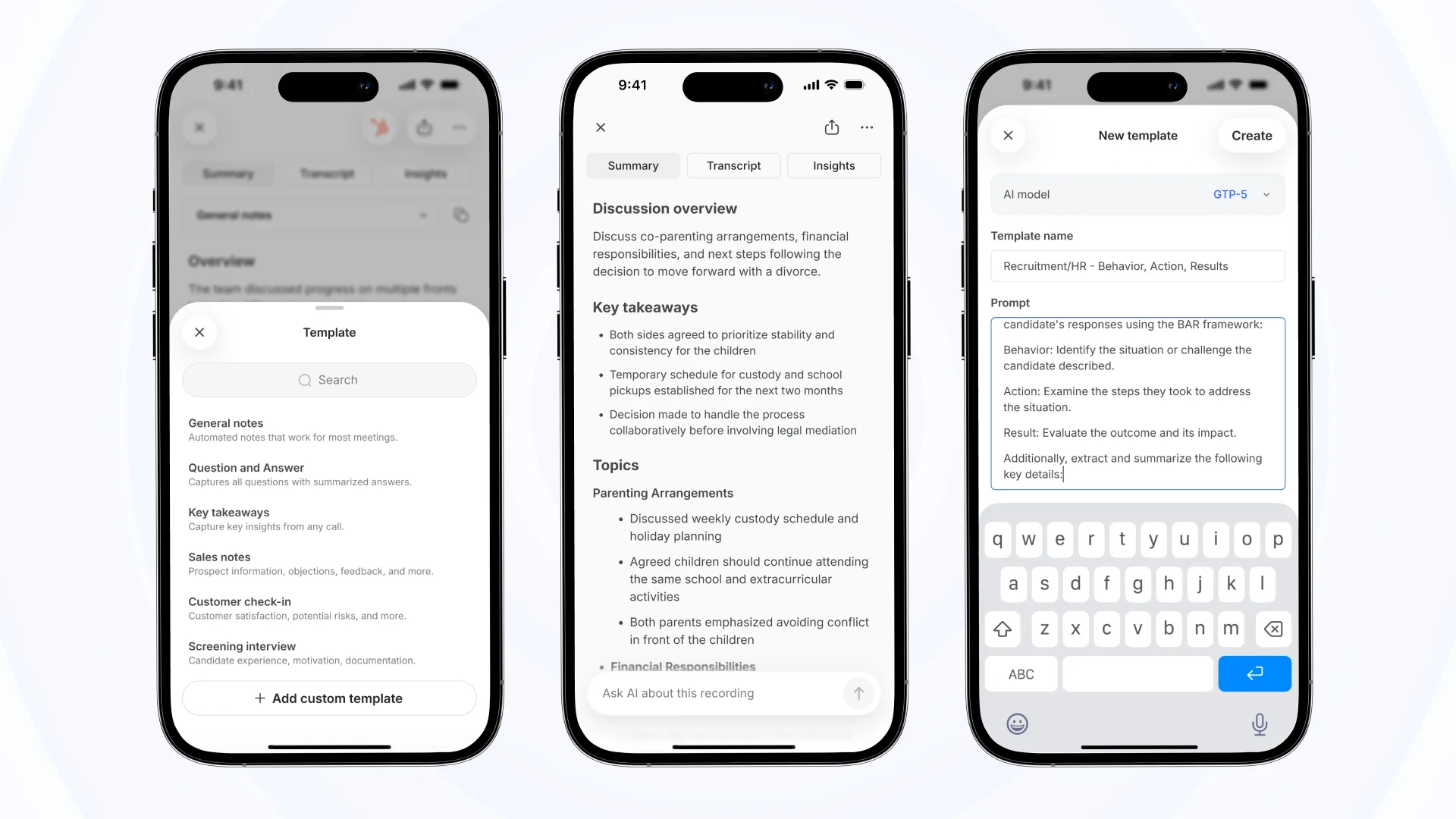
Bluedot is the best AI meeting note taker for iPhone and iPad — a privacy-first AI meeting assistant built in Europe, with native apps for all iOS devices and the Apple Watch.
In person, Bluedot records from the phone or tablet mic with no bot. Online meetings go through its desktop app or Chrome extension, so the notetaker doesn't appear in the participant list.
Regardless of where you record, Bluedot is discreet and accurate. One of our users said it best on their demo call: "There is no bot… that's great."
"That's awesome for meeting with external people." — Operations manager, construction, Bluedot demo
Most other privacy-minded competitors (like Jamie and Granola) don't have much to offer on Apple hardware.
Jamie has no iPad app at all, and its iPhone app doesn't include its Ask AI feature — you can't search or analyze your recordings conversationally from your phone. Granola's iPad app needs iPadOS 18 or newer, and its chat doesn't work on the iPad.
Bluedot runs natively on iPhone, iPad (iPadOS 15.6 and up), and Apple Watch, with AI chat on the phone.
Who Bluedot is for
Best for: anyone who wants to record internal meetings and client calls discreetly from an iPhone or iPad, and access meeting information on any device.
Key features
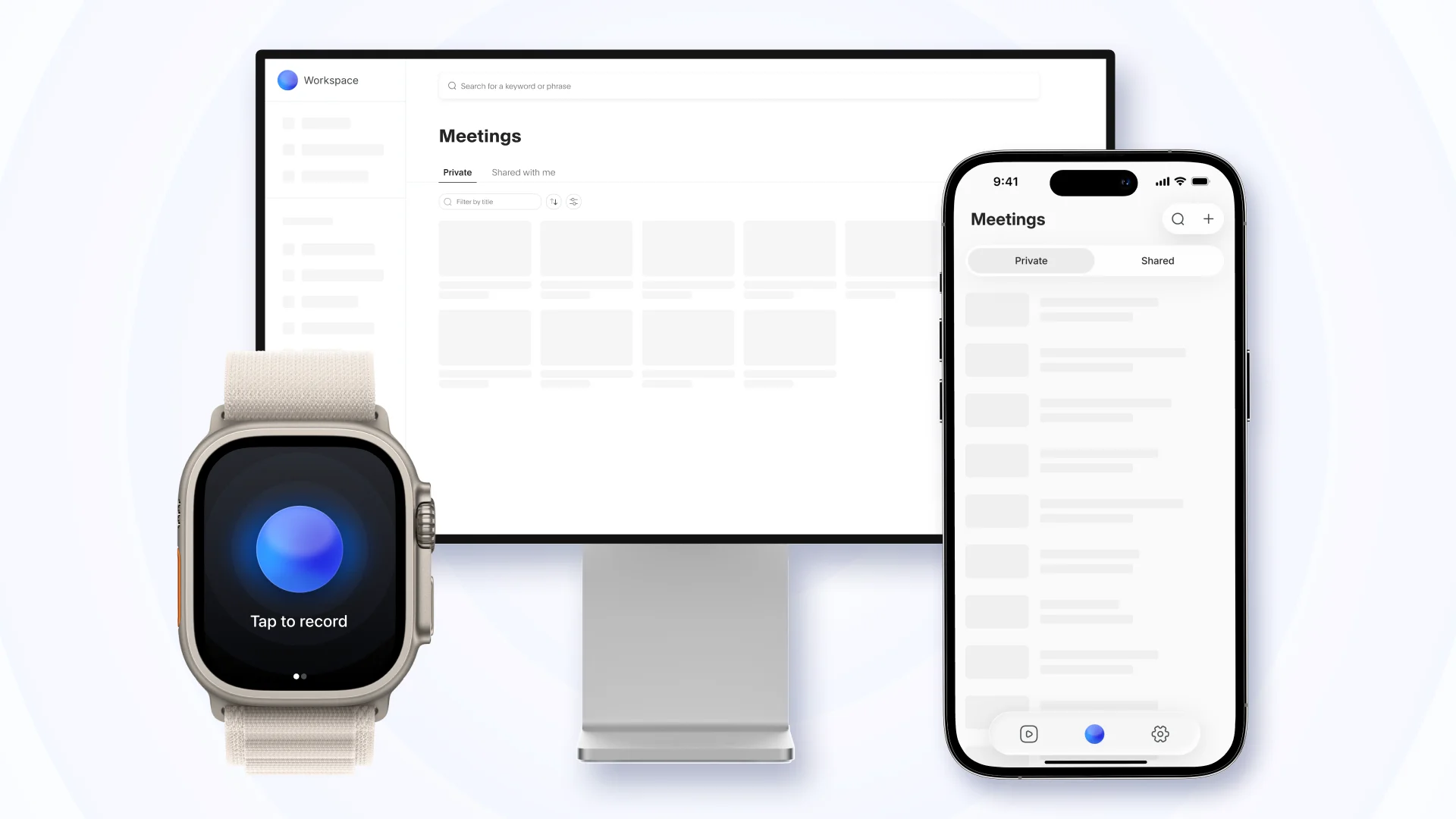
- Native apps on every Apple device — iPhone, iPad, one-tap Apple Watch recording, plus macOS desktop apps and a Chrome extension
- Full meeting recordings — rewatch any meeting in up to 1080p video (Pro and up), with the transcript and summary attached
- AI chat with citations — questions across your entire meeting history, with instant answers and the exact timestamp in each meeting
- Voice-to-CRM and AI follow-up email — meeting notes synced to HubSpot or Salesforce fields (Business plan), and a ready-to-send email draft
What Bluedot does well
✅ Your meetings aren't used for AI training, with no voice fingerprint kept
✅ 98.8–99% transcription accuracy in 100+ languages
✅ Every AI feature is included in the plan price, with no usage credits to manage and top up
💡 BLUEDOT PRO TIP
No signal? Don't worry — the iPhone and Apple Watch apps can still record meetings. Everything is saved on your device and uploaded for transcription once you reconnect.
Bluedot pricing
- Free — $0: a test drive of the whole workflow. Five recordings ever, one hour each, no audio file imports.
- Basic — $14/member/mo (annual): the entry plan. Unlimited audio-only meetings, still capped at an hour each.
- Pro — $20/member/mo (annual): the everyday plan. Adds video, removes the one-hour cap, and unlocks custom templates plus limited file imports.
- Business — $32/member/mo (annual): for teams on a CRM. HubSpot and Salesforce sync, plus unlimited imports.
Monthly billing runs $18/$25/$39.
#2. Otter — for live transcripts of scheduled video calls
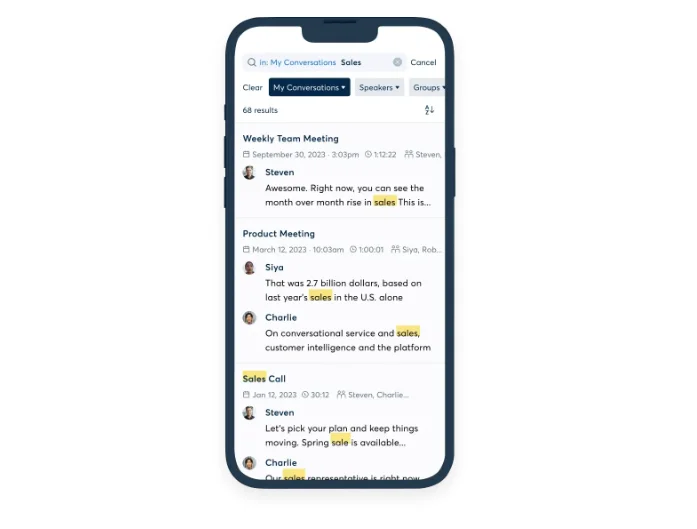
If you've already seen an AI meeting assistant on a video call, chances are it's Otter.
It's one of the first players in the market, and its iPhone app is really capable — Home Screen widget, Siri shortcuts, real-time transcription.
Otter requires some trade-offs, though. Online meetings are covered by a bot that joins as a named participant, so it's not discreet — and the monthly price for the iOS app is $16.99, double the $8.33 annual rate.
"…most rude software I have ever encountered." — Enterprise reviewer, computer and network security, G2 review
Who Otter is for (and who it isn't)
Best for: people whose week runs on scheduled Zoom or Google Meet calls, or who need easy buy-in from leadership with an already popular tool.
Look elsewhere if: you record client meetings or in-person conversations where a visible bot is unacceptable, or you want tight control over your data.
Key features
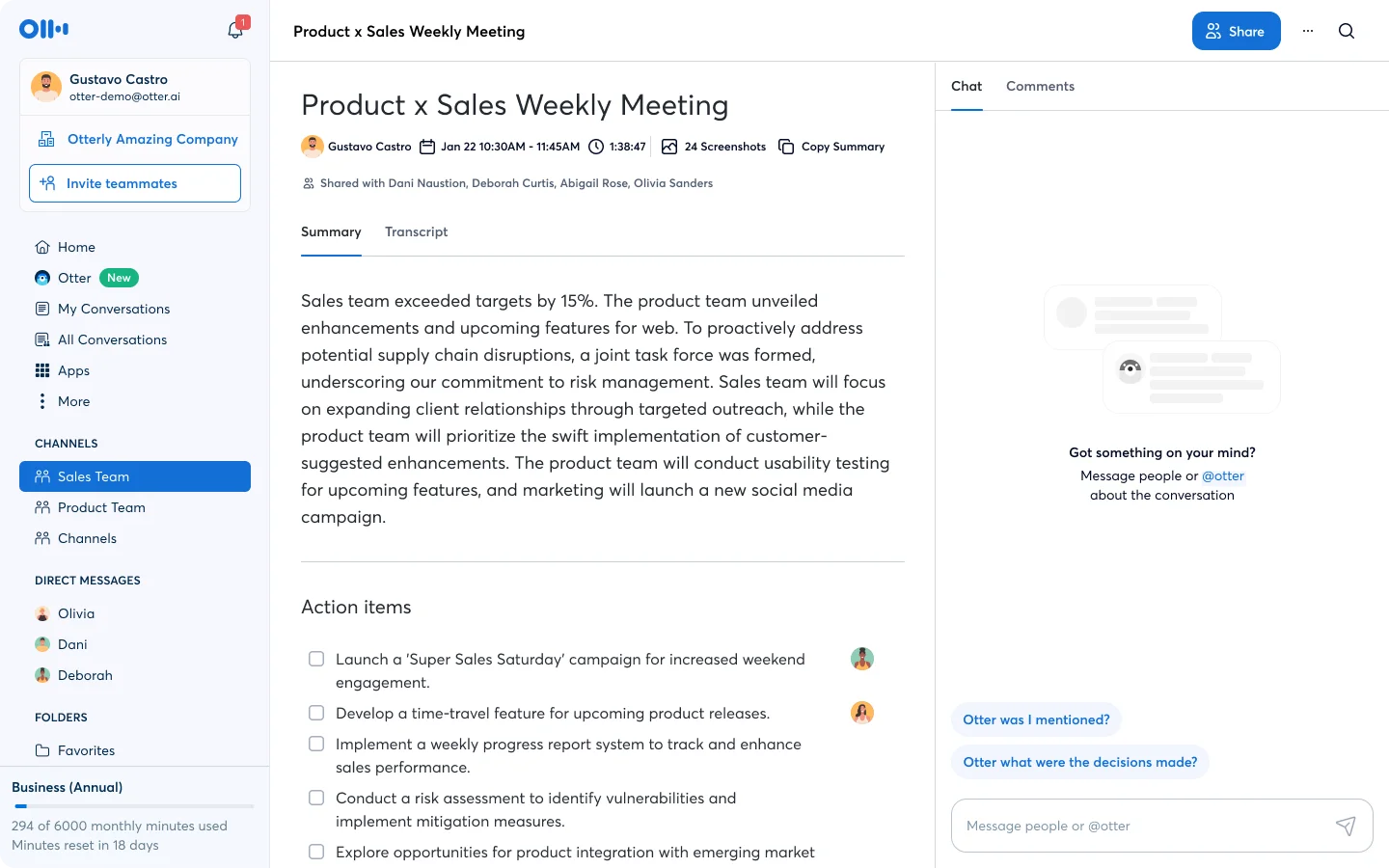
- Live transcription with a running summary — real-time text, keywords, and speaker talk time while the meeting is still going
- Notetaker auto-join — connects to your calendar, automatically joining meetings on Zoom, Meet, and Teams on every plan
- AI Chat across meetings — ask stuff like "what did we decide in the last weekly standup," and Otter AI Chat finds the info in your past meetings' transcripts
- Native iPad app — built for iPadOS 16 and up
What Otter does well
✅ You can highlight, comment, and add photos to the transcript while the meeting is still running
✅ Slides shared in a video call land in the notes automatically, on every plan
✅ Playback highlights each word as the audio plays, which makes checking an exact quote on the phone quick
Drawbacks of using Otter
❌ The visible meeting bot re-enables itself after you turn it off
❌ It can email your contacts and auto-create accounts for colleagues without asking
❌ The free plan's 30-minute cut-off ends most real meetings early
❌ Renewal charges and plan changes sometimes happen without notice, and refunds are hard to get
"charged $2,500 AUD to our OLD credit card… without our permission" — Michael C., small business, G2 review
Otter pricing
- Basic — free: a trial tier. 300 transcription minutes a month, 30 minutes per conversation, 3 file imports ever.
- Pro — $8.33/user/mo (annual): the individual paid plan. 1,200 monthly minutes and 10 file imports a month.
- Business — $19.99/user/mo (annual): for teams. Unlimited meeting minutes per the pricing page, plus admin controls.
The final verdict: if you're going to use Otter, be ready to make compromises on data privacy — and be ready for potential billing issues.
#3. Fireflies — for conversation intelligence
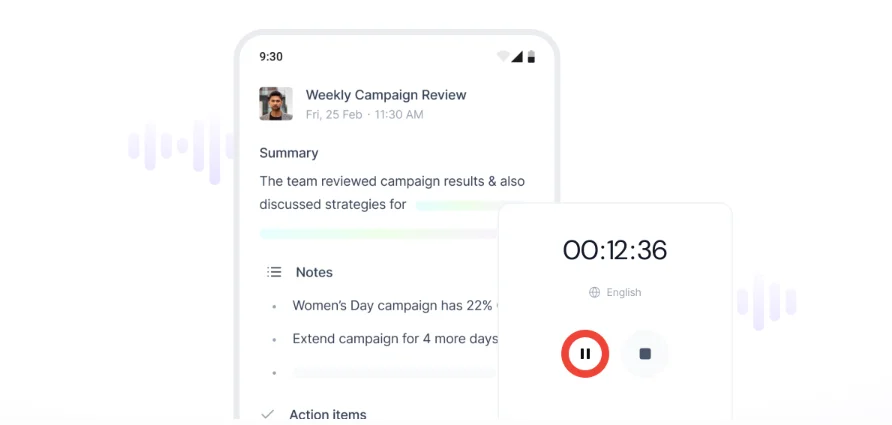
Fireflies does analytics and integrations well, but its price and privacy stance are less attractive.
The good part: The iPhone app itself holds up. It records in-person conversations from the mic, shows the meeting recap and action items in the app, and lets you ask AskFred questions about your meetings without opening a laptop.
Live Assist runs on mobile too: during a live meeting, it puts suggested answers, coaching prompts, and prep notes on your screen in real time. The iPad app is native and requires at least iPadOS 15.1.
You need its Business tier for conversation intelligence, though, and almost all AI features draw from a monthly credit pool that the subscription only partly covers. And it runs out fast.
"horrified by this intrusive privacy infringement. I will probably lose my job" — Meredith Malleck, Trustpilot review
The bot had attended a meeting the user skipped, transcribed it, and emailed the transcript to every attendee — her boss included.
Unfortunately, recording and sharing have defaults designed to spread Fireflies to as many people as possible — not your security and privacy.
Unless you find and change the right settings, Fireflies decides which meetings get recorded and who receives the notes.
Who Fireflies is for (and who it isn't)
Best for: sales teams and customer-facing teams that run client meetings and want AI-powered metrics and want AI handling the follow ups.
Look elsewhere if: you want an iPhone-first tool or predictable AI pricing without a credit meter.
Key features
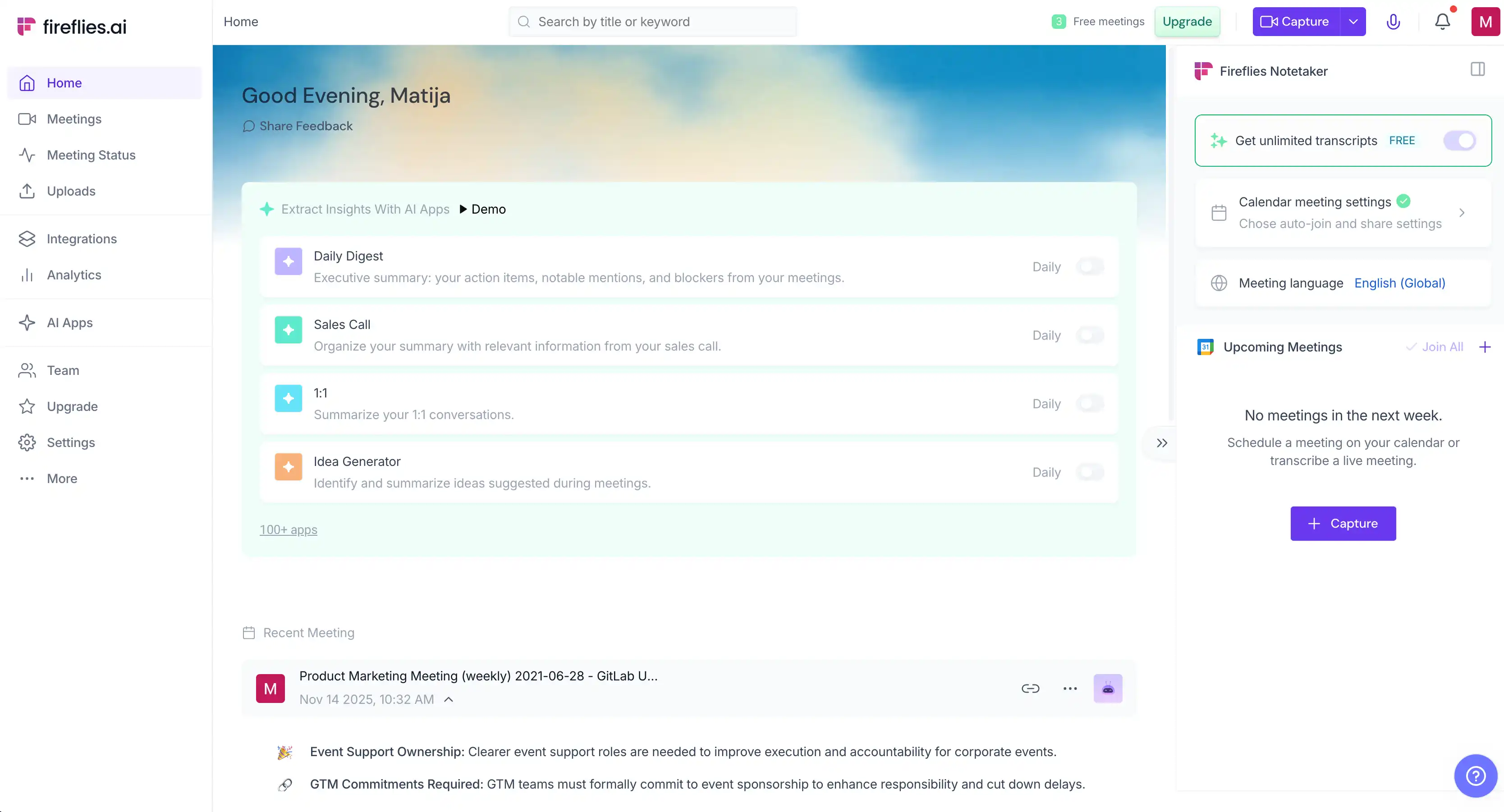
- Conversation intelligence — sentiment analysis, question detection, and topic trackers for sales teams on the Business plan, with talk-time analytics from Pro
- Voice Agents — AI callers that handle inbound and outbound phone calls, from the Pro plan up
- AskFred — a full ChatGPT-style assistant with access to your past meetings, with Gmail and Notion connectors (credit-metered)
- Multiple recording paths — bot auto-join, botless desktop app, Chrome extension, mobile mic, and file upload
What Fireflies does well
✅ The deepest meeting analytics in this lineup
✅ You can clip a 20-second soundbite of a key moment and drop it straight into Slack
✅ Paid plans start at $10 a seat, one of the lower annual entry prices here
Drawbacks of using Fireflies
❌ Paid plans include only 20–50 AI credits a month, and credit-metered features stop working when they run out
❌ The bot can join meetings nobody asked it to record, in one case, even after the account was deleted
❌ Cancellation flows have grayed-out buttons to make the process harder, and add-ons get added without consent
❌ Editing and the full summary view only on the desktop web app
"impossible to unsubscribe…buttons were greyed out" — Fireflies user, Trustpilot review
Fireflies pricing
- Free — $0: an evaluation tier. 800 minutes of storage per seat, limited AskFred, no video.
- Pro — $10/seat/mo (annual, $18 monthly): for individuals. Voice Agents, talk-time analytics, and 20 AI credits a month.
- Business — $19/seat/mo (annual, $29 monthly): the analytics plan. Conversation intelligence, sentiment, and 30 credits.
- Enterprise — $39/seat/mo (annual only): for big orgs. 50 credits, plus the dashboard that shows where your credits went.
Extra AI credits are a separate add-on from $5 per user a month, non-refundable, and three Trustpilot reviewers describe AI-credit charges they never authorized.
#4. Granola — for blending your own notes with the AI's

Granola is decent if you like taking notes yourself, but still want an AI meeting assistant to do most of the grunt work — as long as you don't mind US-only hosting, and Granola training its AI on your meeting data. You can opt out of the training, but it's on by default.
It works like a notepad with a recorder: you jot brief, messy notes on what matters, and Granola blends them with the real-time transcription into a detailed summary. Your notes steer what the AI emphasizes.
One-tap "recipes" can turn the finished note into something useful — "Write follow up email" drafts the email straight from the transcript. And on the iPhone specifically, Granola tells apart up to 10 speakers in an in-person conversation (labeled Speaker A through J), where its desktop app only labels "Me" and "Them."
"audio still goes through the cloud for processing" — Reddit user, r/AI_Agents discussion
On privacy and security: your audio is processed in the cloud by outside AI services (Deepgram, AssemblyAI, OpenAI, Anthropic), and your private notes and transcripts are stored in the US with no EU option.
Opting out of the AI training is per user, and org-wide opt-out is Enterprise-only. Otherwise, every team member has to flip the switch themselves. So, not bad, but not ideal.
Who Granola is for (and who it isn't)
Best for: people who already take their own meeting notes and want AI to just fill the gaps.
Look elsewhere if: you need EU data residency, video recording, or audio playback.
Key features
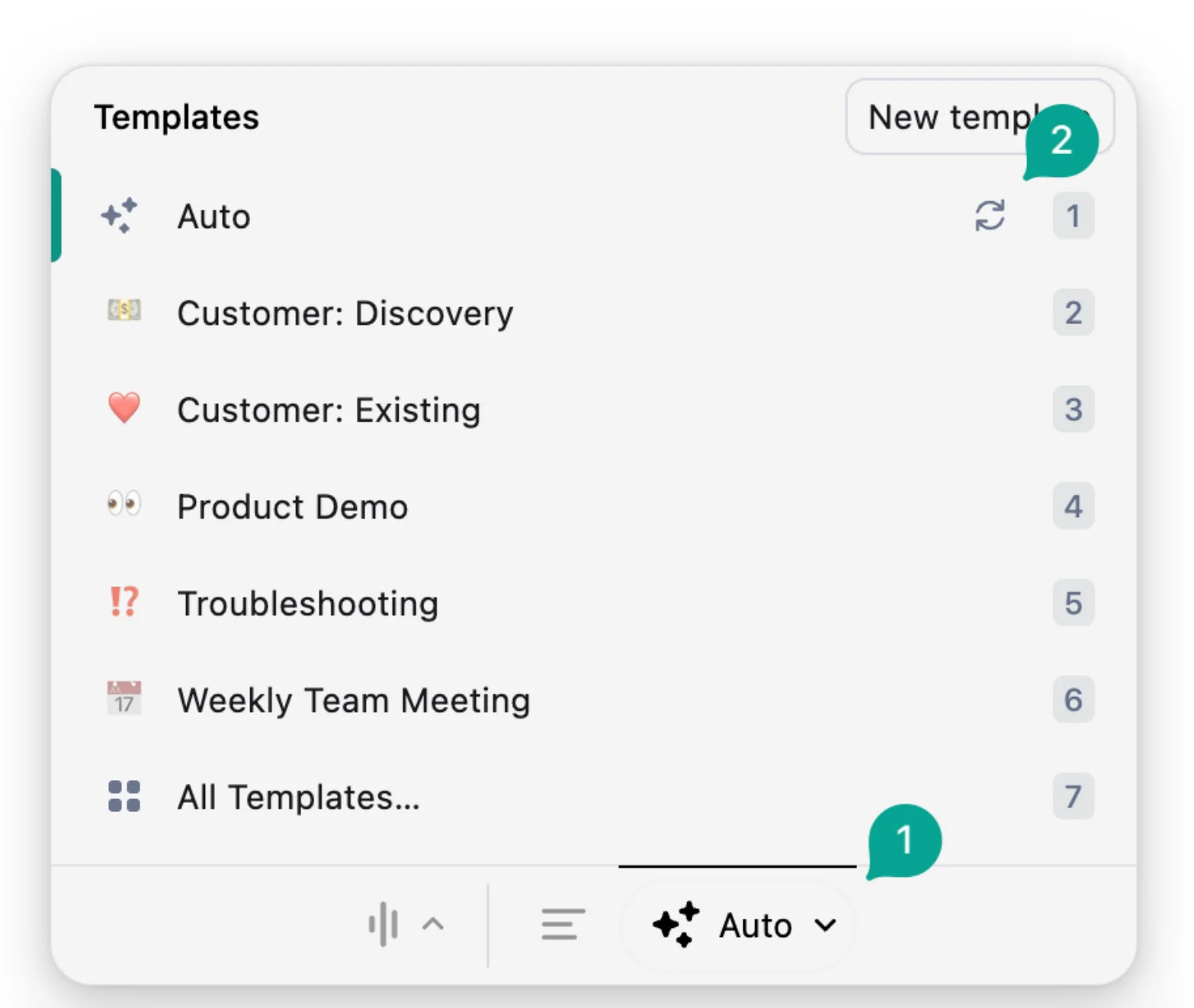
- Template library — role-specific note formats (1:1s, discovery calls, hiring), plus your own custom ones
- Granola Chat — ask questions across your past meetings (30 days on the free plan, and not available on the iPad app)
- Outbound calls via a built-in dialer — Granola places the call through its own virtual number and transcribes it (outbound only)
What Granola does well
✅ A generous free plan, not a locked demo
✅ Every key point in the summary traces back to its transcript moment or your own note
Drawbacks of using Granola
❌ No video recording of the meeting to replay
❌ Details can silently drop in long meetings, with no complete verbatim transcript to check what was missed
❌ Templates can only be created and applied from the desktop app
❌ The free plan hides past notes older than 30 days until you upgrade
Granola pricing
- Basic — free: the working tier. AI notes for every meeting, but only the last 30 days stay visible, and chat covers the same window.
- Business — $14/user/mo: the full product. Unlimited meeting history, pre-meeting briefs (Google Calendar only), and integrations like Slack, Notion, and HubSpot.
- Enterprise — from $35/user/mo: for compliance needs. Org-wide AI-training opt-out and deployment controls.
Billing is monthly only — no annual plan exists — and startups and students can claim 12 months of Business free.
#5. Notta — for multilingual meetings
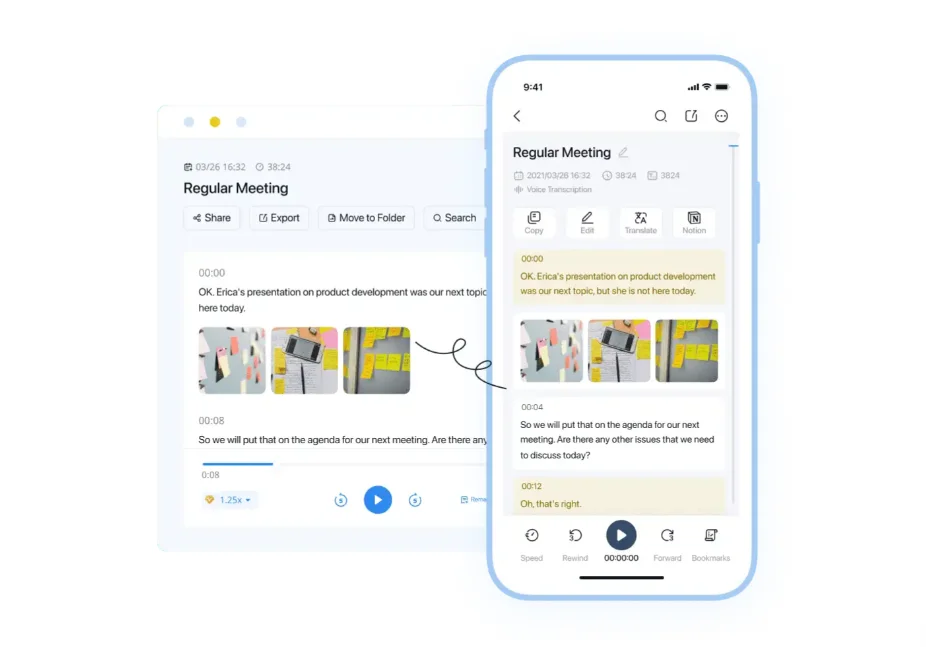
People use Notta for multilingual meetings because it supports live translation across 58 languages. But its free version limits recordings to 3 minutes, so you don't get to try it out in-depth before paying, and users often complain about other billing issues.
Its translation features are the star of the show. You can get the transcript translated live as you converse, or run bilingual transcription to keep two languages in one recording — useful when half the attendees speak Japanese and the rest English.
Be prepared to pay, however — Notta's unique translation features are only available as paid add-ons, on top of a regular paid plan.
On the phone itself, Notta records meetings from the device mic — a bot is used to cover online video calls.
It also transcribes links — paste a YouTube, Google Drive, or Dropbox URL and the transcript comes back without you recording anything. Apple users will also be happy with Notta's broad device coverage: native iPhone and iPad apps, plus Mac, Vision Pro, and Apple Watch versions.
"charged $97.99 USD without any warning" — Eliz Andreatta, Trustpilot review
However, the billing issues are a definite red flag. If you forget to cancel a trial, you may be charged the full annual Pro price, with no reminder email. The same complaint recurs across G2, Trustpilot, and Reddit going back years, and Trustpilot has suspended Notta's overall rating for a guidelines breach.
So if you try Notta, be careful with the trial or expect the annual charge.
Who Notta is for (and who it isn't)
Best for: teams whose meetings happen in more than one language, or anyone transcribing files and links in bulk.
Look elsewhere if: you want predictable billing, or AI summaries that aren't metered — Notta caps them monthly on every plan short of Enterprise.
Key features
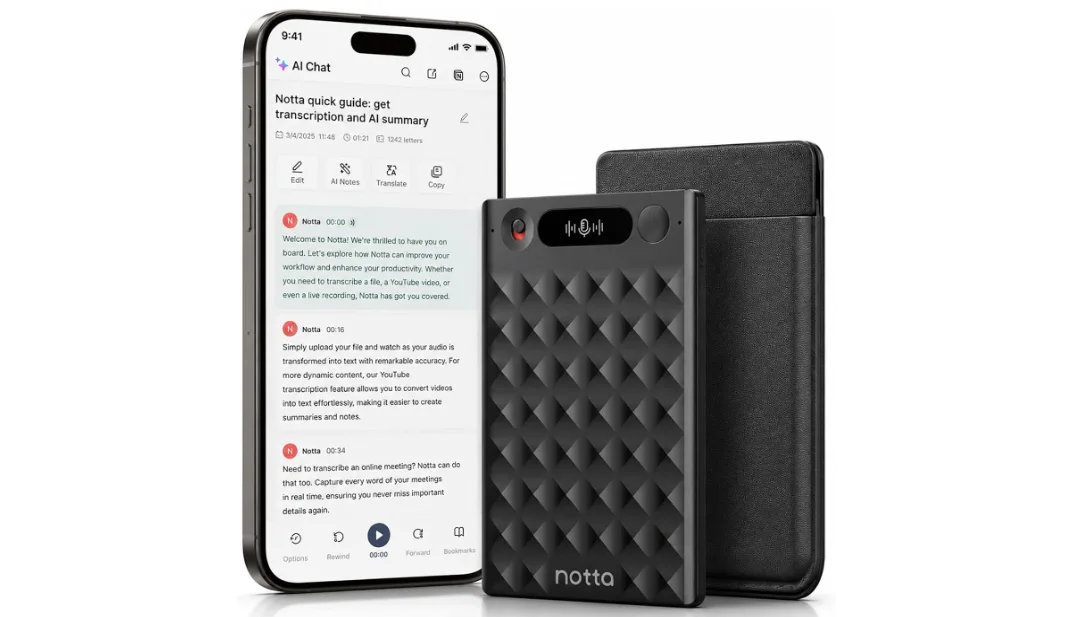
- Notta Brain — an AI meeting assistant that drafts follow-up emails, builds slides, and fills Word or Excel templates from your meeting content
- Customizable meeting bot — joins Zoom, Google Meet, Microsoft Teams, or Webex under a name you choose and auto-posts a consent message in the meeting chat
- Notta Memo — an optional $149 hardware recorder for in-person audio
What Notta does well
✅ The broadest set of ways to import or record audio, from mic and bot to uploads, URLs, and the Memo recorder
✅ Editable speaker-labeled transcripts, so you can fix names and mistakes afterward
Drawbacks of using Notta
❌ AI summaries are metered at 10, 100, or 200 a month unless you're on Enterprise, and Notta Brain runs on credits
❌ The free plan's 3-minute cut-off applies per recording, on top of a 120-minute monthly pool
❌ No EU data-residency option, and meeting recordings are stored indefinitely by default
Notta pricing
- Free — $0: a demo tier. 120 minutes a month, 3 minutes per recording, 10 AI summaries.
- Pro — $8.17/user/mo (annual): for one power user. 1,800 minutes a month, recordings up to 5 hours, transcript translation.
- Business — $16.67/user/mo (annual): the team plan. Unlimited meeting transcripts, 200 monthly AI summaries, and user roles.
- Enterprise — custom, 51 seats minimum: SSO, audit logs, and IP restrictions.
Live translation and bilingual transcription are paid add-ons on top ($6–$9 a month, billed annually), the $1 seven-day trial converts automatically if you forget it, and the Memo recorder is a separate $149.
If you care about the money more than the translation, not ideal.
#6. Jamie — for a bot-free, privacy-first alternative
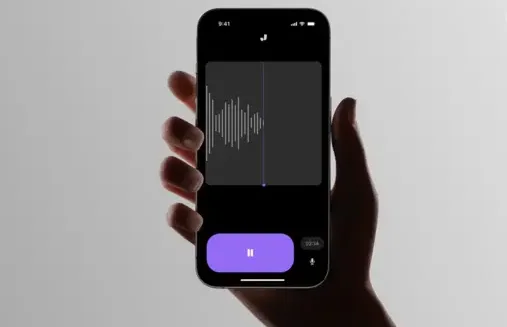
Like Bluedot, Jamie is a bot-free, EU-hosted, and privacy-conscious AI note taker. But it's also iPhone-only with no iPad app, and it's the priciest pick in this lineup.
On the iPhone, Jamie records in-person conversations from the mic, and Live Activities put the running recording on your Lock Screen, so you can check it's still going without opening the app.
Online meetings are transcribed via the desktop app: the Mac or Windows app records your computer's system audio locally, with no bot in the call.
Two features stand out. Speaker Memory saves voice data for your account, so returning speakers are automatically named in the next transcript. However, this also means some vocal biometric data is inevitably being kept by Jamie — potentially problematic for privacy-conscious users.
The Tasks screen rolls every extracted follow-up task into one cross-meeting list with assignees, priorities, and due dates — a light task tracker that's useful if a lot of your work revolves around meetings.
"I lost a whole meeting as it updated during the processing stage." — Matt K., G2 review
Updates to the Jamie app sometimes cause problems mid-processing. And because Jamie deletes audio right after transcription, there's nothing to fall back to.
That's the issue with AI note takers that don't record audio and video: there's no recording to process again or check for mistakes, so a single bug can easily cost you valuable info from an important meeting.
Who Jamie is for (and who it isn't)
Best for: privacy-focused iPhone users who mostly hold in person meetings and want EU data hosting.
Look elsewhere if: you use an iPad, want video or replayable audio, or you're price-sensitive.
Key features
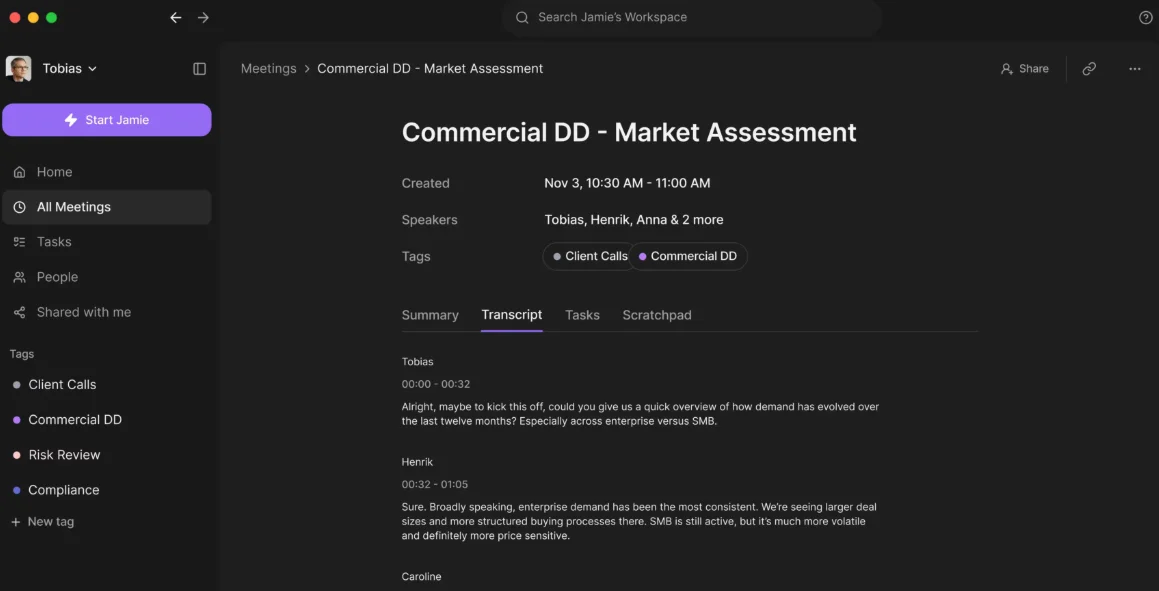
- Pre-meeting Briefings — before future meetings, Jamie compiles context from recurring conversations, the people involved, and open tasks
- CRM sync — HubSpot, Attio, Pipedrive, and more, from the Pro plan up
- EU privacy posture — Frankfurt hosting, GDPR compliance, and ISO 27001 certification
What Jamie does well
✅ One of the strongest EU privacy postures
✅ The free plan includes Speaker Memory and task detection
Drawbacks of using Jamie
❌ No iPad app, and no Android app either
❌ The priciest pick here, with paid plans starting at €21 a month billed annually
❌ No browser recording, since clicking record on the web only opens a download prompt for the desktop app
❌ The site advertises 100+ languages, but in-app onboarding promises just over 20
Jamie pricing
- Free — €0: the starter tier. 10 meetings a month, 30 minutes each.
- Plus — €21/mo (annual, €25 monthly): the entry paid tier. 20 meetings a month, 2 hours each, three custom templates.
- Pro — €39/mo (annual, €47 monthly): the full product. Unlimited meetings, 3-hour cap, CRM sync.
- Team — €39/seat/mo (billed annually, 2-seat minimum): Pro limits for groups, plus sharing notes across a workspace.
Everything is billed in euros, and App Store subscriptions cover only the Personal plans — teams subscribe on the web.
#7. Wave — for a simple all-in-one mobile recorder
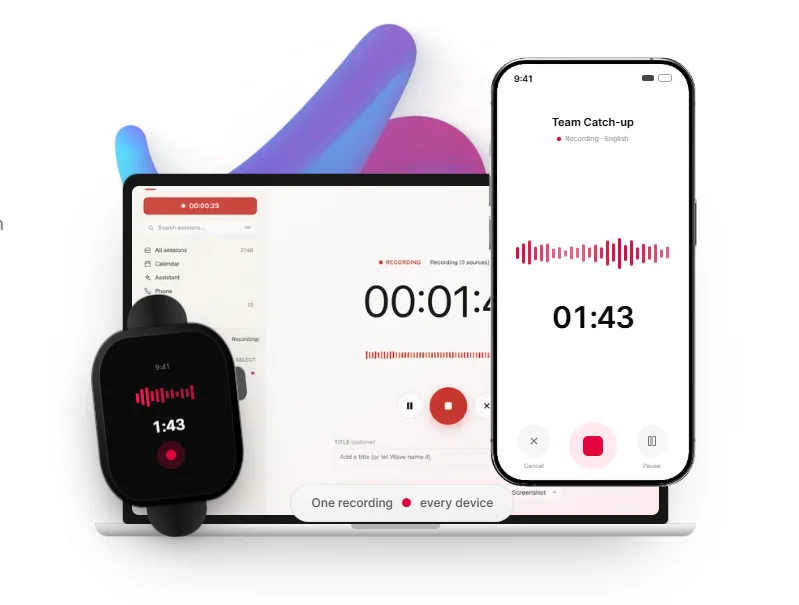
Wave records from practically all Apple devices — iPhone, iPad, Apple Watch, desktop, browser — but its surprise billing is a disaster, and its "phone call recording" isn't very private.
On the iPhone, Wave keeps recording in the background and offline, then transcribes and summarizes meetings once you're back online. There's an Action Button shortcut, Siri support, and a widget, so starting a recording rarely takes more than one tap.
The call recording works differently than the marketing suggests, though: Wave places the call itself, or bridges into one in progress, through its own phone number — the other side sees Wave's caller ID. It's far from an elegant solution, and it's the equivalent of a bot joining a virtual meeting.
"advertised as a $2.99 trial, but I was immediately charged $139.99." — Wave user (App Store, February 2026), reviews page
That's the annual Pro rate — about $140 — and you sometimes get billed the day the trial starts, not when it ends. Refunds get refused even after same-day cancellations, so buyer beware.
Who Wave is for (and who it isn't)
Best for: solo users who want one inexpensive recorder across phone, Watch, and desktop for voice notes and in-person conversations.
Look elsewhere if: you need EU hosting or HIPAA compliance, or your recordings are too important to lose to a glitch. And you don't like billing surprises.
Key features
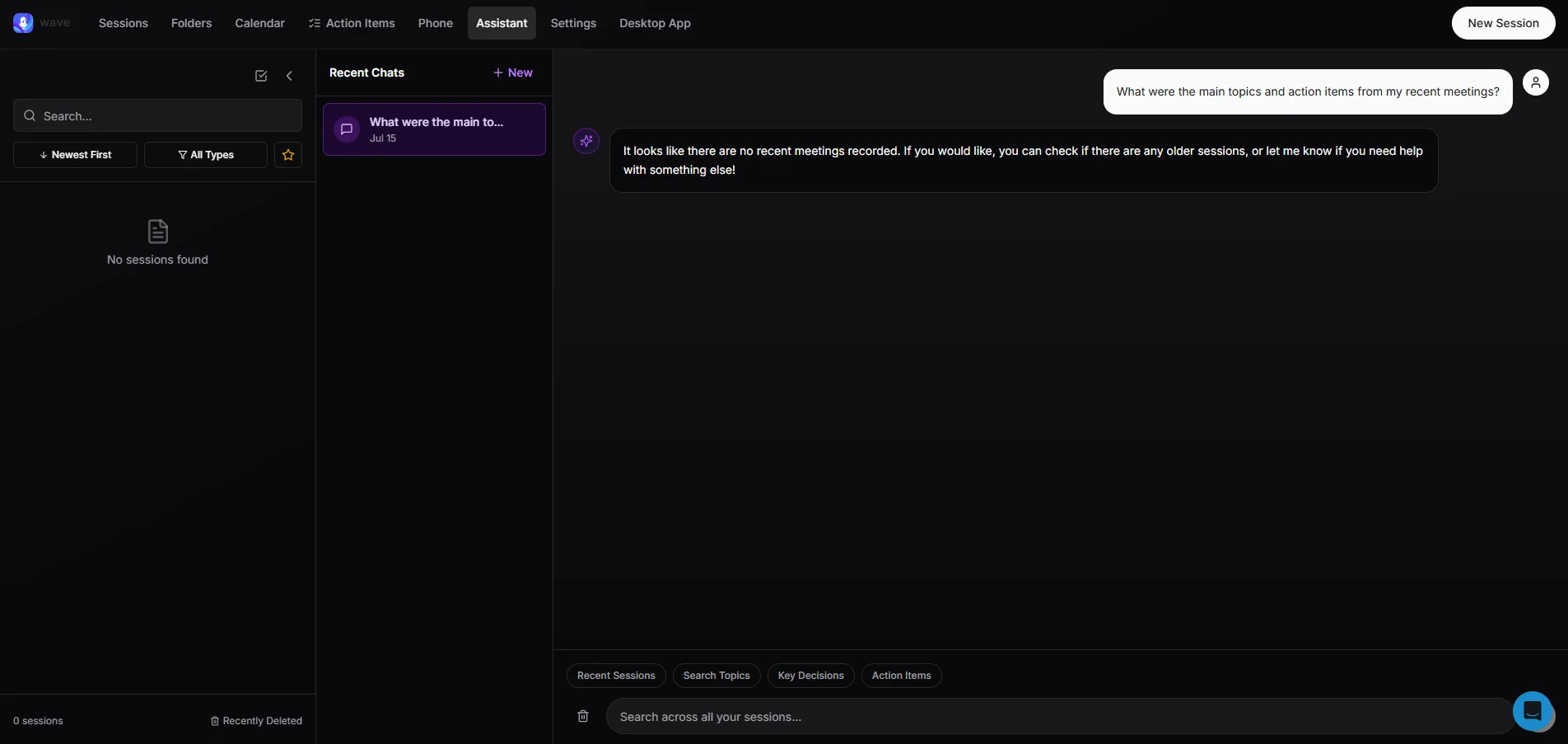
- 76-language transcription with Voice ID — speaker identification that tags who's talking
- Broad export options — PDF, OneNote, Google Docs, Notion, email, and more
- Developer surfaces — an API, MCP server, CLI, and Zapier hooks, unusual for a consumer recorder
What Wave does well
✅ Under $12 a month on the annual plan, with no usage caps
✅ The Apple Watch app records standalone, even with the iPhone left at home
Drawbacks of using Wave
❌ Any incoming call, even a robocall, stops and discards an in-progress recording
❌ SOC 2 Type 1 only, with no EU residency or HIPAA option
❌ A "Standard" tier (5 hours a month) never appears on the pricing page and has no published price
"if you get a robocall, you are out of luck." — Wave user (App Store, August 2024), reviews page
Wave pricing
- Free — $0: 30 minutes a month, total, shared between recording and processing.
- Pro — $11.67/mo (billed annually, about $140 up front): the everything tier. Unlimited recording and meeting transcripts across all devices.
- Teams — from $7.50/user/mo: really the 20-seat-plus rate. Teams of 5–9 pay $8.33.
Monthly billing runs about $25, and dial-out calls to international numbers costing more than $0.20 a minute are blocked outright.
#8. Plaud — for when you really need to record calls
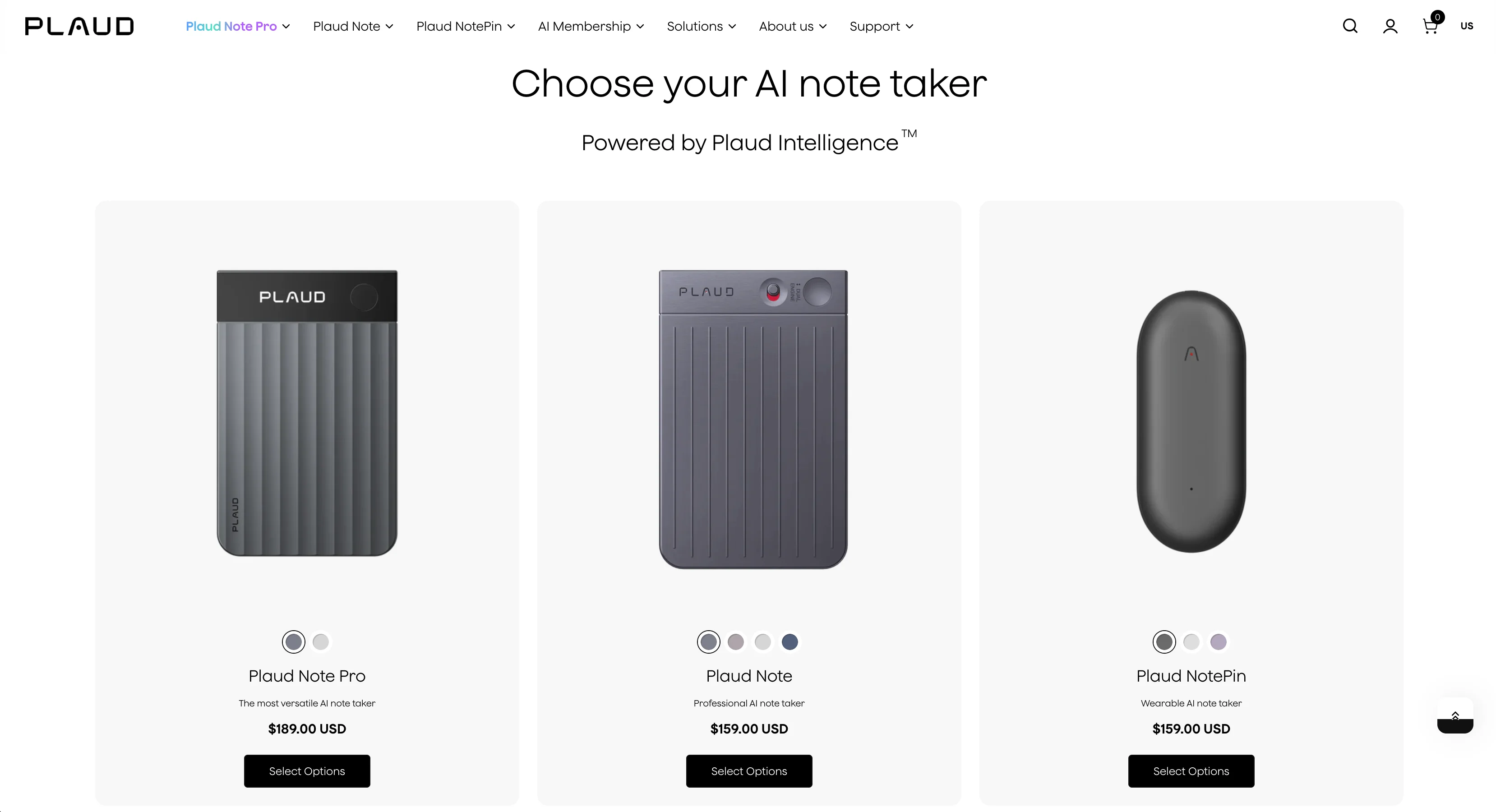
Plaud is actually capable of recording iPhone calls but it's separate hardware: a recorder that costs $160–$200 up front, plus a subscription many buyers didn't see coming.
The Plaud Note and Note Pro carry a Vibration Conduction Sensor that picks up the call through the phone's body — which is how they record a call while iOS blocks apps from doing the same. (The wearable NotePins don't have this sensor and only record in-person conversations.)
Speaking of apps, Plaud's web app offers transcription in 112 languages, your choice of AI model (GPT, Claude, or Gemini) for the summaries, thousands of summary templates, and Ask Plaud answering questions with links to the key moment in the recording.
"paying $200+ for a device with a 1 year lifespan" — TK, Trustpilot review
The user's recorder died just past the one-year mark, another buyer's was bricked by a firmware update with no fix or replacement offered, and several report learning about the subscription only after buying.
So bear Plaud's price in mind before you commit: device, plus plan, plus the risk of having to buy the device again.
Who Plaud is for (and who it isn't)
Best for: call-heavy professionals — recruiters, agents, solo lawyers — who need iPhone calls recorded and accept additional hardware as the solution.
Look elsewhere if: you want a software-only setup, an iPad app, or one predictable paid plan.
Key features
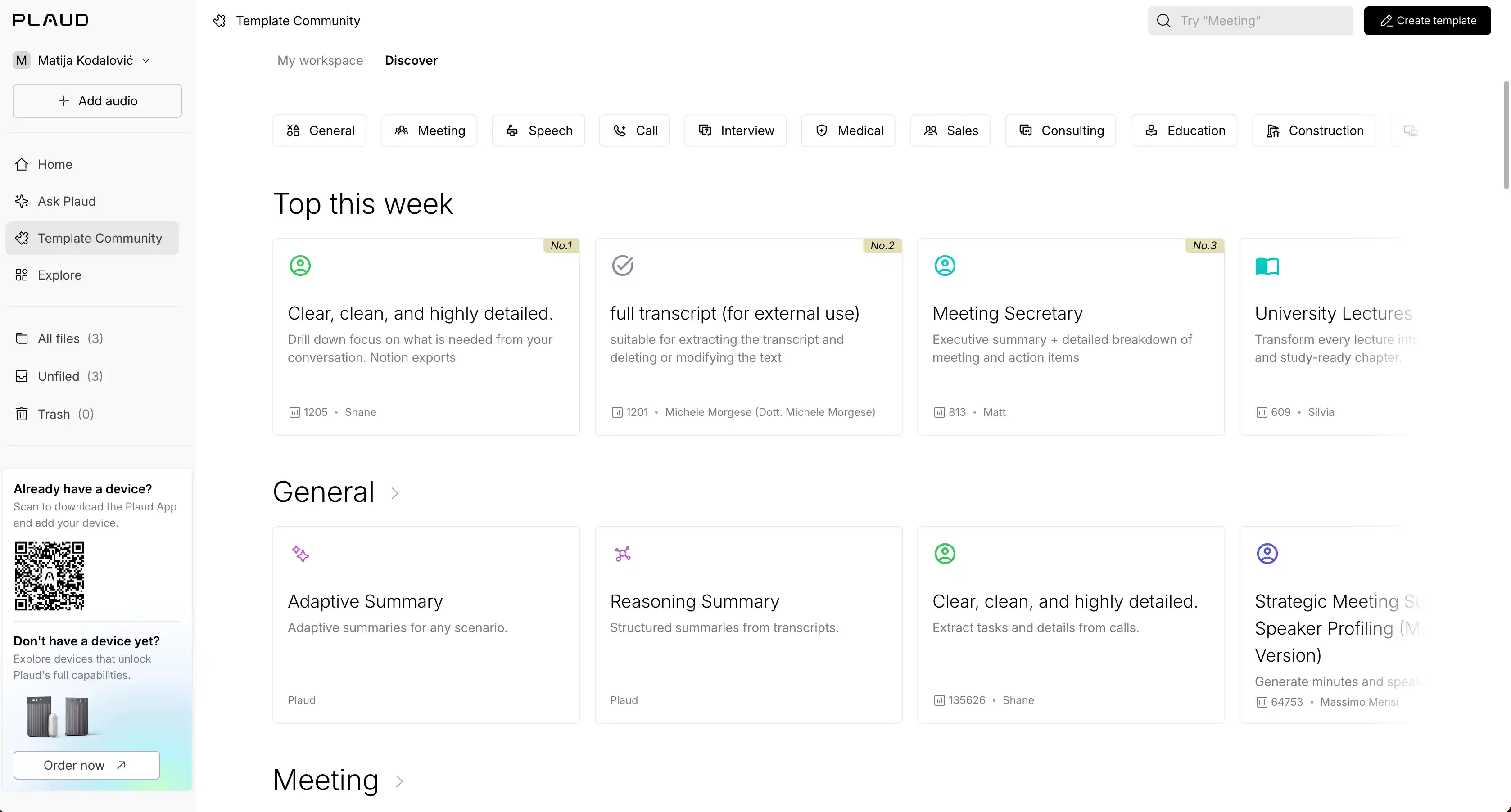
- A device lineup — the Note, the Note Pro, and the wearable NotePin and NotePin S for in-person-only recording
- Minute packs — $12.99 buys 600 extra transcription minutes (activate within a year of purchase, valid for 24 months)
- Compliance certifications — ISO 27001, ISO 27701, SOC 2 Type II, and HIPAA
What Plaud does well
✅ The Note and Note Pro really do record iPhone phone calls
✅ 64GB of onboard storage holds recordings until you sync them
Drawbacks of using Plaud
❌ Calls aren't recorded automatically, despite what the marketing implies
❌ The app is iPhone-only, with no iPad version
❌ Subscription prices rose by about a third in 2025
❌ Retranscribing a recording burns through your paid minutes
"defeats the whole purpose for me" — Ryan Clemons, Trustpilot review
Plaud pricing
- Starter — free (device required): 300 transcription minutes a month.
- Pro — $99.99/yr (or $17.99/mo): 1,200 minutes a month.
- Unlimited — $239.99/yr (or $29.99/mo): uncapped, except transcription tops out at 24 hours per day.
Add the device itself — $160 to $200 depending on the model — and the first-year total lands around $260 to $290, even without any minute packs.
Can you record phone calls on an iPhone?
No third-party app can record phone calls on iPhone for you — iOS blocks apps from accessing call audio, which is why none of the eight apps above do it.
And it's a shame — because people keep asking us about it. More than half of the iPhone users we talk to ask whether AI note takers can record their phone calls directly.
So how do you record a call on iPhone? Three ways:
- Apple's built-in Call Recording (iOS 18 and newer) — tap record in the Phone app, and both sides hear an automatic "this call is being recorded" announcement. The audio lands in a Call Recordings folder in Notes with a transcript and, on Apple Intelligence devices, a summary.
- Hardware — a Plaud Note or Note Pro records the call via its vibration sensor (see the review above).
- Dial-out services — Wave's Pro plan can dial or join the call from Wave's own number, but it can't record a call on the phone that runs the app.
However you record, the notes don't have to stay in the app or device that recorded the audio.
To make the most of your recording, export your recording from Notes (Save Audio Files or Share Audio), then import it into Bluedot (Pro plan and up) or a similar tool for meeting notes.
One big regional limit: Apple's Call Recording and Apple Intelligence summaries are not available in the EU, plus roughly 18 other countries. So the best AI note taker for phone calls iPhone owners in Europe can realistically get is Plaud's hardware or Wave's dial-out — or recording the call another way and importing the file.
For more information, check out our blog post on whether you can record a phone call on an iPhone.
💡 BLUEDOT PRO TIP
Call recordings you import into Bluedot become part of your meeting history — so you can ask Bluedot's AI chat things like "what did this client agree to on our last call?" and get the answer with a link to the exact moment.
iOS app vs. a dedicated AI recorder
For most people, the best AI note-taking device isn't a dedicated device at all — an AI note-taking app does the job fine, and the best AI note taker iOS users can get is already in your pocket.
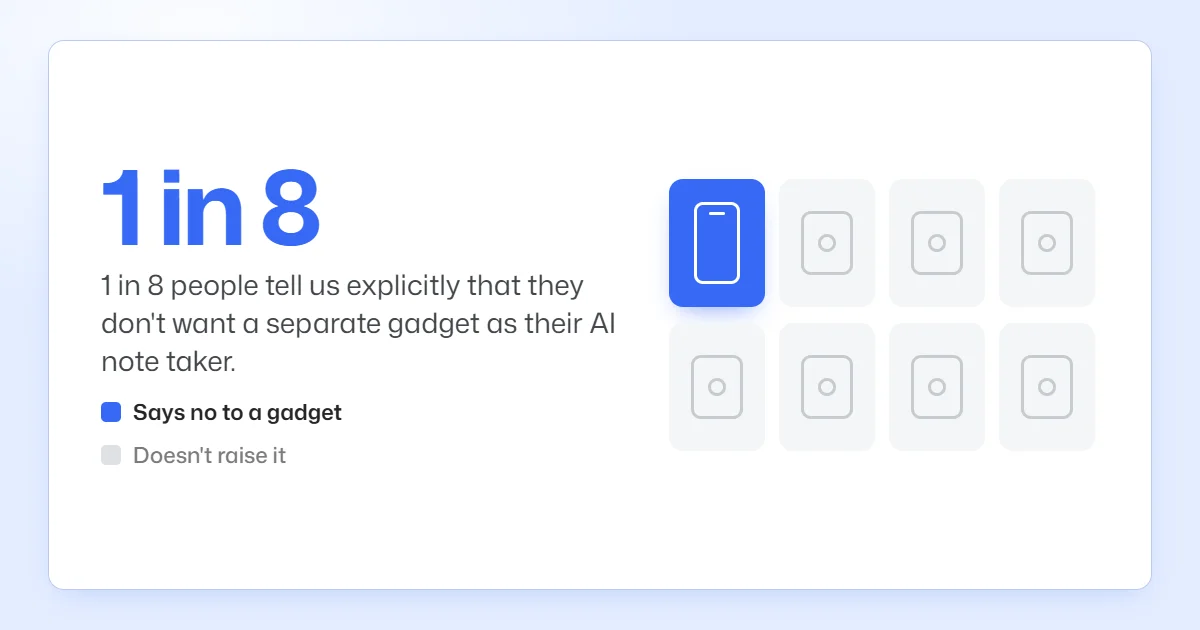
That's not just our read. In our demo calls, about 1 in 8 people tell us upfront they don't want to buy a gadget — they want to get transcripts and audio on the iPhone they already carry.
Here's how to decide:
- Choose hardware if you record phone calls — Plaud's sensor actually records a real iPhone call
- Choose hardware if you want always-on recording — a dedicated AI voice recorder runs independently of your phone
- Choose the app for everything else — it's discreet, always with you, and you can start recording in one tap without charging and carrying around another device
An iOS app is also the logical choice for teams, considering the cost. A $160–$200 recorder per person adds up; each unit needs to be continuously maintained and replaced, and ultimately, an app does the same job for meetings without extra hardware cost.
💡 BLUEDOT PRO TIP
Bluedot's Apple Watch app allows you to record without even pulling out your iPhone. Take a look at how it compares to other Apple Watch AI note takers in our roundup.
Do you need a paid app, or are Apple's free tools enough?
The final verdict: Apple's free tools are enough for the occasional voice memos and personal notes — but they lack the core features for work meetings.
If you want a completely free stack, the best free AI meeting note taker for iPhone is the trio you already have: Voice Memos records, Notes transcribes audio on newer iPhones, and Apple Intelligence adds summaries on supported devices and in supported regions. All of it is completely free and pre-installed.
But there are issues:
- Compressed audio — Voice Memos trades recording quality for file size
- Vague summaries — Apple Intelligence's meeting output is too generic to be useful in a business environment
- No speaker labels or meeting structure — you get a wall of text instead of structured notes: who-said-what, action items, and topics
- No meeting workspace — no team library of recordings, no sharing notes, no cross-meeting search, no CRM sync, and no AI follow-ups
Apple's apps are the best AI note taker without subscription, but only for individual use, not business meetings. For anything more, you'll need a dedicated AI note taking app with real meeting notes.
iPhone AI note taker FAQs
Which AI tool is best for iPhone?
Bluedot is the best AI note taker for iPhone meeting notes: it records in person from the phone or iPad with no bot, even on the free plan, keeps a replayable recording, and stores your data in the EU without training AI on it.
What is the most accurate AI note taker?
Bluedot's accuracy is up to 99% — the closest rival claim is Notta's 98.86%. Accuracy depends on the surrounding area and how a meeting is run, though — overlapping voices and distance from the mic will reduce recording quality, regardless of which AI meeting assistant you use.
Can an iPhone take AI notes without a bot?
Yes — an iPhone can take AI notes without any meeting bot. Bluedot, Jamie, and Granola all capture notes from in-person conversations straight from the phone's mic, with no AI participant involved. For online meetings, Bluedot stays bot-free through its desktop app and Chrome extension.
Do I have to tell people I'm recording on my iPhone?
Often, yes. US recording laws vary by state — in some, your own consent is enough, and in others you need permission from everyone on the recording — and much of Europe expects consent when you record identifiable people. This is general information, not legal advice.
Does the AI note taker work on iPad too?
Most of the eight AI note taker apps here work on iPad: Bluedot (iPadOS 15.6 and up), Otter, Fireflies, Notta, Granola (iPadOS 18 and up), and Wave. The two exceptions are Jamie and Plaud — both iPhone-only.
Let Bluedot write your iPhone and iPad meeting notes
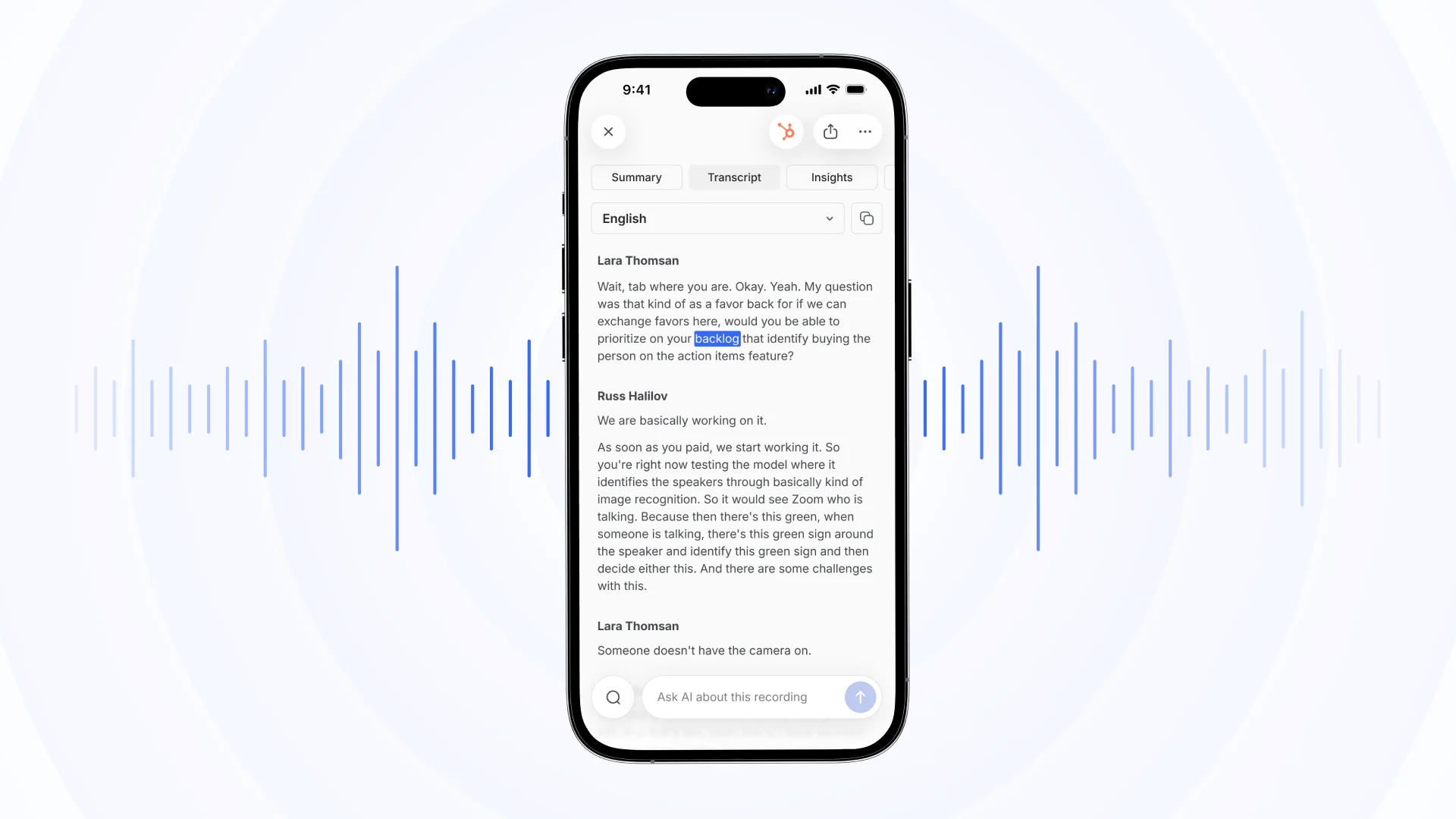
The whole point of an AI note taker is that you stop thinking about notes. You tap record, have the conversation, and read the summary and transcript after.
Bluedot records in-person meetings straight from your iPhone, iPad, or Apple Watch, and covers online calls bot-free through its desktop app and Chrome extension. Either way, you get a recording to replay when you need to check the transcript and confirm what was said.
Bluedot is a private AI note-taking app that's SOC 2 Type II and GDPR compliant and never trains AI on your meetings. You can choose if your data is kept on secure servers in the EU or the US.
Want to see it in action? Sign up for the free plan, take Bluedot into tomorrow's meeting, and judge the notes and transcript for yourself.