Bluedot and Fireflies.ai are AI note takers that turn meetings into transcripts, meeting summaries, and follow-ups. The biggest difference is privacy: to save a recording of a Zoom or Teams meeting, Fireflies sends a meeting bot into the call, while Bluedot records from your own device, so no one new joins.
Both rank among the best AI note takers of 2026, but they’re built for different teams.
Bluedot vs. Fireflies: Key Differences at a Glance
- Privacy: Fireflies’ bot joins every calendar meeting by default and emails the recap to everyone on the invite. Bluedot lets admins choose who receives each recording: all participants, internal only, or no one.
- Security: Both are SOC 2 Type II and GDPR compliant, and neither trains AI on your meetings. Bluedot supports EU data residency.
- Devices: Bluedot runs on Mac, Windows, Chrome, iPhone, Android, and Apple Watch. Both tools record in-person meetings on mobile, and Bluedot also records on Apple Watch without a phone nearby.
- Pricing: Fireflies costs less per seat and has a permanent free plan. Bluedot bills only the people who record, with no AI credits.
Fireflies.ai vs. Bluedot: Full Feature Comparison
Here’s how the two tools compare on recording, privacy and security, pricing, AI features, and integrations. Switch to “All features” to see where they match.
Does Fireflies Use a Bot? Fireflies Notetaker vs. Bot-Free Bluedot
Both tools can capture online meetings without a bot, but only Bluedot keeps the audio and video outside Google Meet. Fireflies’ bot-free options are its desktop app’s Take Notes mode, its Chrome extension, and a Google Meet SDK integration that records audio and video once every attendee approves. The last two work with Google Meet only. Per Fireflies’ help center, the desktop app’s Take Notes mode keeps notes and a transcript with no audio, video, or speaker labels.
What Is Fireflies.ai Notetaker and When Does It Join?
The Fireflies AI bot, Fred, appears in calls as “Fireflies.ai Notetaker.” By default, it auto-joins every calendar event with a Zoom, Google Meet, Teams, Webex, or other video link, including meetings you don’t host. Other defaults to check before a client call:
- Recap emails go to everyone on the invite, external guests included.
- Anyone with the link can open the meeting notes, along with your teammates.
- When you’re not the host, the bot may have to be admitted before it can record.
How to Stop Fireflies From Joining Your Meetings
In Fireflies Settings, turn off Auto-record meetings, or set auto-join to “Only when I invite fred@fireflies.ai.” To keep recaps in-house, change “Send email recap to” to “Only me” or “Only me and participants from my Fireflies team.”
How Bluedot Records Meetings Without a Bot
There are two ways to record without a bot:
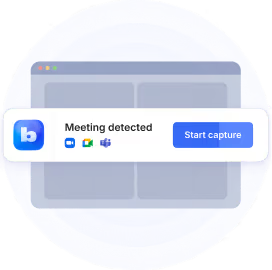
Desktop app (Mac, Windows). Works as an AI note taker for Zoom, Google Meet, and Microsoft Teams, detecting meetings as they start and recording video and audio. With automatic recording on, it records each call without a manual start. Slack huddles are recorded as audio.
Chrome extension. Records Google Meet and Teams inside the browser tab and identifies each speaker in the transcript. You choose video and audio, audio only, or transcript only, at 720p or 1080p. If you already work in Chrome, see how it compares with other AI Chrome extensions.
Prefer a bot for some calls? An optional bot can join your scheduled calls and record them without any manual setup, under a custom name and avatar.
Recording notice: On supported platforms, Bluedot can post a chat message telling participants the call is being recorded. Admins can make it mandatory for the whole workspace.
Is Fireflies AI Safe? Privacy and Security Compared
Yes. Both tools meet the standard security certifications. They differ on default sharing and admin controls.
What happens when you cancel?
When you cancel Bluedot, you lose access to your recordings. For 30 days, restoring your subscription brings them back. After that, they’re removed from your account but kept in backups, and Bluedot can restore them on request for up to 3 months. After 3 months, they’re permanently deleted.
Fireflies moves you to the Free plan at the end of the billing cycle, and past meetings stay accessible within Free plan limits.
For the full list of controls, see Bluedot’s security practices.
Fireflies Pricing vs. Bluedot Pricing (2026)
Fireflies has the lower list price at every tier. Three things the plan cards leave out change the real cost: who counts as a seat, AI credits, and meeting length. The calculator below shows how each one changes your bill. See full details on Bluedot’s pricing plans.
Is Fireflies AI Free? Fireflies Free Plan vs. Bluedot Free
Yes. Fireflies Free is permanent. Bluedot Free is a 5-meeting trial.
- Fireflies Free: unlimited transcription when auto-join is on, a few AI summaries from sign-up credits, AskFred, 400 minutes of storage per team, 2 hours per meeting, and 20 one-time AI credits. No video, no downloads. When storage is full, you delete older meetings to view new ones.
- Bluedot Free: 5 recorded meetings in total, with the Chrome extension, desktop and mobile apps, and Slack, Notion, Zapier, and Make. The iOS and Android apps include a 3-day Pro trial.
How Much Does Fireflies AI Cost per Month? Paid Plans Compared
Fireflies costs $10 to $39 per seat per month, and Bluedot $14 to $39, depending on the plan and billing cycle.
Fireflies AI Credits: The Cost Not on the Plan Card
Fireflies bills its advanced AI features through credits, charged on top of the seat price. Per Fireflies’ billing terms:
Free: transcription, standard summaries, and recap emails.
Costs credits: AI Skills, Magic Soundbites, custom summary sections, Voice Agents, Sales Assist, the Slack Assistant, Autofill CRM, AskFred on Live Assist, and Personal Assistant.
On Pro, a team of 50 shares the same 20 credits as a single user, and running out starts a paid add-on automatically. Bluedot has no credits: AI chat, templates, follow-up emails, and CRM field mapping are part of the plan price.
Fireflies vs. Bluedot Cost Calculator
For 10 people on annual billing, Fireflies Pro costs $1,200 a year. Bluedot Pro costs $2,400 if everyone records, or $1,440 if 6 do. Fireflies costs more for meetings over 3 hours ($4,680 vs. $2,400) or with SSO ($4,680 vs. $3,840).
Adjust team size, recorders, and meeting length to see your own cost.
Where Bluedot Beats Fireflies
Edit, Clip, and Share the Meeting Video
On Pro and above, Bluedot’s meeting recorder turns each bot-free recording into a video you can work with:
- Jump: click any line in the notes to go to that moment in the video.
- Edit: cut words from the transcript, and the video is trimmed to match.
- Clip: share a single moment by link. Viewers don’t need an account.
- Download: save the video as WebM, with an option to convert to MP4, and the transcript as PDF or TXT.
Record on Any Device, Online or In Person
Bluedot’s iOS and Android apps record in-person conversations, keep going without a connection, and upload when you’re back online. On Pro, there’s no length limit. See how it compares in our roundup of the best AI note takers for iPhone.
As one of the few AI note takers for Apple Watch, Bluedot records on its own, even without an iPhone nearby, and syncs to your phone in the background. From mobile, recordings can go straight to Notion, or to HubSpot and Salesforce on Business. On desktop, one toggle records in-person conversations, and you can capture phone calls on speakerphone.
AI Chat: Ask Questions About Your Meetings
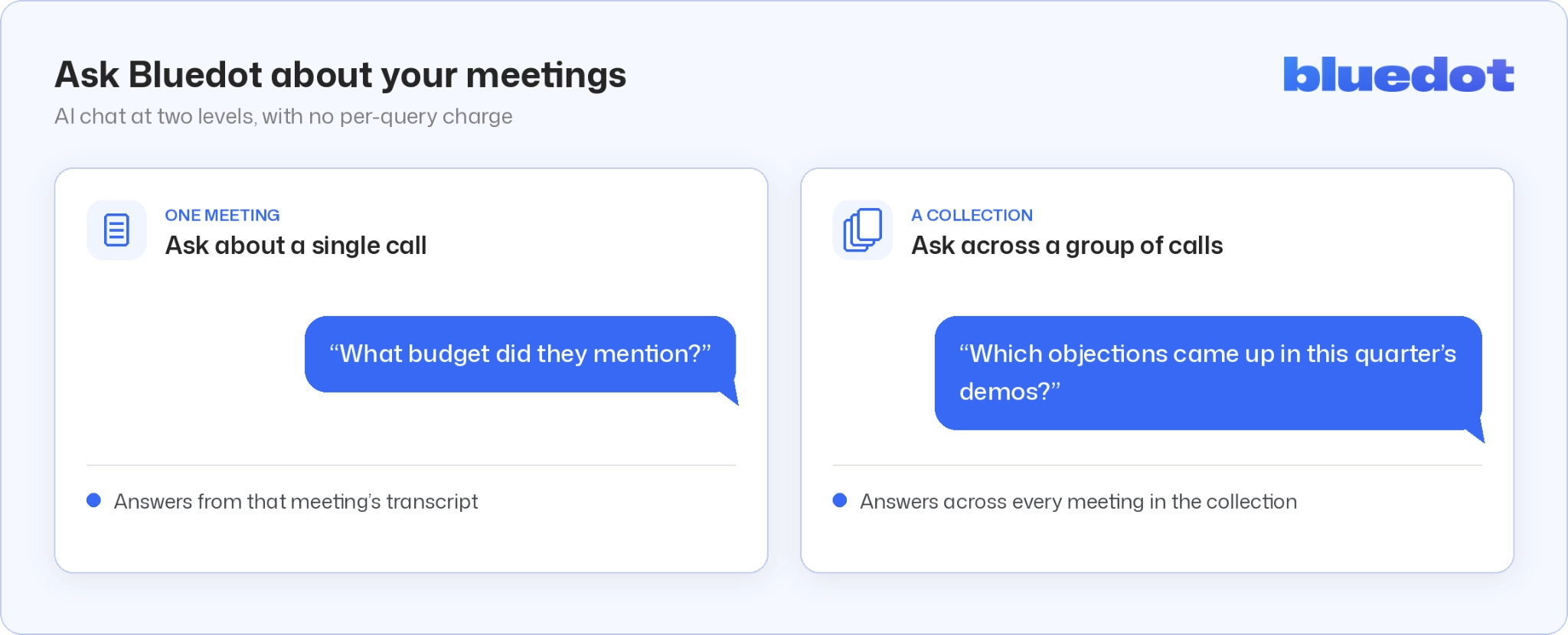
Bluedot’s AI chat searches your meeting history at two levels, with no per-query charge: one meeting at a time, or a whole collection of meetings.
AI Meeting Notes Templates for Sales, Recruiting, and Board Meetings
You pick the AI model that writes your notes, from OpenAI or Anthropic. You also pick the structure, from 50 prebuilt templates (MEDDPICC and BANT for sales calls, screening interviews and debriefs for recruiting, and board and investor updates) or your own. A custom vocabulary of names, acronyms, and jargon keeps transcripts spelled correctly.
MCP and Webhooks From the Entry Plan
Bluedot Basic ($14 per seat, billed annually) includes webhooks and MCP, so Claude and ChatGPT can search your transcripts and pull summaries. Business adds admin control over MCP access.
Fireflies also offers an API and an MCP server; the difference is that Bluedot includes them on its cheapest paid plan.
Where Fireflies Beats Bluedot
For a full feature rundown, see our Fireflies.ai review. Fireflies is the stronger choice for:
- Phone-heavy sales teams: native integrations with Aircall, RingCentral, JustCall, Outreach, and Quo. See how other AI note takers for sales calls handle dialers.
- Sales managers: team-level conversation intelligence (talk time, sentiment analysis, and topic tracking across the team; Bluedot shows speaker insights per meeting) and Deal Intelligence on Business.
- Real-time help on calls: Live Assist, an in-call AI meeting assistant, plus Sales Assist suggestions (which spend AI credits).
- Tight budgets: a permanent free plan, and Pro with video at $10 per seat.
CRM and Integrations: HubSpot, Salesforce, and Slack
Bluedot: best if you want CRM fields filled for you. Included in the Business plan ($32 per seat, annual). Notes and recording links sync to Salesforce and HubSpot contacts, companies, and deals. AI fills the custom Salesforce fields and HubSpot properties you choose, at no extra cost per meeting.
If CRM sync drives your decision, compare more AI note takers for sales calls. Recruiters also get Ashby, which adds interview recordings and summaries to candidate profiles. Hiring teams can compare more AI note takers for recruiters.
Fireflies: best if you need basic sync on a smaller budget. Included in the Pro plan ($10 per seat, annual). Notes, transcripts, and action items sync to HubSpot and Salesforce. Filling custom fields uses Autofill CRM, which needs the Business plan and spends AI credits on every meeting. Two limits:
- Salesforce sync needs an edition with REST API access: Enterprise, Unlimited, Performance, or Developer.
- Rules for which meetings sync require the Business plan.
Other integrations:
Bluedot vs. Fireflies Reviews: G2 Ratings Compared
Bluedot leads on four of seven metrics, including ease of use and setup, with its widest margin on support. Fireflies has more reviews.
Bluedot Reviews: What Users Say About Bot-Free Recording
How to Switch From Fireflies to Bluedot
If you’re moving to a bot-free Fireflies alternative, switching takes three phases: save what you have in Fireflies, set up Bluedot, then turn Fireflies off.
Bluedot or Fireflies: Which Should You Choose?
The right choice depends on where your meetings happen and how many people record.
How This Comparison Was Made
- Prices and features come from each vendor’s pricing page, help center, and security page, checked on October 27, 2026.
- Fireflies features are described from Fireflies’ own documentation. If something couldn’t be confirmed there, it’s not on this page.
- All prices are list prices in USD per seat per month, before discounts or taxes.
Bluedot vs. Fireflies.ai: Frequently Asked Questions
Is Bluedot better than Fireflies?
For teams that prioritize privacy, yes. Bluedot records Zoom, Google Meet, and Microsoft Teams without a bot, keeps the video, and works on desktop, phone, and Apple Watch. Fireflies is the better pick for the lowest seat price, a permanent free plan, and sales teams that need dialer integrations and team-level analytics.
Is Fireflies cheaper than Bluedot?
Usually, yes. Fireflies Pro costs $10 per seat per month billed annually, with video, compared with $20 for Bluedot Pro. But Fireflies bills every workspace member, while Bluedot bills only the people who record. So Bluedot costs less when only a few people record, when meetings regularly run past 3 hours, or when you need SSO ($32 vs. $39 per seat). Fireflies’ AI credits can also increase your bill.
Can Bluedot record meetings without a bot?
Yes. Bluedot is a bot-free AI note taker: its desktop app and Chrome extension record Zoom, Google Meet, and Microsoft Teams without a bot on every plan, including video (unlimited on Pro and higher). An optional bot can also join scheduled calls and record them under a custom name and avatar.
Is Bluedot safe and legit?
Yes. Bluedot is SOC 2 Type II audited, GDPR compliant, and penetration-tested by a third party every year. It has a 4.8 rating from 223 G2 reviews (October 2026). Meeting data is encrypted and never used to train AI models.
Is it legal to record meetings with an AI note taker?
Yes, if you follow the consent laws that apply to you and your participants. Some places require one party’s consent; others, including California, require everyone’s. Bluedot can post a recording notice in the meeting chat, and admins can enforce it workspace-wide. This is general information; check with a lawyer for your situation.
Does Fireflies.ai use your data?
Not for AI training. Fireflies says it doesn’t train AI models on customer data and has zero-data retention agreements with its AI vendors.