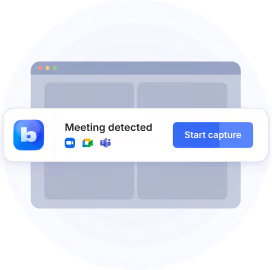
You've had it up to here with taking notes in face-to-face meetings.
AI was supposed to help, but a good AI note taker for in-person meetings is hard to find.
Most require a calendar link because they were built for virtual meeting platforms.
If you're tired of scribbling while trying to follow important conversations, I can help.
I research AI note takers for Bluedot and have tested more than 30 of them — and I know exactly what each tool can and can't do.
Below, you'll learn about:
- The 7 best AI note takers for in-person meetings that record from a phone, Apple Watch, or dedicated recorder,
- What to check before you pay, and
- Which AI note takers to avoid.
Key Takeaways
- Bluedot is the top pick for in-person meetings: bot-free recording from your phone, Apple Watch, or desktop, EU or US data storage with no AI training, and it covers your online meetings with the same account.
- Plaud is the hardware pick for big rooms, with mics that reach 16.4 feet — but you're buying a $160+ device plus a subscription.
- Otter offers one-tap live transcription and a familiar name, but it transcribes only six languages and resets speaker labels every meeting.
- Notta translates conversations live for multilingual meetings, but users report surprise annual billing and 50–80% accuracy on casual meetings.
- Fireflies supports online and in-person meetings and lots of integrations, but meters its AI features with paid credits.
- Fellow has the deepest admin and compliance controls, but records in person on iOS only — and the compliance features are Enterprise-only.
- Granola blends notes you type with AI notes, but it's iPhone-only in person, with US-only storage.
How AI note takers record an in-person meeting
Most AI note takers work one way: a bot joins your video call. It enters as an extra participant — labeled "Otter" or "Fireflies Notetaker" on a Zoom meeting grid — and records what everyone says.
This type of software only works for virtual calls at your desk.
An in-person conversation has no meeting link, so there's no call for a bot to join and nothing for it to record.
However, the best AI note takers for in-person meetings work in other ways:
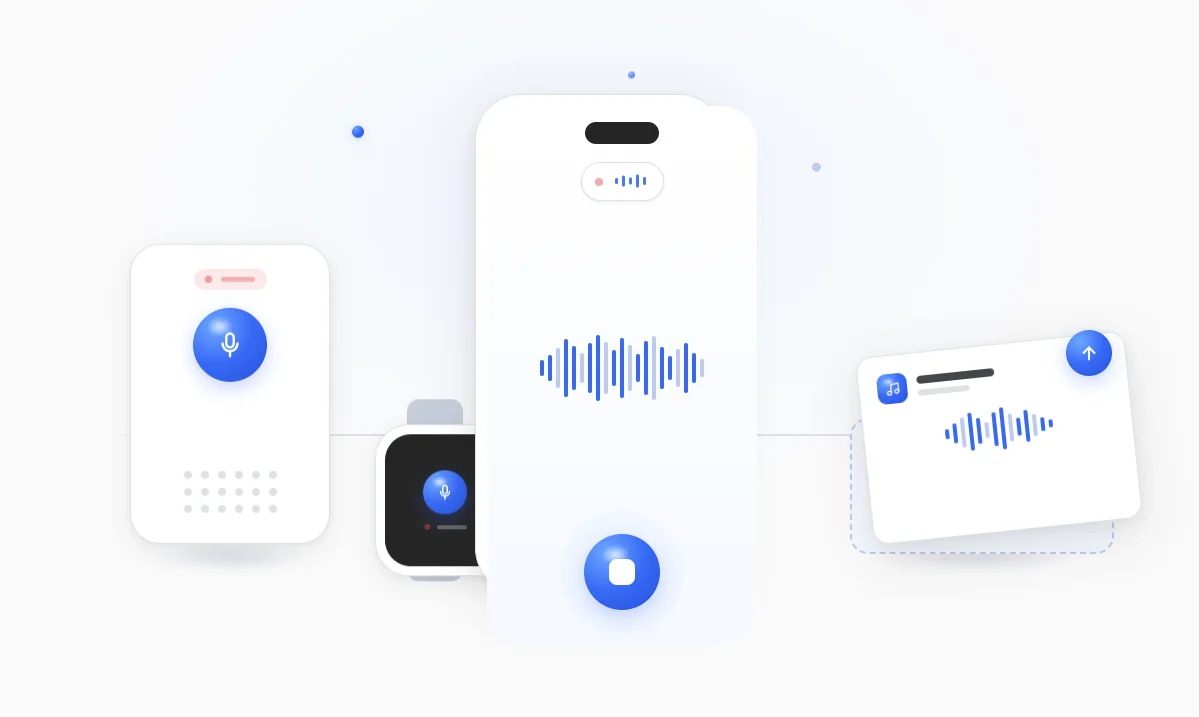
- A phone or watch app — tap record on a device you already carry. This is the bot-free AI note taker option that most people want.
- A separate hardware recorder — a gadget with its own mics, which usually syncs to the cloud for additional AI features.
- Upload a recording — record on any device, then drop the audio file into the tool to transcribe and summarize meetings.
In this guide, I'll review the most popular bot-free AI note taker — apps that can record in-person meetings via your phone, watch, or a third device.
💡 BLUEDOT PRO TIP
Apple and Android block apps from recording calls on the same device, so you need a workaround to record calls on your phone — or a separate device.
What to look for in an AI notetaker for in-person meetings
Every tool here claims to handle in-person meetings.
The differences between them are mostly in the details, but they're details that matter — how they handle several people talking, background noise, or data privacy.
Screen every option against these criteria:
- Bot-free recording — both for in-person and online calls.
- An app on iOS and Android — so it works on everyone's phones.
- Speaker differentiation — clear speaker labels with multiple speakers at the table.
- A transcript and notes — the full record plus structured AI-generated summaries and follow-ups.
- Accuracy across languages and accents — for multilingual teams and those with a global client base.
- Recording length — so you can record meetings that run past an hour.
- A free plan and reasonable prices — to test the platform's features before paying.
- Security you can clear with IT — secure data location, ability to permanently delete your meeting data, no AI training on your meetings, SOC 2.
Study each tool's pricing and be mindful of quotas.
Many AI note takers (looking at you, Fireflies) offer enticingly cheap subscriptions, only to get more money out of you via limits on recording, uploads, or AI features. Some tools even charge you extra for real-time transcription.
How speaker identification works
On virtual calls, AI note takers pull information about participants from your calendar and name everyone automatically in your transcript.
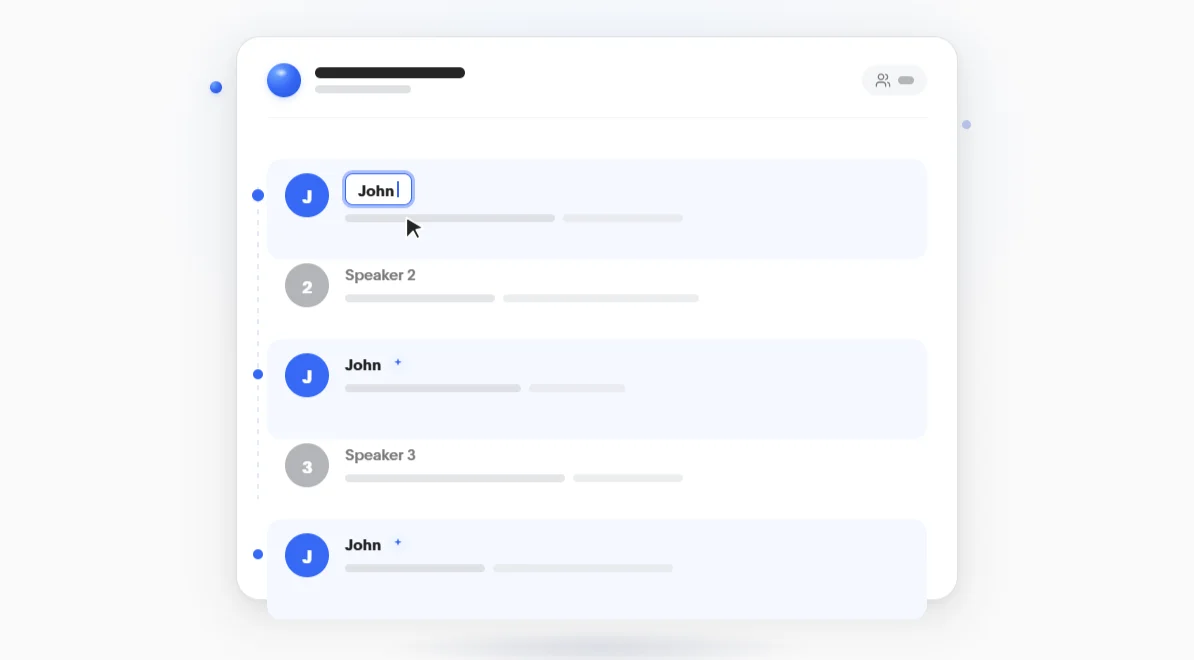
For in-person meetings, these tools can only distinguish between speakers and label them as Speaker 1, Speaker 2, etc. — there's no calendar data with everyone's names.
However, some tools like Bluedot make labeling as easy as possible. When you change "Speaker 1" to "John" in one place in the transcript, Bluedot automatically labels Speaker 1 as John everywhere throughout the call.
Quick overview — best apps for recording conversations in-person
The reviews below go deep on each pick. Here's the quick comparison:
#1. Bluedot — first pick for private in-person meetings
Bluedot records the conversation in front of you straight from your phone or Apple Watch — perfect choice for in-person meetings.
It's a privacy-first, European-based note taker: your data stays in the EU (Frankfurt) or the US (your choice), it never trains AI on your meetings, and it doesn't store any biometric voice data.
Unlike privacy-first tools that save only notes and transcripts, Bluedot also gives you a replayable video or audio recording.
You don't need your laptop, and there's no bot — although Bluedot also records virtual meetings bot-free (or with an optional bot) on any meeting platform. It supports Zoom meetings, Microsoft Teams, Google Meet, or Slack, with video and audio recording.
After each meeting, you get a transcript, a structured AI summary, and a drafted follow-up email — in person or online, it all lands in your Bluedot workspace. Which you can share with your team or anyone else.
"It's clean, it's accurate, it's what we needed." — facilities-management lead, Bluedot user.
Who Bluedot is for
Best for: privacy-conscious teams who want one bot-free AI note taker for in-person meetings and online calls.
Key features
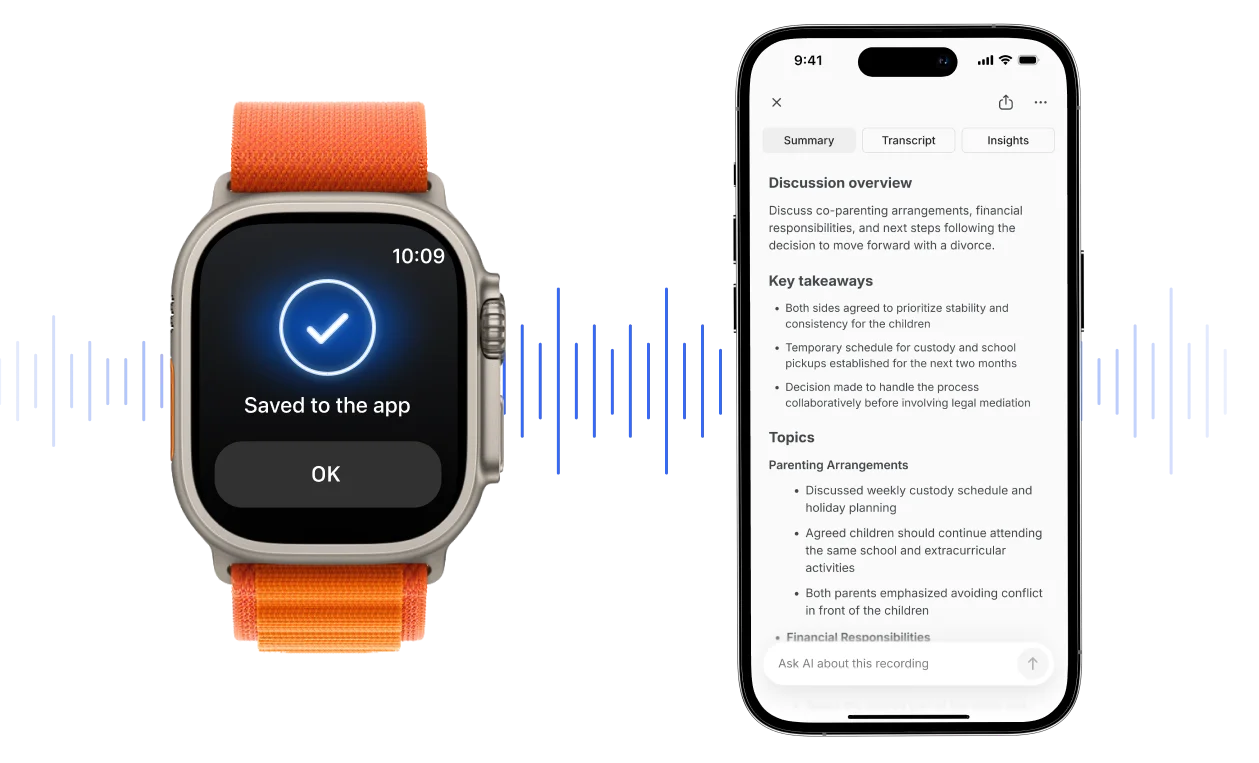
- Bot-free recording on every device — phone, Apple Watch, desktop, and browser, plus in-person meetings.
- Video and audio you can replay — a full recording of every meeting, not just the notes.
- Transcript, summary, and follow-up email — structured meeting notes and an email draft after each call.
- 100+ languages and Voice-to-CRM — transcribes 100+ languages, including Spanish and Arabic, and syncs notes from sales calls into HubSpot or Salesforce.
What Bluedot does well
✅ Private by default, with no AI training on your meetings and no stored voiceprints.
✅ You choose where we keep your data, either EU (Frankfurt) or US, with SOC 2 Type II and GDPR and custom retention.
✅ Works where a bot would be unwelcome, like meetings with external clients, board members, or wary officials.
"Very easy to use… very happy with it." — team lead rolling Bluedot out to a test team.
💡 BLUEDOT PRO TIP
From the Pro tier up, Bluedot can summarize meetings with your own template. Hand it a prompt or question list, and get the exact summary you need from every meeting — with the key points up top and nothing to reformat.
Bluedot pricing
- Free — $0: a 5-recording trial, one hour per recording, in-person and Apple Watch included.
- Basic — $14/member/mo annual ($18 monthly): unlimited meetings, audio only, one hour each.
- Pro — $20/member/mo annual ($25 monthly): unlimited-length recordings with video, plus your own AI summary templates.
- Business — $32/member/mo annual ($39 monthly): adds CRM sync for HubSpot and Salesforce, and lifts the cap on file uploads.
Just note that the free tier is five recordings for the life of the account, not a monthly allowance.
#2. Plaud — hardware recorder for big rooms

Plaud makes dedicated pocket recorders — the Note, Note Pro, and the clip-on NotePin and NotePin S.
Instead of an app on your phone, you record on a separate AI note-taking device. Then the device sends your recordings to the Plaud cloud app for transcription and meeting summaries.
The Note Pro's mics reach up to 16.4 feet, so it's the best AI note-taking device if you need audio quality at a distance — a big boardroom, a site walk, convention hall, etc.
So far so good. But after paying $160+ for a Plaud device, you also need an ongoing subscription for its core features. And it's one more thing to charge, carry around, and not lose.
The optional $20 Magsafe case for the base devices makes Plaud less of a chore, but it's not a 100% fix.
"paying a monthly or annual subscription… should have been a warning" — D.J., who felt the subscription wasn't disclosed on the box, Trustpilot.
Who Plaud is for (and who it isn't)
Best for: teams that meet in large conference rooms and want the best possible room audio — and don't mind carrying and charging a hardware recorder.
Look elsewhere if: you want to record on your existing devices.
Key features
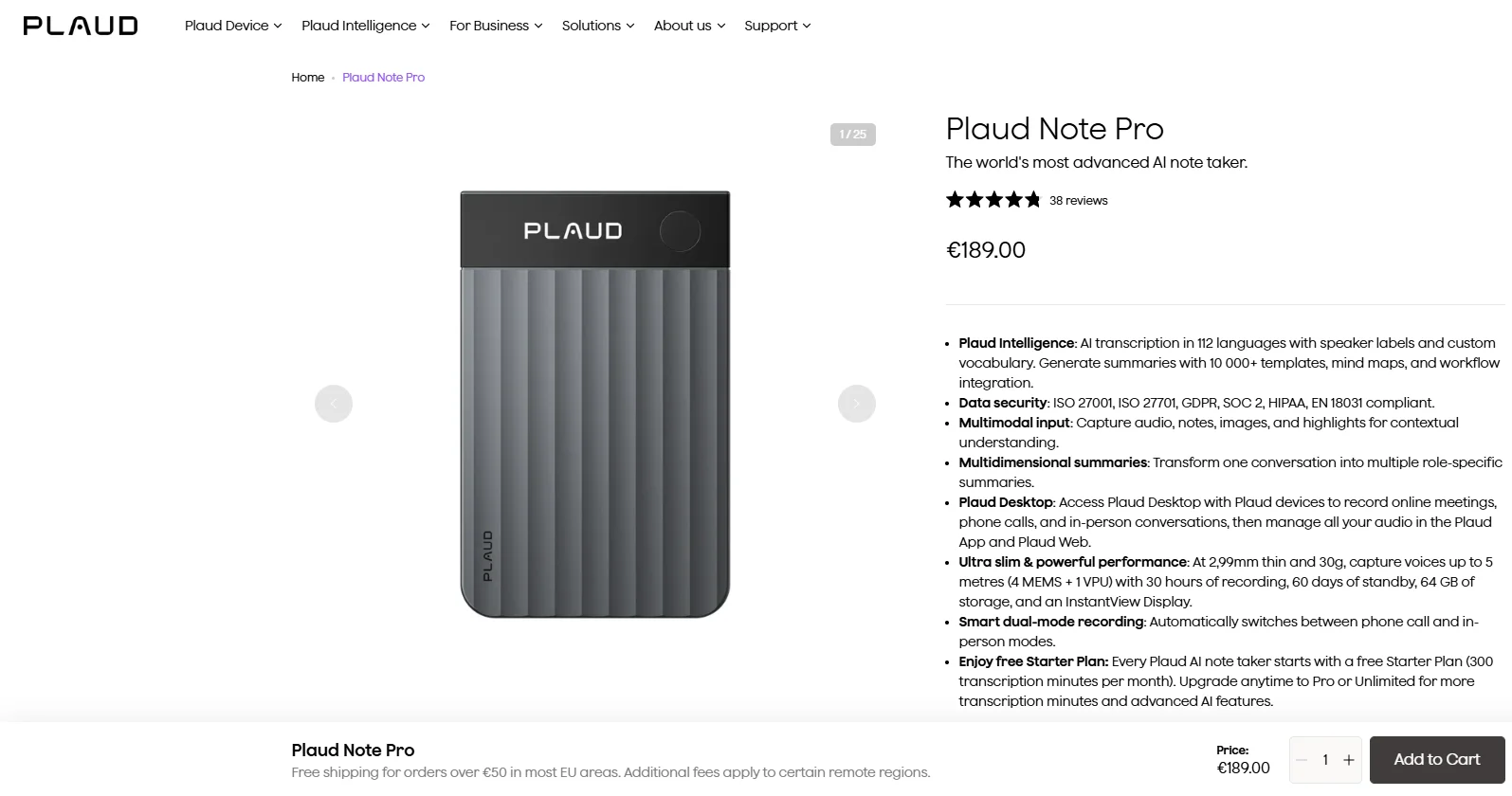
- Four dedicated devices — Note, Note Pro, NotePin, and NotePin S, each with 64GB onboard and offline recording.
- Long-range mics — the Note Pro reaches up to 16.4 feet across a table.
- Phone calls too — the Note and Note Pro record phone calls, not just face-to-face conversations.
- 112 languages and thousands of templates — transcribes 112 languages and a large template library for meeting summaries.
What Plaud does well
✅ The strongest microphones of any option here.
✅ SOC 2 Type II, ISO 27001/27701, HIPAA, and GDPR, for healthcare or legal work.
Drawbacks of using Plaud
❌ You buy hardware and pay for a subscription.
❌ You need to sync to your phone or laptop via Bluetooth to get the transcript and notes.
❌ Support is slow to reach, the free trial is hard to cancel, and some devices brick after a firmware update.
❌ Transcription sometimes delivers in the wrong language.
"transcribes into Welsh when we are all speaking English" — GT, whose English meetings came back in Welsh, Trustpilot.
Plaud pricing
- Devices — $159–$189: a one-time purchase (Note $159, Note Pro $189, NotePin $159, NotePin S $179).
- Starter — free: 300 transcription minutes a month once you own a device.
- Pro — $99.99/year ($17.99 monthly): 1,200 minutes a month.
- Unlimited — $239.99/year ($29.99 monthly): unlimited transcription, capped at 24 hours a day.
The real entry price is hardware plus a paid plan — about $260 in the first year for a Note and the Pro plan. On the other hand, a phone app like Bluedot costs nothing extra to try.
#3. Otter — the familiar name for AI transcription
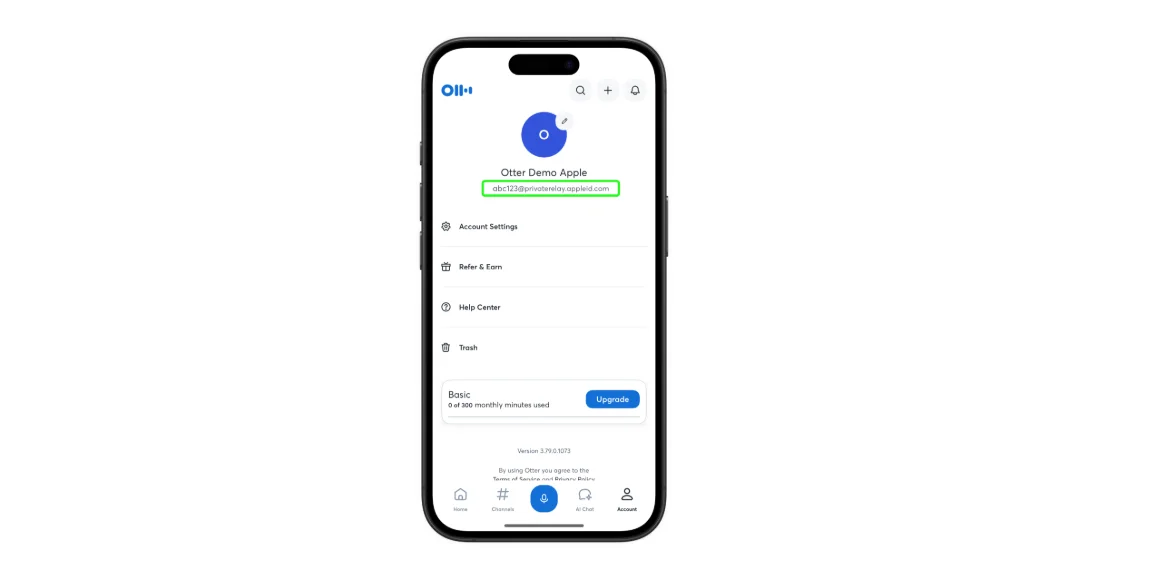
Otter is the name you'll hear most often when people talk about AI transcription. It's one of the first players in the AI note-taking market, giving it a strong first-mover advantage.
It has another edge — one-tap real-time transcription, even on the iOS and Android apps. The transcription is generated on your screen in real time as you and others talk.
While useful for online calls, the real-time transcription seems distracting in real-world meetings — it draws too much attention to the fact that the conversation is being recorded.
At the same time, it transcribes only six languages. Not great for global teams (or client bases).
Who Otter is for (and who it isn't)
Best for: solo professionals and small teams who mostly meet one-on-one in English.
Look elsewhere if: your meetings are multilingual or you upload recordings from elsewhere for transcription.
Key features
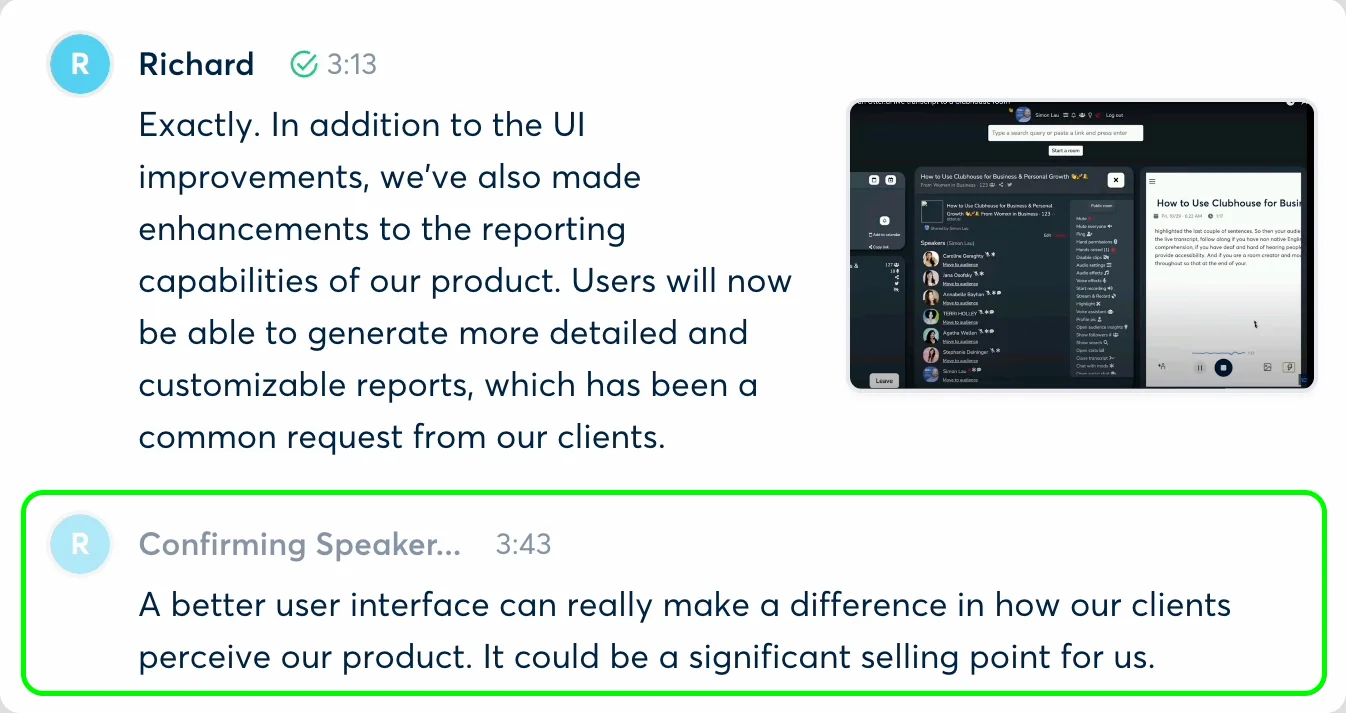
- Records in person on iOS and Android — one tap to start on most phones.
- Otter AI Chat — ask questions across your past meetings.
- Online meetings too — a bot joins a Zoom meeting, Microsoft Teams, or Google Meet (with bot-free recording on desktop).
- Audio import — transcribe voice notes and recordings you made in other apps.
What Otter does well
✅ Live transcription you can read as people talk.
✅ Highlight key points and flag action items during the meeting.
✅ Accurate on clear English audio.
Drawbacks of using Otter
❌ Just six languages, with no Arabic, Dutch, or many others.
❌ Speaker labels reset every meeting, so you have to relabel everyone.
❌ The free plan allows just 3 lifetime file imports and caps meetings at 30 minutes.
❌ A class-action alleges some consent issues.
"spending 1 hour to tag all the speakers… only to do it all again" — a verified Otter user in software, G2
"cuts out without warning… limited understanding of different speakers" — Jael T., G2
Otter pricing
- Free — $0: 300 transcription minutes a month, one meeting at a time.
- Pro — $8.33/user/mo annual ($16.99 monthly): 1,200 minutes a month and 90-minute meetings.
- Business — $19.99/user/mo annual ($30 monthly): unlimited meeting transcription and 6,000 import minutes.
Otter's free plan looks generous until you hit the 3-import limit and the 30-minute cap. Paid plans start at $8.33/user/mo, and you'll be on one quickly.
#4. Notta — great for multilingual meetings
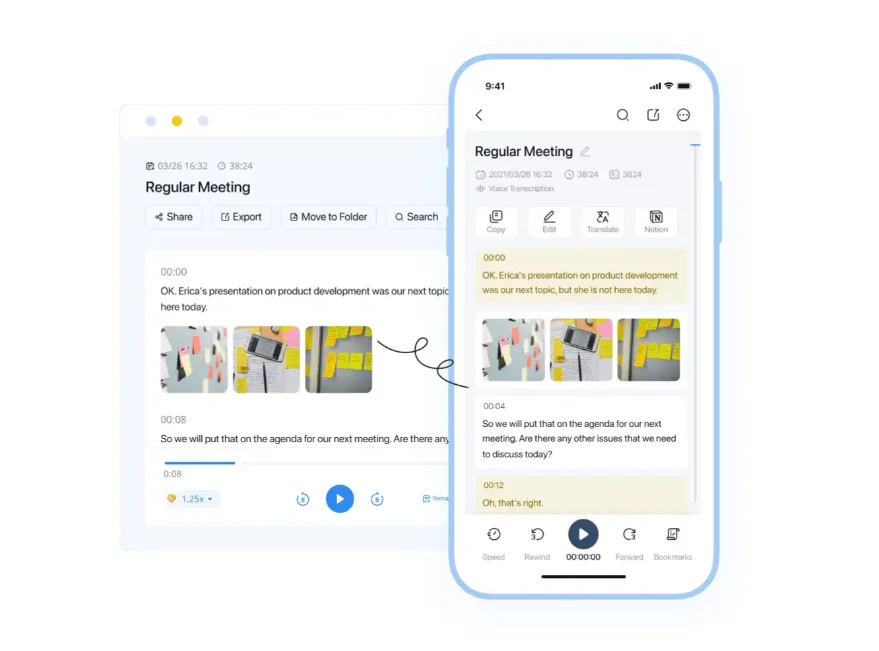
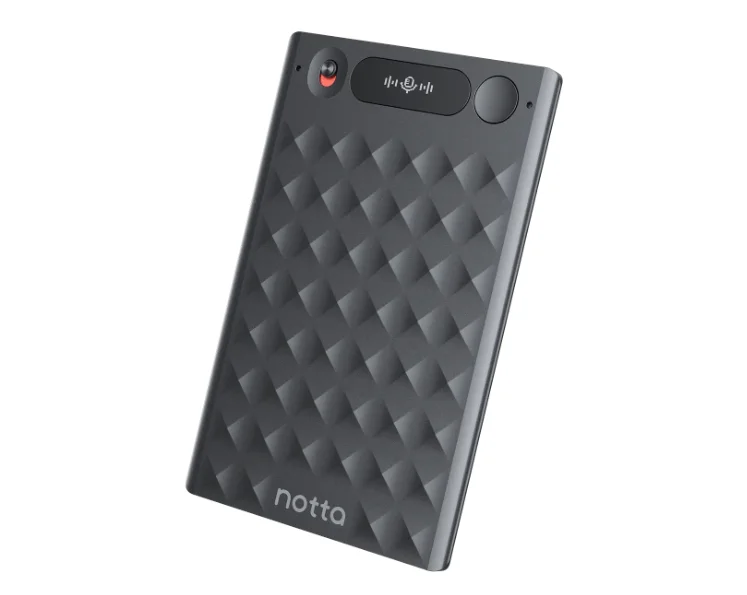
Notta transcribes 58 languages and can translate a conversation live — the best AI note taker for live translation in multilingual meetings.
You can record in three ways: the iOS or Android app, a bot-free desktop beta, or the $149 Notta Memo pocket recorder.
Besides having to pay for another piece of hardware, Notta's most-reported issue is deceptive billing, where users are charged for an annual paid plan by default when the free trial ends.
Also, Notta's own help center pegs transcription accuracy at 50–80% on casual meetings.
"they scam you essentially in auto year billing" — Jake Roy, charged $110 a year instead of $15 a month, Trustpilot.
Who Notta is for (and who it isn't)
Best for: multilingual teams that need live translation.
Look elsewhere if: you want a free trial without billing surprises, or you mostly work in one language.
Key features
- Broad language transcription — 58 languages, with translation after the fact.
- Real-time translation — translate live during the meeting (a few free uses a month, then a paid add-on).
- Three ways to record — iOS/Android app, bot-free Desktop beta, and the Notta Memo recorder ($149).
- CRM and Zapier — sync notes to Salesforce or HubSpot on Business and up.
What Notta does well
✅ Great for meetings in multiple languages.
✅ Transcribes two languages in the same meeting.
Drawbacks of using Notta
❌ Surprise annual charges when a free trial ends.
❌ The free tier effectively caps at about 3 minutes per conversation.
❌ Transcription quality runs 50–80% on casual meetings.
❌ Custom vocabulary works in English and Japanese only.
"throws in random words all through each transcript" — Rose Aitken, Trustpilot.
💡 BLUEDOT PRO TIP
Notta's homepage advertises 200 free minutes, but the pricing page limits the free plan to 120 a month, and each conversation stops after 3 minutes.
Notta pricing
- Free — $0: 120 minutes a month, capped at 3 minutes per conversation.
- Pro — $8.17/mo annual ($97.99/year): 1,800 minutes a month and 5-hour recordings.
- Business — $16.67/seat/mo annual: unlimited transcription, video, and CRM sync.
- Enterprise — custom: starts at 51 seats.
Two billing quirks to know: annual charges have caught users off guard when a trial ends, and switching from Pro to Business (or annual to monthly) means canceling and re-subscribing.
#5. Fireflies — one system for online and in-person meetings
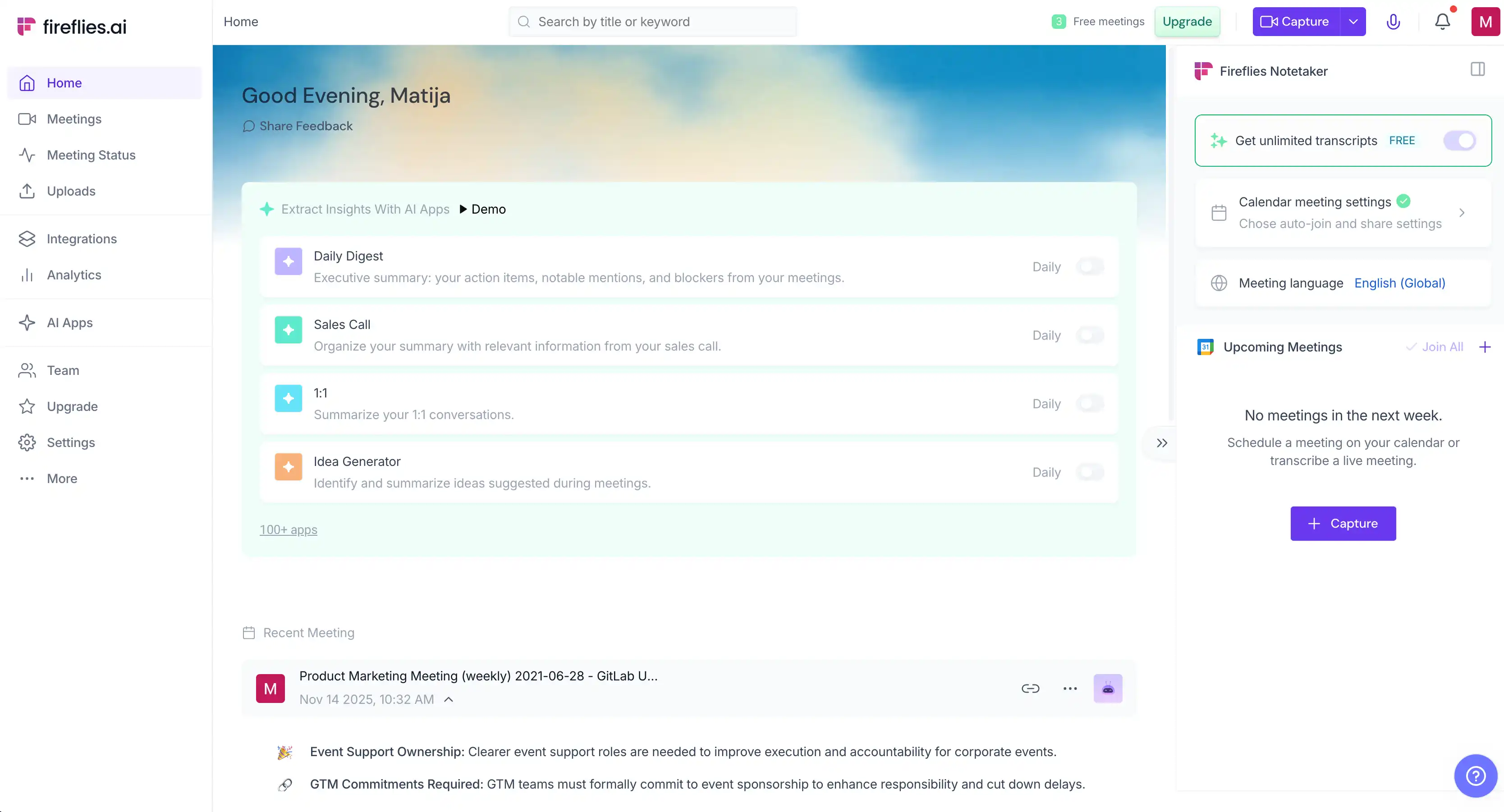
Fireflies records your virtual calls with a bot and your in-person meetings with its mobile app. You get your meeting summaries, follow-ups, and searchable transcripts in one place, along with plenty of native integrations with third-party apps.
In person, it labels speakers generically as "Speaker 1" and "Speaker 2." Named labels appear automatically only in Zoom meetings and Google Meet, the same as most tools here.
The real catch is the pricing model: AI features run on metered "credits," and reviewers report add-ons charged to their cards without consent.
"they set this so you'll end up going to a new tier" — a verified user in consulting, on being pushed to a higher tier, G2
Who Fireflies is for (and who it isn't)
Best for: teams whose virtual calls already run on Fireflies and who want in-person meetings in the same system.
Look elsewhere if: you dislike per-credit pricing, or you want nothing joining your online calls.
Key features
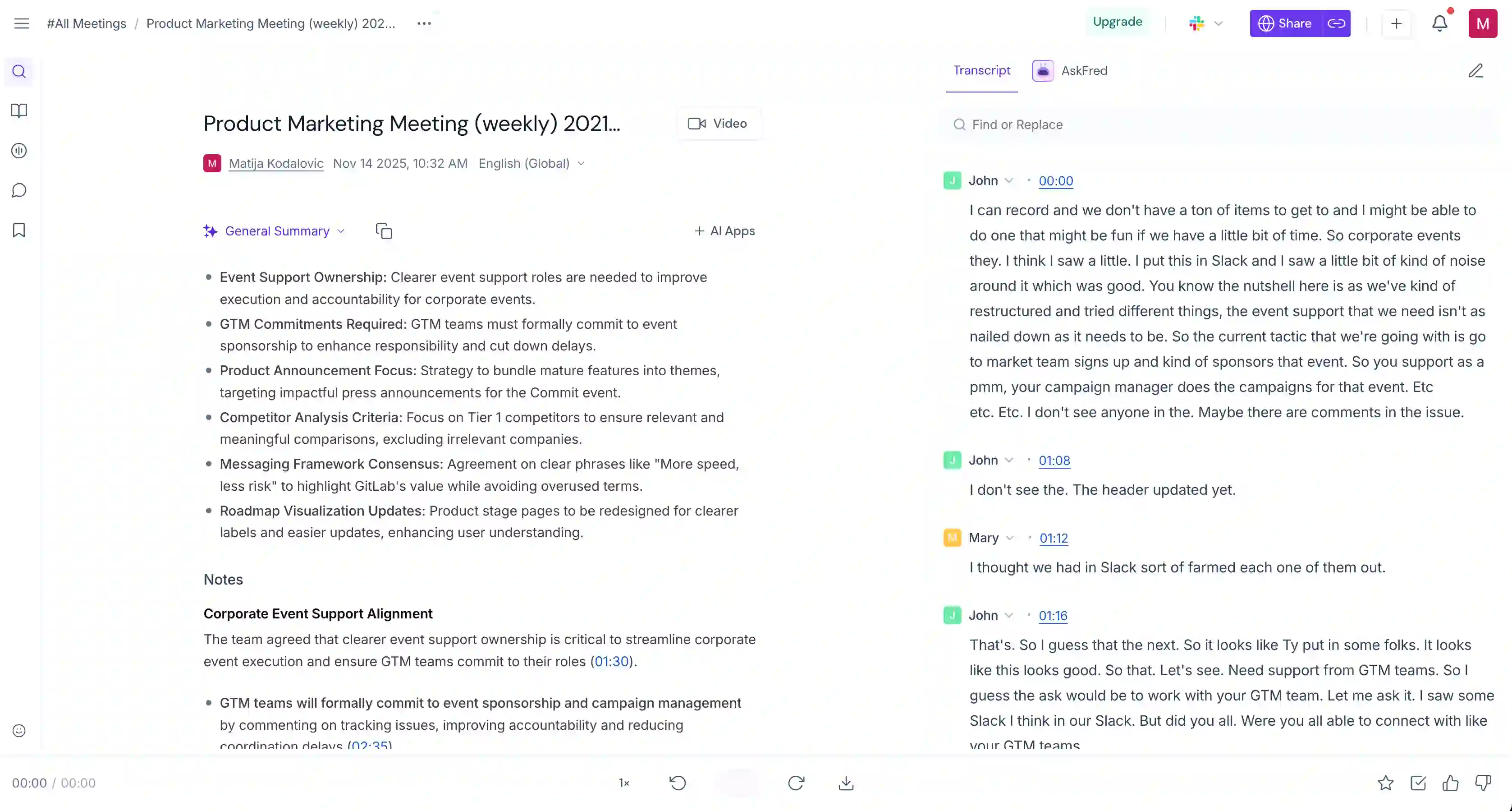
- Mobile in-person recording — the iOS or Android app transcribes a face-to-face meeting.
- Bot or bot-free for online — "Fred" joins meetings on Zoom, Microsoft Teams, and Meet, or record bot-free on the desktop app.
- AskFred assistant — ask questions about past meetings and live ones.
- 100+ languages — with multi-language mode on Business and up.
What Fireflies does well
✅ One place for every meeting, online or in person.
✅ Connects to dozens of CRMs, project tools, and apps.
Drawbacks of using Fireflies
❌ AI features run on metered credits that cost extra.
❌ Add-ons get charged to your card without clear consent.
❌ By default, the bot auto-joins every upcoming meeting on your calendar.
❌ Video recording needs the Business plan.
"default should not be to autospam" — a verified IT-services user, on the bot auto-joining every meeting, G2
Fireflies pricing
- Free — $0: unlimited transcription, but only 800 minutes of storage and no video or downloads.
- Pro — $18/seat/mo ($10 annual): 8,000 minutes of storage, downloads, and 20 AI credits.
- Business — $29/seat/mo ($19 annual): unlimited storage, video, and multi-language mode.
The bundled 20–30 AI credits a month run out quickly. To get more, you pay for a separate add-on — $5 a month per user and upwards.
#6. Fellow — best for teams that need admin control
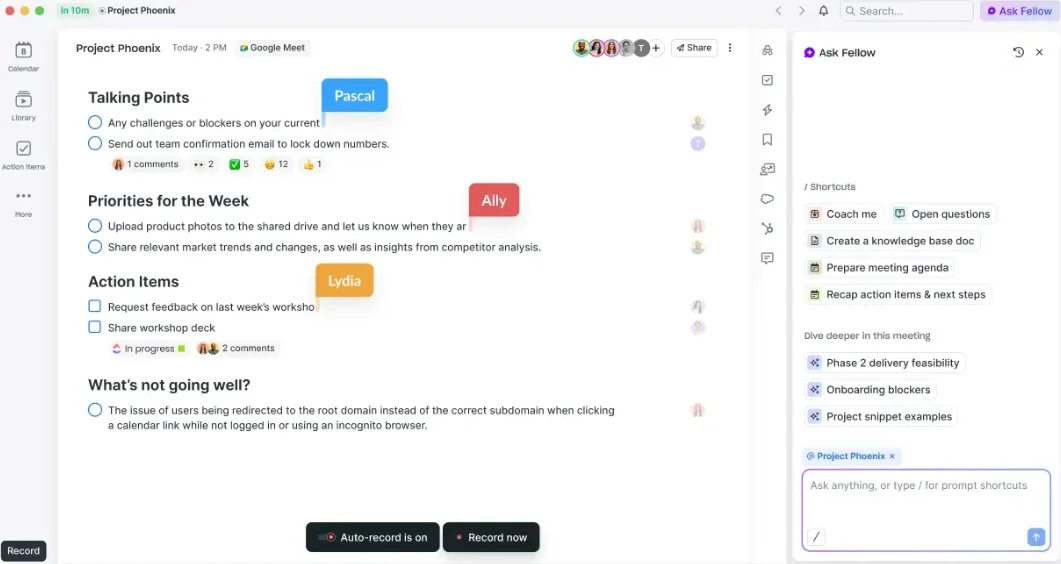
Fellow is the best AI note taker for teams that need strict admin controls and compliance, and want to manage meeting data closely. It records in person through its iOS app, with no bot, and adds collaborative agendas, meeting notes, and an AI recap.
Its governance is unusually deep — redaction, custom retention, and workspace recording policies — but you only get those with the Enterprise plan.
Reliability is an issue, though. Reviewers report the app running slow and recorded conversations disappearing afterward, which undercuts an AI assistant you're trusting with meeting capture.
"Frustratingly sometimes meetings don't show up on Fellow." — a verified Fellow user, G2
Who Fellow is for (and who it isn't)
Best for: regulated or admin-heavy teams that need retention policies, SSO, and compliance controls.
Look elsewhere if: you record in person on Android, or you just want a simple recorder.
Key features
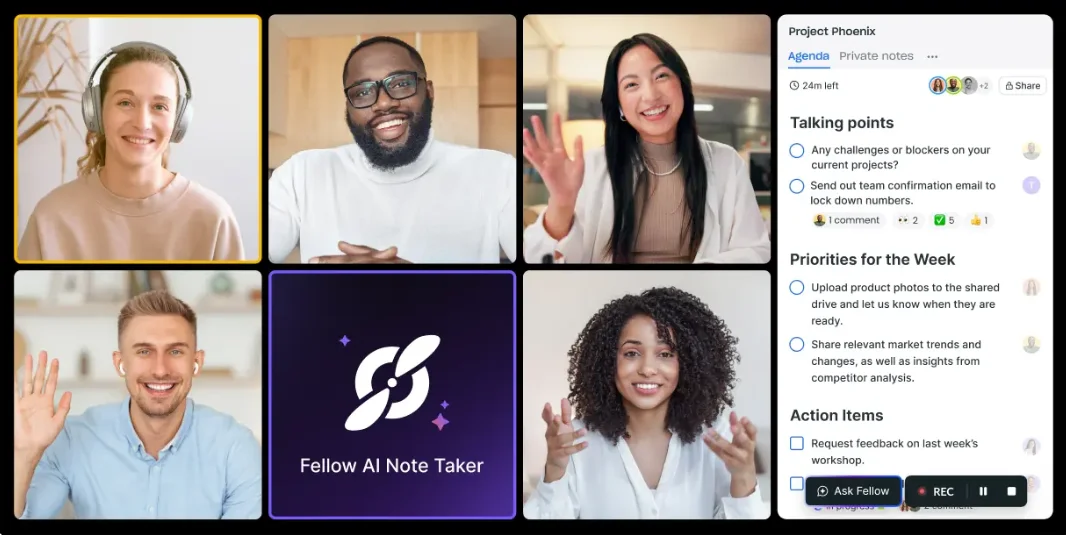
- In-person recording on iOS — the app records a face-to-face meeting with no bot.
- Voice matching for shared mics — detects different speakers when several people share one microphone.
- AI recap — transcript, meeting summary, action items, and decisions after each meeting.
- 50+ integrations and an API — CRM, project tools, and wikis, plus a developer API and MCP.
What Fellow does well
✅ The deepest admin and compliance controls here, on the Enterprise plan.
✅ A cheap entry point, with the Team plan at $7 a seat.
✅ One tool for agendas, meeting notes, and recordings.
Drawbacks of using Fellow
❌ In person, it records on iOS only, with no Android app yet.
❌ The app can run slow, and recorded meetings sometimes fail to appear.
❌ Notes can be workspace-visible by default.
"Alarming that all of the notes were public-facing." — a verified Fellow user, G2
Fellow pricing
- Free — $0: up to 10 users, but only 5 lifetime recordings and 14-day meeting history.
- Team — $7/user/mo ($11 monthly): unlimited note history and 10 recording credits per user a month.
- Business — $15/user/mo ($23 monthly): unlimited recordings and workspace templates.
- Enterprise — $25/user/mo: SSO, redaction, zero-day retention, and HIPAA.
The compliance features that set Fellow apart — redaction, custom retention, SSO — are Enterprise-only, so smaller teams on the cheaper paid plans don't get them.
#7. Granola — best for blending your notes with the AI's

Granola works differently from every other meeting assistant here. You take your own notes during the meeting, and it blends them with AI meeting notes from the transcript into one summary — your rough notes are preserved, and the AI fills in what you missed. No bot joins.
That makes Granola the best AI note taker for people who write notes of their own and want AI to complete and structure them, rather than replace them. It's a favorite for client-facing meetings and one-on-ones.
For in-person use, it has two clear gaps: it runs on iPhone only, and it stores your data in the US with no EU option.
Who Granola is for (and who it isn't)
Best for: people who blend personal notes with AI notes, in one-on-ones without a bot.
Look elsewhere if: you record in person on Android, need the exact wording from a full transcript, or want EU data residency. Plenty of Granola AI alternatives offer all three.
Key features
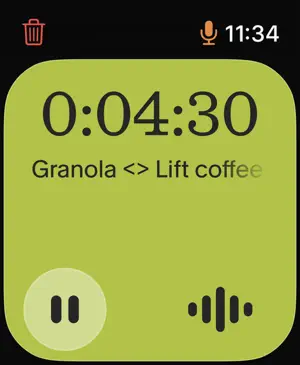
- Bot-free recording — records the system audio stream on desktop and in-person meetings on iPhone, with nothing joining.
- Your notes, enhanced — merges the notes you type with the transcript into one structured AI summary.
- Granola Chat — query your notes and transcripts in plain language.
- Templates — one-on-one, discovery, standup, and custom note formats.
- Apple Watch app — for transcription on the go
What Granola does well
✅ The AI summary reflects the key discussion points you flagged, not a generic meeting recap.
✅ Clean, usable notes, well-liked for solo work and client one-on-ones.
Drawbacks of using Granola
❌ Its in-person recording works on iPhone only, with Android still in development.
❌ It trains on your meetings by default unless you opt out.
❌ It can miss details in long meetings, with no full meeting transcript to check.
❌ Your data is stored in the US, with no EU option.
"Granola hides the transcript too much" — a Reddit user, r/overemployed
Granola pricing
- Free — $0: AI notes and Chat, but only 30 days of meeting history and no integrations.
- Business — $14/user/mo: unlimited history, integrations (Slack, Notion, HubSpot), and Chat's advanced features.
- Enterprise — from $35/user/mo: SSO and admin controls.
Granola's paid plans start at $14/user/mo and bill monthly only, and on the free plan you can't see notes older than 30 days until you upgrade.
Software app vs. dedicated hardware recorder
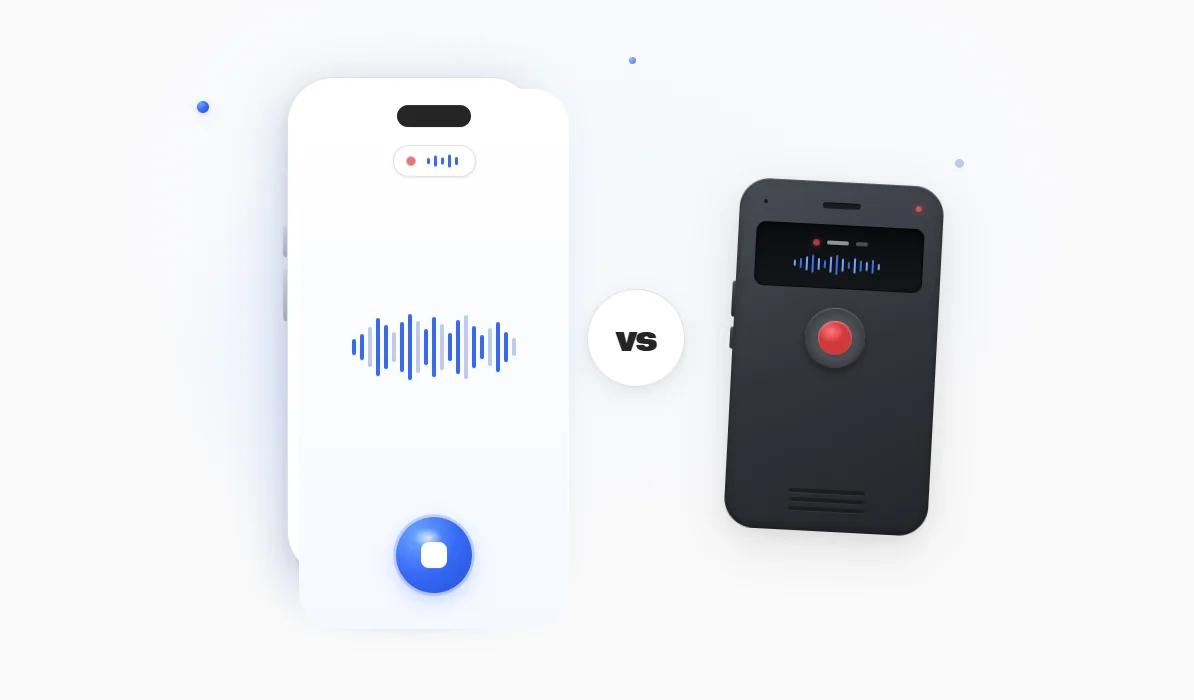
For a face-to-face meeting, the real decision is whether you record on the phone in your pocket or on a dedicated AI note-taking device.
An AI voice recorder for meetings might be worth the cost and hassle in a few cases:
- Big rooms — Plaud's Note Pro picks up voices up to 16.4 feet away, further than a phone's mic.
- Offline settings — dedicated hardware records without a connection and syncs later.
For most people, though, the phone app wins.
It's already in your pocket, costs nothing extra, and sends meeting notes to the apps you already use.
A phone on the table also draws no attention, since everyone has one, while even the best wearable AI notetaker is a second gadget to buy, charge, and not lose.
A good app even covers offline use: Bluedot's Apple Watch, iOS, and Android apps record with no internet or reception, then upload the moment you reconnect, when your transcript and AI-generated summary appear.
💡 BLUEDOT PRO TIP
In a big conference room, set your phone toward the center of the conference table rather than in front of you, so it picks up everyone and not just the nearest voice.
Does Microsoft have an AI note taker for in-person meetings?
No. Microsoft Teams and Copilot record your linked video calls, but neither has an in-person capture mode for a face-to-face meeting, which has no meeting link to connect to.
In a physical room, Microsoft Teams records from one shared microphone. So, as one HR lead put it, "it just looks like I'm doing all the talking."
A Zoom meeting or a Google Meet call has the same limit: these meeting assistants are built for a virtual meeting with a calendar link, not real-life conversations.
The tools that can't record an in-person meeting at all include:
- Microsoft Teams and Copilot — record linked Microsoft Teams calls only, or something akin to a voice note.
- Zoom AI Companion and Google Meet — tied to a meeting link, with no in-person mode.
- Read AI — joins meetings as a bot, via a virtual link only.
- Fathom — no mobile app and no audio import.
For these platforms, there's one clunky workaround: record the in-person meeting on a phone app, then import the recording into an AI meeting notes app to get the transcript and follow-ups.
It's also the least efficient way to extract actionable information from in-person conversations — many AI tools (like Bluedot) can handle both the recording and AI processing. Use them instead of switching between different apps and paying for both.
Frequently asked questions
Otter AI vs Bluedot for in-person meeting?
Bluedot is the better AI note taker for in-person meetings. Both apps record a face-to-face conversation from your phone, but Bluedot also records from an Apple Watch, keeps a replayable recording of every meeting, and stores your data in the EU or US without training AI on it. And where Otter's speaker labels reset every meeting, rename a speaker once in Bluedot and the label sticks.
How do I record an in-person meeting with AI?
Open an AI meeting notes app on your phone, tap record, and set the phone on the table. It transcribes the conversation, then gives you a meeting summary, follow-ups, and action items after the meeting. No bot and no meeting link needed.
Can AI take notes during an in-person meeting?
Yes. A phone or smartwatch app, or a dedicated device, can capture notes from a face-to-face conversation without a meeting link, turning it into a transcript, a summary, and follow-ups. That's the difference from Microsoft Teams or a Zoom meeting, which only work on a linked call.
Is there a free AI note taker for in-person meetings?
Yes, several of the best AI note takers offer a generous free plan, but watch the caps. Bluedot's free plan covers five recordings, Otter's allows three lifetime imports, and Notta's free tier gives you only about three usable minutes per conversation. Test one on a real internal meeting before trusting it with client meetings.
Can I use Read AI for in-person meetings?
Not really. Read AI is built around a bot that joins a meeting link, so it has no way to record a face-to-face conversation in a room. For in-person notes, use a phone app that records and summarizes conversations instead.
Do I have to tell people I'm recording?
Whether you have to tell people depends on where you are. Some places need only one person's consent to record a conversation, while others require everyone's. Check the rule for your state or country before you record, especially in client meetings or with outside guests. This isn't legal advice.
Record every in-person meeting with Bluedot
Most AI note takers still assume every meeting is a video call with a link — obviously, in-person meetings don't have one.
Bluedot is the top pick because it's secure, easy to use, and built with real-world conversations in mind.
It's a bot-free AI note taker for in-person meetings that runs on iOS, Android, Apple Watch, and desktop, and covers your online calls with the same account — no second tool, no device to charge.
Your recordings stay private: stored in the EU or US, and never used to train AI.
If you want one secure, simple tool for every meeting, scheduled or not, start with Bluedot.