%20(1).png)
Every buyer consultation and listing appointment is a treasure trove of information. The meetings give you everything you need to move deals forward.
It’s a lot of information to jot down and remember, though. Active buyer must-haves, everyone’s timelines, and budgets. And dozens of in-person meetings and virtual calls every week.
Your number one priority is to make a real connection with the clients. That’s not easy when you’re scribbling notes in your phone or in a notepad.
AI note takers fix this. They automatically record, transcribe, and summarize your past meetings. With the right tool, you get an accurate transcript and notes with crsucial info from each conversation.
I’ll show you how to choose the best AI note taker for real estate and review some of my top picks. Also, I’ll help you make the most of your AI meeting assistant and automate hours of work each week.
TL;DR
- Bluedot is the best AI note taker for real estate because it's bot-free, works on phones and Apple Watch for in-person meetings, supports unlimited custom vocabulary for industry jargon, and integrates with any real estate CRM via Zapier or Make.
- Jamie AI is a solid choice for boutique luxury agencies serving international clients, with bot-free transcription, 80+ language support, and EU-based servers, but it struggles with multi-speaker accuracy.
- Fathom offers the most generous free plan with unlimited recordings and CRM integrations, but lacks mobile apps, making it a poor fit for in-person showings.
- Otter AI works well for in-person meetings thanks to its iOS and Android apps and 1,600-term custom vocabulary, but it has serious privacy issues and a class action lawsuit over its recording practices.
- tl;dv suits large brokerages and bilingual markets with Playbook Monitoring, objection handling AI, and multi-language transcription, but its best features are locked behind the pricey Business tier and there's no bot-free option.
What are the Best AI Notetakers for Real Estate Professionals?
5 Criteria for Choosing AI Notetakers
Use the following 5 criteria to find the right AI notetakers for real estate.
Transcription Accuracy and Speaker Separation
Your AI meeting assistant should quote your clients accurately. Some AI note takers struggle with niche terms and industry jargon — especially acronyms.
The dirty little secret? All AI note takers make mistakes from time to time. It’s unavoidable, but the best AI tools give you ways to minimize inaccuracies.
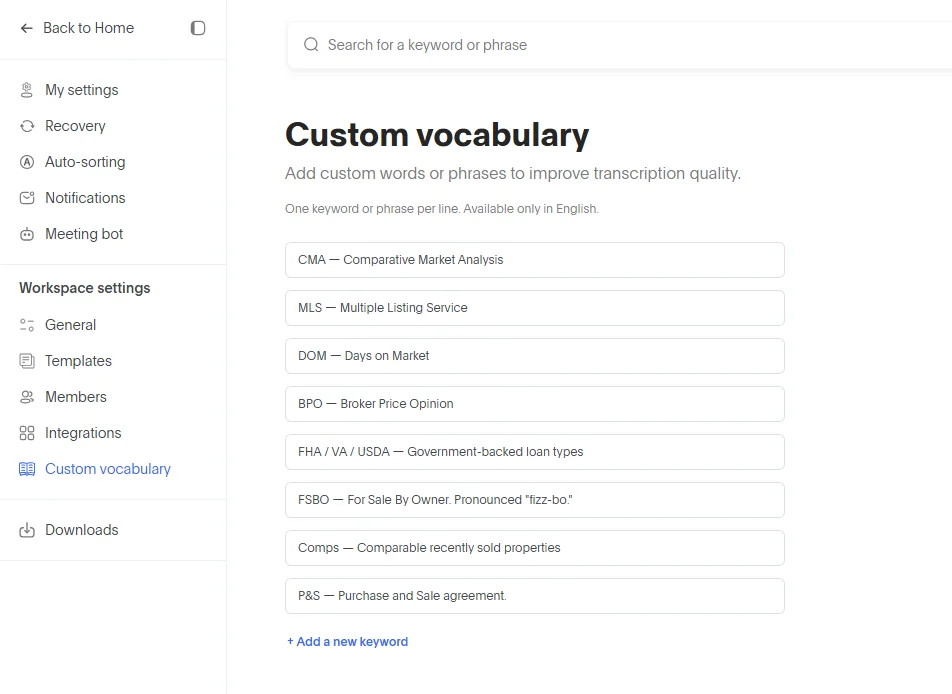
Adding custom keywords in Bluedot
Bluedot lets you add specific words to a custom vocabulary, so it’s easier for the AI to recognize and transcribe them properly. Pro tip: add common real estate acronyms here.
The other big thing is speaker identification. You need to know precisely who said what in every meeting — especially during a buyer consult with couples.
Most AI note takers ask you to tag each speaker once for in-person meetings, and they pull info about participants from your calendar on virtual calls.
CRM Integration and Automation
AI transcripts and meeting notes save you more time if you also automate downstream admin work.
With the top AI tools for real estate agents, you can push key details and notes to your CRM (customer relationship management) platform automatically.
Ideally, an AI meeting assistant connects to your real estate CRM natively, out of the box. If not, just make sure your AI note taker works with Zapier or Make.
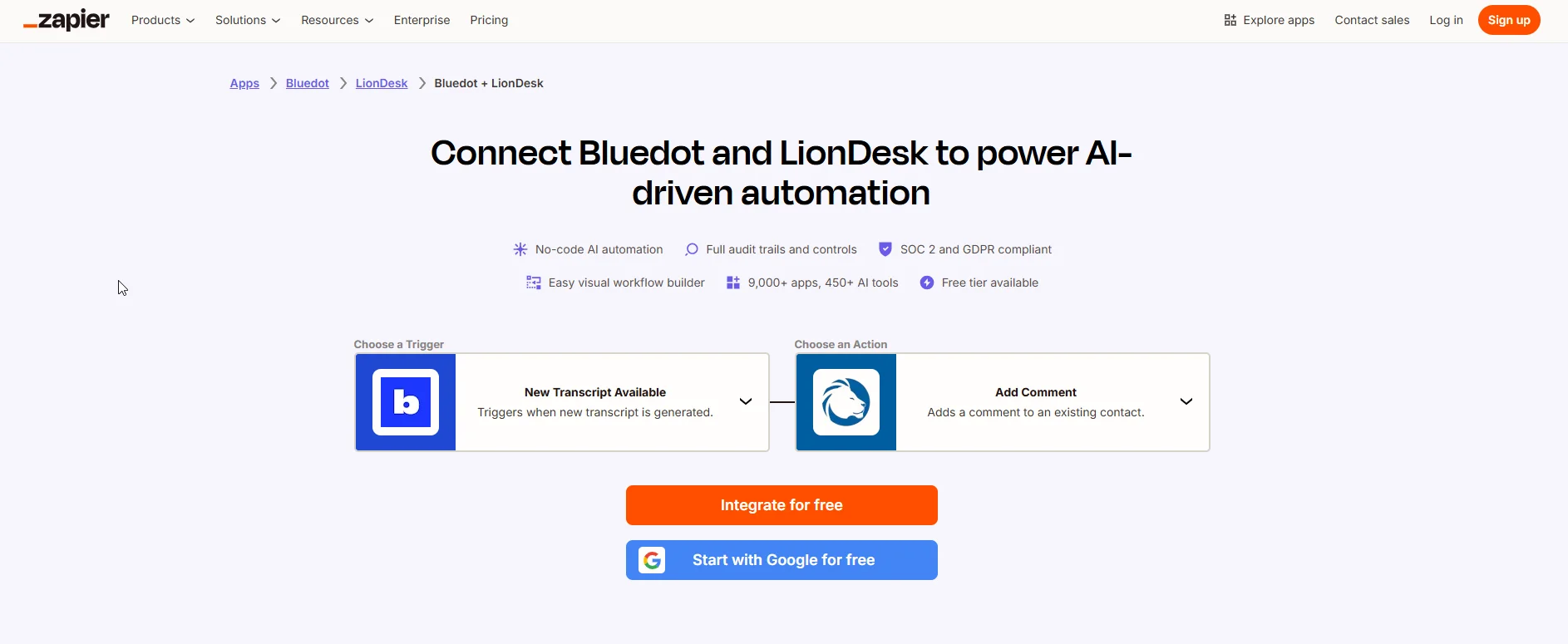
With these AI tools, you can automatically share notes from Bluedot to any real estate CRM — including Follow Up Boss, Wise Agent, Top Producer, or LionDesk.
Custom Templates
Your AI meeting assistant should extract different information from different meetings.
You don’t need the same notes from a buyer consult (timeline, must-have features, budget) and a listing appointment (timeline to sell, property specs, unique features).
So, choose an AI notetaker that lets you easily customize templates for your various meetings.
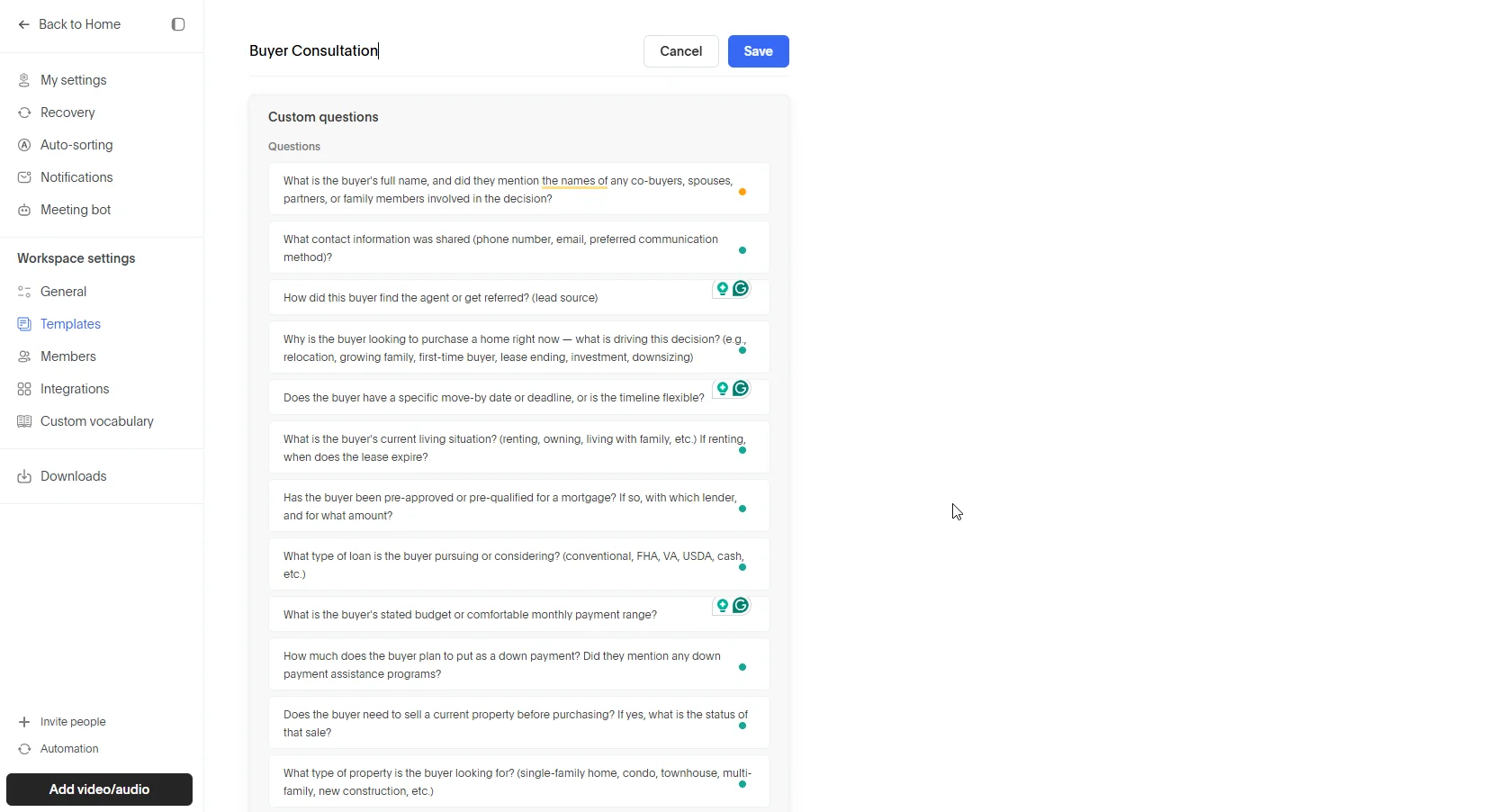
In Bluedot, you can create custom templates via:
- Custom prompt — general instructions for the platform’s AI tools, explaining what notes it should generate for a specific type of meeting, or
- Custom questions — a series of specific questions about the meeting, which the AI should answer while generating the notes.
I mostly use the custom questions format, especially for information-heavy meetings. These also make it easier to find and export specific information to CRMs.
Mobile Recording
Most real estate meetings are in-person. You need an AI meeting assistant that records and transcribes open houses and property walkthroughs.
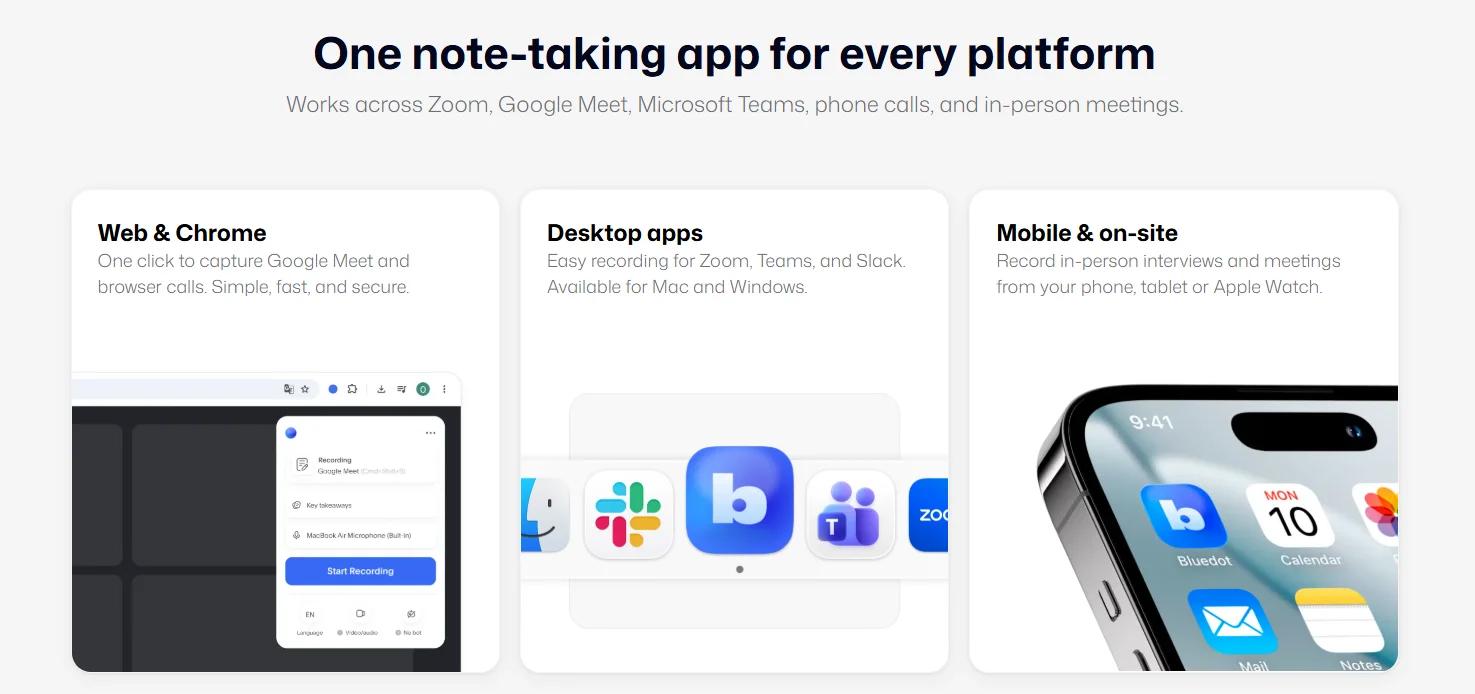
Bluedot works on any platform, including your phone, tablet, and Apple Watch.
It’s perfect for in-person meetings, which you can record discreetly and get meeting notes on all your devices.
Pricing and Free Plans
Most AI note takers offer free trials or free accounts you can use indefinitely.
In both cases, don’t expect much — these free offers are limited in various ways and designed to let you test basic features. Ultimately, the whole point is to get you to sign up for a paid subscription.
This is understandable, but you should still choose an AI note taker with transparent, simple pricing.
Avoid AI tools that require you to buy credits for advanced features. This nickel-and-diming is annoying because you’re constantly checking various usage limits — and end up paying for additional credits, on top of a regular subscription.
Best AI Tools for Real Estate Agents
There are 100+ AI note takers right now. It’s a huge market, and choosing the best one isn’t easy.
To help you, I’ve listed my top 5 AI meeting assistants for real estate conversations below.
#1. Bluedot — Best Bot-Free AI Notetaker
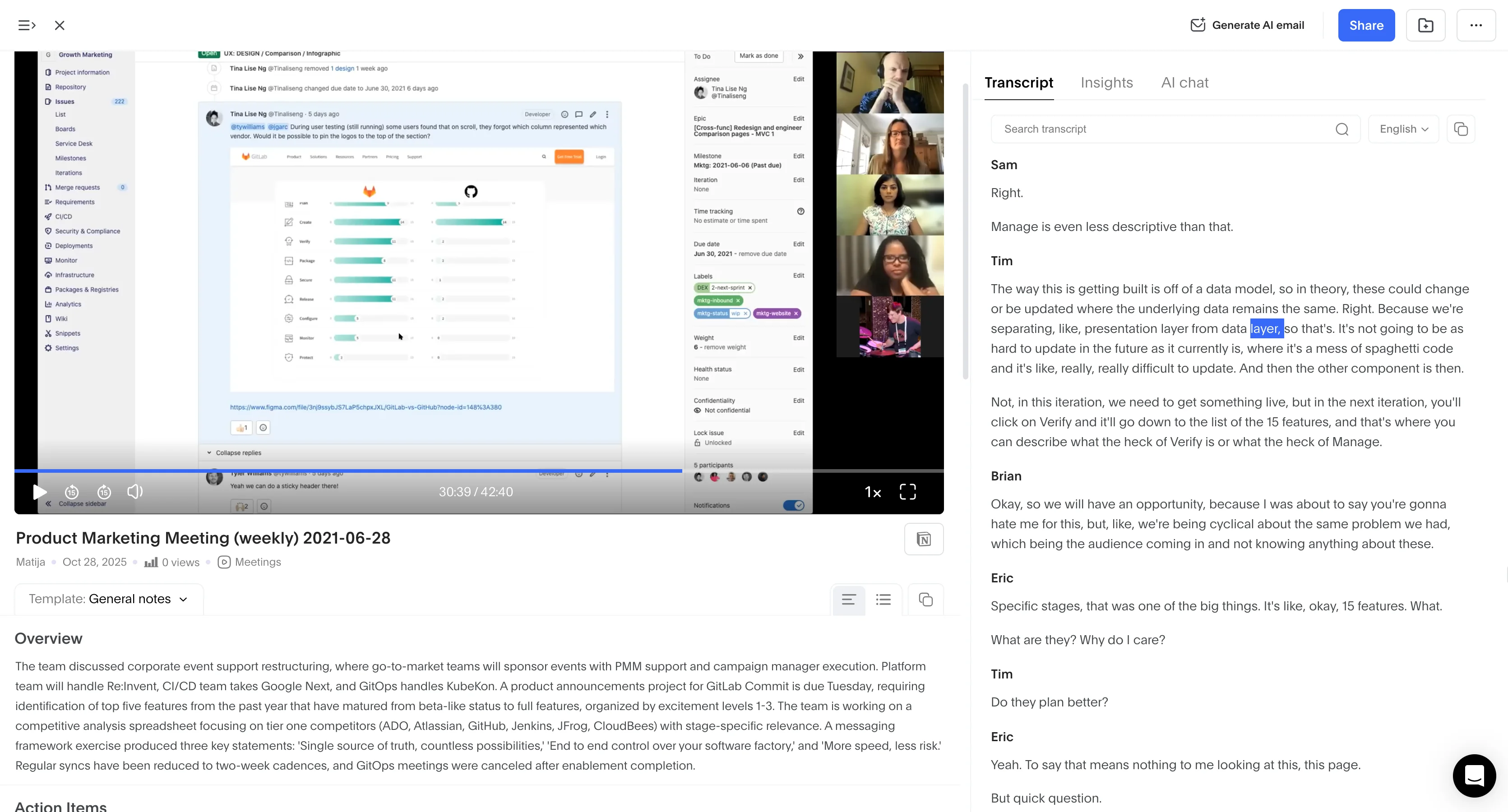
Bluedot records and transcribes your in-person conversations and virtual calls on Microsoft Teams, Zoom, Slack, and Google Meet. It’s bot-free, but you can optionally use a bot on online calls.
It’s my top choice because it's easy to use and accurate, especially for in-person conversations. The mobile app is literally one big blue “Record” button — it doesn’t distract from the actual conversation, and it’s not fiddly.
Bluedot generates AI-powered summaries and meeting notes after each call.
With a few prompts or questions, you can easily create specific note templates for discovery calls or listing presentations. That way, you get relevant info from every conversation, automatically and instantly. The AI tool can also draft follow-up emails based on each conversation.
All of this saves you time and lets you focus on the actual needs of your clients, and your relationship with them.
Why It Stands Out
Unlike most competing AI tools, Bluedot doesn’t include unnecessary features that exist solely to justify a higher subscription price. It doesn’t try to replace your entire real estate workflow either, or bog you down with “AI features” that don’t really work.
Bluedot uses AI the way it’s meant to be used — as a force multiplier. It speeds up your work and frees up your schedule. And it doesn’t intrude on you in any way.
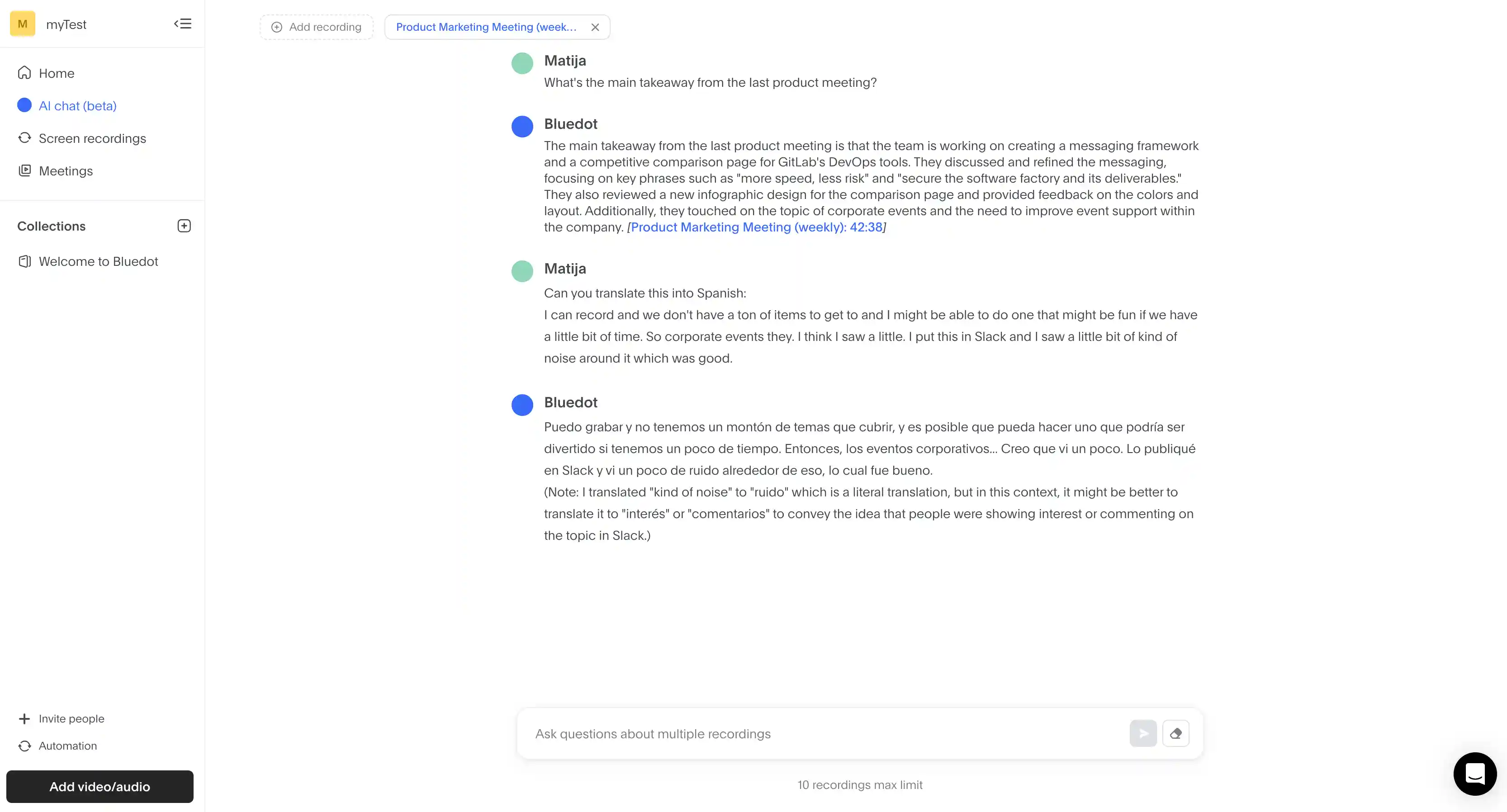
For instance, Bluedot’s AI chat can examine your transcripts and notes from past conversations, and answer any questions about them. It’s much easier to ask questions like “What are the client’s must-have property features” than searching for the specifics manually — or listening to lengthy recordings.
If you want to automate your work further, Bluedot can integrate with any real estate CRM via Zapier or Make. You can set up automations that automatically populate your client profiles on these platforms with information from conversations — instantly, and without any manual fiddling.
Best For
Individual real estate agents and property managers who attend lots of client calls and want to automate their CRM work.
Key Strengths
- Bot-free recording for smooth conversations
- Automatic notes that save you time
- AI-generated follow-up emails that help you respond to everyone immediately
- Searchable transcripts and AI chat that instantly provide information from any meeting
- CRM integration that automatically imports client data
- Unlimited storage on paid plans
- Mobile and Apple Watch apps for open houses or property walkthroughs
Downsides
- The free plan only includes 5 meetings per account
#2. Jamie AI — Multilingual AI Notes & Privacy Focus
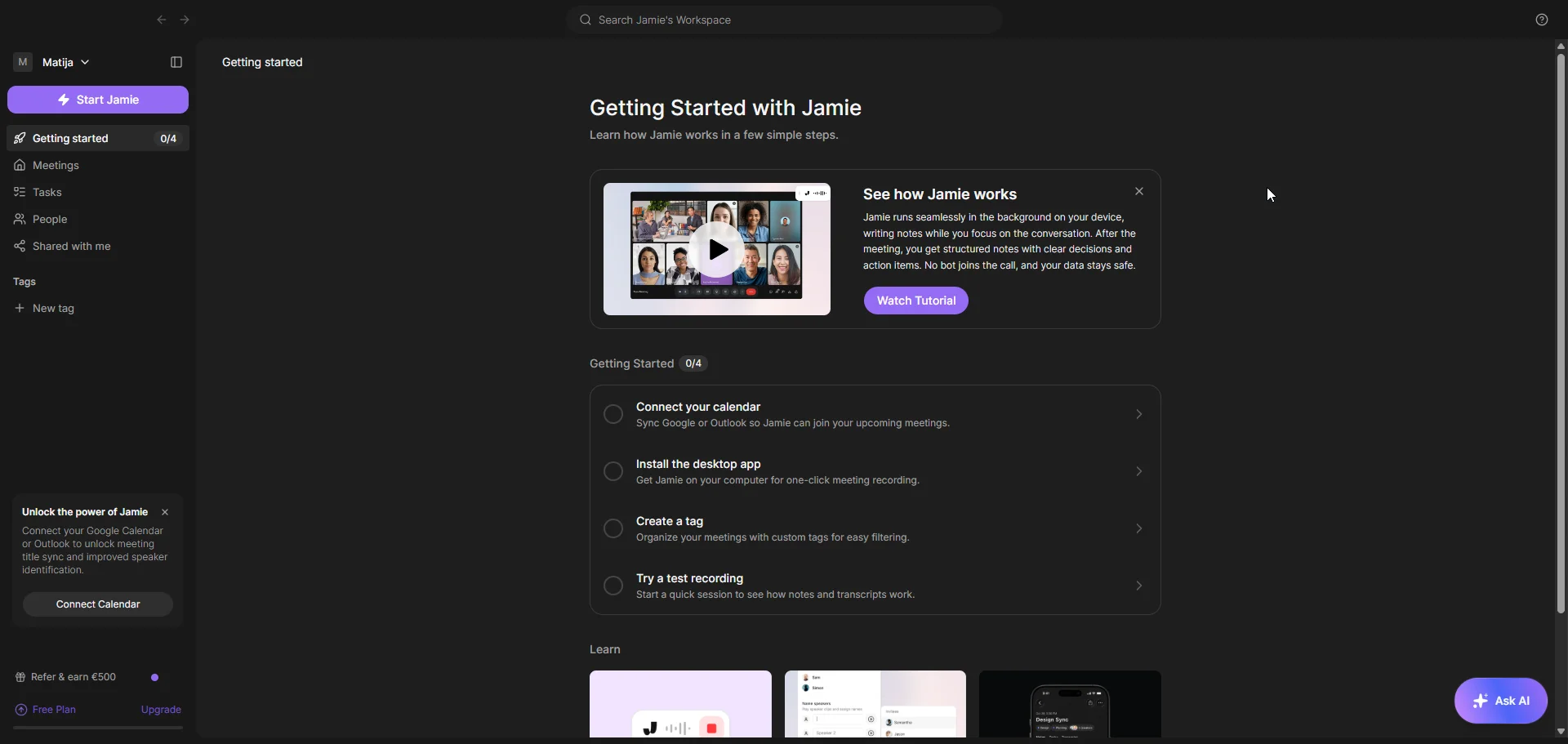
Jamie is a German-built AI tool that transcribes meetings without a bot.
It captures device audio locally, transcribes it, and then deletes the audio. The company’s servers are based in Frankfurt, and it’s fully GDPR compliant.
It’s a great choice for Mac users (the app is better optimized for Apple’s chips than for Windows) who care about privacy, but it’s not as reliable as I’d like. Also, it doesn’t actually record video or audio — it simply processes meetings and provides a transcript and notes.
Read More: Top Jamie AI Alternatives
Why It Stands Out
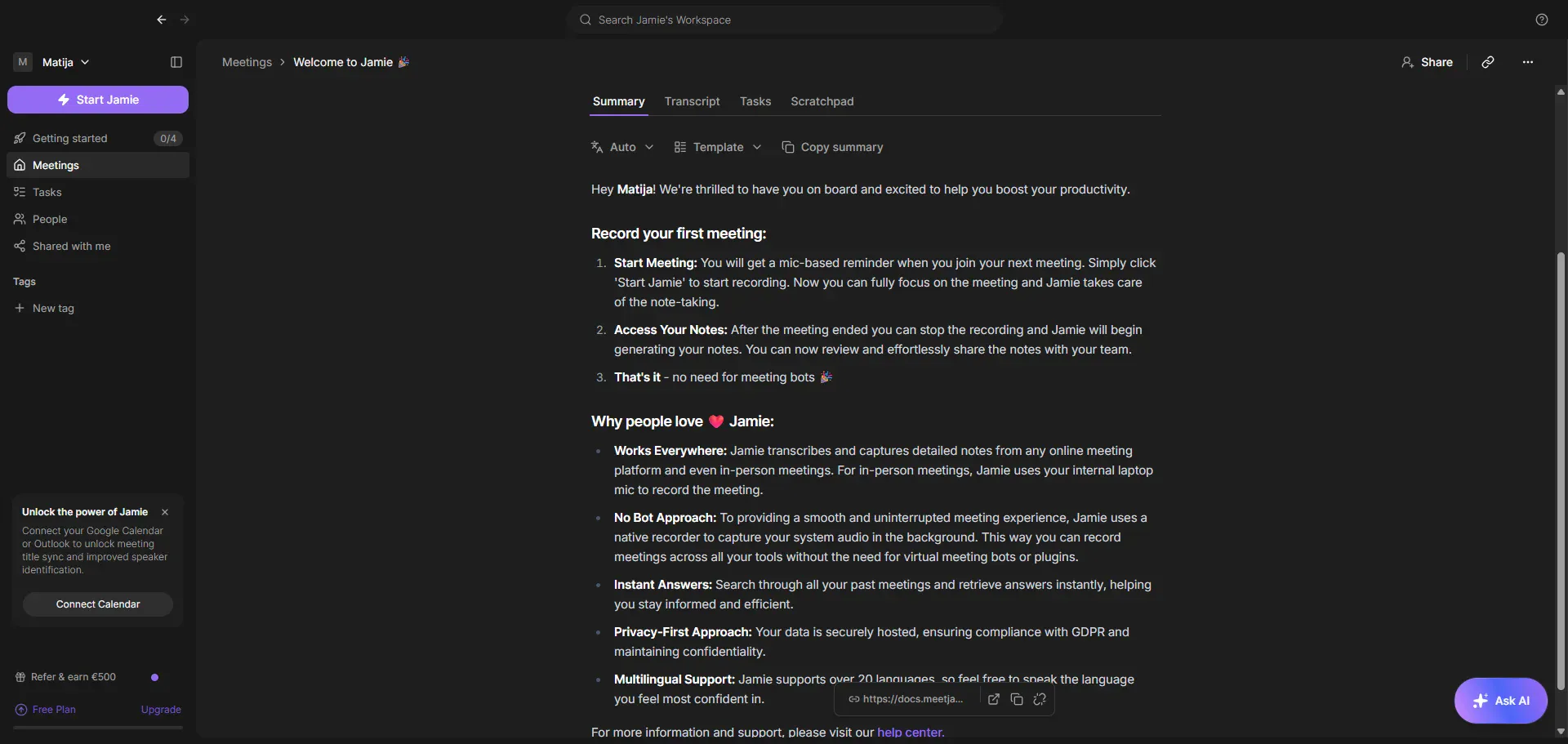
I’m a big fan of bot-free AI personal assistants, and I think they’re a great choice for real estate. Jaime AI is among them, even without the ability to actually record.
While there’s no Android app, you can use the iOS app to transcribe meetings with your phone, via the device microphone. It’s great for open houses and property walkthroughs.
The speaker memory feature is handy for repeat meetings. Once you tag a person’s voice on a call, Jamie AI recognizes and automatically tags them in future conversations. This saves you time when you’re meeting the same dozen clients across weeks and months.
You can ask Jaime’s AI chat questions about past meetings. It’s useful for information spread across multiple meetings, for which you’d otherwise spend hours searching. For example, you can ask “What are all the must-have features the Hendersons talked about?” and the AI will base the answer on info from all meetings with that couple.
For real estate agents serving international buyers (mostly in luxury markets), the 80+ language support is also a major selling point. If you have any high-net-worth clients who care about data privacy, the EU hosting and lack of recordings will also be a plus.
Best For
Boutique luxury agencies or solo real estate agents working with international clients.
Key Strengths
- Bot-free transcription
- iOS app for in-person meetings
- Recognizes and tags speakers from previous meetings
- Support for 80+ languages
- EU-based servers and GDPR compliance
- Automatically chooses templates for meeting notes based on meeting context
- Ask AI chat bot
- CRM integrations with popular platforms on Pro tier
Downsides
- Crashes during processing may cause you to lose the entire transcript for a meeting
- Higher (almost double) prices compared to major competitors
- Lower accuracy in meetings with multiple speakers
- No Android app
- No AI tool integrations with real estate CRMs (Follow Up Boss, Wise Agent, Top Producer, LionDesk)
For your use case, transcription mistakes in meetings with multiple speakers will probably be the biggest issue. Most open houses have multiple visitors, and many buyers are couples — or they like their family present.
Of course, all AI note takers make a few mistakes here and there. The issue with Jamie AI is that you don’t get a recording that can help you correct inaccuracies.
In practice, real estate professionals report missed voices and the occasional garbled transcript. Imagine if this happens in a listing appointment, and you don’t have other notes or a recording as a backup. It could cost you the deal, and it’s definitely something to consider.
Pricing
- Free: €0/mo — 10 meetings, 30-min cap
- Plus: €25/mo (€21 annual) — 20 meetings, 2-hr cap
- Pro: €47/mo (€39 annual) — unlimited meetings, 3-hr cap, CRM integrations, API
- Team: €39/seat/mo annual — 2+ seats, shared workspace
- Enterprise: custom — 10+ seats, SSO, DPAs, EU residency
#3. Fathom — Great Free Option for Solo Real Estate Agents
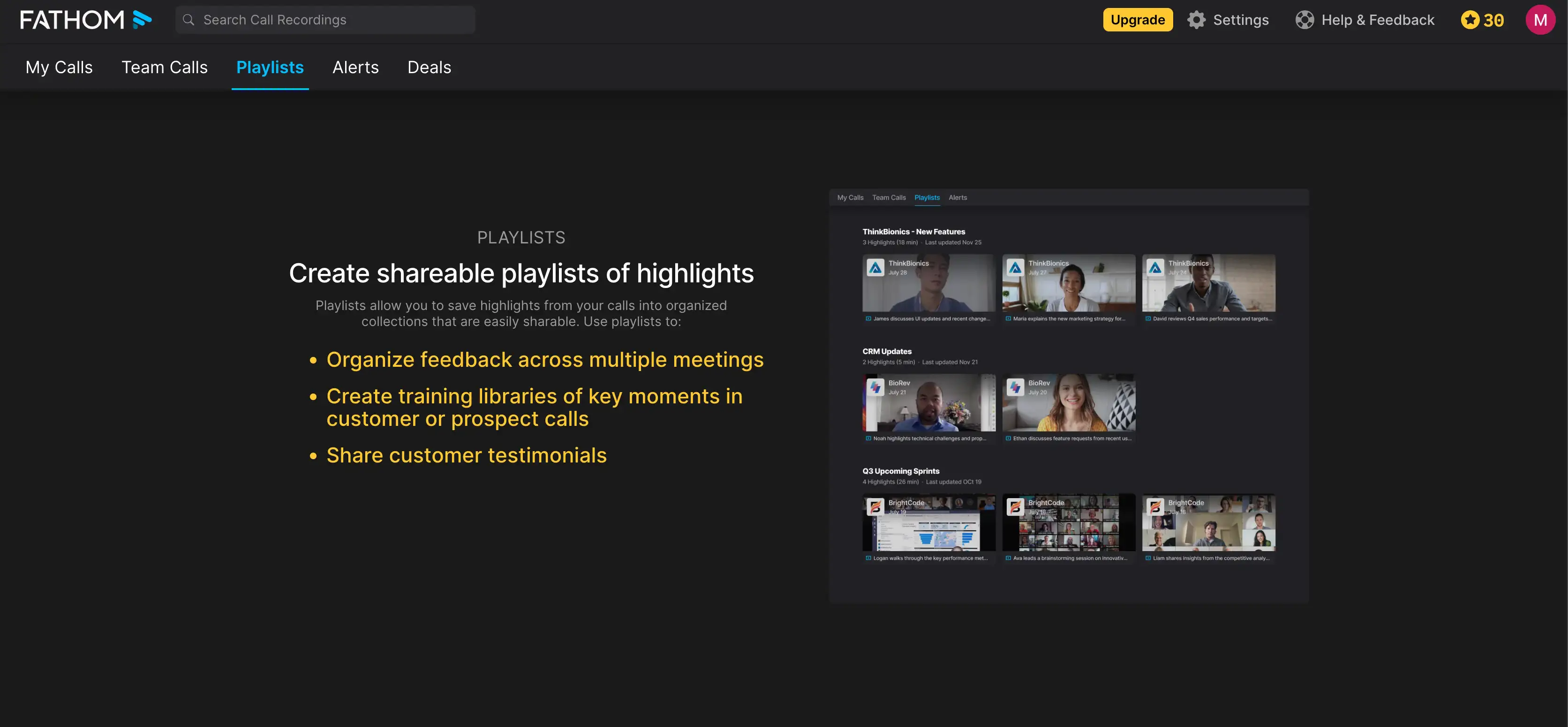
Fathom’s main draw is its generous free tier. It includes unlimited recordings, unlimited storage, and unlimited transcriptions in 25 languages.
Unfortunately, Fathom doesn’t support bot-free recording unless you’re on a Mac, and even there, the feature is still in beta.
If you want a free tool that syncs to your CRM, however, it’s still a great choice. Integrations with Salesforce and HubSpot are available on all tiers, even the free version.
Why It Stands Out
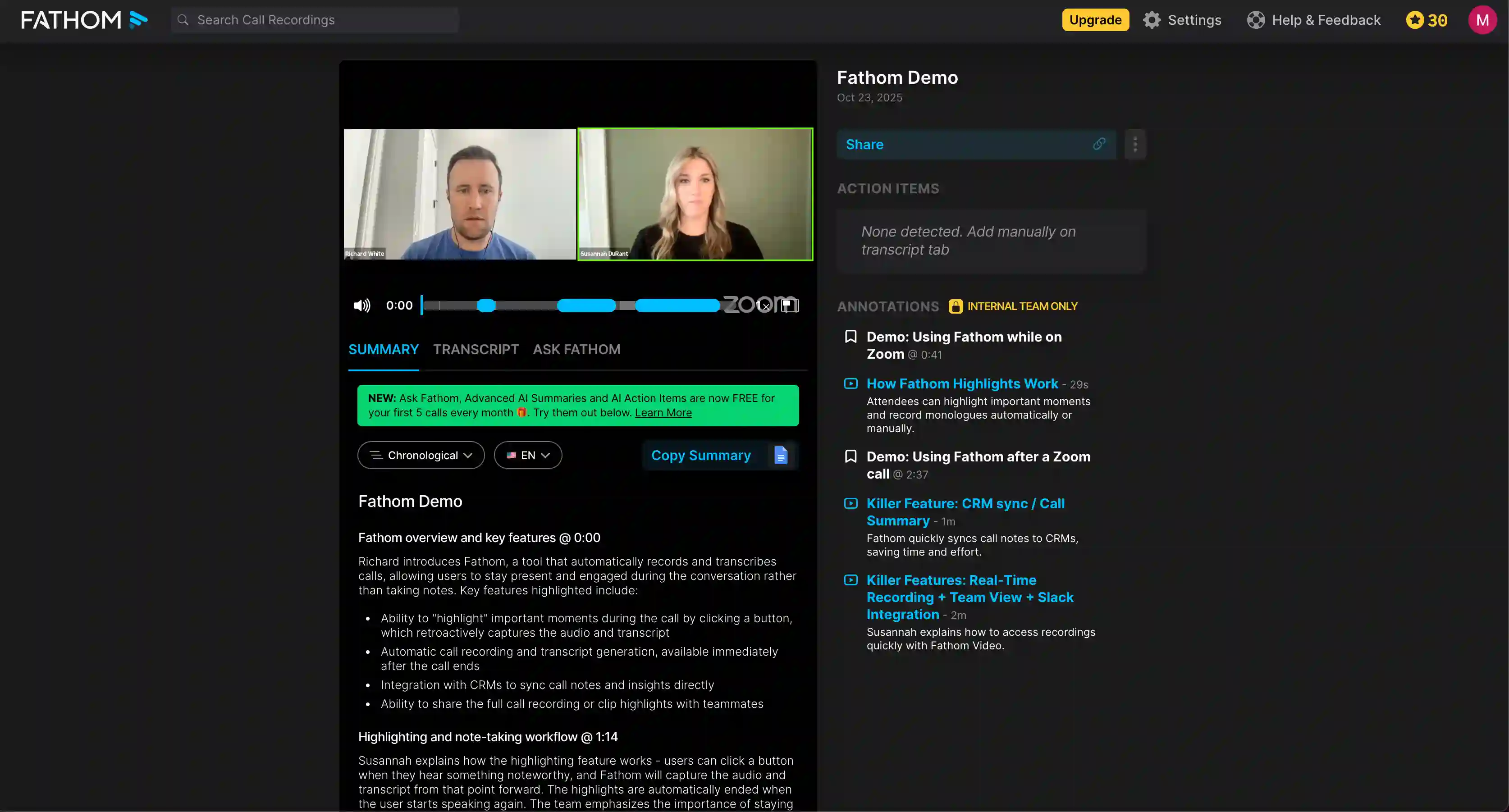
Solo real estate agents may not want to pay for an AI note taker or subscribe to one without using it extensively first. That’s what makes Fathom’s unusually generous free account so enticing.
However, you don’t get the best transcription quality and AI summaries with the free plan. In fact, you only get top-tier AI notes for 5 meetings per month. For a solo agent who spends their whole week talking to clients, that’s probably not enough.
If you’re on HubSpot or Salesforce, though, you can automate client data entry without Zapier. MCP integration with Claude and ChatGPT are also supported, for more AI-savvy users. This lets you search transcripts and notes directly from your favorite AI tool — useful if you don’t want a hundred tabs open while you’re writing follow-ups or property recommendations.
You also get a nice unified view of your interactions with each client via Fathom’s Customer View. It aggregates information from all client meetings on one easily skimmable page. In a real estate business, this speeds up handoffs.
Best For
Solo real estate agents who take a lot of online meetings and property managers' automation tasks.
Key Strengths
- Free tier with unlimited recordings, storage, and transcription
- Integration with HubSpot, Salesforce, and Close
- Bot-free recording mode on Mac (still in beta)
- 17 AI summary templates
- Claude and ChatGPT MCP integration
- AI-generated action items and follow-up email drafts (Premium and up)
- Transcription Dictionary for custom vocabulary (only on Team and Business)
Downsides
- Fathom sometimes randomly fails to join meetings
- Lower transcription accuracy when speakers overlap
- No Windows desktop app, Android app, or iOS app yet
- CRM sync is limited to 3 users per email domain on most tiers
- No native integrations with real estate CRMs like Follow Up Boss or Top Producer
- Some customers complained about lost client data
Read More: Best Fathom Alternatives
Reliability is the biggest issue with Fathom. If the bot doesn’t join a meeting, you don’t get any notes or transcripts. Several user reviews mention that this happens with Fathom in practice.
The other elephant in the room is the lack of mobile apps, which makes Fathom a bad choice for in-person meetings. It’s free, but only useful for online meetings — maybe for virtual discovery calls. Look elsewhere for an AI assistant that can handle in-person conversations.
Pricing
- Free: $0 — unlimited recordings, 5 advanced summaries/mo
- Premium: $20/mo ($16 annual) — unlimited summaries, action items, email drafts
- Team: $19/user/mo ($15 annual) — 2+ seats, shared library, SSO, AI Search
- Business: $34/user/mo ($25 annual) — CRM Field Sync, Deal View, AI Scorecards, custom retention
#4. Otter AI — Decent for In-Person Meetings
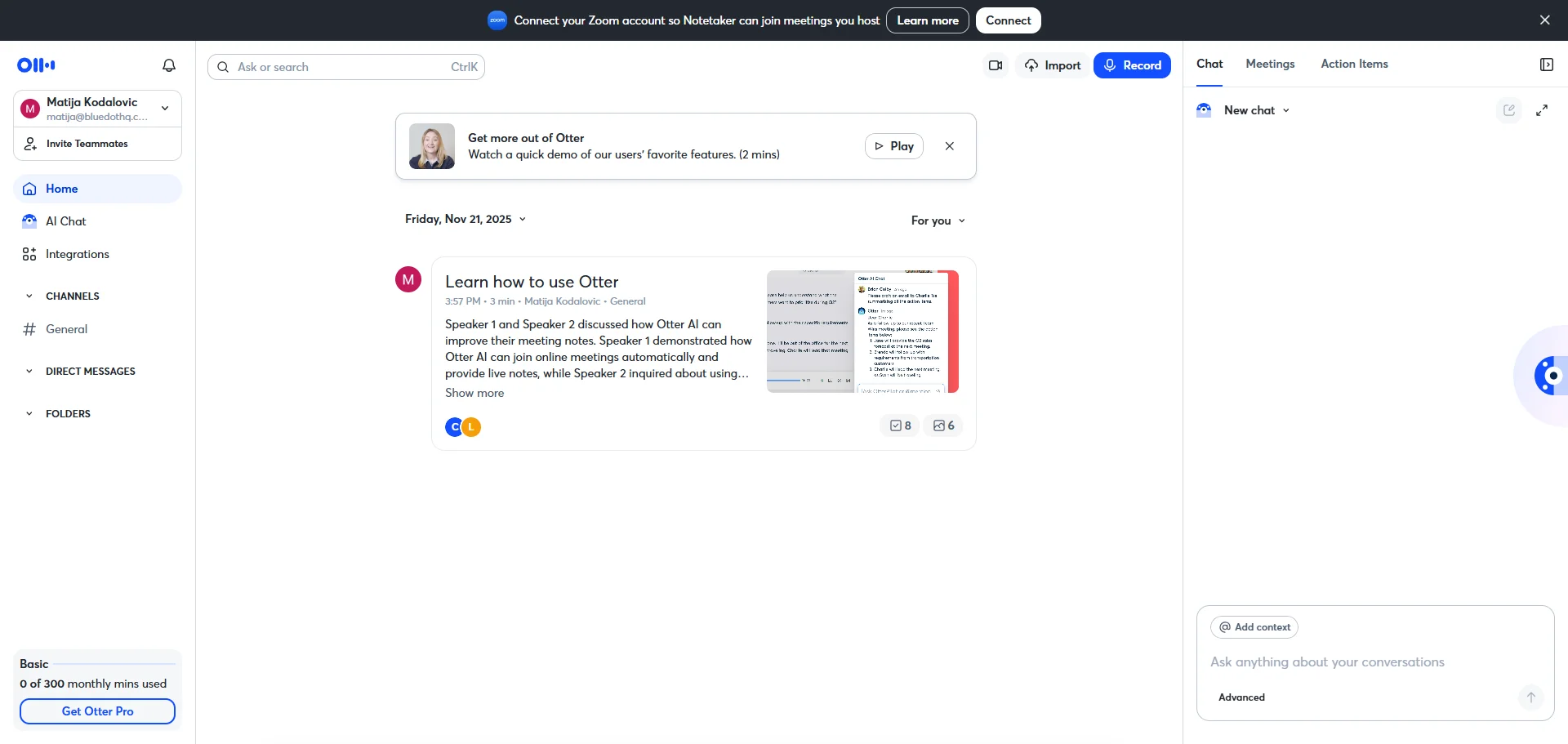
Besides Bluedot, Otter is the only AI meeting assistant here with Android and iOS apps. This makes it a decent option for transcribing in-person real estate meetings.
For maximum accuracy, you can also add real estate acronyms and other tricky phrases to a custom vocabulary. It supports 1,600 terms on the Business tier, which is more than any other custom dictionary except Bluedot’s, which is unlimited.
Pro tip: add recurring neighborhood names and street addresses to the vocabulary, since that’s what AI notetakers mishear most often.
You can add custom meeting type templates, and Otter automatically chooses the right template based on your calendar entries. That way, you’ll get the most useful info from each type of meeting.
Why It Stands Out
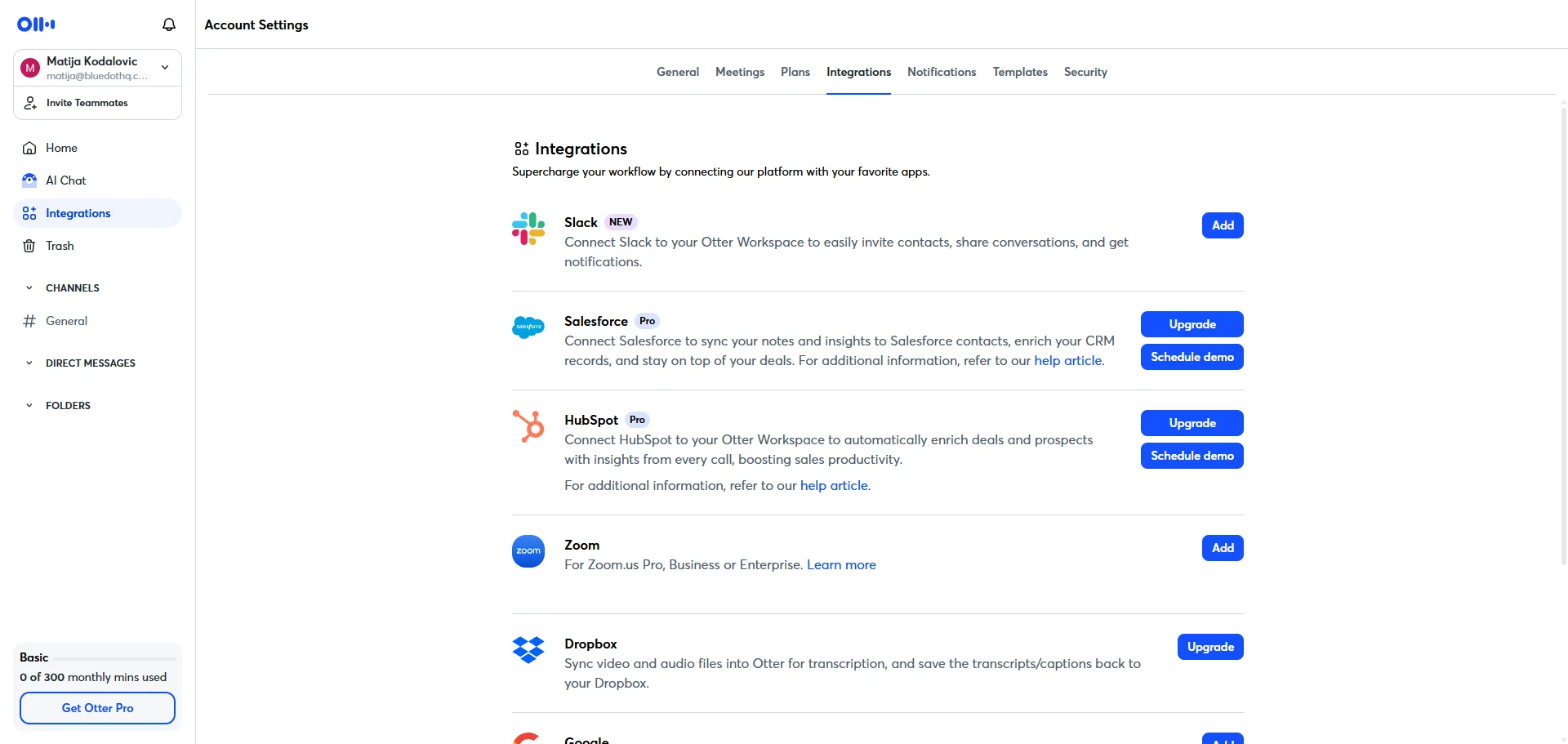
For most AI note takers (looking at you, Jamie AI), mobile apps serve only as recorders and platforms to read meeting notes. Otter actually lets you choose templates and do pretty much everything else you could do on a laptop.
There’s also a neat home screen widget on Otter’s iOS app, so you can discreetly press “record” in a single tap without much fuss. The notes sync between your devices almost instantly, which is also useful.
Still, I think Otter’s custom vocabulary is its best feature for real estate. You can just put terms like ABOR or the Westside Condo Association in there, and the AI will transcribe them more accurately.
Best For
Solo agents and small teams with a lot of in-person showings and virtual calls.
Key Strengths
- Mobile support for iOS and Android with widgets and Siri shortcuts
- Custom vocabulary up to 1,600 terms on Business
- Custom Meeting Type Templates
- Otter MCP connection to large language models (Claude and ChatGPT)
- Bot-free recording via desktop apps on Mac and Windows
Downsides
- Serious privacy issues, with Otter’s bot joining meetings and emailing colleagues automatically
- Users describe Otter’s customer support as slow and AI-based
- Billing issues like unwanted charges, hard upsells, and ignored cancellation requests
- Less accurate transcriptions when people talk over each other
- AI-generated action items are often too generic
- A class action lawsuit against Otter in 2025 over dubious recording practices
Read More: Best Otter AI Alternatives
A quick Google search tells you that Otter’s business reputation is, to put it mildly, less than ideal.
Many people have complained about the way Otter acquires new users across organizations. Once someone joins, other team members get spammed repeatedly — and it automatically shares meeting summaries and notes with everyone who was on the call. Your buyers might not appreciate seeing their motivations and budget categorized.
The meeting notes, unless you tweak them thoroughly, aren’t deep and useful compared to Bluedot’s or Jamie’s. Some users complain that Otter’s summaries gloss over the most important points.
Pricing
- Basic: $0 — 300 min/mo, 30-min cap per meeting, 25 conversations visible
- Pro: $16.99/mo ($8.33 annual) — 1,200 min/mo, 90-min cap, 1-user CRM sync
- Business: $30/mo ($19.99 annual) — unlimited meeting transcription, 5-user CRM sync, 1,600-term vocabulary
- Enterprise: custom — Sales Notetaker, API, HIPAA add-on, 100-user SSO minimum
#5. tl;dv — Great for Large Teams & Coaching
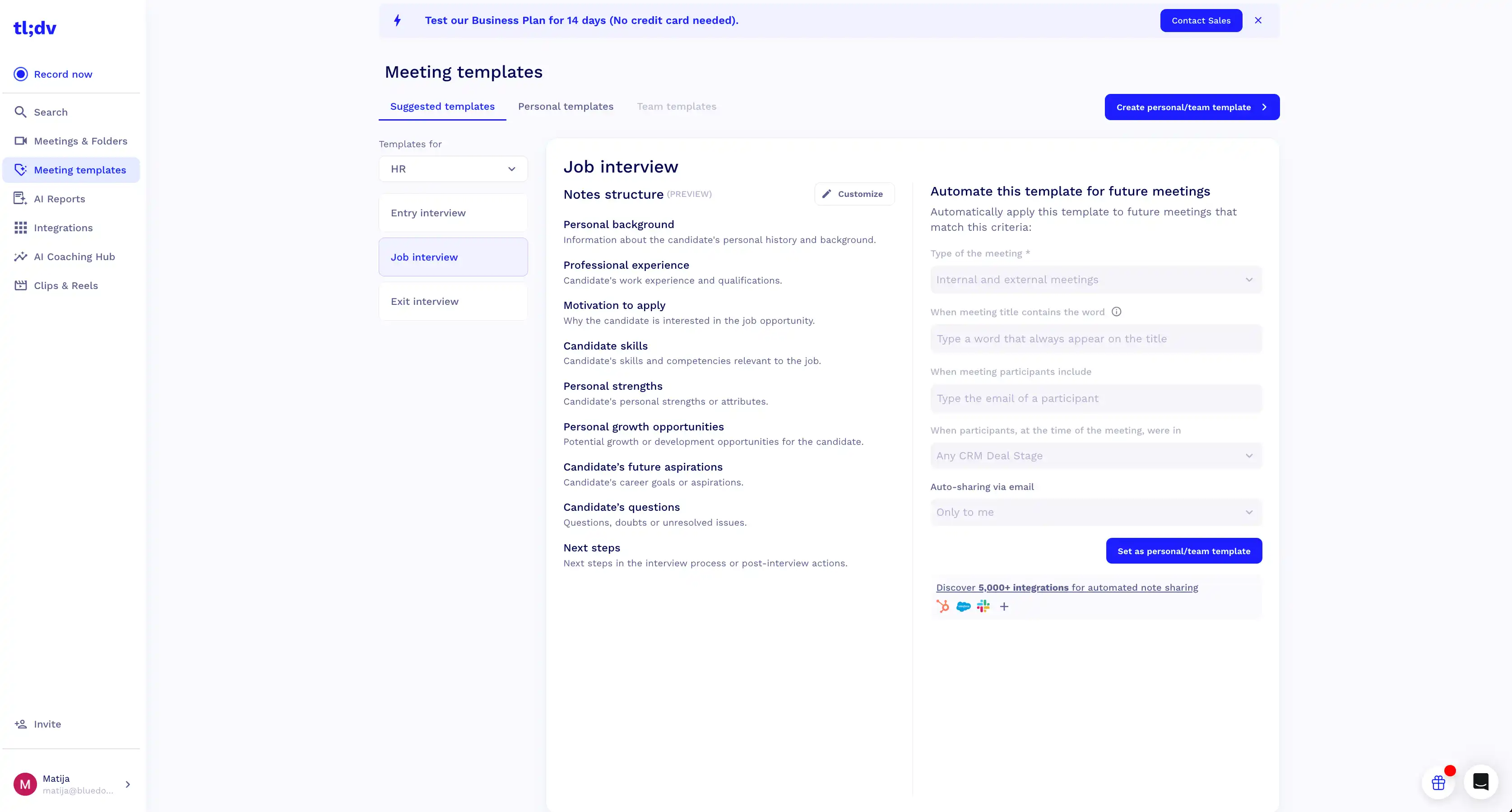
tl;dv is an AI assistant for meetings that focuses on sales coaching.
On the Business tier, you can set up “Playbook Monitoring”, where the AI tool automatically scores your calls against specific frameworks, like MEDDICC and BANT. You can customize these playbooks to fit your real estate sales process, too.
Then, tl;dv’s objection handling AI tracks how your real estate agents handle customers pushing back on pricing or other issues during discovery calls. You get a lot of AI-driven predictive analytics in the Speaker Insights tab as well.
For real estate teams working in bilingual areas, tl;dv offers multi-language meeting transcription. Multiple speakers can talk in different languages on one call, and you still get an accurate transcription.
Why It Stands Out
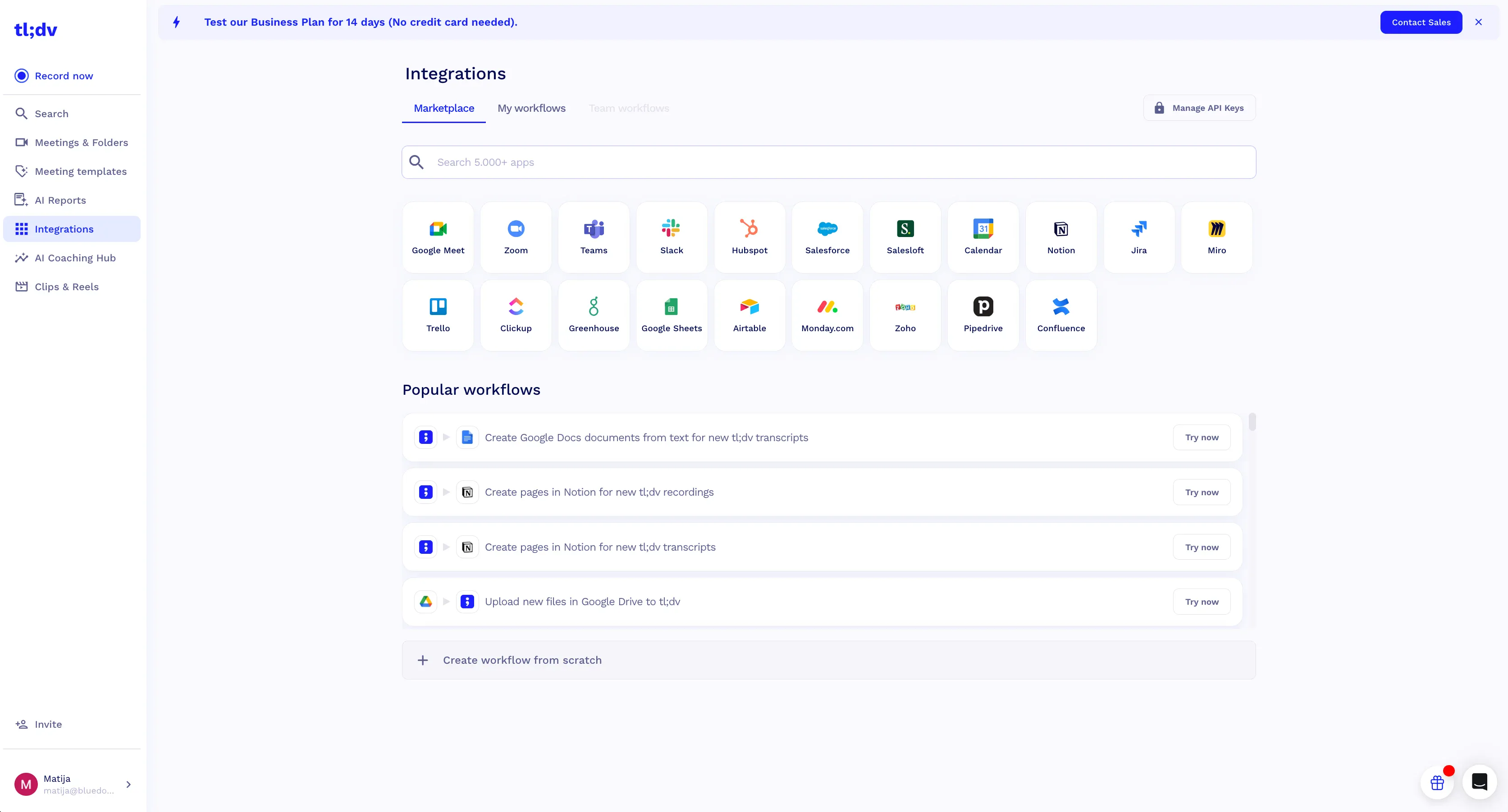
I wouldn’t recommend tl;dv to a solo agent or a small team, since its most useful AI features are locked behind the pricey Business tier.
However, I can see the appeal for a larger brokerage, especially if they run a lot of online meetings. Tl;dv makes it easier to train junior real estate agents, or at least score their work more efficiently.
The AI tool's Smart Trackers simplifies signal-based selling for everyone, junior or senior. You can set up a recurring AI report that checks every meeting for financing issues, appraisal gaps, or even mentions of competitors.
On the other hand, multilingual transcription is useful for Florida, California, Texas, and similar bilingual markets with high real estate volume.
Last but not least, if you use Pipedrive in your real estate business, tl;dv supports field mapping by default — so you can put specific sections of your meeting summaries into the appropriate fields automatically.
Best For
Large real estate teams with junior real estate agents in training, and agencies serving bilingual markets.
Key Strengths
- Playbook Monitoring feature automatically scores meetings against your sales framework
- AI Objection Handling for sales teams monitors how your real estate agents deal with client pushback
- Smart Trackers flag specific recurring phrases across all meetings
- Multi-language transcription on Business tier
- Native Pipedrive integration with field mapping
Downsides
- Free tier retains recordings for only 3 months
- No bot-free option
- Reports of billing issues
- Customer support is often slow
- Mobile summaries don't have the same detailed market insights as the desktop ones
- User contacts get unsolicited invitations
- Non-English AI transcription accuracy as low as 60-70% per user reports
Read More: Top tl;dv Alternatives
The biggest red flag is tl;dv’s bot-only recording, which makes it practically unusable for in-person meetings — unless you record them in another app and then upload them here, which is a hassle.
Beyond that, tl;dv does the same aggressive marketing as Otter, and their customer support is often unresponsive — especially on billing issues.
Pricing
- Free: $0 — 10 AI summaries lifetime, 3-month retention, mobile included
- Pro: $18/seat/mo annual ($29 monthly) — unlimited AI notes, predictive insights, custom templates
- Business: $29/seat/mo annual ($39 monthly) — Coaching Hub, multi-language, voice ID, custom vocabulary
- Enterprise: custom — SSO, SCIM, super admin, privately hosted AI
Quick Comparison Of The Top Picks
- Bluedot – best bot-free notetaker overall
- Jamie – best for multilingual and privacy needs
- Fathom – best free plan for solo real estate agents
- Otter AI – best mobile experience for in-person meetings
- tl;dv – best for large teams and sales coaching
Integrations: CRM, Marketing Systems, And AI Copilot Workflows
AI note takers are useful on their own, but you can automate more tasks and save more time by integrating them with other tools you already use.
Plugging Meeting Summaries Into Your CRM
If your real estate agents use a CRM, you don't have to enter your meeting notes into the platform manually. The latest AI tools for real estate agents, like Bluedot, can automatically sync your notes with your CRM of choice. Some are supported natively, but most real estate CRMs require Zapier.
Since Zapier is a no-code automated marketing tool, setting up this kind of automation is easy. As an example, here's how you automate note sharing between Bluedot and Follow Up Boss:
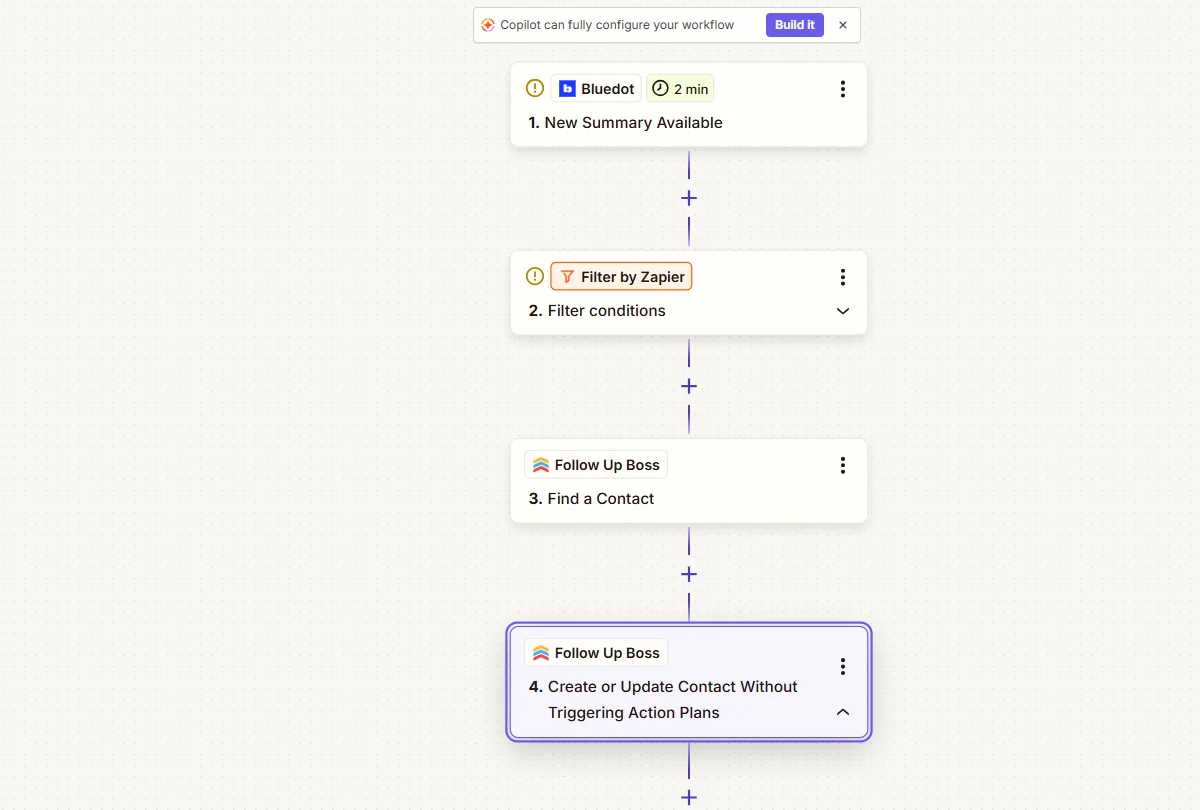
Here's how to set it up:
- Create a new Zap in Zapier. Pick Bluedot as the trigger app and select "New Meeting" or "New Sumary Available" as the trigger event.
- Add a Filter step (optional). Filter by a keyword or meeting title to sync only specific types of meetings.
- Add a "Find Contact" action. Pick your CRM (Follow Up Boss, LionDesk, Wise Agent, etc.) and match by participant email. That way, the notes will be added to the right client profile in the CRM.
- Add an "Create or Update Contact" action. Map the Bluedot summary field to the CRM's notes field.
This simple setup saves you hours of manual note taking and updating your CRM after each call.
Feeding Notes Into Market Intelligence and Valuation Models
Don't waste the market intelligence you can get from your meeting notes. A seller might mention $40K in kitchen upgrades, or an FSBO lead could mention the price their neighbor got recently.
Every pricing data point can improve your pricing strategy — if you automatically extract the right information from each meeting.
Here's an existing workflow that takes less than an hour to set up with Bluedot:
- Create a custom note template for pricing data. In Bluedot, you can create a template with a series of specific questions, including:
- What upgrades or renovations did the seller mention, and how much did they cost?
- What are the client's price expectations?
- Did the buyer mention any competing offers, and which?
- What recent sales or prices did the client mention?
- Did the client mention any specific neighborhoods?
- Automatically export pricing data to Google Sheets via Zapier. Create a Zap that triggers when Bluedot generates a new meeting summary based on your pricing template. Set it up so that each answer to your template's question gets extracted to a specific column in your spreadsheet.
- Use this information in your CMAs for new listings.
Use Notes for Real Estate Marketing: AI Virtual Staging and Image Enhancement
Buyers always mention their preferences in discovery meetings, and you can use this information to plan virtual staging more effectively and understand market trends.
Set up a meeting note template that extracts any aesthetic preferences the client might have mentioned on the call — like their ideal kitchen layout.
With Bluedot, you can easily copy those notes and send them to your virtual stager, or use them for your marketing materials. That way, they’ll know how to set up the space to be in line with your client’s wishes.
Recording Consent and Compliance
Always get consent from your clients before recording. If it's an in-person conversation, ask for permission personally — although that's also the right way to do it in online calls, instead of matter-of-factly inviting a visible bot to the call.
Do this right at the beginning of the meeting:
"Before we get started, a small disclaimer: I use a note-taking tool to record our conversation. It lets me focus on you and your needs instead of taking notes. Are you okay with that?"
Most clients will say yes if you immediately present them with the obvious benefits.
Legal Considerations
Recording laws differ by state and province. In some places, one party's consent is enough (the person recording), while others require everyone on the call to say yes. Before using an AI assistant, check the rules in your area. And if you work across state lines, check the rules in each state.
What's the best AI Note Taker for Real Estate?
The right choice depends on your real estate business, but Bluedot is the safest bet in general — both for mortgage brokers and agents.
It can record and transcribe in-person meetings and virtual calls without a bot, it lets you build an unlimited custom vocabulary for industry jargon and acronyms, and it can integrate with any real estate CRM via Zapier and Make.