Fathom AI is a popular AI notetaker, especially among marketing and sales teams.
However, the question is — can you do better? After all, Fathom isn’t the cheapest option out there — does its value really justify the cost?
I’ve tested 20+ AI meeting assistants to find out. After trying all the most popular AI tools for transcription and meeting summaries, these are my top 3 choices — and the biggest reasons you should consider a Fathom alternative in the first place.
TL;DR
- Fathom AI is a capable meeting notetaker, but common pain points include clunky transcript editing, speaker labeling errors, no mobile support, no bot-free recording, limited language coverage, and a low-contrast interface that hurts readability.
- Bluedot is the best Fathom alternative overall due to bot-free recording on all platforms, one-click transcript editing, higher speaker accuracy, mobile apps for in-person meetings, and support for 100+ languages.
- tl;dv is a strong option for teams that want automations, recurring AI reports, and highlight clips, but its interface can feel cluttered and key features sit behind expensive tiers.
- tl;dv supports fewer languages than Bluedot and does not offer bot-free recording across all meeting platforms, which limits discretion for customer-facing calls.
- Jamie AI is well-suited for in-person meetings and bot-free recording, with strong transcript editing tools, but requires installing an app and struggles with speaker accuracy in noisy environments.
- Jamie’s pricing is high, meeting length is capped at three hours, CRM integrations are limited, and full feature access depends on expensive plans.
- Across pricing, language support, recording flexibility, and ease of use, Bluedot offers the best balance for users who want a reliable Fathom replacement without overpaying or sacrificing control.
Why Do You Need a Fathom AI Alternative?
I’m not here to rip Fathom a new one — you can do a lot worse as far as AI notetakers go.
In fact, it’s not as intrusive as many of the best Fathom alternatives, and it doesn’t try to be your primary revenue intelligence platform that overlaps and clashes with your CRM.
Still, Fathom has a few big problems:
- Clunky transcript editing that requires you to select individual parts of the transcript, go into another window, and edit that specific section from there.
- Transcription mistakes that you have to correct manually after each meeting, along with mislabeled speakers.
- No mobile support, which means you can’t use Fathom to record or transcribe in-person meetings.
- No bot-free recording, which means Fathom is always present on the call as a participant. This wasn’t ideal for me, and I imagine it’s even less ideal on a sales call.
- Middling multi-language support, because it only supports 38 languages. Competitors like Bluedot or Fireflies support 100+ each.
- Low visibility, for me and at least one other user who didn’t appreciate the light gray text on a dark background.
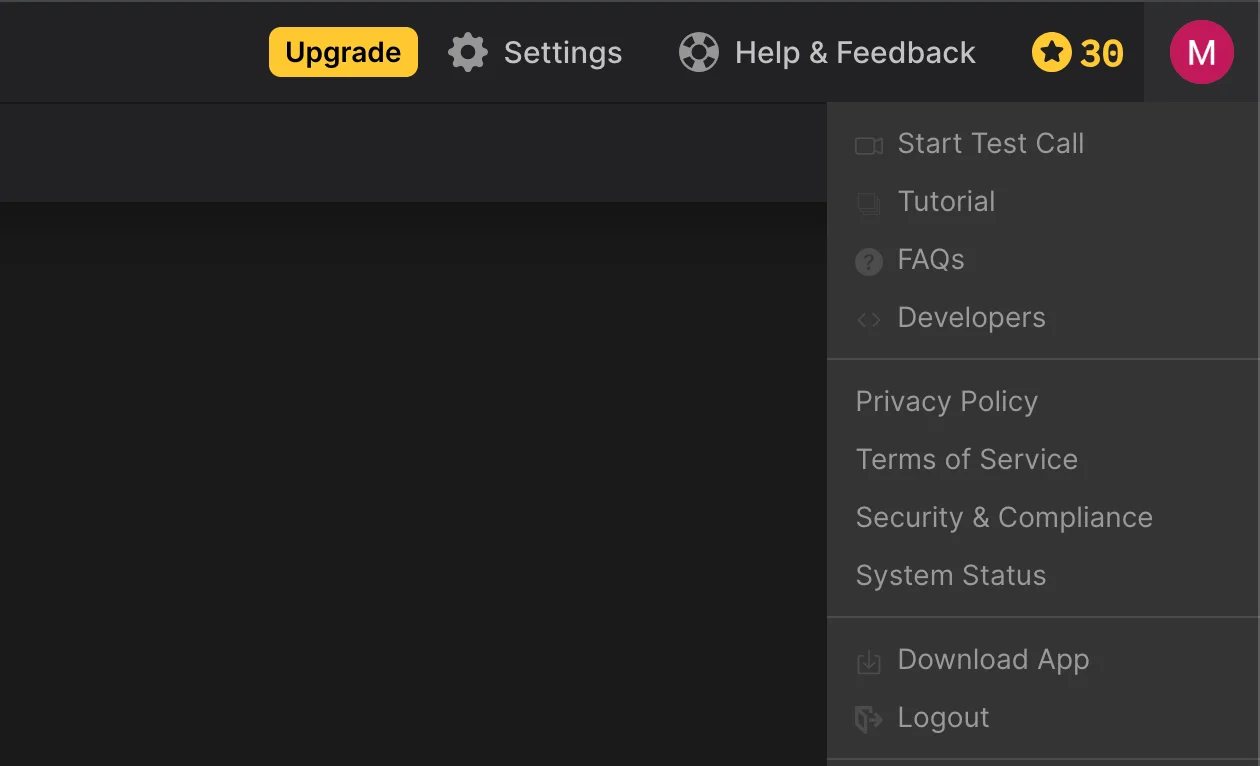
Fathom's UI isn't always the most visible.
Luckily, a few other AI notetakers I’ve tested don’t have (at least some of) the same issues.
What Are the Top Fathom Alternatives?
Over the past few months, I've used over a dozen AI meeting assistants to transcribe, record, and summarize meetings on popular video conferencing platforms.
So far, my top AI apps are:
- Bluedot
- tl;dv
- Jamie
Below, you can find my thoughts on these AI meeting assistants and their key features.
#1. Bluedot — Best Fathom Alternative Overall
Bluedot is a simple, easy-to-use AI meeting assistant that wins on the fundamentals. It doesn't try to replace your project management software or CRM, like many Fathom competitors.
For me, Bluedot is the best choice because it does a few things — but it does them well. It can record and transcribe your calls, before providing AI-generated summaries with conversation intelligence feautures.
Let's see why it's such a great Fathom alternative.
Bluedot vs. Fathom — Advanced Features Compared
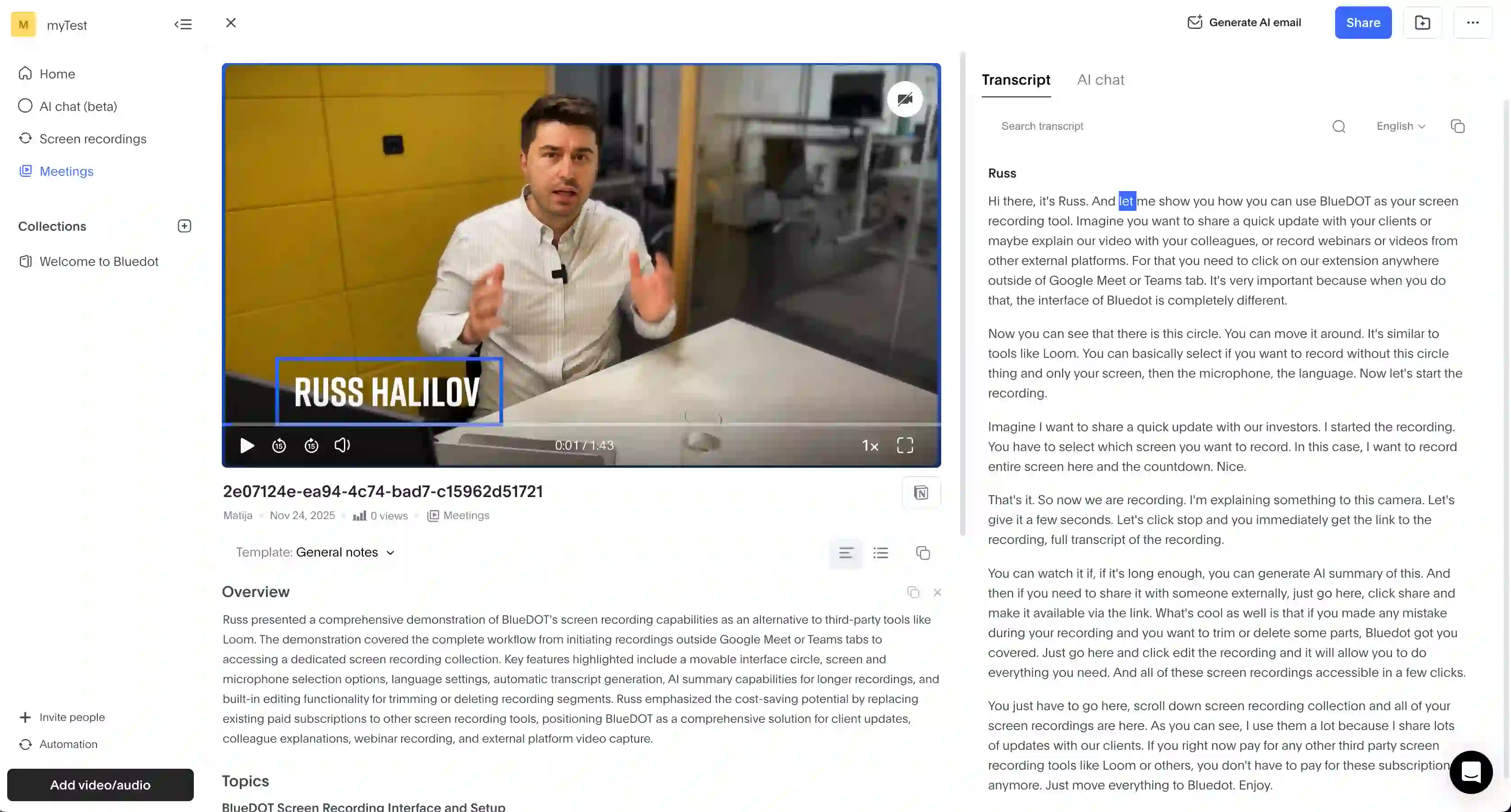
Editing transcripts in Bluedot is simple and easy.
The first thing I noticed about Bluedot is how easy it is to use. First, you can edit the transcript in one click, and the recording will be updated automatically. This helped me quickly eliminate awkward pauses and make the meeting easier to watch.
For me, Bluedot was more accurate and made fewer speaker identification errors than Fathom. Also, it has mobile support via Android and iOS apps — allowing me to record in-person meetings with my phone as well.
Most importantly, Bluedot has a bot-free recording option via a Chrome extension and a desktop app. For virtual meetings, this is great because it lets me record calls discreetly — without spooking other participants. I'm not a sales rep, but I imagine this is a huge deal for them.
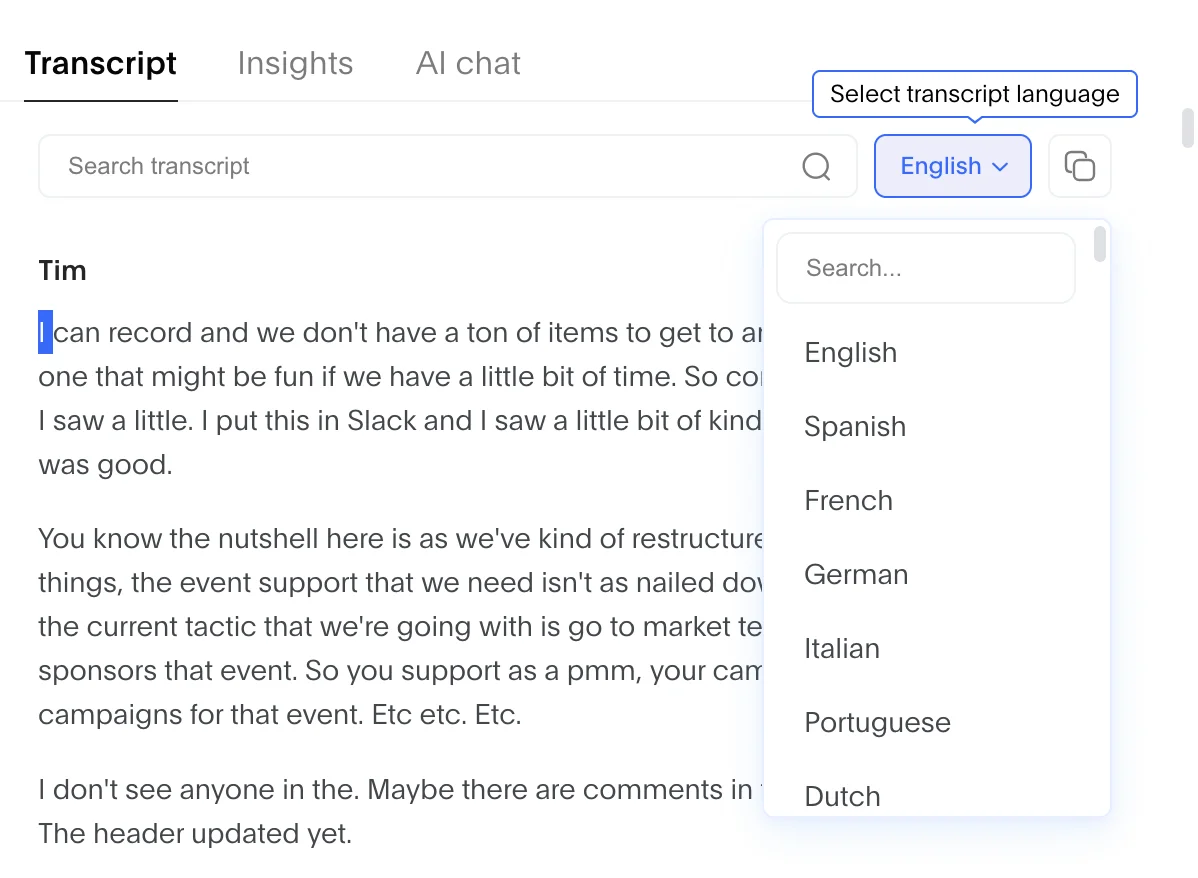
Bluedot supports transcriptions in 100+ languages.
Also, Bluedot can accurately transcribe and record meetings in 100+ languages — a huge step up from Fathom, which supports less than 40.
Finally, Bluedot's simple, bright UI is just clearer for me. Advanced AI and conversation analytics in Fathom don't matter as much when I have to squint to see gray text on a dark background. It's a cool look, but not for a text-heavy app — and Fathom's UI designers should've known better.
Bluedot Pricing Explained
Various Bluedot subscription tiers provide different features, and you should know about some of the free plan limitations. Here's what you get with each paid plan:
Bluedot Pros and Cons
Not sure if Bluedot is the right choice for your customer interactions and team meetings? Keep these pros and cons in mind before committing to a paid plan:
#2. tl;dv — Great AI Notetaker for Automations
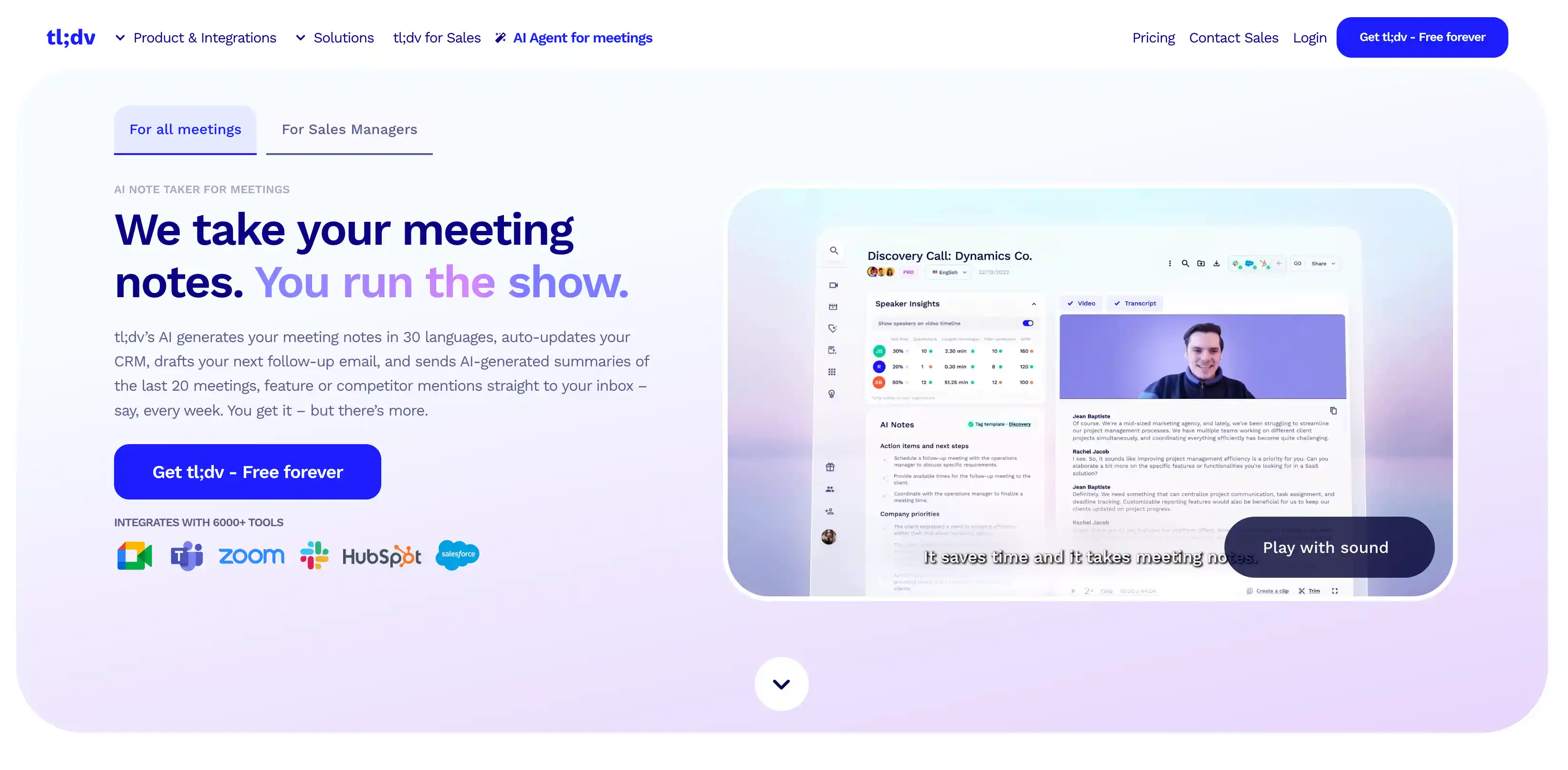
TL;DV is another Fathom alternative worth considering. Besides advanced AI analysis of past meetings and fairly accurate transcripts, tl;dv offers a few head-turning AI features like automated reports.
Let's see how this conversation intelligence platform compares to Fathom and other popular AI notetakers.
Read More: Comprehensive tl;dv Review
tl;dv vs. Fathom — AI Meeting Assistants Compared
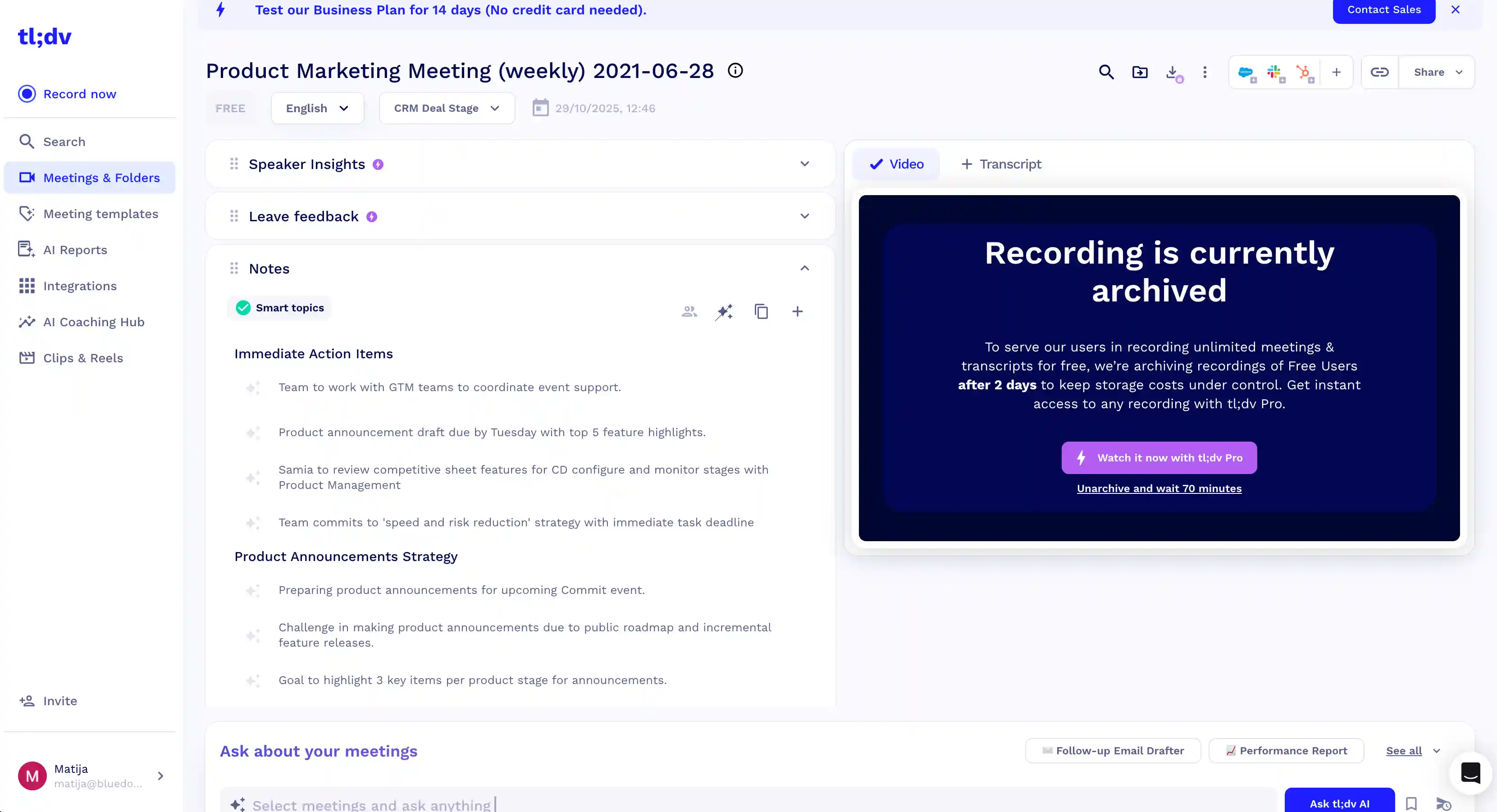
TL;DV provides useful information about each meeting.
Compared to Fathom's too-dark UI, tl;dv has a more clearly visible layout and design. Also, editing and sharing transcripts was easier for me. I especially appreciated being able to create short highlight clips of key meeting moments simply by selecting a specific part of the transcript.
However, tl;dv's interface still falls short compared to other AI meeting assistants like Bluedot. I felt like tl;dv showed me too much information all the time — honestly, it was a bit too cluttered for my taste.
Still, tl;dv is a great Fathom alternative in terms of transcription accuracy. I didn't have to spend nearly as much time correcting tl;dv's mistakes, and it tags speakers reasonably well.
Also, tl;dv has recently introduced a mobile app for Android and iOS — though the apps are still in beta, and sometimes unstable. Nevertheless, this makes tl;dv a better choice for recording in-person meetings.
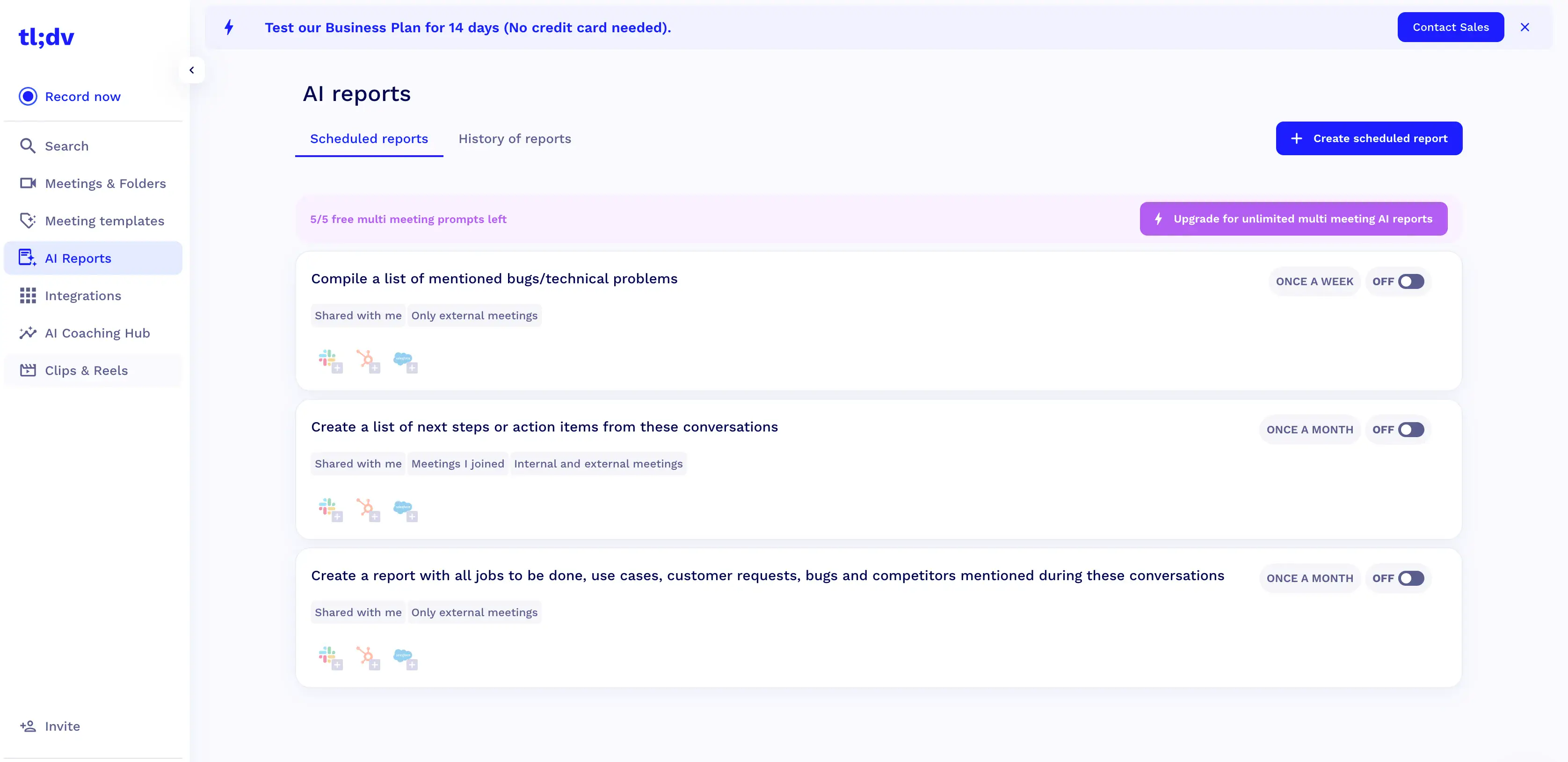
TL;DV's interface is a bit cluttered.
Unfortunately, tl;dv doesn't offer bot-free recording on all platforms. You can download a desktop app to record meetings in Zoom and Teams without a bot, but it's not compatible with Google Meet. So, getting meeting summaries and transcripts isn't as discreet. It's not a deal-breaker for me personally, but some customer facing teams and sales teams might disagree.
Also, tl;dv works with a similar number of languages to Fathom, only supporting around 30 global languages for transcription and summaries. This is significantly less than tl;dv alternatives like Bluedot, which supports 100+ languages.
TL;DV Pricing Explained
Wondering how much tl;dv's conversation intelligence features cost? Take a look at the table below to quickly compare the prices to other tools:
TL;DV Pros and Cons
Thinking of using tl;dv as a Fathom alternative for remote and hybrid teams? Consider these pros and cons first:
#3. Jamie — Great for In-Person Meetings & Conversations
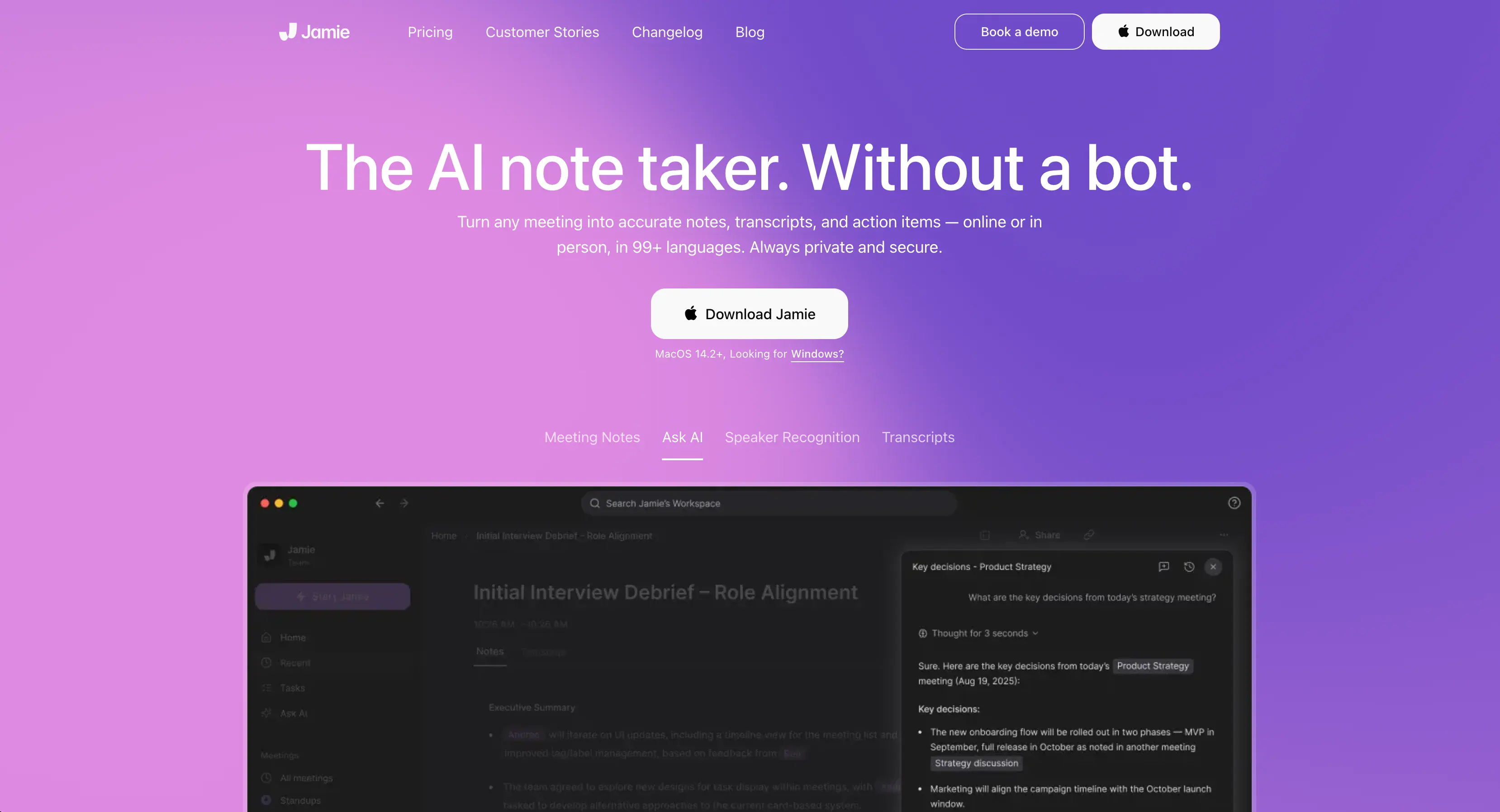
Jamie AI is another bot-free Fathom AI alternative, with a sleek interface and useful AI features.
The app works with pretty much all popular video conferencing platforms, including Zoom, Microsoft Teams, and Google Meet — though you can also use it for in-person conversations as well.
For me, Jamie AI worked well, but I wasn't thrilled that it only works as a desktop or mobile app — there's no web-based version that I can use without installing anything.
Read More: Jamie AI Honest Review
Jamie AI vs. Fathom — Conversation Insights Compared
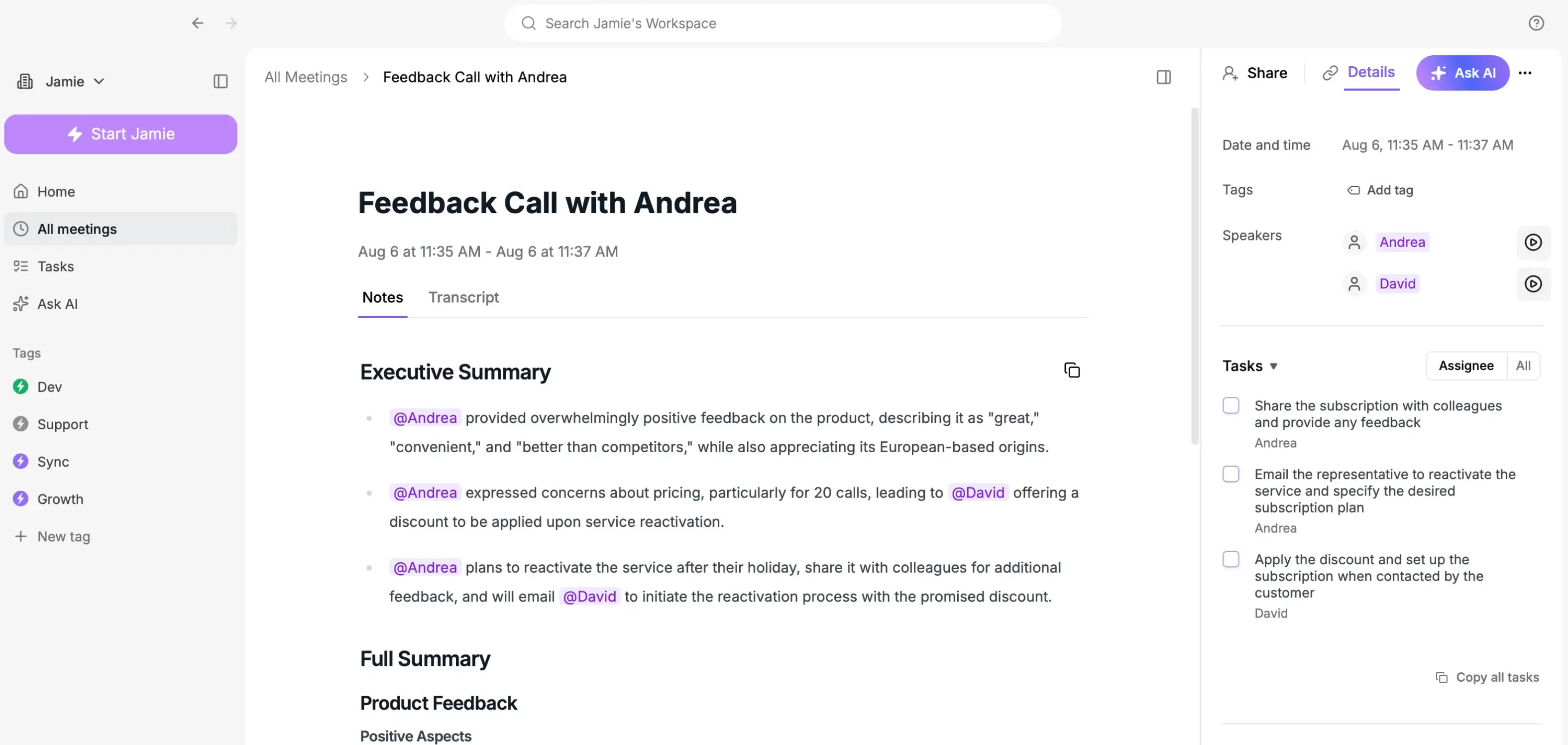
For me, Jamie was great at fixing and editing transcripts. There's a neat Find & Replace function that lets you fix typos or unique names everywhere in a summary with a single click.
I was also satisfied with Jamie's transcription quality. And once you tag speakers for the first time, the platform automatically recognizes them from past conversations. However, I found that speaker identification accuracy depended a lot on the audio quality. With even a little background noise, the speaker tagging becomes more unreliable.
Mobile support isn't as great as I'd like, since there's no Android app. However, Jamie recently launched an iOS app that you can use to record in-person meetings and view your AI summaries on the go.
If you don't mind having to install a desktop app, Jamie is one of the best Fathom alternatives for sales teams because it doesn't come with an annoying bot. And while its full support for 77 languages is better than Fathom's, it's a bit shy of Bluedot's 100+ supported languages and dialects.
Crucially, Jamie lets you pick between light mode and dark mode — so it's more flexible than Fathom in that (for me) important aspect.
Jamie AI Pricing Explained
There is no two ways about it — Jamie's a pretty expensive Fathom alternative. You'll have to pay a pretty penny for its bot-free transcripts, AI summaries, and conversation intelligence.
Also, there are separate tiers for personal and business use, making things even more complicated. Here are Jamie AI's personal plans:
And here are Jamie's Business plans:
Read More: Jamie AI Alternatives — The Complete Guide
Jamie AI Pros and Cons
Not sure if Jamie's high prices are worth its advanced collaboration features and bot-free recording? Consider this before choosing it as your Fathom alternative:
What's the Best Fathom Alternative?
For me, Bluedot is the best Fathom alternative because of its:
- Bot-free recording on all platforms
- Simple, easy-to-use UI
- No-nonsense, fair pricing
With Bluedot's Chrome extension, I can record conversations and get AI notes without anyone knowing I'm recording.
Its custom templates and conversation intelligence features work reliably across tons of use cases — including global teams, customer success reps, and sales teams. And while I don't use Salesforce or HubSpot myself, Bluedot can export AI insights into both automatically. For revenue intelligence teams, this is a really quick way to get valuable insights from meetings into other tools they use.
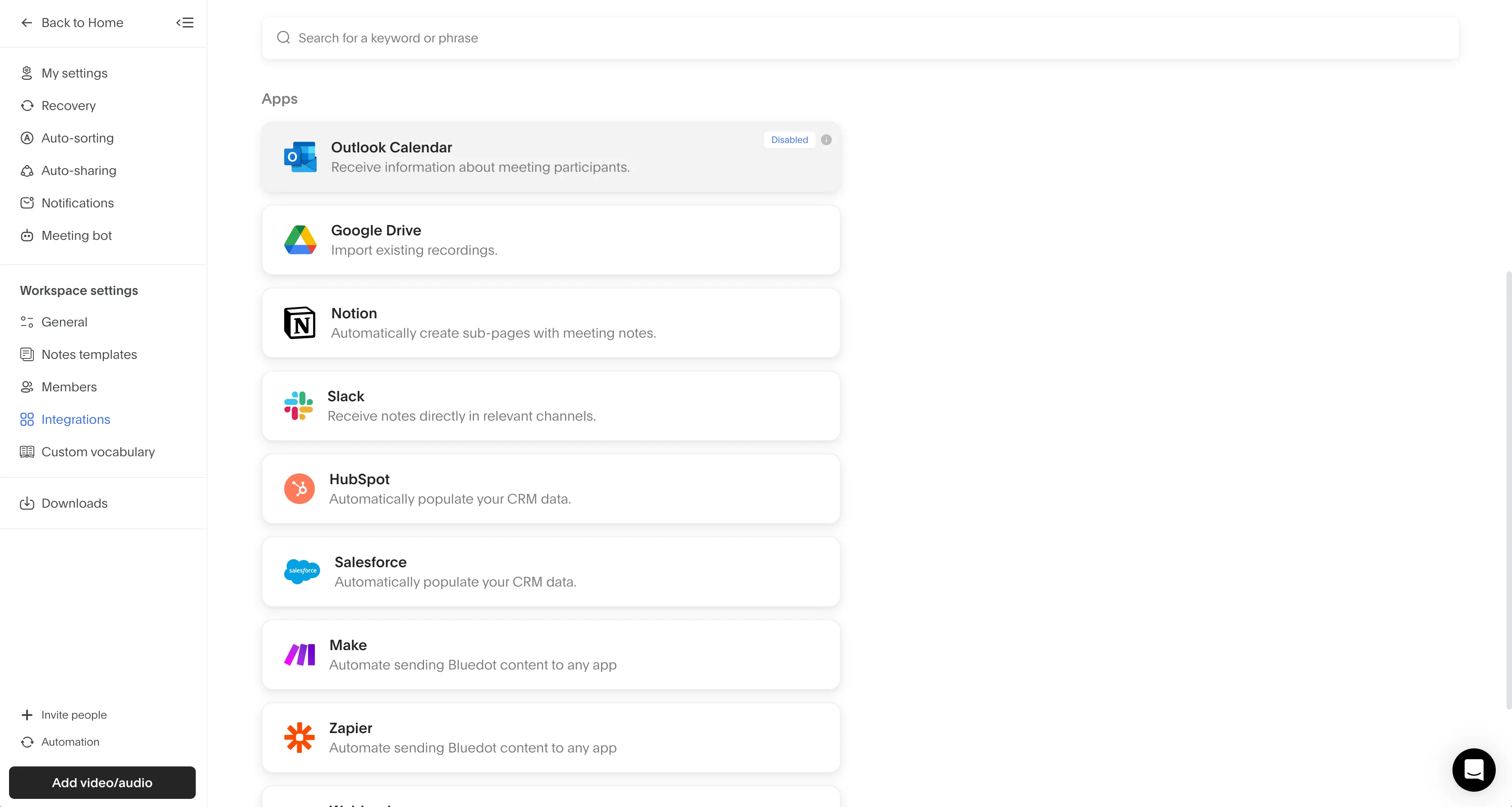
Bluedot integrates natively with tons of project management and team collaboration tools.
And unlike Fathom, I use Bluedot for in-person meetings too — especially since its release of iOS and Android apps.
Why Choose Bluedot over Jamie and TL;DV?
Most AI Fathom alternatives look almost identical. As someone who tests and reviews AI apps professionally, it's easy to feel like you've seen them all once you've seen one.
Most of them integrate with project management tools, work with popular video conferencing platforms, and have certain free plan limitations. Once you subscribe to a paid Business plan, you get more meeting notes, meeting summaries, and more collaboration features.
But, the devil is in the details.
For example, Bluedot can process speaker identification, talk patterns, meeting notes, and transcripts in 100+ languages. In comparison, Fathom can only handle around 40 languages, tl;dv works with barely 30, and Jamie supports fewer than 80. And yet, most of them charge higher prices — especially on the starter plan.
Among these Fathom alternatives, Jamie is the only one that provides bot-free recording besides Bluedot — and Jamie's bot-free experience doesn't work on Google Meet.
Maybe most importantly, Bluedot doesn't want to take up any of your time. It can work as a purely web-based app, without an intrusive bot — and without any features you don't want.
It doesn't aspire to be your project management tool or a business intelligence platform — Bluedot knows you have other tools for that. Instead, Bluedot fits into your existing sales or customer stack.
Frequently Asked Questions
Here are answers to the Internet's most common questions about the best Fathom alternatives:
What are the best free Fathom alternatives?
Bluedot, Jamie, and tl;dv all have limited free plans. However, most free plans you get with AI note-taking tools only provide limited meeting notes and no access to advanced features.
If you need a note-taker for long-term use and multiple meetings per day, you'll probably have to pay for a subscription — tools with a generous free tier are rarely suited for professional use.
Fathom vs. Otter AI — Which is better?
In terms of user privacy, Fathom is the better choice. Otter AI uses a ton of aggressive marketing practices that call its dedication to privacy into question. On the other hand, Otter AI has dedicated mobile apps for iOS and Android — making it a better choice for mobile users and in-person meetings.
What is the best alternative to Fathom for Android?
Bluedot is a great alternative because it has a dedicated Android app — which can record your virtual and in-person conversations without a bot.